GNU Autoconf /
 Automake 工作坊
使用 Automake 來維護
     Makefile

       依瑪貓/楊士青
<imacat@mail.imacat.idv.tw>
        2012/7/28
「使用 Automake 來維護 Makefile 」簡報由 依瑪貓╱楊士青 製作,
以 創用CC Attribution-ShareAlike 3.0 Unported 授權條款 釋出。
自我介紹
• 依瑪貓╱楊士青
• 2001 年起參與國內外自由軟體社群開發
• SourceForge vsntp 等專案
• 現為 Apache OpenOffice 開發團隊成員
Automake
前一節所寫的 Makefile.in ,
   其實太過簡單。
前一節所寫的 Makefile.in
• 沒有 make install 。
  – 也沒有處理 configure 設定的 prefix 。
前一節所寫的 Makefile.in
• 沒有 make install 。
  – 也沒有處理 configure 設定的 prefix 。
• 沒有 make check 。
前一節所寫的 Makefile.in
• 沒有 make install 。
  – 也沒有處理 configure 設定的 prefix 。
• 沒有 make check 。
• 如果要加上前兩個功能,還有其它進階功
  能(例如要深入子目錄
  make ), Makefile.in 要寫得非常複雜!
使用 Automake 建立嚴謹的 Makefile
Automake 的目的,
是為了建立嚴格符合 GNU 標準的
   專案和 Makefile 。
嚴格符合 GNU 標準的專案
• 請參閱 GNU Coding Standards。
嚴格符合 GNU 標準的專案
• 請參閱 GNU Coding Standards。
• 要有下列檔案:
 – INSTALL, NEWS, README, AUTHORS,
   ChangeLog, COPYING, THANKS
嚴格符合 GNU 標準的專案
• 請參閱 GNU Coding Standards。
• 要有下列檔案:
 – INSTALL, NEWS, README, AUTHORS,
   ChangeLog, COPYING, THANKS
• 要有下列 make targets :
 – install, uninstall, check, dist, clean,
   distclean… 等。
但是 Automake 也容許
不符 GNU Coding Standards 的專案。
即使不符 GNU Coding Standards ,
 使用 Automake 也會非常方便。
Automake 的運作原理
Automake 的運作原理
• 由 Makefile.am 範本建立 Makefile.in 。
Automake 的運作原理
• 製作 Makefile.am 範本檔。
• 修改 configure.ac ,加入 Automake 。
• 執行 automake ,將 Makefile.am 範本
  檔轉為 Makefile.in 。
製作 Makefile.am 範本檔
Makefile.am 範本檔


## Automake.am
AUTOMAKE_OPTIONS = foreign

sbin_PROGRAMS = vsntp
vsntp_SOURCES = vsntp.c
Makefile.am 範本檔
   AUTOMAKE_OPTIONS
• AUTOMAKE_OPTIONS
 – 設定 automake 要檢查,符合 GNU Coding
   Standards 的程度。
Makefile.am 範本檔
   AUTOMAKE_OPTIONS
• AUTOMAKE_OPTIONS
 – 設定 automake 要檢查,符合 GNU Coding
   Standards 的程度。
   • foreign: 非 GNU 程式,只要能配合 Automake
     就可以了。
Makefile.am 範本檔
   AUTOMAKE_OPTIONS
• AUTOMAKE_OPTIONS
 – 設定 automake 要檢查,符合 GNU Coding
   Standards 的程度。
   • foreign: 非 GNU 程式,只要能配合 Automake
     就可以了。
   • gnu: GNU 程式,遵守 GNU Coding Standards
     的規定。
Makefile.am 範本檔
   AUTOMAKE_OPTIONS
• AUTOMAKE_OPTIONS
 – 設定 automake 要檢查,符合 GNU Coding
   Standards 的程度。
   • foreign: 非 GNU 程式,只要能配合 Automake
     就可以了。
   • gnu: GNU 程式,遵守 GNU Coding Standards
     的規定。
   • gnits: GNU 程式,除遵守 GNU Coding
     Standards 的規定外,還遵守 gnits 小組的內規。
Makefile.am 範本檔
      sbin_PROGRAMS
• sbin_PROGRAMS
 – 要裝在 ./configure --sbindir=DIR 目錄下的
   程式。 sbin 下為系統管理用的程式。
Makefile.am 範本檔
      sbin_PROGRAMS
• sbin_PROGRAMS
 – 要裝在 ./configure --sbindir=DIR 目錄下的
   程式。 sbin 下為系統管理用的程式。
 – bin_PROGRAMS 列出的程式,則是要裝
   在 ./configure --bindir=DIR 目錄下的程式。
   bin 下為一般人皆可管理用的程式。
Makefile.am 範本檔
      sbin_PROGRAMS
• <prog>_SOURCES
 – <prog> 是由哪些原始程式檔 build 出來的。
Makefile.am 範本檔
      sbin_PROGRAMS
• <prog>_SOURCES
 – <prog> 是由哪些原始程式檔 build 出來的。
 – 例如 vsntp_SOURCES ,列出的是 vsntp 的
   原始程式檔。
configure.ac 加 automake

#                                              -*- Autoconf -*-
# Process this file with autoconf to produce a configure script.


AC_PREREQ([2.67])
AC_INIT([vsntp], [2.0.0], [imacat@mail.imacat.idv.tw])
AM_INIT_AUTOMAKE
AC_CONFIG_SRCDIR([vsntp.c])
AC_CONFIG_HEADERS([config.h])
…
AC_CONFIG_FILES([Makefile])
AC_OUTPUT
執行 automake
執行 automake
% automake
Useless use of /d modifier in transliteration operator at
/usr/share/automake-1.9/Automake/Wrap.pm line 60.
configure.ac: no proper invocation of AM_INIT_AUTOMAKE was found.
configure.ac: You should verify that configure.ac invokes
AM_INIT_AUTOMAKE,
configure.ac: that aclocal.m4 is present in the top-level directory,
configure.ac: and that aclocal.m4 was recently regenerated (using
aclocal).
configure.ac: required file `./install-sh' not found
configure.ac: required file `./missing' not found
configure.ac:8: required file `config.h.in' not found
Makefile.am: required file `./depcomp' not found
/usr/share/automake-1.9/am/depend2.am: am__fastdepCC does not appear in
AM_CONDITIONAL
/usr/share/automake-1.9/am/depend2.am: AMDEP does not appear in
AM_CONDITIONAL
%
執行 automake


          還缺少三個檔案
install-sh, missing, depcomp ,
       也缺少 config.h.in 。
第一次執行 automake 時,
改執行 autoreconf --install ,
以安裝 automake 所需的檔案。
autoreconf 是 autoconf 的程式,
 方便已由 autoconf 管理的專案,
        更新管理檔案。
autoreconf 會陸續執行:
  autoconf, autoheader, aclocal,
automake, libtoolize 及 autopoint 。
autoreconf --install
會安裝 automake 需要的檔案。
執行 autoreconf

% ls
configure.ac   Makefile.am   vsntp.c
% autoreconf --install
Useless use of /d modifier in transliteration operator at
/usr/share/automake-1.9/Automake/Wrap.pm line 60.
configure.ac: installing `./install-sh'
configure.ac: installing `./missing'
Makefile.am: installing `./depcomp'
% ls
aclocal.m4       config.h.in   configure.ac   install-sh    Makefile.in   vsntp.c
autom4te.cache   configure     depcomp        Makefile.am   missing
%
接下來,就可以執行標準的安裝程序了:
 ./configure; make; make install
撰寫 Makefile.am
Makefile.pm 的格式為:
< 目錄類別 >_< 檔案類別 > = < 清單 >
             例如:
    sbin_PROGRAMS = vsntp
撰寫 Makefile.am
    <*>_PROGRAMS
• PROGRAMS 表示編譯出來的程式。
撰寫 Makefile.am
      <*>_PROGRAMS
• PROGRAMS 表示編譯出來的程式。
• bin_PROGRAMS 會裝在 --bindir 中。
撰寫 Makefile.am
      <*>_PROGRAMS
• PROGRAMS 表示編譯出來的程式。
• bin_PROGRAMS 會裝在 --bindir 中。
• sbin_PROGRAMS 會裝在 --sbindir 中。
撰寫 Makefile.am
     <*>_LIBRARIES
• LIBRARIES 表示共用的函式庫。
撰寫 Makefile.am
       <*>_LIBRARIES
• LIBRARIES 表示共用的函式庫。
• lib_LIBRARIES 會裝在 --libdir 中。
撰寫 Makefile.am
      <*>_HEADERS
• HEADERS 表示 .h 檔。
撰寫 Makefile.am
       <*>_HEADERS
• HEADERS 表示 .h 檔。
• include_HEADERS 會裝在 --includedir
  中。
撰寫 Makefile.am
      <*>_DATA
• DATA 表示資料檔。
撰寫 Makefile.am
        <*>_DATA
• DATA 表示資料檔。
• data_DATA 會裝在 --datadir 中。
撰寫 Makefile.am
      EXTRA_DIST
• EXTRA_DIST 表示額外屬於這個專案的檔
  案,包括標準說明檔外的額外說明檔,等
  等。
撰寫 Makefile.am
       SUBDIRS
• SUBDIRS 表示要進入 make 的子目錄。
撰寫 Makefile.am
        SUBDIRS
• SUBDIRS 表示要進入 make 的子目錄。
• 不論有沒有程式碼,只要內有專案相關的
  檔案,都要列進來,以便 make dist 打包
  套件,及 make install 安裝時,可以進入
  遞迴安裝。
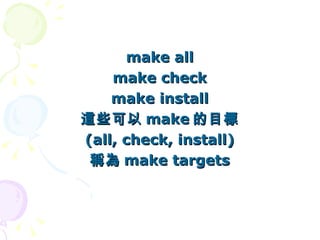
標準的 make targets
make all
    make check
    make install
這些可以 make 的目標
(all, check, install)
 稱為 make targets
Automake 支援 GNU 標準的 targets
它們源自 Unix 傳統流傳下來的 targets
   使用 Automake 管理的專案,
   也都支援這些標準 targets 。
標準的 make targets
標準的 make targets
         make all
• make all
  – 全部編譯。
標準的 make targets
         make all
• make all
  – 全部編譯。
  – all 可以省略,直接 make 就可以了。
標準的 make targets
       make check
• make check
 – 編譯後執行自我測試。
標準的 make targets
       make check
• make check
 – 編譯後執行自我測試。
 – 如果還沒編譯好,會先編譯好。
標準的 make targets
       make check
• make check
 – 編譯後執行自我測試。
 – 如果還沒編譯好,會先編譯好。
 – 傳統 Unix 使用 make test ,不過為避免和
   test 程式名稱衝突, automake 改用 make
   check 。如果
標準的 make targets
        make install
• make install
  – 編譯後安裝。
標準的 make targets
        make install
• make install
  – 編譯後安裝。
  – 如果還沒編譯好,會先編譯好。
標準的 make targets
        make install
• make install
  – 編譯後安裝。
  – 如果還沒編譯好,會先編譯好。
  – 所以其實可以直接執行
    • ./configure; make install
標準的 make targets
       make dist
• make dist
  – 打包成 release 檔。
    • <app>-<ver>.tar.gz
標準的 make targets
       make dist
• make dist
  – 打包成 release 檔。
    • <app>-<ver>.tar.gz
  – 會先建立 <app>-<ver> 資料夾,把要
    release 的檔案存進去,再打包。
    • 所以解壓縮後,會在 <app>-<ver> 資料夾下。
標準的 make targets
       make dist
• make dist
  – 打包成 release 檔。
    • <app>-<ver>.tar.gz
  – 會先建立 <app>-<ver> 資料夾,把要
    release 的檔案存進去,再打包。
    • 所以解壓縮後,會在 <app>-<ver> 資料夾下。
  – 方便專案 release 。
標準的 make targets
       make clean
• make clean
  – 清掉編譯出的檔案,如程式檔、函式庫、 .o 檔
    等。
標準的 make targets
       make clean
• make clean
  – 清掉編譯出的檔案,如程式檔、函式庫、 .o 檔
    等。
  – 方便重新編譯 make 。
標準的 make targets
      make distclean
• make distclean
  – 清掉所有非套件 release 的檔案,包括 make
    clean ,及 cache 快取檔、 configure 產生的
    檔案,等等。
總結
以 Automake 建立自己的專案
• 製作 Makefile.am 範本檔。
• 修改 configure.ac ,加入 Automake 。
• 執行 autoreconf ,建立其它的所有檔案。
Makefile.am 範本檔的格式
• bin_PROGRAMS
• sbin_PROGRAMS
• lib_LIBRARIES
• <prog>_SOURCES
• include_HEADERS
• data_DATA
• EXTRA_DIST
• SUBDIRS
標準的 make targets
• make   (or make all)
• make   check
• make   install
• make   dist
• make   clean
• make   distclean
參考資料


       進一步的資料,
請參閱 GNU Automake線上說明文件 。
參考資料
• GNU 編譯系統還包括 libtool 及
  gettext ,歡迎參閱:
 – 函式庫建立工具 libtool。
 – 多語化翻譯工具 gettext。
謝謝。
歡迎提出問題。

GNU Autoconf / Automake #4

  • 1.
    GNU Autoconf / Automake 工作坊 使用 Automake 來維護 Makefile 依瑪貓/楊士青 <imacat@mail.imacat.idv.tw> 2012/7/28
  • 2.
    「使用 Automake 來維護Makefile 」簡報由 依瑪貓╱楊士青 製作, 以 創用CC Attribution-ShareAlike 3.0 Unported 授權條款 釋出。
  • 3.
    自我介紹 • 依瑪貓╱楊士青 • 2001年起參與國內外自由軟體社群開發 • SourceForge vsntp 等專案 • 現為 Apache OpenOffice 開發團隊成員
  • 4.
  • 5.
  • 6.
    前一節所寫的 Makefile.in • 沒有make install 。 – 也沒有處理 configure 設定的 prefix 。
  • 7.
    前一節所寫的 Makefile.in • 沒有make install 。 – 也沒有處理 configure 設定的 prefix 。 • 沒有 make check 。
  • 8.
    前一節所寫的 Makefile.in • 沒有make install 。 – 也沒有處理 configure 設定的 prefix 。 • 沒有 make check 。 • 如果要加上前兩個功能,還有其它進階功 能(例如要深入子目錄 make ), Makefile.in 要寫得非常複雜!
  • 9.
  • 10.
  • 11.
    嚴格符合 GNU 標準的專案 •請參閱 GNU Coding Standards。
  • 12.
    嚴格符合 GNU 標準的專案 •請參閱 GNU Coding Standards。 • 要有下列檔案: – INSTALL, NEWS, README, AUTHORS, ChangeLog, COPYING, THANKS
  • 13.
    嚴格符合 GNU 標準的專案 •請參閱 GNU Coding Standards。 • 要有下列檔案: – INSTALL, NEWS, README, AUTHORS, ChangeLog, COPYING, THANKS • 要有下列 make targets : – install, uninstall, check, dist, clean, distclean… 等。
  • 14.
    但是 Automake 也容許 不符GNU Coding Standards 的專案。
  • 15.
    即使不符 GNU CodingStandards , 使用 Automake 也會非常方便。
  • 16.
  • 17.
    Automake 的運作原理 • 由Makefile.am 範本建立 Makefile.in 。
  • 18.
    Automake 的運作原理 • 製作Makefile.am 範本檔。 • 修改 configure.ac ,加入 Automake 。 • 執行 automake ,將 Makefile.am 範本 檔轉為 Makefile.in 。
  • 19.
  • 20.
    Makefile.am 範本檔 ## Automake.am AUTOMAKE_OPTIONS= foreign sbin_PROGRAMS = vsntp vsntp_SOURCES = vsntp.c
  • 21.
    Makefile.am 範本檔 AUTOMAKE_OPTIONS • AUTOMAKE_OPTIONS – 設定 automake 要檢查,符合 GNU Coding Standards 的程度。
  • 22.
    Makefile.am 範本檔 AUTOMAKE_OPTIONS • AUTOMAKE_OPTIONS – 設定 automake 要檢查,符合 GNU Coding Standards 的程度。 • foreign: 非 GNU 程式,只要能配合 Automake 就可以了。
  • 23.
    Makefile.am 範本檔 AUTOMAKE_OPTIONS • AUTOMAKE_OPTIONS – 設定 automake 要檢查,符合 GNU Coding Standards 的程度。 • foreign: 非 GNU 程式,只要能配合 Automake 就可以了。 • gnu: GNU 程式,遵守 GNU Coding Standards 的規定。
  • 24.
    Makefile.am 範本檔 AUTOMAKE_OPTIONS • AUTOMAKE_OPTIONS – 設定 automake 要檢查,符合 GNU Coding Standards 的程度。 • foreign: 非 GNU 程式,只要能配合 Automake 就可以了。 • gnu: GNU 程式,遵守 GNU Coding Standards 的規定。 • gnits: GNU 程式,除遵守 GNU Coding Standards 的規定外,還遵守 gnits 小組的內規。
  • 25.
    Makefile.am 範本檔 sbin_PROGRAMS • sbin_PROGRAMS – 要裝在 ./configure --sbindir=DIR 目錄下的 程式。 sbin 下為系統管理用的程式。
  • 26.
    Makefile.am 範本檔 sbin_PROGRAMS • sbin_PROGRAMS – 要裝在 ./configure --sbindir=DIR 目錄下的 程式。 sbin 下為系統管理用的程式。 – bin_PROGRAMS 列出的程式,則是要裝 在 ./configure --bindir=DIR 目錄下的程式。 bin 下為一般人皆可管理用的程式。
  • 27.
    Makefile.am 範本檔 sbin_PROGRAMS • <prog>_SOURCES – <prog> 是由哪些原始程式檔 build 出來的。
  • 28.
    Makefile.am 範本檔 sbin_PROGRAMS • <prog>_SOURCES – <prog> 是由哪些原始程式檔 build 出來的。 – 例如 vsntp_SOURCES ,列出的是 vsntp 的 原始程式檔。
  • 29.
  • 30.
    configure.ac 加 automake # -*- Autoconf -*- # Process this file with autoconf to produce a configure script. AC_PREREQ([2.67]) AC_INIT([vsntp], [2.0.0], [imacat@mail.imacat.idv.tw]) AM_INIT_AUTOMAKE AC_CONFIG_SRCDIR([vsntp.c]) AC_CONFIG_HEADERS([config.h]) … AC_CONFIG_FILES([Makefile]) AC_OUTPUT
  • 31.
  • 32.
    執行 automake % automake Uselessuse of /d modifier in transliteration operator at /usr/share/automake-1.9/Automake/Wrap.pm line 60. configure.ac: no proper invocation of AM_INIT_AUTOMAKE was found. configure.ac: You should verify that configure.ac invokes AM_INIT_AUTOMAKE, configure.ac: that aclocal.m4 is present in the top-level directory, configure.ac: and that aclocal.m4 was recently regenerated (using aclocal). configure.ac: required file `./install-sh' not found configure.ac: required file `./missing' not found configure.ac:8: required file `config.h.in' not found Makefile.am: required file `./depcomp' not found /usr/share/automake-1.9/am/depend2.am: am__fastdepCC does not appear in AM_CONDITIONAL /usr/share/automake-1.9/am/depend2.am: AMDEP does not appear in AM_CONDITIONAL %
  • 33.
    執行 automake 還缺少三個檔案 install-sh, missing, depcomp , 也缺少 config.h.in 。
  • 34.
    第一次執行 automake 時, 改執行autoreconf --install , 以安裝 automake 所需的檔案。
  • 35.
    autoreconf 是 autoconf的程式, 方便已由 autoconf 管理的專案, 更新管理檔案。
  • 36.
    autoreconf 會陸續執行: autoconf, autoheader, aclocal, automake, libtoolize 及 autopoint 。
  • 37.
  • 38.
    執行 autoreconf % ls configure.ac Makefile.am vsntp.c % autoreconf --install Useless use of /d modifier in transliteration operator at /usr/share/automake-1.9/Automake/Wrap.pm line 60. configure.ac: installing `./install-sh' configure.ac: installing `./missing' Makefile.am: installing `./depcomp' % ls aclocal.m4 config.h.in configure.ac install-sh Makefile.in vsntp.c autom4te.cache configure depcomp Makefile.am missing %
  • 39.
  • 40.
  • 41.
    Makefile.pm 的格式為: < 目錄類別>_< 檔案類別 > = < 清單 > 例如: sbin_PROGRAMS = vsntp
  • 42.
    撰寫 Makefile.am <*>_PROGRAMS • PROGRAMS 表示編譯出來的程式。
  • 43.
    撰寫 Makefile.am <*>_PROGRAMS • PROGRAMS 表示編譯出來的程式。 • bin_PROGRAMS 會裝在 --bindir 中。
  • 44.
    撰寫 Makefile.am <*>_PROGRAMS • PROGRAMS 表示編譯出來的程式。 • bin_PROGRAMS 會裝在 --bindir 中。 • sbin_PROGRAMS 會裝在 --sbindir 中。
  • 45.
    撰寫 Makefile.am <*>_LIBRARIES • LIBRARIES 表示共用的函式庫。
  • 46.
    撰寫 Makefile.am <*>_LIBRARIES • LIBRARIES 表示共用的函式庫。 • lib_LIBRARIES 會裝在 --libdir 中。
  • 47.
    撰寫 Makefile.am <*>_HEADERS • HEADERS 表示 .h 檔。
  • 48.
    撰寫 Makefile.am <*>_HEADERS • HEADERS 表示 .h 檔。 • include_HEADERS 會裝在 --includedir 中。
  • 49.
    撰寫 Makefile.am <*>_DATA • DATA 表示資料檔。
  • 50.
    撰寫 Makefile.am <*>_DATA • DATA 表示資料檔。 • data_DATA 會裝在 --datadir 中。
  • 51.
    撰寫 Makefile.am EXTRA_DIST • EXTRA_DIST 表示額外屬於這個專案的檔 案,包括標準說明檔外的額外說明檔,等 等。
  • 52.
    撰寫 Makefile.am SUBDIRS • SUBDIRS 表示要進入 make 的子目錄。
  • 53.
    撰寫 Makefile.am SUBDIRS • SUBDIRS 表示要進入 make 的子目錄。 • 不論有沒有程式碼,只要內有專案相關的 檔案,都要列進來,以便 make dist 打包 套件,及 make install 安裝時,可以進入 遞迴安裝。
  • 54.
  • 55.
    make all make check make install 這些可以 make 的目標 (all, check, install) 稱為 make targets
  • 56.
    Automake 支援 GNU標準的 targets 它們源自 Unix 傳統流傳下來的 targets 使用 Automake 管理的專案, 也都支援這些標準 targets 。
  • 57.
  • 58.
    標準的 make targets make all • make all – 全部編譯。
  • 59.
    標準的 make targets make all • make all – 全部編譯。 – all 可以省略,直接 make 就可以了。
  • 60.
    標準的 make targets make check • make check – 編譯後執行自我測試。
  • 61.
    標準的 make targets make check • make check – 編譯後執行自我測試。 – 如果還沒編譯好,會先編譯好。
  • 62.
    標準的 make targets make check • make check – 編譯後執行自我測試。 – 如果還沒編譯好,會先編譯好。 – 傳統 Unix 使用 make test ,不過為避免和 test 程式名稱衝突, automake 改用 make check 。如果
  • 63.
    標準的 make targets make install • make install – 編譯後安裝。
  • 64.
    標準的 make targets make install • make install – 編譯後安裝。 – 如果還沒編譯好,會先編譯好。
  • 65.
    標準的 make targets make install • make install – 編譯後安裝。 – 如果還沒編譯好,會先編譯好。 – 所以其實可以直接執行 • ./configure; make install
  • 66.
    標準的 make targets make dist • make dist – 打包成 release 檔。 • <app>-<ver>.tar.gz
  • 67.
    標準的 make targets make dist • make dist – 打包成 release 檔。 • <app>-<ver>.tar.gz – 會先建立 <app>-<ver> 資料夾,把要 release 的檔案存進去,再打包。 • 所以解壓縮後,會在 <app>-<ver> 資料夾下。
  • 68.
    標準的 make targets make dist • make dist – 打包成 release 檔。 • <app>-<ver>.tar.gz – 會先建立 <app>-<ver> 資料夾,把要 release 的檔案存進去,再打包。 • 所以解壓縮後,會在 <app>-<ver> 資料夾下。 – 方便專案 release 。
  • 69.
    標準的 make targets make clean • make clean – 清掉編譯出的檔案,如程式檔、函式庫、 .o 檔 等。
  • 70.
    標準的 make targets make clean • make clean – 清掉編譯出的檔案,如程式檔、函式庫、 .o 檔 等。 – 方便重新編譯 make 。
  • 71.
    標準的 make targets make distclean • make distclean – 清掉所有非套件 release 的檔案,包括 make clean ,及 cache 快取檔、 configure 產生的 檔案,等等。
  • 72.
  • 73.
    以 Automake 建立自己的專案 •製作 Makefile.am 範本檔。 • 修改 configure.ac ,加入 Automake 。 • 執行 autoreconf ,建立其它的所有檔案。
  • 74.
    Makefile.am 範本檔的格式 • bin_PROGRAMS •sbin_PROGRAMS • lib_LIBRARIES • <prog>_SOURCES • include_HEADERS • data_DATA • EXTRA_DIST • SUBDIRS
  • 75.
    標準的 make targets •make (or make all) • make check • make install • make dist • make clean • make distclean
  • 76.
    參考資料 進一步的資料, 請參閱 GNU Automake線上說明文件 。
  • 77.
    參考資料 • GNU 編譯系統還包括libtool 及 gettext ,歡迎參閱: – 函式庫建立工具 libtool。 – 多語化翻譯工具 gettext。
  • 78.