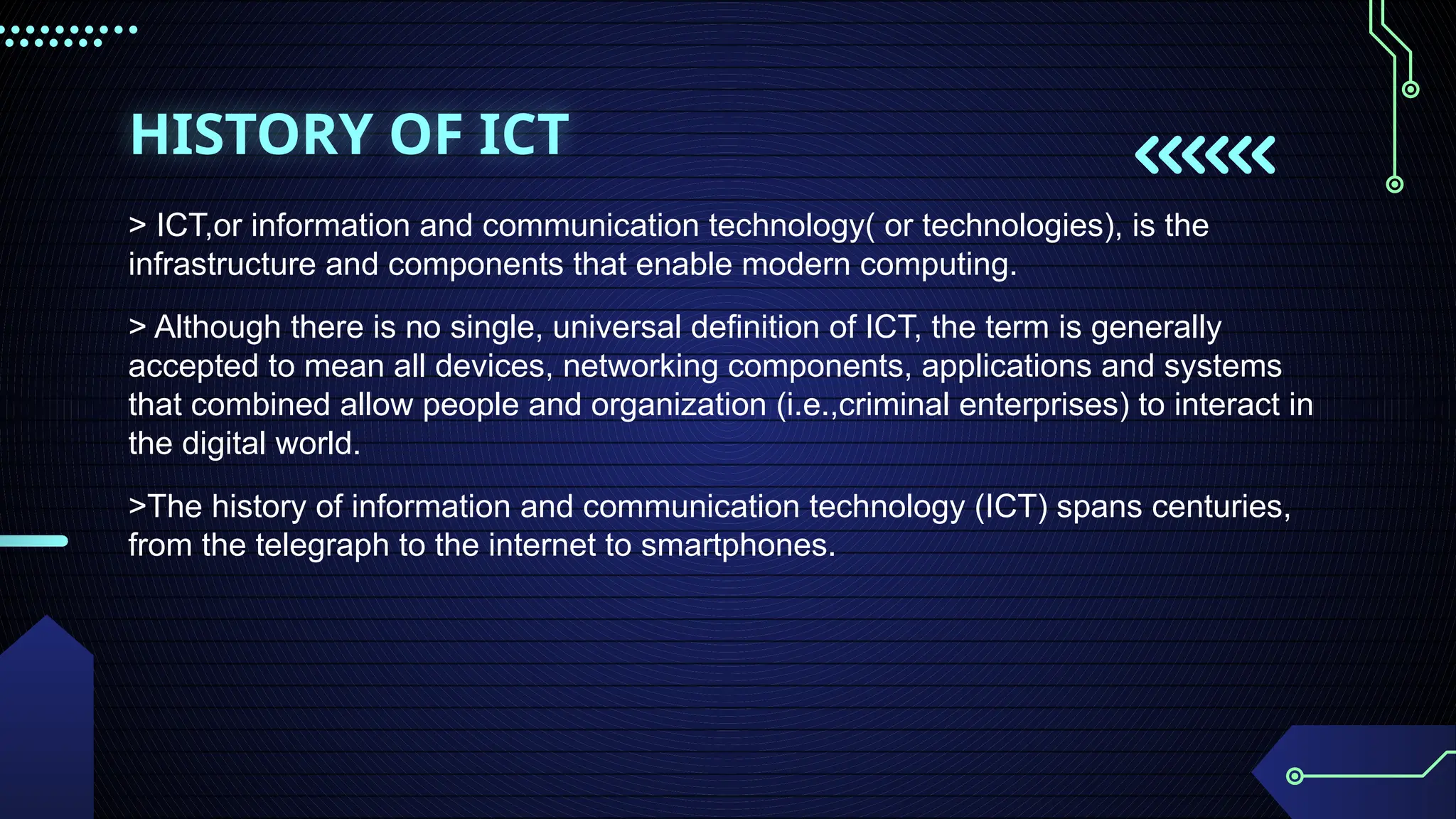
HISTORY OF ICT
>ICT,or information and communication technology( or technologies), is the
infrastructure and components that enable modern computing.
> Although there is no single, universal definition of ICT, the term is generally
accepted to mean all devices, networking components, applications and systems
that combined allow people and organization (i.e.,criminal enterprises) to interact in
the digital world.
>The history of information and communication technology (ICT) spans centuries,
from the telegraph to the internet to smartphones.
4.
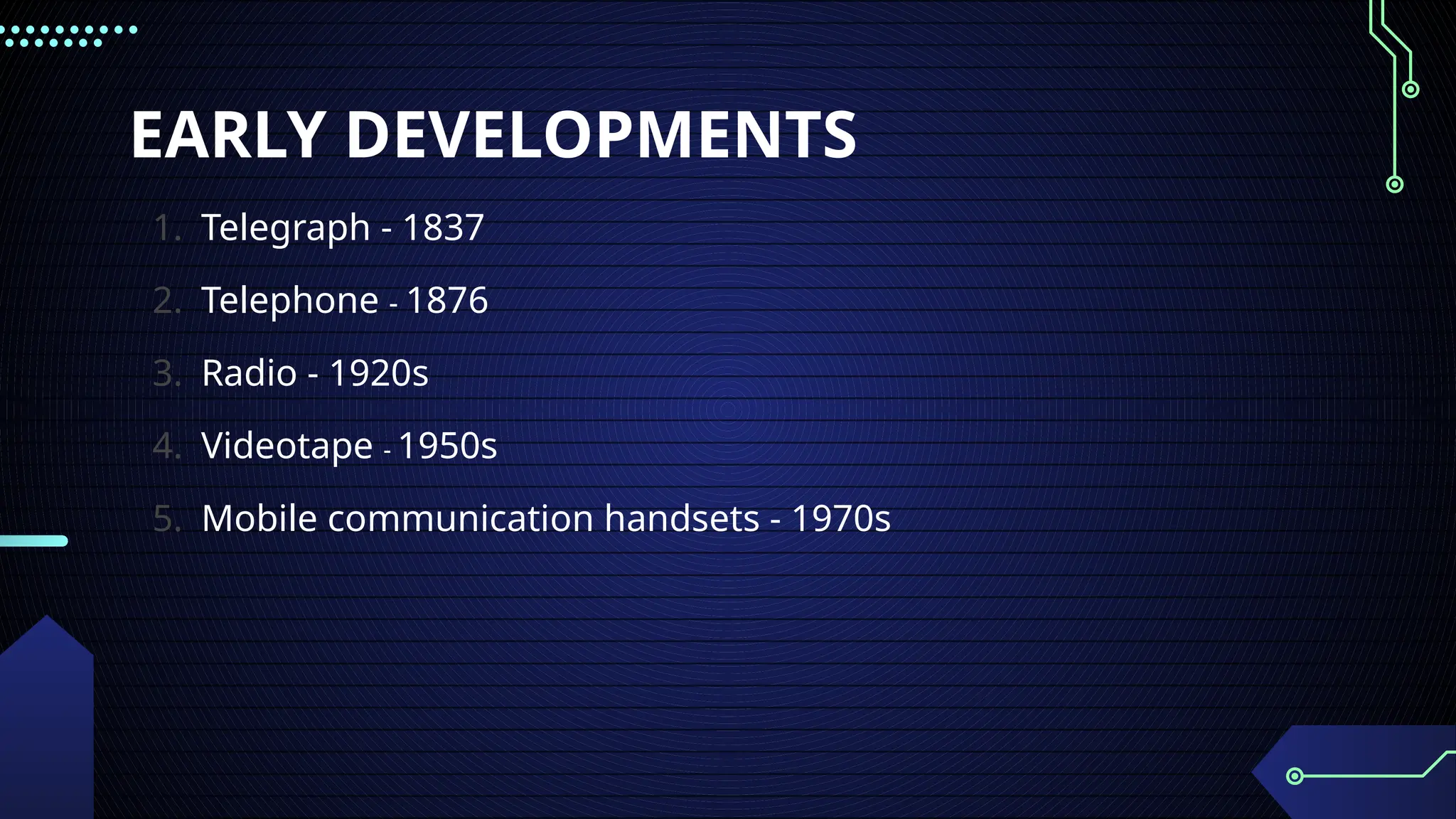
EARLY DEVELOPMENTS
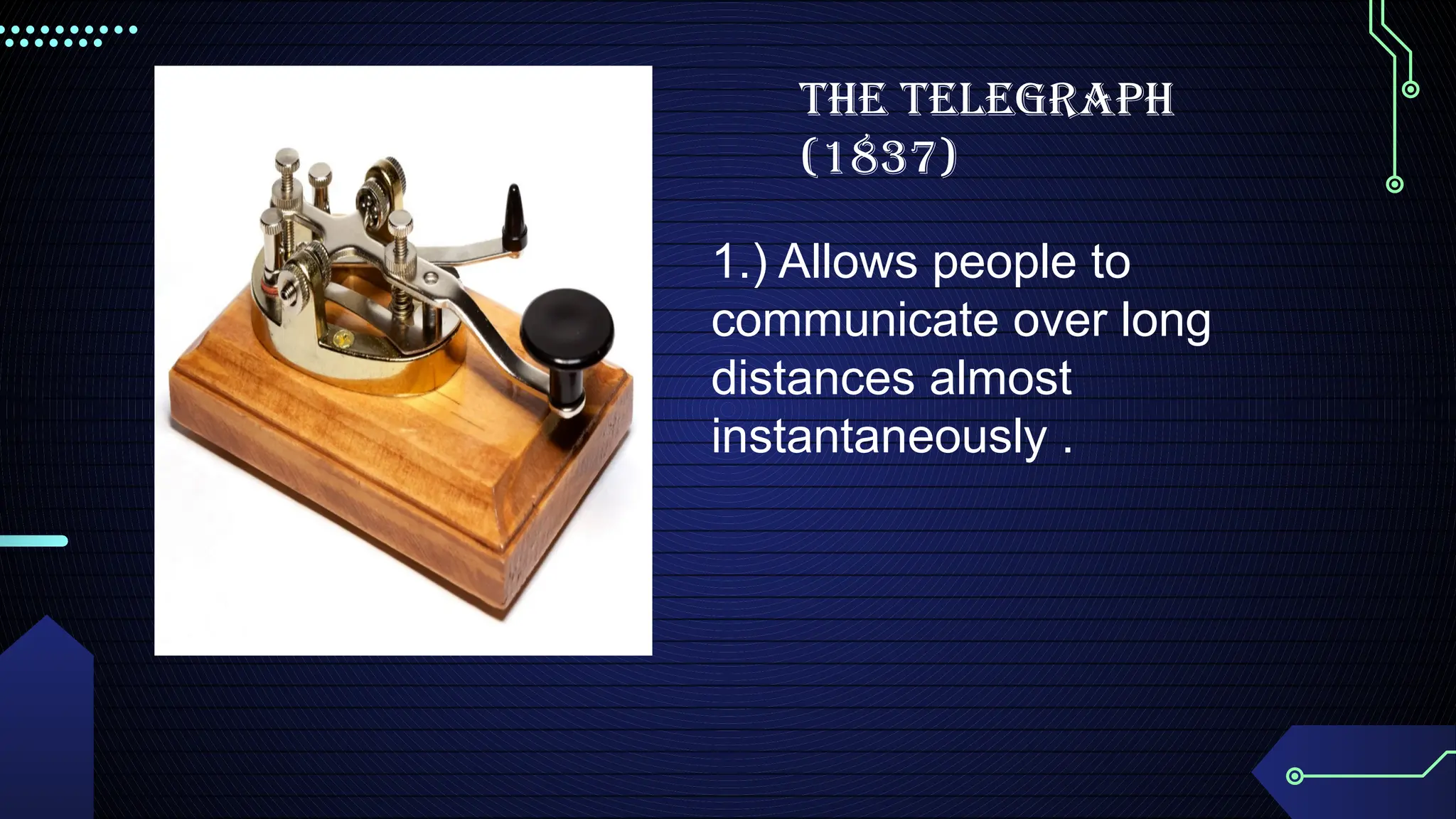
1. Telegraph- 1837
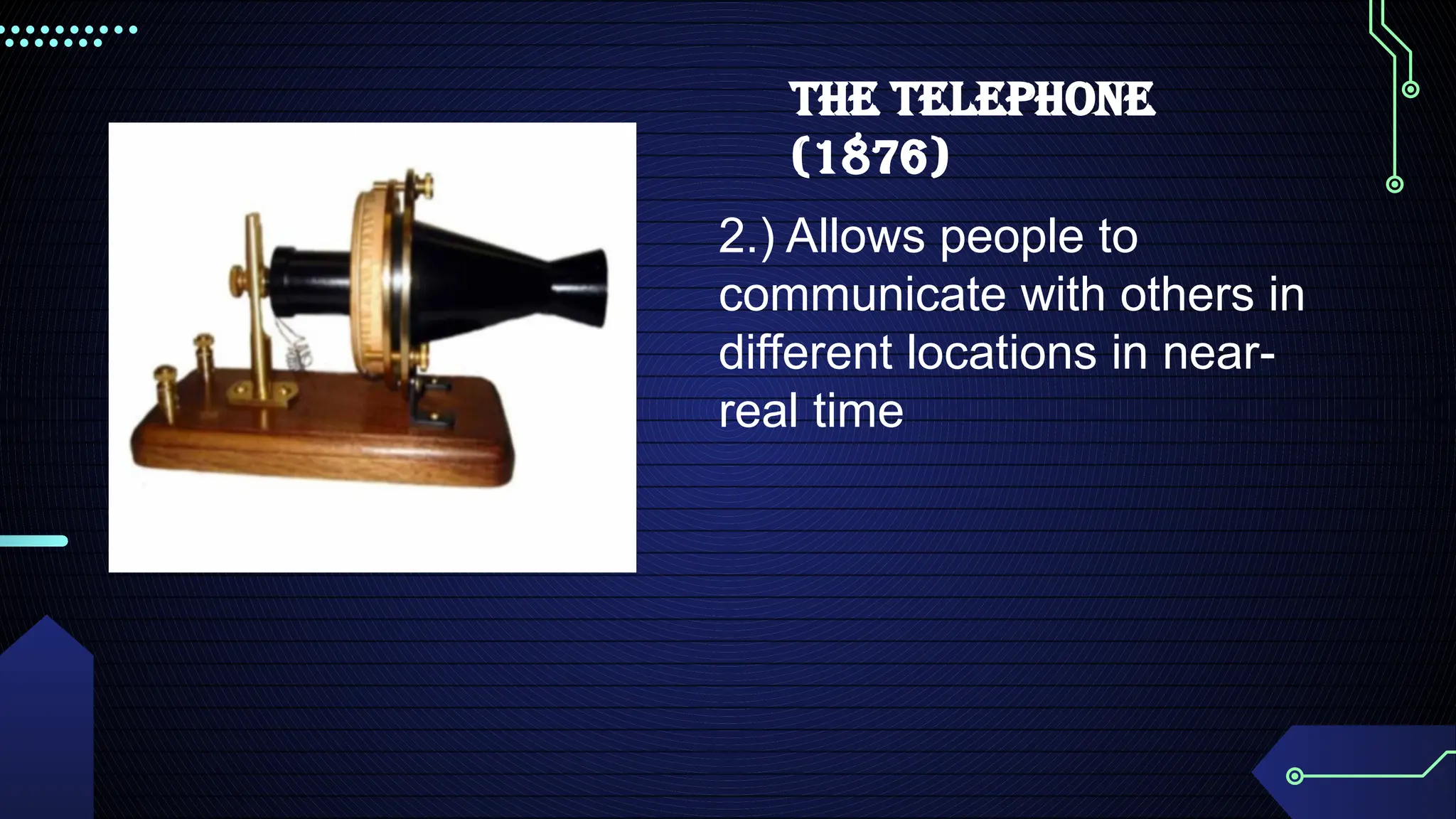
2. Telephone - 1876
3. Radio - 1920s
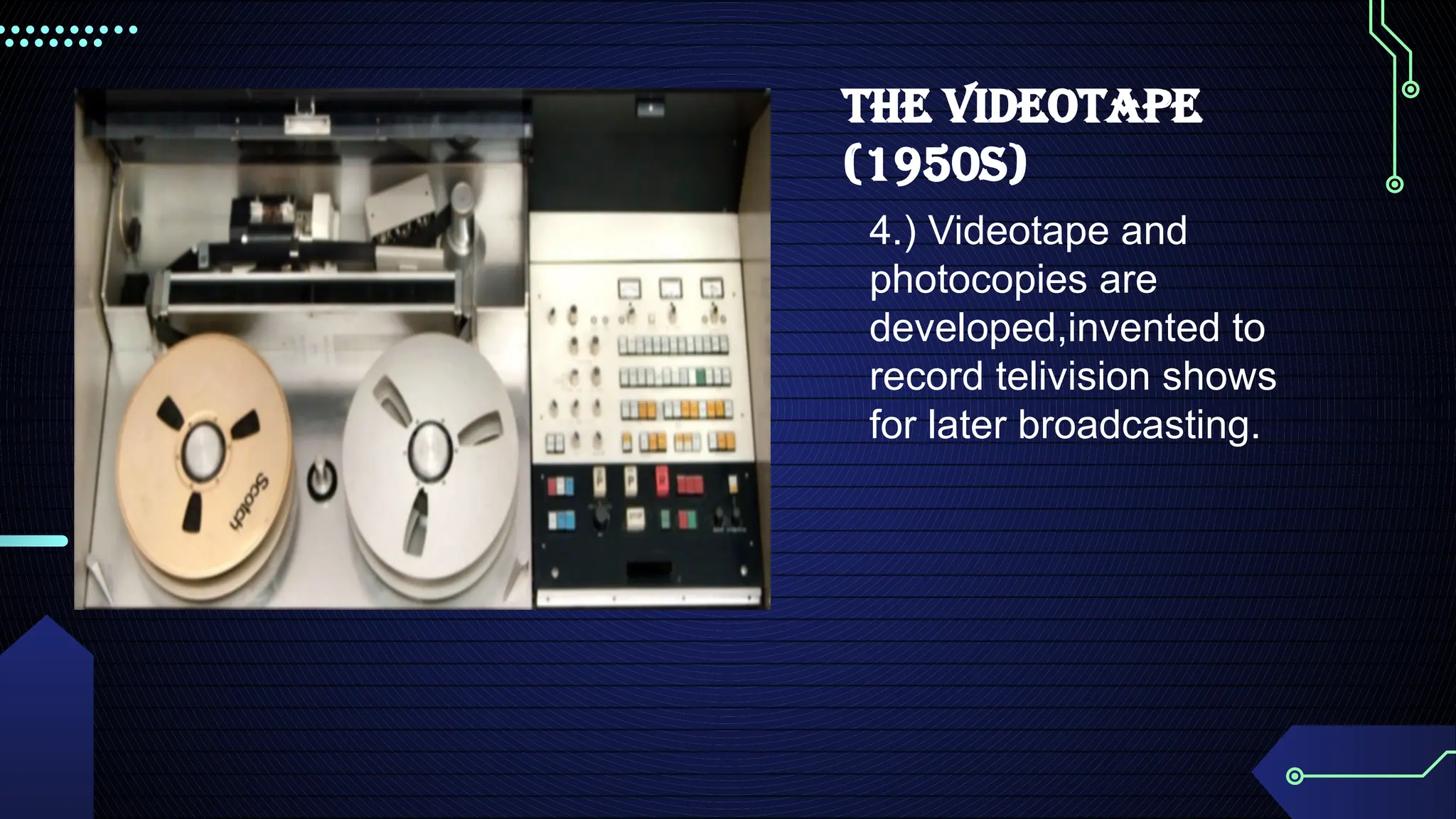
4. Videotape - 1950s
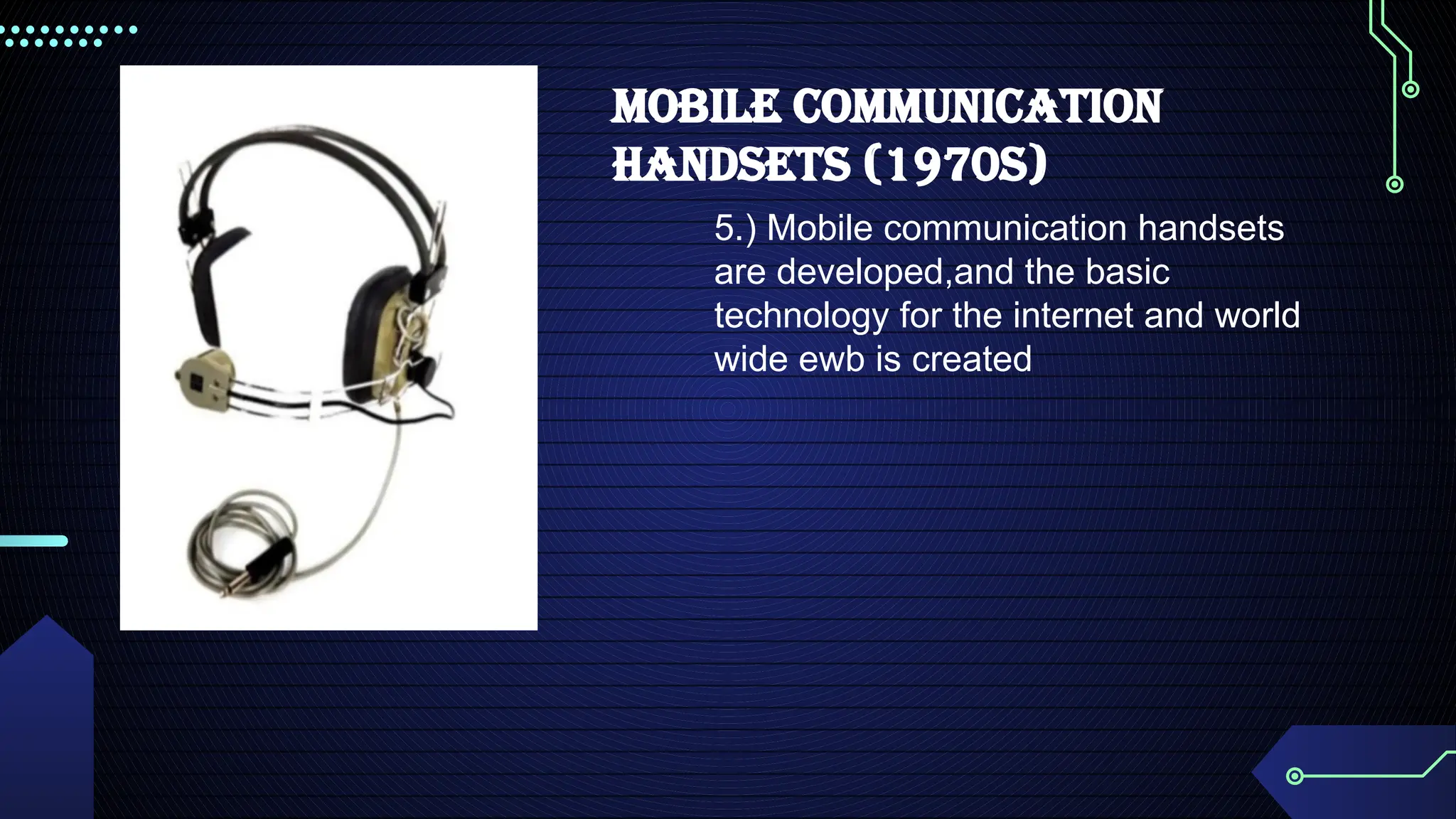
5. Mobile communication handsets - 1970s
5.
1.) Allows peopleto
communicate over long
distances almost
instantaneously .
THE TELEGRAPH
(1837)
USES OF ICTIN OUR DAILY LIVES
COMMUNICATION
> We all know that ICT take a major role for us by means of communicating, way back in the
past our parents use to make letter and send it via post mail.
> Nowadays people are in touch with the help of ICT. Through chatting. E-mail, voice mail
and social networking people communicate with each other. It is the cheapest means of
communication.
> ICT allows students to monitor and manage their own learning, think critically and
creatively, solve simulated real-world problems, work collaboratively, engage in ethical
decision-making. and adopt a global perspective towards issues and ideas. It also provides
students from remote areas access to expert teachers and leaming resources, and gives
administrators and policy makers the data and expertise they need to work more efficiently.
11.
USES OF ICTIN OUR DAILY LIVES
JOB OPPORTUNITIES
> Nowadays, employers expect their staff to have a basic ICT skills. This expectation even
applies to job roles where ICT skills may not have been an essential requirment in the past.
> In the employment sector, ICT enables organizations operate more efficiently ,so employing
staff with ICT skills is vital the smooth running of any business.Being able to use ICT systems
effectively allows employees more time to concentrate on areas of their job role that require
soft skills.
> Nowadays, finding a job is different ,you can just use your smart phone, laptop, dekstop or
any gadgets that is available in the comfort of your home.
12.
USES OF ICTIN OUR DAILY LIVES
EDUCATION
> Information and communication technology (ICT) can impact student learning when
teachers are digitally literate and understand how to integrate it into curriculum.
> School use a diverse set of ICT tools to communicate,create,dissemine,store,and manage
information (6) in some contexts,ICT has also become integral to the teachinglearning
interaction through such approaches as replacing chalkboards with interactive digital
whiteboard,using students own smartphones or other devices for learning during class
time,and the “flipped classroom”model where students watch lectures at home on the
computer and use classroom time for more interactive exercises.
> when teachers are digitally literate and trained to use ICT, these approaches can lead to
higher or order thinking skills,provide creative and i.
13.
USE OF ICTIN OUR DAILY LIVES
SOCIALIZING
> Social media has changed the world.The rapid and vast adoption of these technologies is
changing how we find partners, how we access information from the news and how we
organize to demand political change.
> The internet and social media provide young people with a range of benefits,and
opportunities to empower themselves in a variety of ways.Young people can maintain social
connections and support networks than otherwise wouldn’t be possible and can be access
more information than ever before. The communities and social interaction young people
from online can be invaluable for bolstering and developing young people’s self confidence
social skills.
> As the ICT has become ubiquitous,faster and increasingly accessible to non-technical
communities,social networking and collaborative services have grown rapidly enabling
people to communicate and share interest in many more ways,sites like Facebook,Twitter
Linkedin You tube,Flicker,second life delicious blogs wiki’s and msny more let people of all
ages rapidly share interest of the movement without others everywhere.But Facebook seems
to be the leading areas of where people communicate and share their opinions.
Impact of ICTin our daily lives:
• In today's interconnected world, Information and Communication Technology (ICT) is deeply
ingrained in our daily lives, affecting every aspect of our society. New technologies
constantly emerge.
• The accessibility of new technologies has significantly improved living standards for many
people.
• Modern ICT gadgets enhance mobility, making technology usable anytime, anywhere.
16.
THERE ARE TWOMAIN IMPACTS OF ICT
ON OUR DAILY LIVES:
17.
POSITIVE IMPACT:
• DAilyRoutine Management
- ICT streamlines daily routines through information storage and management using gadgets.
- Smart home integration allows for centralized control of domestic equipment.
- Online banking, payments, and shopping save time and effort.
• Social RelationshipS
- ICT facilitates communication and relationship maintenance with people worldwide.
- Internet and communication channels (e-mail, social media, cell phones) connect
individuals across geographical boundaries.
- ICT offers efficient and cost-effective communication.
- Tools like bulletin boards and discussion groups enable simultaneous communication with
large audiences.
18.
• Information Sharing
-Information is readily accessible anytime, anywhere.
- ICT facilitates global information sharing through email, online discussion groups, and the
internet.
- This widespread information sharing fosters global awareness of diverse cultures, religions,
ideologies, and lifestyles.
• Enhanced Communication
- ICT transcends geographical boundaries, enabling faster and cheaper communication.
- Instant messaging, email, teleconferencing, and videoconferencing are readily available.
- Video conferencing provides a face-to-face feel, beneficial for meetings and collaborative
communication.
19.
• Usage offree time
- ICT offers diverse entertainment options.
- Users can play games, watch digital TV, chat, watch videos, listen to music, access news,
and much more.
• Children's Education
- ICT introduces innovative learning methods like e-learning, distance learning, online
materials, and interactive multimedia.
- Students can participate in global learning and teaching opportunities.
- Simulations and virtual reality address limitations in traditional experiments.
• Self-Employment
- ICT gadgets facilitate remote work and business creation.
- Entrepreneurs can establish online shops, reducing overhead costs and expanding market
reach.
- Multimedia advertising campaigns boost sales, supporting small businesses.
- Online payment options like net banking simplify transactions.
20.
• Paperless Environment
-ICT use of digital storage reduces paper consumption.
- This paper reduction conserves trees and promotes environmental health.
• Developing Health Literacy
- ICT provides immediate feedback, leading to faster recovery.
- It addresses the need for accessible, high-quality health information.
- Internet access and ICT gadgets facilitate access to health information and services.
21.
NEGATIVE IMPACT:
• ReducedFace-to-Face Interaction
- Increased reliance on online communication methods (e.g., texting, social media) has
decreased opportunities for in-person interaction.
- This shift can lead to social isolation, hindering the development and maintenance of strong
interpersonal relationships.
- The lack of face-to-face communication can negatively impact emotional well-being and the
ability to build empathy.
• Social Disconnect
- While the internet reduces physical distance, it can ironically increase emotional distance.
People become engrossed in their virtual worlds, neglecting real-world relationships.
- Excessive time spent online can lead to a disconnect from family and friends, weakening
bonds and fostering formality in relationships.
- Children's immersion in virtual worlds contributes to the adoption of negative behaviors,
increasing cybercrime and extramarital affairs.
22.
• Reduced physicalactivity or Health problems
- Excessive use of ICT gadgets promotes a sedentary lifestyle.
- This can lead to various health issues, including headaches, fatigue, heart disease,
diabetes, repetitive strain injuries, eyestrain, poor posture, and mental/physical stress.
- Children's engagement with interactive games and cartoons reduces outdoor activities.
- This sedentary lifestyle leads to a lack of physical exercise, increasing health risks and
potentially affecting social interaction with peers.
• High Costs and Accessibility
- Many ICT gadgets are expensive to purchase and maintain.
- This high cost creates a barrier to access, particularly for low-income students who may be
unable to benefit from e-learning initiatives.
• Security /loss of privacy
- ICT gadgets, while integrating advanced technology, are vulnerable to security threats.
23.
- Internet connectivityexposes data to risks of virus attacks and malware. Data
security measures are crucial.
- Social networking sites pose a risk of personal data breaches.
- Online banking and payments increase vulnerability to financial fraud and
identity theft.
24.
DEFINITION OF ICT
ICTstands for Information and Communication Technology. It is a broad term that
covers all digital tools and systems used for communication and data
management. These technologies support modern communication, making it
easier to access and share information globally.
25.
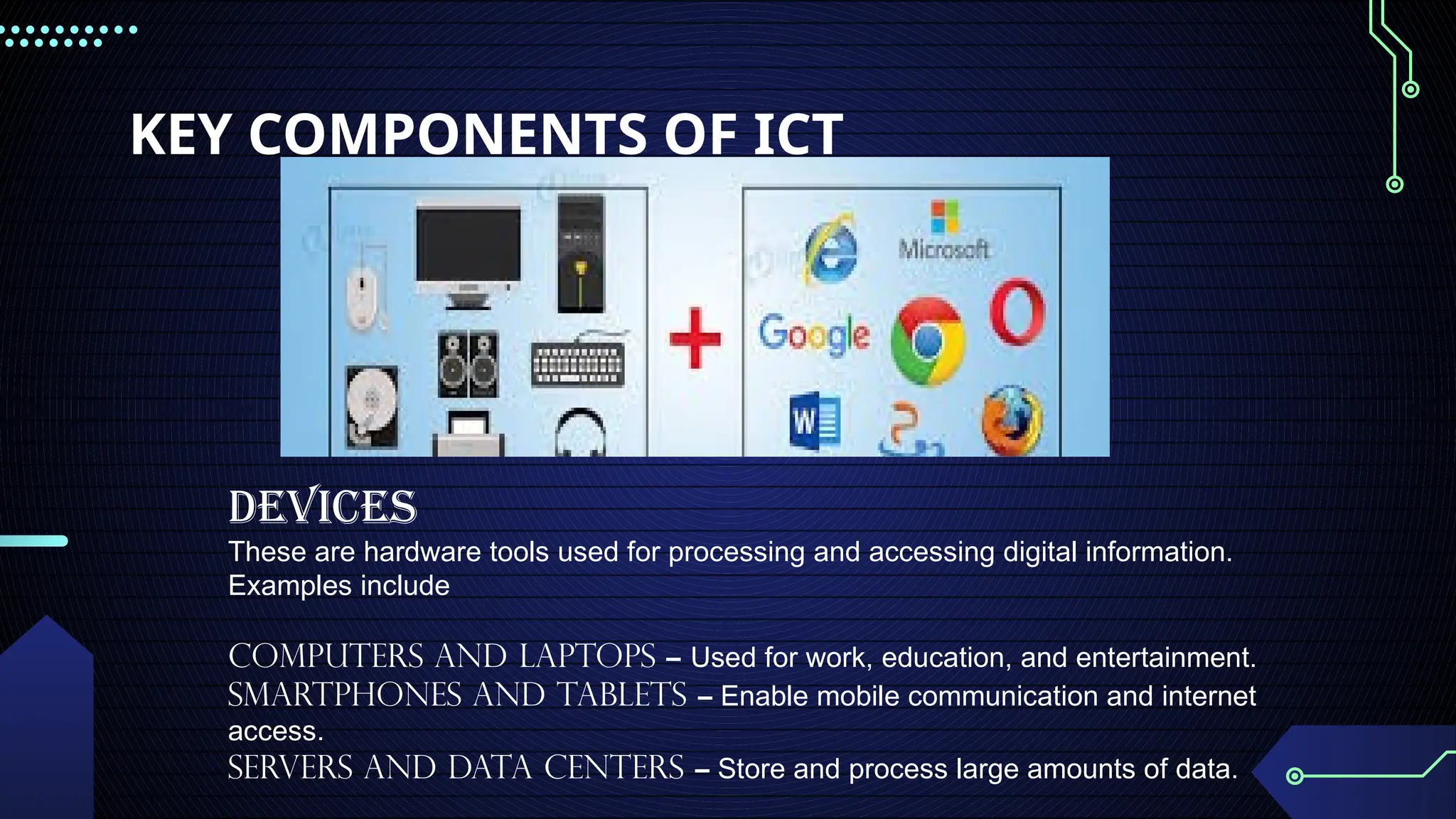
KEY COMPONENTS OFICT
Devices
These are hardware tools used for processing and accessing digital information.
Examples include
Computers and Laptops – Used for work, education, and entertainment.
Smartphones and Tablets – Enable mobile communication and internet
access.
Servers and Data Centers – Store and process large amounts of data.
26.
Software
Software refers toprograms and applications that perform specific tasks. Examples
include:
Operating Systems (Windows, macOS, Android) – Manage hardware and
software functions.
Productivity Software (Microsoft Office, Google Docs) – Help users
create and edit documents.
Web Browsers (Google Chrome, Safari, Mozilla Firefox) – Provide access to
the internet.
Networks
Network connect devices and enable communication between them. Examples include:
Wired networks – Use cables (Ethernet) for stable internet connections.
Wireless Networks (Wi-Fi, Mobile Data) – Allow remote access to the internet.
Cloud Computing – Stores data online, enabling access from anywhere.
27.
Communication Technologies
These aretools and systems that facilitate information exchange. Examples
include:
The Internet– A global system connecting millions of devices.
Telephony (Landline, Mobile Phones, VoIP) – Enables voice and video
calls.
Broadcasting (TV, Radio, Podcasts) – Distributes information to a large
audience.
IMPORTANCE OF ICT:
1. Business Sector
- Facilitates online transactions, digital marketing, and customer service.
- Improves communication through emails, video conferencing, and cloud-based
collaboration tools.
- Automates tasks using software solutions, increasing efficiency.
28.
2. Education Sector
-Enables online learning through e-books, virtual classrooms, and learning
management systems.
- Provides access to vast information resources for research and study.
- Encourages digital literacy, preparing students for modern careers.
3. Healthcare Sector
- Improves patient care through electronic health records and telemedicine services.
- Allows remote consultations between doctors and patients.
- Enhances medical research through data collection and analysis.
4. Government and Public Services
- Supports e-governance, making services like tax filing and public records accessible
online.
- Strengthens national security through digital surveillance and cyber defense.
- Promotes transparency and efficiency in public administration.
29.
ICT in EverydayLife
Social Media – Connects people and allows sharing of ideas globally.
E-commerce– Enables online shopping and digital payments.
Entertainment – Provides access to music, videos, and online gaming.
Remote Work– Supports work-from-home setups using video calls and cloud
computing.
• ICT isused in most of the fields such as E-Commerce, E-governance ,Banking,
Agriculture ,Education, Medicine, Defense, Transport, ect.
BUSINESS
-Almost every business uses computers nowadays. They can be employed to store and
maintain accounts, personnel , records , manage project, track iventory, create presentations
and report.
EDUCATION
-Computer can be used to give learners audio-visual packages, interactive exercises, and
remote learning, including tutoring over the internet.
HEALTHCARE
-Digitilized medical informatio making it easier to store aand access patient data, complex
information can also be analyzed by software to aid discovery of diagnoses, as well as
search for risks of disease.Computers control lab equiment ,heart rate monitors, and blood
pressure monitors.
32.
RETAIL AND TRADE
-Computerscan be used to buy and sell products online- this enables sellers to reach a wider
market with low overheads , and buyers t compare prices, read reviewers, and choose
delivery preference.
GOVERNMENT
-Various government deparments use computers to improve the quality and efficiency or their
services. Example include city planning ,law enforcement , traffic ,and tourism.
MARKETING
-They facilitate the creation of website and promotional materials. They can be used to
generate social media campaign. They enable direct communication with customers through
email and online chats.
Science
In science, computers can be used for research, sharing information with other specialists
both locally and internationally, as well categorizing, storing data. as collecting, analyzing,
and Storing data
33.
Publishing
Computers can beused to design pretty much any type of publication. These might include
newsletters, marketing materials, fashion magazines, novels, or newspapers. Computers are
used in the publishing of both hard-copy and e-books.
Arts and Entertainment
Computers are now used in virtually every branch of the arts, as well as in the wider
entertainment industry. Computers can be used to create drawings, graphic designs, and
paintings, make, record, edit, play, and listen to music, capture, edit and watch videos and for
playing games.
Communication
Computers have made real-time communication over the internet easy, thanks to software
and videoconferencing services such as Zoom. Modern computers usually have microphones
and webcams built-in nowadays to facilitate videoconferencing software.
34.
Banking and Finance
Mostbanking in advanced countries now takes place online. You can use computers to
check your account balance, transfer money, or pay off credit cards. Banks store customer
account data, as well as detailed information on customer behavior which is used to
streamline marketing.
Transport
Road vehicles, trains, planes, and boats are increasingly automated with computers being
used to maintain safety, and increasingly to drive, fly, or steer. They can also highlight
problems that require attention, such as low fuel levels, oil changes, or a failing mechanical
part.
Navigation
Computers combined with satellites mean that it's now easy to pinpoint your exact location,
know which way that you are moving on a map, and have a good idea of amenities and
places of interest around you.
35.
Working From Home
Computershave made working from home and other forms of remote working increasingly
common. Workers can access necessary data, communicate, and share information without
commuting to a traditional office. Managers are able to monitor workers' productivity
remotely.
Military
They are used to control smart technology, such as guided missiles and drones, as well as
for tracking incoming missiles and destroying them. They work with other technologies such
as satellites to provide geospatial analysis. information and
Social and Romance
Computers have opened up many ways of socializing that didn't previously exist. Social media enables
people to chat in text or audio in real time across large distances, as well as exchange photographs, videos,
and memes.
36.
Booking Vacations
Computers canbe used by travelers to study timetables, examine route options, and buy
plane, train, or bus tickets. They can be used to explore and book accommodation, whether
traditional hotels, or through newer services, such as Air BnB.
•Security and Surveillance
Computers are increasingly being combined with other technologies to monitor people and
goods. Computers combined with biometric passports make it harder for people to
fraudulently enter a country or gain access to a passenger airplane.
•Weather Forecasting
The world's weather is complex and depends upon a multitude of factors that are constantly
changing. It's impossible for human beings to monitor and process all the information coming
in from satellite and other technologies, never mind perform the complex calculations that are
needed to predict what is likely to happen in the future.
Robotics
Robotics is an expanding area technology which of combines computers with science and
engineering to produce machines that can either replace humans, or do specific jobs that
humans are unable to do. One of the first use of robotics was in manufacturing to build cars
Pre-mechanical
-The pre-mechanical ageis the earliest age of information technology. It can be defined as the time between
3000 B.C and 1450 A.D.
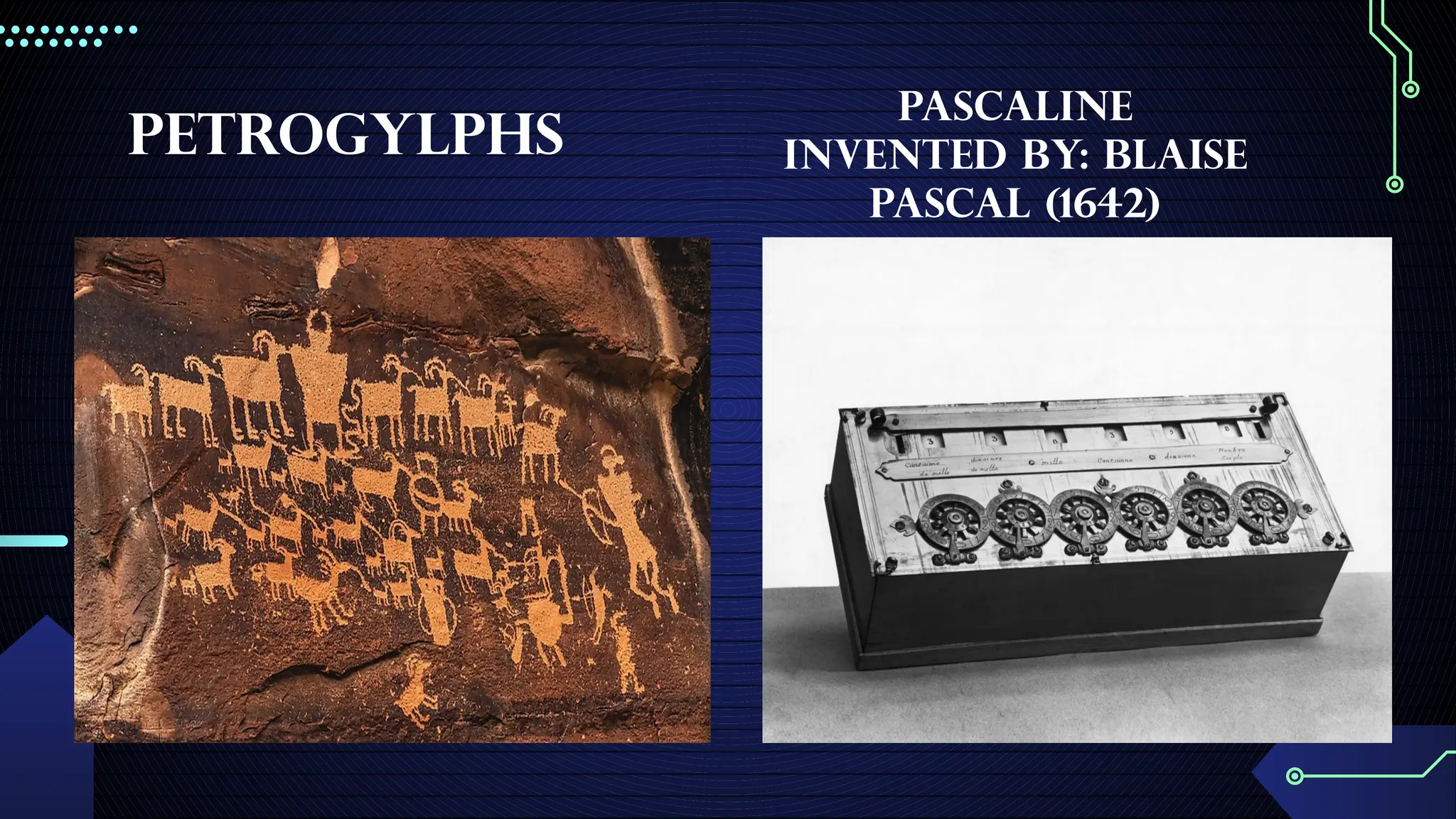
-When humans first started communicating, they would try to use language or simple picture drawing known
as PETROGLYPHS.
- Also, during this period were the first numbering system. Around 100 A.D. was when the first 1-9 system
was created by people from india.
Mechanical
-The age can be defined as the time between 1450 and 1840.
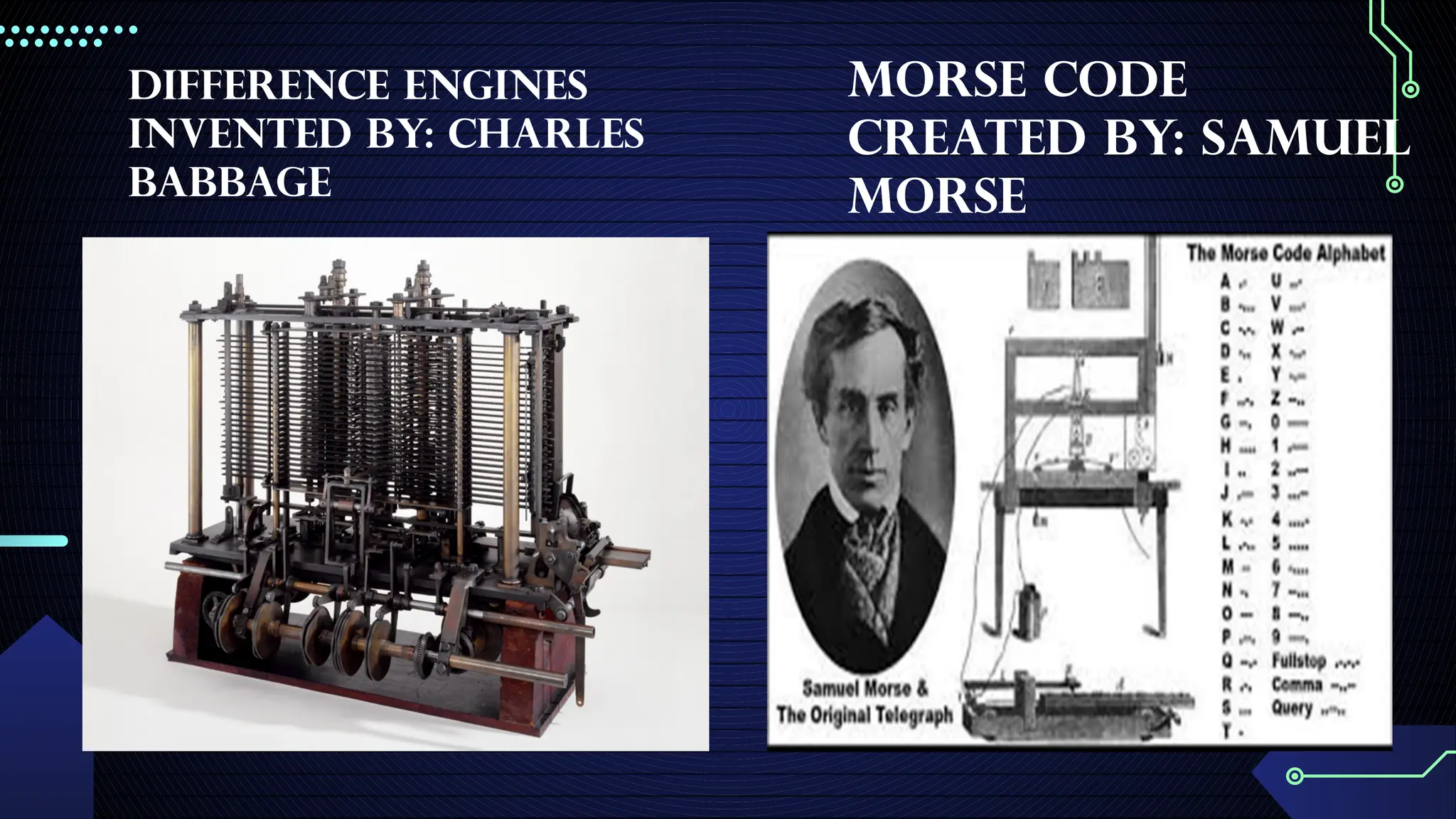
• Blaise Pascal invented the Pascaline. Charles Babbage developed the difference engine which tabulated
polynomials equations using the method of finite differences.
-There were a lots of different machines created during this time. Also, if you look at the size of the machines
invented in this time compared to the power behind them it seems ridiculous to understand why anybody
would want to use them.
39.
Electromechanical
-The electromechanical agecan be defined as the time between 1840 and 1940.
-These are the beginnings of telecommunication.
-Morse code was created by Samuel Morse in 1835.
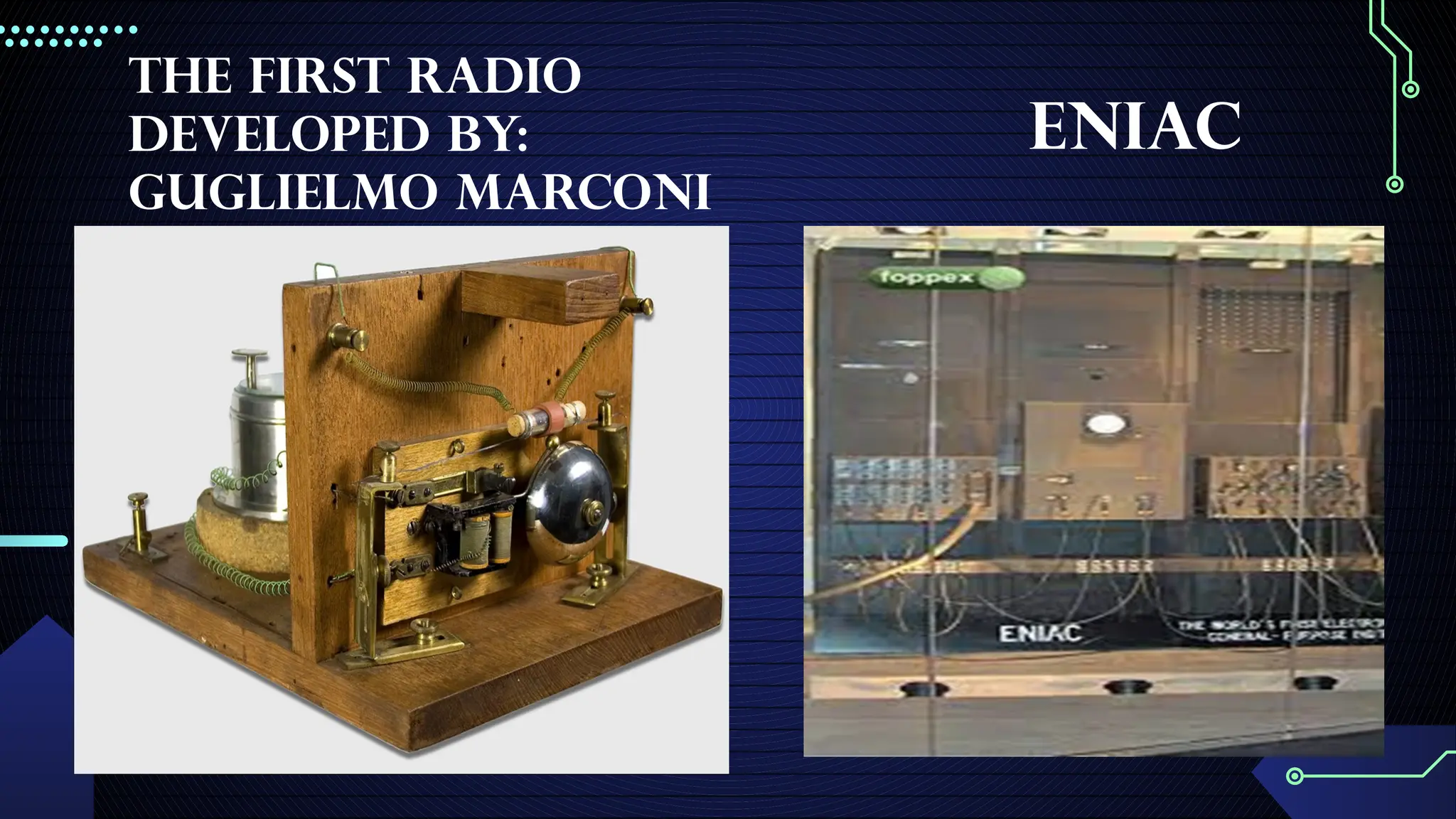
-The first radio developed by Guglielmo Morconi in 1894.
Electronic
-The ENIAC was the first high-speed, digital computer of being reprogrammed to solve a full
range of computing problems. It was designed to be used by the U.S Army for artillery firing
tables.
-High-level programming languages were created such as FORTAN and COBOL. An
operating system showed up around this time along with BASIC. The personal computer was
developed (Apple II). The graphical user interface (GUI) was developed.
Definition of Computer
Computeris a programmable machine.;
-Computer is an electronic device that manipulates information, or data. It has the ability to
store, retrieve, and process data.
-Computer is machine that manipulates data according to a list of instructions (program).
-Computer is any device which aids humans in performing various kinds of computations or
calculations.
Three principal characteristics of computer:
-It responds to a specific set of instructions in a well-defined manner.
-It can execute a pre-recorded list of instructions.
-It can quickly store and retrieve large amounts of data.
45.
History of Computer:Basic Computing Periods
-Earliest Computers originally calculations were computed by humans, whose job title was computers.
-These human computers were typically engaged in the calculation of a mathematical expression..
-The calculations of this period were specialized and expensive, requiring years of training in mathematics.
-The first use of the word "computer" was recorded in 1613, referring to a person who carried out calculations,
computations, and the word continued to be used in that sense until the middle of the 20th century.
History of Computer: Basic Computing Periods
-Tally sticks
-A tally stick was an ancient memory aid device to record and document numbers, quantities, or even messages.
Abacus
-An abacus is a mechanical device used to aid an individual in performing mathematical calculations.
-The abacus was invented in Babylonia in 2400 B.C
-The abacus in the form we are most familiar with was first used in China in around 500 B.C.
-It used to perform basic arithmetic operations.
46.
History of Computer:Basic Computing Periods
Napier's Bones
Invented by John Napier in 1614.
Allowed the operator to multiply, divide and calculate square and cube roots by moving the
rods around and placing them in specially constructed boards.
Slide Rule
Invented by William Oughtred in 1622.
Is based on Napier's ideas about logarithms.
Used primarily for multiplication division-roots logarithms-Trigonometry
Not normally used for addition or subtraction.
47.
Pascaline
-Invented by BlaisePascal in 1642.
-It was its limitation to addition and subtraction.
-It is too expensive.It is too expensive.
Stepped Reckoner
Invented by Gottfried Wilhelm Leibniz in 1672.
The machine that can add subtract multiply and divide automatically.
rex the kabit HAHAHA
Jacquard Loom
The Jacquard loom is a mechanical loom, invented by Joseph-Marie Jacquard in 1881.
It is an automatic loom controlled by punched cards.
HISTORY OF COMPUTER
Theword ‘computer’ was first used in the 16th century for a person who used to do
calculations until the 20th century. Women were hired as human computers to carry out all
forms of calculations and computations. By the end of the 19th century, the word ‘computer’
was used for the machines that did calculations. Nowadays we use the word for the
programmable digital devices that run on electricity.
Before computers were invented, sticks, stones, and bones were used as counting tools.
With the evolution of human intellect and the advancement of technology, more computing
devices were produced. There are mechanical calculators used by humans before
computers.
50.
What is theEvolution of the computer?
- The evolution of computers started around the 16th century. The evolution of the computer
is the process of transforming the oldest vacuum tube-based system to the current model
system of today’s computers. Long ago, the early primitive people were trailblazers in the use
of counting tools, making use of objects like sticks, stones, and bones for their counting
needs. The computer we see today has faced many changes, for the betterment via the
history of computers. It has continuously improved itself in terms of speed, accuracy, size,
and price to urge the form of the computer we have today. Here we have discussed the 5
generations of computers and their characteristics.
51.
Generation of Computers1st to 5th
The Generation of Computer tells about the evolution of technology to distinguish the
computers in terms of varying hardware and software. Know everything about the Generation
of Computers 1st to 5th.
For many decades we have relied on computers and now they have become an inseparable
part of our lives. We cannot imagine our lives without computers are they have made our
work easier. These computers have gone through changes over time and have you ever
really wondered what a computer actually is? Today we use Laptops for our office work, and
tablets for day-to-day calculations or entertainment purposes. These indicate that computers
have evolved and undergone changes in their structure, functions and speed over time.
52.
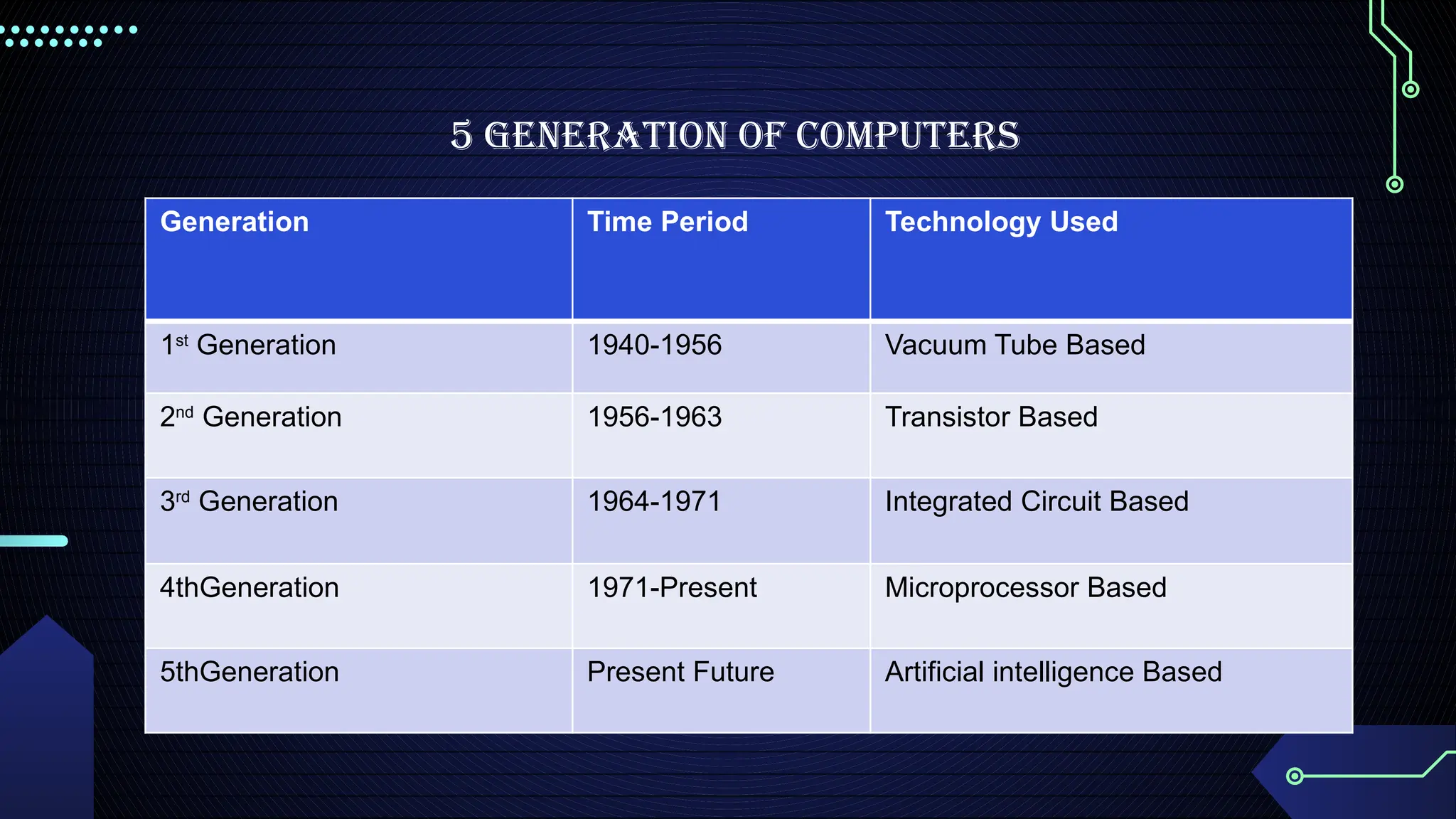
5 Generation ofComputers
Generation Time Period Technology Used
1st
Generation 1940-1956 Vacuum Tube Based
2nd
Generation 1956-1963 Transistor Based
3rd
Generation 1964-1971 Integrated Circuit Based
4thGeneration 1971-Present Microprocessor Based
5thGeneration Present Future Artificial intelligence Based
53.
First Generation Computers
-The1st
Generation Computers were introduced using the technology of vacuum tubes which
can control the flow of electronics in a vacuum. These tubes are usually used in switches,
amplifiers, radios, televisions, etc. The First Generation of Computer was very heavy and large
and were not ideal for programming. They used basic programming and didn’t have an
operating system, which made it tough for users to do programming on them. The 1st
Generation Computers required a big room dedicated to them and also consumed a lot of
electricity.
Example of main first generation computer are:
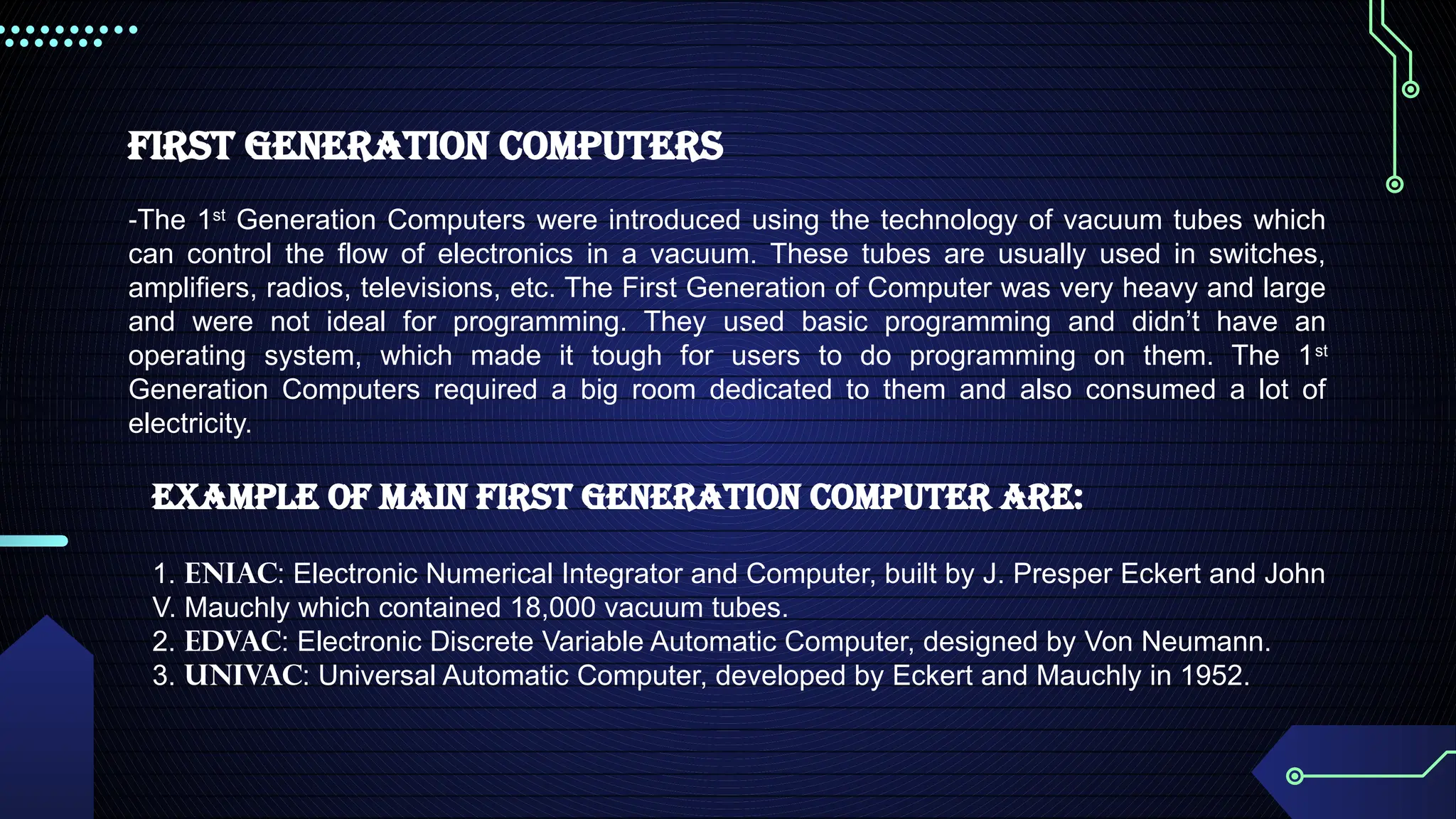
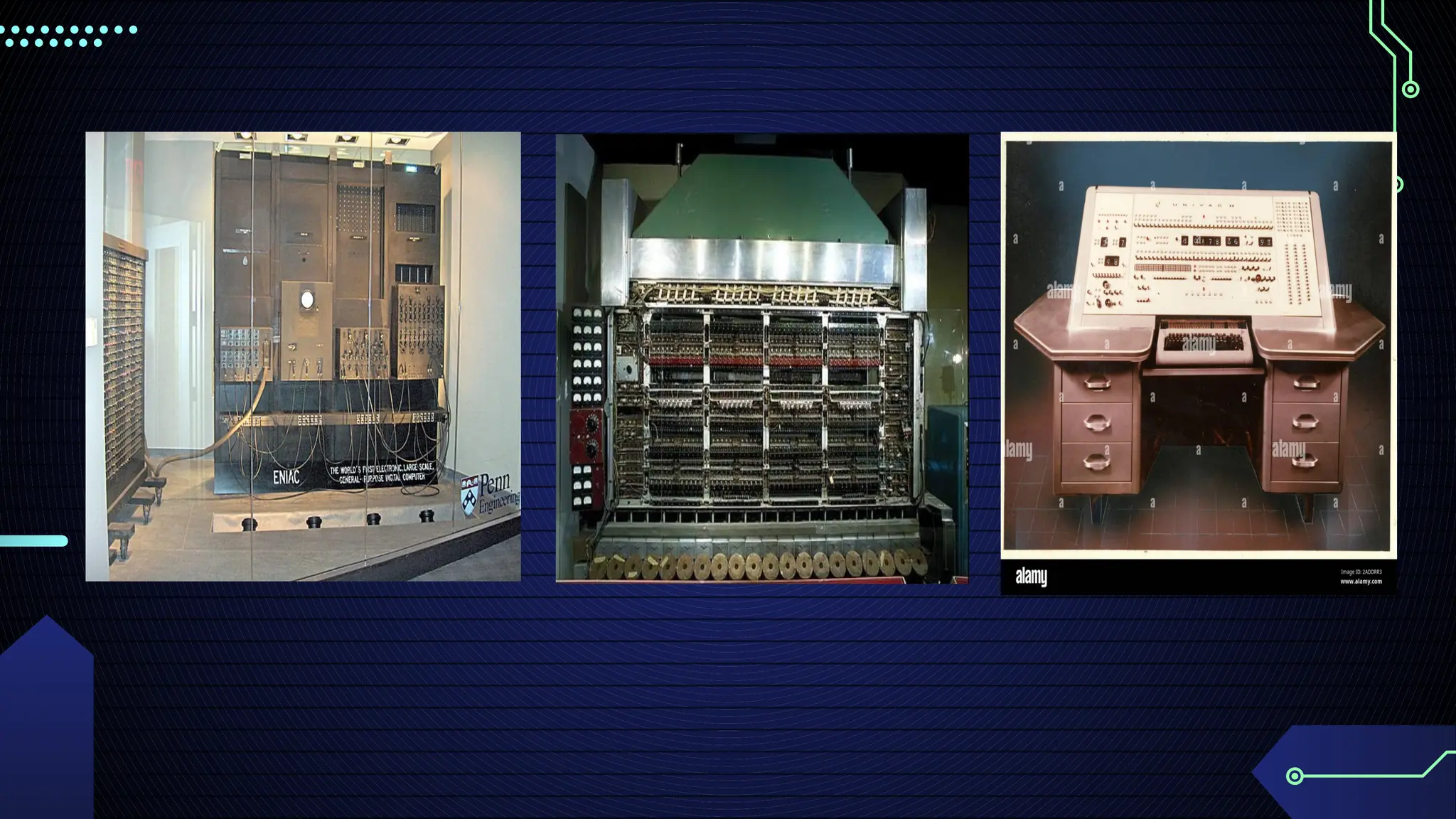
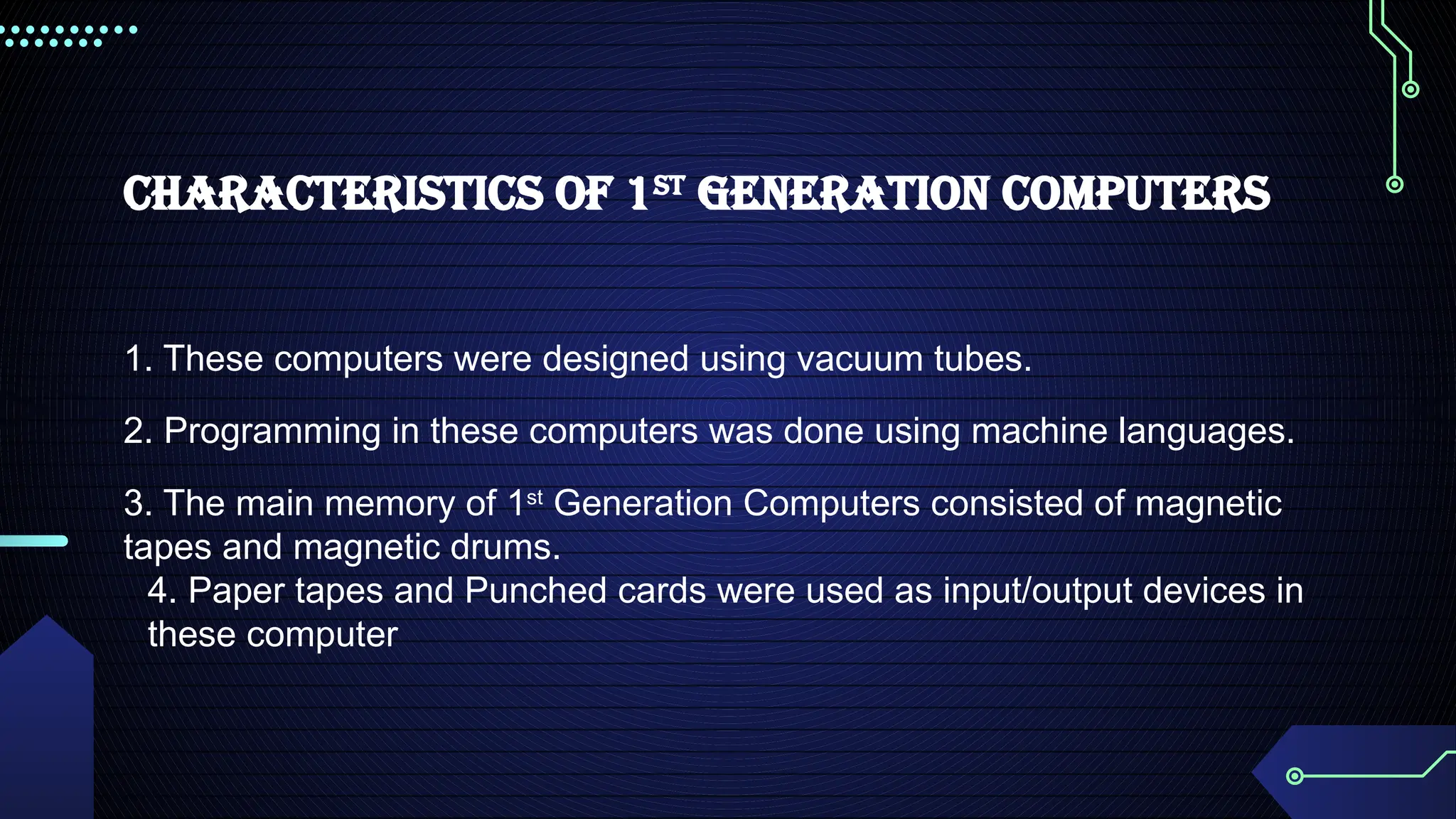
1. ENIAC: Electronic Numerical Integrator and Computer, built by J. Presper Eckert and John
V. Mauchly which contained 18,000 vacuum tubes.
2. EDVAC: Electronic Discrete Variable Automatic Computer, designed by Von Neumann.
3. UNIVAC: Universal Automatic Computer, developed by Eckert and Mauchly in 1952.
55.
Characteristics of 1st
GenerationComputers
1. These computers were designed using vacuum tubes.
2. Programming in these computers was done using machine languages.
3. The main memory of 1st
Generation Computers consisted of magnetic
tapes and magnetic drums.
4. Paper tapes and Punched cards were used as input/output devices in
these computer
56.
2. Second Generation
Computers
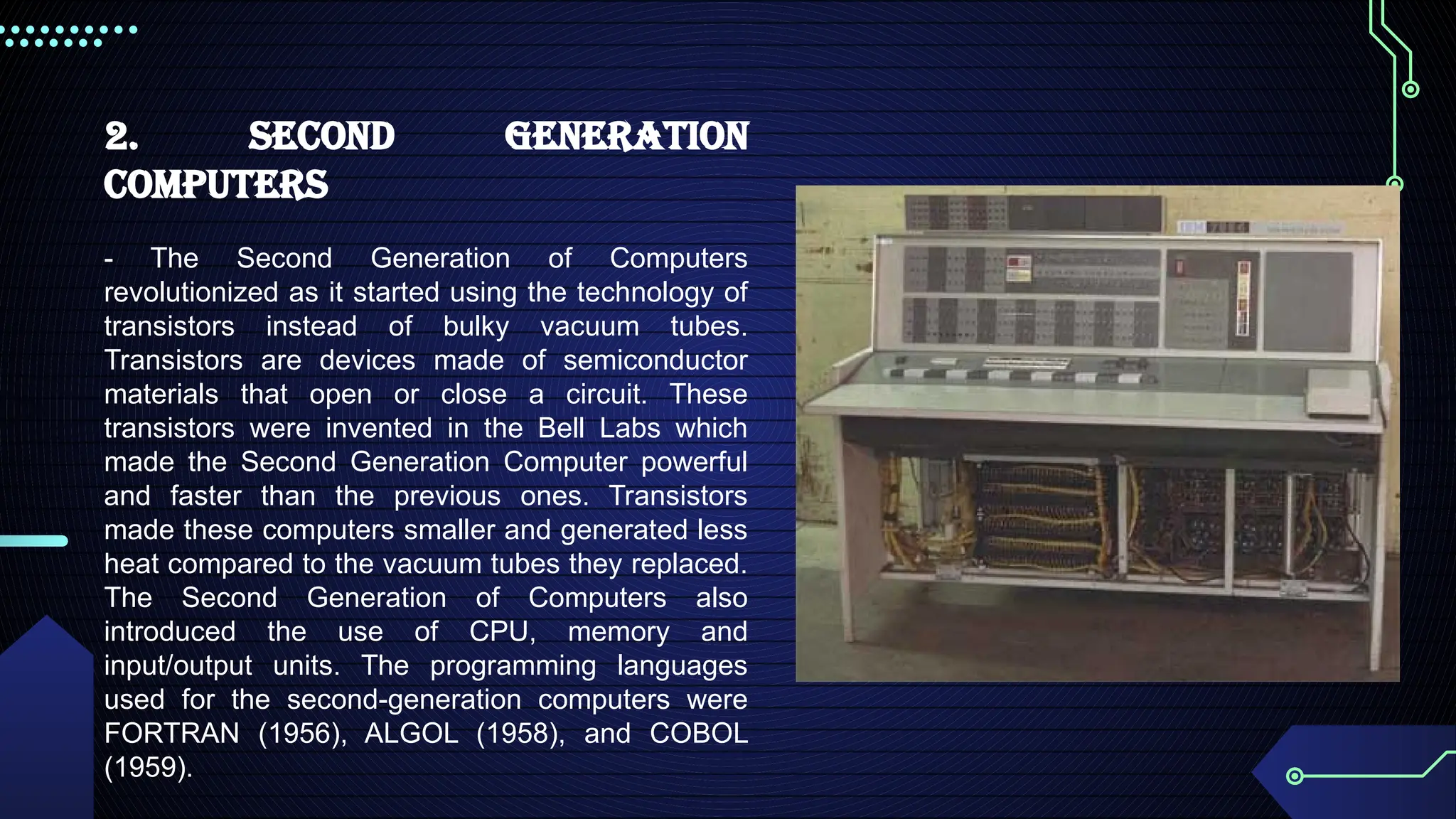
-The Second Generation of Computers
revolutionized as it started using the technology of
transistors instead of bulky vacuum tubes.
Transistors are devices made of semiconductor
materials that open or close a circuit. These
transistors were invented in the Bell Labs which
made the Second Generation Computer powerful
and faster than the previous ones. Transistors
made these computers smaller and generated less
heat compared to the vacuum tubes they replaced.
The Second Generation of Computers also
introduced the use of CPU, memory and
input/output units. The programming languages
used for the second-generation computers were
FORTRAN (1956), ALGOL (1958), and COBOL
(1959).
57.
Characteristics of Second-GenerationComputers
1. The Second Generation computers used the technology of Transistors.
2. Machine language and Assembly Languages were used for these
computers.
3. Magnetic core and magnetic tape/disk were used for memory storage.
4. The Second Generation Computers were smaller in size, consumed
less power and generated less heat.
5. Magnetic tape and punched cards were used as input/output devices.
58.
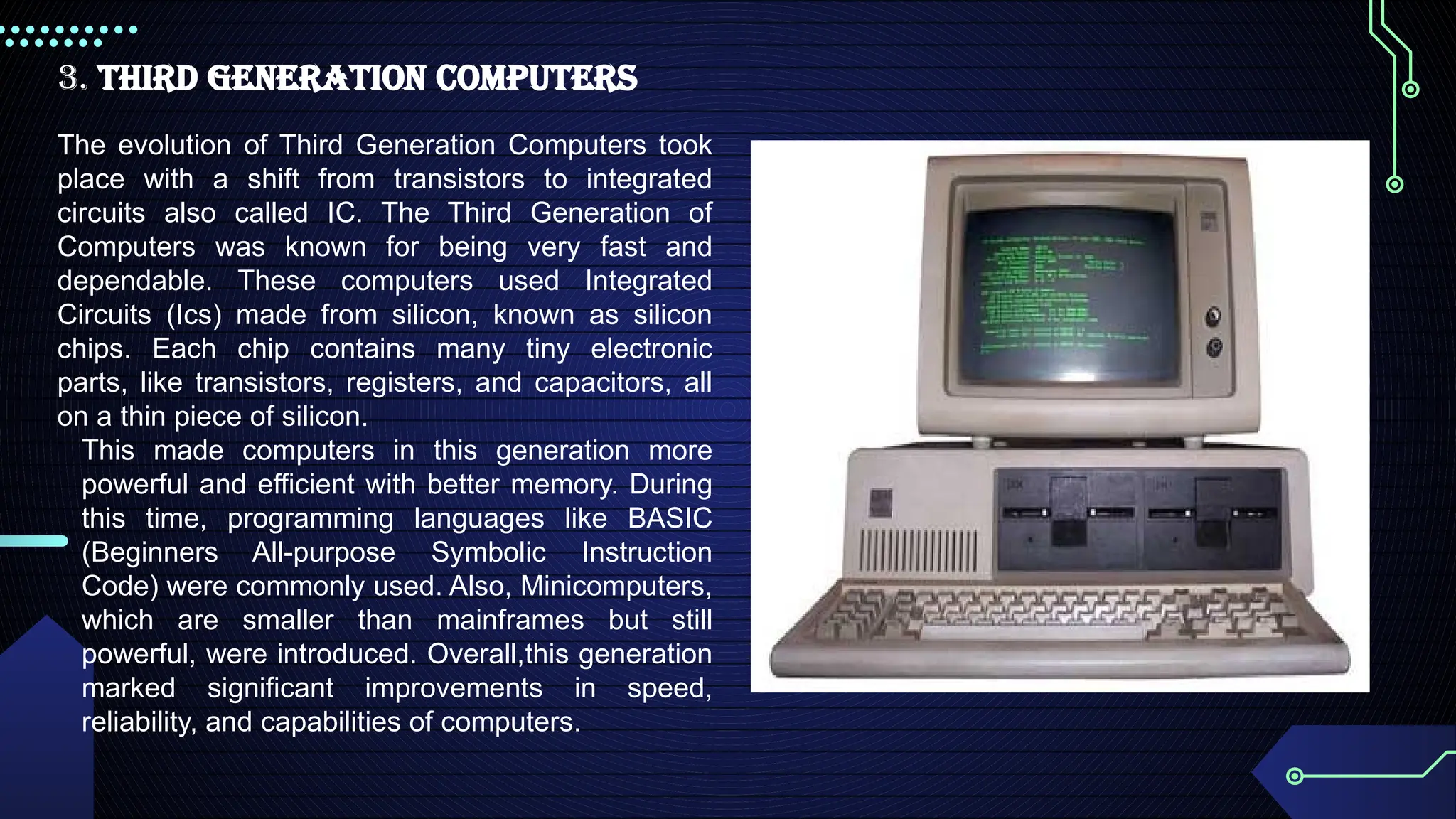
3. Third GenerationComputers
The evolution of Third Generation Computers took
place with a shift from transistors to integrated
circuits also called IC. The Third Generation of
Computers was known for being very fast and
dependable. These computers used Integrated
Circuits (Ics) made from silicon, known as silicon
chips. Each chip contains many tiny electronic
parts, like transistors, registers, and capacitors, all
on a thin piece of silicon.
This made computers in this generation more
powerful and efficient with better memory. During
this time, programming languages like BASIC
(Beginners All-purpose Symbolic Instruction
Code) were commonly used. Also, Minicomputers,
which are smaller than mainframes but still
powerful, were introduced. Overall,this generation
marked significant improvements in speed,
reliability, and capabilities of computers.
59.
Characteristics of Third-GenerationComputers
1. These computers were built using Integrated Circuits (Ics).
2. High-level programming languages were used for programming on
these computers.
3. Large magnetic core and magnetic tape/disk were used for memory
storage.
4. Magnetic tape, monitor, keyboard, printer, etc were used as input/output
devices.
60.
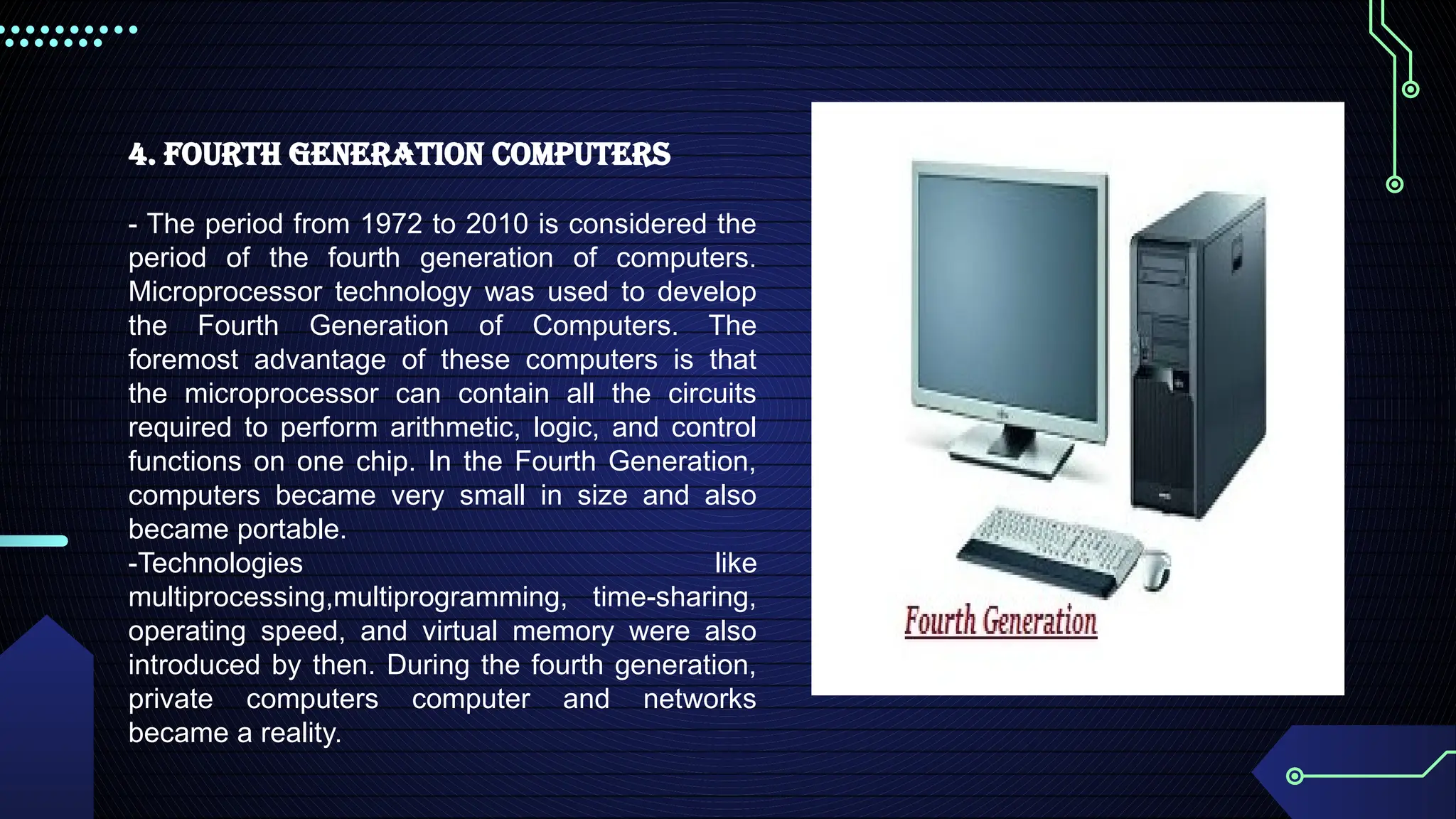
4. Fourth GenerationComputers
- The period from 1972 to 2010 is considered the
period of the fourth generation of computers.
Microprocessor technology was used to develop
the Fourth Generation of Computers. The
foremost advantage of these computers is that
the microprocessor can contain all the circuits
required to perform arithmetic, logic, and control
functions on one chip. In the Fourth Generation,
computers became very small in size and also
became portable.
-Technologies like
multiprocessing,multiprogramming, time-sharing,
operating speed, and virtual memory were also
introduced by then. During the fourth generation,
private computers computer and networks
became a reality.
61.
Characteristics of Fourth-GenerationComputers
1. The Fourth Generation Computers have been developed using the technology of
Very-large-scale integration (VLSI) and the microprocessor (VLSI has thousands of
transistors on a single microchip).
2. Semiconductor memory such as RAM, ROM, etc was used for memory storage.
3. Input/output devices such as pointing devices, optical scanning, keyboard,
monitor, printer, etc were introduced.
4. Some examples of Fourth Generation Computers are IBM PC, STAR
1000,APPLE II, Apple Macintosh, Alter 8800, etc.Characteristics of Fourth-
Generation Computers
62.
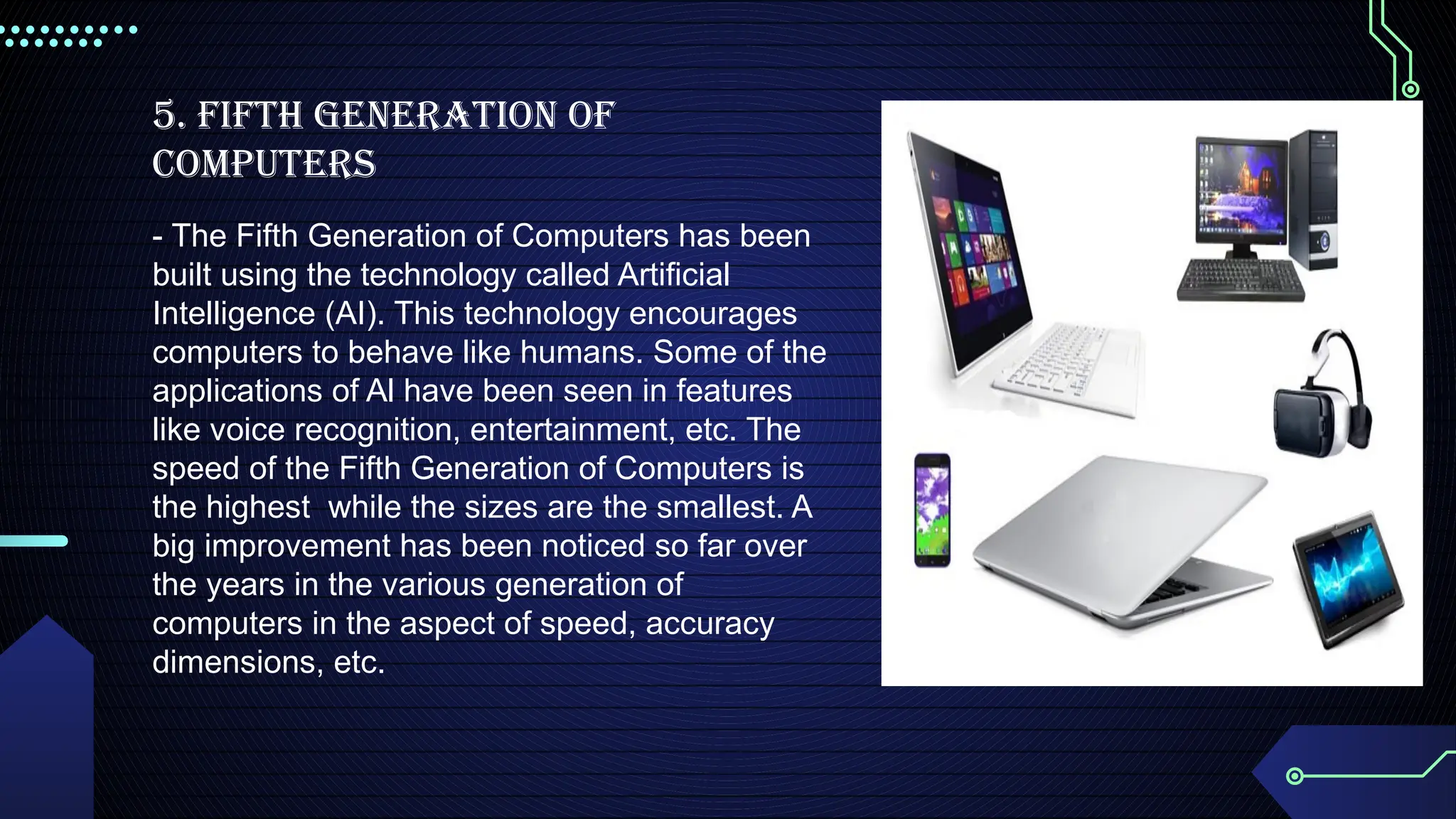
5. Fifth GenerationOf
Computers
- The Fifth Generation of Computers has been
built using the technology called Artificial
Intelligence (ΑΙ). This technology encourages
computers to behave like humans. Some of the
applications of Al have been seen in features
like voice recognition, entertainment, etc. The
speed of the Fifth Generation of Computers is
the highest while the sizes are the smallest. A
big improvement has been noticed so far over
the years in the various generation of
computers in the aspect of speed, accuracy
dimensions, etc.
63.
Characteristics of FifthGeneration of Computers
1. The 5th
Generation Computers have been built based on artificial intelligence, use
the Ultra Large-Scale Integration (ULSI) technology and parallel processing method
(ULSI has millions of transistors on a single microchip and the Parallel processing
method uses two or more microprocessors to run tasks simultaneously).
2. These computers understand natural language (human language).
3. The Fifth-generation computers are portable and smaller in size.
4. Trackpad (or touchpad), touchscreen, pen, speech input (recognize
voice/speech), light scanner, printer, keyboard, monitor, mouse, etc are used as
Input/Output devices.
5. Examples of 5th
Generation Computers are Desktops, laptops, tablets,
smartphones, etc.



![Computer Networks 01[1 using all terms].pptx](https://cdn.slidesharecdn.com/ss_thumbnails/computernetworks011-251214040533-327dd9f8-thumbnail.jpg?width=640&height=640&fit=bounds)


