Developing Glass Apps Using GDK (XE12 Update)
Follow me @chuazy

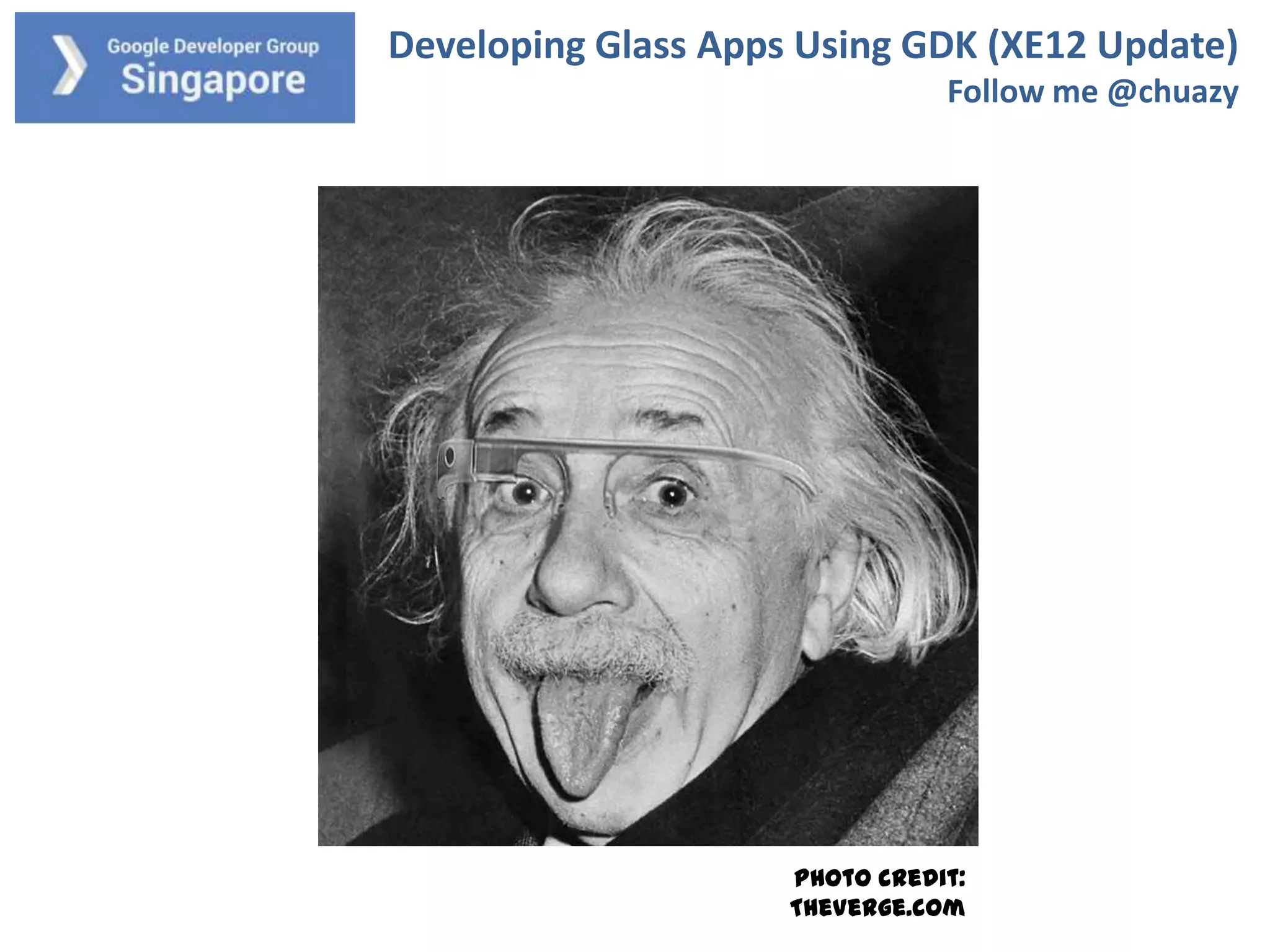
Photo credit:
TheVerge.com
Developing Glass Apps Using GDK (XE12 Update)
Follow me @chuazy

About myself
Chua Zi Yong
Developing Android for about 5 years
Founder of Stream Media
Founder of CodeAndroid Singapore
https://www.facebook.com/groups/codeandroid/
Developing Glass Apps Using GDK (XE12 Update)
Follow me @chuazy

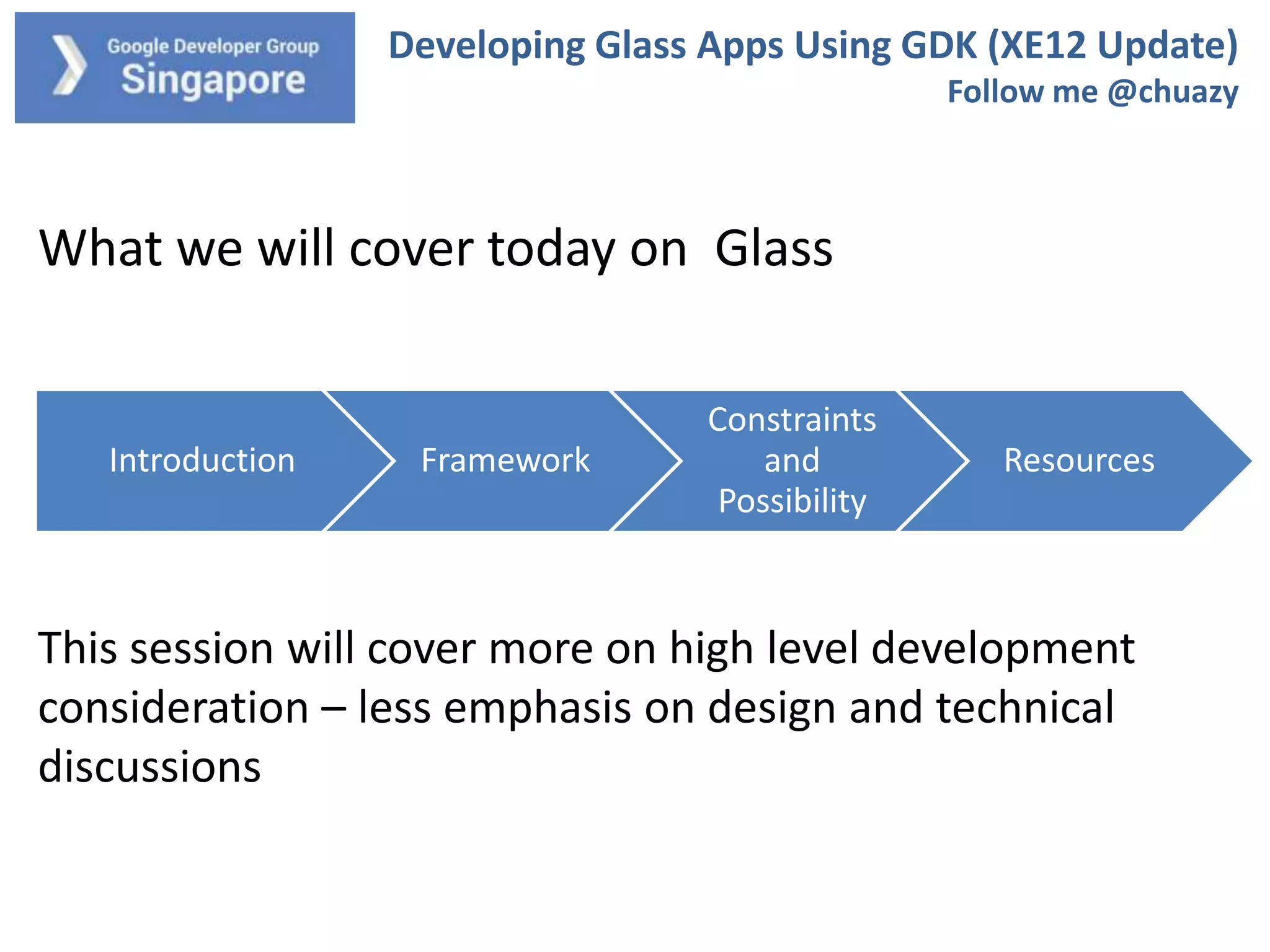
What we will cover today on Glass

Introduction

Framework

Constraints
and
Possibility

Resources

This session will cover more on high level development
consideration – less emphasis on design and technical
discussions
Developing Glass Apps Using GDK (XE12 Update)
Follow me @chuazy

Basics of Google Glass
What is Glass?

Introduction

Framework

How to use Glass?

Constraints
and
Possibility

Resources
Developing Glass Apps Using GDK (XE12 Update)
Follow me @chuazy

Getting Started: https://developers.google.com/glass/

1) Take note of the design principles (very small screen!)
2) Choose your poison: Mirror API or GDK
3) Check out the samples and demos

Introduction

Framework

Constraints
and
Possibility

Resources
Developing Glass Apps Using GDK (XE12 Update)
Follow me @chuazy

Developing with GDK

1) Run from Glass itself (offline!) unlike Mirror API
2) Based on Android 4.0.2, apps compiled as APK
3) Download using ADT (GDK Sneak Peak)

Introduction

Framework

Constraints
and
Possibility

Resources
Developing Glass Apps Using GDK (XE12 Update)
Follow me @chuazy

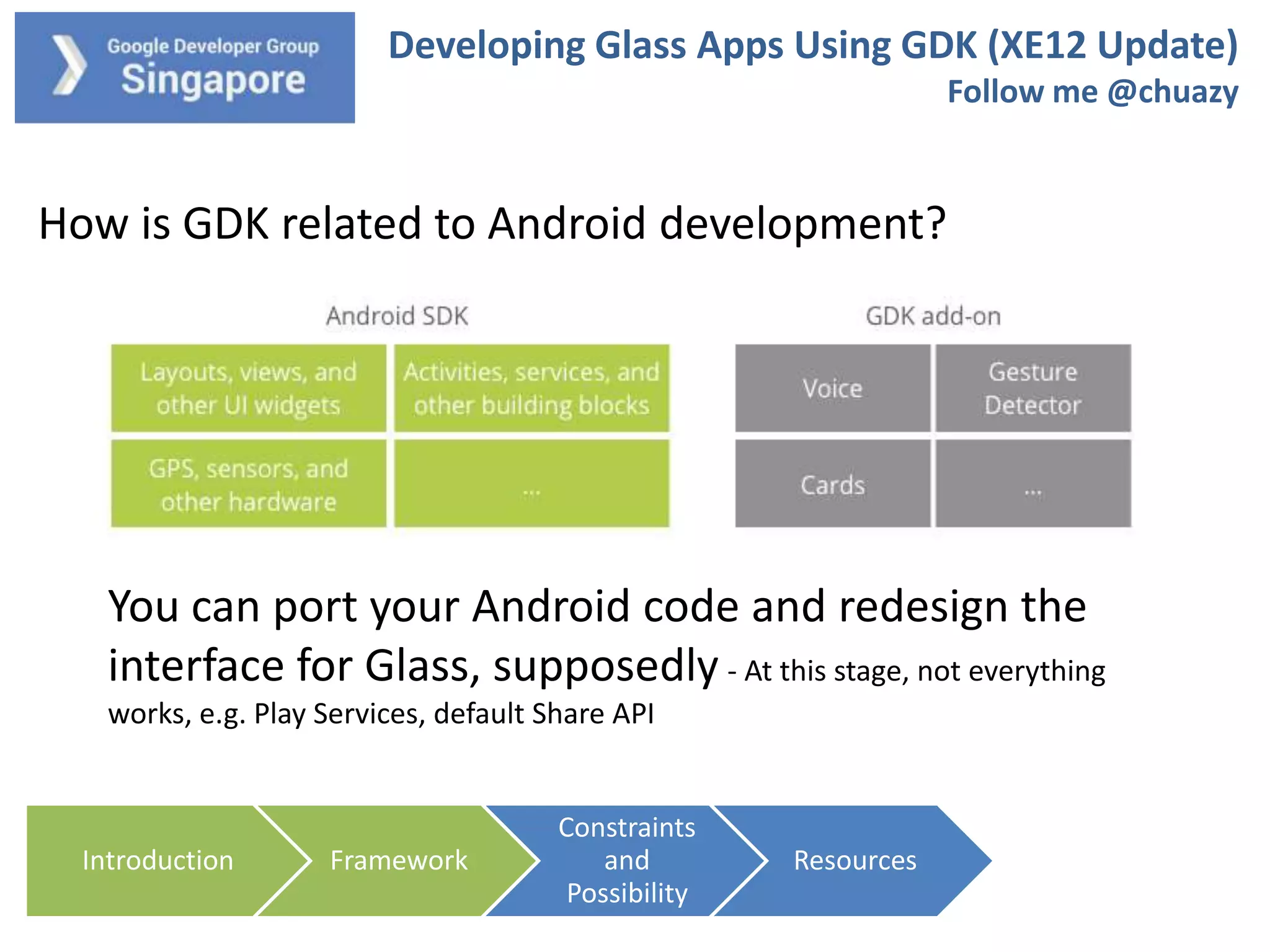
How is GDK related to Android development?

You can port your Android code and redesign the
interface for Glass, supposedly - At this stage, not everything
works, e.g. Play Services, default Share API

Introduction

Framework

Constraints
and
Possibility

Resources
Developing Glass Apps Using GDK (XE12 Update)
Follow me @chuazy

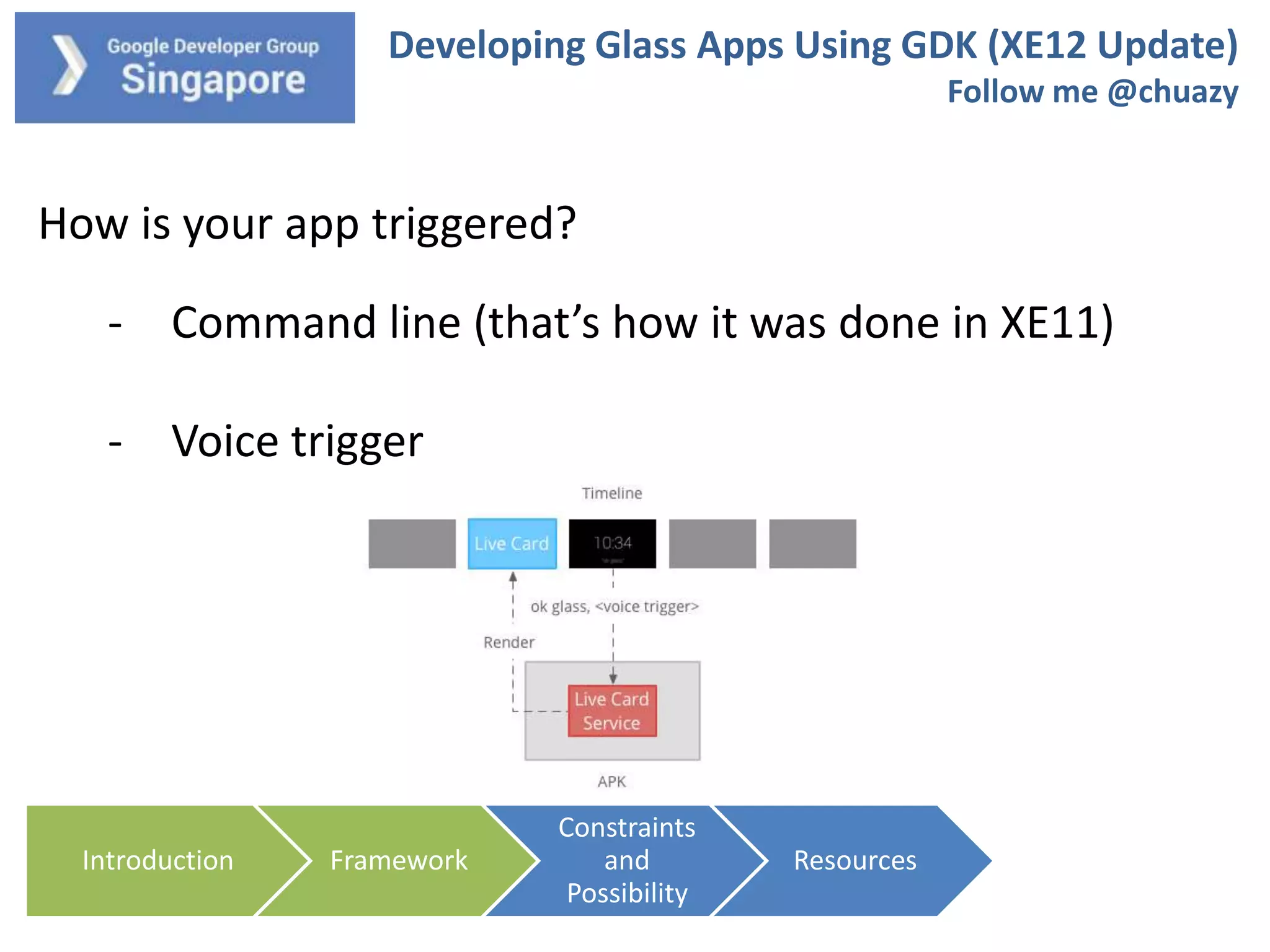
How is your app triggered?
- Command line (that’s how it was done in XE11)

- Voice trigger

Introduction

Framework

Constraints
and
Possibility

Resources
Developing Glass Apps Using GDK (XE12 Update)
Follow me @chuazy

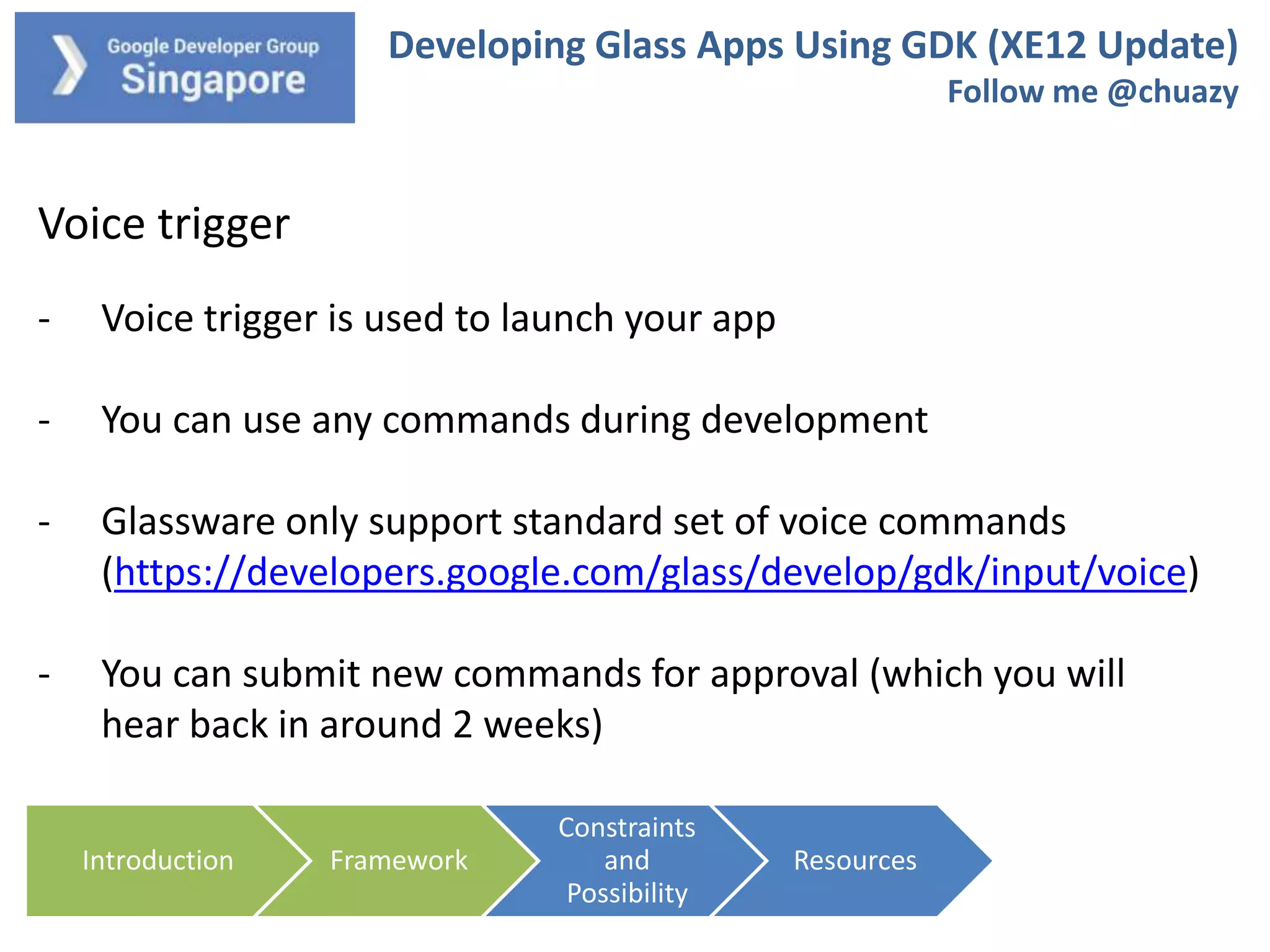
Voice trigger
-

Voice trigger is used to launch your app

-

You can use any commands during development

-

Glassware only support standard set of voice commands
(https://developers.google.com/glass/develop/gdk/input/voice)

-

You can submit new commands for approval (which you will
hear back in around 2 weeks)
Introduction

Framework

Constraints
and
Possibility

Resources
Developing Glass Apps Using GDK (XE12 Update)
Follow me @chuazy

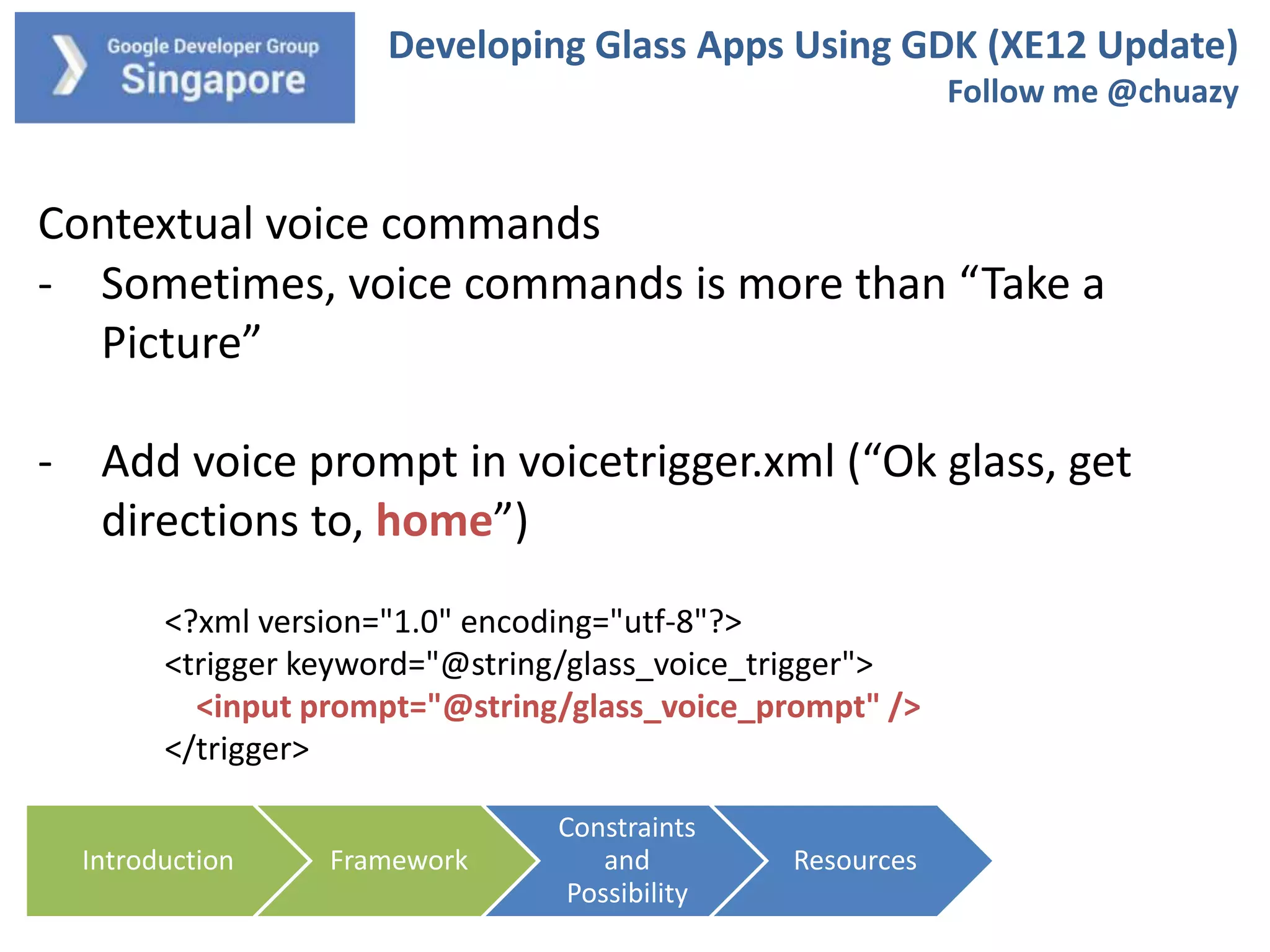
Contextual voice commands
- Sometimes, voice commands is more than “Take a
Picture”

- Add voice prompt in voicetrigger.xml (“Ok glass, get
directions to, home”)
<?xml version="1.0" encoding="utf-8"?>
<trigger keyword="@string/glass_voice_trigger">
<input prompt="@string/glass_voice_prompt" />
</trigger>
Introduction

Framework

Constraints
and
Possibility

Resources
Developing Glass Apps Using GDK (XE12 Update)
Follow me @chuazy

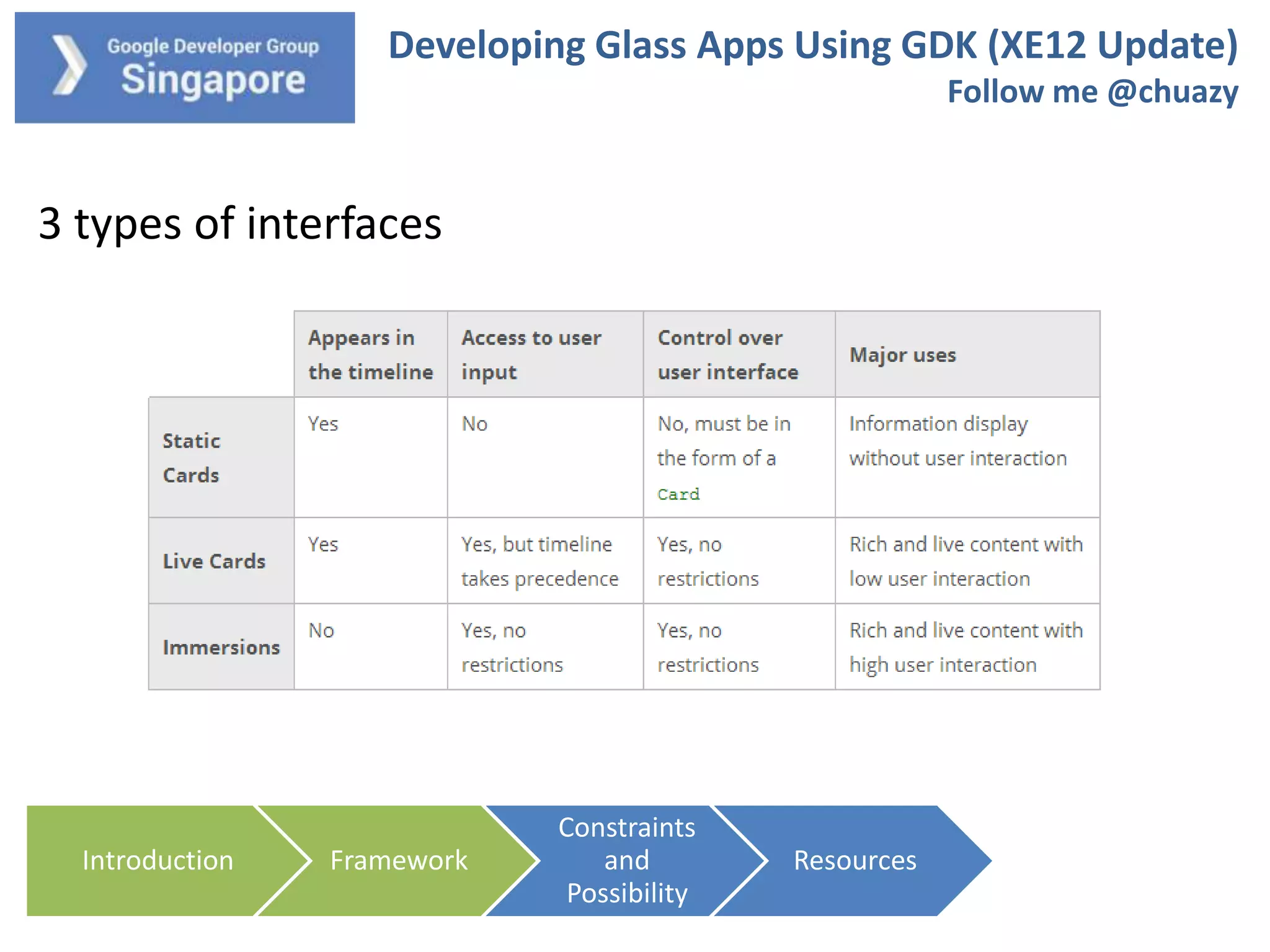
3 types of interfaces

Introduction

Framework

Constraints
and
Possibility

Resources
Developing Glass Apps Using GDK (XE12 Update)
Follow me @chuazy

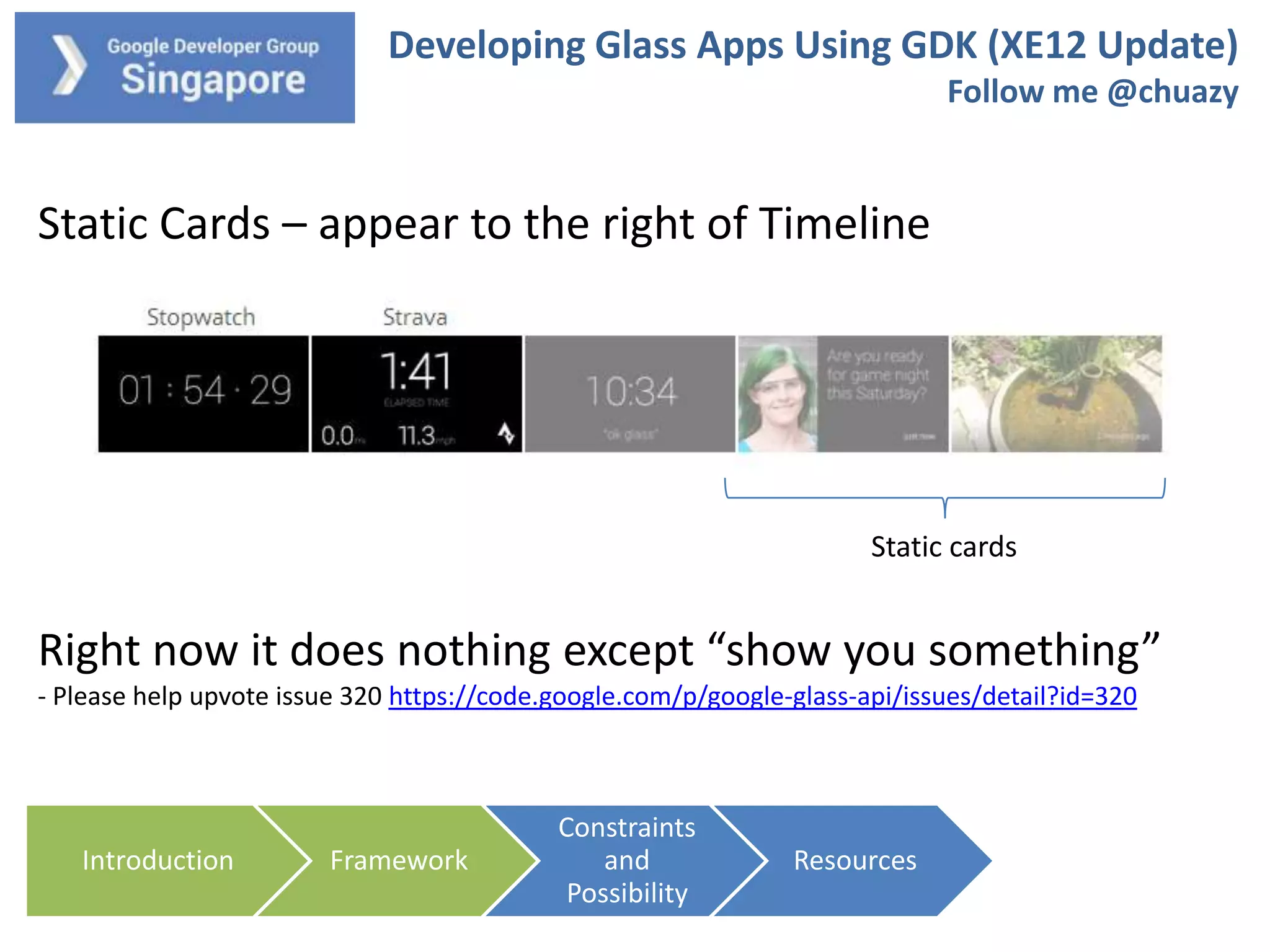
Static Cards – appear to the right of Timeline

Static cards

Right now it does nothing except “show you something”
- Please help upvote issue 320 https://code.google.com/p/google-glass-api/issues/detail?id=320

Introduction

Framework

Constraints
and
Possibility

Resources
Developing Glass Apps Using GDK (XE12 Update)
Follow me @chuazy

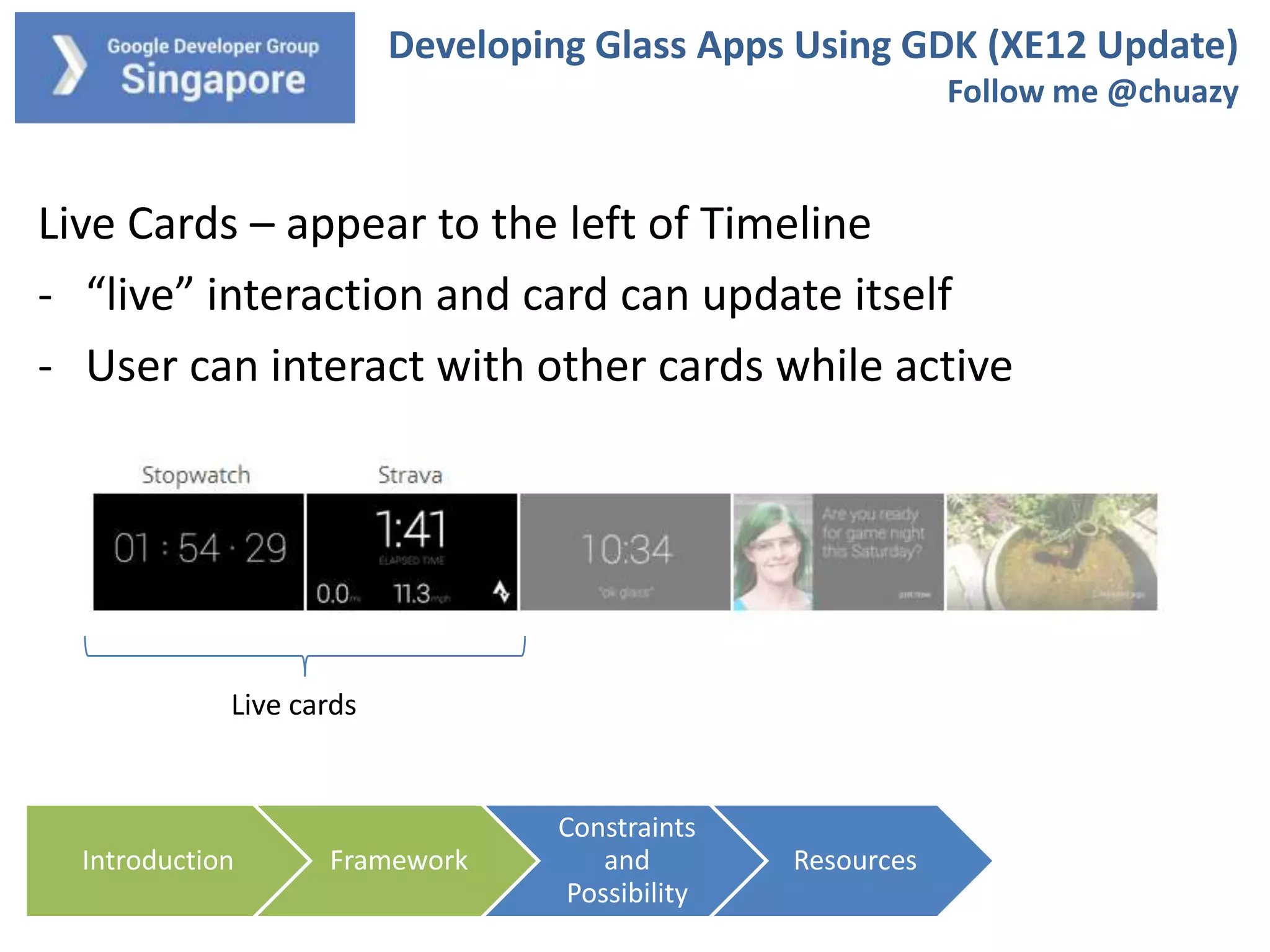
Live Cards – appear to the left of Timeline
- “live” interaction and card can update itself
- User can interact with other cards while active

Live cards

Introduction

Framework

Constraints
and
Possibility

Resources
Developing Glass Apps Using GDK (XE12 Update)
Follow me @chuazy

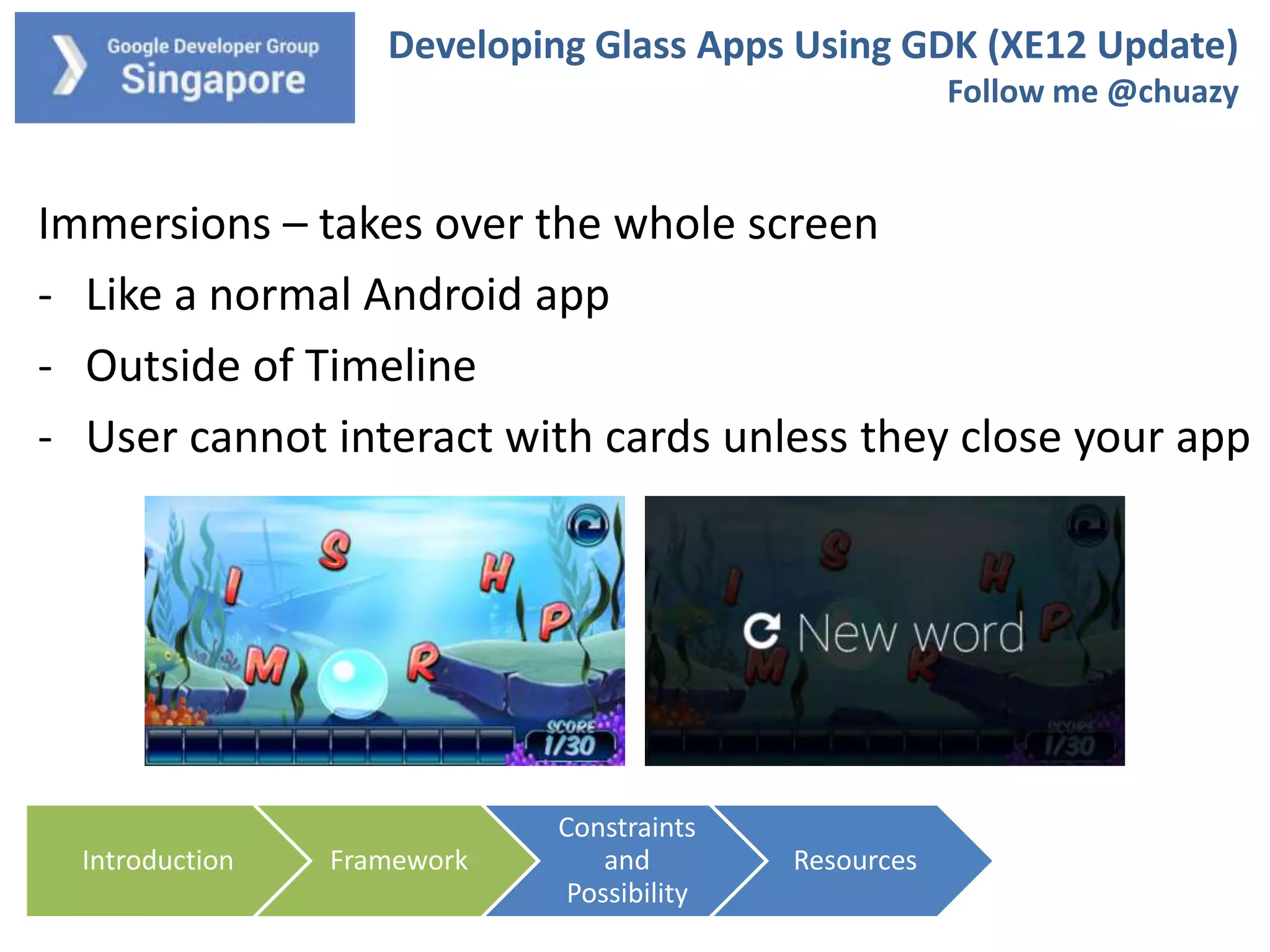
Immersions – takes over the whole screen
- Like a normal Android app
- Outside of Timeline
- User cannot interact with cards unless they close your app

Introduction

Framework

Constraints
and
Possibility

Resources
Developing Glass Apps Using GDK (XE12 Update)
Follow me @chuazy

How to use the Interfaces
- Immersion – standard Android app architecture
- Static Card – use TimelineManager from either running
app or service (insert, update, query, delete)
- Live Card – will talk more next slide

Introduction

Framework

Constraints
and
Possibility

Resources
Developing Glass Apps Using GDK (XE12 Update)
Follow me @chuazy

Live Card Architecture
- Unlike an app, your default launch is a Live Card Service
- Keeps on running
- Need to create pendingintent to launch menu activity to
close the live card
- 2 types of rendering – Low and Hi Frequency

Introduction

Framework

Constraints
and
Possibility

Resources
Developing Glass Apps Using GDK (XE12 Update)
Follow me @chuazy

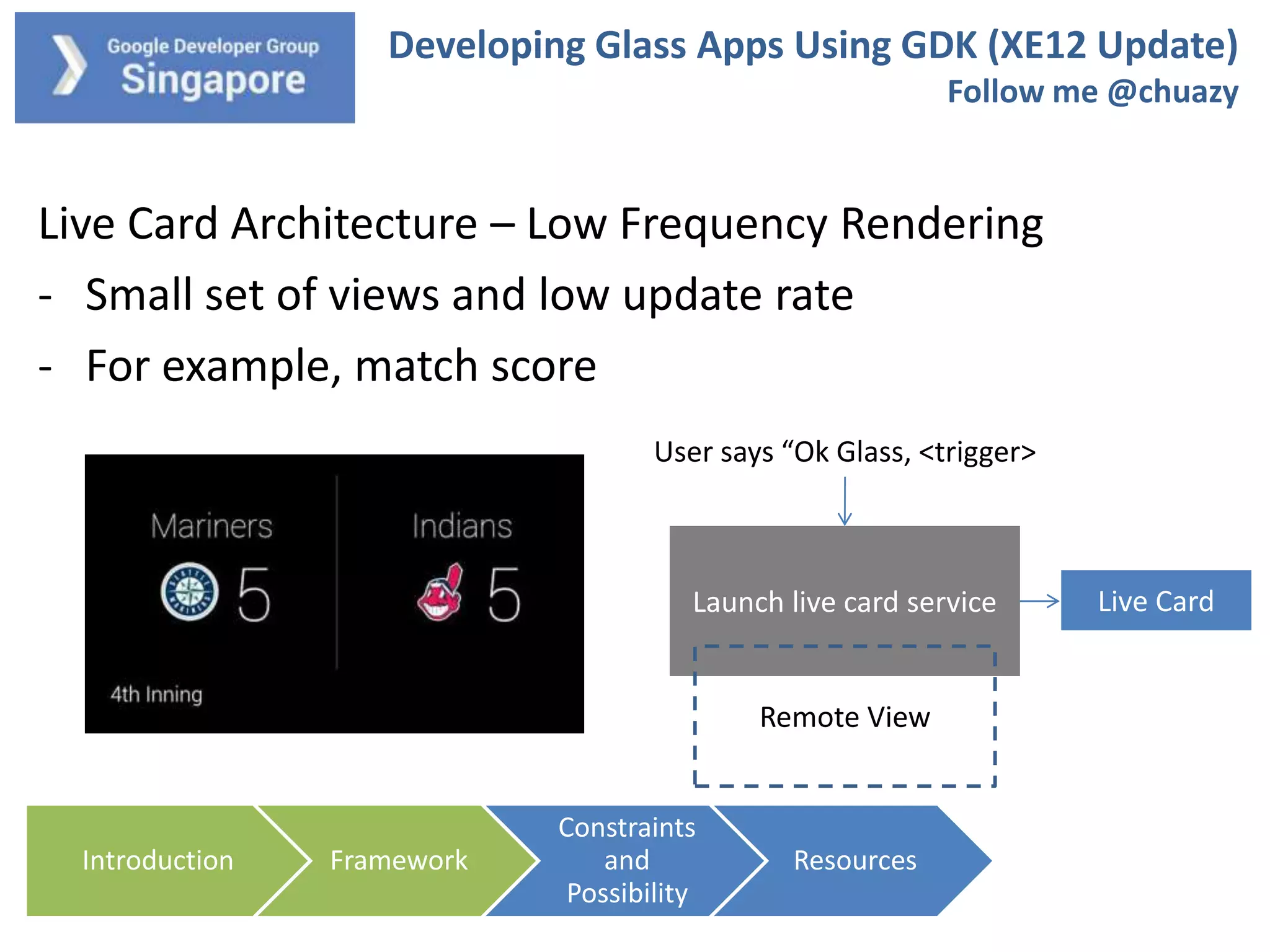
Live Card Architecture – Low Frequency Rendering
- Small set of views and low update rate
- For example, match score
User says “Ok Glass, <trigger>

Launch live card service

Remote View

Introduction

Framework

Constraints
and
Possibility

Resources

Live Card
Developing Glass Apps Using GDK (XE12 Update)
Follow me @chuazy

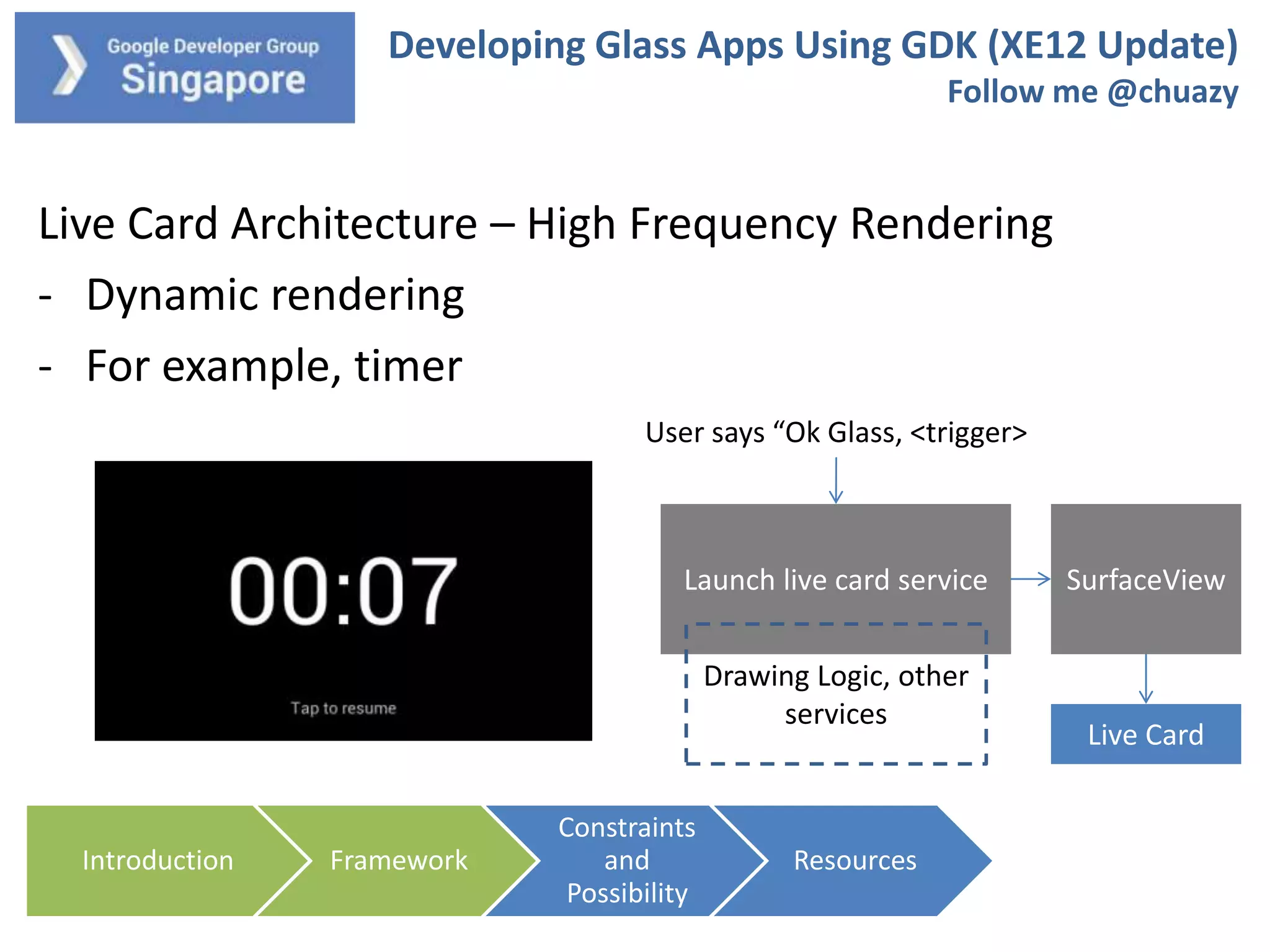
Live Card Architecture – High Frequency Rendering
- Dynamic rendering
- For example, timer
User says “Ok Glass, <trigger>

Launch live card service
Drawing Logic, other
services

Introduction

Framework

Constraints
and
Possibility

Resources

SurfaceView

Live Card
Developing Glass Apps Using GDK (XE12 Update)
Follow me @chuazy

Other things to take note of
- You can specify touch gestures (like a D-Pad)
- Sensors: Voice Input, GPS, Accelerometer,, Camera
- Glass heats up very fast and have low battery life
- Design your app to be as light weight as possible to reduce
load
- Continuous video recording is about 45-60 minutes

Introduction

Framework

Constraints
and
Possibility

Resources
Developing Glass Apps Using GDK (XE12 Update)
Follow me @chuazy

See some code?

Introduction

Framework

Constraints
and
Possibility

Resources
Developing Glass Apps Using GDK (XE12 Update)
Follow me @chuazy

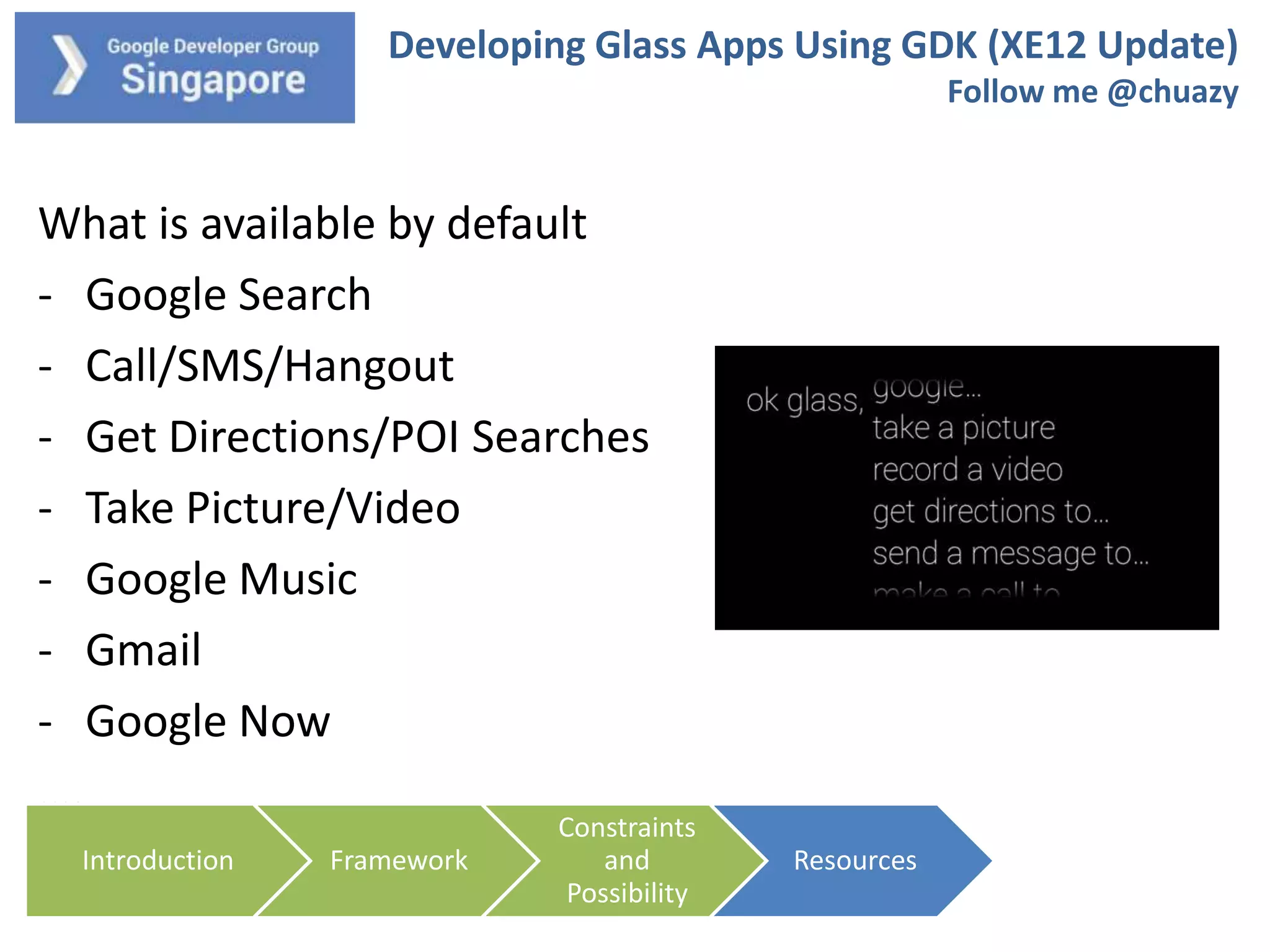
What is available by default
- Google Search
- Call/SMS/Hangout
- Get Directions/POI Searches
- Take Picture/Video
- Google Music
- Gmail
- Google Now
….
Introduction

Framework

Constraints
and
Possibility

Resources
Developing Glass Apps Using GDK (XE12 Update)
Follow me @chuazy

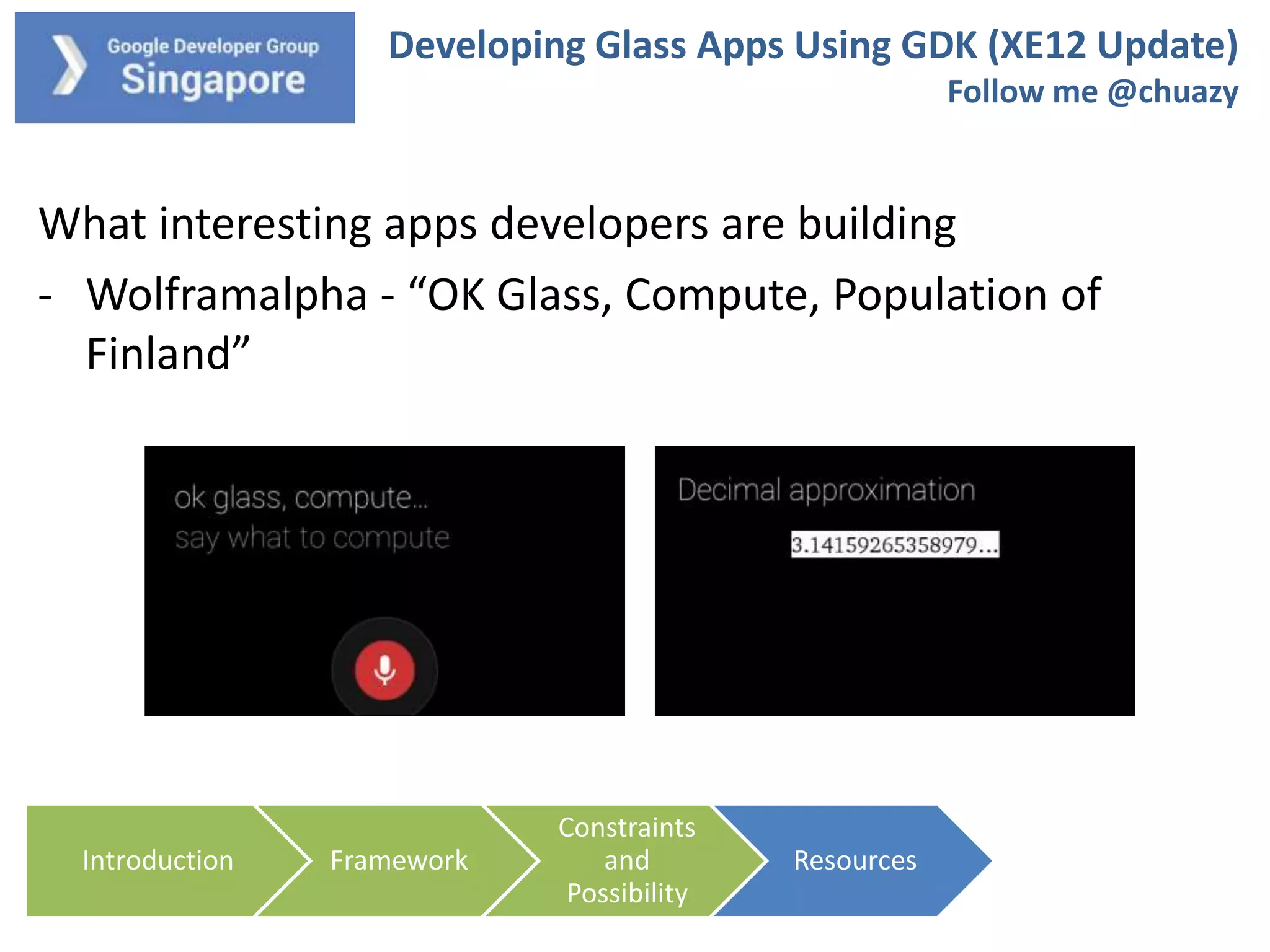
What interesting apps developers are building
- Wolframalpha - “OK Glass, Compute, Population of
Finland”

Introduction

Framework

Constraints
and
Possibility

Resources
Developing Glass Apps Using GDK (XE12 Update)
Follow me @chuazy

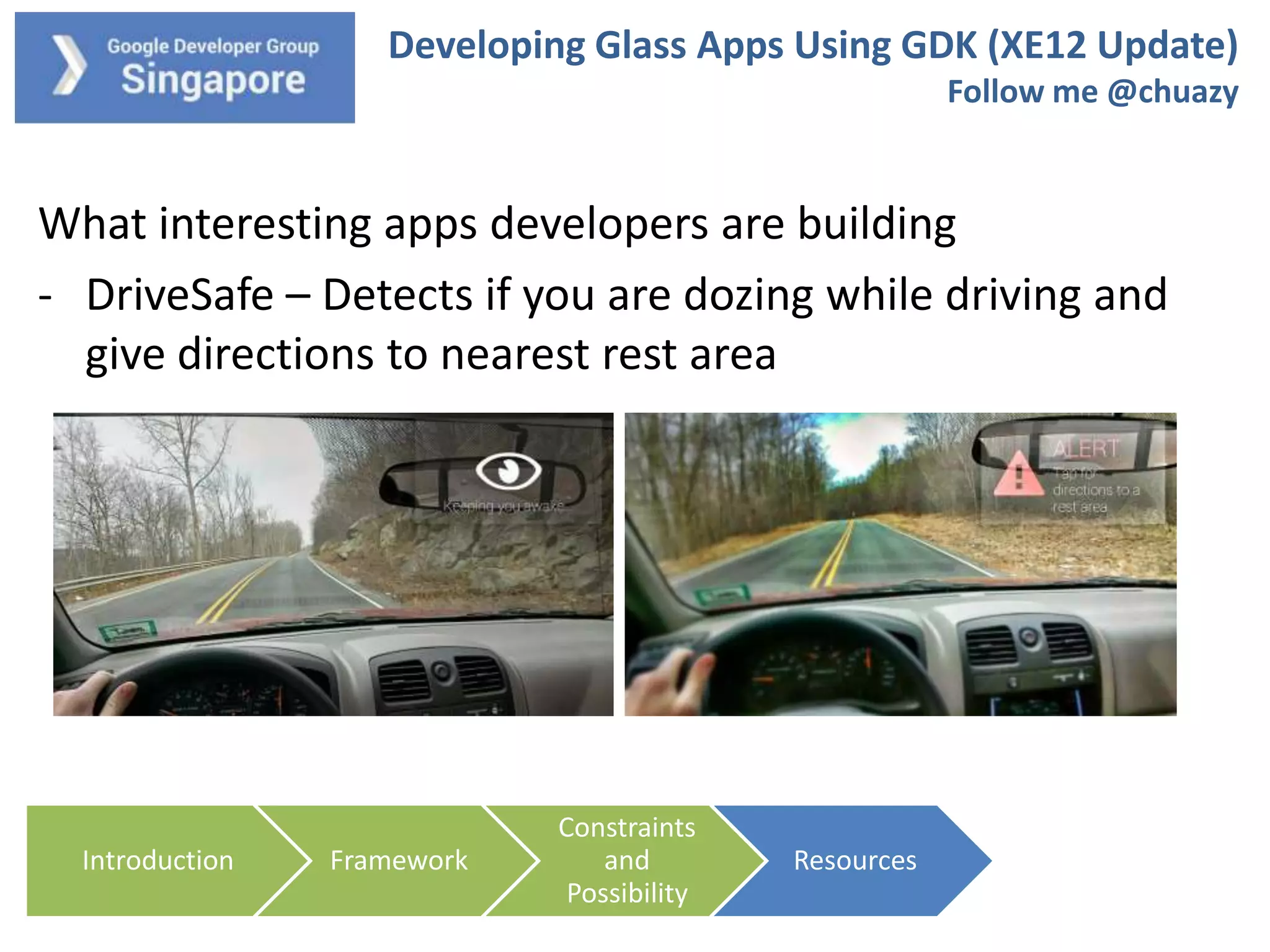
What interesting apps developers are building
- DriveSafe – Detects if you are dozing while driving and
give directions to nearest rest area

Introduction

Framework

Constraints
and
Possibility

Resources
Developing Glass Apps Using GDK (XE12 Update)
Follow me @chuazy

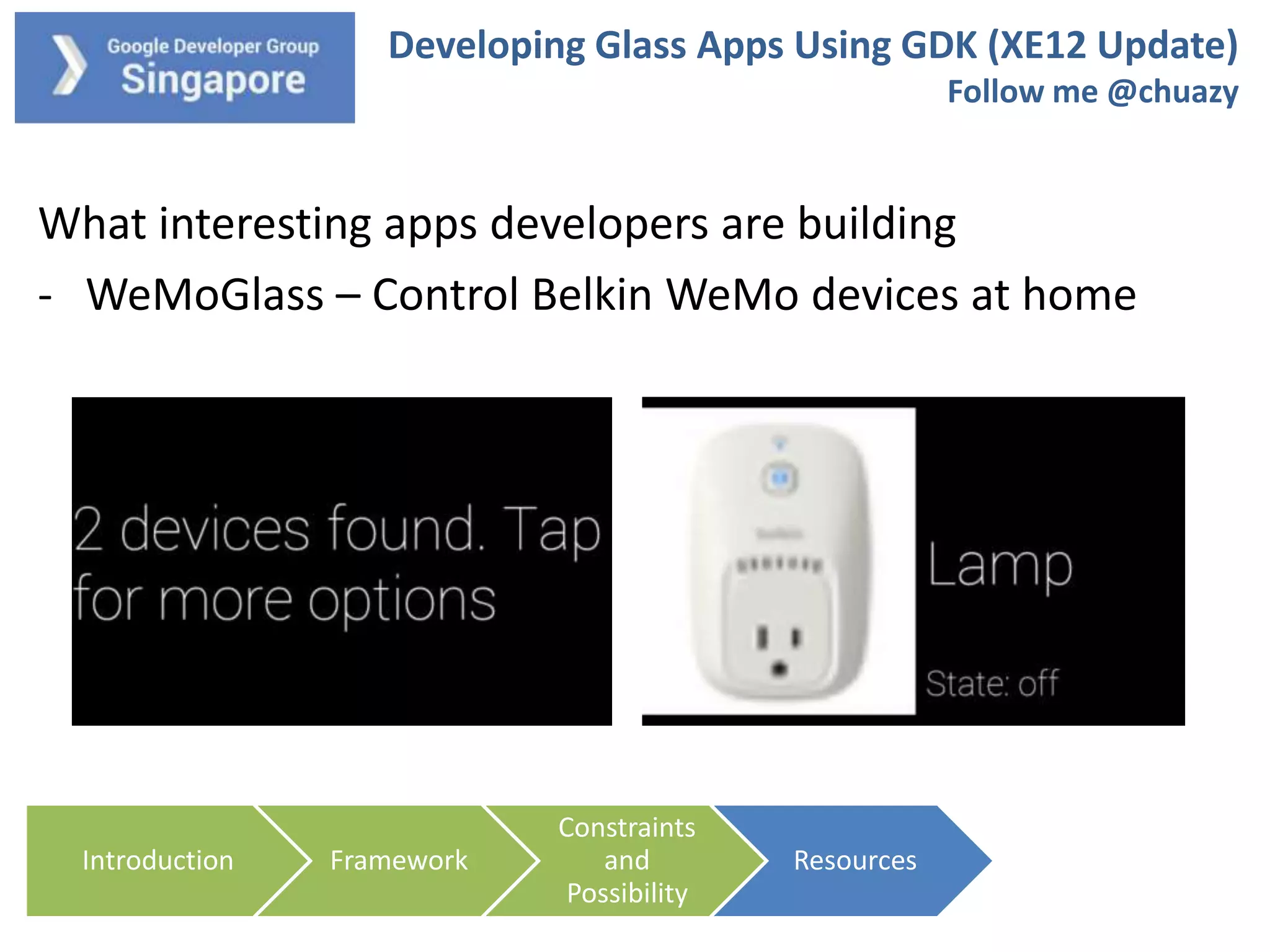
What interesting apps developers are building
- WeMoGlass – Control Belkin WeMo devices at home

Introduction

Framework

Constraints
and
Possibility

Resources
Developing Glass Apps Using GDK (XE12 Update)
Follow me @chuazy

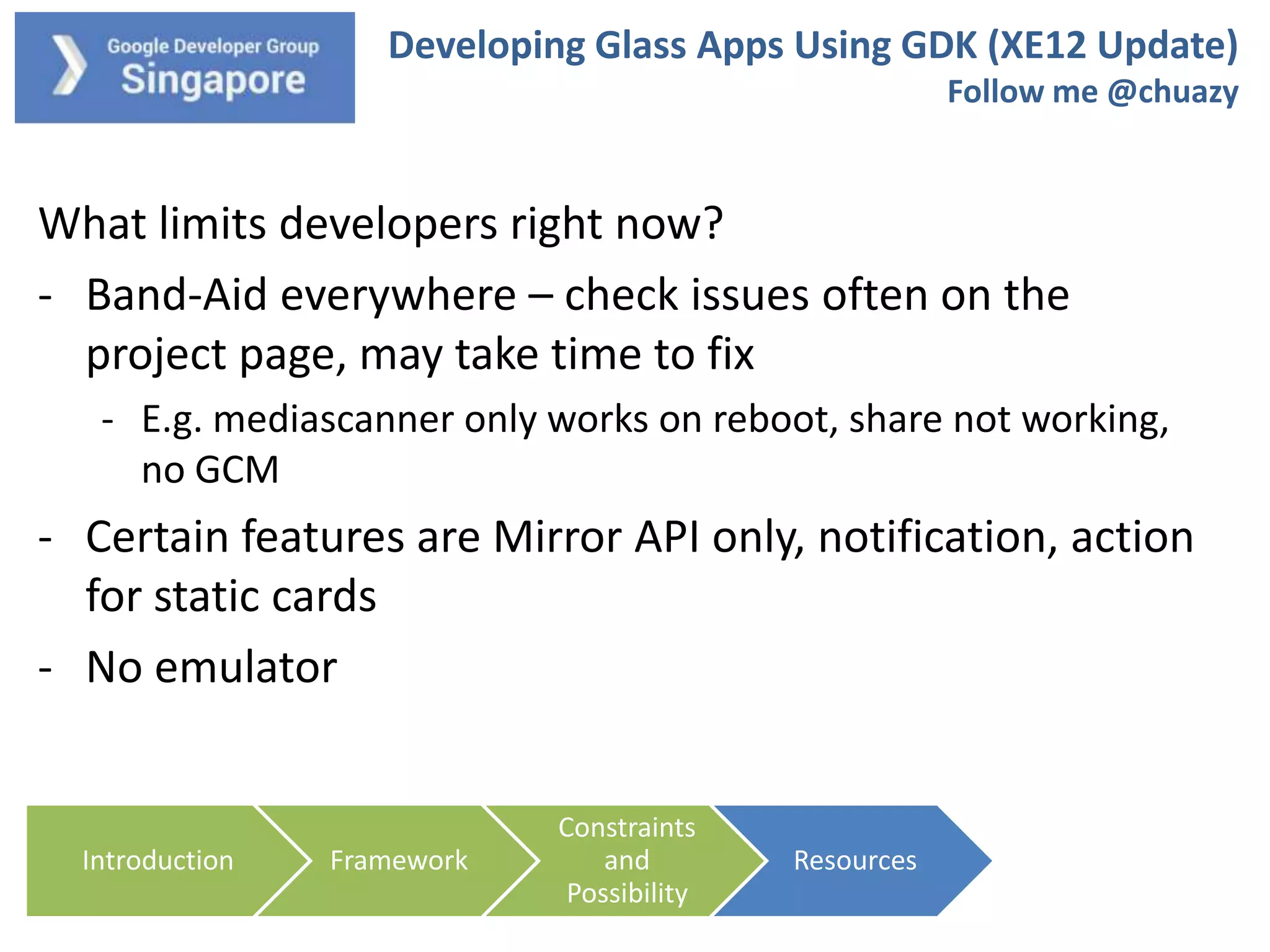
What limits developers right now?
- Band-Aid everywhere – check issues often on the
project page, may take time to fix
- E.g. mediascanner only works on reboot, share not working,
no GCM

- Certain features are Mirror API only, notification, action
for static cards
- No emulator

Introduction

Framework

Constraints
and
Possibility

Resources
Developing Glass Apps Using GDK (XE12 Update)
Follow me @chuazy

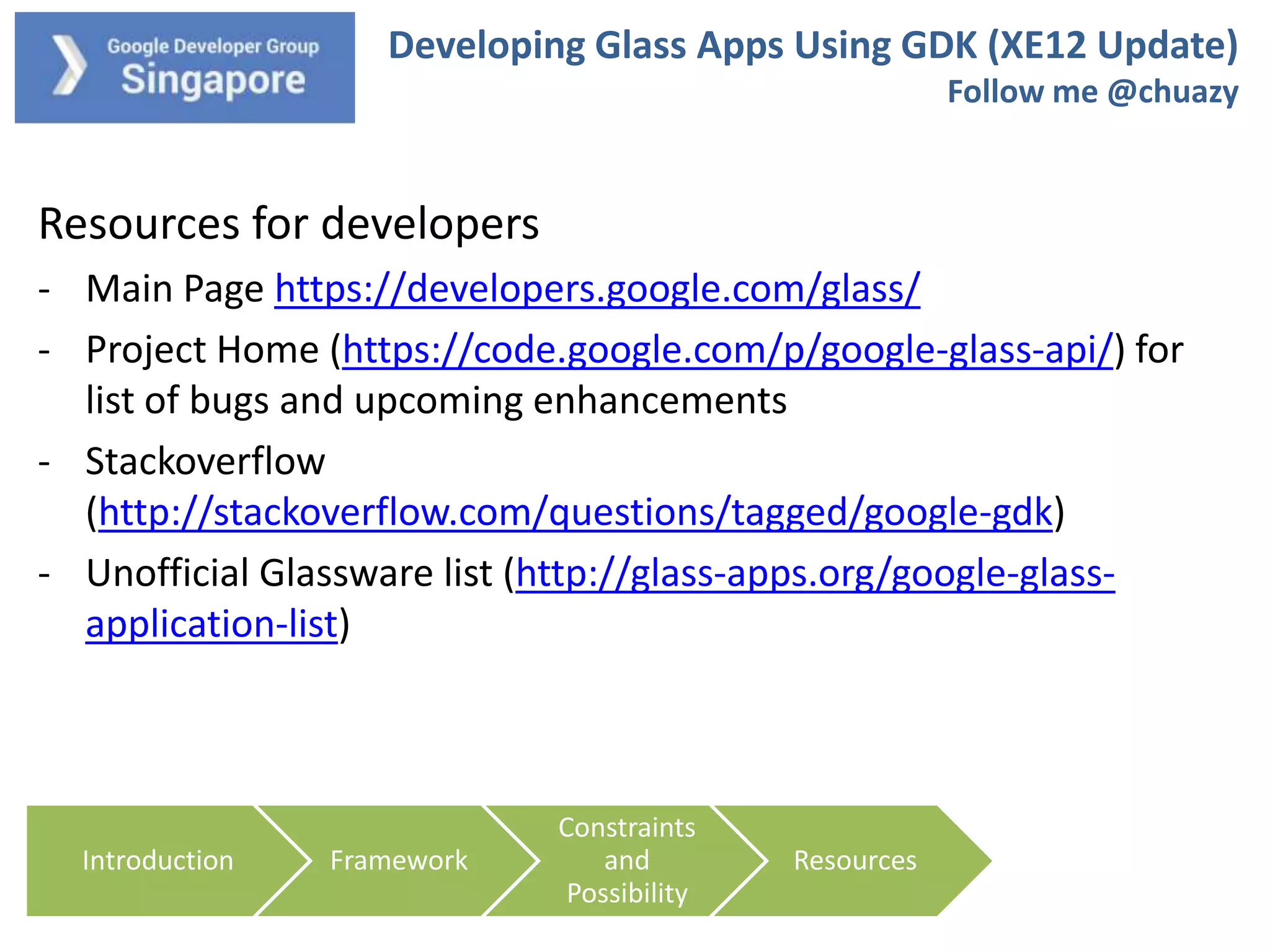
Resources for developers
- Main Page https://developers.google.com/glass/
- Project Home (https://code.google.com/p/google-glass-api/) for
list of bugs and upcoming enhancements
- Stackoverflow
(http://stackoverflow.com/questions/tagged/google-gdk)
- Unofficial Glassware list (http://glass-apps.org/google-glassapplication-list)

Introduction

Framework

Constraints
and
Possibility

Resources
Developing Glass Apps Using GDK (XE12 Update)
Follow me @chuazy

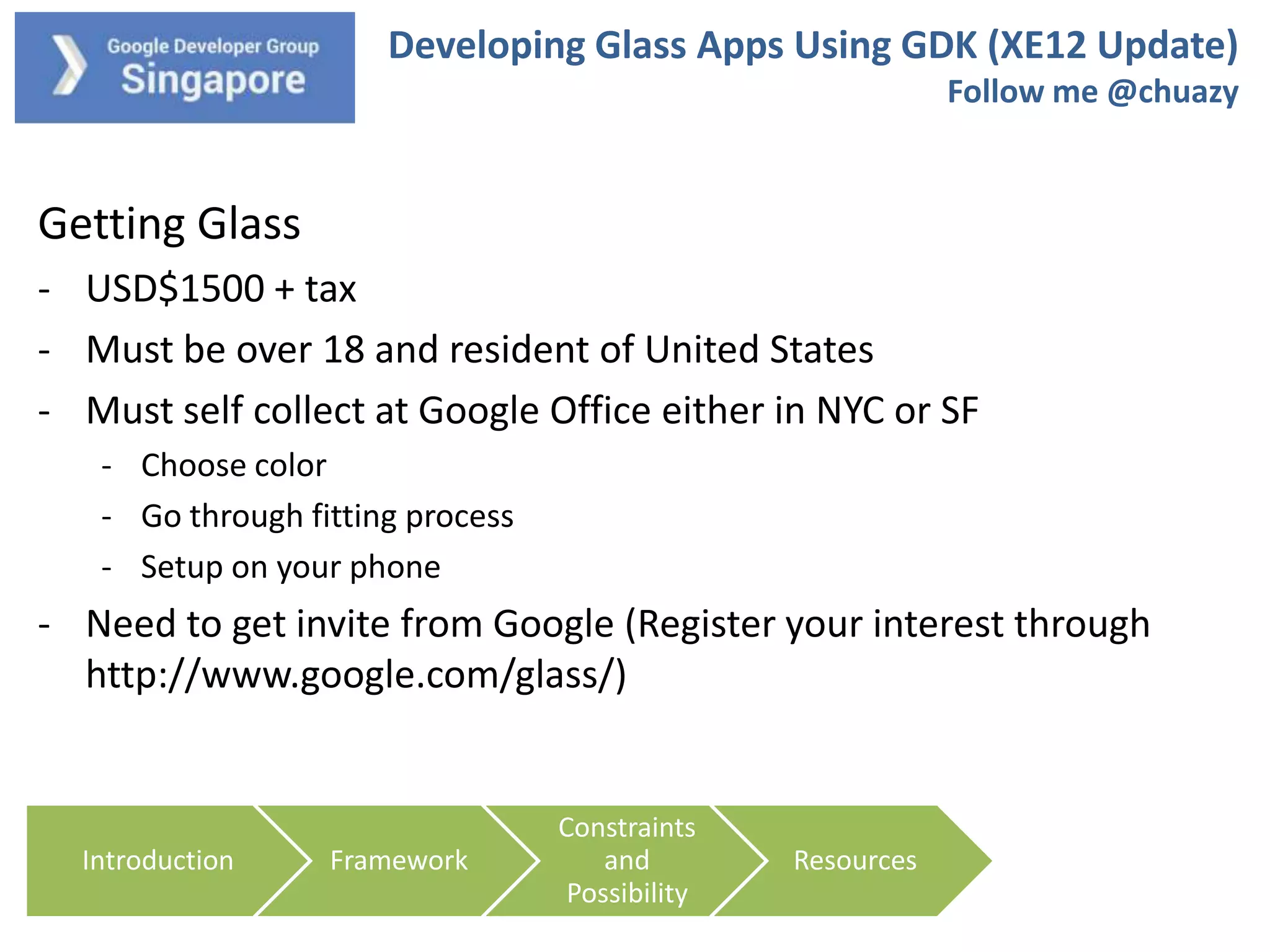
Getting Glass
- USD$1500 + tax
- Must be over 18 and resident of United States
- Must self collect at Google Office either in NYC or SF
- Choose color
- Go through fitting process
- Setup on your phone

- Need to get invite from Google (Register your interest through
http://www.google.com/glass/)

Introduction

Framework

Constraints
and
Possibility

Resources
Developing Glass Apps Using GDK (XE12 Update)
Follow me @chuazy

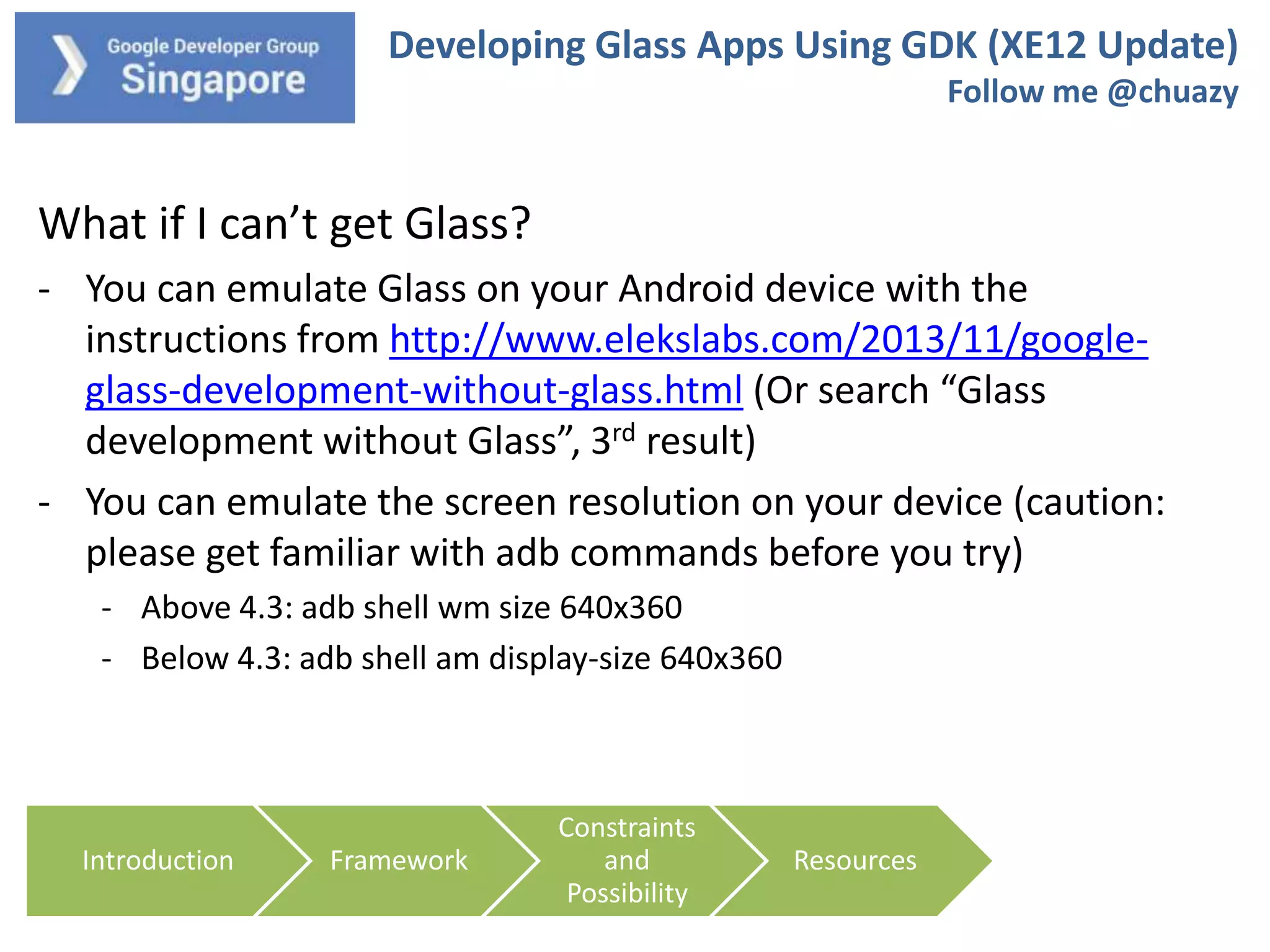
What if I can’t get Glass?
- You can emulate Glass on your Android device with the
instructions from http://www.elekslabs.com/2013/11/googleglass-development-without-glass.html (Or search “Glass
development without Glass”, 3rd result)
- You can emulate the screen resolution on your device (caution:
please get familiar with adb commands before you try)
- Above 4.3: adb shell wm size 640x360
- Below 4.3: adb shell am display-size 640x360

Introduction

Framework

Constraints
and
Possibility

Resources
Developing Glass Apps Using GDK (XE12 Update)
Follow me @chuazy

Questions?

Introduction

Framework

Constraints
and
Possibility

Resources

Getting Started: Google Glass Apps with GDK

  • 1.
    Developing Glass AppsUsing GDK (XE12 Update) Follow me @chuazy Photo credit: TheVerge.com
  • 2.
    Developing Glass AppsUsing GDK (XE12 Update) Follow me @chuazy About myself Chua Zi Yong Developing Android for about 5 years Founder of Stream Media Founder of CodeAndroid Singapore https://www.facebook.com/groups/codeandroid/
  • 3.
    Developing Glass AppsUsing GDK (XE12 Update) Follow me @chuazy What we will cover today on Glass Introduction Framework Constraints and Possibility Resources This session will cover more on high level development consideration – less emphasis on design and technical discussions
  • 4.
    Developing Glass AppsUsing GDK (XE12 Update) Follow me @chuazy Basics of Google Glass What is Glass? Introduction Framework How to use Glass? Constraints and Possibility Resources
  • 5.
    Developing Glass AppsUsing GDK (XE12 Update) Follow me @chuazy Getting Started: https://developers.google.com/glass/ 1) Take note of the design principles (very small screen!) 2) Choose your poison: Mirror API or GDK 3) Check out the samples and demos Introduction Framework Constraints and Possibility Resources
  • 6.
    Developing Glass AppsUsing GDK (XE12 Update) Follow me @chuazy Developing with GDK 1) Run from Glass itself (offline!) unlike Mirror API 2) Based on Android 4.0.2, apps compiled as APK 3) Download using ADT (GDK Sneak Peak) Introduction Framework Constraints and Possibility Resources
  • 7.
    Developing Glass AppsUsing GDK (XE12 Update) Follow me @chuazy How is GDK related to Android development? You can port your Android code and redesign the interface for Glass, supposedly - At this stage, not everything works, e.g. Play Services, default Share API Introduction Framework Constraints and Possibility Resources
  • 8.
    Developing Glass AppsUsing GDK (XE12 Update) Follow me @chuazy How is your app triggered? - Command line (that’s how it was done in XE11) - Voice trigger Introduction Framework Constraints and Possibility Resources
  • 9.
    Developing Glass AppsUsing GDK (XE12 Update) Follow me @chuazy Voice trigger - Voice trigger is used to launch your app - You can use any commands during development - Glassware only support standard set of voice commands (https://developers.google.com/glass/develop/gdk/input/voice) - You can submit new commands for approval (which you will hear back in around 2 weeks) Introduction Framework Constraints and Possibility Resources
  • 10.
    Developing Glass AppsUsing GDK (XE12 Update) Follow me @chuazy Contextual voice commands - Sometimes, voice commands is more than “Take a Picture” - Add voice prompt in voicetrigger.xml (“Ok glass, get directions to, home”) <?xml version="1.0" encoding="utf-8"?> <trigger keyword="@string/glass_voice_trigger"> <input prompt="@string/glass_voice_prompt" /> </trigger> Introduction Framework Constraints and Possibility Resources
  • 11.
    Developing Glass AppsUsing GDK (XE12 Update) Follow me @chuazy 3 types of interfaces Introduction Framework Constraints and Possibility Resources
  • 12.
    Developing Glass AppsUsing GDK (XE12 Update) Follow me @chuazy Static Cards – appear to the right of Timeline Static cards Right now it does nothing except “show you something” - Please help upvote issue 320 https://code.google.com/p/google-glass-api/issues/detail?id=320 Introduction Framework Constraints and Possibility Resources
  • 13.
    Developing Glass AppsUsing GDK (XE12 Update) Follow me @chuazy Live Cards – appear to the left of Timeline - “live” interaction and card can update itself - User can interact with other cards while active Live cards Introduction Framework Constraints and Possibility Resources
  • 14.
    Developing Glass AppsUsing GDK (XE12 Update) Follow me @chuazy Immersions – takes over the whole screen - Like a normal Android app - Outside of Timeline - User cannot interact with cards unless they close your app Introduction Framework Constraints and Possibility Resources
  • 15.
    Developing Glass AppsUsing GDK (XE12 Update) Follow me @chuazy How to use the Interfaces - Immersion – standard Android app architecture - Static Card – use TimelineManager from either running app or service (insert, update, query, delete) - Live Card – will talk more next slide Introduction Framework Constraints and Possibility Resources
  • 16.
    Developing Glass AppsUsing GDK (XE12 Update) Follow me @chuazy Live Card Architecture - Unlike an app, your default launch is a Live Card Service - Keeps on running - Need to create pendingintent to launch menu activity to close the live card - 2 types of rendering – Low and Hi Frequency Introduction Framework Constraints and Possibility Resources
  • 17.
    Developing Glass AppsUsing GDK (XE12 Update) Follow me @chuazy Live Card Architecture – Low Frequency Rendering - Small set of views and low update rate - For example, match score User says “Ok Glass, <trigger> Launch live card service Remote View Introduction Framework Constraints and Possibility Resources Live Card
  • 18.
    Developing Glass AppsUsing GDK (XE12 Update) Follow me @chuazy Live Card Architecture – High Frequency Rendering - Dynamic rendering - For example, timer User says “Ok Glass, <trigger> Launch live card service Drawing Logic, other services Introduction Framework Constraints and Possibility Resources SurfaceView Live Card
  • 19.
    Developing Glass AppsUsing GDK (XE12 Update) Follow me @chuazy Other things to take note of - You can specify touch gestures (like a D-Pad) - Sensors: Voice Input, GPS, Accelerometer,, Camera - Glass heats up very fast and have low battery life - Design your app to be as light weight as possible to reduce load - Continuous video recording is about 45-60 minutes Introduction Framework Constraints and Possibility Resources
  • 20.
    Developing Glass AppsUsing GDK (XE12 Update) Follow me @chuazy See some code? Introduction Framework Constraints and Possibility Resources
  • 21.
    Developing Glass AppsUsing GDK (XE12 Update) Follow me @chuazy What is available by default - Google Search - Call/SMS/Hangout - Get Directions/POI Searches - Take Picture/Video - Google Music - Gmail - Google Now …. Introduction Framework Constraints and Possibility Resources
  • 22.
    Developing Glass AppsUsing GDK (XE12 Update) Follow me @chuazy What interesting apps developers are building - Wolframalpha - “OK Glass, Compute, Population of Finland” Introduction Framework Constraints and Possibility Resources
  • 23.
    Developing Glass AppsUsing GDK (XE12 Update) Follow me @chuazy What interesting apps developers are building - DriveSafe – Detects if you are dozing while driving and give directions to nearest rest area Introduction Framework Constraints and Possibility Resources
  • 24.
    Developing Glass AppsUsing GDK (XE12 Update) Follow me @chuazy What interesting apps developers are building - WeMoGlass – Control Belkin WeMo devices at home Introduction Framework Constraints and Possibility Resources
  • 25.
    Developing Glass AppsUsing GDK (XE12 Update) Follow me @chuazy What limits developers right now? - Band-Aid everywhere – check issues often on the project page, may take time to fix - E.g. mediascanner only works on reboot, share not working, no GCM - Certain features are Mirror API only, notification, action for static cards - No emulator Introduction Framework Constraints and Possibility Resources
  • 26.
    Developing Glass AppsUsing GDK (XE12 Update) Follow me @chuazy Resources for developers - Main Page https://developers.google.com/glass/ - Project Home (https://code.google.com/p/google-glass-api/) for list of bugs and upcoming enhancements - Stackoverflow (http://stackoverflow.com/questions/tagged/google-gdk) - Unofficial Glassware list (http://glass-apps.org/google-glassapplication-list) Introduction Framework Constraints and Possibility Resources
  • 27.
    Developing Glass AppsUsing GDK (XE12 Update) Follow me @chuazy Getting Glass - USD$1500 + tax - Must be over 18 and resident of United States - Must self collect at Google Office either in NYC or SF - Choose color - Go through fitting process - Setup on your phone - Need to get invite from Google (Register your interest through http://www.google.com/glass/) Introduction Framework Constraints and Possibility Resources
  • 28.
    Developing Glass AppsUsing GDK (XE12 Update) Follow me @chuazy What if I can’t get Glass? - You can emulate Glass on your Android device with the instructions from http://www.elekslabs.com/2013/11/googleglass-development-without-glass.html (Or search “Glass development without Glass”, 3rd result) - You can emulate the screen resolution on your device (caution: please get familiar with adb commands before you try) - Above 4.3: adb shell wm size 640x360 - Below 4.3: adb shell am display-size 640x360 Introduction Framework Constraints and Possibility Resources
  • 29.
    Developing Glass AppsUsing GDK (XE12 Update) Follow me @chuazy Questions? Introduction Framework Constraints and Possibility Resources

Editor's Notes

  • #3 Introduction – what is glass, what is GDKArchitectureFrameworksDevelopment Constraints and PossibilityDevelopment ResourcesHow to get Glass
  • #5 You probably know what is Google Glass, that is why you are here. Just want to show a really short video just in case you wandered into the room, not knowing what Glass is.
  • #6 You probably know what is Google Glass, that is why you are here. Just want to show a really short video just in case you wandered into the room, not knowing what Glass is.
  • #7 You probably know what is Google Glass, that is why you are here. Just want to show a really short video just in case you wandered into the room, not knowing what Glass is.
  • #8 You probably know what is Google Glass, that is why you are here. Just want to show a really short video just in case you wandered into the room, not knowing what Glass is.
  • #9 You probably know what is Google Glass, that is why you are here. Just want to show a really short video just in case you wandered into the room, not knowing what Glass is.
  • #10 You probably know what is Google Glass, that is why you are here. Just want to show a really short video just in case you wandered into the room, not knowing what Glass is.
  • #11 You probably know what is Google Glass, that is why you are here. Just want to show a really short video just in case you wandered into the room, not knowing what Glass is.
  • #12 You probably know what is Google Glass, that is why you are here. Just want to show a really short video just in case you wandered into the room, not knowing what Glass is.
  • #13 You probably know what is Google Glass, that is why you are here. Just want to show a really short video just in case you wandered into the room, not knowing what Glass is.
  • #14 You probably know what is Google Glass, that is why you are here. Just want to show a really short video just in case you wandered into the room, not knowing what Glass is.
  • #15 You probably know what is Google Glass, that is why you are here. Just want to show a really short video just in case you wandered into the room, not knowing what Glass is.
  • #16 You probably know what is Google Glass, that is why you are here. Just want to show a really short video just in case you wandered into the room, not knowing what Glass is.
  • #17 You probably know what is Google Glass, that is why you are here. Just want to show a really short video just in case you wandered into the room, not knowing what Glass is.
  • #18 You probably know what is Google Glass, that is why you are here. Just want to show a really short video just in case you wandered into the room, not knowing what Glass is.
  • #19 You probably know what is Google Glass, that is why you are here. Just want to show a really short video just in case you wandered into the room, not knowing what Glass is.
  • #20 You probably know what is Google Glass, that is why you are here. Just want to show a really short video just in case you wandered into the room, not knowing what Glass is.
  • #21 You probably know what is Google Glass, that is why you are here. Just want to show a really short video just in case you wandered into the room, not knowing what Glass is.
  • #22 You probably know what is Google Glass, that is why you are here. Just want to show a really short video just in case you wandered into the room, not knowing what Glass is.
  • #23 You probably know what is Google Glass, that is why you are here. Just want to show a really short video just in case you wandered into the room, not knowing what Glass is.
  • #24 You probably know what is Google Glass, that is why you are here. Just want to show a really short video just in case you wandered into the room, not knowing what Glass is.
  • #25 You probably know what is Google Glass, that is why you are here. Just want to show a really short video just in case you wandered into the room, not knowing what Glass is.
  • #26 You probably know what is Google Glass, that is why you are here. Just want to show a really short video just in case you wandered into the room, not knowing what Glass is.
  • #27 You probably know what is Google Glass, that is why you are here. Just want to show a really short video just in case you wandered into the room, not knowing what Glass is.
  • #28 You probably know what is Google Glass, that is why you are here. Just want to show a really short video just in case you wandered into the room, not knowing what Glass is.
  • #29 You probably know what is Google Glass, that is why you are here. Just want to show a really short video just in case you wandered into the room, not knowing what Glass is.
  • #30 You probably know what is Google Glass, that is why you are here. Just want to show a really short video just in case you wandered into the room, not knowing what Glass is.