George Prinsloo, Account Executive at DocFusionon on Enterprise-grade document automation for the BFSI sector at Digital Finance Africa 2025, Johannesburg.
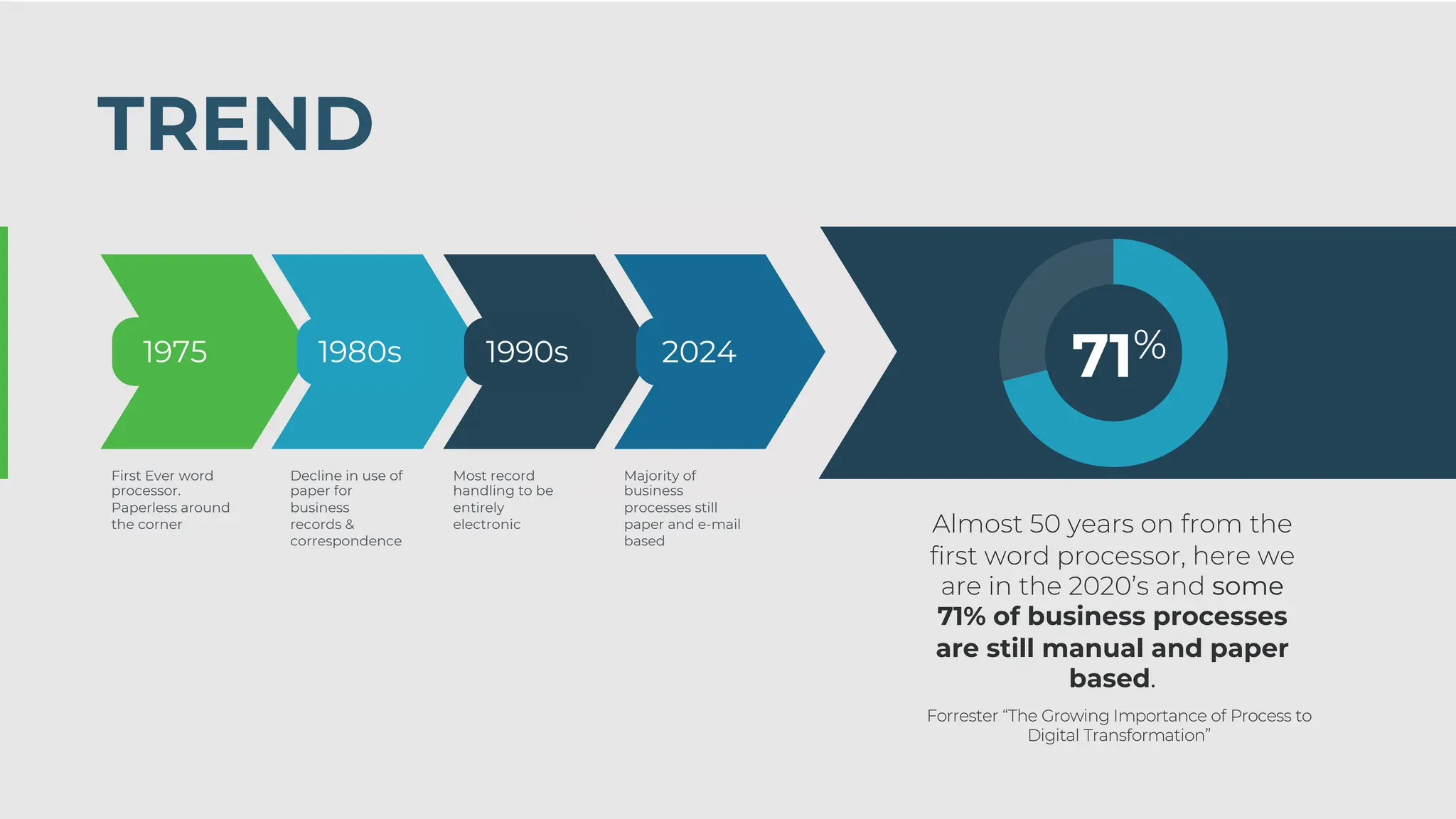
Almost 50 yearson from the
first word processor, here we
are in the 2020’s and some
71% of business processes
are still manual and paper
based.
Forrester “The Growing Importance of Process to
Digital Transformation”
TREND
71%
1975
First Ever word
processor.
Paperless around
the corner
Decline in use of
paper for
business
records &
correspondence
1980s
Most record
handling to be
entirely
electronic
1990s
Majority of
business
processes still
paper and e-mail
based
2024
2.
Let’s talk aboutdocuments
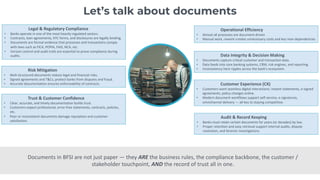
Legal & Regulatory Compliance
• Banks operate in one of the most heavily regulated sectors.
• Contracts, loan agreements, KYC forms, and disclosures are legally binding.
• Documents are formal evidence that processes and transactions comply
with laws such as FICA, POPIA, FAIS, NCA, etc.
• Version control and audit trails are essential to prove compliance during
audits.
Risk Mitigation
• Well-structured documents reduce legal and financial risks.
• Signed agreements and T&Cs, protect banks from disputes and fraud.
• Accurate documentation ensures enforceability of contracts.
Trust & Customer Confidence
• Clear, accurate, and timely documentation builds trust.
• Customers expect professional, error-free statements, contracts, policies,
etc.
• Poor or inconsistent documents damage reputation and customer
satisfaction.
Operational Efficiency
• Almost all processes are document-driven
• Manual work, rework creates unnecessary costs and key man dependencies
Data Integrity & Decision Making
• Documents capture critical customer and transaction data.
• Data feeds into core banking systems, CRM, risk engines, and reporting.
• Inconsistency here ripples across the bank’s ecosystem.
Customer Experience (CX)
• Customers want seamless digital interactions: instant statements, e-signed
agreements, policy changes online.
• Modern document workflows support self-service, e-signatures,
omnichannel delivery — all key to staying competitive.
Audit & Record Keeping
• Banks must retain certain documents for years (or decades) by law.
• Proper retention and easy retrieval support internal audits, dispute
resolution, and forensic investigations.
Documents in BFSI are not just paper — they ARE the business rules, the compliance backbone, the customer /
stakeholder touchpoint, AND the record of trust all in one.
3.
Let’s talk aboutdocument management
WE HAVE TO BRIDGE THE GAP
Document Management and Storage Template Management and Document Origination
4.
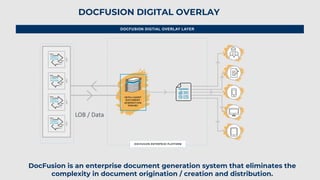
EXAMPLE: LOAN ORIGINATIONDOCFUSION DIGTIAL OVERLAY LAYER
DOCFUSION DIGITAL OVERLAY
LOB / Data
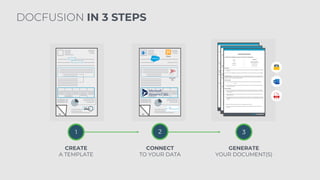
DocFusion is an enterprise document generation system that eliminates the
complexity in document origination / creation and distribution.
5.
1 2 3
CREATE
ATEMPLATE
CONNECT
TO YOUR DATA
GENERATE
YOUR DOCUMENT(S)
DOCFUSION IN 3 STEPS
6.
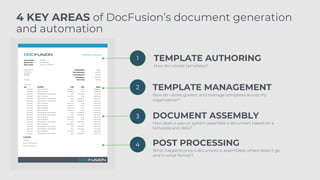
1
2
3
4
TEMPLATE AUTHORING
TEMPLATE MANAGEMENT
DOCUMENTASSEMBLY
POST PROCESSING
How do I create templates?
How do I store, govern, and manage templates across my
organization?
How does a user or system assemble a document based on a
template and data?
What happens once a document is assembled, where does it go
and in what format?
4 KEY AREAS of DocFusion’s document generation
and automation
7.
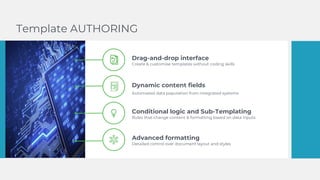
Drag-and-drop interface
Create &customise templates without coding skills
Dynamic content fields
Automated data population from integrated systems
Conditional logic and Sub-Templating
Rules that change content & formatting based on data inputs
Advanced formatting
Detailed control over document layout and styles
Template AUTHORING
8.
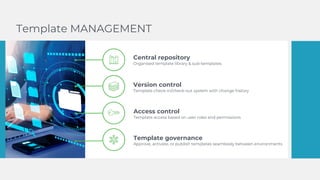
Central repository
Organised templatelibrary & sub-templates
Version control
Template check-in/check-out system with change history
Access control
Template access based on user roles and permissions
Template governance
Approve, activate, or publish templates seamlessly between environments
Template MANAGEMENT
9.
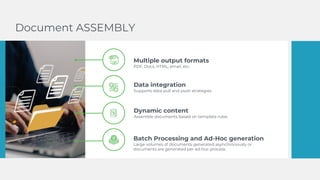
Multiple output formats
PDF,Docx, HTML, email, etc.
Data integration
Supports data pull and push strategies
Dynamic content
Assemble documents based on template rules
Batch Processing and Ad-Hoc generation
Large volumes of documents generated asynchronously or
documents are generated per ad-hoc process
Document ASSEMBLY
10.
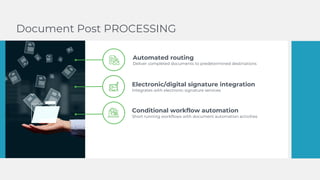
Document Post PROCESSING
Automatedrouting
Deliver completed documents to predetermined destinations
Electronic/digital signature integration
Integrates with electronic signature services
Conditional workflow automation
Short running workflows with document automation activities
11.
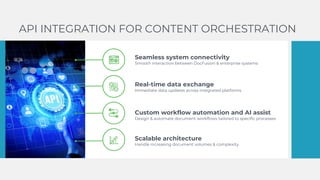
API INTEGRATION FORCONTENT ORCHESTRATION
Seamless system connectivity
Smooth interaction between DocFusion & enterprise systems
Real-time data exchange
Immediate data updates across integrated platforms
Custom workflow automation and AI assist
Design & automate document workflows tailored to specific processes
Scalable architecture
Handle increasing document volumes & complexity
12.
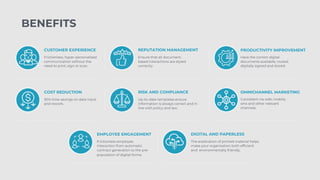
CUSTOMER EXPERIENCE
Frictionless, hyper-personalised
communicationwithout the
need to print, sign or scan.
REPUTATION MANAGEMENT
Ensure that all document-
based interactions are styled
correctly.
PRODUCTIVITY IMPROVEMENT
Have the correct digital
documents available, routed,
digitally signed and stored.
COST REDUCTION
30% time savings on data input
and rework.
RISK AND COMPLIANCE
Up-to-date templates ensure
information is always correct and in
line with policy and law.
OMNICHANNEL MARKETING
Consistent via web, mobile,
sms and other relevant
channels.
EMPLOYEE ENGAGEMENT
Frictionless employee
interaction from automatic
contract generation to the pre-
population of digital forms.
DIGITAL AND PAPERLESS
The eradication of printed material helps
make your organisation both efficient
and environmentally friendly.
BENEFITS




![[Webinar Slides] Using AI to Easily Automate All of Your Correspondence Channels](https://cdn.slidesharecdn.com/ss_thumbnails/20191009-aiimwebinar-v6-191010231303-thumbnail.jpg?width=640&height=640&fit=bounds)


![[AIIM18] Automation and Integration (Not Rip and Replace) - Stephen Ludlow](https://cdn.slidesharecdn.com/ss_thumbnails/1automationandintegration-180427050034-thumbnail.jpg?width=640&height=640&fit=bounds)


