http://bit.ly/OneForms
v
With Microsoft Forms, you can create
surveys, quizzes, and polls, invite others to
respond to it using almost any web browser
or mobile device, see real-time results as
they're submitted, use built-in analytics to
evaluate responses, and export results to
Excel for additional analysis or grading.
Get started quickly
Step 1: Sign in with your Office 365 school credentials, Office 365 work credentials, or
Microsoft account (Hotmail, Live, or Outlook.com) and create a new form or create a new
quiz
Step 2: Adjust settings for your form or quiz
Step 3: Send your form or quiz to others and collect responses
Step 4: Check your form results or check your quiz results

forms.pptx

  • 2.
  • 3.
  • 4.
    With Microsoft Forms,you can create surveys, quizzes, and polls, invite others to respond to it using almost any web browser or mobile device, see real-time results as they're submitted, use built-in analytics to evaluate responses, and export results to Excel for additional analysis or grading.
  • 5.
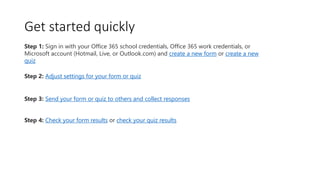
    Get started quickly Step1: Sign in with your Office 365 school credentials, Office 365 work credentials, or Microsoft account (Hotmail, Live, or Outlook.com) and create a new form or create a new quiz Step 2: Adjust settings for your form or quiz Step 3: Send your form or quiz to others and collect responses Step 4: Check your form results or check your quiz results