Form & Function:
Creating Email Templates
Andrea Robertson, Business Analyst
Advanced Solutions International
Slides & resources:
bit.ly/niugnola17-email
Communication Suite
Overview
1
Form2
Function3
Agenda
bit.ly/niugnola17-email
Comm. Suite
Overview
Sending communications
From notification pages
From process automation tasks
From an account page
From an IQA query
Composing
communications
Reviewing sent
communications
Communication logs
Advanced email dashboard
(Plus feature)
Individual's interaction log
Form
Have a default
template
Without default template
With default template
Keep a library of
templates & images
Use placeholder images & text
[Mini Tip]
Did you know that you
can edit images in
iMIS?
Always have a call to
action
Think about your
previews
Must have a verified Google+ Page
Customize your From field
[Mini Tip]
Your preview text
doesn't have to display
in your email body
Customize your From field
Use CSS to hide the text in the email body
Keep it simple
of email opens occur on mobile
Source: litmus.com
Responsive capabilities
are severely limited by
email clients
So how can you make your
emails mobile-friendly?
Simple layouts✔
Concise text✔
Clear calls to action✔
Take note of emails
that you like
(and copy them shamelessly)
Function
Check your
communication type
Don't forget the
manage preferences
link
This is really,
super important, y'all.
Why?
Also...
it's the law!
(Also required by law:
your physical address!)
There are just a few
communication types users
can't opt out of...
Direct communications
[Type: Default]
1
Billing notices
[Type: Billing]
2
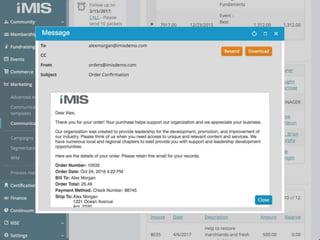
Order confirmations &
shipping notices
[Type: Shipping]
3
Use Advanced Email
sparingly
Think of Advanced Email as a health
check for your emails...
... you don't want false positives.
When should you use
Advanced Email?
Campaign appeals✔
Newsletters✔
Event invitations✔
When should you not use
Advanced Email?
Direct communications✘
Billing notices✘
Order confirmations &
shipping notices
✘
Use the right source
codes
Don't override the
"to" field
✔
✘
Send it from their account page instead!
Test, test, test!
Always use the
preview button
BCC yourself
...occasionally
Warning: you will get one
email per recipient!
Test your templates
in different clients
iPhone 33%
Gmail 20%
iPad 13%
Android 9%
Apple Mail 7%
Most popular clients (2016)
Source: litmus.com
Outlook 6%
Outlook.com 5%
Yahoo! 2%
Windows Mail 1%
Windows Live Mail 1%
Most popular clients (2016)
Source: litmus.com
Demo
Some excellent resources
Information
● Litmus.com
● Campaign Monitor
● Responsive Email
Patterns
Tools
● PutsMail
● Mailinator
● Responsive Email
Resources
Free templates
● Cerberus
● Email Blueprints
● Foundation
● Open Source Email
Templates
Free images
● Unsplash
● Pexels
● Death to Stock
● Pixlr Editor (online
image editor)
● Placehold.it
and of course… help.imis.com
Thank you!
bit.ly/niugnola17-email
Andrea Robertson
ProductOwners@advsol.com
Strategic Partners
Corporate Partners
Americaneagle.com • Ascension Technology Solutions, LLC • Association Technologies, Inc. • Bursting Silver
CadmiumCD • enSYNC Corporation • Informz • ISG Solutions • MemberPrime • RSM US LLP • Visual Antidote
Event Partners
Armstrong Enterprise Communications • Computer System Innovations • C Systems Global • iFINITY
Intuitive Business Concepts • Lane Services, LLC • Source of Knowledge (Official Recording Partner) • TGD
Thank You To Our Sponsors

Form & Function: Creating Email Templates