




Bret Koebbe
iPad Pilot News
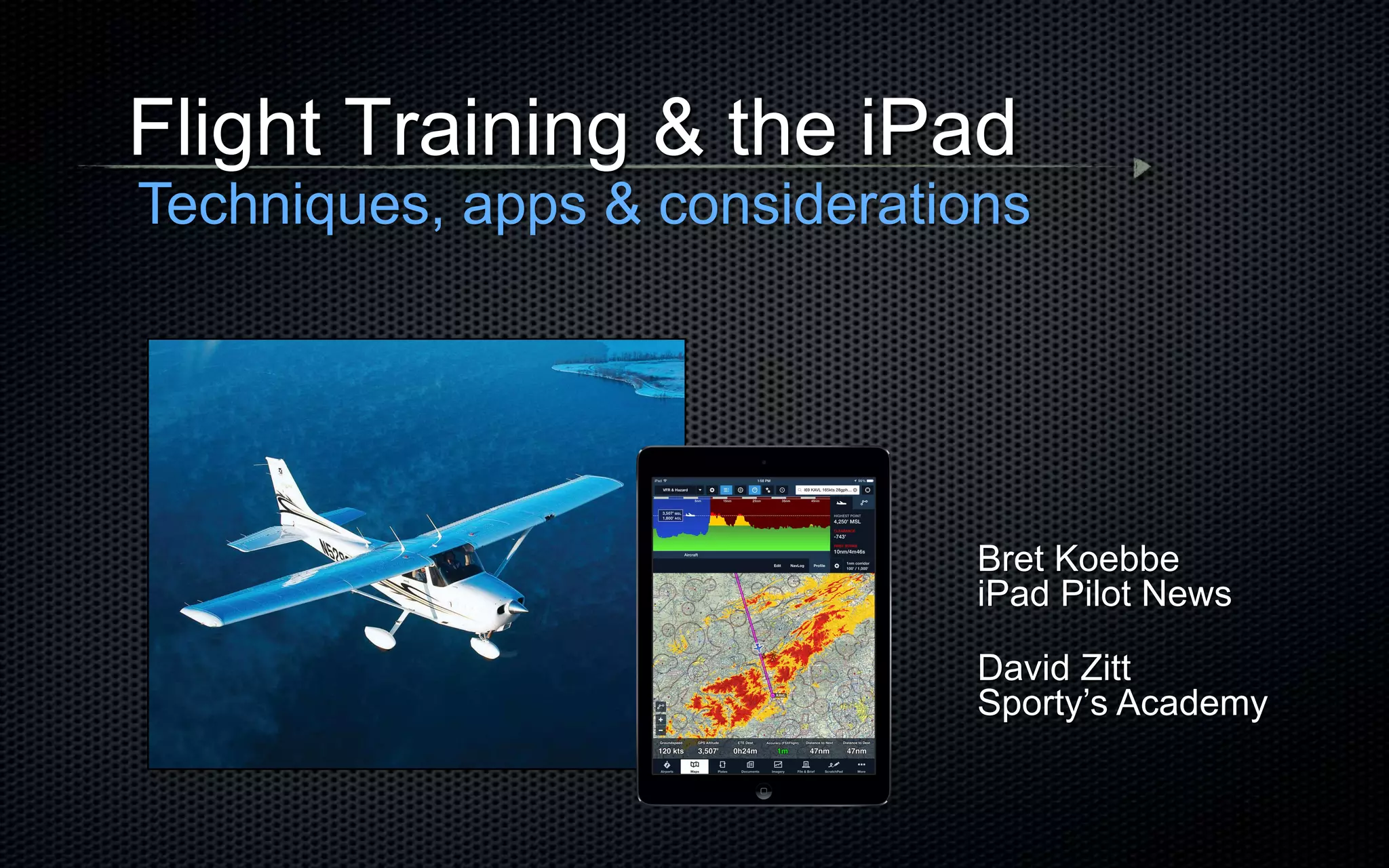
Flight Training & the iPad
Techniques, apps & considerations
David Zitt
Sporty’s Academy
Bret Koebbe
• Editor
iPad Pilot News
• App / Video Producer
(ATP/CFI)
Sporty’s Pilot Shop
Flight Training & the iPad
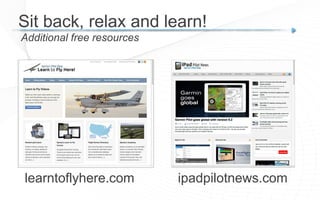
ipadpilotnews.com
Additional free resources
Sit back, relax and learn!
learntoflyhere.com
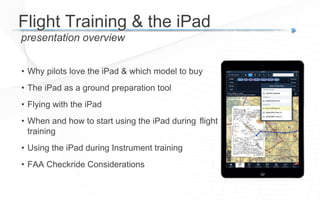
• Why pilots love the iPad & which model to buy
• The iPad as a ground preparation tool
• Flying with the iPad
• When and how to start using the iPad during flight
training
• Using the iPad during Instrument training
• FAA Checkride Considerations
presentation overview
Flight Training & the iPad
Poll
What is your iPad experience level?
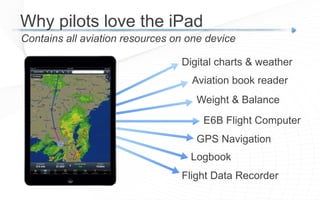
Contains all aviation resources on one device
Why pilots love the iPad
Digital charts & weather
Aviation book reader
Weight & Balance
E6B Flight Computer
GPS Navigation
Logbook
Flight Data Recorder
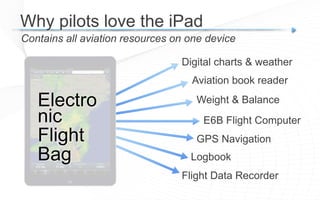
Contains all aviation resources on one device
Why pilots love the iPad
Digital charts & weather
Aviation book reader
Weight & Balance
E6B Flight Computer
GPS Navigation
Logbook
Flight Data Recorder
Electro
nic
Flight
Bag
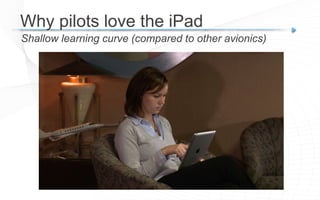
Shallow learning curve (compared to other avionics)
Why pilots love the iPad
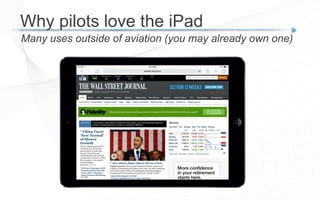
Many uses outside of aviation (you may already own one)
Why pilots love the iPad
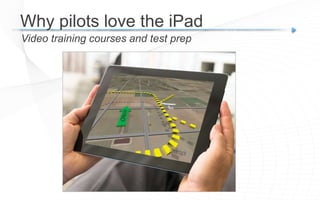
Video training courses and test prep
Why pilots love the iPad
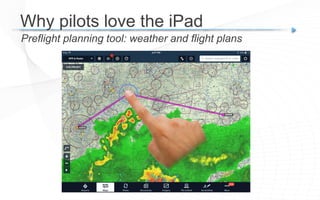
Preflight planning tool: weather and flight plans
Why pilots love the iPad
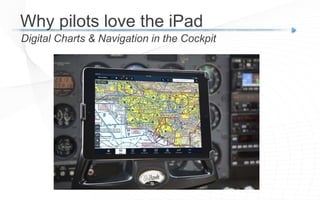
Digital Charts & Navigation in the Cockpit
Why pilots love the iPad
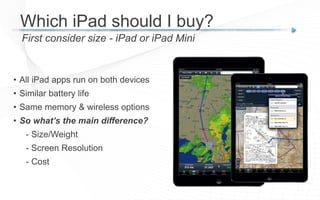
Which iPad should I buy?
First consider size - iPad or iPad Mini
• All iPad apps run on both devices
• Similar battery life
• Same memory & wireless options
• So what’s the main difference?
- Size/Weight
- Screen Resolution
- Cost
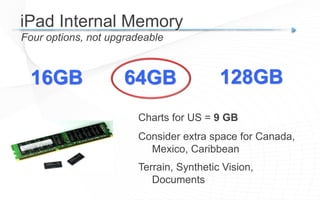
Four options, not upgradeable
iPad Internal Memory
16GB 64GB
Charts for US = 9 GB
Consider extra space for Canada,
Mexico, Caribbean
Terrain, Synthetic Vision,
Documents
128GB
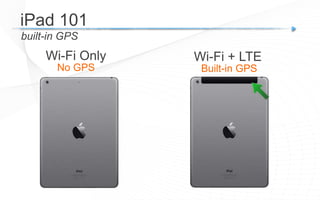
built-in GPS
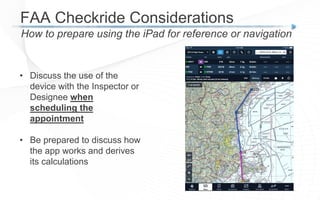
iPad 101
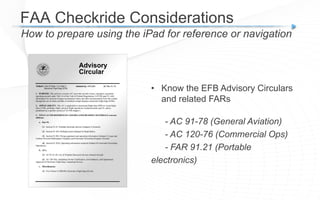
Wi-Fi Only Wi-Fi + LTE
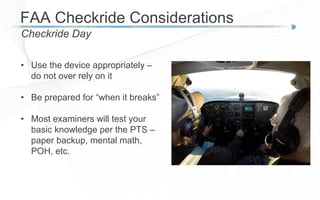
No GPS Built-in GPS
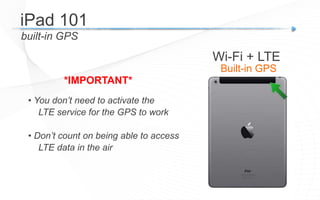
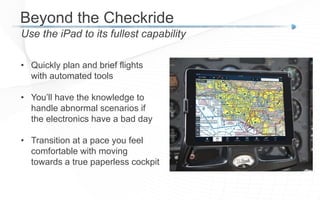
built-in GPS
• You don’t need to activate the
LTE service for the GPS to work
• Don’t count on being able to access
LTE data in the air
*IMPORTANT*
iPad 101
Wi-Fi + LTE
Built-in GPS
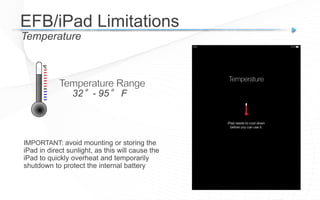
Temperature
EFB/iPad Limitations
32°- 95° F
IMPORTANT: avoid mounting or storing the
iPad in direct sunlight, as this will cause the
iPad to quickly overheat and temporarily
shutdown to protect the internal battery
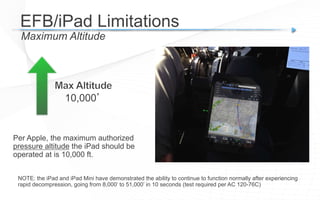
Maximum Altitude
EFB/iPad Limitations
10,000’
Per Apple, the maximum authorized
pressure altitude the iPad should be
operated at is 10,000 ft.
NOTE: the iPad and iPad Mini have demonstrated the ability to continue to function normally after experiencing
rapid decompression, going from 8,000’ to 51,000’ in 10 seconds (test required per AC 120-76C)
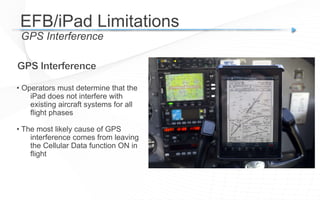
GPS Interference
EFB/iPad Limitations
• Operators must determine that the
iPad does not interfere with
existing aircraft systems for all
flight phases
• The most likely cause of GPS
interference comes from leaving
the Cellular Data function ON in
flight
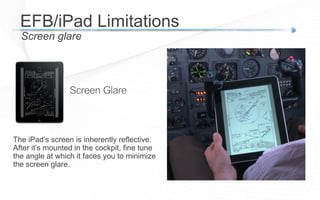
Screen glare
EFB/iPad Limitations
The iPad’s screen is inherently reflective.
After it’s mounted in the cockpit, fine tune
the angle at which it faces you to minimize
the screen glare.
Using the iPad on the Ground
FAA Handbooks
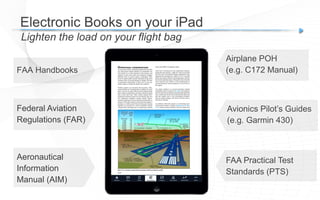
Electronic Books on your iPad
Lighten the load on your flight bag
Federal Aviation
Regulations (FAR)
Aeronautical
Information
Manual (AIM)
Airplane POH
(e.g. C172 Manual)
Avionics Pilot’s Guides
(e.g. Garmin 430)
FAA Practical Test
Standards (PTS)
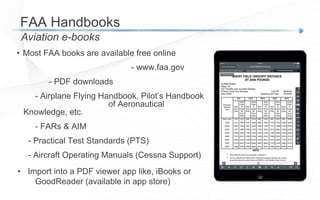
• Most FAA books are available free online
- www.faa.gov
- PDF downloads
- Airplane Flying Handbook, Pilot’s Handbook
of Aeronautical
Knowledge, etc.
- FARs & AIM
- Practical Test Standards (PTS)
- Aircraft Operating Manuals (Cessna Support)
• Import into a PDF viewer app like, iBooks or
GoodReader (available in app store)
FAA Handbooks
Aviation e-books
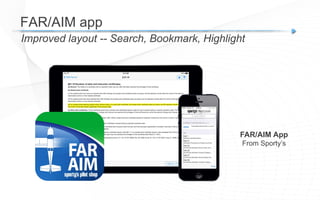
Improved layout -- Search, Bookmark, Highlight
FAR/AIM app
FAR/AIM App
From Sporty’s
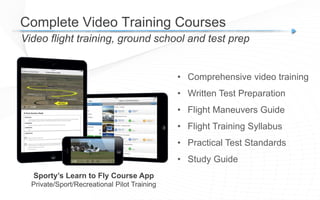
Video flight training, ground school and test prep
Complete Video Training Courses
Sporty’s Learn to Fly Course App
Private/Sport/Recreational Pilot Training
• Comprehensive video training
• Written Test Preparation
• Flight Maneuvers Guide
• Flight Training Syllabus
• Practical Test Standards
• Study Guide
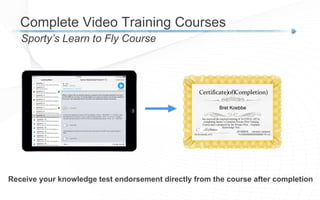
Sporty’s Learn to Fly Course
Complete Video Training Courses
Receive your knowledge test endorsement directly from the course after completion
Certificate)of)Completion)
has received the required training of 14 CFR 61.105 by
completing Sporty’s Complete Private Pilot Training
Course and is prepared for the Private Pilot - Airplane
Knowledge Test.
Date)))))))))))))))))))))))))))))))))))))))))))))CFI)#/exp.)Mr.)Eric)Radtke,)CFI)
3166162CFI / 06/30/2016
Bret Koebbe
01/12/2015
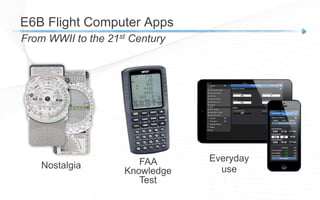
E6B Flight Computer Apps
From WWII to the 21st Century
Nostalgia FAA
Knowledge
Test
Everyday
use
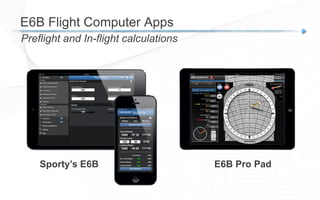
E6B Flight Computer Apps
Preflight and In-flight calculations
Sporty’s E6B E6B Pro Pad
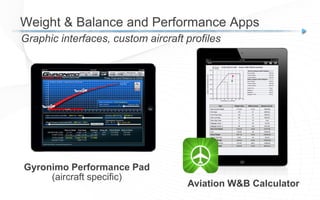
Weight & Balance and Performance Apps
Graphic interfaces, custom aircraft profiles
Aviation W&B Calculator
Gyronimo Performance Pad
(aircraft specific)
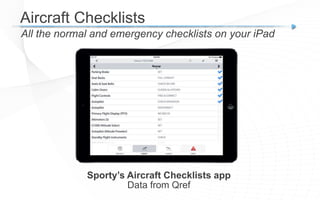
Aircraft Checklists
All the normal and emergency checklists on your iPad
Sporty’s Aircraft Checklists app
Data from Qref
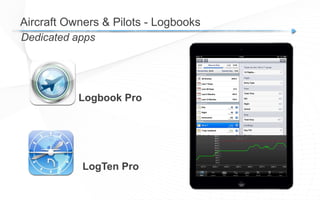
Dedicated apps
Aircraft Owners & Pilots - Logbooks
Logbook Pro
LogTen Pro
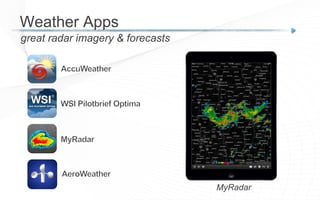
great radar imagery & forecasts
Weather Apps
MyRadar
Using the iPad in the Cockpit
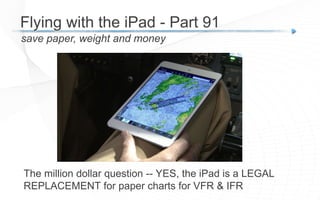
The million dollar question -- YES, the iPad is a LEGAL
REPLACEMENT for paper charts for VFR & IFR
save paper, weight and money
Flying with the iPad - Part 91
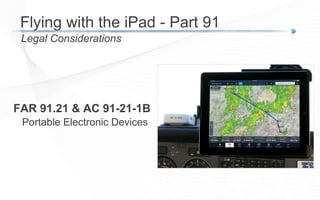
FAR 91.21 & AC 91-21-1B
Portable Electronic Devices
Legal Considerations
Flying with the iPad - Part 91
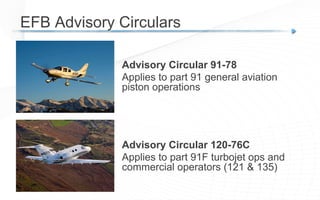
Advisory Circular 91-78
Applies to part 91 general aviation
piston operations
EFB Advisory Circulars
Advisory Circular 120-76C
Applies to part 91F turbojet ops and
commercial operators (121 & 135)
Advisory Circular 91-78
- Class 1 Electronic Flight Bag (EFB)
- Functional equivalent of paper reference material
(apps like ForeFlight, Garmin & WingX)
- Backup Source recommended, not required
(Paper or a 2nd EFB)
- Does not cause electronic interference (FAR 91.21 reference)
- Use first during an evaluation period with paper available
Legal Considerations
Flying with the iPad - Part 91
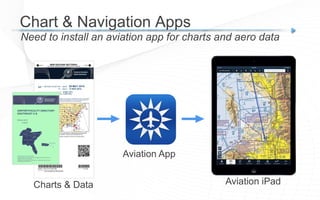
Need to install an aviation app for charts and aero data
Chart & Navigation Apps
Charts & Data
Aviation App
Aviation iPad
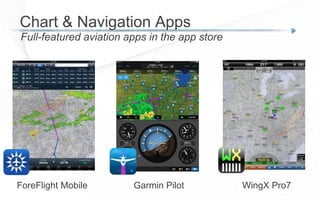
Full-featured aviation apps in the app store
Chart & Navigation Apps
ForeFlight Mobile Garmin Pilot WingX Pro7
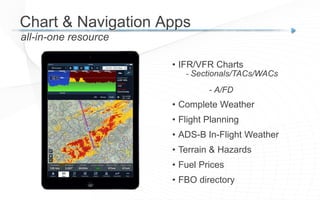
all-in-one resource
• IFR/VFR Charts
- Sectionals/TACs/WACs
- A/FD
• Complete Weather
• Flight Planning
• ADS-B In-Flight Weather
• Terrain & Hazards
• Fuel Prices
• FBO directory
Chart & Navigation Apps
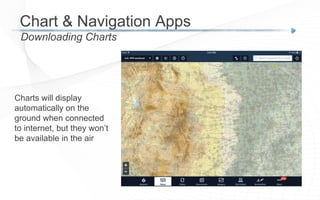
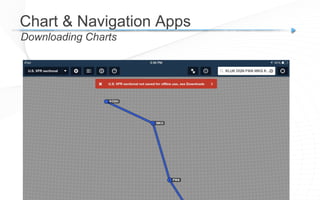
Downloading Charts
Chart & Navigation Apps
Charts will display
automatically on the
ground when connected
to internet, but they won’t
be available in the air
Downloading Charts
Chart & Navigation Apps
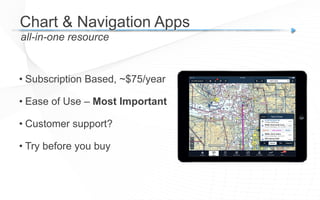
• Subscription Based, ~$75/year
• Ease of Use – Most Important
• Customer support?
• Try before you buy
Chart & Navigation Apps
all-in-one resource
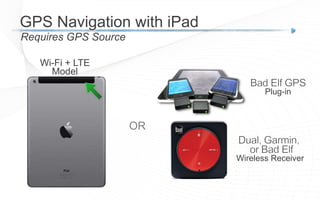
GPS Navigation with iPad
Requires GPS Source
Wi-Fi + LTE
Model
OR
Plug-in
Wireless Receiver
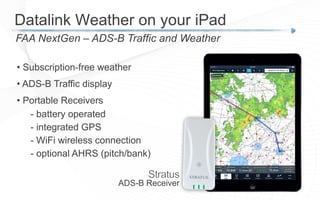
FAA NextGen – ADS-B Traffic and Weather
Datalink Weather on your iPad
• Subscription-free weather
• ADS-B Traffic display
• Portable Receivers
- battery operated
- integrated GPS
- WiFi wireless connection
- optional AHRS (pitch/bank)
ADS-B Receiver
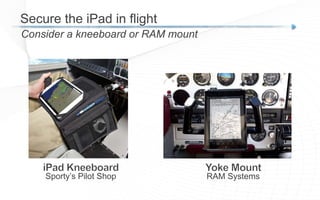
Secure the iPad in flight
Consider a kneeboard or RAM mount
RAM SystemsSporty’s Pilot Shop
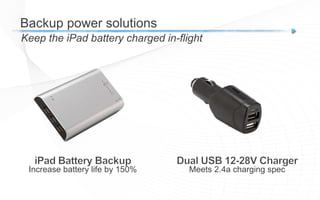
Backup power solutions
Keep the iPad battery charged in-flight
Increase battery life by 150% Meets 2.4a charging spec
iPad Flight Training Tips
David Zitt
• Vice President Flight
Education (ATP/CFI)
Sporty’s Academy
Flight Training & the iPad
Poll
Where are you in your flight training?
When to start using the iPad
Use a systematic approach
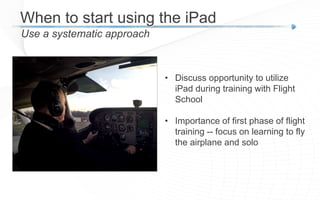
• Discuss opportunity to utilize
iPad during training with Flight
School
• Importance of first phase of flight
training -- focus on learning to fly
the airplane and solo
When to start using the iPad
Use a systematic approach
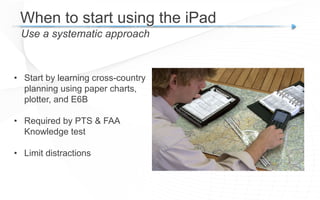
• Start by learning cross-country
planning using paper charts,
plotter, and E6B
• Required by PTS & FAA
Knowledge test
• Limit distractions
Viewing static charts on iPad
Use the iPad first as a paper chart replacement
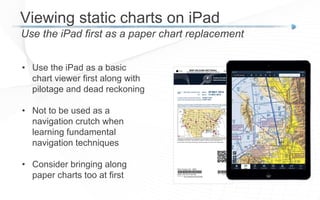
• Use the iPad as a basic
chart viewer first along with
pilotage and dead reckoning
• Not to be used as a
navigation crutch when
learning fundamental
navigation techniques
• Consider bringing along
paper charts too at first
Using the iPad as primary source
When is the right time to make the transition?
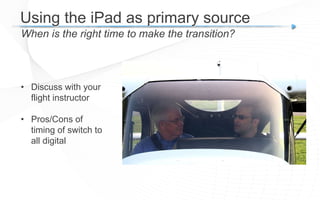
• Discuss with your
flight instructor
• Pros/Cons of
timing of switch to
all digital
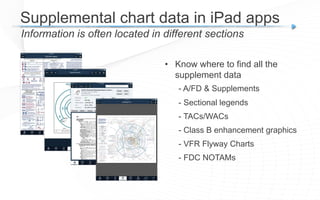
Supplemental chart data in iPad apps
Information is often located in different sections
• Know where to find all the
supplement data
- A/FD & Supplements
- Sectional legends
- TACs/WACs
- Class B enhancement graphics
- VFR Flyway Charts
- FDC NOTAMs
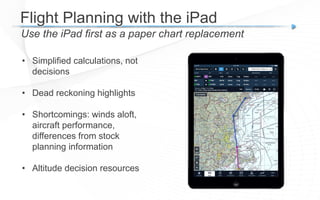
Flight Planning with the iPad
Use the iPad first as a paper chart replacement
• Simplified calculations, not
decisions
• Dead reckoning highlights
• Shortcomings: winds aloft,
aircraft performance,
differences from stock
planning information
• Altitude decision resources
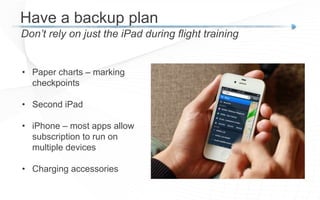
Have a backup plan
Don’t rely on just the iPad during flight training
• Paper charts – marking
checkpoints
• Second iPad
• iPhone – most apps allow
subscription to run on
multiple devices
• Charging accessories
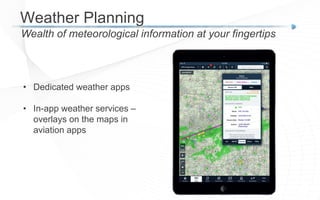
Weather Planning
Wealth of meteorological information at your fingertips
• Dedicated weather apps
• In-app weather services –
overlays on the maps in
aviation apps
Weather Planning
Wealth of meteorological information at your fingertips
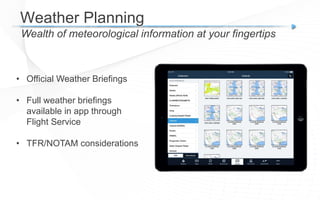
• Official Weather Briefings
• Full weather briefings
available in app through
Flight Service
• TFR/NOTAM considerations
Weather Planning
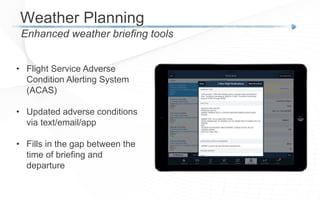
Enhanced weather briefing tools
• Flight Service Adverse
Condition Alerting System
(ACAS)
• Updated adverse conditions
via text/email/app
• Fills in the gap between the
time of briefing and
departure
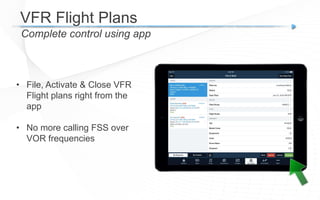
VFR Flight Plans
Complete control using app
• File, Activate & Close VFR
Flight plans right from the
app
• No more calling FSS over
VOR frequencies
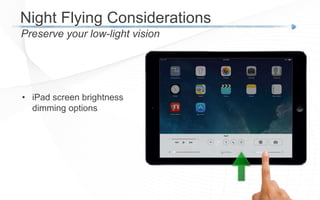
Night Flying Considerations
Preserve your low-light vision
• iPad screen brightness
dimming options
Night Flying Considerations
Preserve your low-light vision
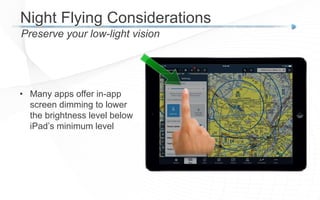
• Many apps offer in-app
screen dimming to lower
the brightness level below
iPad’s minimum level
Night Flying Considerations
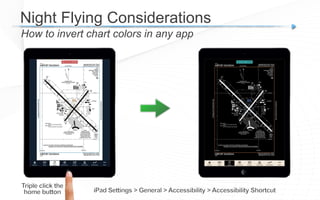
How to invert chart colors in any app
Video flight training, ground school and test prep
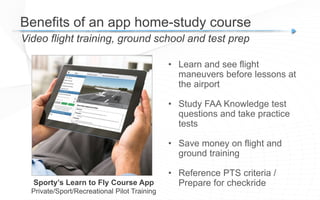
Benefits of an app home-study course
Sporty’s Learn to Fly Course App
Private/Sport/Recreational Pilot Training
• Learn and see flight
maneuvers before lessons at
the airport
• Study FAA Knowledge test
questions and take practice
tests
• Save money on flight and
ground training
• Reference PTS criteria /
Prepare for checkride
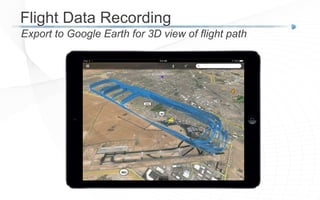
Flight Data Recording
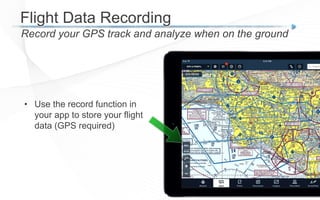
Record your GPS track and analyze when on the ground
• Use the record function in
your app to store your flight
data (GPS required)
Flight Data Recording
Export to Google Earth for 3D view of flight path
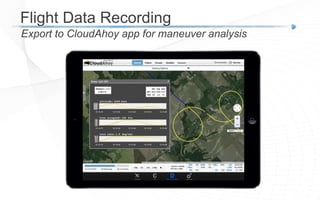
Flight Data Recording
Export to CloudAhoy app for maneuver analysis
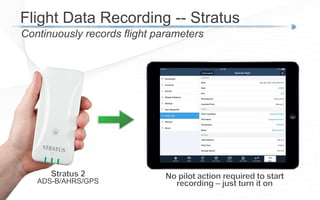
Flight Data Recording -- Stratus
Continuously records flight parameters
ADS-B/AHRS/GPS
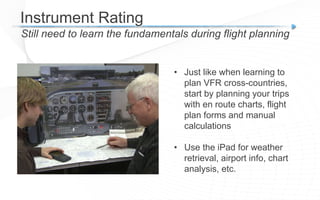
Instrument Rating
Still need to learn the fundamentals during flight planning
• Just like when learning to
plan VFR cross-countries,
start by planning your trips
with en route charts, flight
plan forms and manual
calculations
• Use the iPad for weather
retrieval, airport info, chart
analysis, etc.
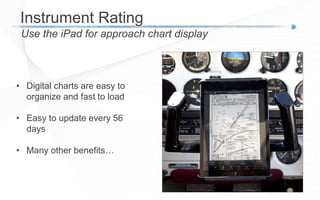
Instrument Rating
Use the iPad for approach chart display
• Digital charts are easy to
organize and fast to load
• Easy to update every 56
days
• Many other benefits…
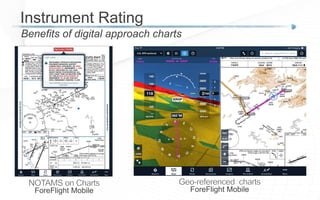
Instrument Rating
Benefits of digital approach charts
ForeFlight Mobile ForeFlight Mobile
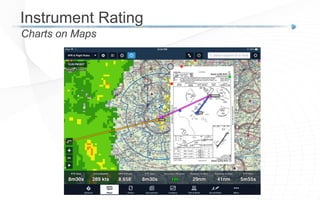
Instrument Rating
Charts on Maps
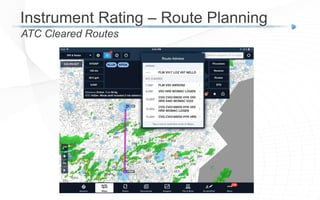
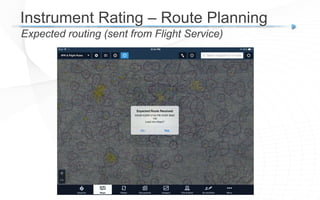
Instrument Rating – Route Planning
ATC Cleared Routes
Instrument Rating – Route Planning
Expected routing (sent from Flight Service)
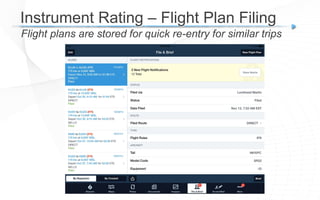
Instrument Rating – Flight Plan Filing
Flight plans are stored for quick re-entry for similar trips
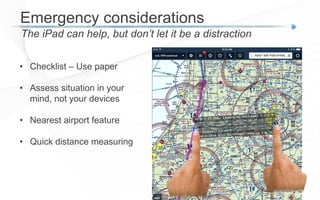
Emergency considerations
The iPad can help, but don’t let it be a distraction
• Checklist – Use paper
• Assess situation in your
mind, not your devices
• Nearest airport feature
• Quick distance measuring
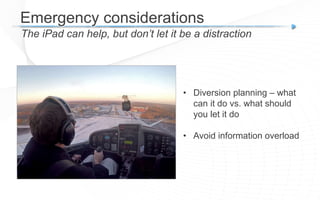
Emergency considerations
The iPad can help, but don’t let it be a distraction
• Diversion planning – what
can it do vs. what should
you let it do
• Avoid information overload
FAA Checkride Considerations
How to prepare using the iPad for reference or navigation
• Discuss the use of the
device with the Inspector or
Designee when
scheduling the
appointment
• Be prepared to discuss how
the app works and derives
its calculations
FAA Checkride Considerations
How to prepare using the iPad for reference or navigation
• Know the EFB Advisory Circulars
and related FARs
- AC 91-78 (General Aviation)
- AC 120-76 (Commercial Ops)
- FAR 91.21 (Portable
electronics)
FAA Checkride Considerations
Checkride Day
• Use the device appropriately –
do not over rely on it
• Be prepared for “when it breaks”
• Most examiners will test your
basic knowledge per the PTS –
paper backup, mental math,
POH, etc.
Beyond the Checkride
Use the iPad to its fullest capability
• Quickly plan and brief flights
with automated tools
• You’ll have the knowledge to
handle abnormal scenarios if
the electronics have a bad day
• Transition at a pace you feel
comfortable with moving
towards a true paperless cockpit
ipadpilotnews.com
Additional free resources
For more information
learntoflyhere.com
Bret Koebbe
bkoebbe@sportys.com
Flight Training & the iPad
Techniques, apps & considerations
David Zitt
dzitt@sportys.com

Flight Training and the iPad

  • 1.
    Bret Koebbe iPad PilotNews Flight Training & the iPad Techniques, apps & considerations David Zitt Sporty’s Academy
  • 2.
    Bret Koebbe • Editor iPadPilot News • App / Video Producer (ATP/CFI) Sporty’s Pilot Shop Flight Training & the iPad
  • 3.
    ipadpilotnews.com Additional free resources Sitback, relax and learn! learntoflyhere.com
  • 4.
    • Why pilotslove the iPad & which model to buy • The iPad as a ground preparation tool • Flying with the iPad • When and how to start using the iPad during flight training • Using the iPad during Instrument training • FAA Checkride Considerations presentation overview Flight Training & the iPad
  • 5.
    Poll What is youriPad experience level?
  • 6.
    Contains all aviationresources on one device Why pilots love the iPad Digital charts & weather Aviation book reader Weight & Balance E6B Flight Computer GPS Navigation Logbook Flight Data Recorder
  • 7.
    Contains all aviationresources on one device Why pilots love the iPad Digital charts & weather Aviation book reader Weight & Balance E6B Flight Computer GPS Navigation Logbook Flight Data Recorder Electro nic Flight Bag
  • 8.
    Shallow learning curve(compared to other avionics) Why pilots love the iPad
  • 9.
    Many uses outsideof aviation (you may already own one) Why pilots love the iPad
  • 10.
    Video training coursesand test prep Why pilots love the iPad
  • 11.
    Preflight planning tool:weather and flight plans Why pilots love the iPad
  • 12.
    Digital Charts &Navigation in the Cockpit Why pilots love the iPad
  • 13.
    Which iPad shouldI buy? First consider size - iPad or iPad Mini • All iPad apps run on both devices • Similar battery life • Same memory & wireless options • So what’s the main difference? - Size/Weight - Screen Resolution - Cost
  • 14.
    Four options, notupgradeable iPad Internal Memory 16GB 64GB Charts for US = 9 GB Consider extra space for Canada, Mexico, Caribbean Terrain, Synthetic Vision, Documents 128GB
  • 15.
    built-in GPS iPad 101 Wi-FiOnly Wi-Fi + LTE No GPS Built-in GPS
  • 16.
    built-in GPS • Youdon’t need to activate the LTE service for the GPS to work • Don’t count on being able to access LTE data in the air *IMPORTANT* iPad 101 Wi-Fi + LTE Built-in GPS
  • 17.
    Temperature EFB/iPad Limitations 32°- 95°F IMPORTANT: avoid mounting or storing the iPad in direct sunlight, as this will cause the iPad to quickly overheat and temporarily shutdown to protect the internal battery
  • 18.
    Maximum Altitude EFB/iPad Limitations 10,000’ PerApple, the maximum authorized pressure altitude the iPad should be operated at is 10,000 ft. NOTE: the iPad and iPad Mini have demonstrated the ability to continue to function normally after experiencing rapid decompression, going from 8,000’ to 51,000’ in 10 seconds (test required per AC 120-76C)
  • 19.
    GPS Interference EFB/iPad Limitations •Operators must determine that the iPad does not interfere with existing aircraft systems for all flight phases • The most likely cause of GPS interference comes from leaving the Cellular Data function ON in flight
  • 20.
    Screen glare EFB/iPad Limitations TheiPad’s screen is inherently reflective. After it’s mounted in the cockpit, fine tune the angle at which it faces you to minimize the screen glare.
  • 21.
    Using the iPadon the Ground
  • 22.
    FAA Handbooks Electronic Bookson your iPad Lighten the load on your flight bag Federal Aviation Regulations (FAR) Aeronautical Information Manual (AIM) Airplane POH (e.g. C172 Manual) Avionics Pilot’s Guides (e.g. Garmin 430) FAA Practical Test Standards (PTS)
  • 23.
    • Most FAAbooks are available free online - www.faa.gov - PDF downloads - Airplane Flying Handbook, Pilot’s Handbook of Aeronautical Knowledge, etc. - FARs & AIM - Practical Test Standards (PTS) - Aircraft Operating Manuals (Cessna Support) • Import into a PDF viewer app like, iBooks or GoodReader (available in app store) FAA Handbooks Aviation e-books
  • 24.
    Improved layout --Search, Bookmark, Highlight FAR/AIM app FAR/AIM App From Sporty’s
  • 25.
    Video flight training,ground school and test prep Complete Video Training Courses Sporty’s Learn to Fly Course App Private/Sport/Recreational Pilot Training • Comprehensive video training • Written Test Preparation • Flight Maneuvers Guide • Flight Training Syllabus • Practical Test Standards • Study Guide
  • 26.
    Sporty’s Learn toFly Course Complete Video Training Courses Receive your knowledge test endorsement directly from the course after completion Certificate)of)Completion) has received the required training of 14 CFR 61.105 by completing Sporty’s Complete Private Pilot Training Course and is prepared for the Private Pilot - Airplane Knowledge Test. Date)))))))))))))))))))))))))))))))))))))))))))))CFI)#/exp.)Mr.)Eric)Radtke,)CFI) 3166162CFI / 06/30/2016 Bret Koebbe 01/12/2015
  • 27.
    E6B Flight ComputerApps From WWII to the 21st Century Nostalgia FAA Knowledge Test Everyday use
  • 28.
    E6B Flight ComputerApps Preflight and In-flight calculations Sporty’s E6B E6B Pro Pad
  • 29.
    Weight & Balanceand Performance Apps Graphic interfaces, custom aircraft profiles Aviation W&B Calculator Gyronimo Performance Pad (aircraft specific)
  • 30.
    Aircraft Checklists All thenormal and emergency checklists on your iPad Sporty’s Aircraft Checklists app Data from Qref
  • 31.
    Dedicated apps Aircraft Owners& Pilots - Logbooks Logbook Pro LogTen Pro
  • 32.
    great radar imagery& forecasts Weather Apps MyRadar
  • 33.
    Using the iPadin the Cockpit
  • 34.
    The million dollarquestion -- YES, the iPad is a LEGAL REPLACEMENT for paper charts for VFR & IFR save paper, weight and money Flying with the iPad - Part 91
  • 35.
    FAR 91.21 &AC 91-21-1B Portable Electronic Devices Legal Considerations Flying with the iPad - Part 91
  • 36.
    Advisory Circular 91-78 Appliesto part 91 general aviation piston operations EFB Advisory Circulars Advisory Circular 120-76C Applies to part 91F turbojet ops and commercial operators (121 & 135)
  • 37.
    Advisory Circular 91-78 -Class 1 Electronic Flight Bag (EFB) - Functional equivalent of paper reference material (apps like ForeFlight, Garmin & WingX) - Backup Source recommended, not required (Paper or a 2nd EFB) - Does not cause electronic interference (FAR 91.21 reference) - Use first during an evaluation period with paper available Legal Considerations Flying with the iPad - Part 91
  • 38.
    Need to installan aviation app for charts and aero data Chart & Navigation Apps Charts & Data Aviation App Aviation iPad
  • 39.
    Full-featured aviation appsin the app store Chart & Navigation Apps ForeFlight Mobile Garmin Pilot WingX Pro7
  • 40.
    all-in-one resource • IFR/VFRCharts - Sectionals/TACs/WACs - A/FD • Complete Weather • Flight Planning • ADS-B In-Flight Weather • Terrain & Hazards • Fuel Prices • FBO directory Chart & Navigation Apps
  • 41.
    Downloading Charts Chart &Navigation Apps Charts will display automatically on the ground when connected to internet, but they won’t be available in the air
  • 42.
  • 43.
    • Subscription Based,~$75/year • Ease of Use – Most Important • Customer support? • Try before you buy Chart & Navigation Apps all-in-one resource
  • 44.
    GPS Navigation withiPad Requires GPS Source Wi-Fi + LTE Model OR Plug-in Wireless Receiver
  • 45.
    FAA NextGen –ADS-B Traffic and Weather Datalink Weather on your iPad • Subscription-free weather • ADS-B Traffic display • Portable Receivers - battery operated - integrated GPS - WiFi wireless connection - optional AHRS (pitch/bank) ADS-B Receiver
  • 46.
    Secure the iPadin flight Consider a kneeboard or RAM mount RAM SystemsSporty’s Pilot Shop
  • 47.
    Backup power solutions Keepthe iPad battery charged in-flight Increase battery life by 150% Meets 2.4a charging spec
  • 48.
  • 49.
    David Zitt • VicePresident Flight Education (ATP/CFI) Sporty’s Academy Flight Training & the iPad
  • 50.
    Poll Where are youin your flight training?
  • 51.
    When to startusing the iPad Use a systematic approach • Discuss opportunity to utilize iPad during training with Flight School • Importance of first phase of flight training -- focus on learning to fly the airplane and solo
  • 52.
    When to startusing the iPad Use a systematic approach • Start by learning cross-country planning using paper charts, plotter, and E6B • Required by PTS & FAA Knowledge test • Limit distractions
  • 53.
    Viewing static chartson iPad Use the iPad first as a paper chart replacement • Use the iPad as a basic chart viewer first along with pilotage and dead reckoning • Not to be used as a navigation crutch when learning fundamental navigation techniques • Consider bringing along paper charts too at first
  • 54.
    Using the iPadas primary source When is the right time to make the transition? • Discuss with your flight instructor • Pros/Cons of timing of switch to all digital
  • 55.
    Supplemental chart datain iPad apps Information is often located in different sections • Know where to find all the supplement data - A/FD & Supplements - Sectional legends - TACs/WACs - Class B enhancement graphics - VFR Flyway Charts - FDC NOTAMs
  • 56.
    Flight Planning withthe iPad Use the iPad first as a paper chart replacement • Simplified calculations, not decisions • Dead reckoning highlights • Shortcomings: winds aloft, aircraft performance, differences from stock planning information • Altitude decision resources
  • 57.
    Have a backupplan Don’t rely on just the iPad during flight training • Paper charts – marking checkpoints • Second iPad • iPhone – most apps allow subscription to run on multiple devices • Charging accessories
  • 58.
    Weather Planning Wealth ofmeteorological information at your fingertips • Dedicated weather apps • In-app weather services – overlays on the maps in aviation apps
  • 59.
    Weather Planning Wealth ofmeteorological information at your fingertips • Official Weather Briefings • Full weather briefings available in app through Flight Service • TFR/NOTAM considerations
  • 60.
    Weather Planning Enhanced weatherbriefing tools • Flight Service Adverse Condition Alerting System (ACAS) • Updated adverse conditions via text/email/app • Fills in the gap between the time of briefing and departure
  • 61.
    VFR Flight Plans Completecontrol using app • File, Activate & Close VFR Flight plans right from the app • No more calling FSS over VOR frequencies
  • 62.
    Night Flying Considerations Preserveyour low-light vision • iPad screen brightness dimming options
  • 63.
    Night Flying Considerations Preserveyour low-light vision • Many apps offer in-app screen dimming to lower the brightness level below iPad’s minimum level
  • 64.
    Night Flying Considerations Howto invert chart colors in any app
  • 65.
    Video flight training,ground school and test prep Benefits of an app home-study course Sporty’s Learn to Fly Course App Private/Sport/Recreational Pilot Training • Learn and see flight maneuvers before lessons at the airport • Study FAA Knowledge test questions and take practice tests • Save money on flight and ground training • Reference PTS criteria / Prepare for checkride
  • 66.
    Flight Data Recording Recordyour GPS track and analyze when on the ground • Use the record function in your app to store your flight data (GPS required)
  • 67.
    Flight Data Recording Exportto Google Earth for 3D view of flight path
  • 68.
    Flight Data Recording Exportto CloudAhoy app for maneuver analysis
  • 69.
    Flight Data Recording-- Stratus Continuously records flight parameters ADS-B/AHRS/GPS
  • 70.
    Instrument Rating Still needto learn the fundamentals during flight planning • Just like when learning to plan VFR cross-countries, start by planning your trips with en route charts, flight plan forms and manual calculations • Use the iPad for weather retrieval, airport info, chart analysis, etc.
  • 71.
    Instrument Rating Use theiPad for approach chart display • Digital charts are easy to organize and fast to load • Easy to update every 56 days • Many other benefits…
  • 72.
    Instrument Rating Benefits ofdigital approach charts ForeFlight Mobile ForeFlight Mobile
  • 73.
  • 74.
    Instrument Rating –Route Planning ATC Cleared Routes
  • 75.
    Instrument Rating –Route Planning Expected routing (sent from Flight Service)
  • 76.
    Instrument Rating –Flight Plan Filing Flight plans are stored for quick re-entry for similar trips
  • 77.
    Emergency considerations The iPadcan help, but don’t let it be a distraction • Checklist – Use paper • Assess situation in your mind, not your devices • Nearest airport feature • Quick distance measuring
  • 78.
    Emergency considerations The iPadcan help, but don’t let it be a distraction • Diversion planning – what can it do vs. what should you let it do • Avoid information overload
  • 79.
    FAA Checkride Considerations Howto prepare using the iPad for reference or navigation • Discuss the use of the device with the Inspector or Designee when scheduling the appointment • Be prepared to discuss how the app works and derives its calculations
  • 80.
    FAA Checkride Considerations Howto prepare using the iPad for reference or navigation • Know the EFB Advisory Circulars and related FARs - AC 91-78 (General Aviation) - AC 120-76 (Commercial Ops) - FAR 91.21 (Portable electronics)
  • 81.
    FAA Checkride Considerations CheckrideDay • Use the device appropriately – do not over rely on it • Be prepared for “when it breaks” • Most examiners will test your basic knowledge per the PTS – paper backup, mental math, POH, etc.
  • 82.
    Beyond the Checkride Usethe iPad to its fullest capability • Quickly plan and brief flights with automated tools • You’ll have the knowledge to handle abnormal scenarios if the electronics have a bad day • Transition at a pace you feel comfortable with moving towards a true paperless cockpit
  • 83.
    ipadpilotnews.com Additional free resources Formore information learntoflyhere.com
  • 84.
    Bret Koebbe bkoebbe@sportys.com Flight Training& the iPad Techniques, apps & considerations David Zitt dzitt@sportys.com