Firewall
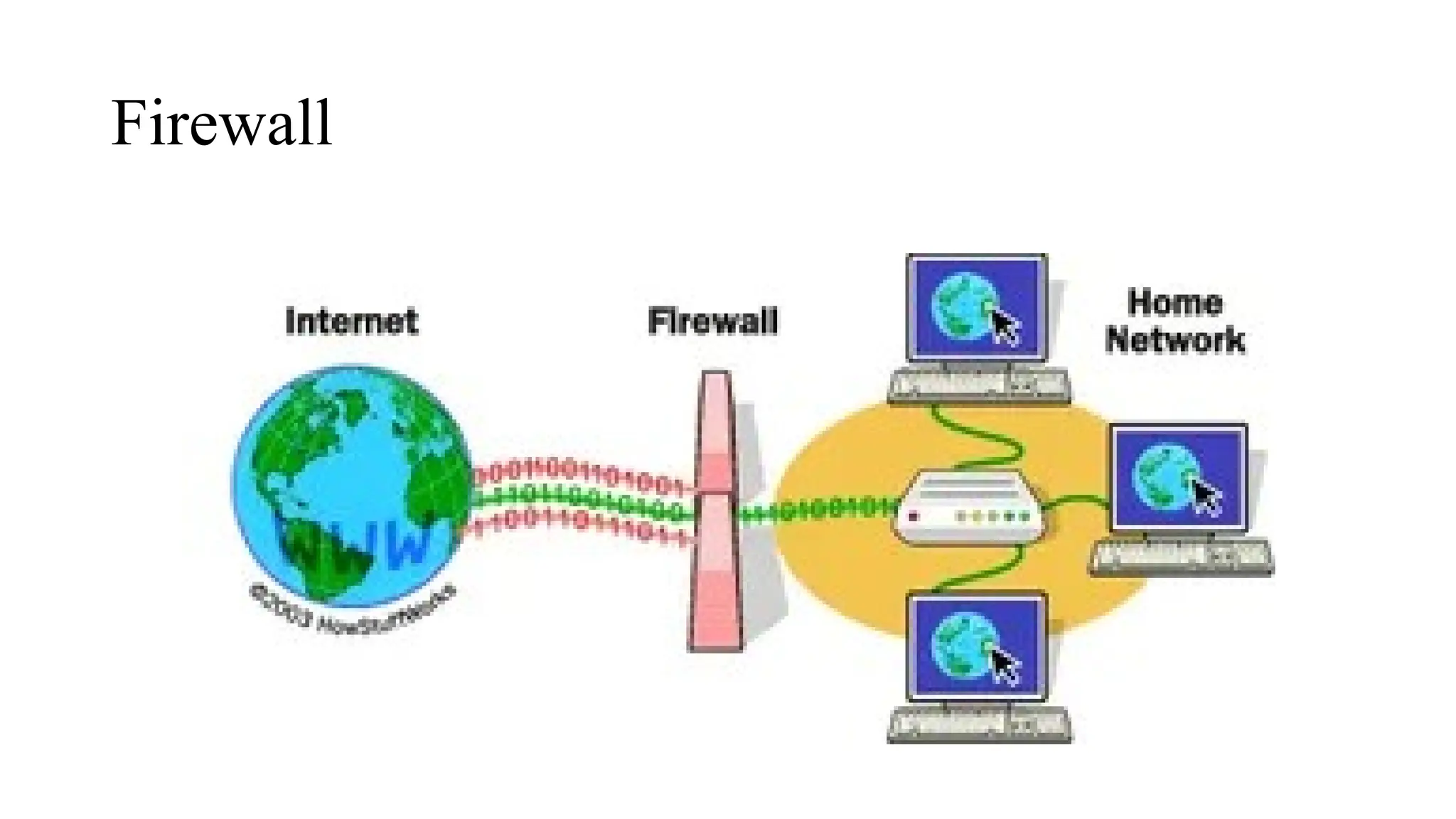
• A Firewall is a network security device that monitors and filters incoming and
outgoing network traffic based on an organization's previously established
security policies. At its most basic, a firewall is essentially the barrier that sits
between a private internal network and the public Internet.
• It provide protection against outside cyber attackers by shielding your computer or
network from malicious or unnecessary network traffic. Firewalls can also prevent
malicious software from accessing a computer or network via the internet.
Firewall
Firewall types:
• Software firewall
• Hardware firewall
• Packet filtering firewall
• Circuit-level gateway
• Proxy service application firewall
• Cloud firewall
• Stateful inspection firewall
• Next-Generation firewall (NGFW)
Firewall
Firewall is a wall between a personal computer and the outside world. It will filter
the traffic coming from the outside world based on the user configuration like which
sites are trusted sites and which we need to allow.
• Block unsafe URLs.
• Close down a port completely.
• Open a port to only specific IP addresses.
• Allow some ip addresses at specific times.
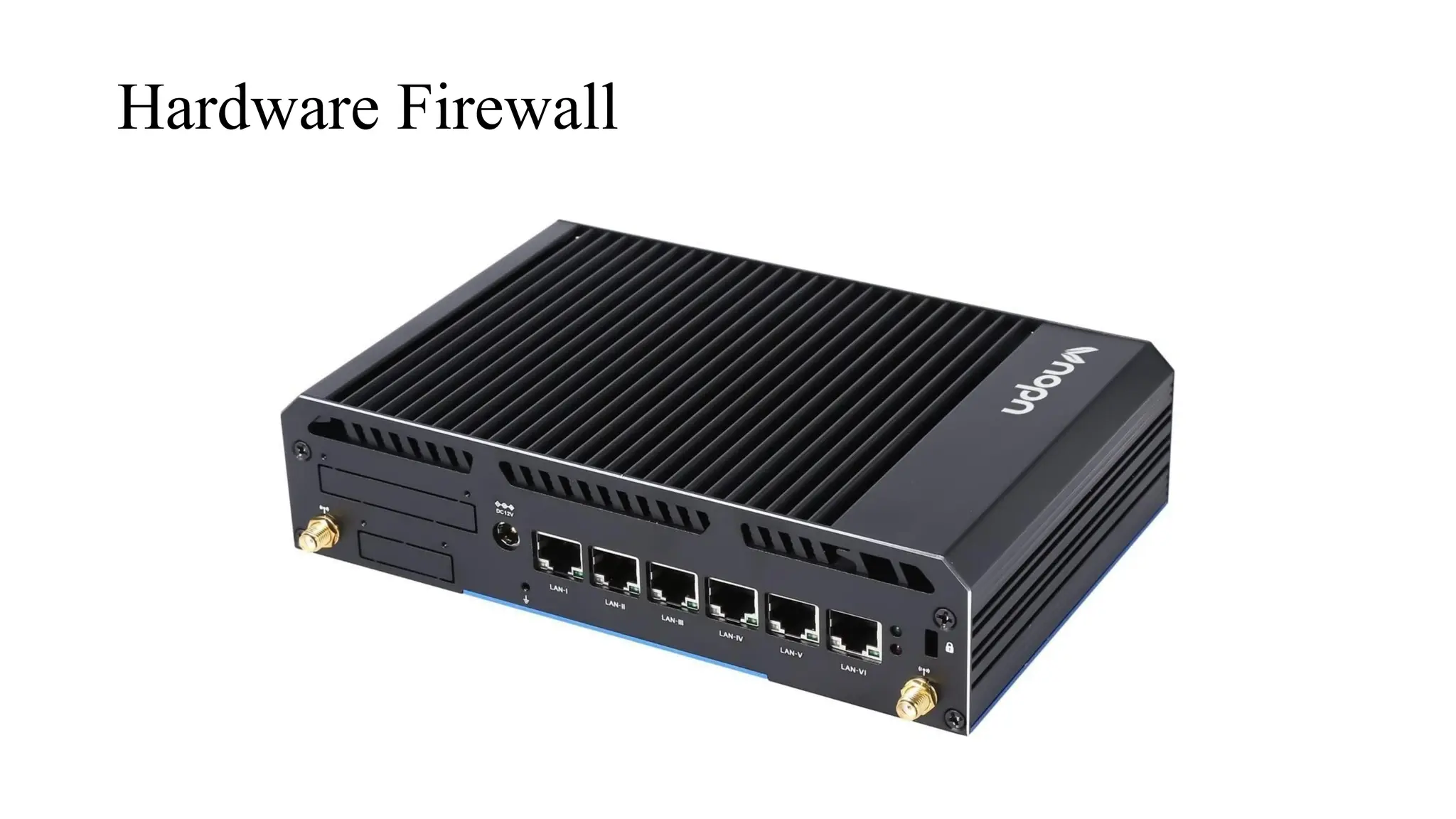
Hardware Firewall
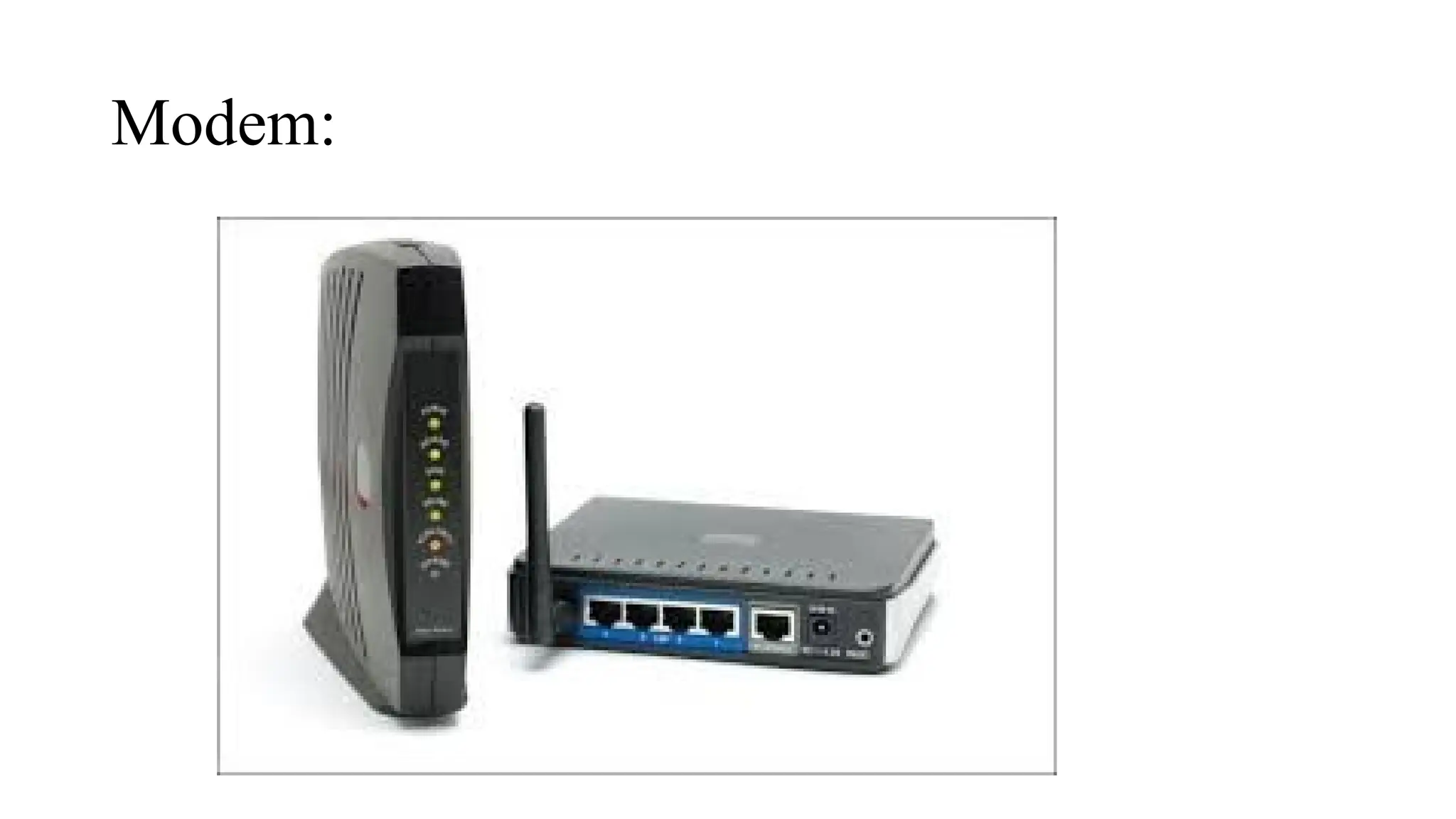
Modem:
• What is a Modem?
• A Modem stands for Modulator–Demodulator.
• It converts:
• Digital signals → analog (for sending over telephone/cable lines)
• Analog signals → digital (for your computer to understand)
• It is the main device that connects your local network to the Internet through your ISP.
• Why Do We Need a Modem?
• ISP networks (cable, DSL, fiber) transmit signals differently than computers.
• A modem translates between both sides so communication becomes possible.
• Without a modem, devices cannot access the internet directly.
• Where is a Modem Used?
• Homes
• Offices
• Schools
Types Of Modem:
• DSL Modem
Uses telephone lines for internet (separate frequency than voice calls).
• Cable Modem
Uses TV cable lines (coaxial cable), faster than DSL.
• Fiber Optic Modem (ONT)
Uses light signals through fiber cables; very high speed.
• Dial-up Modem
Old technology using telephone lines with very slow speeds.
• Wireless Modem (4G/5G Modem)
Uses cellular networks to provide internet.
Modem:
Internet Protocols
• What is IP?
• IP (Internet Protocol) is the set of rules that control how data is addressed and routed across the
internet.
• Every device on a network has a unique IP address.
• Functions of IP
• Addressing: Identifies sender and receiver.
• Routing: Chooses the best path for data packets.
• Packetization: Splits data into small units called packets.
• Versions of IP
• IPv4:
• 32-bit address
• Format: 192.168.1.1
• Limited addresses
• IPv6:
• 128-bit address
• Format: 2001:0db8::1
• Supports more devices, better security
DNS
• What is DNS?
• DNS translates domain names → IP addresses.
• Example:
google.com → 142.250.190.78
• Works like the internet’s phonebook.
• Why DNS is Needed
• Humans remember names, computers use numbers.
• DNS makes browsing easier and faster.
• Important DNS Records
• A Record: Maps domain → IPv4
• AAAA Record: Maps domain → IPv6
• MX Record: Handles email server routing
• CNAME: Alias of another domain
HTTP
• What is HTTP?
• A protocol used for transferring web pages and online content.
• Based on request–response model:
• Browser → sends request
• Server → sends web page
• Features
• Stateless protocol
• Sends data in plain text
• Works on Port 80
• Limitations
• No encryption → vulnerable to:
• Man-in-the-middle attacks
• Data theft
HTTPs
• What is HTTPS?
• HTTPS = HTTP + SSL/TLS Encryption
• Secures all communication between browser and server.
• Why HTTPS is Important
• Protects passwords, banking info, personal data
• Verifies website identity
• Prevents eavesdropping and tampering
• Shows lock icon in browser
• Technical Features
• Uses public/private key encryption
• Works on Port 443
Email Protocols
• SMTP — Sending Emails
• SMTP (Simple Mail Transfer Protocol) is the protocol responsible for sending emails from your device to
the email server and then forwarding it to the receiver’s mail server.
When you click “Send,” your email app contacts the SMTP server, which works like a digital postman—it
takes the message, finds the correct destination, and delivers it securely. SMTP also handles delivery errors
and retries if the recipient's server is temporarily unavailable.
Used for: Outgoing mail only
Ports: 25, 465 (SSL), 587 (TLS)
• POP3 — Downloading Emails (Receiver Side)
• POP3 (Post Office Protocol v3) is used to download emails from the server to a single device. After
downloading, emails are usually removed from the server, meaning the message now exists mainly on the
device where it was downloaded.
This is similar to collecting letters from a post office: once taken, they are no longer stored there. POP3 is
simple and works well when you only use one device for emails (like only a laptop).
Limitations: Emails do NOT sync across multiple devices; deleting on one device won’t reflect on others.
Ports: 110, 995 (secure)
Email Protocols
• IMAP — Cloud-Based Email Access
• IMAP (Internet Message Access Protocol) allows you to view and manage emails directly on the
server without permanently downloading them. Your device loads a copy while the email stays
stored online.
Any action—read, delete, move folders—updates on all devices, making it ideal for smartphones,
laptops, and tablets. This is why almost all modern services like Gmail and Outlook use IMAP by
default.
Best for: multi-device usage, cloud syncing
Ports: 143, 993 (secure)
Introduction to modern networking
• Modern networking focuses on connecting devices, data, and services in smarter and
faster ways. It supports technologies like IoT, cloud computing, edge computing, and 5G
to enable real-time communication at massive scale.
Today’s networks aim to provide:
• High speed and low latency
• Massive device connectivity
• Remote access to data and applications
• Automation and smart environments
These technologies together shape smart homes, smart cities, advanced healthcare, and
intelligent industries.
IOT(Internet of Things)
• The Internet of Things refers to a network of everyday physical devices, embedded with sensors
and connectivity, allowing them to collect, exchange, and act on data.
Examples include smart watches, home automation systems, connected cars, factory machines,
and health monitoring devices.
IoT devices gather real-time information and send it to cloud or edge systems for processing. This
brings benefits like automation, predictive maintenance, energy savings, and remote control. IoT is
the foundation behind smart homes, smart cities, and industrial automation.
Cloud Computing
• Cloud computing provides computing power, storage, databases, and applications over
the internet, instead of local hardware.
It offers:
• Scalability: resources increase or decrease based on demand
• Cost efficiency: pay for what you use
• Accessibility: access data from anywhere
There are three main service models:
• IaaS (Infrastructure): virtual machines, servers
• PaaS (Platform): environment for developers
• SaaS (Software): ready-to-use apps like Gmail or Office365
Cloud plays a key role in storing IoT data, hosting apps, and enabling remote services.
Edge Computing
• Edge computing processes data near the source (device or sensor) instead of sending everything
to the cloud.
This reduces:
• Latency (response time)
• Bandwidth usage
• Network congestion
Edge computing is essential in systems that need instant decisions, such as self-driving cars,
smart factories, medical monitoring devices, and security cameras.
It works together with cloud computing—edge handles real-time tasks, while cloud manages long-
term storage and analytics.
5G
• 5G is the fifth generation of mobile network technology, designed for extremely fast
communication and support for millions of devices.
Key features include:
• High speed: up to 100x faster than 4G
• Ultra-low latency: crucial for real-time applications
• Massive IoT support: connects thousands of sensors in one area
5G enables technologies such as smart transportation, AR/VR, remote surgery, autonomous
drones, and next-generation IoT systems.
Together with cloud and edge computing, 5G forms the backbone of modern smart ecosystems.
Cybersecurity
• Cybersecurity is the practice of protecting computers, networks, data, and systems from
unauthorized access, attacks, or damage. As our world becomes more digital, threats
continue to grow. Cybersecurity ensures confidentiality, integrity, and availability of
information. It includes technologies, policies, and practices that protect both individuals
and organizations.
• Cybersecurity protects sensitive information like passwords, banking data, personal
details, and business records. A single attack can lead to financial loss, identity theft,
system shutdowns, and damage to reputation. With the rise of online banking, remote
work, cloud services, and IoT devices, cybersecurity has become essential for safe digital
communication.
Types of cybersecurity threats
• Cyber threats are harmful activities designed to steal, damage, or disrupt data and
systems. Common threats include hacking, phishing, ransomware, identity theft,
insider attacks, and denial-of-service attacks. Threats can come from criminals,
hackers, employees, or automated bots. Understanding these threats helps in
building strong defenses.
Malware
Malware, or malicious software, is any program or file that's intentionally harmful
to a computer.
Any intrusive software developed by cybercriminals (often called hackers) to steal
and damage data or destroy computer systems. Examples of common malware
include viruses, worms, Trojan viruses, spyware, adware, and ransomware.
Virus
A computer virus is a type of malicious software, or malware, that spreads between
computers and causes damage to data and software. Computer viruses aim to disrupt
systems, cause major operational issues, and result in data loss and leakage.
Worm
A computer worm is a type of malware that can automatically propagate or self-
replicate without human interaction, enabling its spread to other computers across a
network. A worm often uses the victim organization's internet or a local area
network (LAN) connection to spread itself.
• Morris Worm. At around 8:30 p.m. on November 2, 1988, a maliciously clever
program was released on the Internet from a computer at (MIT). This cyber worm
was soon propagating at remarkable speed and grinding computers to a halt.
Spyware
Spyware is malicious software that enters a user's computer, gathers data from the device and
user, and sends it to third parties without their consent. A commonly accepted spyware definition
is a strand of malware designed to access and damage a device without the user's consent.
Phishing
A technique for attempting to acquire sensitive data, such as bank account numbers, through a
fraudulent solicitation in email or on a web site, in which hacker pretendant to be as a legitimate
business or reputable person.
Spoofing
Spoofing is a type of cybercriminal activity where someone or something forges the
sender's information and pretends to be a legitimate source, business, colleague, or other
trusted contact for the purpose of gaining access to personal information, acquiring
money, spreading malware, or stealing data
How Firewalls Protect Against Malware
Firewalls act as a protective barrier between your system and the internet. They
block harmful activity before it reaches your device. Firewalls filter all incoming
and outgoing traffic and stop anything suspicious or unauthorized. They prevent
malware from entering the system by blocking harmful websites, closing unsafe
network ports, and stopping hackers from accessing your device. Firewalls also
prevent malware from spreading across a network and stop infected programs from
communicating with attacker servers. By monitoring and controlling traffic,
firewalls reduce the risk of viruses, worms, Trojans, spyware, and ransomware from
causing damage.

firewalls and protocols (http/s, smtp, ftp).pptx

  • 1.
    Firewall • A Firewallis a network security device that monitors and filters incoming and outgoing network traffic based on an organization's previously established security policies. At its most basic, a firewall is essentially the barrier that sits between a private internal network and the public Internet. • It provide protection against outside cyber attackers by shielding your computer or network from malicious or unnecessary network traffic. Firewalls can also prevent malicious software from accessing a computer or network via the internet.
  • 2.
  • 3.
    Firewall types: • Softwarefirewall • Hardware firewall • Packet filtering firewall • Circuit-level gateway • Proxy service application firewall • Cloud firewall • Stateful inspection firewall • Next-Generation firewall (NGFW)
  • 4.
    Firewall Firewall is awall between a personal computer and the outside world. It will filter the traffic coming from the outside world based on the user configuration like which sites are trusted sites and which we need to allow. • Block unsafe URLs. • Close down a port completely. • Open a port to only specific IP addresses. • Allow some ip addresses at specific times.
  • 5.
  • 6.
    Modem: • What isa Modem? • A Modem stands for Modulator–Demodulator. • It converts: • Digital signals → analog (for sending over telephone/cable lines) • Analog signals → digital (for your computer to understand) • It is the main device that connects your local network to the Internet through your ISP. • Why Do We Need a Modem? • ISP networks (cable, DSL, fiber) transmit signals differently than computers. • A modem translates between both sides so communication becomes possible. • Without a modem, devices cannot access the internet directly. • Where is a Modem Used? • Homes • Offices • Schools
  • 7.
    Types Of Modem: •DSL Modem Uses telephone lines for internet (separate frequency than voice calls). • Cable Modem Uses TV cable lines (coaxial cable), faster than DSL. • Fiber Optic Modem (ONT) Uses light signals through fiber cables; very high speed. • Dial-up Modem Old technology using telephone lines with very slow speeds. • Wireless Modem (4G/5G Modem) Uses cellular networks to provide internet.
  • 8.
  • 9.
    Internet Protocols • Whatis IP? • IP (Internet Protocol) is the set of rules that control how data is addressed and routed across the internet. • Every device on a network has a unique IP address. • Functions of IP • Addressing: Identifies sender and receiver. • Routing: Chooses the best path for data packets. • Packetization: Splits data into small units called packets. • Versions of IP • IPv4: • 32-bit address • Format: 192.168.1.1 • Limited addresses • IPv6: • 128-bit address • Format: 2001:0db8::1 • Supports more devices, better security
  • 10.
    DNS • What isDNS? • DNS translates domain names → IP addresses. • Example: google.com → 142.250.190.78 • Works like the internet’s phonebook. • Why DNS is Needed • Humans remember names, computers use numbers. • DNS makes browsing easier and faster. • Important DNS Records • A Record: Maps domain → IPv4 • AAAA Record: Maps domain → IPv6 • MX Record: Handles email server routing • CNAME: Alias of another domain
  • 11.
    HTTP • What isHTTP? • A protocol used for transferring web pages and online content. • Based on request–response model: • Browser → sends request • Server → sends web page • Features • Stateless protocol • Sends data in plain text • Works on Port 80 • Limitations • No encryption → vulnerable to: • Man-in-the-middle attacks • Data theft
  • 12.
    HTTPs • What isHTTPS? • HTTPS = HTTP + SSL/TLS Encryption • Secures all communication between browser and server. • Why HTTPS is Important • Protects passwords, banking info, personal data • Verifies website identity • Prevents eavesdropping and tampering • Shows lock icon in browser • Technical Features • Uses public/private key encryption • Works on Port 443
  • 13.
    Email Protocols • SMTP— Sending Emails • SMTP (Simple Mail Transfer Protocol) is the protocol responsible for sending emails from your device to the email server and then forwarding it to the receiver’s mail server. When you click “Send,” your email app contacts the SMTP server, which works like a digital postman—it takes the message, finds the correct destination, and delivers it securely. SMTP also handles delivery errors and retries if the recipient's server is temporarily unavailable. Used for: Outgoing mail only Ports: 25, 465 (SSL), 587 (TLS) • POP3 — Downloading Emails (Receiver Side) • POP3 (Post Office Protocol v3) is used to download emails from the server to a single device. After downloading, emails are usually removed from the server, meaning the message now exists mainly on the device where it was downloaded. This is similar to collecting letters from a post office: once taken, they are no longer stored there. POP3 is simple and works well when you only use one device for emails (like only a laptop). Limitations: Emails do NOT sync across multiple devices; deleting on one device won’t reflect on others. Ports: 110, 995 (secure)
  • 14.
    Email Protocols • IMAP— Cloud-Based Email Access • IMAP (Internet Message Access Protocol) allows you to view and manage emails directly on the server without permanently downloading them. Your device loads a copy while the email stays stored online. Any action—read, delete, move folders—updates on all devices, making it ideal for smartphones, laptops, and tablets. This is why almost all modern services like Gmail and Outlook use IMAP by default. Best for: multi-device usage, cloud syncing Ports: 143, 993 (secure)
  • 15.
    Introduction to modernnetworking • Modern networking focuses on connecting devices, data, and services in smarter and faster ways. It supports technologies like IoT, cloud computing, edge computing, and 5G to enable real-time communication at massive scale. Today’s networks aim to provide: • High speed and low latency • Massive device connectivity • Remote access to data and applications • Automation and smart environments These technologies together shape smart homes, smart cities, advanced healthcare, and intelligent industries.
  • 16.
    IOT(Internet of Things) •The Internet of Things refers to a network of everyday physical devices, embedded with sensors and connectivity, allowing them to collect, exchange, and act on data. Examples include smart watches, home automation systems, connected cars, factory machines, and health monitoring devices. IoT devices gather real-time information and send it to cloud or edge systems for processing. This brings benefits like automation, predictive maintenance, energy savings, and remote control. IoT is the foundation behind smart homes, smart cities, and industrial automation.
  • 17.
    Cloud Computing • Cloudcomputing provides computing power, storage, databases, and applications over the internet, instead of local hardware. It offers: • Scalability: resources increase or decrease based on demand • Cost efficiency: pay for what you use • Accessibility: access data from anywhere There are three main service models: • IaaS (Infrastructure): virtual machines, servers • PaaS (Platform): environment for developers • SaaS (Software): ready-to-use apps like Gmail or Office365 Cloud plays a key role in storing IoT data, hosting apps, and enabling remote services.
  • 18.
    Edge Computing • Edgecomputing processes data near the source (device or sensor) instead of sending everything to the cloud. This reduces: • Latency (response time) • Bandwidth usage • Network congestion Edge computing is essential in systems that need instant decisions, such as self-driving cars, smart factories, medical monitoring devices, and security cameras. It works together with cloud computing—edge handles real-time tasks, while cloud manages long- term storage and analytics.
  • 19.
    5G • 5G isthe fifth generation of mobile network technology, designed for extremely fast communication and support for millions of devices. Key features include: • High speed: up to 100x faster than 4G • Ultra-low latency: crucial for real-time applications • Massive IoT support: connects thousands of sensors in one area 5G enables technologies such as smart transportation, AR/VR, remote surgery, autonomous drones, and next-generation IoT systems. Together with cloud and edge computing, 5G forms the backbone of modern smart ecosystems.
  • 20.
    Cybersecurity • Cybersecurity isthe practice of protecting computers, networks, data, and systems from unauthorized access, attacks, or damage. As our world becomes more digital, threats continue to grow. Cybersecurity ensures confidentiality, integrity, and availability of information. It includes technologies, policies, and practices that protect both individuals and organizations. • Cybersecurity protects sensitive information like passwords, banking data, personal details, and business records. A single attack can lead to financial loss, identity theft, system shutdowns, and damage to reputation. With the rise of online banking, remote work, cloud services, and IoT devices, cybersecurity has become essential for safe digital communication.
  • 21.
    Types of cybersecuritythreats • Cyber threats are harmful activities designed to steal, damage, or disrupt data and systems. Common threats include hacking, phishing, ransomware, identity theft, insider attacks, and denial-of-service attacks. Threats can come from criminals, hackers, employees, or automated bots. Understanding these threats helps in building strong defenses.
  • 22.
    Malware Malware, or malicioussoftware, is any program or file that's intentionally harmful to a computer. Any intrusive software developed by cybercriminals (often called hackers) to steal and damage data or destroy computer systems. Examples of common malware include viruses, worms, Trojan viruses, spyware, adware, and ransomware. Virus A computer virus is a type of malicious software, or malware, that spreads between computers and causes damage to data and software. Computer viruses aim to disrupt systems, cause major operational issues, and result in data loss and leakage.
  • 23.
    Worm A computer wormis a type of malware that can automatically propagate or self- replicate without human interaction, enabling its spread to other computers across a network. A worm often uses the victim organization's internet or a local area network (LAN) connection to spread itself. • Morris Worm. At around 8:30 p.m. on November 2, 1988, a maliciously clever program was released on the Internet from a computer at (MIT). This cyber worm was soon propagating at remarkable speed and grinding computers to a halt.
  • 24.
    Spyware Spyware is malicioussoftware that enters a user's computer, gathers data from the device and user, and sends it to third parties without their consent. A commonly accepted spyware definition is a strand of malware designed to access and damage a device without the user's consent. Phishing A technique for attempting to acquire sensitive data, such as bank account numbers, through a fraudulent solicitation in email or on a web site, in which hacker pretendant to be as a legitimate business or reputable person. Spoofing Spoofing is a type of cybercriminal activity where someone or something forges the sender's information and pretends to be a legitimate source, business, colleague, or other trusted contact for the purpose of gaining access to personal information, acquiring money, spreading malware, or stealing data
  • 25.
    How Firewalls ProtectAgainst Malware Firewalls act as a protective barrier between your system and the internet. They block harmful activity before it reaches your device. Firewalls filter all incoming and outgoing traffic and stop anything suspicious or unauthorized. They prevent malware from entering the system by blocking harmful websites, closing unsafe network ports, and stopping hackers from accessing your device. Firewalls also prevent malware from spreading across a network and stop infected programs from communicating with attacker servers. By monitoring and controlling traffic, firewalls reduce the risk of viruses, worms, Trojans, spyware, and ransomware from causing damage.