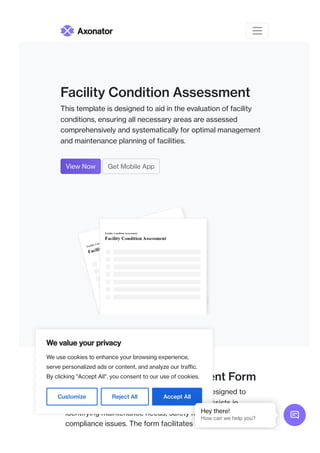
Facility Condition Assessment
This template is designed to aid in the evaluation of facility
conditions, ensuring all necessary areas are assessed
comprehensively and systematically for optimal management
and maintenance planning of facilities.
View Now Get Mobile App
Facility Condition Assessment Form
The Facility Condition Assessment Form is designed to
evaluate the overall condition of a facility. It assists in
identifying maintenance needs, safety hazards, and
compliance issues. The form facilitates data collection on
Axonator
We value your privacy
We use cookies to enhance your browsing experience,
serve personalized ads or content, and analyze our traffic.
By clicking "Accept All", you consent to our use of cookies.
Customize Reject All Accept All

Hey there!
How can we help you?
various components, including structural integrity, plumbing,
electrical systems, and HVAC operations. Proper evaluations
can ensure safety and enhance asset longevity while
optimizing repair costs. Completing this form helps
managers make informed decisions about facility
improvements and budget allocations. The collected data
can also assist in planning major renovations or upgrades.
Stakeholders can leverage this assessment to prioritize
projects based on urgency and resource availability.
Ultimately, the form serves as a foundational tool for
maintaining optimal facility conditions.
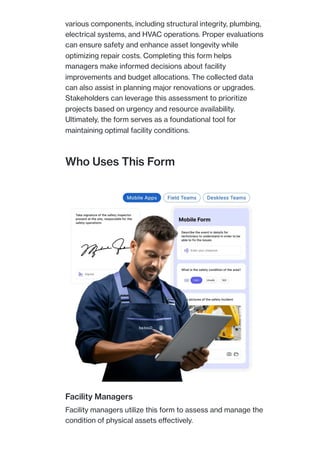
Who Uses This Form
Facility Managers
Facility managers utilize this form to assess and manage the
condition of physical assets effectively.
Maintenance Teams
Maintenance teams leverage this form to identify and
address repair needs promptly and efficiently.
Safety Inspectors
Safety inspectors employ this form to ensure compliance
with safety standards and regulations within facilities.
Budget Planners
Budget planners use this form to determine capital
expenses and prioritize budget allocation for repairs.
Key features streamline facility
assessments effectively and
efficiently.
Customizable Field Templates
Create tailored field templates that suit specific
facility requirements or assessment criteria for
varied evaluations, enhancing the data collection
process.
Real-Time Data Collection
Collect assessment data in real time using mobile
devices, ensuring that information is accurate and
up-to-date for timely decision-making.
Automated Reporting Tools
Benefits include improved facility
management and enhanced safety
oversight.
Generate comprehensive reports automatically,
providing insights and summaries of assessed
conditions for easy review and analysis.
Mobile Compatibility
Access the assessment form via mobile devices,
allowing inspectors and managers to perform
evaluations on-site without delays.
Integration with Existing Systems
Seamlessly integrate with third-party software and
tools, facilitating data sharing and improving overall
workflow efficiency.
Task Assignment Features
Assign maintenance tasks directly from the
assessment results, ensuring issues are tracked and
prioritized for resolution.
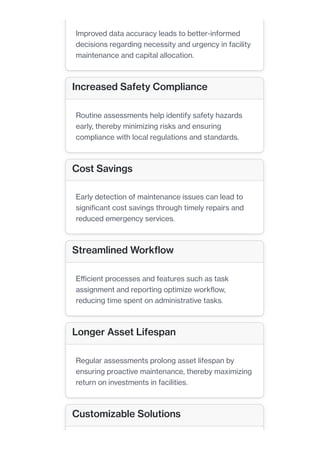
Enhanced Decision-Making
Improved data accuracy leads to better-informed
decisions regarding necessity and urgency in facility
maintenance and capital allocation.
Increased Safety Compliance
Routine assessments help identify safety hazards
early, thereby minimizing risks and ensuring
compliance with local regulations and standards.
Cost Savings
Early detection of maintenance issues can lead to
significant cost savings through timely repairs and
reduced emergency services.
Streamlined Workflow
Efficient processes and features such as task
assignment and reporting optimize workflow,
reducing time spent on administrative tasks.
Longer Asset Lifespan
Regular assessments prolong asset lifespan by
ensuring proactive maintenance, thereby maximizing
return on investments in facilities.
Customizable Solutions
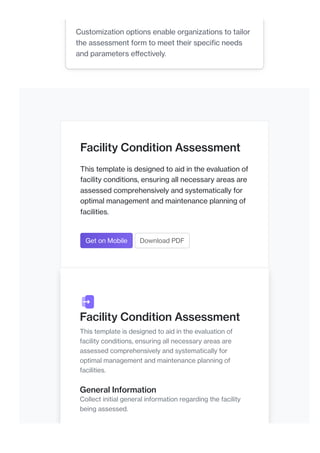
Facility Condition Assessment
This template is designed to aid in the evaluation of
facility conditions, ensuring all necessary areas are
assessed comprehensively and systematically for
optimal management and maintenance planning of
facilities.
Get on Mobile Download PDF
Facility Condition Assessment
This template is designed to aid in the evaluation of
facility conditions, ensuring all necessary areas are
assessed comprehensively and systematically for
optimal management and maintenance planning of
facilities.
General Information
Collect initial general information regarding the facility
being assessed.
Customization options enable organizations to tailor
the assessment form to meet their specific needs
and parameters effectively.
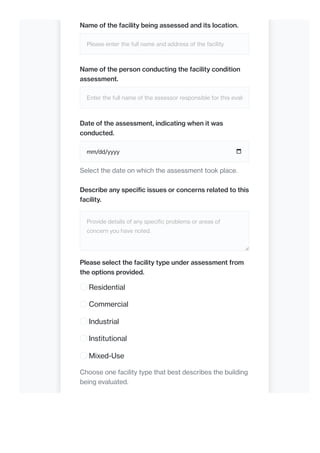
Name of the facility being assessed and its location.
Please enter the full name and address of the facility.
Name of the person conducting the facility condition
assessment.
Enter the full name of the assessor responsible for this evalu
Date of the assessment, indicating when it was
conducted.
mm/dd/yyyy
Select the date on which the assessment took place.
Describe any specific issues or concerns related to this
facility.
Provide details of any specific problems or areas of
concern you have noted.
Please select the facility type under assessment from
the options provided.
Residential
Commercial
Industrial
Institutional
Mixed-Use
Choose one facility type that best describes the building
being evaluated.
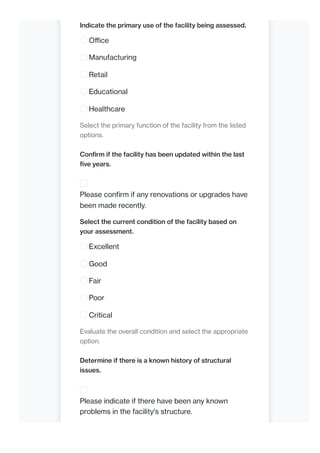
Indicate the primary use of the facility being assessed.
Office
Manufacturing
Retail
Educational
Healthcare
Select the primary function of the facility from the listed
options.
Confirm if the facility has been updated within the last
five years.
Please confirm if any renovations or upgrades have
been made recently.
Select the current condition of the facility based on
your assessment.
Excellent
Good
Fair
Poor
Critical
Evaluate the overall condition and select the appropriate
option.
Determine if there is a known history of structural
issues.
Please indicate if there have been any known
problems in the facility's structure.
Specify the type of building construction used in the
facility.
Wood
Steel
Concrete
Masonry
Hybrid
Select the construction type that best describes the
structure.
Structural Assessment
Evaluate the structural integrity and overall condition of
the facility.
Comment on the visible structural elements and their
conditions.
Describe the condition of walls, roofs, and other structural
elements.
Upload photos of crucial structural areas including any
damages.
Upload a file
or drag and drop
PNG, JPG, GIF up to 10MB
Attach clear images showing the structural areas
being assessed.
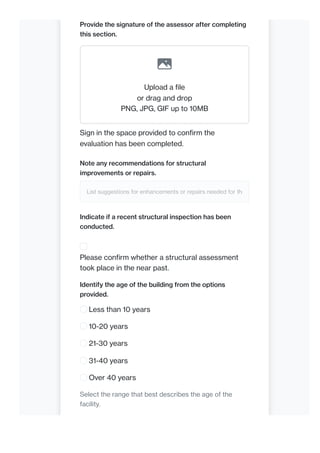
Provide the signature of the assessor after completing
this section.
Upload a file
or drag and drop
PNG, JPG, GIF up to 10MB
Sign in the space provided to confirm the
evaluation has been completed.
Note any recommendations for structural
improvements or repairs.
List suggestions for enhancements or repairs needed for the
Indicate if a recent structural inspection has been
conducted.
Please confirm whether a structural assessment
took place in the near past.
Identify the age of the building from the options
provided.
Less than 10 years
10-20 years
21-30 years
31-40 years
Over 40 years
Select the range that best describes the age of the
facility.
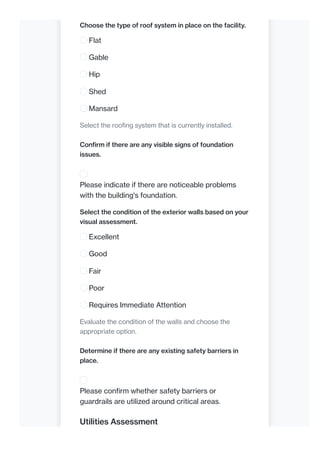
Choose the type of roof system in place on the facility.
Flat
Gable
Hip
Shed
Mansard
Select the roofing system that is currently installed.
Confirm if there are any visible signs of foundation
issues.
Please indicate if there are noticeable problems
with the building's foundation.
Select the condition of the exterior walls based on your
visual assessment.
Excellent
Good
Fair
Poor
Requires Immediate Attention
Evaluate the condition of the walls and choose the
appropriate option.
Determine if there are any existing safety barriers in
place.
Please confirm whether safety barriers or
guardrails are utilized around critical areas.
Utilities Assessment
Assess the functionality and condition of utility systems
within the facility.
Document observations regarding the electrical
systems and their state.
Describe the condition of wiring, panels, and overall
electrical safety.
Attach pictures of utility installations showing their
current condition.
Upload a file
or drag and drop
PNG, JPG, GIF up to 10MB
Upload photographs of utility areas, such as water
heaters and HVAC systems.
Indicate the age of the main utility systems in the
facility.
Provide the years of installation for important utility systems
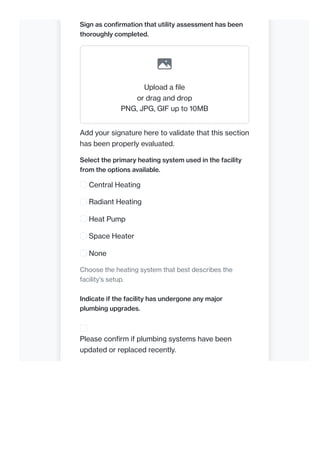
Sign as confirmation that utility assessment has been
thoroughly completed.
Upload a file
or drag and drop
PNG, JPG, GIF up to 10MB
Add your signature here to validate that this section
has been properly evaluated.
Select the primary heating system used in the facility
from the options available.
Central Heating
Radiant Heating
Heat Pump
Space Heater
None
Choose the heating system that best describes the
facility's setup.
Indicate if the facility has undergone any major
plumbing upgrades.
Please confirm if plumbing systems have been
updated or replaced recently.
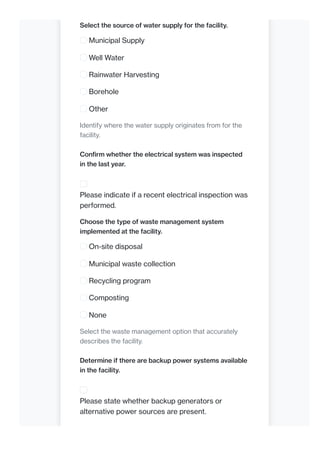
Select the source of water supply for the facility.
Municipal Supply
Well Water
Rainwater Harvesting
Borehole
Other
Identify where the water supply originates from for the
facility.
Confirm whether the electrical system was inspected
in the last year.
Please indicate if a recent electrical inspection was
performed.
Choose the type of waste management system
implemented at the facility.
On-site disposal
Municipal waste collection
Recycling program
Composting
None
Select the waste management option that accurately
describes the facility.
Determine if there are backup power systems available
in the facility.
Please state whether backup generators or
alternative power sources are present.
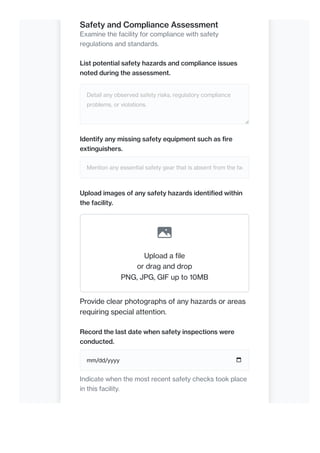
Safety and Compliance Assessment
Examine the facility for compliance with safety
regulations and standards.
List potential safety hazards and compliance issues
noted during the assessment.
Detail any observed safety risks, regulatory compliance
problems, or violations.
Identify any missing safety equipment such as fire
extinguishers.
Mention any essential safety gear that is absent from the fac
Upload images of any safety hazards identified within
the facility.
Upload a file
or drag and drop
PNG, JPG, GIF up to 10MB
Provide clear photographs of any hazards or areas
requiring special attention.
Record the last date when safety inspections were
conducted.
mm/dd/yyyy
Indicate when the most recent safety checks took place
in this facility.
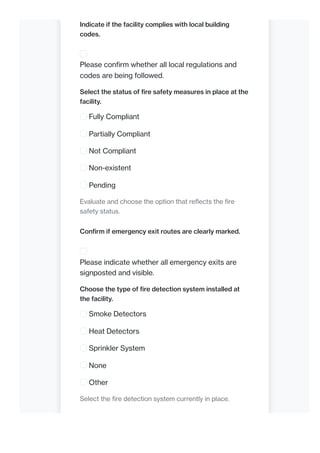
Indicate if the facility complies with local building
codes.
Please confirm whether all local regulations and
codes are being followed.
Select the status of fire safety measures in place at the
facility.
Fully Compliant
Partially Compliant
Not Compliant
Non-existent
Pending
Evaluate and choose the option that reflects the fire
safety status.
Confirm if emergency exit routes are clearly marked.
Please indicate whether all emergency exits are
signposted and visible.
Choose the type of fire detection system installed at
the facility.
Smoke Detectors
Heat Detectors
Sprinkler System
None
Other
Select the fire detection system currently in place.
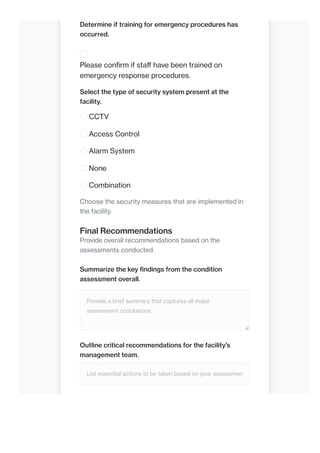
Determine if training for emergency procedures has
occurred.
Please confirm if staff have been trained on
emergency response procedures.
Select the type of security system present at the
facility.
CCTV
Access Control
Alarm System
None
Combination
Choose the security measures that are implemented in
the facility.
Final Recommendations
Provide overall recommendations based on the
assessments conducted.
Summarize the key findings from the condition
assessment overall.
Provide a brief summary that captures all major
assessment conclusions.
Outline critical recommendations for the facility's
management team.
List essential actions to be taken based on your assessmen
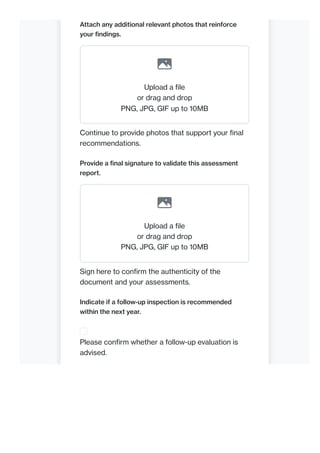
Attach any additional relevant photos that reinforce
your findings.
Upload a file
or drag and drop
PNG, JPG, GIF up to 10MB
Continue to provide photos that support your final
recommendations.
Provide a final signature to validate this assessment
report.
Upload a file
or drag and drop
PNG, JPG, GIF up to 10MB
Sign here to confirm the authenticity of the
document and your assessments.
Indicate if a follow-up inspection is recommended
within the next year.
Please confirm whether a follow-up evaluation is
advised.
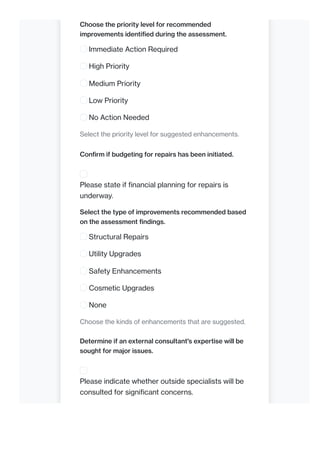
Choose the priority level for recommended
improvements identified during the assessment.
Immediate Action Required
High Priority
Medium Priority
Low Priority
No Action Needed
Select the priority level for suggested enhancements.
Confirm if budgeting for repairs has been initiated.
Please state if financial planning for repairs is
underway.
Select the type of improvements recommended based
on the assessment findings.
Structural Repairs
Utility Upgrades
Safety Enhancements
Cosmetic Upgrades
None
Choose the kinds of enhancements that are suggested.
Determine if an external consultant's expertise will be
sought for major issues.
Please indicate whether outside specialists will be
consulted for significant concerns.
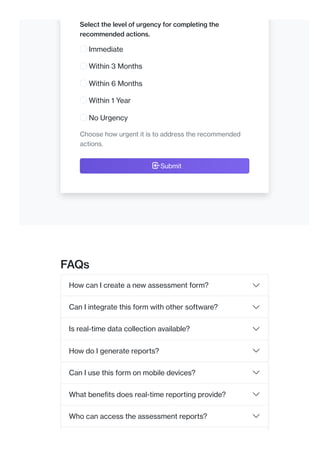
Select the level of urgency for completing the
recommended actions.
Immediate
Within 3 Months
Within 6 Months
Within 1 Year
No Urgency
Choose how urgent it is to address the recommended
actions.
Submit
FAQs
How can I create a new assessment form?
Can I integrate this form with other software?
Is real-time data collection available?
How do I generate reports?
Can I use this form on mobile devices?
What benefits does real-time reporting provide?
Who can access the assessment reports?
PLATFORM TOOLS
FM APPLICATIONS
INDUSTRIES
RESOURCES
COMPANY
GET IN TOUCH
ENTERPRISE SOLUTIONS
How do I ensure safety compliance?
Is there a tutorial on using this form?
Can I customize the assessment fields?
Mobile Form Builder
Workflow Builder
Report & Dashboard Builder
Integration Builder
Work Order Management
Inspections & Approvals
Enterprise BMS
Facility Management
Manufacturing
Healthcare
Blog
Webinar
eBooks
Help
Careers
About Us
Privacy Policy
Data Security
Contact Us
Partners Program
Facility Management
Vendor Management
Inventory Management
Asset Management
Attendance Management
Healthcare Management
Quality Management
Energy Management
CONNECT WITH US
Follow us and stay on top of frontline team performance
support@axonator.com India: +918600032635
USA: +17162748885
© 2024 Axonator Inc ❘ All RIGHTS RESERVED
Axonator is a no-code, mobile-first field workflow automation
platform that helps organizations automate and optimize their field
performance, improve customer service, and scale operations.

facility condition assessment template4343.pdf

  • 1.
    Facility Condition Assessment Thistemplate is designed to aid in the evaluation of facility conditions, ensuring all necessary areas are assessed comprehensively and systematically for optimal management and maintenance planning of facilities. View Now Get Mobile App Facility Condition Assessment Form The Facility Condition Assessment Form is designed to evaluate the overall condition of a facility. It assists in identifying maintenance needs, safety hazards, and compliance issues. The form facilitates data collection on Axonator We value your privacy We use cookies to enhance your browsing experience, serve personalized ads or content, and analyze our traffic. By clicking "Accept All", you consent to our use of cookies. Customize Reject All Accept All  Hey there! How can we help you?
  • 2.
    various components, includingstructural integrity, plumbing, electrical systems, and HVAC operations. Proper evaluations can ensure safety and enhance asset longevity while optimizing repair costs. Completing this form helps managers make informed decisions about facility improvements and budget allocations. The collected data can also assist in planning major renovations or upgrades. Stakeholders can leverage this assessment to prioritize projects based on urgency and resource availability. Ultimately, the form serves as a foundational tool for maintaining optimal facility conditions. Who Uses This Form Facility Managers Facility managers utilize this form to assess and manage the condition of physical assets effectively.
  • 3.
    Maintenance Teams Maintenance teamsleverage this form to identify and address repair needs promptly and efficiently. Safety Inspectors Safety inspectors employ this form to ensure compliance with safety standards and regulations within facilities. Budget Planners Budget planners use this form to determine capital expenses and prioritize budget allocation for repairs. Key features streamline facility assessments effectively and efficiently. Customizable Field Templates Create tailored field templates that suit specific facility requirements or assessment criteria for varied evaluations, enhancing the data collection process. Real-Time Data Collection Collect assessment data in real time using mobile devices, ensuring that information is accurate and up-to-date for timely decision-making. Automated Reporting Tools
  • 4.
    Benefits include improvedfacility management and enhanced safety oversight. Generate comprehensive reports automatically, providing insights and summaries of assessed conditions for easy review and analysis. Mobile Compatibility Access the assessment form via mobile devices, allowing inspectors and managers to perform evaluations on-site without delays. Integration with Existing Systems Seamlessly integrate with third-party software and tools, facilitating data sharing and improving overall workflow efficiency. Task Assignment Features Assign maintenance tasks directly from the assessment results, ensuring issues are tracked and prioritized for resolution. Enhanced Decision-Making
  • 5.
    Improved data accuracyleads to better-informed decisions regarding necessity and urgency in facility maintenance and capital allocation. Increased Safety Compliance Routine assessments help identify safety hazards early, thereby minimizing risks and ensuring compliance with local regulations and standards. Cost Savings Early detection of maintenance issues can lead to significant cost savings through timely repairs and reduced emergency services. Streamlined Workflow Efficient processes and features such as task assignment and reporting optimize workflow, reducing time spent on administrative tasks. Longer Asset Lifespan Regular assessments prolong asset lifespan by ensuring proactive maintenance, thereby maximizing return on investments in facilities. Customizable Solutions
  • 6.
    Facility Condition Assessment Thistemplate is designed to aid in the evaluation of facility conditions, ensuring all necessary areas are assessed comprehensively and systematically for optimal management and maintenance planning of facilities. Get on Mobile Download PDF Facility Condition Assessment This template is designed to aid in the evaluation of facility conditions, ensuring all necessary areas are assessed comprehensively and systematically for optimal management and maintenance planning of facilities. General Information Collect initial general information regarding the facility being assessed. Customization options enable organizations to tailor the assessment form to meet their specific needs and parameters effectively.
  • 7.
    Name of thefacility being assessed and its location. Please enter the full name and address of the facility. Name of the person conducting the facility condition assessment. Enter the full name of the assessor responsible for this evalu Date of the assessment, indicating when it was conducted. mm/dd/yyyy Select the date on which the assessment took place. Describe any specific issues or concerns related to this facility. Provide details of any specific problems or areas of concern you have noted. Please select the facility type under assessment from the options provided. Residential Commercial Industrial Institutional Mixed-Use Choose one facility type that best describes the building being evaluated.
  • 8.
    Indicate the primaryuse of the facility being assessed. Office Manufacturing Retail Educational Healthcare Select the primary function of the facility from the listed options. Confirm if the facility has been updated within the last five years. Please confirm if any renovations or upgrades have been made recently. Select the current condition of the facility based on your assessment. Excellent Good Fair Poor Critical Evaluate the overall condition and select the appropriate option. Determine if there is a known history of structural issues. Please indicate if there have been any known problems in the facility's structure.
  • 9.
    Specify the typeof building construction used in the facility. Wood Steel Concrete Masonry Hybrid Select the construction type that best describes the structure. Structural Assessment Evaluate the structural integrity and overall condition of the facility. Comment on the visible structural elements and their conditions. Describe the condition of walls, roofs, and other structural elements. Upload photos of crucial structural areas including any damages. Upload a file or drag and drop PNG, JPG, GIF up to 10MB Attach clear images showing the structural areas being assessed.
  • 10.
    Provide the signatureof the assessor after completing this section. Upload a file or drag and drop PNG, JPG, GIF up to 10MB Sign in the space provided to confirm the evaluation has been completed. Note any recommendations for structural improvements or repairs. List suggestions for enhancements or repairs needed for the Indicate if a recent structural inspection has been conducted. Please confirm whether a structural assessment took place in the near past. Identify the age of the building from the options provided. Less than 10 years 10-20 years 21-30 years 31-40 years Over 40 years Select the range that best describes the age of the facility.
  • 11.
    Choose the typeof roof system in place on the facility. Flat Gable Hip Shed Mansard Select the roofing system that is currently installed. Confirm if there are any visible signs of foundation issues. Please indicate if there are noticeable problems with the building's foundation. Select the condition of the exterior walls based on your visual assessment. Excellent Good Fair Poor Requires Immediate Attention Evaluate the condition of the walls and choose the appropriate option. Determine if there are any existing safety barriers in place. Please confirm whether safety barriers or guardrails are utilized around critical areas. Utilities Assessment
  • 12.
    Assess the functionalityand condition of utility systems within the facility. Document observations regarding the electrical systems and their state. Describe the condition of wiring, panels, and overall electrical safety. Attach pictures of utility installations showing their current condition. Upload a file or drag and drop PNG, JPG, GIF up to 10MB Upload photographs of utility areas, such as water heaters and HVAC systems. Indicate the age of the main utility systems in the facility. Provide the years of installation for important utility systems
  • 13.
    Sign as confirmationthat utility assessment has been thoroughly completed. Upload a file or drag and drop PNG, JPG, GIF up to 10MB Add your signature here to validate that this section has been properly evaluated. Select the primary heating system used in the facility from the options available. Central Heating Radiant Heating Heat Pump Space Heater None Choose the heating system that best describes the facility's setup. Indicate if the facility has undergone any major plumbing upgrades. Please confirm if plumbing systems have been updated or replaced recently.
  • 14.
    Select the sourceof water supply for the facility. Municipal Supply Well Water Rainwater Harvesting Borehole Other Identify where the water supply originates from for the facility. Confirm whether the electrical system was inspected in the last year. Please indicate if a recent electrical inspection was performed. Choose the type of waste management system implemented at the facility. On-site disposal Municipal waste collection Recycling program Composting None Select the waste management option that accurately describes the facility. Determine if there are backup power systems available in the facility. Please state whether backup generators or alternative power sources are present.
  • 15.
    Safety and ComplianceAssessment Examine the facility for compliance with safety regulations and standards. List potential safety hazards and compliance issues noted during the assessment. Detail any observed safety risks, regulatory compliance problems, or violations. Identify any missing safety equipment such as fire extinguishers. Mention any essential safety gear that is absent from the fac Upload images of any safety hazards identified within the facility. Upload a file or drag and drop PNG, JPG, GIF up to 10MB Provide clear photographs of any hazards or areas requiring special attention. Record the last date when safety inspections were conducted. mm/dd/yyyy Indicate when the most recent safety checks took place in this facility.
  • 16.
    Indicate if thefacility complies with local building codes. Please confirm whether all local regulations and codes are being followed. Select the status of fire safety measures in place at the facility. Fully Compliant Partially Compliant Not Compliant Non-existent Pending Evaluate and choose the option that reflects the fire safety status. Confirm if emergency exit routes are clearly marked. Please indicate whether all emergency exits are signposted and visible. Choose the type of fire detection system installed at the facility. Smoke Detectors Heat Detectors Sprinkler System None Other Select the fire detection system currently in place.
  • 17.
    Determine if trainingfor emergency procedures has occurred. Please confirm if staff have been trained on emergency response procedures. Select the type of security system present at the facility. CCTV Access Control Alarm System None Combination Choose the security measures that are implemented in the facility. Final Recommendations Provide overall recommendations based on the assessments conducted. Summarize the key findings from the condition assessment overall. Provide a brief summary that captures all major assessment conclusions. Outline critical recommendations for the facility's management team. List essential actions to be taken based on your assessmen
  • 18.
    Attach any additionalrelevant photos that reinforce your findings. Upload a file or drag and drop PNG, JPG, GIF up to 10MB Continue to provide photos that support your final recommendations. Provide a final signature to validate this assessment report. Upload a file or drag and drop PNG, JPG, GIF up to 10MB Sign here to confirm the authenticity of the document and your assessments. Indicate if a follow-up inspection is recommended within the next year. Please confirm whether a follow-up evaluation is advised.
  • 19.
    Choose the prioritylevel for recommended improvements identified during the assessment. Immediate Action Required High Priority Medium Priority Low Priority No Action Needed Select the priority level for suggested enhancements. Confirm if budgeting for repairs has been initiated. Please state if financial planning for repairs is underway. Select the type of improvements recommended based on the assessment findings. Structural Repairs Utility Upgrades Safety Enhancements Cosmetic Upgrades None Choose the kinds of enhancements that are suggested. Determine if an external consultant's expertise will be sought for major issues. Please indicate whether outside specialists will be consulted for significant concerns.
  • 20.
    Select the levelof urgency for completing the recommended actions. Immediate Within 3 Months Within 6 Months Within 1 Year No Urgency Choose how urgent it is to address the recommended actions. Submit FAQs How can I create a new assessment form? Can I integrate this form with other software? Is real-time data collection available? How do I generate reports? Can I use this form on mobile devices? What benefits does real-time reporting provide? Who can access the assessment reports?
  • 21.
    PLATFORM TOOLS FM APPLICATIONS INDUSTRIES RESOURCES COMPANY GETIN TOUCH ENTERPRISE SOLUTIONS How do I ensure safety compliance? Is there a tutorial on using this form? Can I customize the assessment fields? Mobile Form Builder Workflow Builder Report & Dashboard Builder Integration Builder Work Order Management Inspections & Approvals Enterprise BMS Facility Management Manufacturing Healthcare Blog Webinar eBooks Help Careers About Us Privacy Policy Data Security Contact Us Partners Program Facility Management Vendor Management Inventory Management Asset Management Attendance Management Healthcare Management Quality Management Energy Management
  • 22.
    CONNECT WITH US Followus and stay on top of frontline team performance support@axonator.com India: +918600032635 USA: +17162748885 © 2024 Axonator Inc ❘ All RIGHTS RESERVED Axonator is a no-code, mobile-first field workflow automation platform that helps organizations automate and optimize their field performance, improve customer service, and scale operations.