Faceted Metadata for  Site Navigation and Search Marti Hearst 12/17/2009
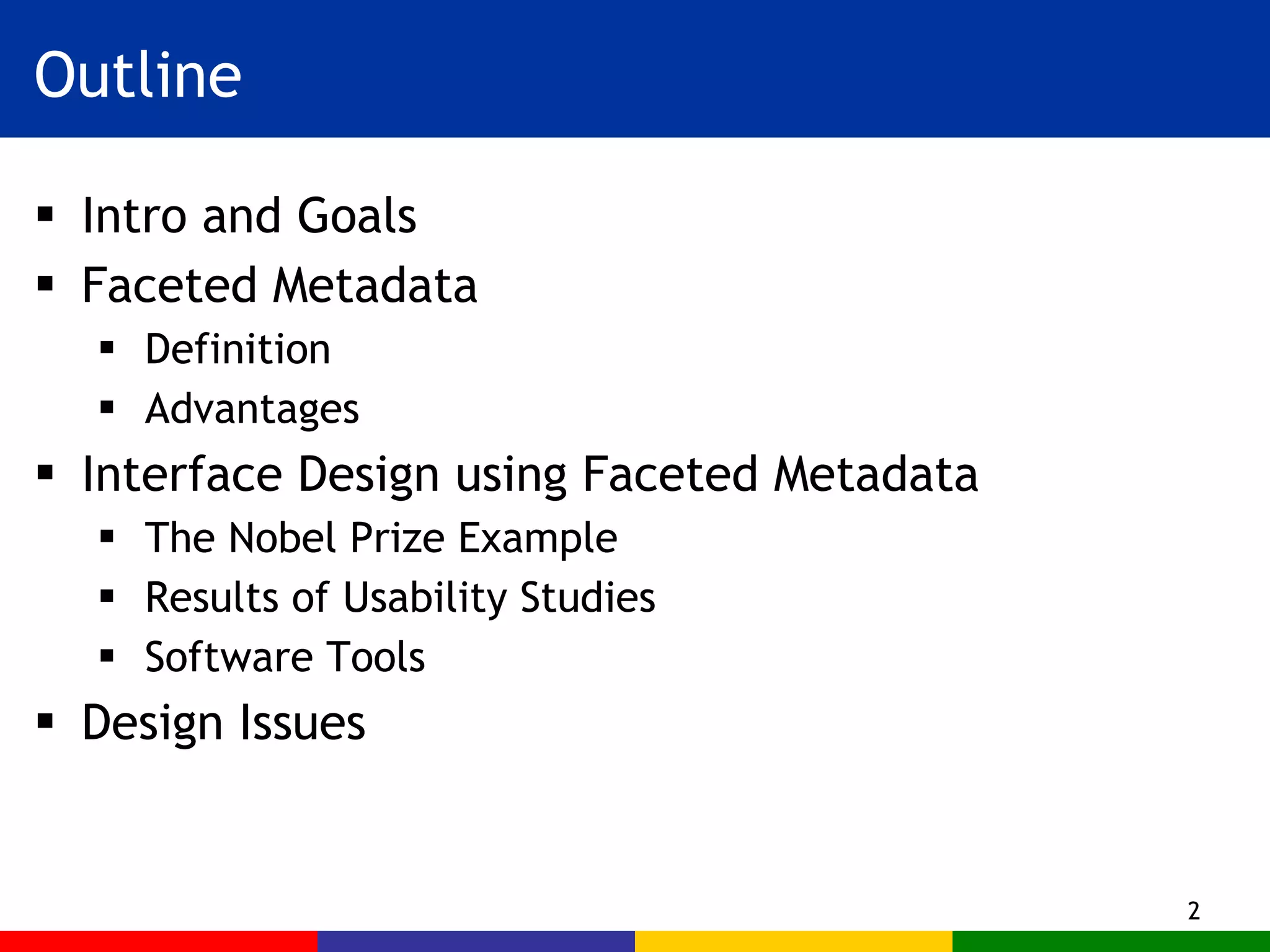
Outline Intro and Goals  Faceted Metadata  Definition Advantages Interface Design using Faceted Metadata The Nobel Prize Example Results of Usability Studies  Software Tools  Design Issues
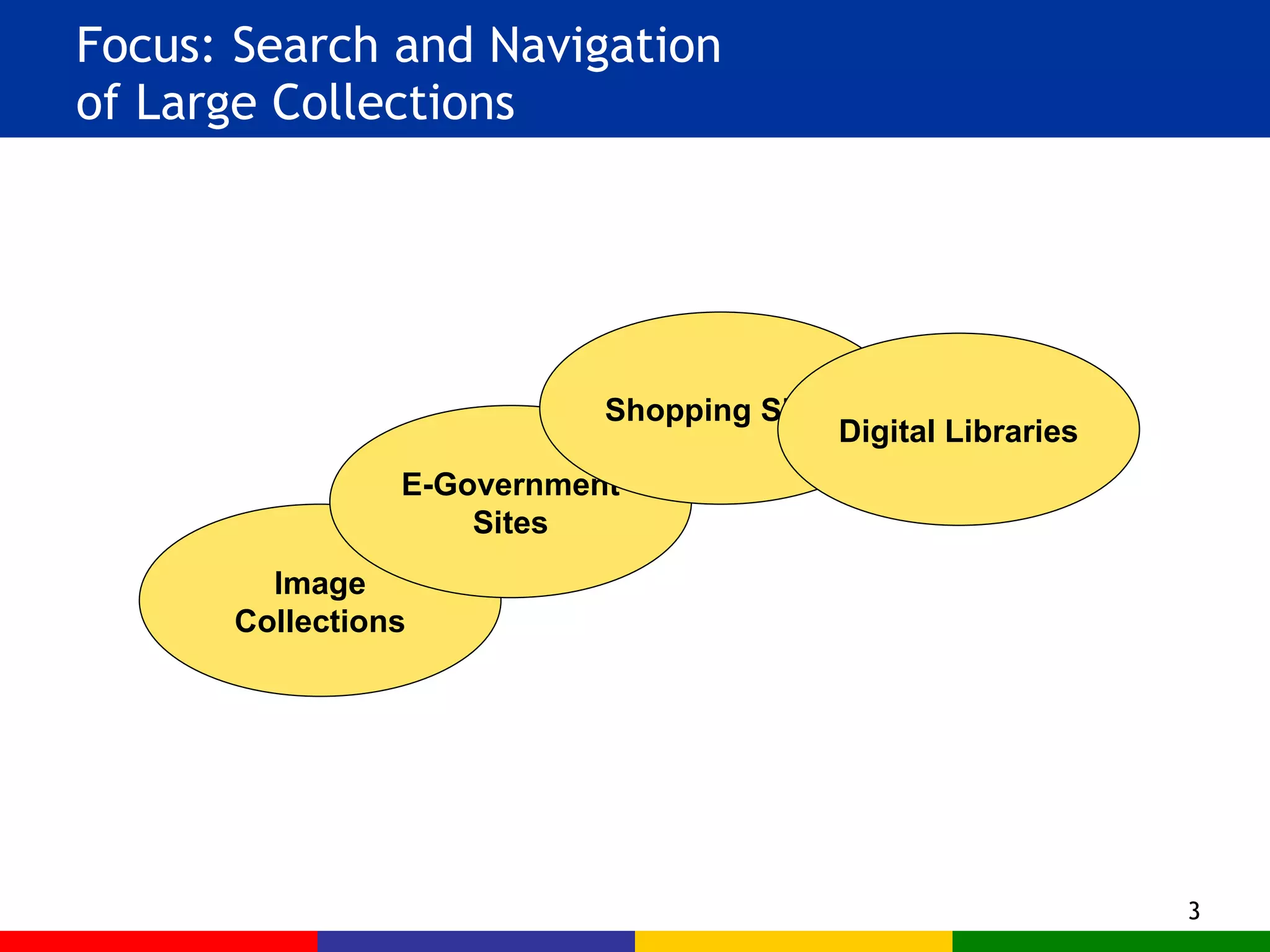
Focus: Search and Navigation  of Large Collections Image Collections E-Government Sites Shopping Sites Digital Libraries
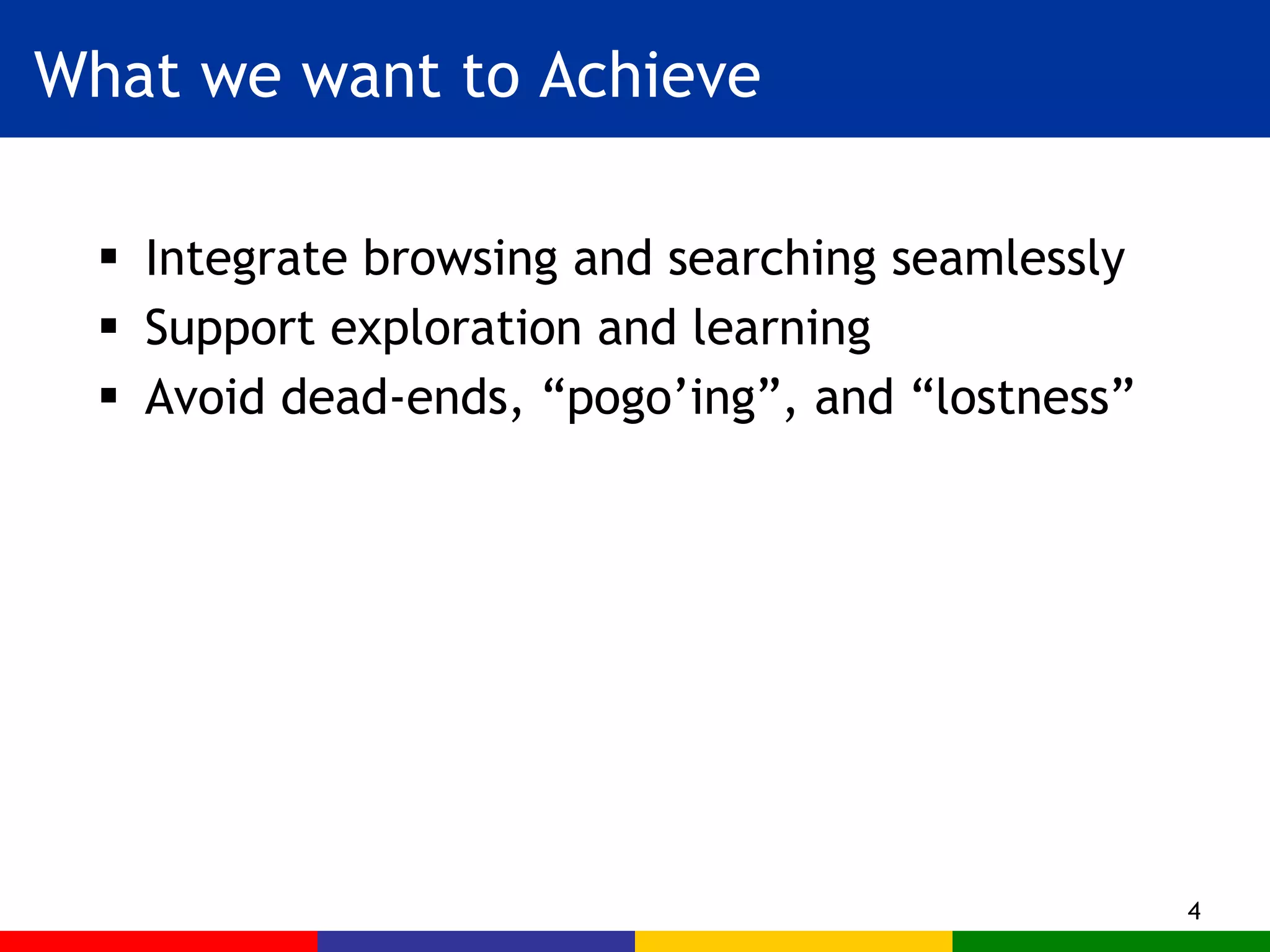
What we want to Achieve Integrate browsing and searching seamlessly Support exploration and learning Avoid dead-ends, “pogo’ing”, and “lostness”
Main Idea Use hierarchical faceted metadata  Design the interface to: Allow flexible navigation Provide previews of next steps Organize results in a meaningful way Support both expanding and refining the search
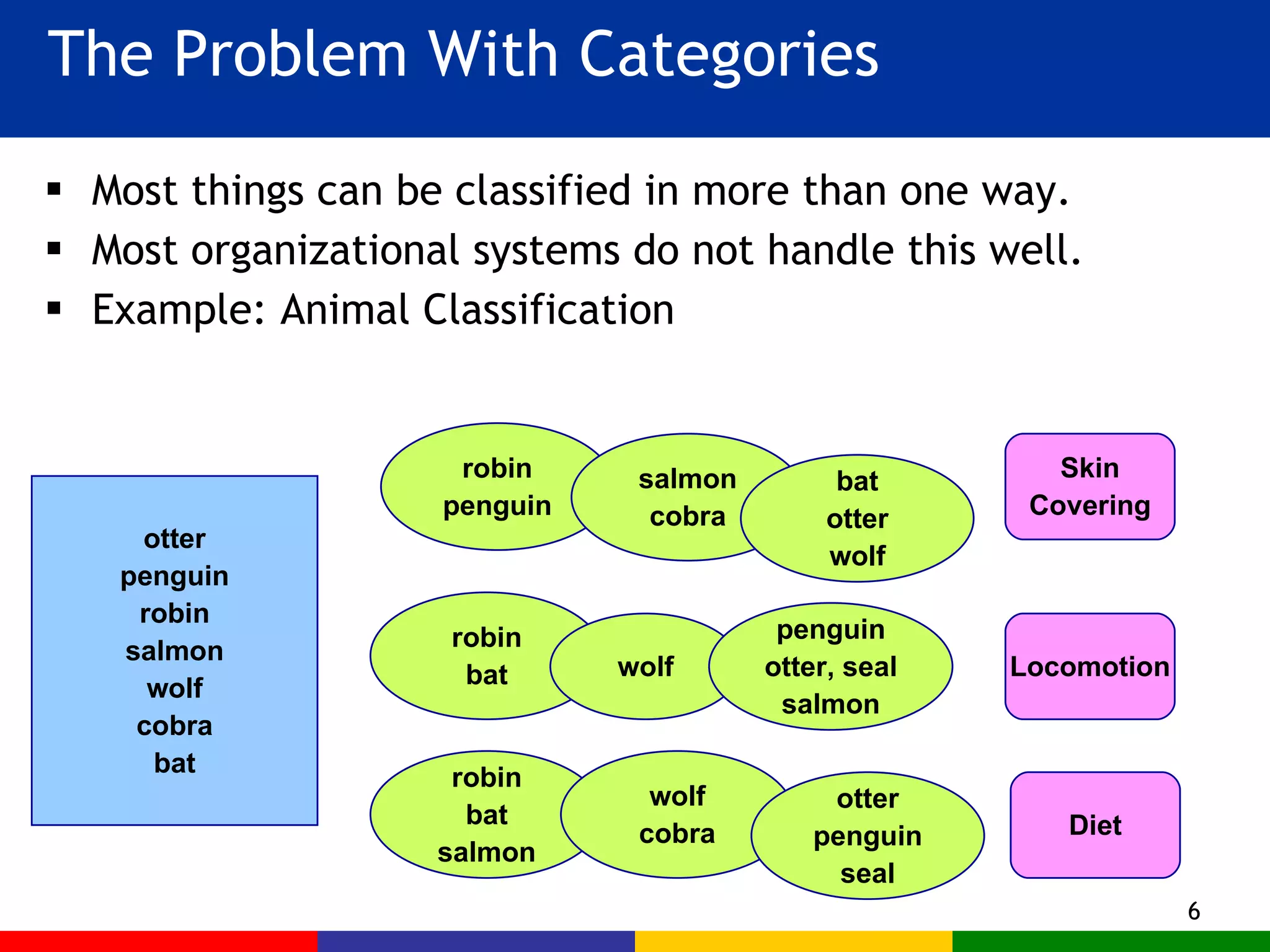
The Problem With Categories Most things can be classified in more than one way. Most organizational systems do not handle this well. Example: Animal Classification otter penguin robin salmon wolf cobra bat Skin Covering Locomotion Diet robin bat wolf penguin otter, seal salmon robin bat salmon wolf cobra otter penguin seal robin penguin salmon cobra bat otter wolf
Inflexible Force the user to start with a particular category What if I don’t know the animal’s diet, but the interface makes me start with that category? Wasteful Have to repeat combinations of categories Makes for extra clicking and extra coding Difficult to modify To add a new category type, must duplicate it everywhere or change things everywhere The Problem with Hierarchy
The Problem With Hierarchy start fur scales feathers swim fly run slither fur scales feathers fur scales feathers fish rodents insects fish rodents insects fish rodents insects fish rodents insects fish rodents insects fish rodents insects fish rodents insects fish rodents insects fish rodents insects salmon bat robin wolf …
The Idea of Facets Facets are a way of labeling data A kind of Metadata (data about data) Can be thought of as properties of items Facets vs. Categories Items are placed INTO a category system Multiple facet labels are ASSIGNED TO items
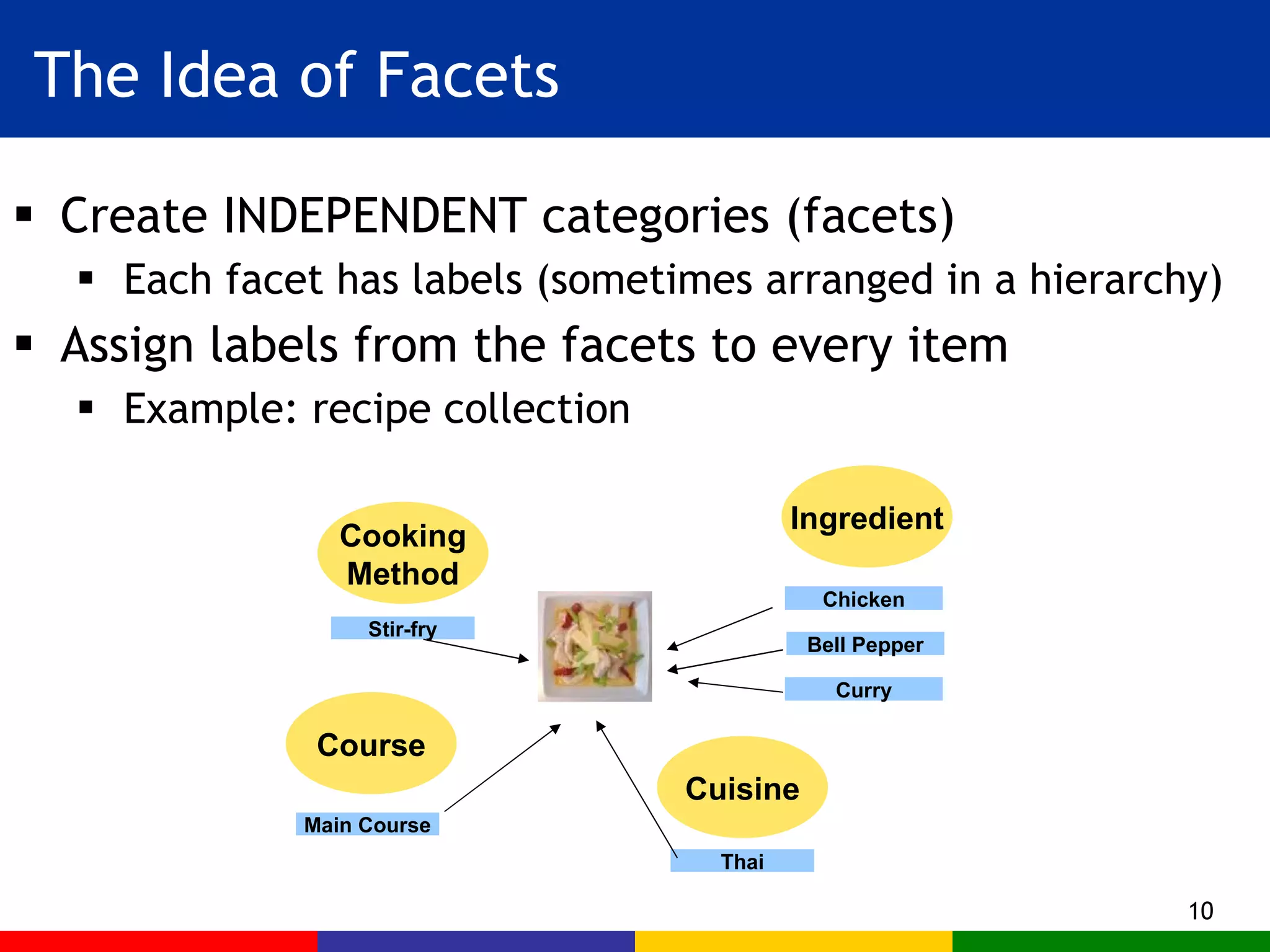
The Idea of Facets Create INDEPENDENT categories (facets) Each facet has labels (sometimes arranged in a hierarchy) Assign labels from the facets to every item Example: recipe collection Course Main Course Cooking Method Stir-fry Cuisine Thai Ingredient Bell Pepper Curry Chicken
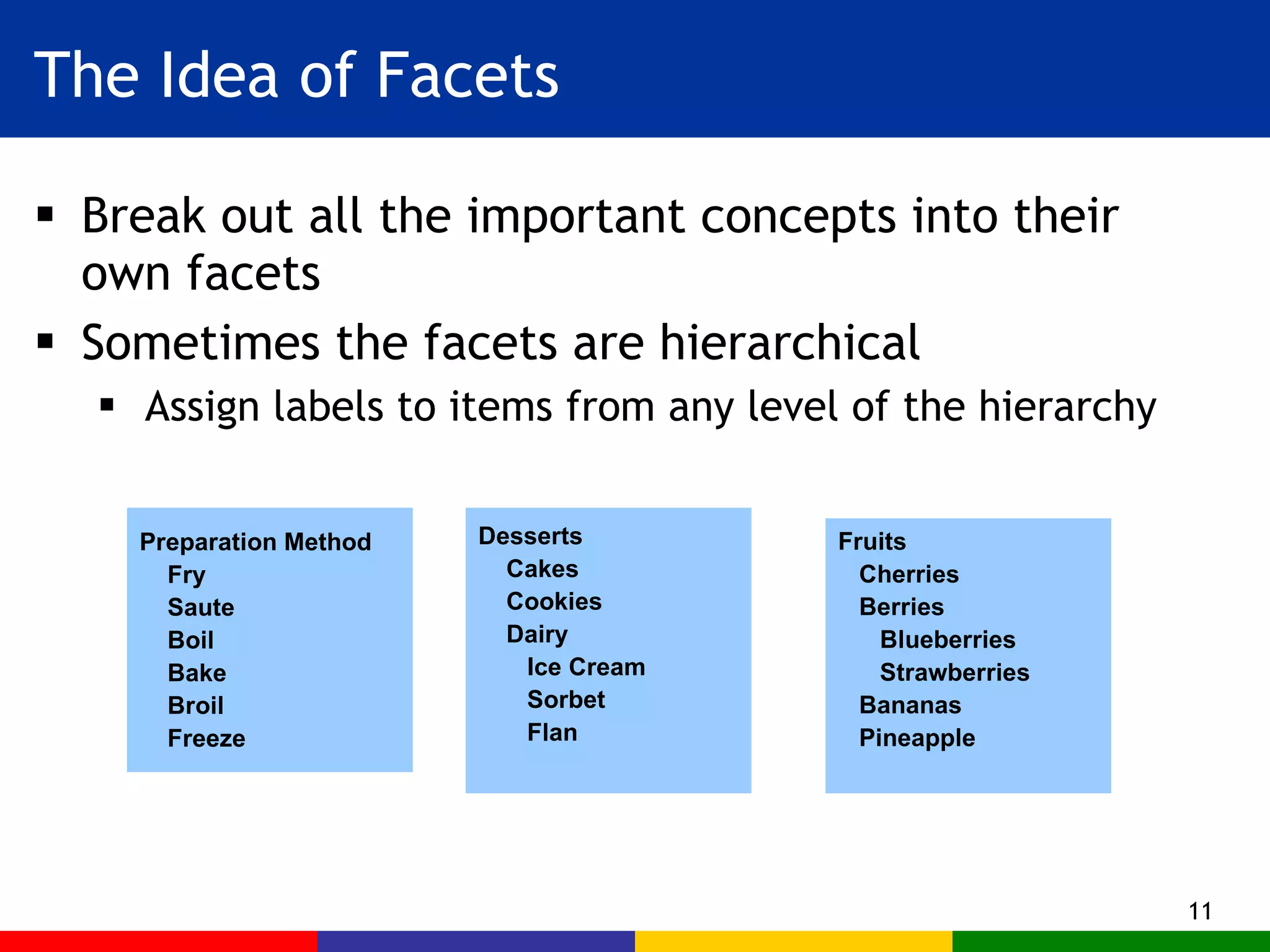
The Idea of Facets Break out all the important concepts into their own facets Sometimes the facets are hierarchical Assign labels to items from any level of the hierarchy Preparation Method Fry Saute Boil Bake Broil Freeze  Desserts Cakes Cookies Dairy Ice Cream Sorbet Flan Fruits Cherries Berries Blueberries Strawberries Bananas Pineapple
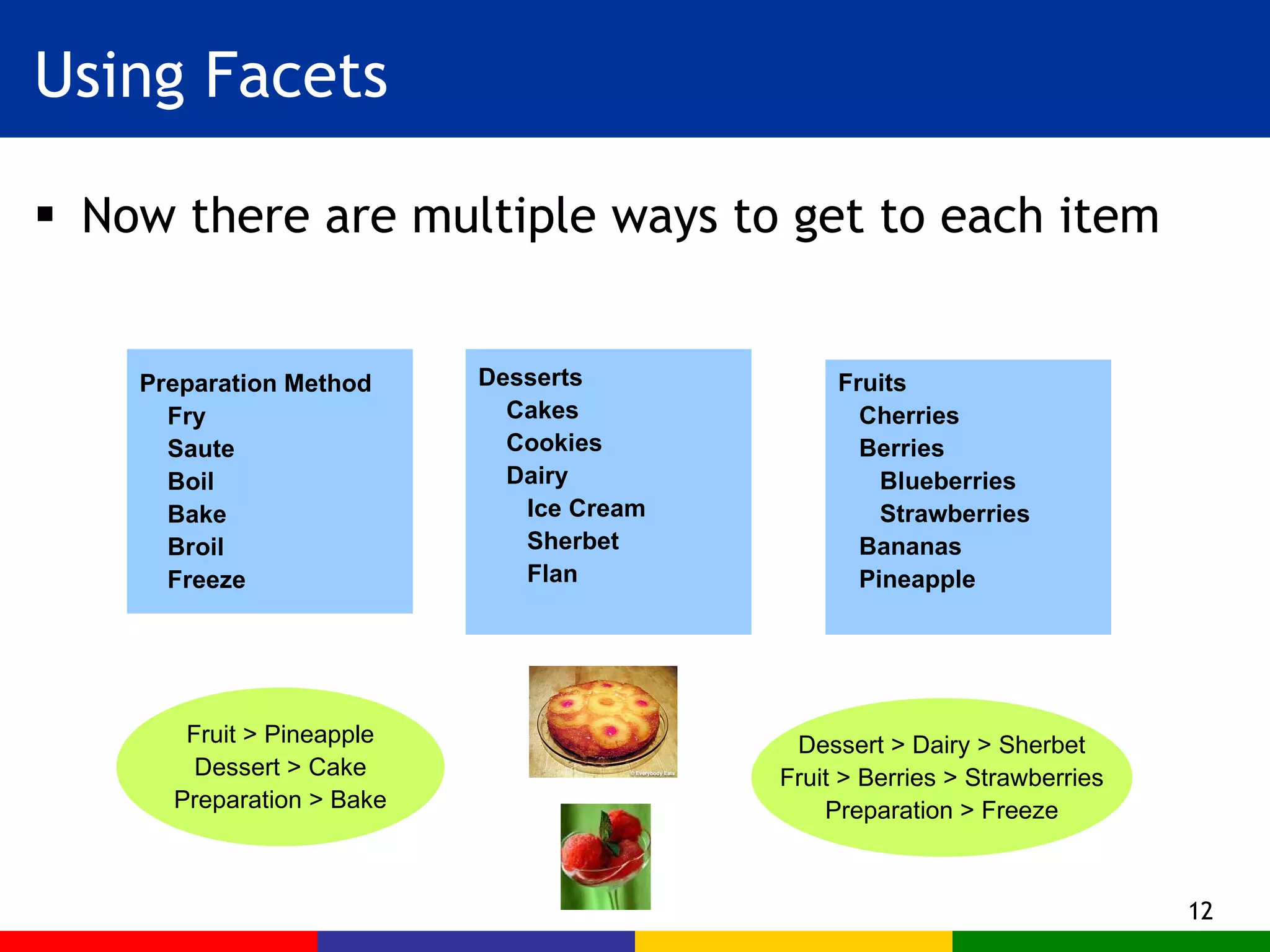
Using Facets Now there are multiple ways to get to each item Preparation Method Fry Saute Boil Bake Broil Freeze  Desserts Cakes Cookies Dairy Ice Cream Sherbet Flan Fruits Cherries Berries Blueberries Strawberries Bananas Pineapple Fruit > Pineapple Dessert > Cake Preparation > Bake Dessert > Dairy > Sherbet Fruit > Berries > Strawberries Preparation > Freeze
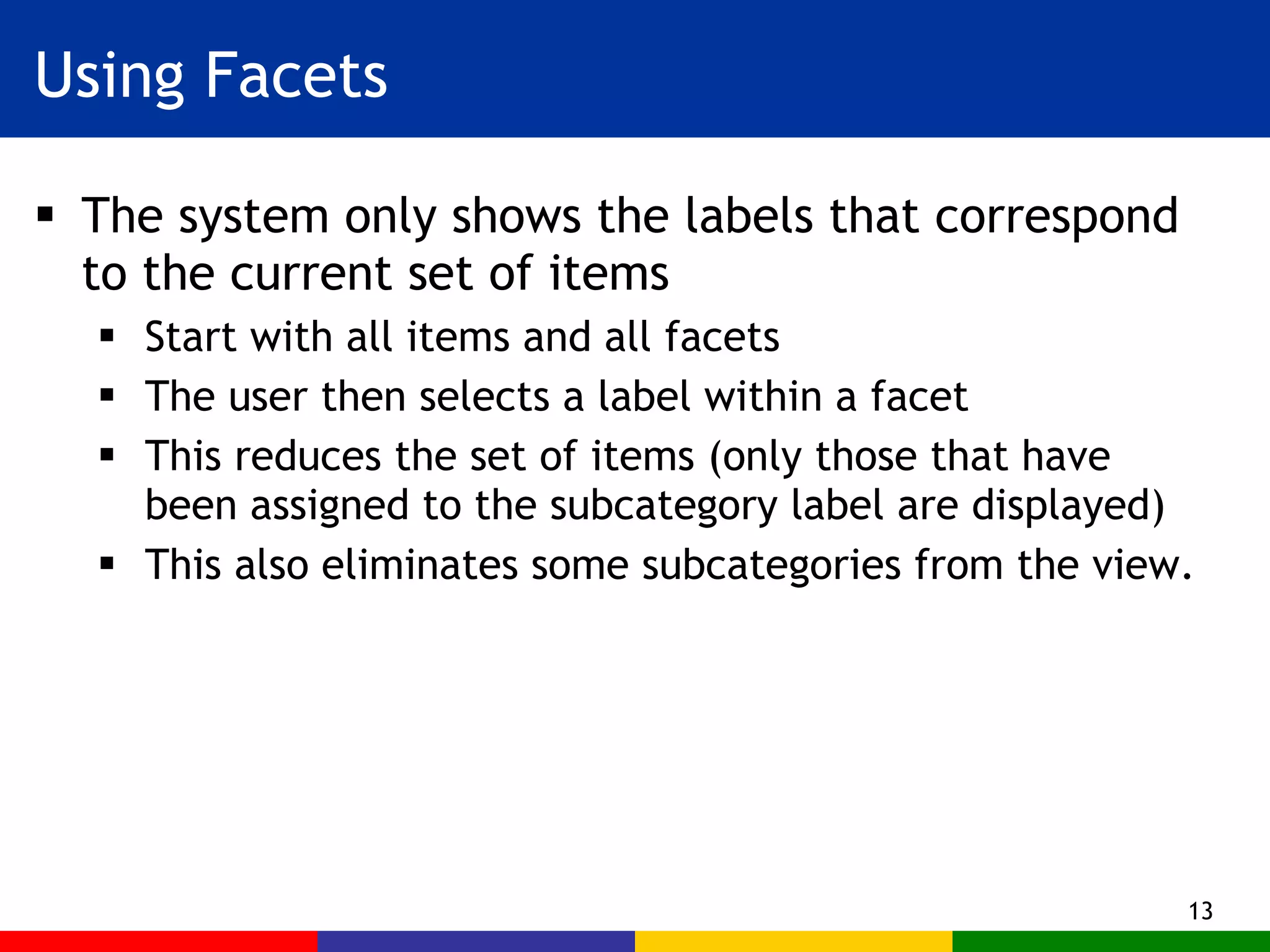
Using Facets The system only shows the labels that correspond to the current set of items Start with all items and all facets The user then selects a label within a facet  This reduces the set of items (only those that have been assigned to the subcategory label are displayed) This also eliminates some subcategories from the view.
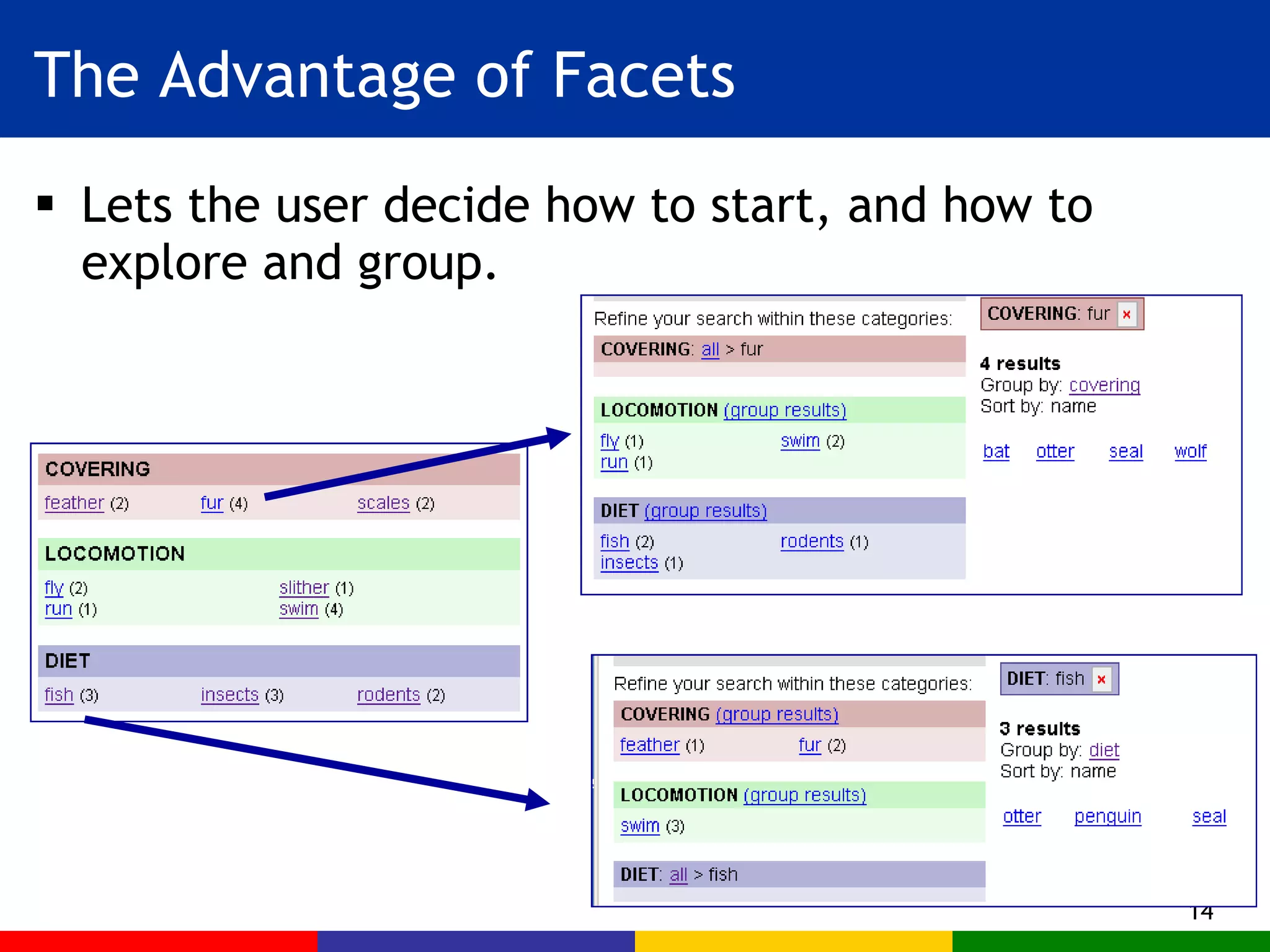
The Advantage of Facets Lets the user decide how to start, and how to explore and group.
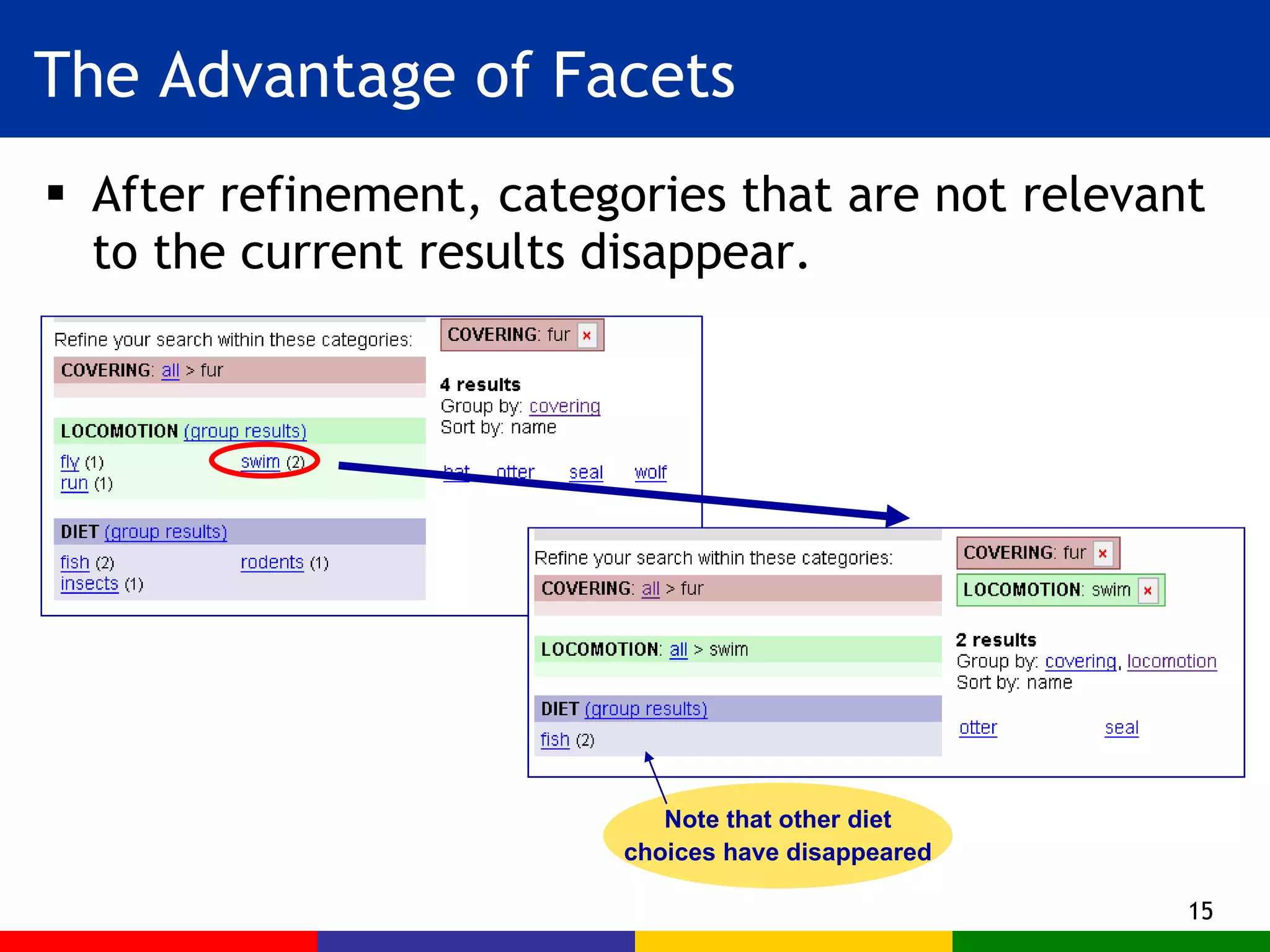
The Advantage of Facets After refinement, categories that are not relevant to the current results disappear. Note that other diet choices have disappeared
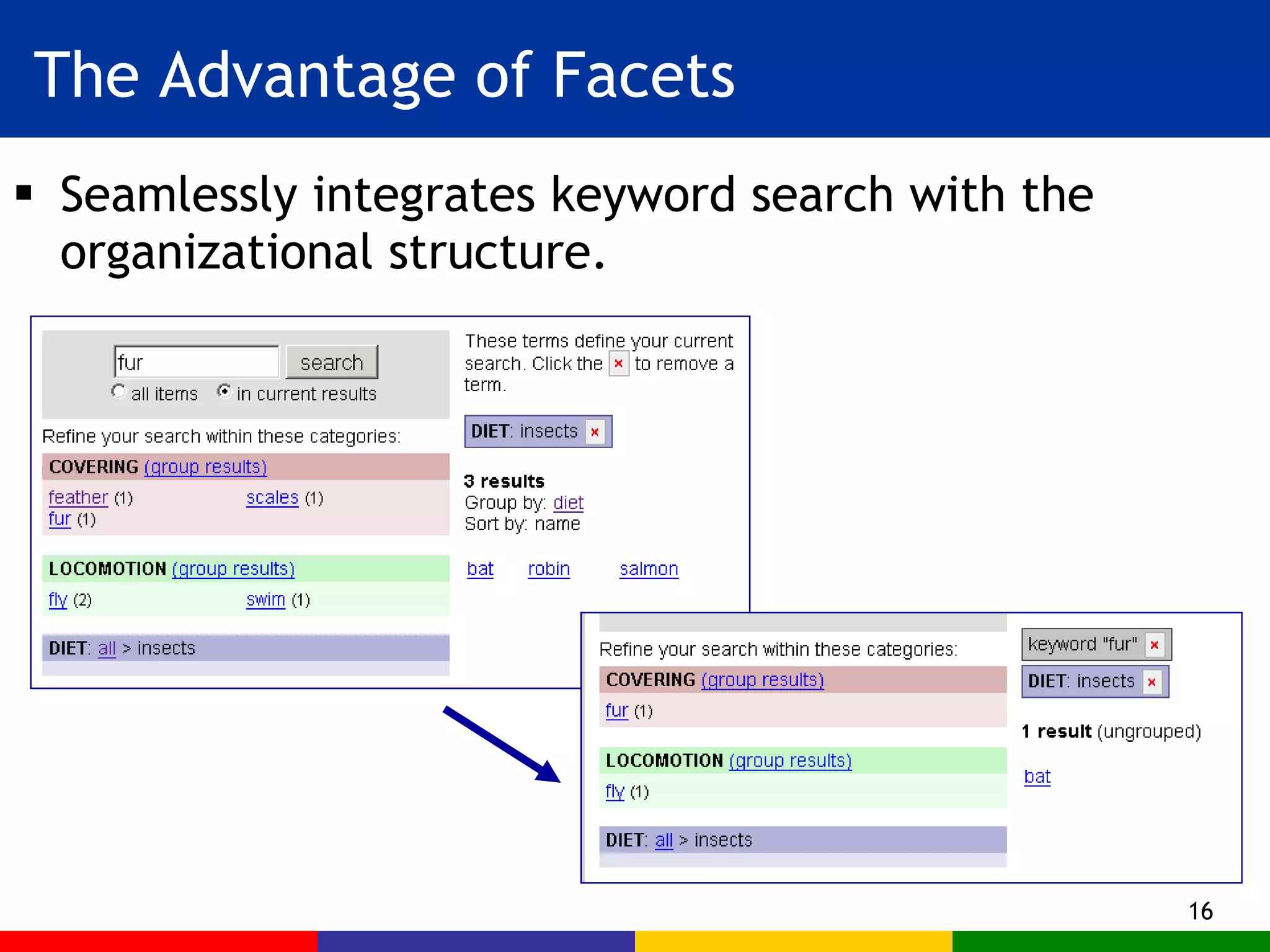
The Advantage of Facets Seamlessly integrates keyword search with the organizational structure.
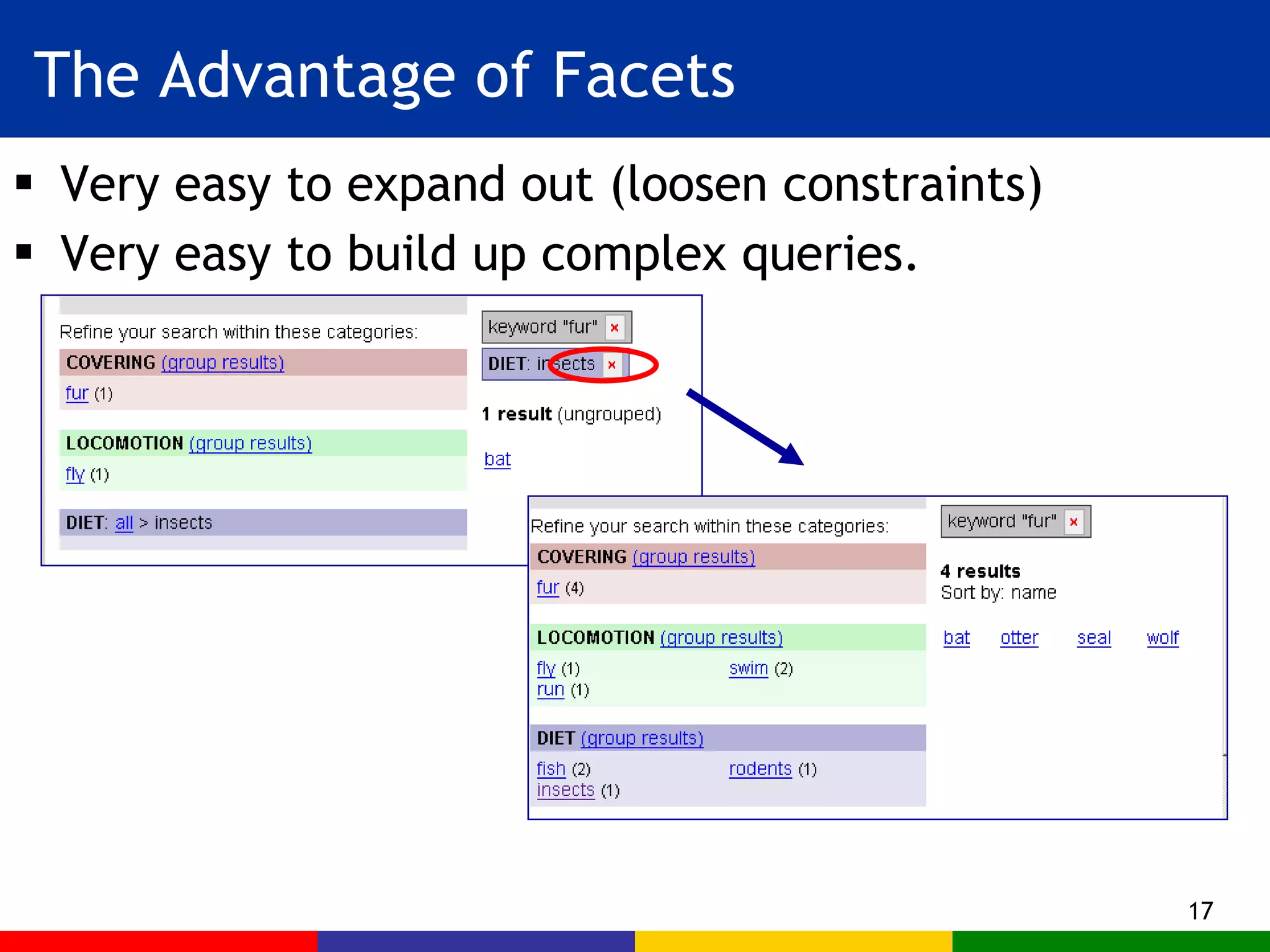
The Advantage of Facets Very easy to expand out (loosen constraints) Very easy to build up complex queries.
Advantages of Facets Can’t end up with empty results sets (except with keyword search) Helps avoid feelings of being lost. Easier to explore the collection. Helps users infer what kinds of things are in the collection. Evokes a feeling of “browsing the shelves” Is preferred over standard search for collection browsing in usability studies. (Interface must be designed properly)
Advantages of Facets Seamless to add new facets and subcategories Seamless to add new items. Helps with “categorization wars” Don’t have to agree exactly where to place something Interaction can be implemented using a standard relational database. May be easier for automatic categorization
Information previews Use the metadata to show where to go next More flexible than canned hyperlinks Less complex than full search Help users see and return to previous steps Reduces mental work Recognition over recall Suggests alternatives More clicks are ok  only if  (J. Spool) The “scent” of the target does not weaken If users feel they are going towards, rather than away, from their target.
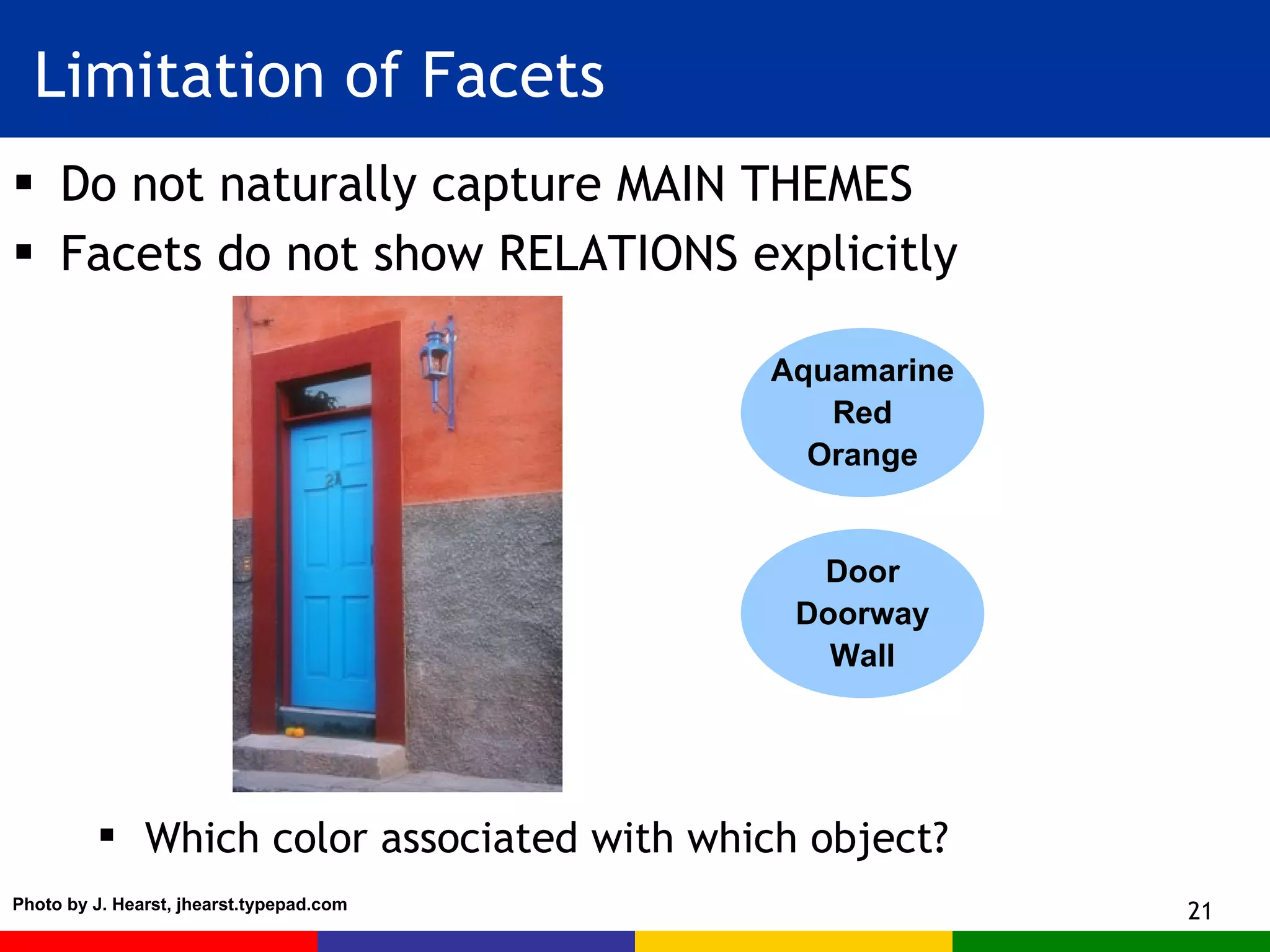
Limitation of Facets Do not naturally capture MAIN THEMES Facets do not show RELATIONS explicitly Aquamarine Red Orange Door Doorway Wall Which color associated with which object? Photo by J. Hearst, jhearst.typepad.com
Example: Nobel Prize Winners Collection (Before and After Facets)
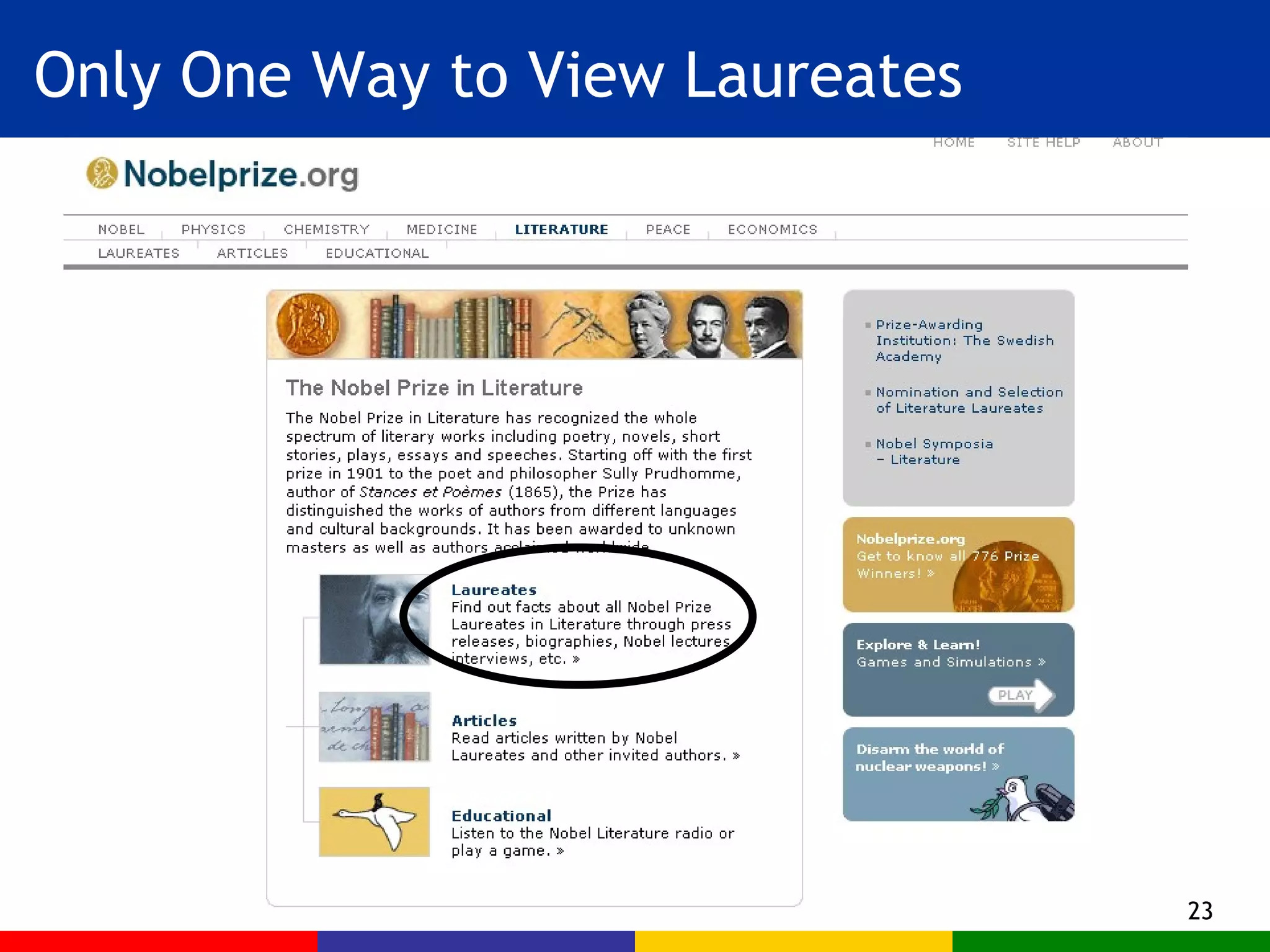
Only One Way to View Laureates
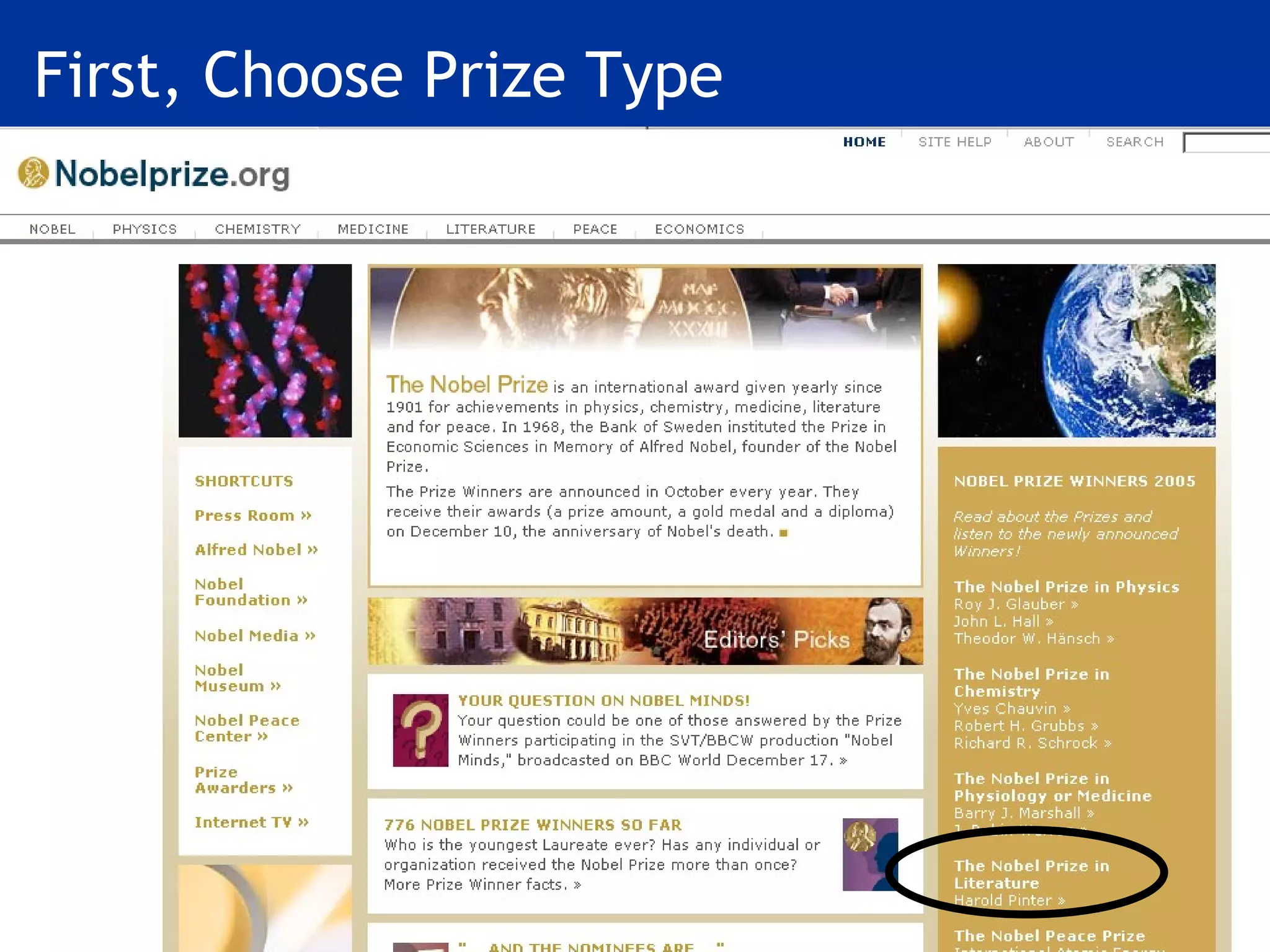
First, Choose Prize Type
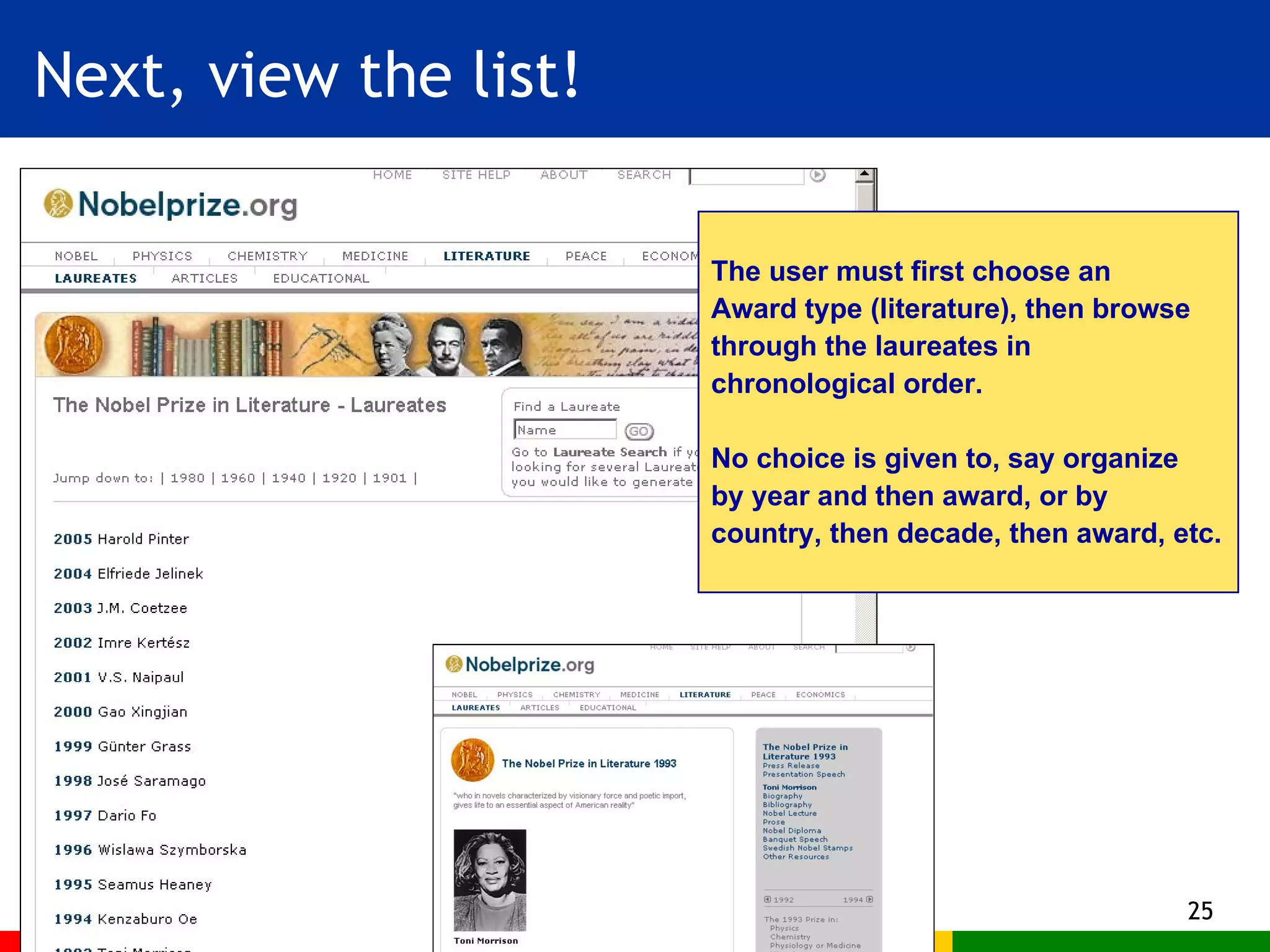
Next, view the list! The user must first choose an  Award type (literature), then browse through the laureates in  chronological order. No choice is given to, say organize by year and then award, or by country, then decade, then award, etc.
Navigation and Search  with Faceted Metadata
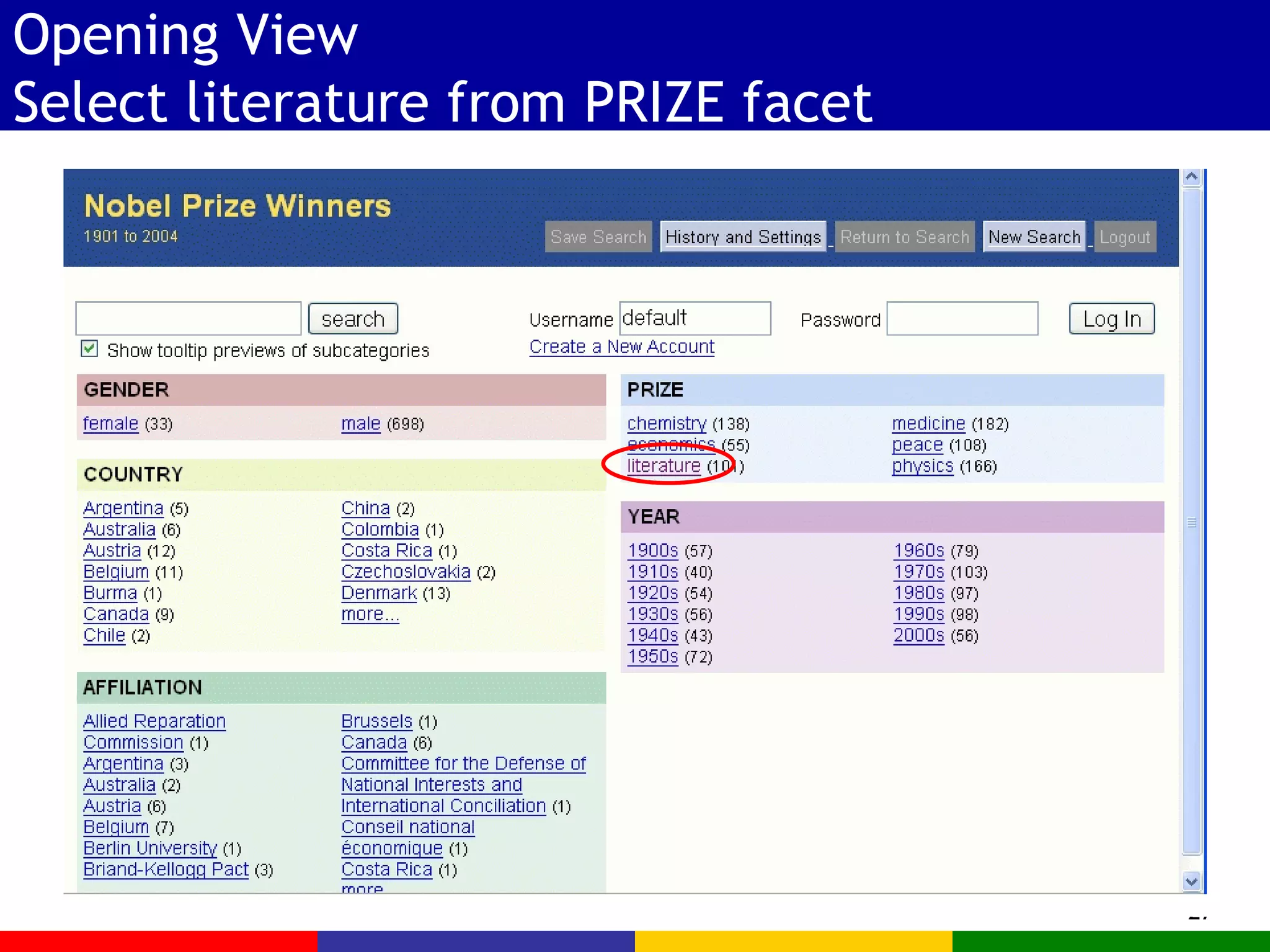
Opening View Select literature from PRIZE facet
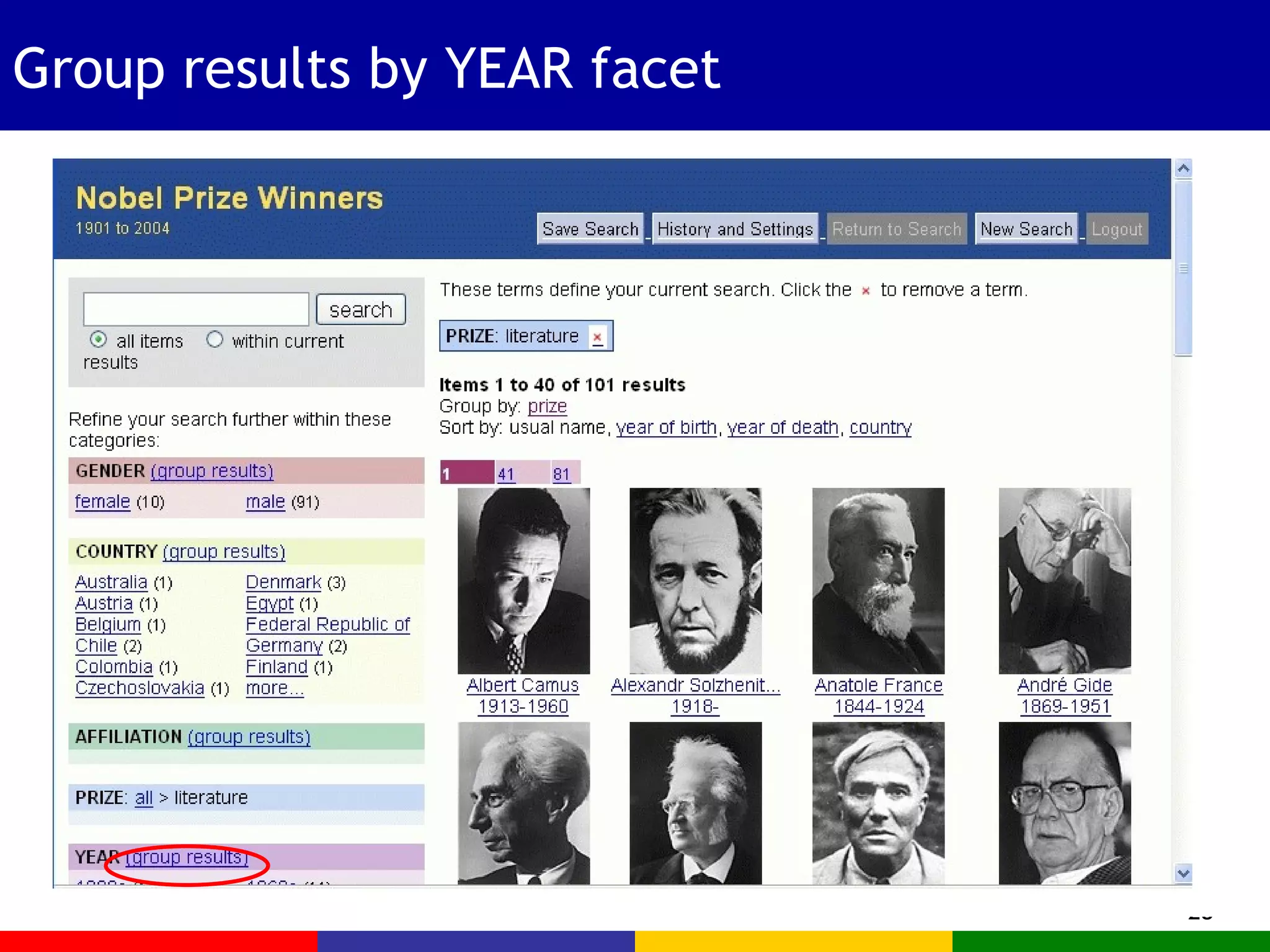
Group results by YEAR facet
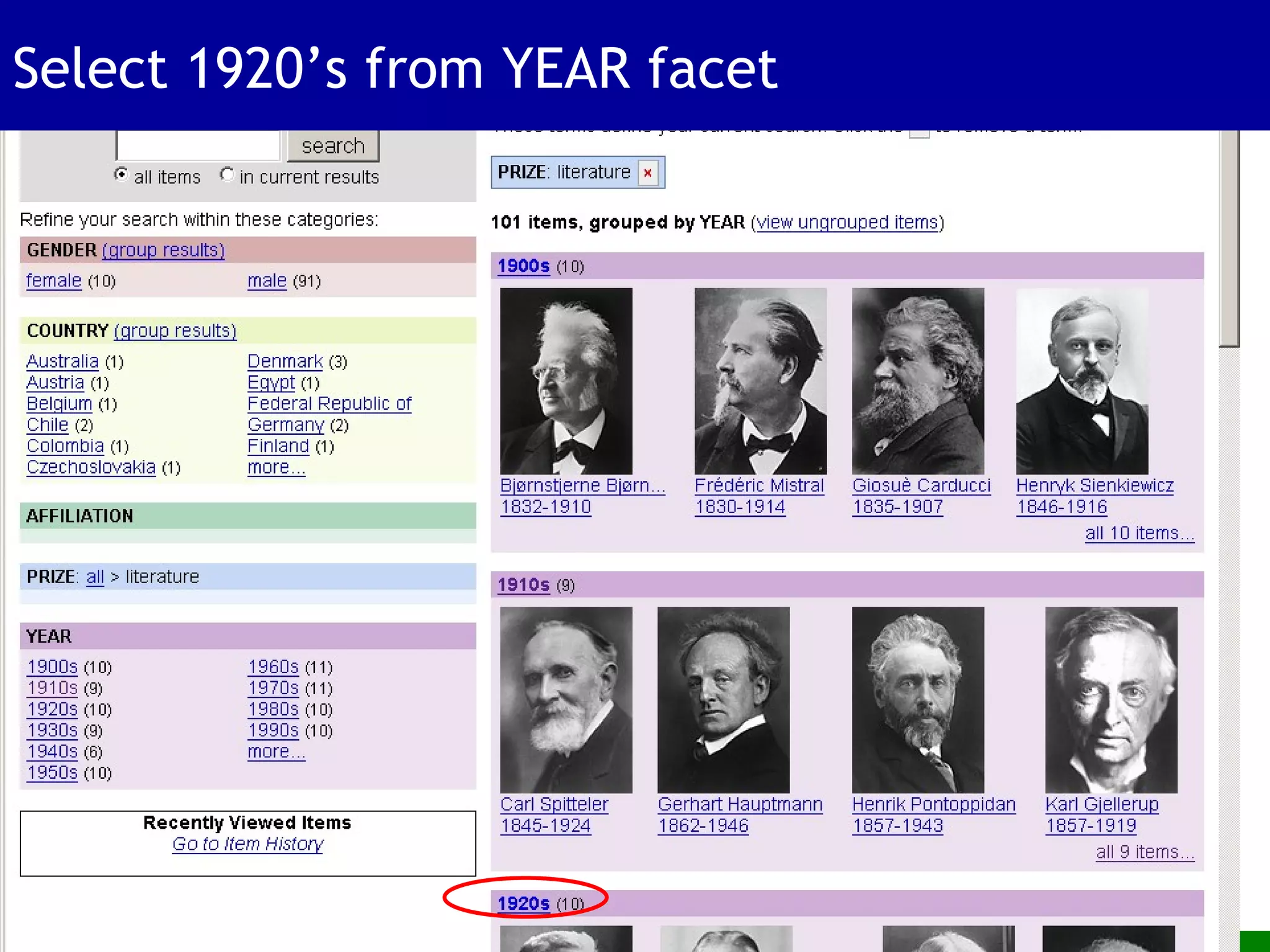
Select 1920’s from YEAR facet
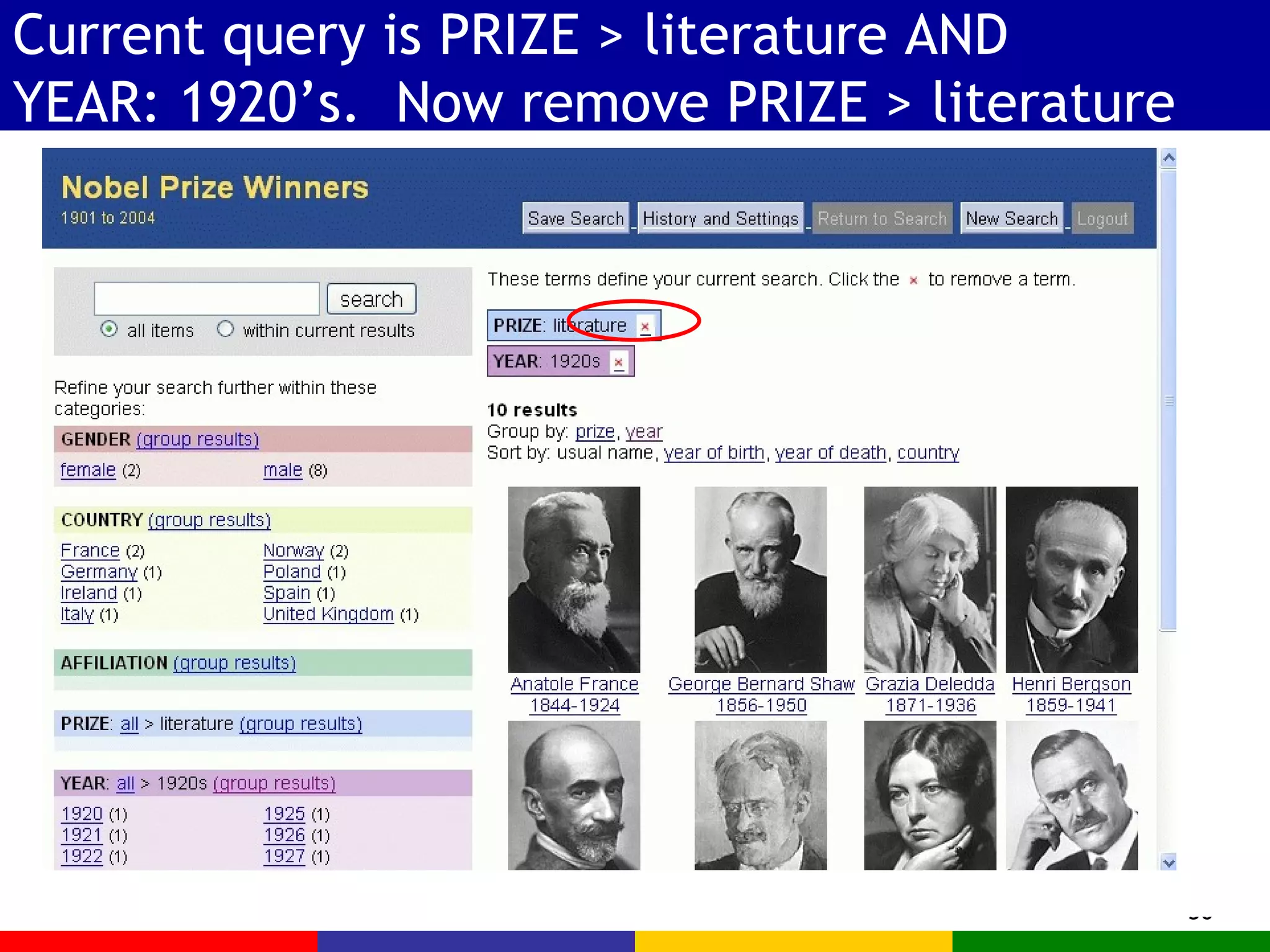
Current query is PRIZE > literature AND YEAR: 1920’s.  Now remove PRIZE > literature
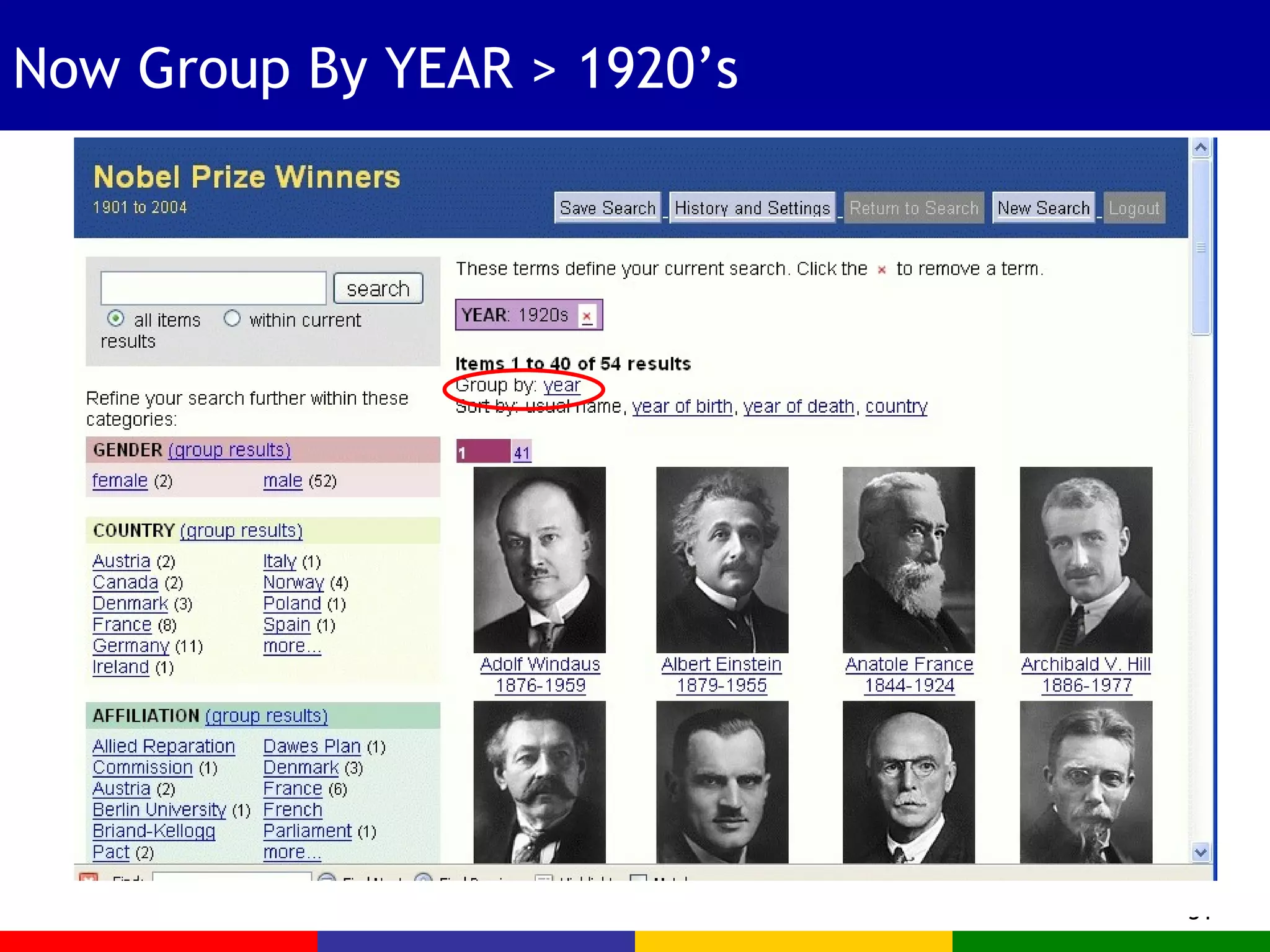
Now Group By YEAR > 1920’s
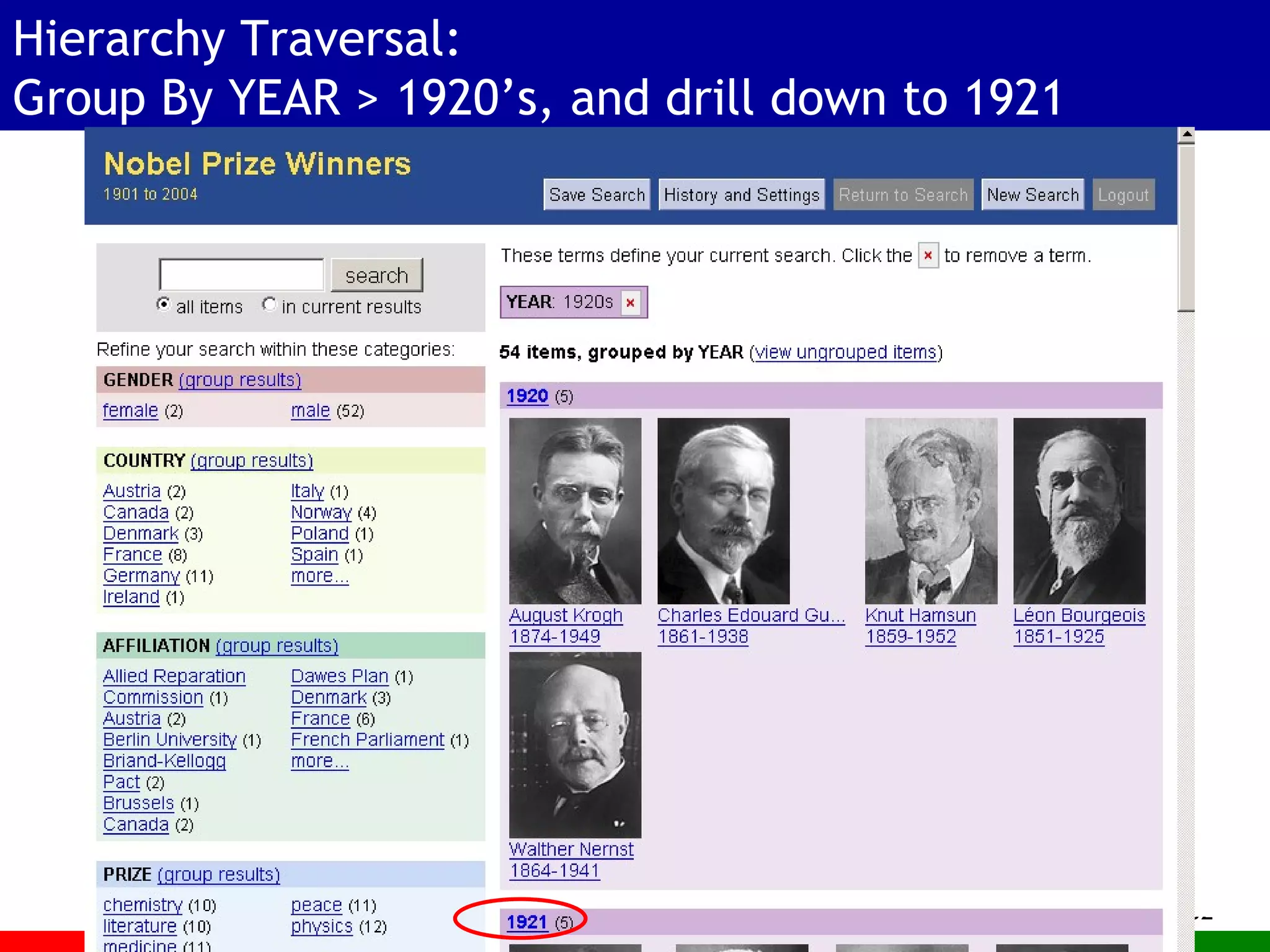
Hierarchy Traversal: Group By YEAR > 1920’s, and drill down to 1921
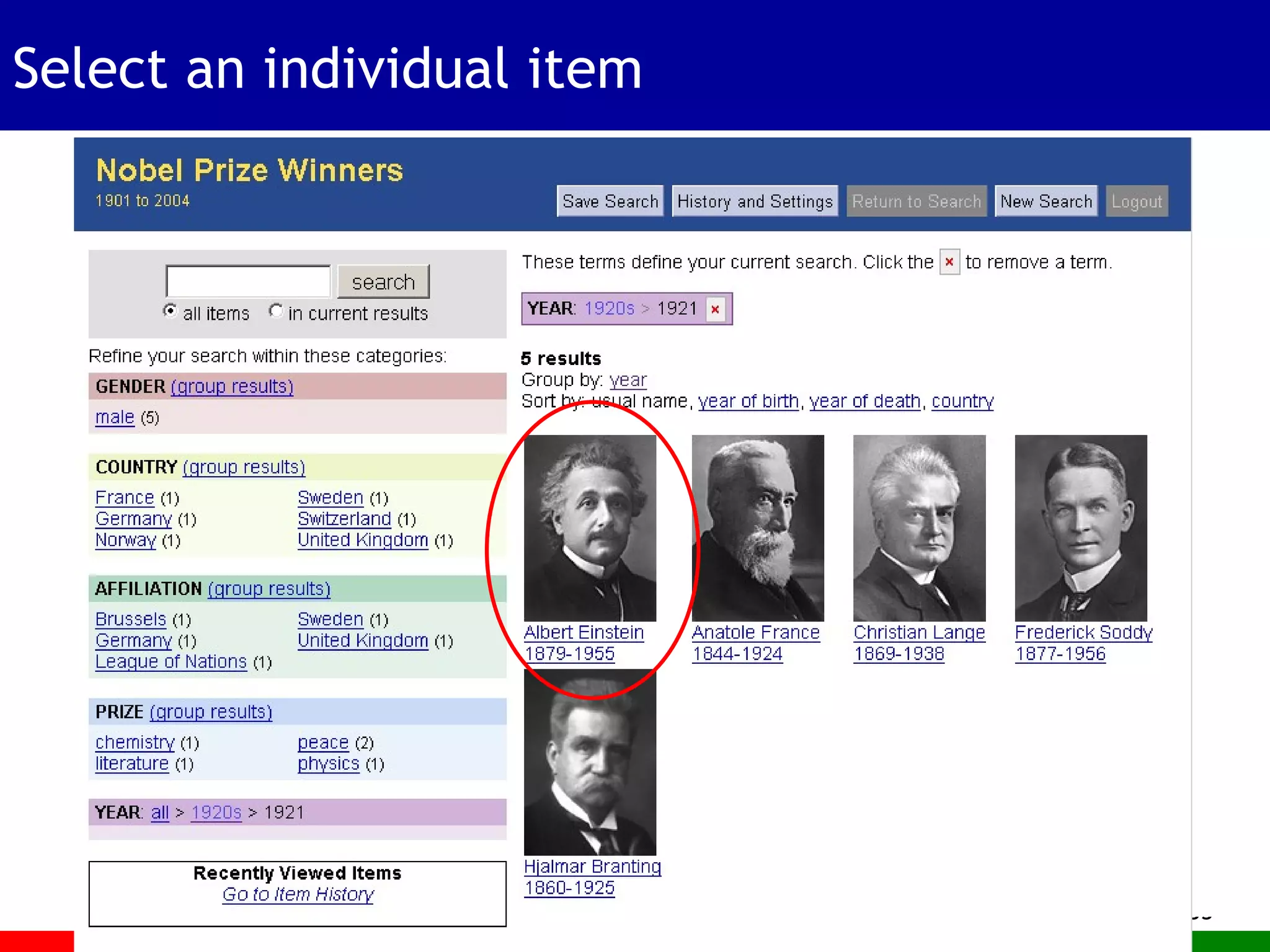
Select an individual item
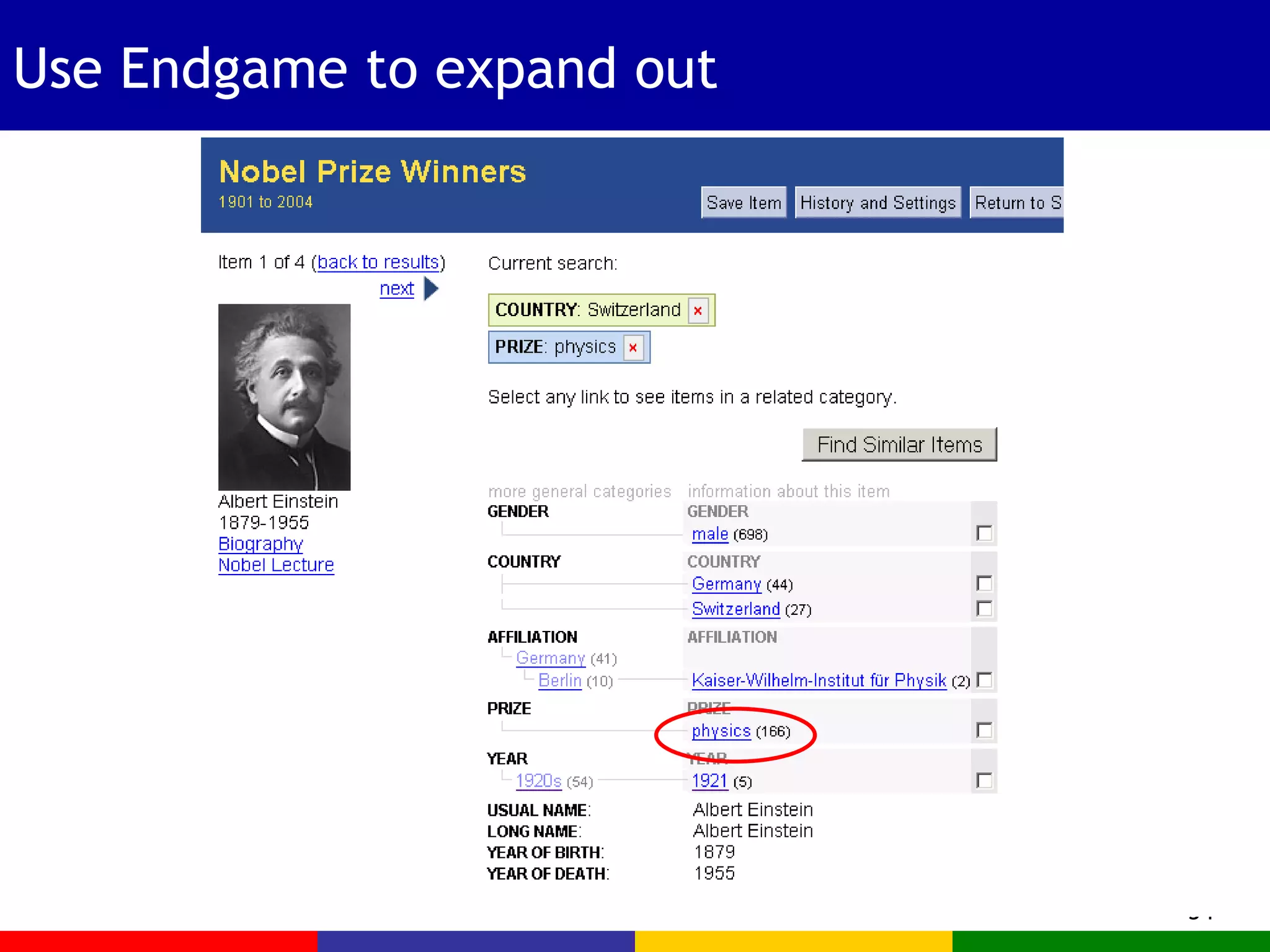
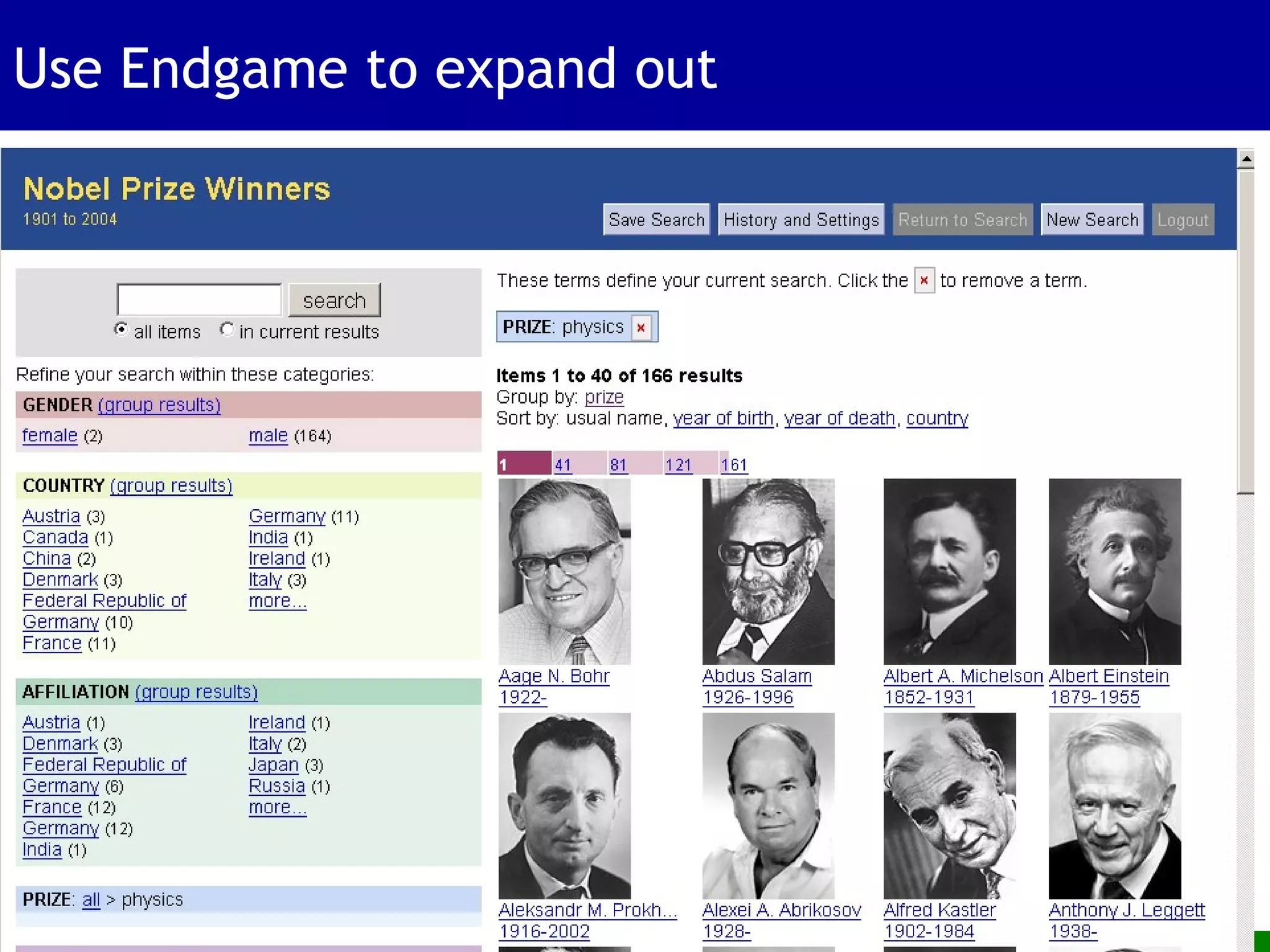
Use Endgame to expand out
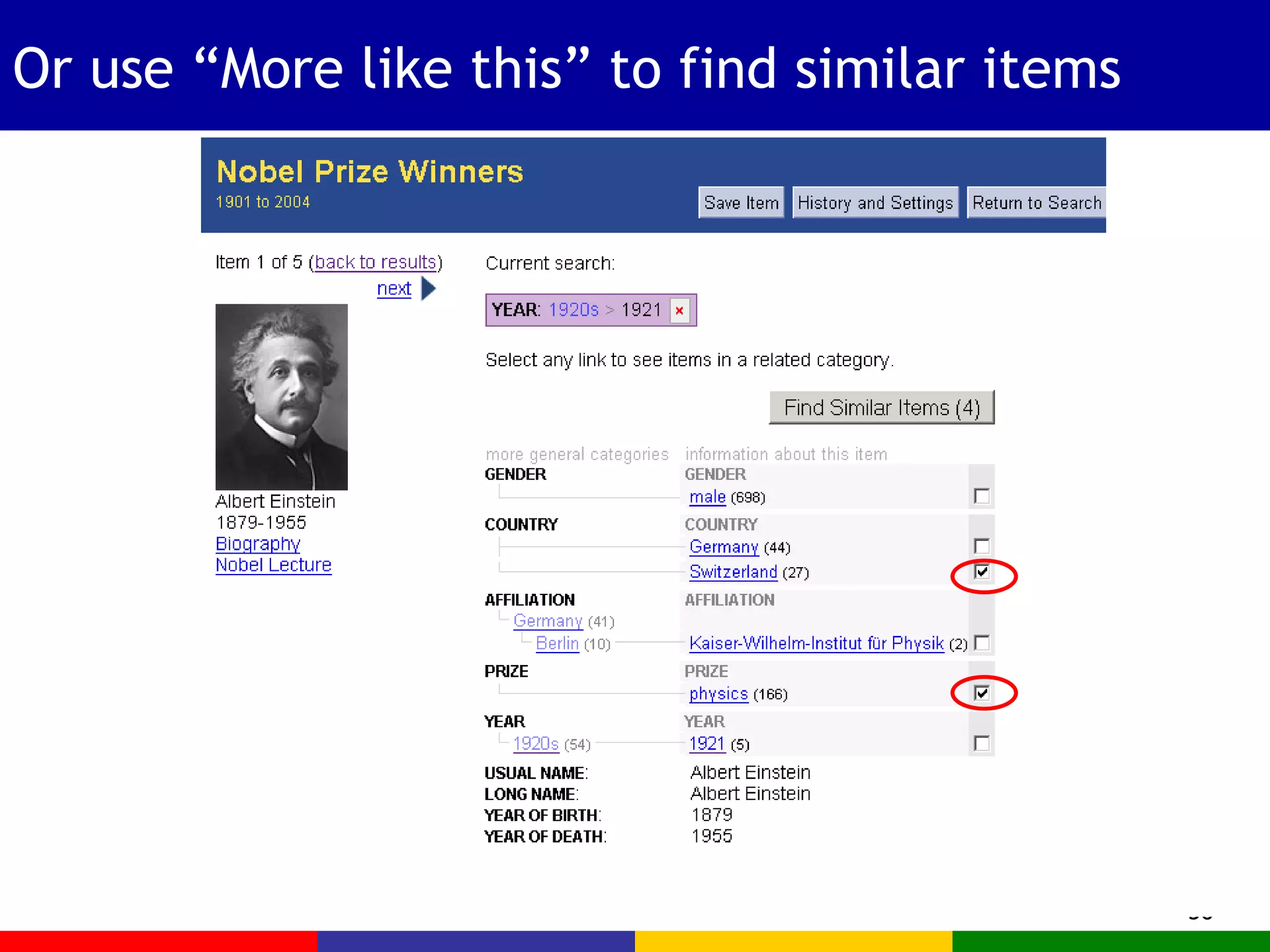
Or use “More like this” to find similar items
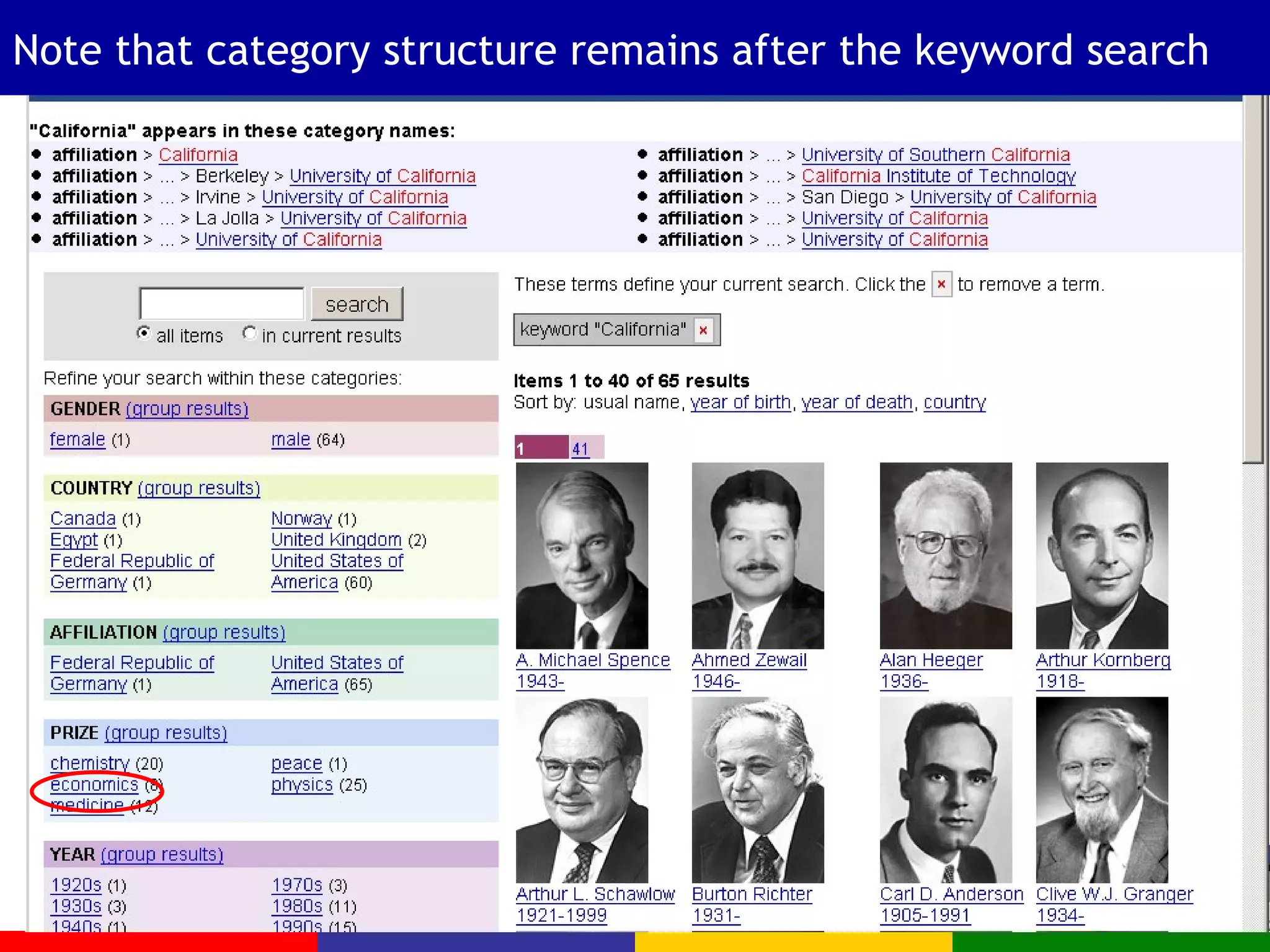
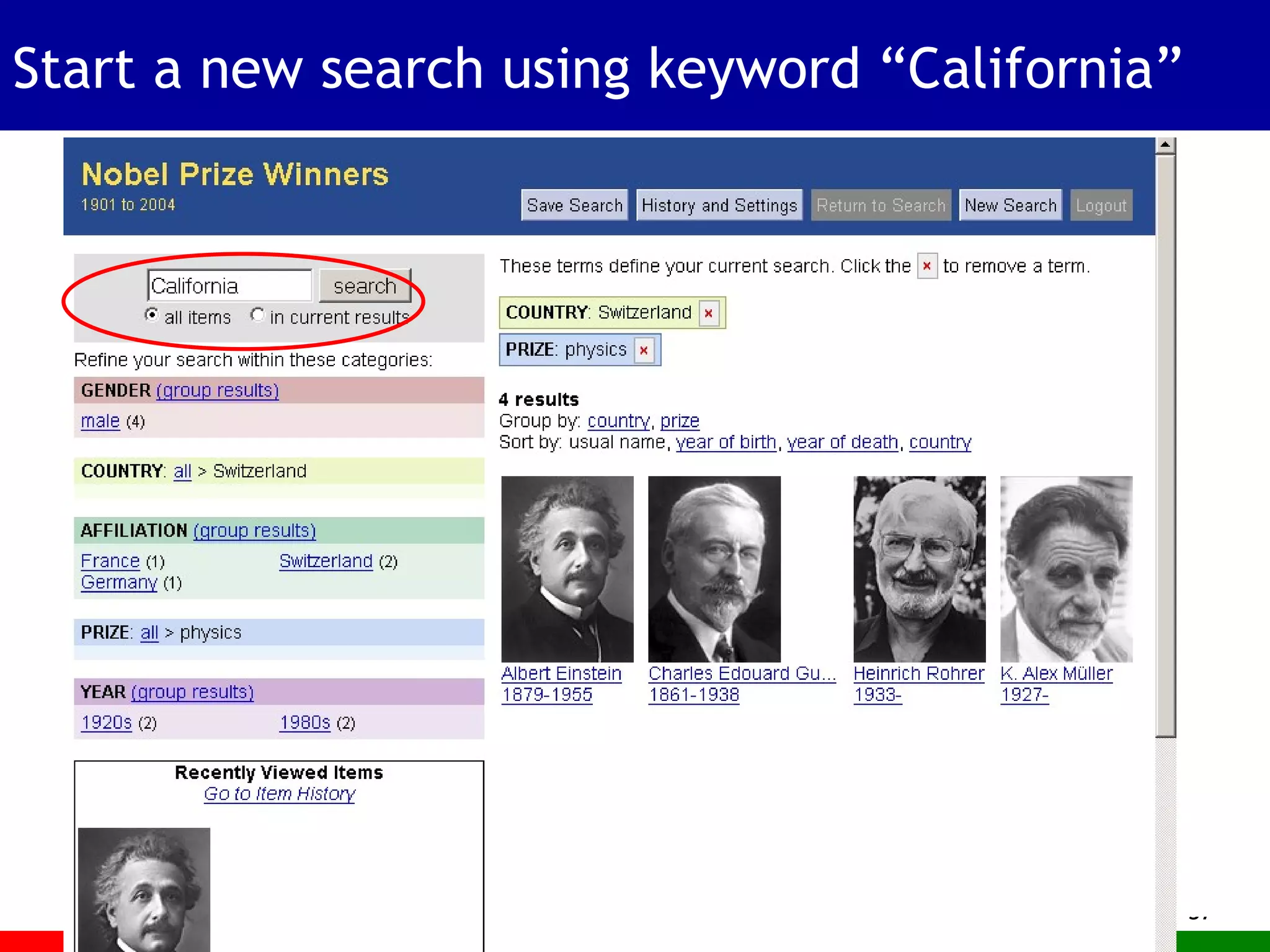
Start a new search using keyword “California”
Note that category structure remains after the keyword search
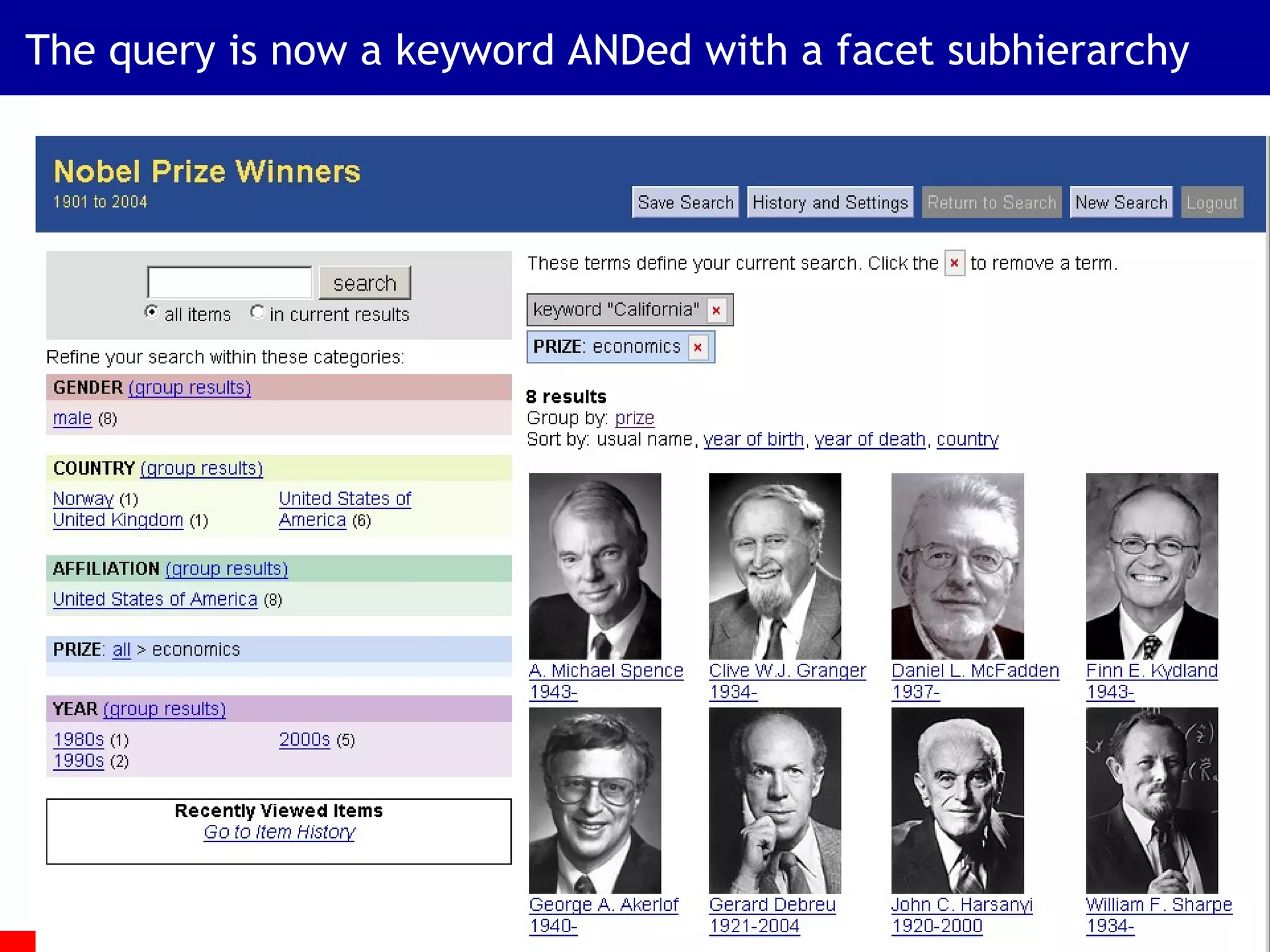
The query is now a keyword ANDed with a facet subhierarchy
The Challenges Users generally do not adopt new search interfaces How to show a lot more information without overwhelming or confusing? Most users prefer simplicity unless complexity really makes a difference Small details matter Next we describe the design decisions that we have found lead to success.
Usability Study Results
Search Usability Design Goals Strive for Consistency Provide Shortcuts Offer Informative Feedback Design for Closure Provide Simple Error Handling Permit Easy Reversal of Actions Support User Control Reduce Short-term Memory Load From Shneiderman, Byrd, & Croft, Clarifying Search, DLIB Magazine, Jan 1997. www.dlib.org
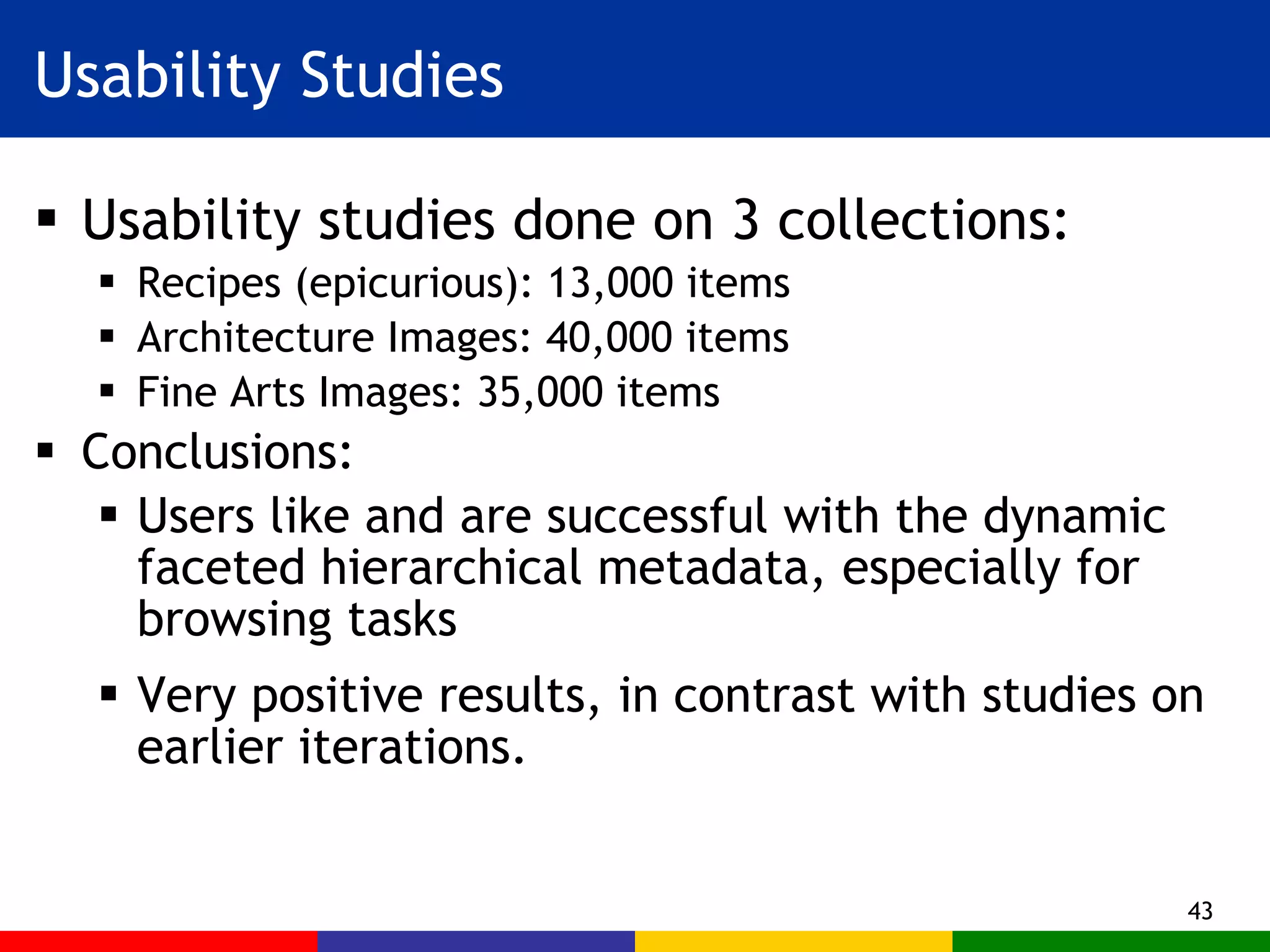
Usability Studies Usability studies done on 3 collections: Recipes (epicurious): 13,000 items Architecture Images: 40,000 items Fine Arts Images: 35,000 items Conclusions: Users like and are successful with the dynamic faceted hierarchical metadata, especially for browsing tasks Very positive results, in contrast with studies on earlier iterations.
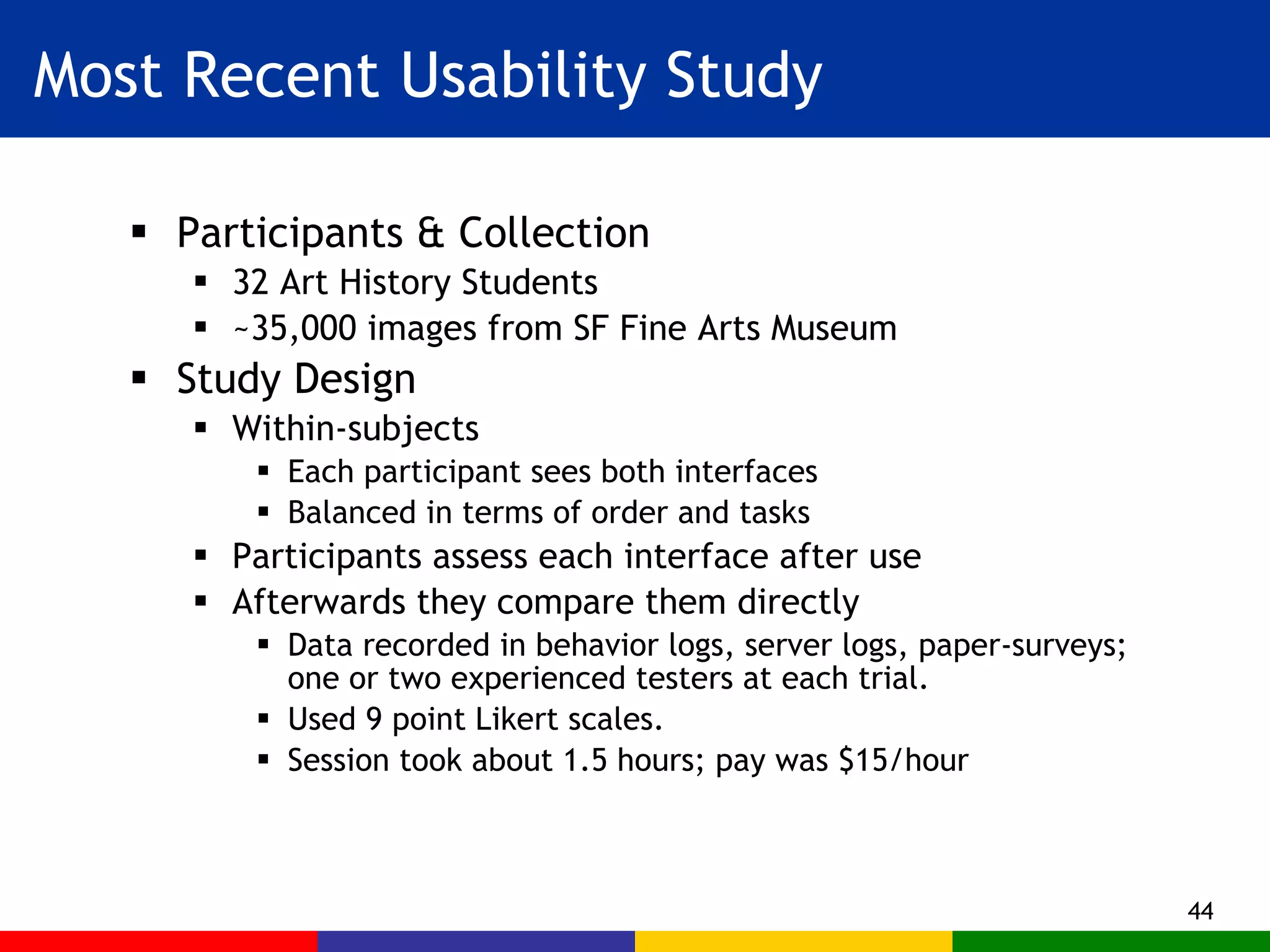
Most Recent Usability Study Participants & Collection 32 Art History Students ~35,000 images from SF Fine Arts Museum Study Design Within-subjects Each participant sees both interfaces Balanced in terms of order and tasks Participants assess each interface after use Afterwards they compare them directly Data recorded in behavior logs, server logs, paper-surveys; one or two experienced testers at each trial. Used 9 point Likert scales. Session took about 1.5 hours; pay was $15/hour
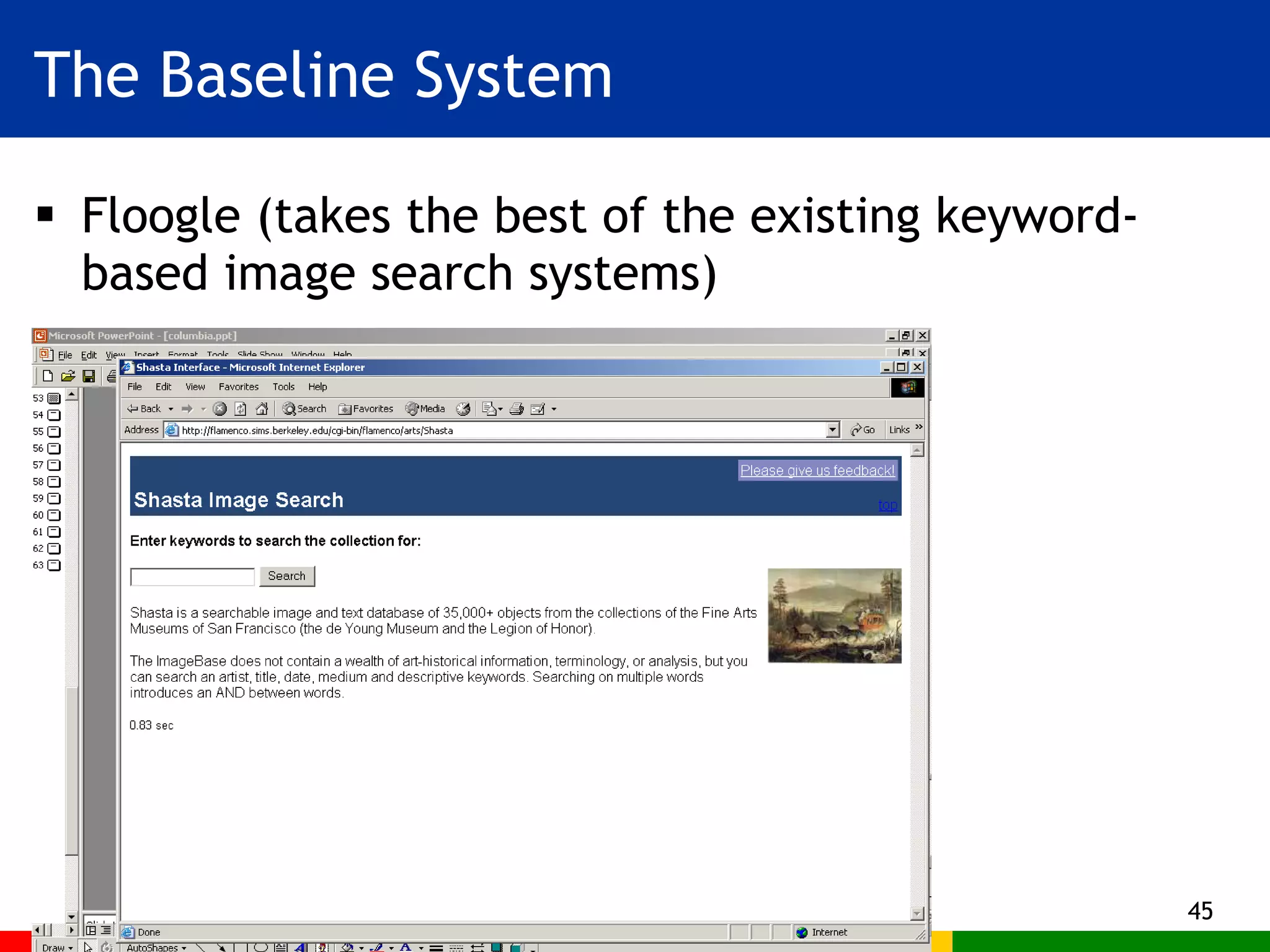
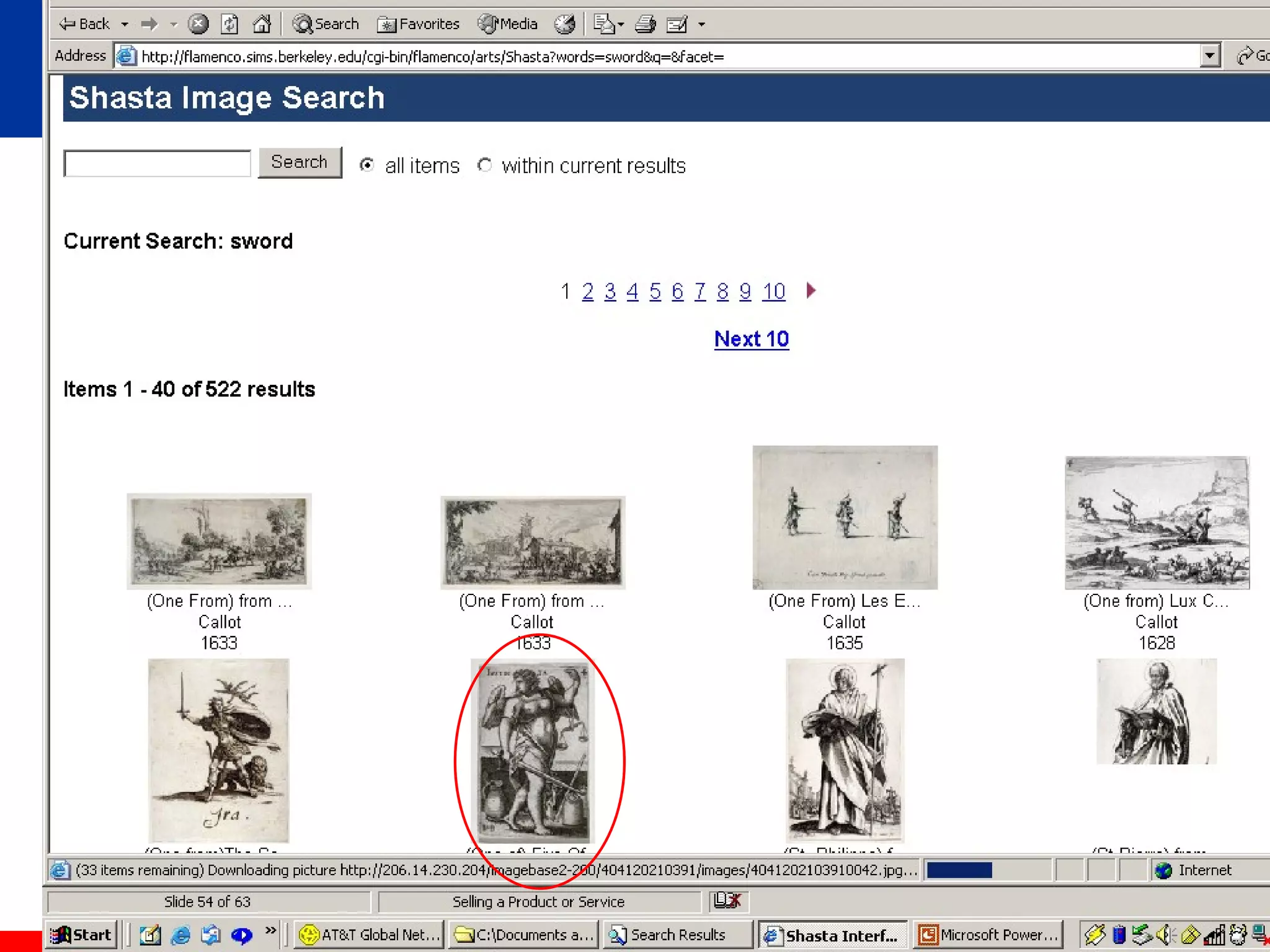
The Baseline System Floogle (takes the best of the existing keyword-based image search systems)
 
 
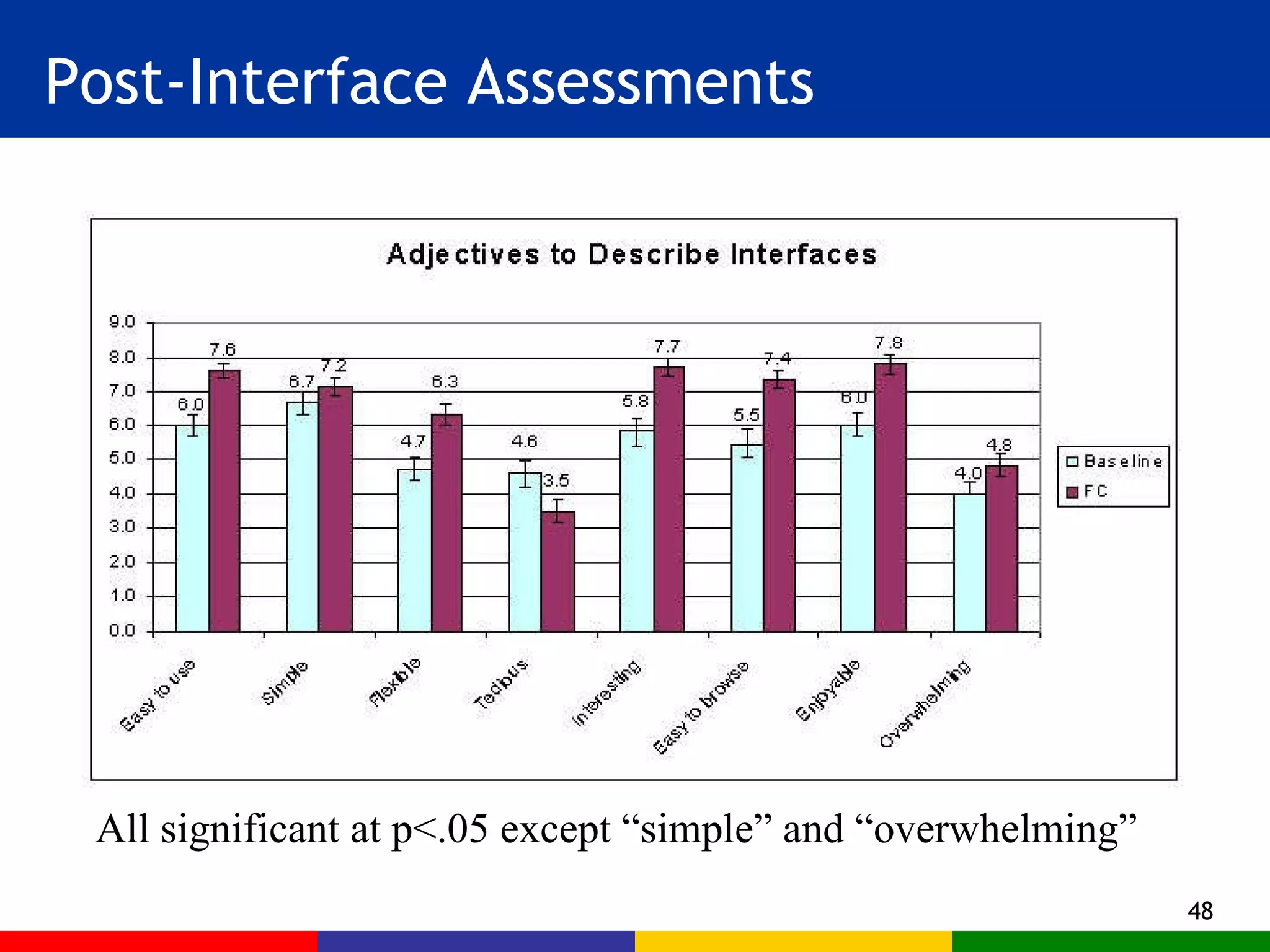
Post-Interface Assessments All significant at p<.05 except “simple” and “overwhelming”
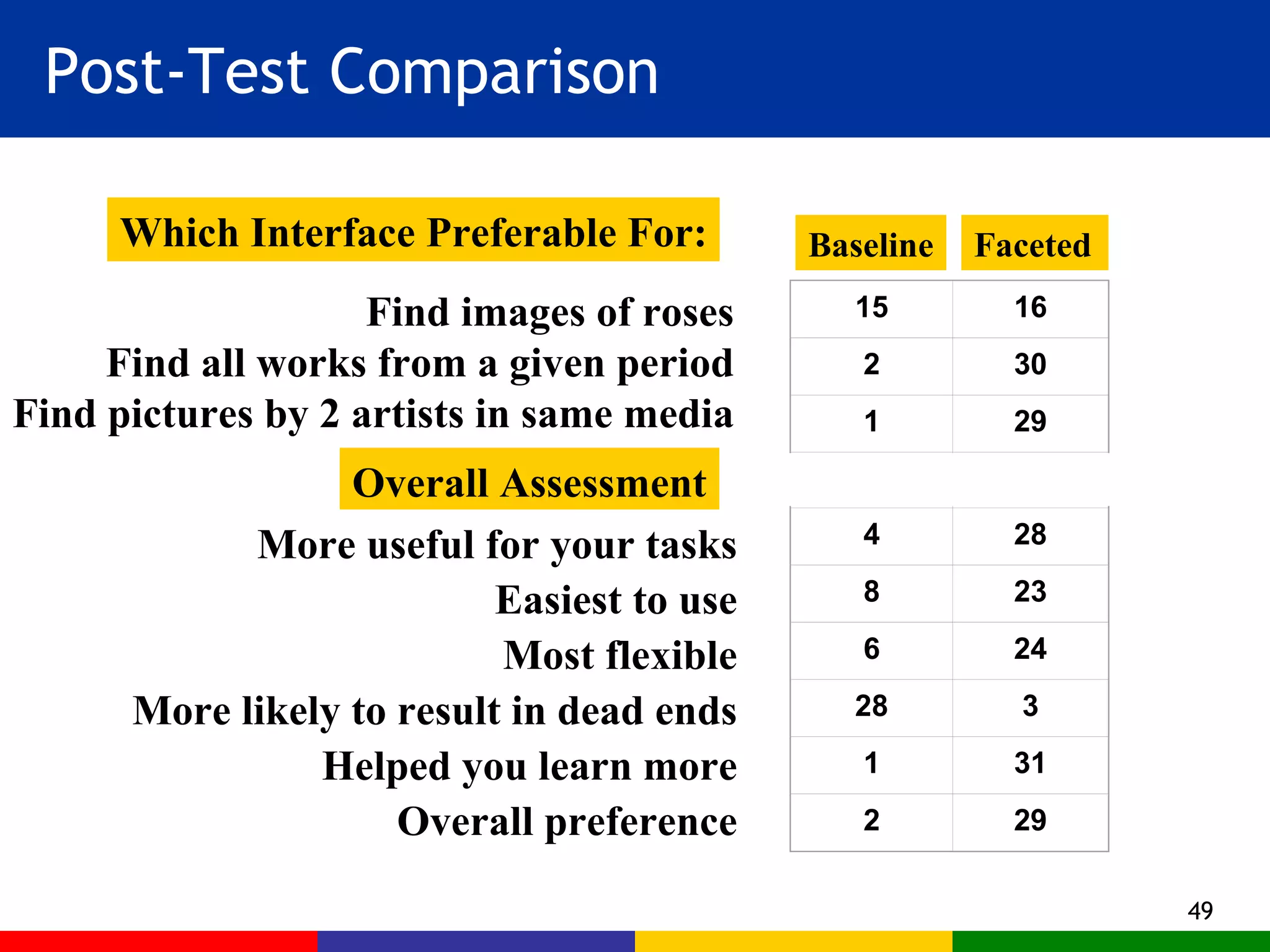
Post-Test Comparison Faceted Baseline Overall Assessment More useful for your tasks Easiest to use Most flexible More likely to result in dead ends Helped you learn more Overall preference Find images of roses Find all works from a given period Find pictures by 2 artists in same media Which Interface Preferable For: 15 16 2 30 1 29     4 28 8 23 6 24 28 3 1 31 2 29
Software Tools
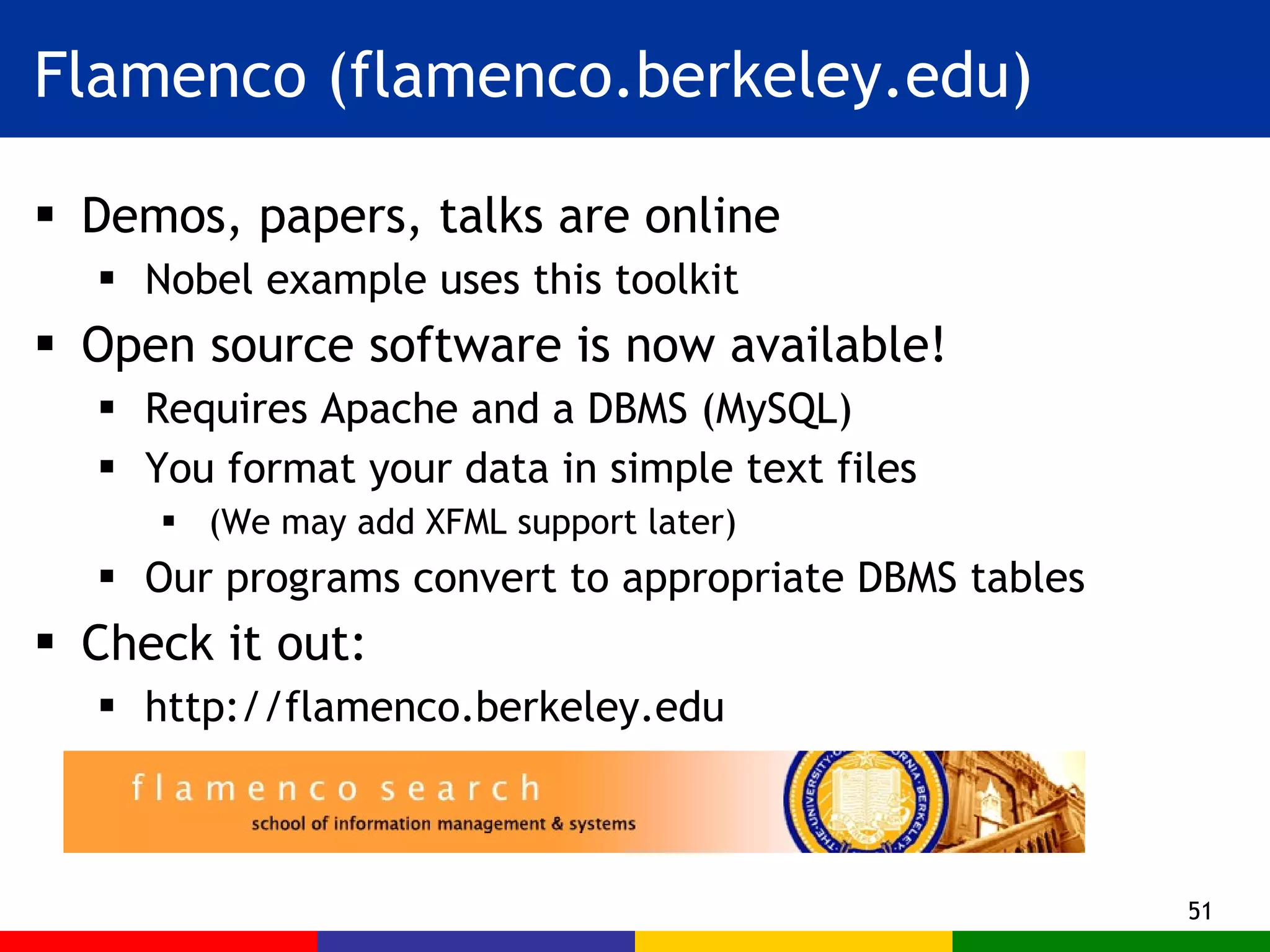
Flamenco (flamenco.berkeley.edu) Demos, papers, talks are online Nobel example uses this toolkit Open source software is now available! Requires Apache and a DBMS (MySQL) You format your data in simple text files (We may add XFML support later) Our programs convert to appropriate DBMS tables Check it out: http://flamenco.berkeley.edu
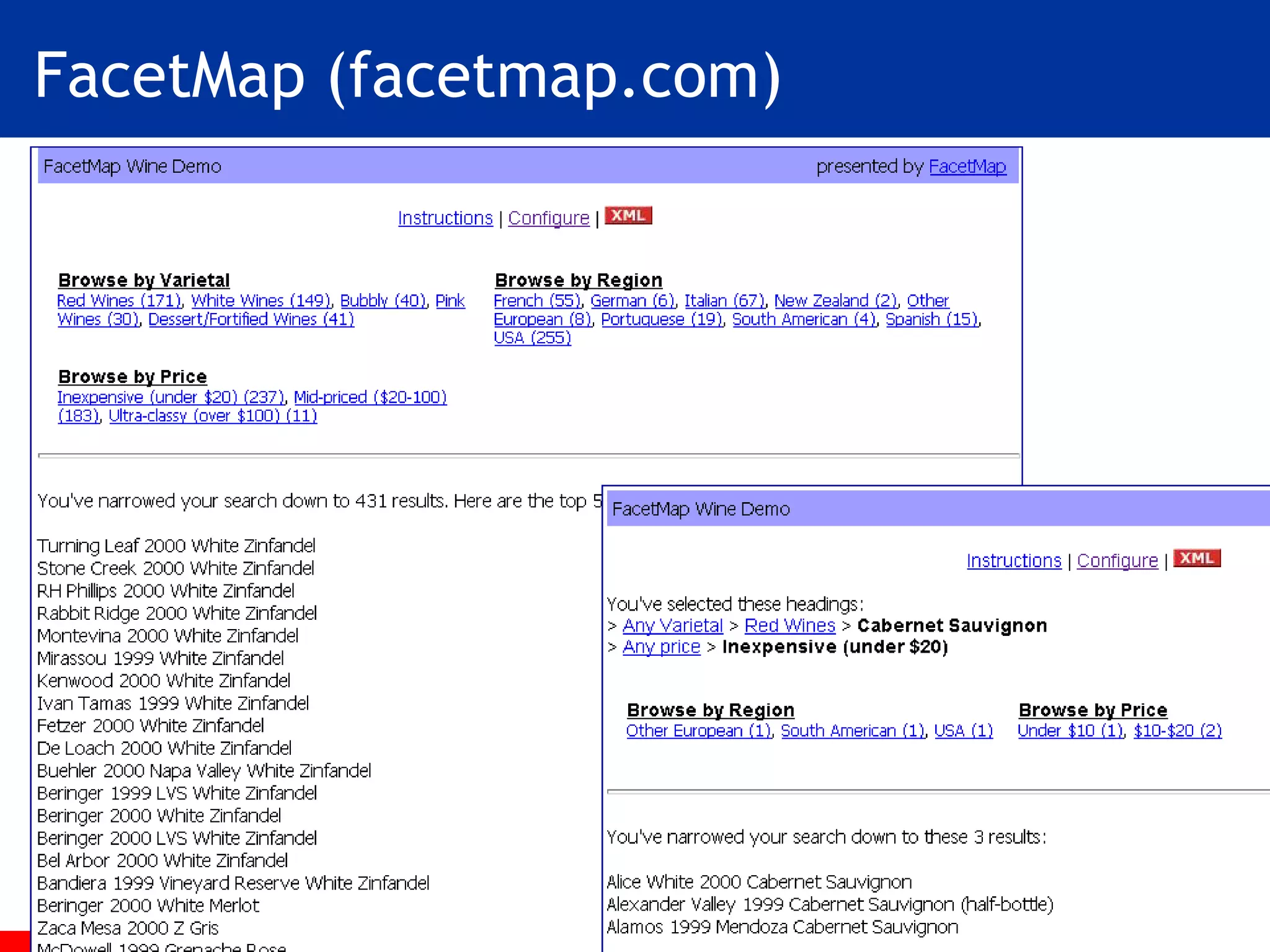
FacetMap (facetmap.com)
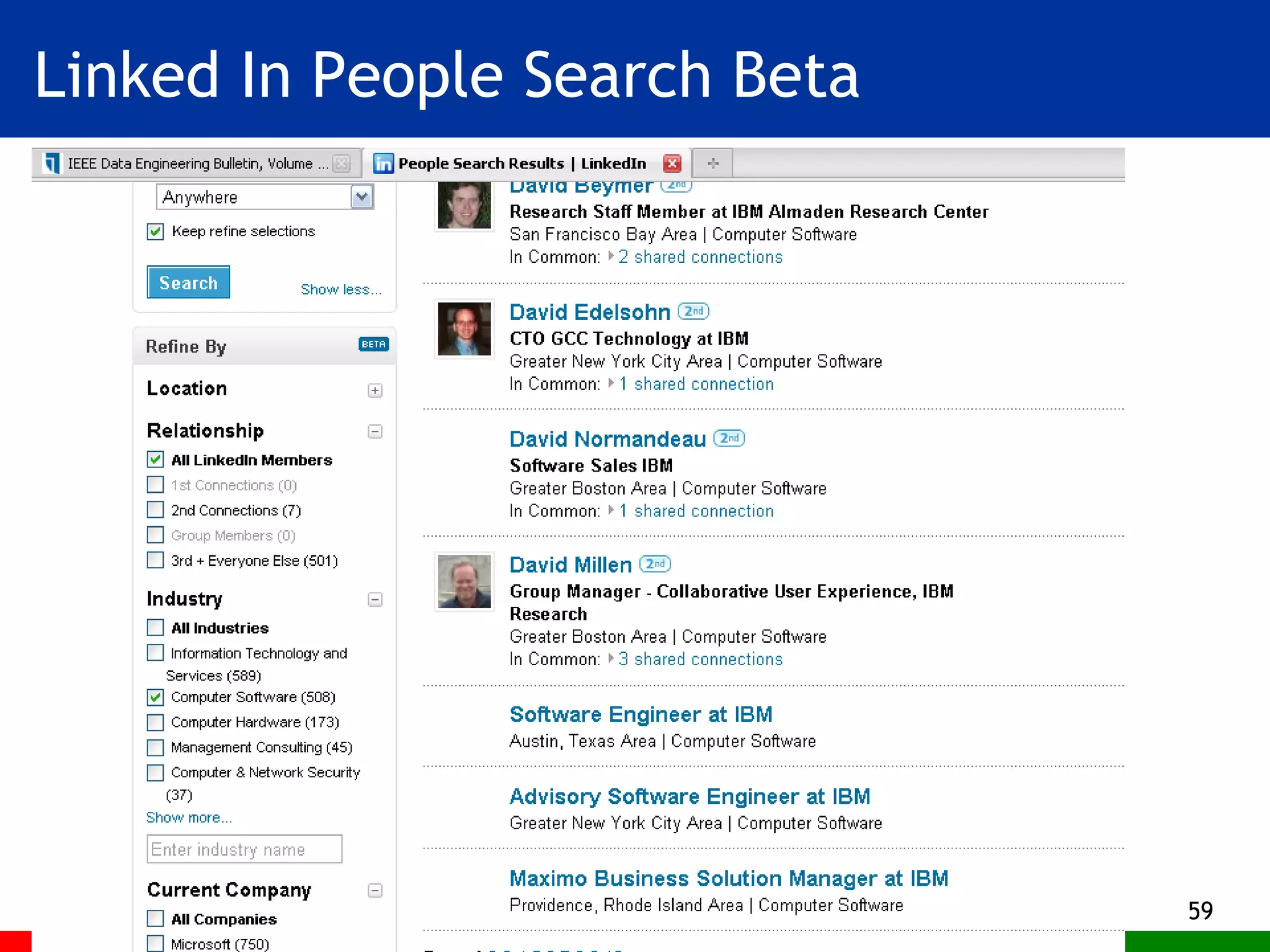
Open Source Solr (often used with Drupal and Lucene) Becoming very popular Whitehouse.gov Bobo-browse Java, used with Lucene Linked-in
Commercial Implementations (Not an exhaustive list) Endeca Siderean Aduna software Dieselpoint
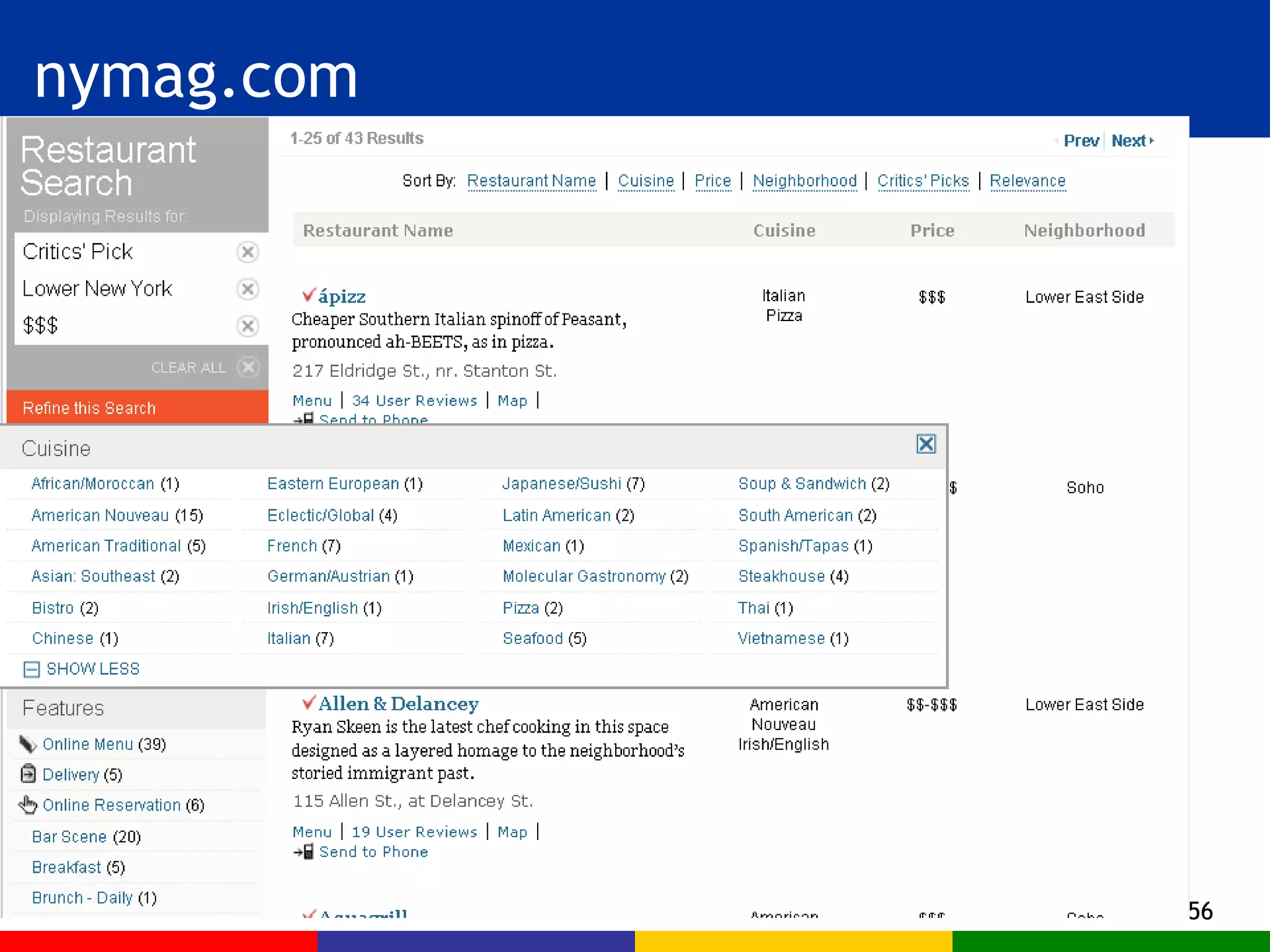
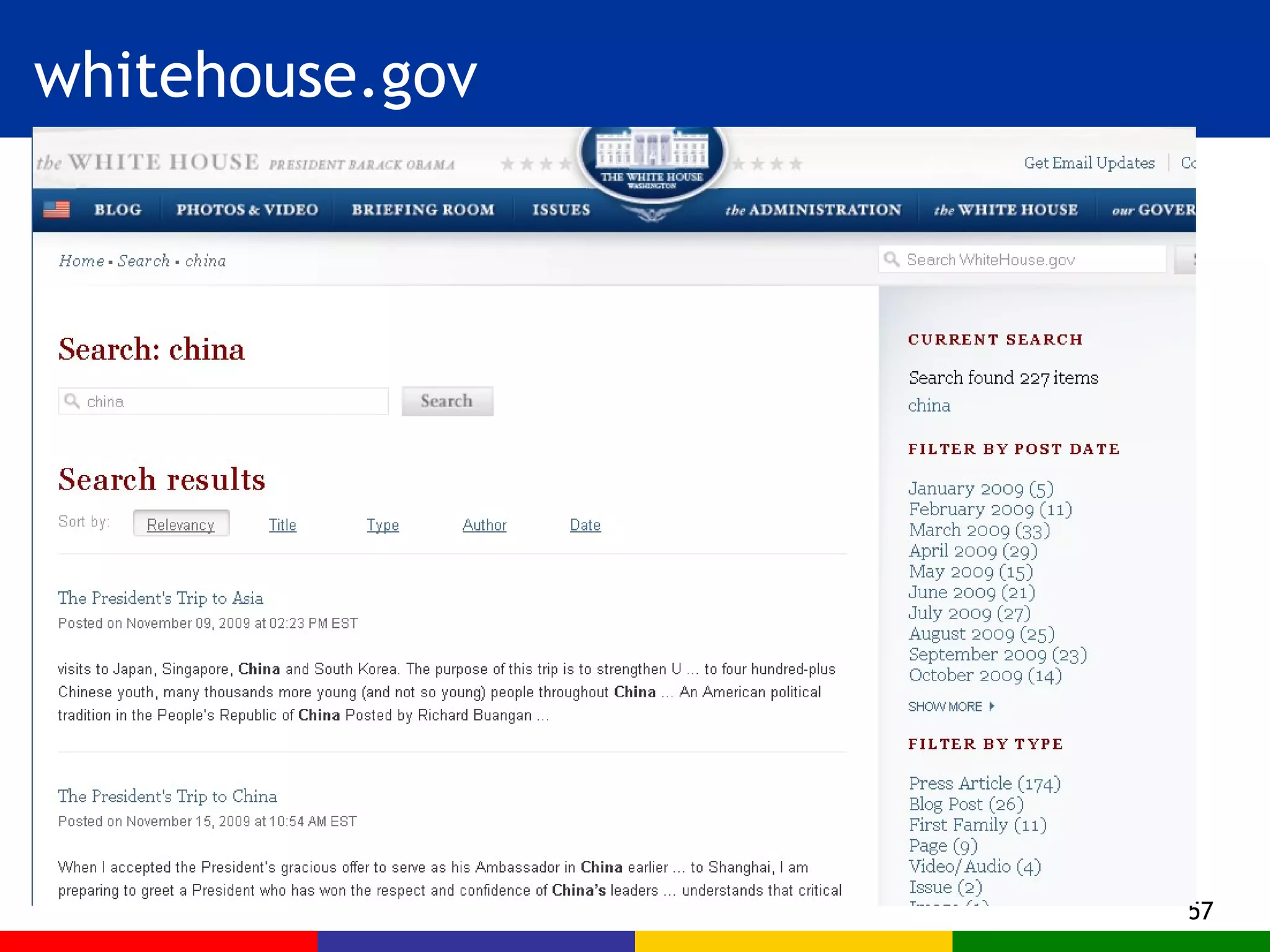
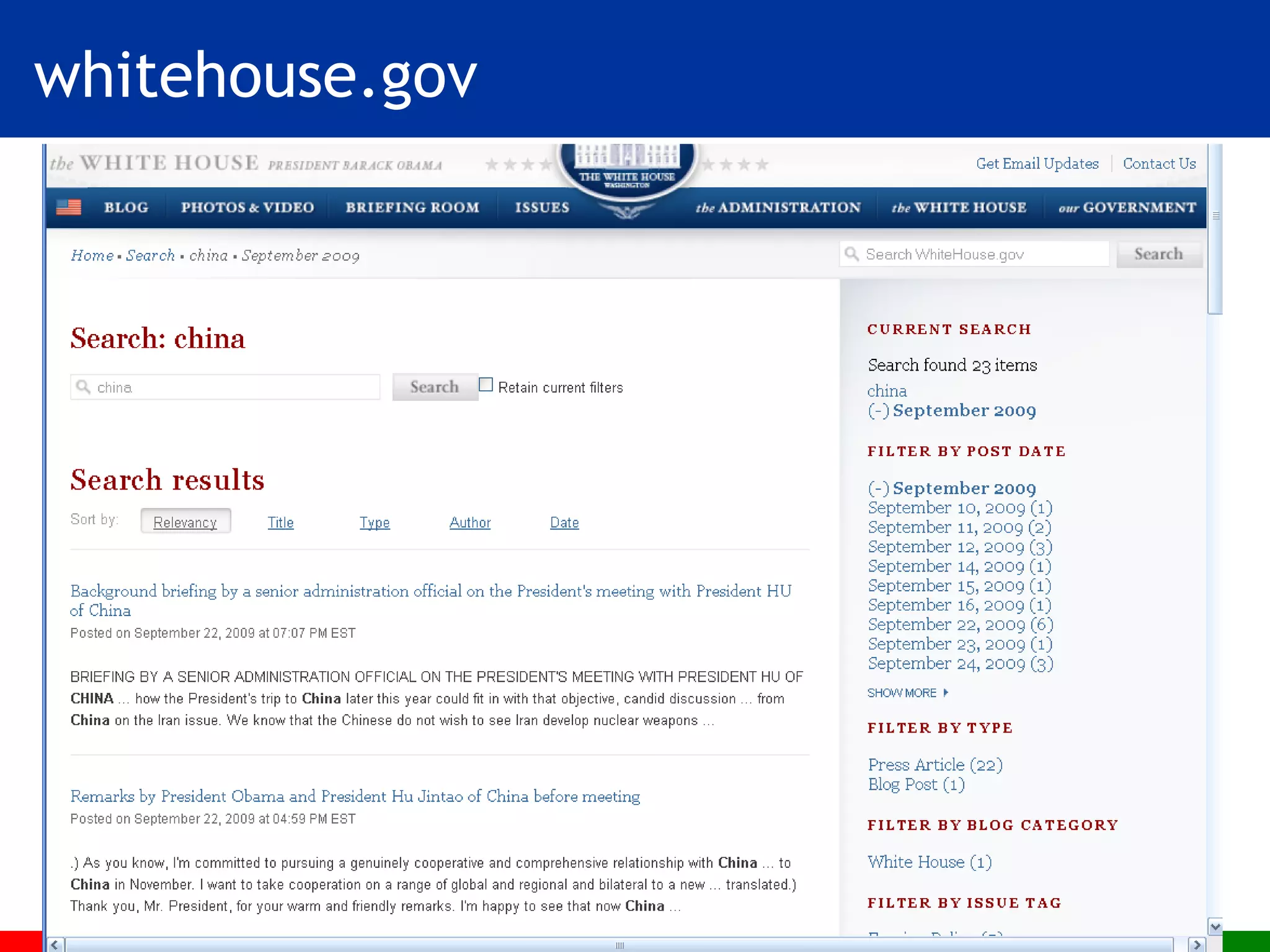
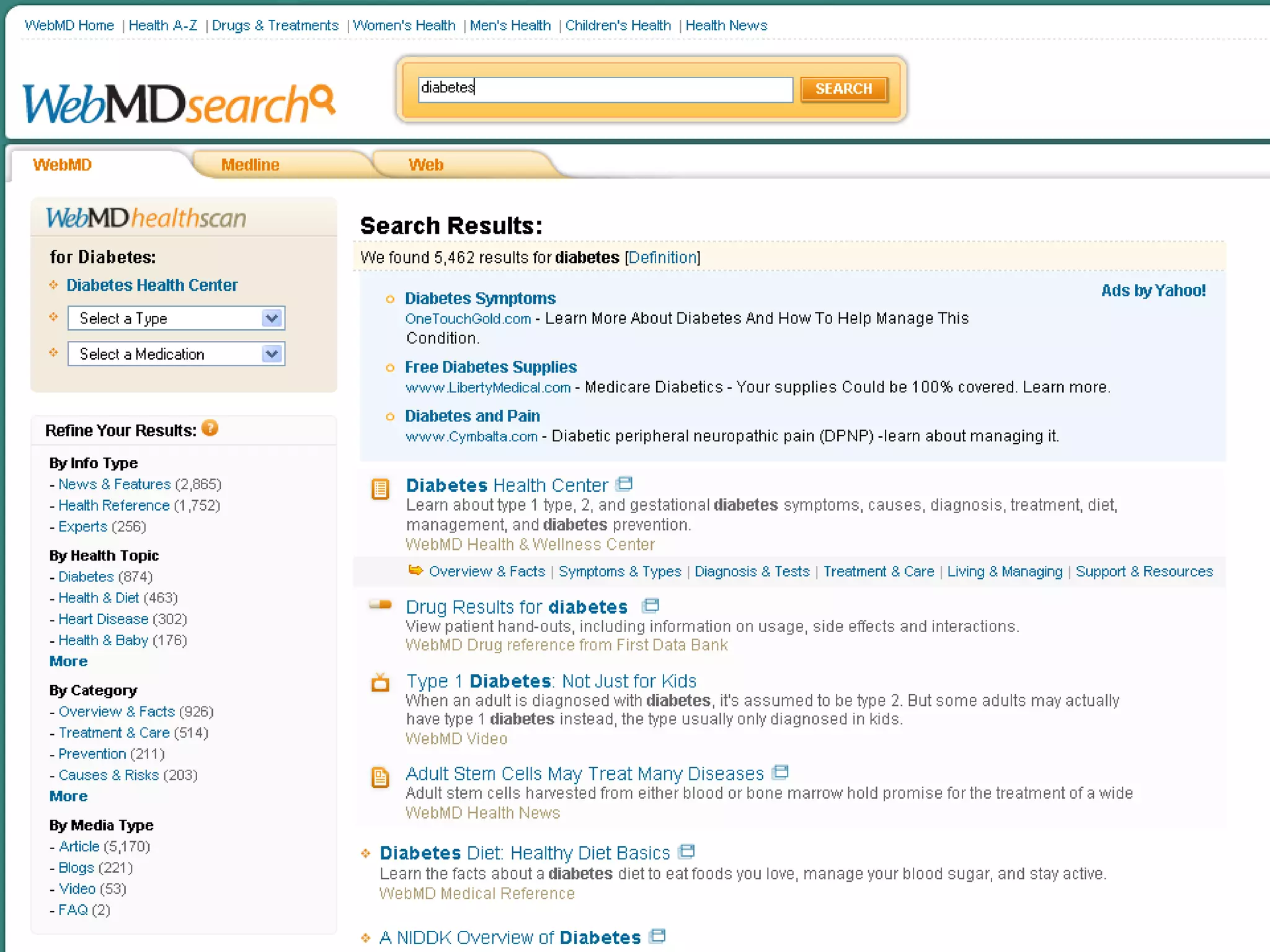
Faceted Navigation Designs
nymag.com
whitehouse.gov
whitehouse.gov
Linked In People Search Beta
 
Design Issues
How many facets? Many facets means more choice, but more scanning and more scrolling An alternative (by eBay)  initially show the few most important facets  allow user to choose a label from one then show an additional new facet (next most important) The right choice depends on the application Browsing art history vs. shopping
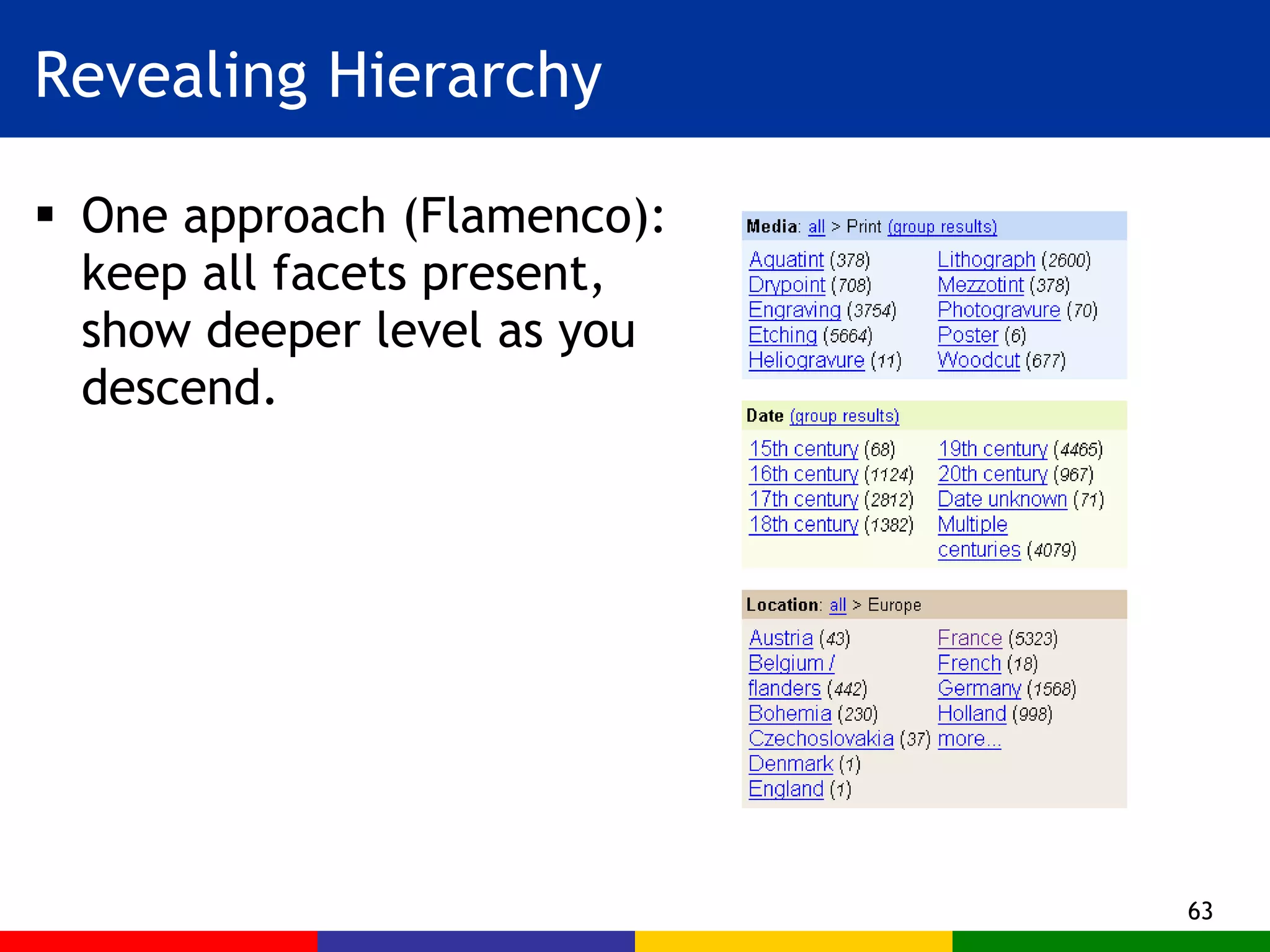
Revealing Hierarchy One approach (Flamenco): keep all facets present, show deeper level as you descend.
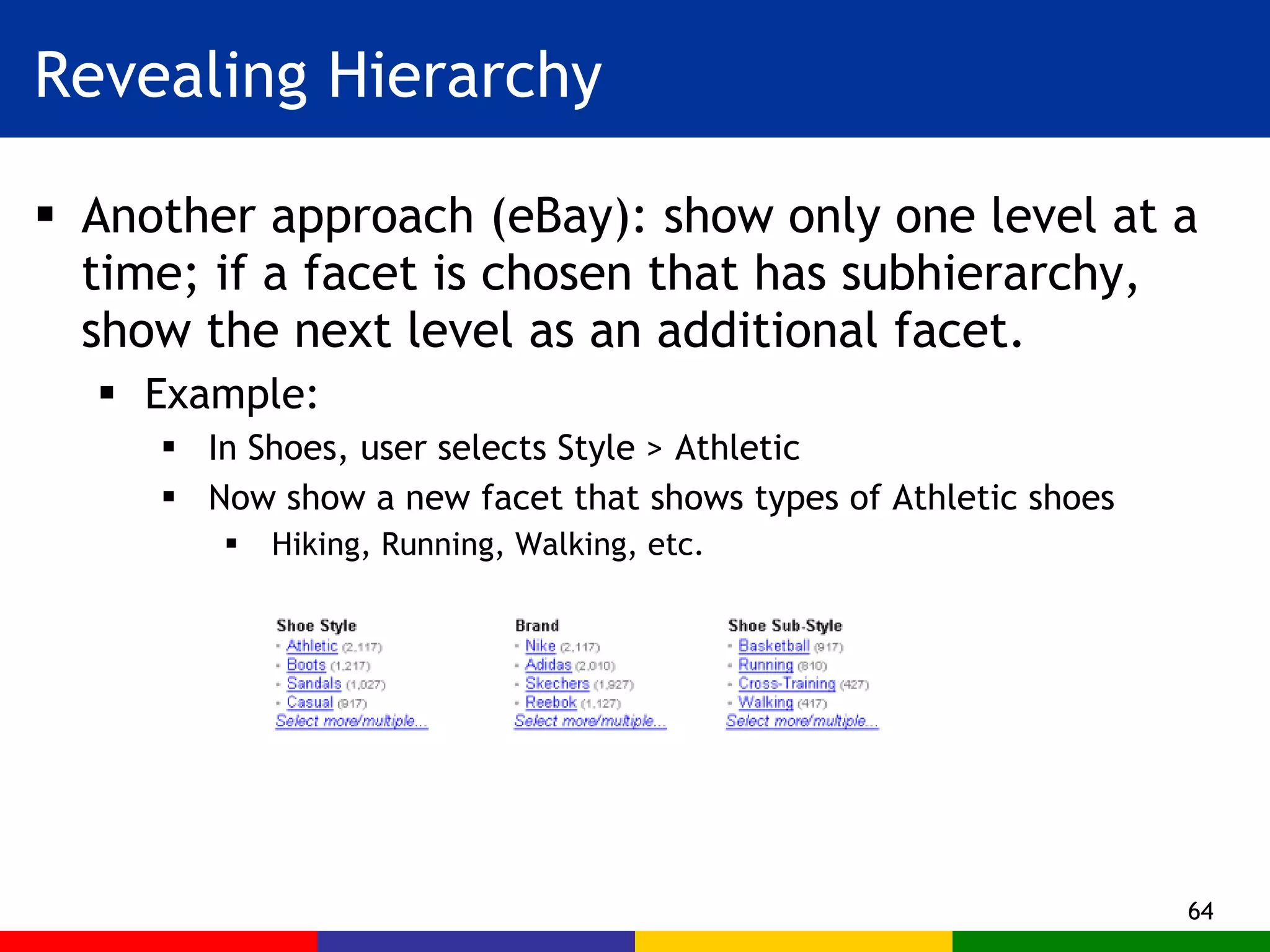
Revealing Hierarchy Another approach (eBay): show only one level at a time; if a facet is chosen that has subhierarchy, show the next level as an additional facet. Example:  In Shoes, user selects Style > Athletic Now show a new facet that shows types of Athletic shoes Hiking, Running, Walking, etc.
Reversibility Make navigation urls consistent and persistent This way the Back button always works Allows for bookmarking of pages
Choosing Labels Labels must be short – to fit! Tricky with terminology: “endoplasmic reticulum” Labels must be evocative  It’s very difficult to find successful words Depends on user familiarity with the domain Use card-sorting exercises Associate synonyms with labels Beware the context of label use! The “kosher salt” incident
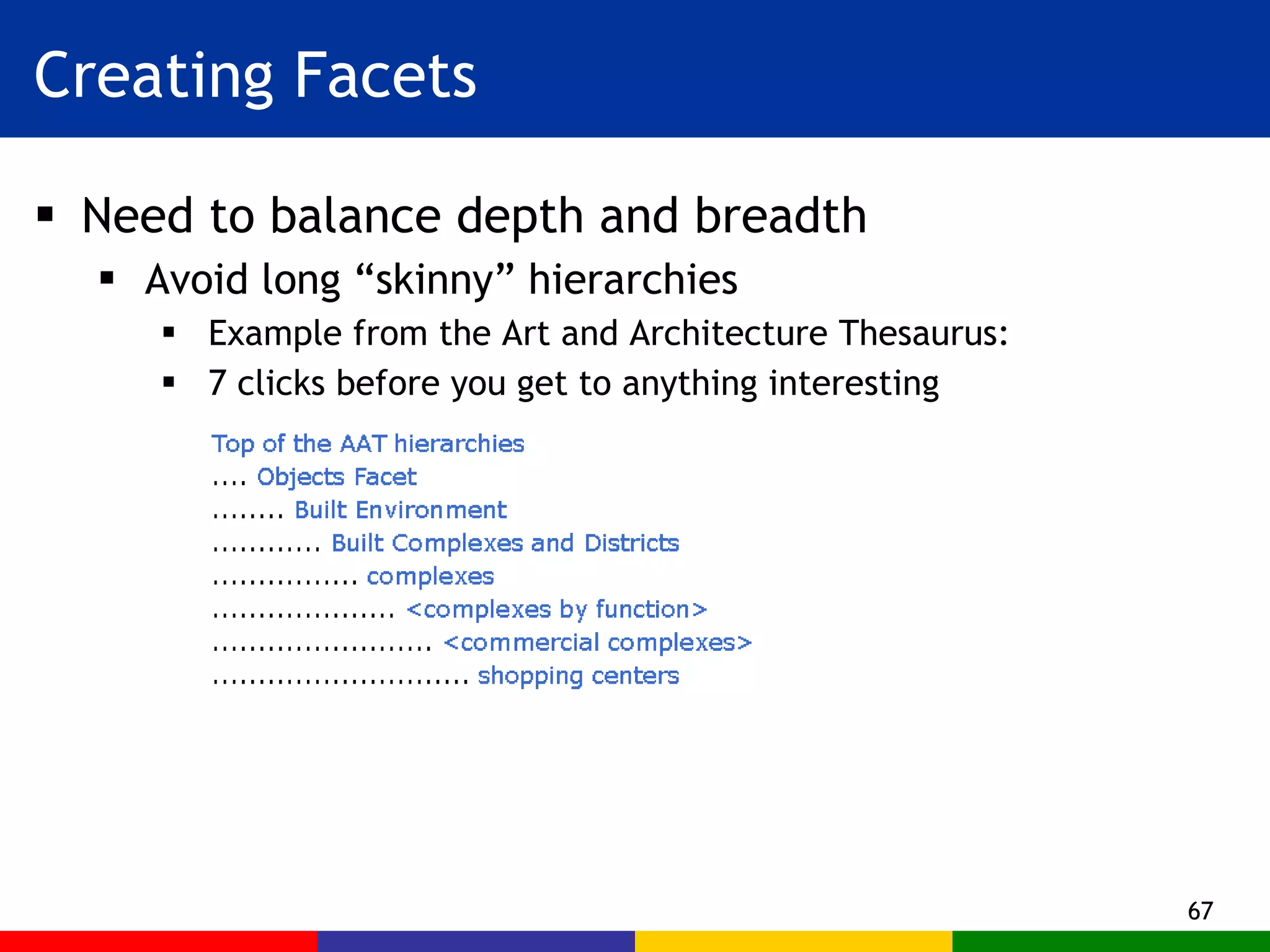
Creating Facets Need to balance depth and breadth Avoid long “skinny” hierarchies  Example from the Art and Architecture Thesaurus: 7 clicks before you get to anything interesting
Summary Flexible application of hierarchical faceted metadata is a proven approach for navigating large information collections. Midway in complexity between simple hierarchies and deep knowledge representation. Currently in use on e-commerce sites; spreading to other domains We have presented design issues and principles.
Thank you! Marti Hearst Http://flamenco.berkeley.edu

Faceted Metadata for Site Navigation and Search

  • 1.
    Faceted Metadata for Site Navigation and Search Marti Hearst 12/17/2009
  • 2.
    Outline Intro andGoals Faceted Metadata Definition Advantages Interface Design using Faceted Metadata The Nobel Prize Example Results of Usability Studies Software Tools Design Issues
  • 3.
    Focus: Search andNavigation of Large Collections Image Collections E-Government Sites Shopping Sites Digital Libraries
  • 4.
    What we wantto Achieve Integrate browsing and searching seamlessly Support exploration and learning Avoid dead-ends, “pogo’ing”, and “lostness”
  • 5.
    Main Idea Usehierarchical faceted metadata Design the interface to: Allow flexible navigation Provide previews of next steps Organize results in a meaningful way Support both expanding and refining the search
  • 6.
    The Problem WithCategories Most things can be classified in more than one way. Most organizational systems do not handle this well. Example: Animal Classification otter penguin robin salmon wolf cobra bat Skin Covering Locomotion Diet robin bat wolf penguin otter, seal salmon robin bat salmon wolf cobra otter penguin seal robin penguin salmon cobra bat otter wolf
  • 7.
    Inflexible Force theuser to start with a particular category What if I don’t know the animal’s diet, but the interface makes me start with that category? Wasteful Have to repeat combinations of categories Makes for extra clicking and extra coding Difficult to modify To add a new category type, must duplicate it everywhere or change things everywhere The Problem with Hierarchy
  • 8.
    The Problem WithHierarchy start fur scales feathers swim fly run slither fur scales feathers fur scales feathers fish rodents insects fish rodents insects fish rodents insects fish rodents insects fish rodents insects fish rodents insects fish rodents insects fish rodents insects fish rodents insects salmon bat robin wolf …
  • 9.
    The Idea ofFacets Facets are a way of labeling data A kind of Metadata (data about data) Can be thought of as properties of items Facets vs. Categories Items are placed INTO a category system Multiple facet labels are ASSIGNED TO items
  • 10.
    The Idea ofFacets Create INDEPENDENT categories (facets) Each facet has labels (sometimes arranged in a hierarchy) Assign labels from the facets to every item Example: recipe collection Course Main Course Cooking Method Stir-fry Cuisine Thai Ingredient Bell Pepper Curry Chicken
  • 11.
    The Idea ofFacets Break out all the important concepts into their own facets Sometimes the facets are hierarchical Assign labels to items from any level of the hierarchy Preparation Method Fry Saute Boil Bake Broil Freeze Desserts Cakes Cookies Dairy Ice Cream Sorbet Flan Fruits Cherries Berries Blueberries Strawberries Bananas Pineapple
  • 12.
    Using Facets Nowthere are multiple ways to get to each item Preparation Method Fry Saute Boil Bake Broil Freeze Desserts Cakes Cookies Dairy Ice Cream Sherbet Flan Fruits Cherries Berries Blueberries Strawberries Bananas Pineapple Fruit > Pineapple Dessert > Cake Preparation > Bake Dessert > Dairy > Sherbet Fruit > Berries > Strawberries Preparation > Freeze
  • 13.
    Using Facets Thesystem only shows the labels that correspond to the current set of items Start with all items and all facets The user then selects a label within a facet This reduces the set of items (only those that have been assigned to the subcategory label are displayed) This also eliminates some subcategories from the view.
  • 14.
    The Advantage ofFacets Lets the user decide how to start, and how to explore and group.
  • 15.
    The Advantage ofFacets After refinement, categories that are not relevant to the current results disappear. Note that other diet choices have disappeared
  • 16.
    The Advantage ofFacets Seamlessly integrates keyword search with the organizational structure.
  • 17.
    The Advantage ofFacets Very easy to expand out (loosen constraints) Very easy to build up complex queries.
  • 18.
    Advantages of FacetsCan’t end up with empty results sets (except with keyword search) Helps avoid feelings of being lost. Easier to explore the collection. Helps users infer what kinds of things are in the collection. Evokes a feeling of “browsing the shelves” Is preferred over standard search for collection browsing in usability studies. (Interface must be designed properly)
  • 19.
    Advantages of FacetsSeamless to add new facets and subcategories Seamless to add new items. Helps with “categorization wars” Don’t have to agree exactly where to place something Interaction can be implemented using a standard relational database. May be easier for automatic categorization
  • 20.
    Information previews Usethe metadata to show where to go next More flexible than canned hyperlinks Less complex than full search Help users see and return to previous steps Reduces mental work Recognition over recall Suggests alternatives More clicks are ok only if (J. Spool) The “scent” of the target does not weaken If users feel they are going towards, rather than away, from their target.
  • 21.
    Limitation of FacetsDo not naturally capture MAIN THEMES Facets do not show RELATIONS explicitly Aquamarine Red Orange Door Doorway Wall Which color associated with which object? Photo by J. Hearst, jhearst.typepad.com
  • 22.
    Example: Nobel PrizeWinners Collection (Before and After Facets)
  • 23.
    Only One Wayto View Laureates
  • 24.
  • 25.
    Next, view thelist! The user must first choose an Award type (literature), then browse through the laureates in chronological order. No choice is given to, say organize by year and then award, or by country, then decade, then award, etc.
  • 26.
    Navigation and Search with Faceted Metadata
  • 27.
    Opening View Selectliterature from PRIZE facet
  • 28.
    Group results byYEAR facet
  • 29.
  • 30.
    Current query isPRIZE > literature AND YEAR: 1920’s. Now remove PRIZE > literature
  • 31.
    Now Group ByYEAR > 1920’s
  • 32.
    Hierarchy Traversal: GroupBy YEAR > 1920’s, and drill down to 1921
  • 33.
  • 34.
    Use Endgame toexpand out
  • 35.
    Use Endgame toexpand out
  • 36.
    Or use “Morelike this” to find similar items
  • 37.
    Start a newsearch using keyword “California”
  • 38.
    Note that categorystructure remains after the keyword search
  • 39.
    The query isnow a keyword ANDed with a facet subhierarchy
  • 40.
    The Challenges Usersgenerally do not adopt new search interfaces How to show a lot more information without overwhelming or confusing? Most users prefer simplicity unless complexity really makes a difference Small details matter Next we describe the design decisions that we have found lead to success.
  • 41.
  • 42.
    Search Usability DesignGoals Strive for Consistency Provide Shortcuts Offer Informative Feedback Design for Closure Provide Simple Error Handling Permit Easy Reversal of Actions Support User Control Reduce Short-term Memory Load From Shneiderman, Byrd, & Croft, Clarifying Search, DLIB Magazine, Jan 1997. www.dlib.org
  • 43.
    Usability Studies Usabilitystudies done on 3 collections: Recipes (epicurious): 13,000 items Architecture Images: 40,000 items Fine Arts Images: 35,000 items Conclusions: Users like and are successful with the dynamic faceted hierarchical metadata, especially for browsing tasks Very positive results, in contrast with studies on earlier iterations.
  • 44.
    Most Recent UsabilityStudy Participants & Collection 32 Art History Students ~35,000 images from SF Fine Arts Museum Study Design Within-subjects Each participant sees both interfaces Balanced in terms of order and tasks Participants assess each interface after use Afterwards they compare them directly Data recorded in behavior logs, server logs, paper-surveys; one or two experienced testers at each trial. Used 9 point Likert scales. Session took about 1.5 hours; pay was $15/hour
  • 45.
    The Baseline SystemFloogle (takes the best of the existing keyword-based image search systems)
  • 46.
  • 47.
  • 48.
    Post-Interface Assessments Allsignificant at p<.05 except “simple” and “overwhelming”
  • 49.
    Post-Test Comparison FacetedBaseline Overall Assessment More useful for your tasks Easiest to use Most flexible More likely to result in dead ends Helped you learn more Overall preference Find images of roses Find all works from a given period Find pictures by 2 artists in same media Which Interface Preferable For: 15 16 2 30 1 29     4 28 8 23 6 24 28 3 1 31 2 29
  • 50.
  • 51.
    Flamenco (flamenco.berkeley.edu) Demos,papers, talks are online Nobel example uses this toolkit Open source software is now available! Requires Apache and a DBMS (MySQL) You format your data in simple text files (We may add XFML support later) Our programs convert to appropriate DBMS tables Check it out: http://flamenco.berkeley.edu
  • 52.
  • 53.
    Open Source Solr(often used with Drupal and Lucene) Becoming very popular Whitehouse.gov Bobo-browse Java, used with Lucene Linked-in
  • 54.
    Commercial Implementations (Notan exhaustive list) Endeca Siderean Aduna software Dieselpoint
  • 55.
  • 56.
  • 57.
  • 58.
  • 59.
    Linked In PeopleSearch Beta
  • 60.
  • 61.
  • 62.
    How many facets?Many facets means more choice, but more scanning and more scrolling An alternative (by eBay) initially show the few most important facets allow user to choose a label from one then show an additional new facet (next most important) The right choice depends on the application Browsing art history vs. shopping
  • 63.
    Revealing Hierarchy Oneapproach (Flamenco): keep all facets present, show deeper level as you descend.
  • 64.
    Revealing Hierarchy Anotherapproach (eBay): show only one level at a time; if a facet is chosen that has subhierarchy, show the next level as an additional facet. Example: In Shoes, user selects Style > Athletic Now show a new facet that shows types of Athletic shoes Hiking, Running, Walking, etc.
  • 65.
    Reversibility Make navigationurls consistent and persistent This way the Back button always works Allows for bookmarking of pages
  • 66.
    Choosing Labels Labelsmust be short – to fit! Tricky with terminology: “endoplasmic reticulum” Labels must be evocative It’s very difficult to find successful words Depends on user familiarity with the domain Use card-sorting exercises Associate synonyms with labels Beware the context of label use! The “kosher salt” incident
  • 67.
    Creating Facets Needto balance depth and breadth Avoid long “skinny” hierarchies Example from the Art and Architecture Thesaurus: 7 clicks before you get to anything interesting
  • 68.
    Summary Flexible applicationof hierarchical faceted metadata is a proven approach for navigating large information collections. Midway in complexity between simple hierarchies and deep knowledge representation. Currently in use on e-commerce sites; spreading to other domains We have presented design issues and principles.
  • 69.
    Thank you! MartiHearst Http://flamenco.berkeley.edu