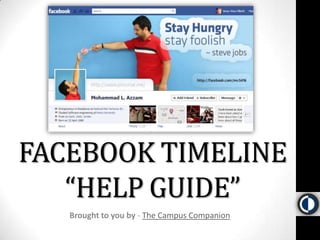



FACEBOOK TIMELINE “HELP GUIDE”Brought to you by - The Campus Companion
IT’S GOING TO BE OK!Let’s Get Started…
HERE IS A QUICK INTRO VIDEO…
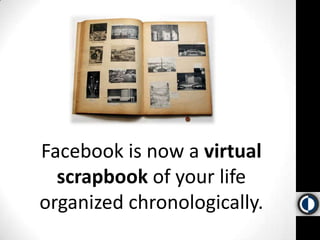
Facebook is now a virtual scrapbook of your life organized chronologically.
STILL CONFUSED?
Here is a video tour of how to navigate Facebook Timeline….
SO WHAT ARE ALL THE NEW FEATURES AGAIN?
NEW FEATURES RECAPTIMELINE -  The biggest change is the new timeline design of your profile page, which makes digging into your past (and the pasts of others) much easier. It also allows you to add relevant information to your timeline in the past. INFOPAGE - You profile’s info page has been completely scrapped, and reorganized in the square boxes under your profile page cover photo. APPS, APPS, APPS – The new Facebook is much more focused on integration with applications like Spotify, Foodily, and Nike +. These apps, if you choose to let them, will automatically post your activities to your Facebook timeline. SECURITY- Sometimes people don’t want to share things. This brings up a lot of security concerns. We will address these later.
We have covered most of the new features in the previous videos, but what about APPS and PRIVACY?
APPS, APPS, APPS…Facebook will now be working with applications like Spotify, Foodily, and Nike + to syndicate your activities to your Facebook account. Here is a video of how this all works.
PRIVACYOne of the biggest controversies over these new features is that applications only need to ask permission once to share your activity on your timeline. Here is how you can control these settings for apps like Spotify…
MORE QUESTIONSIf you have more questions feel free to join the conversation.HERE
MORE RESOURCESIntroducing Facebook Timeline VideoFacebook Features TourFacebook Timeline ABOUT page10 Facebook Timeline Designs That Will Blow You Away [PICS]CNET Guide to Facebook TimelineFacebook Timeline SecurityFacebook Apps Integration
IN CONCLUSIONR.I.P.

Facebook Timeline Help Guide

  • 1.
    FACEBOOK TIMELINE “HELPGUIDE”Brought to you by - The Campus Companion
  • 2.
    IT’S GOING TOBE OK!Let’s Get Started…
  • 3.
    HERE IS AQUICK INTRO VIDEO…
  • 4.
    Facebook is nowa virtual scrapbook of your life organized chronologically.
  • 5.
  • 6.
    Here is avideo tour of how to navigate Facebook Timeline….
  • 7.
    SO WHAT AREALL THE NEW FEATURES AGAIN?
  • 8.
    NEW FEATURES RECAPTIMELINE- The biggest change is the new timeline design of your profile page, which makes digging into your past (and the pasts of others) much easier. It also allows you to add relevant information to your timeline in the past. INFOPAGE - You profile’s info page has been completely scrapped, and reorganized in the square boxes under your profile page cover photo. APPS, APPS, APPS – The new Facebook is much more focused on integration with applications like Spotify, Foodily, and Nike +. These apps, if you choose to let them, will automatically post your activities to your Facebook timeline. SECURITY- Sometimes people don’t want to share things. This brings up a lot of security concerns. We will address these later.
  • 9.
    We have coveredmost of the new features in the previous videos, but what about APPS and PRIVACY?
  • 10.
    APPS, APPS, APPS…Facebookwill now be working with applications like Spotify, Foodily, and Nike + to syndicate your activities to your Facebook account. Here is a video of how this all works.
  • 11.
    PRIVACYOne of thebiggest controversies over these new features is that applications only need to ask permission once to share your activity on your timeline. Here is how you can control these settings for apps like Spotify…
  • 12.
    MORE QUESTIONSIf youhave more questions feel free to join the conversation.HERE
  • 13.
    MORE RESOURCESIntroducing FacebookTimeline VideoFacebook Features TourFacebook Timeline ABOUT page10 Facebook Timeline Designs That Will Blow You Away [PICS]CNET Guide to Facebook TimelineFacebook Timeline SecurityFacebook Apps Integration
  • 14.