Extending Your Reach   using web 2.0 tools in your class Jon Kruithof eLearning Services / Centre for Teaching and Learning jonathan.kruithof (a) mohawkcollege.ca
Barry Dahl (Lake Superior College) for his web 2.0 and D2L presentations, personal assistance and blog. Kyle Mackie (University of Guelph) for his D2L hacks. Thanks and Acknowledgments (aka where I got this stuff)
Technological change is like an axe in the hands of a pathological criminal. - Albert Einstein
WHAT IS WEB 2.0? Web 2.0 tools are able to be interacted with.  Web 2.0 has also been called the “read/write” web where users can respond to information. Sound like education?
If you generally think of the Internet as a place to “look up stuff” you’re missing the best part. - Dean Shareski
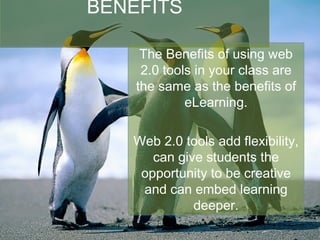
BENEFITS The Benefits of using web 2.0 tools in your class are the same as the benefits of eLearning. Web 2.0 tools add flexibility, can give students the opportunity to be creative and can embed learning deeper.
Most of the powerful Web 2.0 media start with willingness to experiment. - Clay Shirky
FLEXIBILITY Web 2.0 tools bring just-in-time learning to students 24/7. Flexibility can be used as a student engagement strategy.
Creativity involves breaking out of established patterns in order to look at things in a different way. - Edward deBono
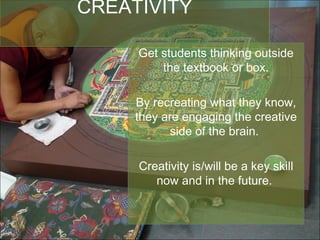
CREATIVITY Get students thinking outside the textbook or box. By recreating what they know, they are engaging the creative side of the brain.  Creativity is/will be a key skill now and in the future.
DEEPER LEARNING Students can connect and interact with subject matter experts. Students can take the content to places that are of interest to them.
DRAWBACKS? Some technical ability required.  Works well for those who are not rigid. Must be OK with not being the only expert in the room.
A curator is an expert learner. Instead of dispensing knowledge, he creates spaces in which knowledge can be created, explored, and connected. - George Siemens
WHAT ARE THESE TOOLS? Web 2.0 tools is a catch-all describing webpages that have interactivity. Some of the more well known Web 2.0 sites are YouTube, Facebook, Twitter, Wikipedia, Flickr, etc.
WIKIS Wikis provide a space to demonstrate one’s interpretation of a concept. You may have heard of Wikipedia, but there are other, more specific wikis out there.
COLLABORATIVE DOCUMENTS You probably know Google Docs, but there are other collaborative documents like Etherpad. Etherpad clones are open source by default.
RSS FEEDS RSS stands for Really Simple Syndication - think of it as a blog post retrieval system. Or a way to have expert’s blog posts delivered to you. Or your class.
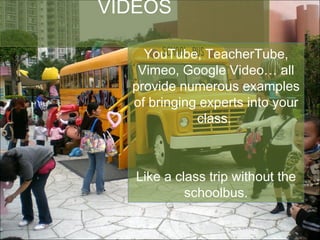
VIDEOS YouTube, TeacherTube, Vimeo, Google Video… all provide numerous examples of bringing experts into your class.  Like a class trip without the schoolbus.
WHERE NEXT? Time to get your hands dirty.
Extending Your Reach   using web 2.0 tools in your class jonathan.kruithof (a) mohawkcollege.ca twitter: dietsociety blog: http://www.robotvsrobot.com

Extending Your Reach: Using Web 2.0 Tools in Your Classroom

  • 1.
    Extending Your Reach using web 2.0 tools in your class Jon Kruithof eLearning Services / Centre for Teaching and Learning jonathan.kruithof (a) mohawkcollege.ca
  • 2.
    Barry Dahl (LakeSuperior College) for his web 2.0 and D2L presentations, personal assistance and blog. Kyle Mackie (University of Guelph) for his D2L hacks. Thanks and Acknowledgments (aka where I got this stuff)
  • 3.
    Technological change islike an axe in the hands of a pathological criminal. - Albert Einstein
  • 4.
    WHAT IS WEB2.0? Web 2.0 tools are able to be interacted with. Web 2.0 has also been called the “read/write” web where users can respond to information. Sound like education?
  • 5.
    If you generallythink of the Internet as a place to “look up stuff” you’re missing the best part. - Dean Shareski
  • 6.
    BENEFITS The Benefitsof using web 2.0 tools in your class are the same as the benefits of eLearning. Web 2.0 tools add flexibility, can give students the opportunity to be creative and can embed learning deeper.
  • 7.
    Most of thepowerful Web 2.0 media start with willingness to experiment. - Clay Shirky
  • 8.
    FLEXIBILITY Web 2.0tools bring just-in-time learning to students 24/7. Flexibility can be used as a student engagement strategy.
  • 9.
    Creativity involves breakingout of established patterns in order to look at things in a different way. - Edward deBono
  • 10.
    CREATIVITY Get studentsthinking outside the textbook or box. By recreating what they know, they are engaging the creative side of the brain. Creativity is/will be a key skill now and in the future.
  • 11.
    DEEPER LEARNING Studentscan connect and interact with subject matter experts. Students can take the content to places that are of interest to them.
  • 12.
    DRAWBACKS? Some technicalability required. Works well for those who are not rigid. Must be OK with not being the only expert in the room.
  • 13.
    A curator isan expert learner. Instead of dispensing knowledge, he creates spaces in which knowledge can be created, explored, and connected. - George Siemens
  • 14.
    WHAT ARE THESETOOLS? Web 2.0 tools is a catch-all describing webpages that have interactivity. Some of the more well known Web 2.0 sites are YouTube, Facebook, Twitter, Wikipedia, Flickr, etc.
  • 15.
    WIKIS Wikis providea space to demonstrate one’s interpretation of a concept. You may have heard of Wikipedia, but there are other, more specific wikis out there.
  • 16.
    COLLABORATIVE DOCUMENTS Youprobably know Google Docs, but there are other collaborative documents like Etherpad. Etherpad clones are open source by default.
  • 17.
    RSS FEEDS RSSstands for Really Simple Syndication - think of it as a blog post retrieval system. Or a way to have expert’s blog posts delivered to you. Or your class.
  • 18.
    VIDEOS YouTube, TeacherTube,Vimeo, Google Video… all provide numerous examples of bringing experts into your class. Like a class trip without the schoolbus.
  • 19.
    WHERE NEXT? Timeto get your hands dirty.
  • 20.
    Extending Your Reach using web 2.0 tools in your class jonathan.kruithof (a) mohawkcollege.ca twitter: dietsociety blog: http://www.robotvsrobot.com

Editor's Notes

  • #5 http://www.flickr.com/photos/kimota/146865077/
  • #7 Microsoft penguins
  • #9 http://www.flickr.com/photos/33370236@N06/3987886571/in/photostream
  • #11 http://www.flickr.com/photos/gustavothomastheatre/3662227349/sizes/l/
  • #13 http://commons.wikimedia.org/wiki/File:Trash_pile_Albania.jpg
  • #14 This notion of what becomes of the teacher. Much like radio and TV and the Internet – none of those media replaced the previous ones. Teachers will not be replaced by changing the power structure of the classroom.
  • #15 http://commons.wikimedia.org/wiki/File:Bush_Islamabad.jpeg U.S. Navy photo by Photographer's Mate Senior Chief Heidi Wasson
  • #16 http://www.flickr.com/photos/aarmono/393650534/sizes/o/
  • #17 http://www.flickr.com/photos/zkorb/231524220/
  • #18 http://slir1.shiftingpixel.com/slir/w900/wp-content/uploads/2007/12/goat.jpg
  • #19 http://commons.wikimedia.org/wiki/File:HK_Shatin_Snoopy_Playground_School_Bus_New_Town_Plaza_a.jpg
  • #20 http://picasaweb.google.com/lh/photo/nbvfnrYgirFEgk9W47yx-w