Exchange 2010Archiving and Retention Harold Wongblogs.technet.com/haroldwong
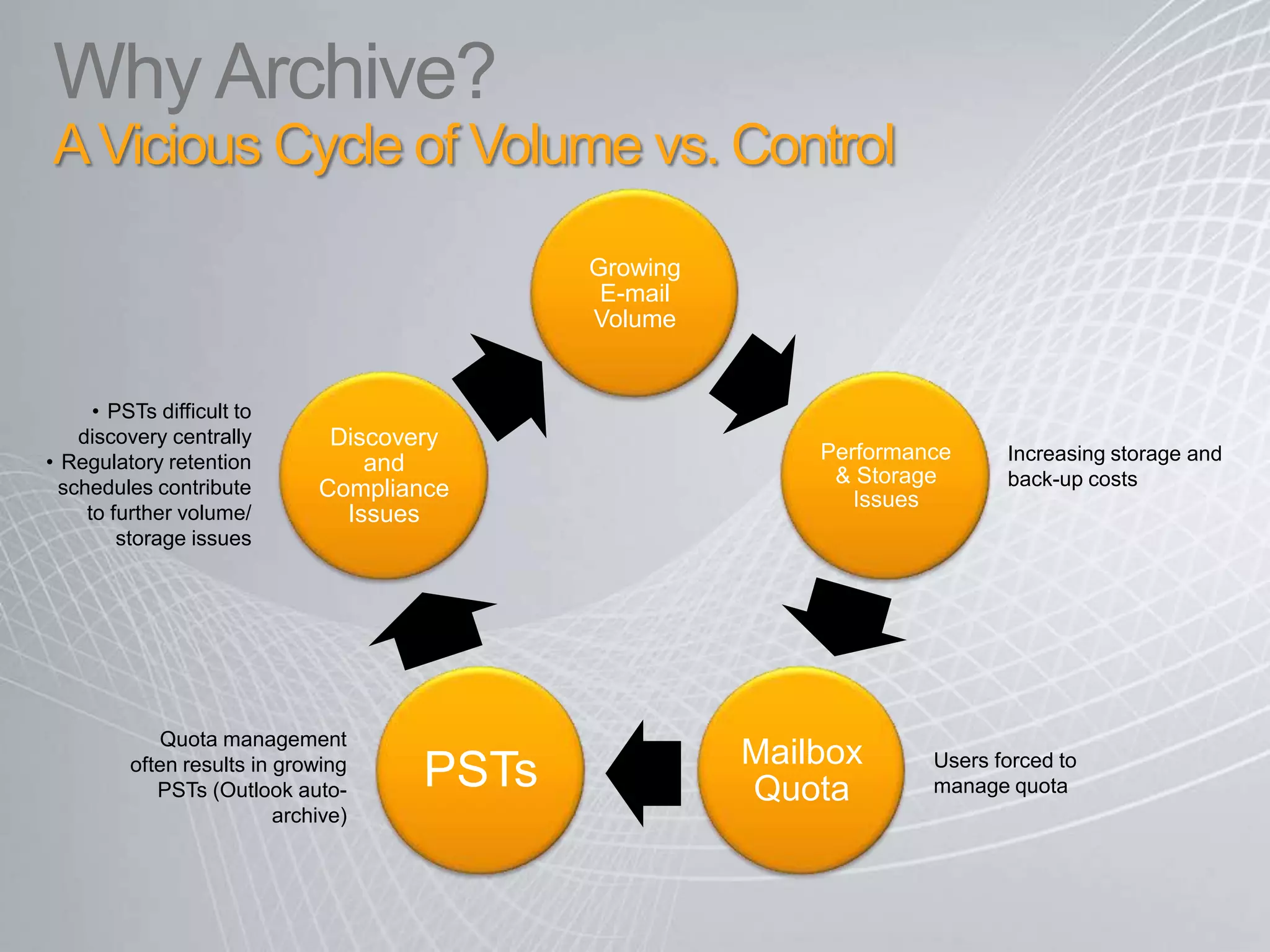
Why Archive? A Vicious Cycle of Volume vs. Control  PSTs difficult to discovery centrally
Regulatory retention schedules contribute to further volume/ storage issues Increasing storage and back-up costs Quota management often results in growing PSTs (Outlook auto-archive) Users forced to manage quota
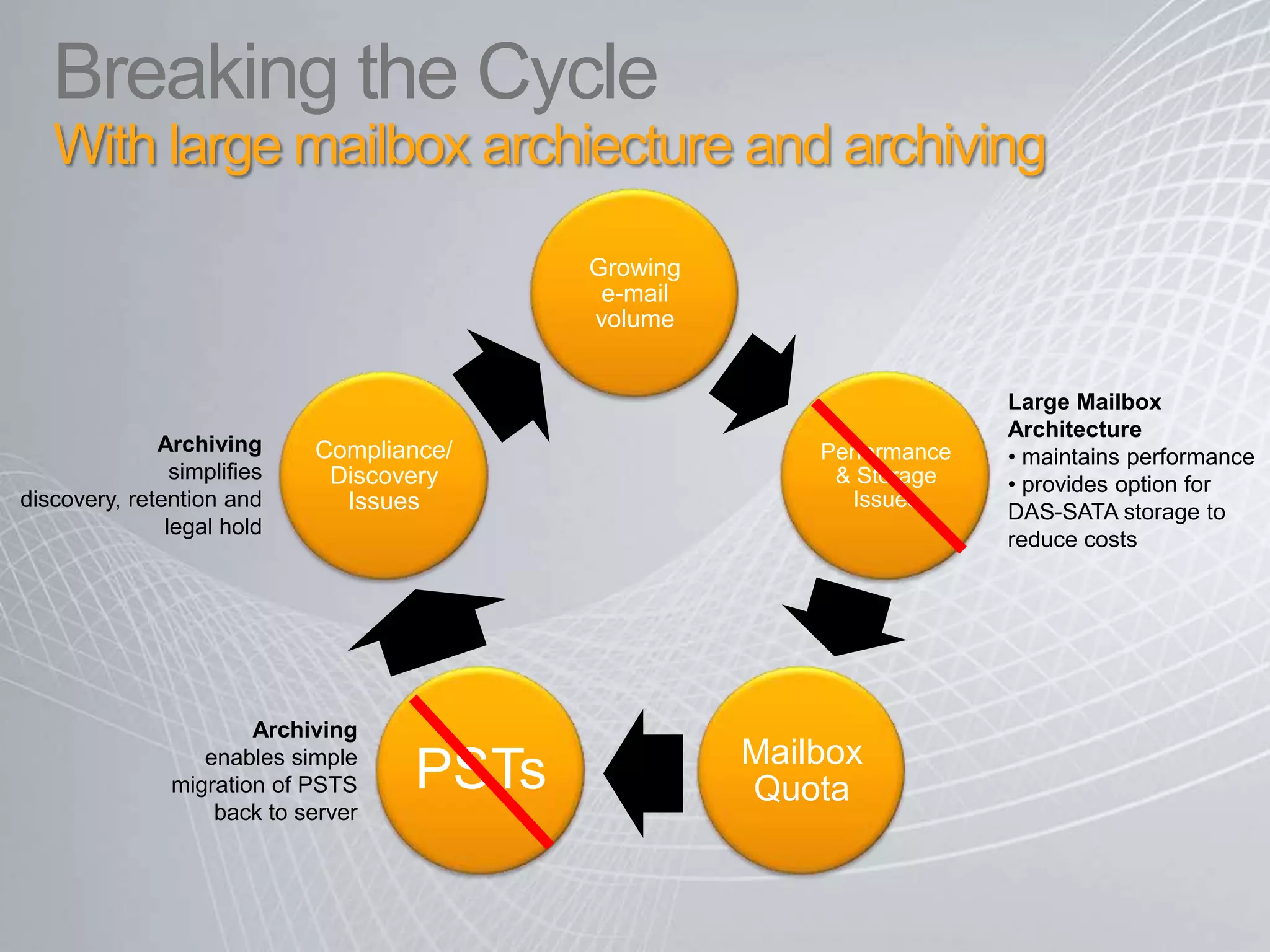
Breaking the CycleWith large mailbox archiecture and archiving Large Mailbox Architecture maintains performance
 provides option for DAS-SATA storage to reduce costs Archivingsimplifies discovery, retention and legal hold Archivingenables simple migration of PSTS back to server
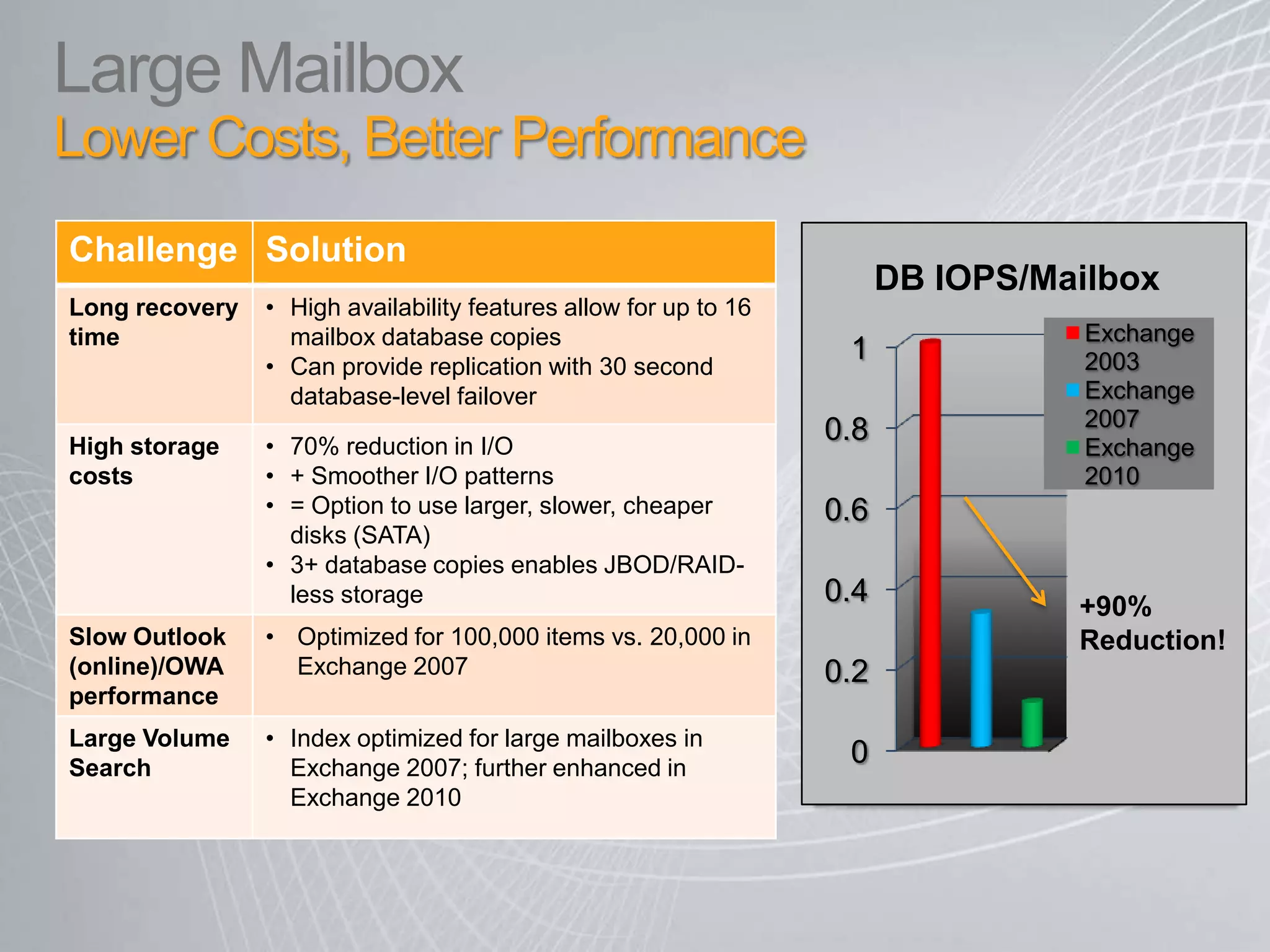
Large Mailbox Lower Costs, Better Performance
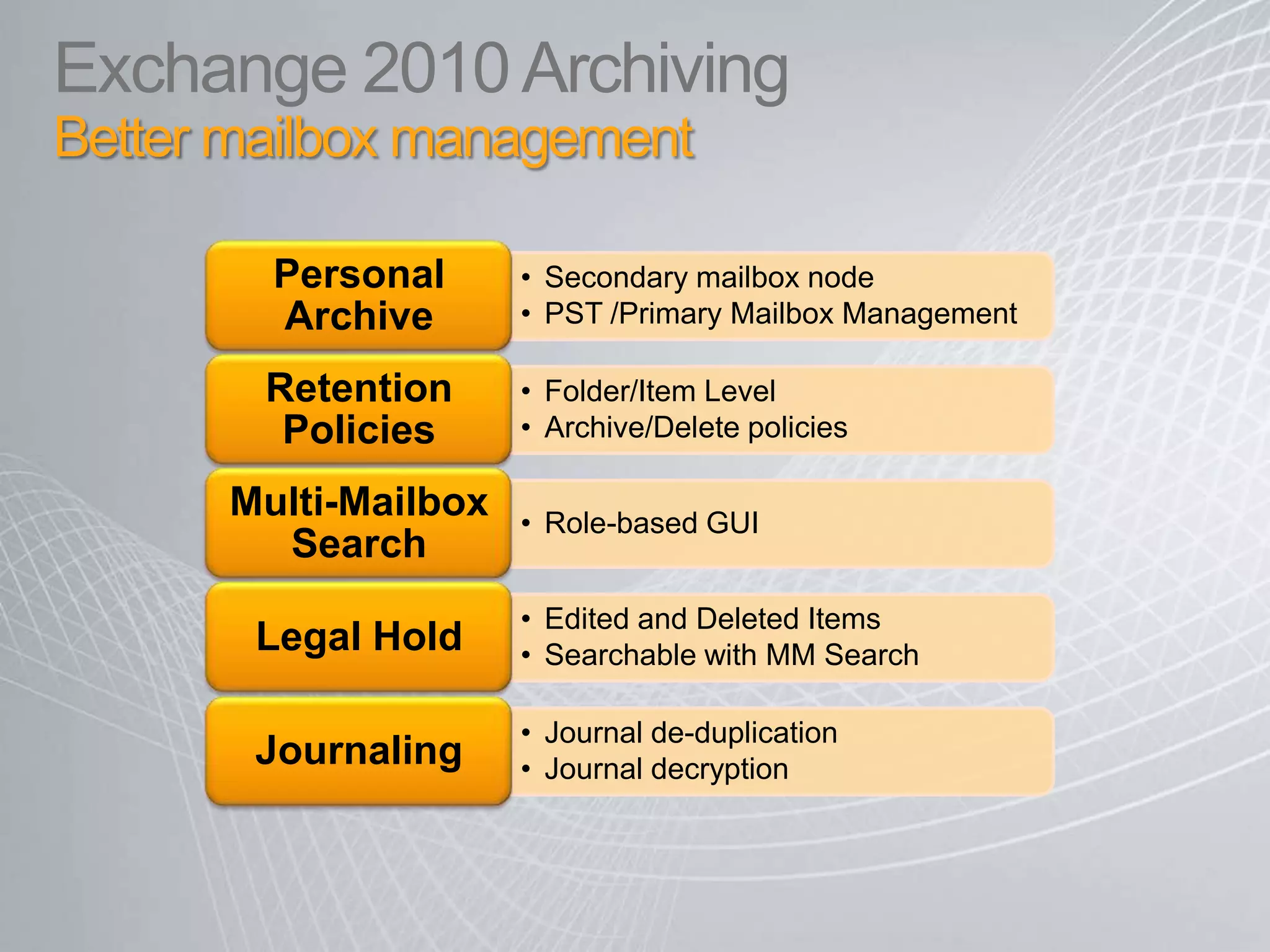
Exchange 2010 ArchivingBetter mailbox management
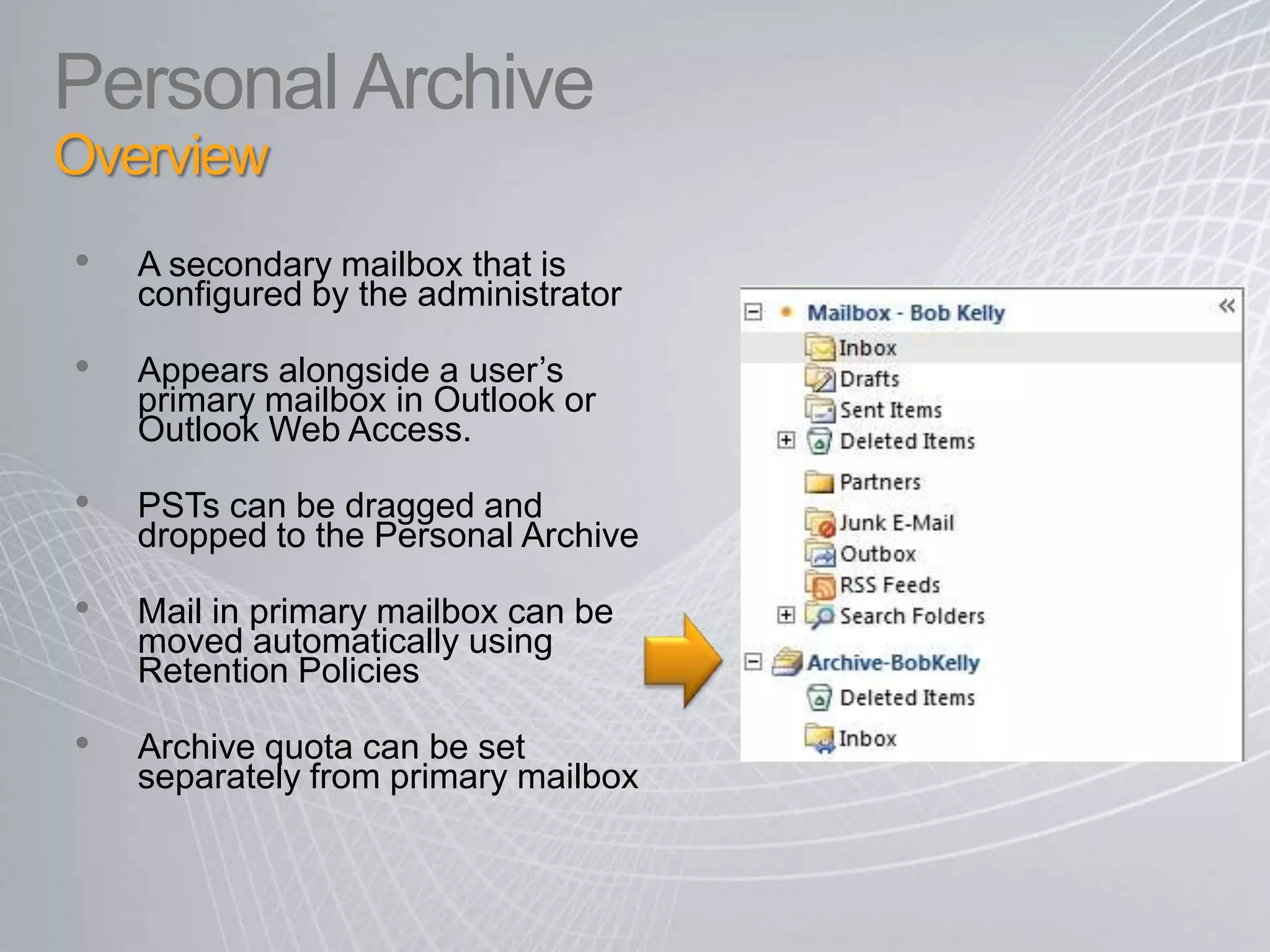
Personal ArchiveOverview A secondary mailbox that is configured by the administrator Appears alongside a user’s primary mailbox in Outlook or Outlook Web Access. PSTs can be dragged and dropped to the Personal ArchiveMail in primary mailbox can be moved automatically using Retention Policies Archive quota can be set separately from primary mailbox
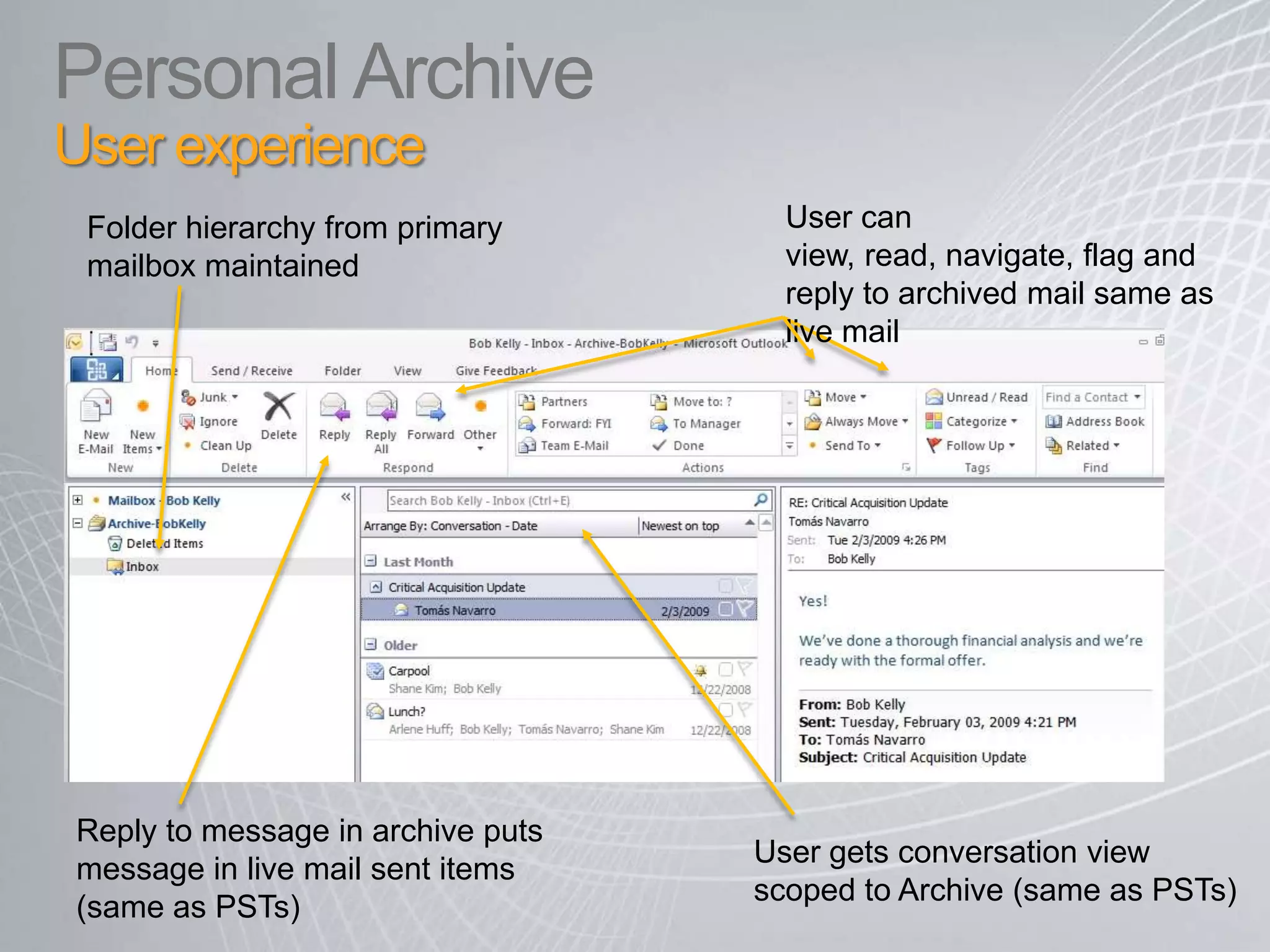
Personal ArchiveUser experienceUser can view, read, navigate, flag and reply to archived mail same as live mail Folder hierarchy from primary mailbox maintained Reply to message in archive puts message in live mail sent items (same as PSTs) User gets conversation view scoped to Archive (same as PSTs)
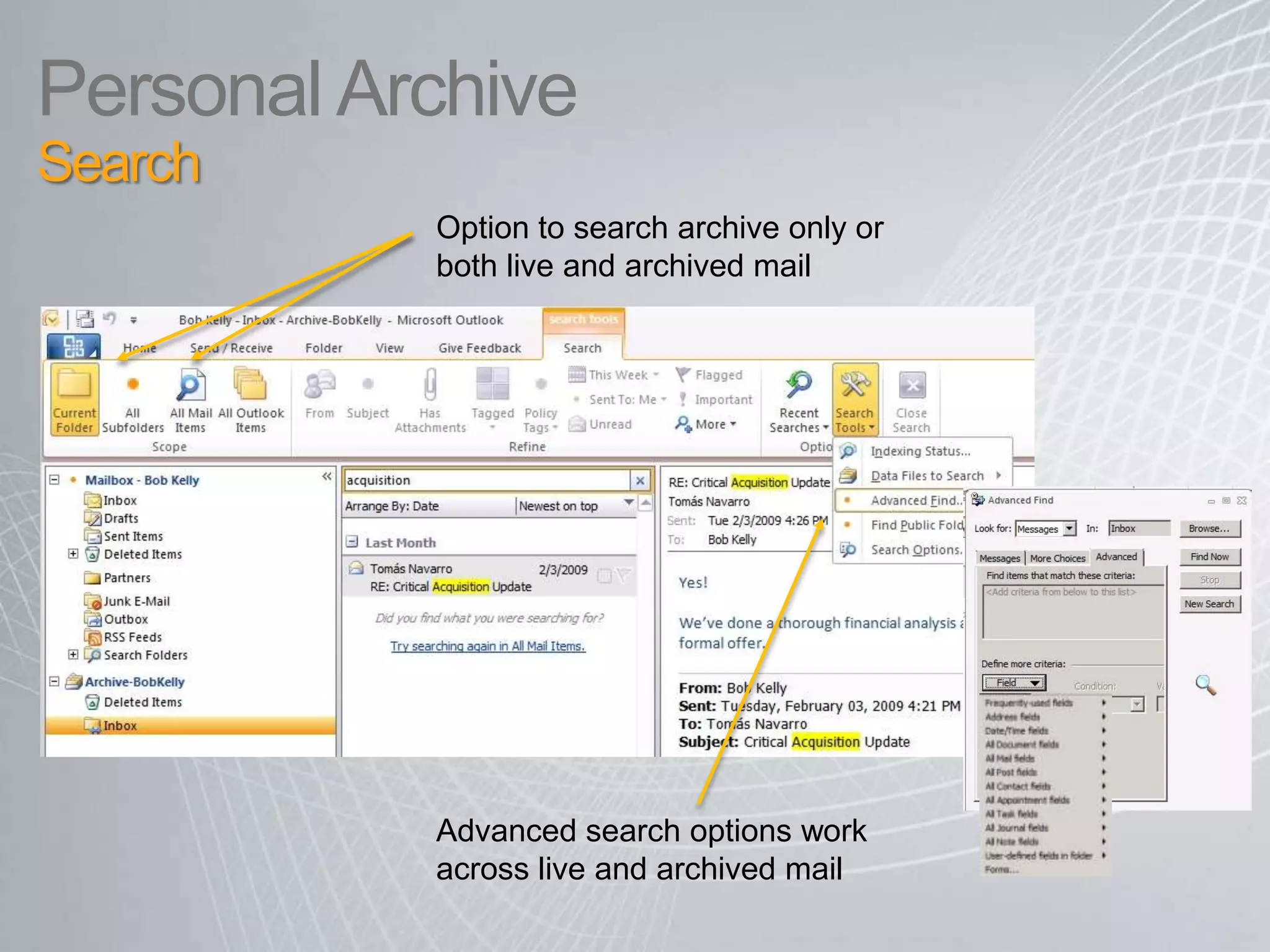
Personal Archive Search Option to search archive only or both live and archived mail Advanced search options work across live and archived mail8
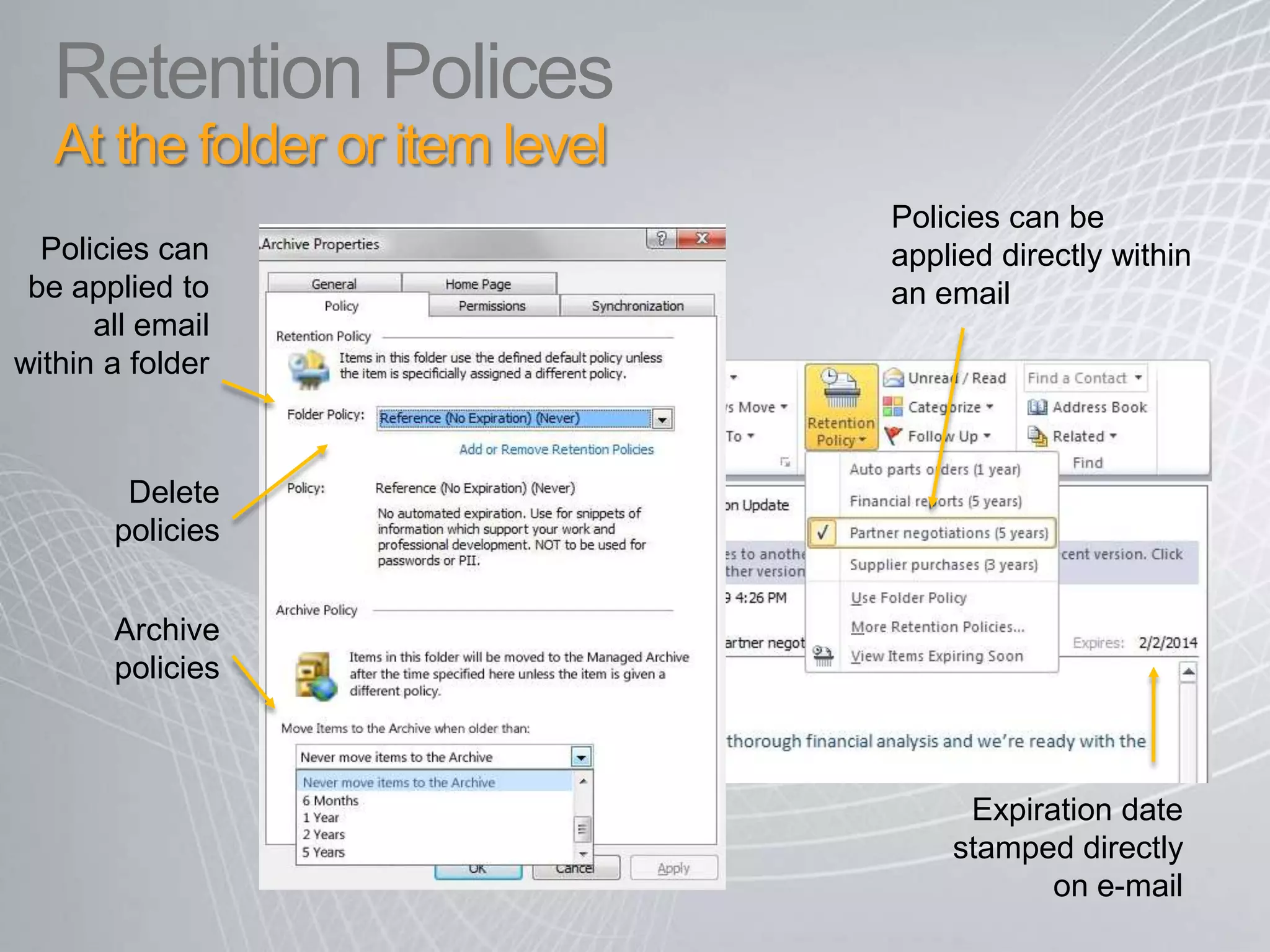
Retention PolicesAt the folder or item levelPolicies can be applied directly within an email Policies can be applied to all email within a folderDelete policies Archive policies Expiration date stamped directly on e-mail
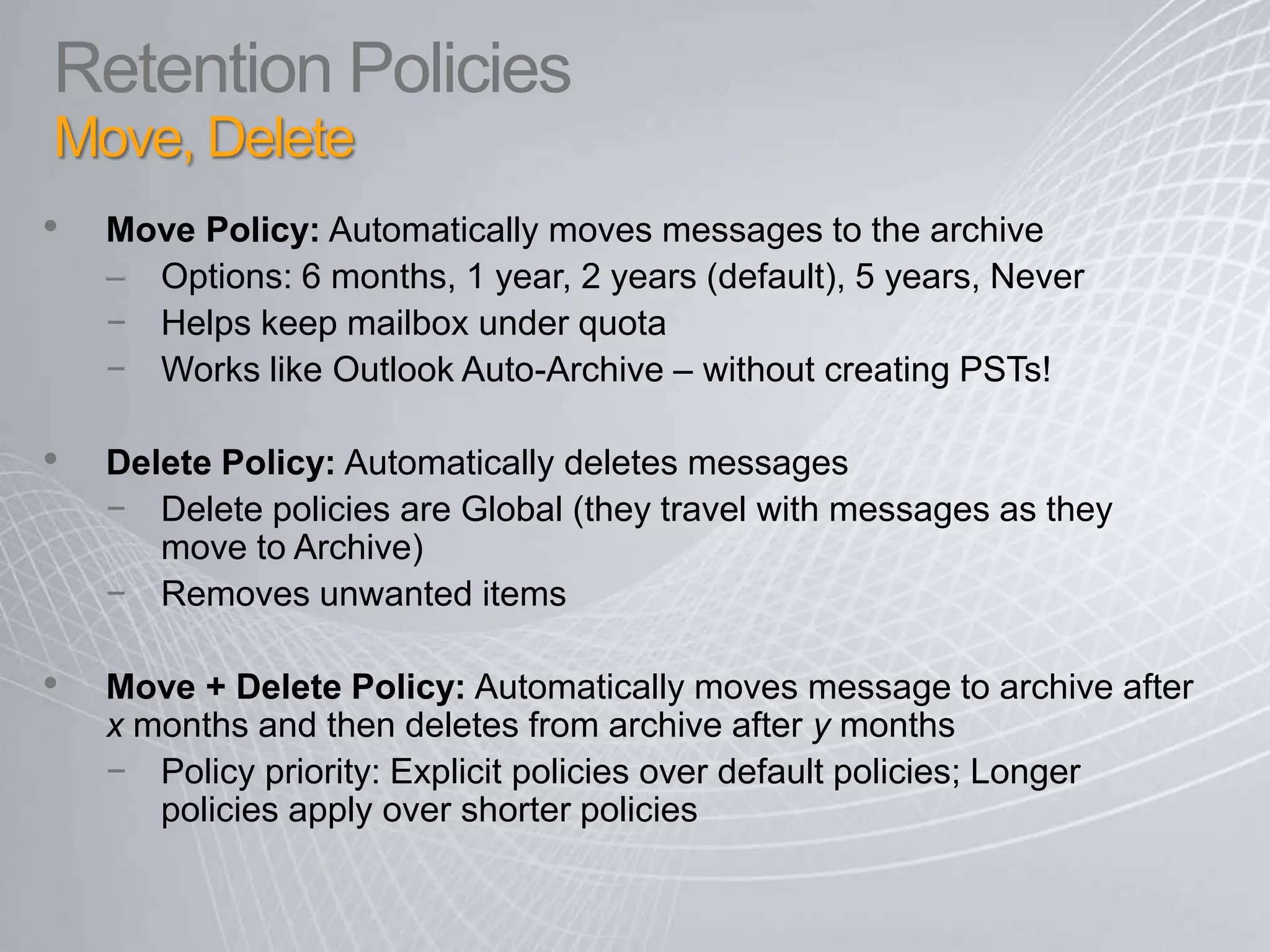
Retention Policies Move, DeleteMove Policy: Automatically moves messages to the archiveOptions: 6 months, 1 year, 2 years (default), 5 years, NeverHelps keep mailbox under quotaWorks like Outlook Auto-Archive – without creating PSTs!Delete Policy: Automatically deletes messagesDelete policies are Global (they travel with messages as they move to Archive)Removes unwanted itemsMove + Delete Policy: Automatically moves message to archive after x months and then deletes from archive after y monthsPolicy priority: Explicit policies over default policies; Longer policies apply over shorter policies
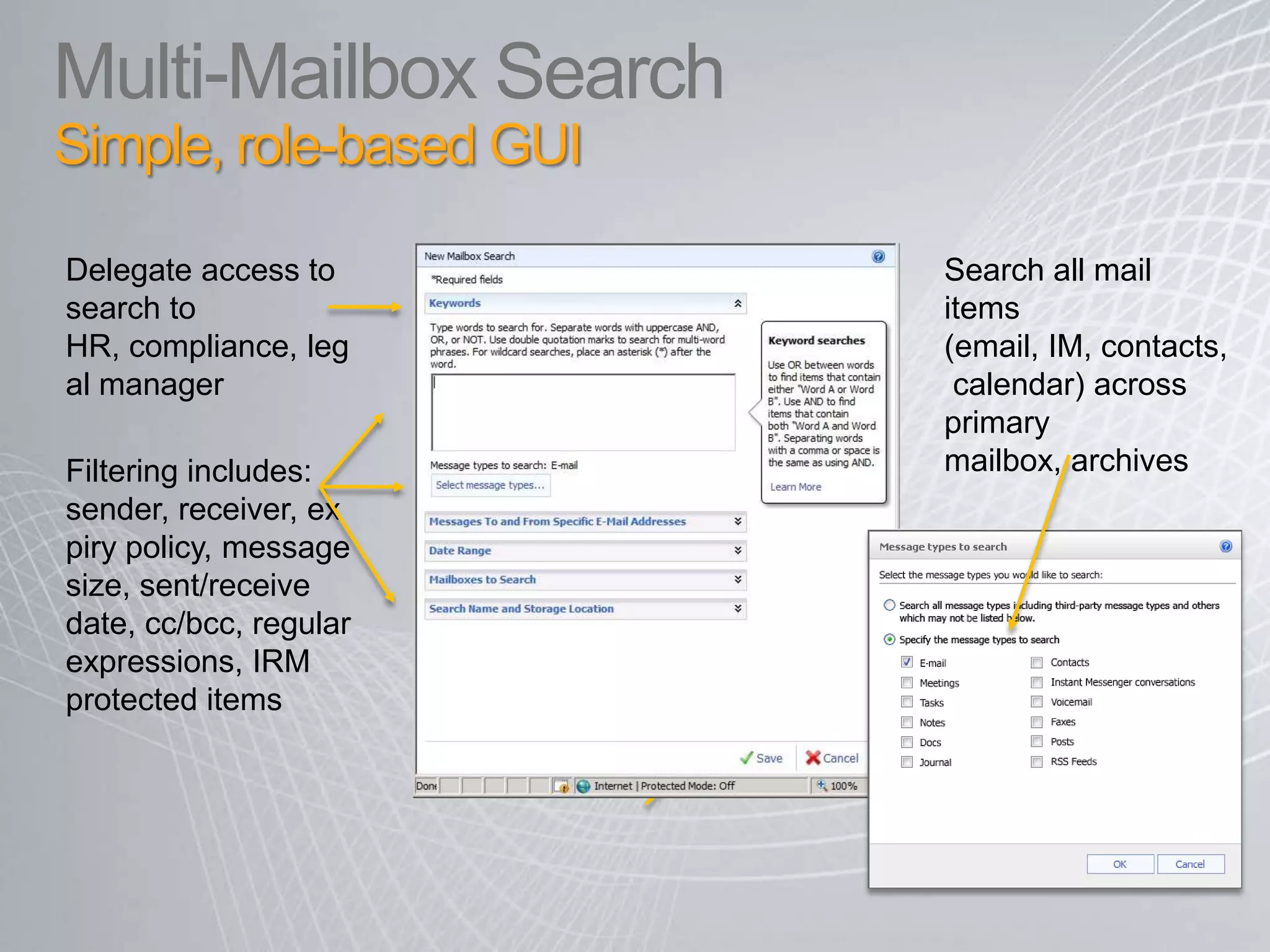
Multi-Mailbox Search Simple, role-based GUIDelegate access to search to HR, compliance, legal manager Search all mail items (email, IM, contacts, calendar) across primary mailbox, archivesFiltering includes: sender, receiver, expiry policy, message size, sent/receive date, cc/bcc, regular expressions, IRM protected items
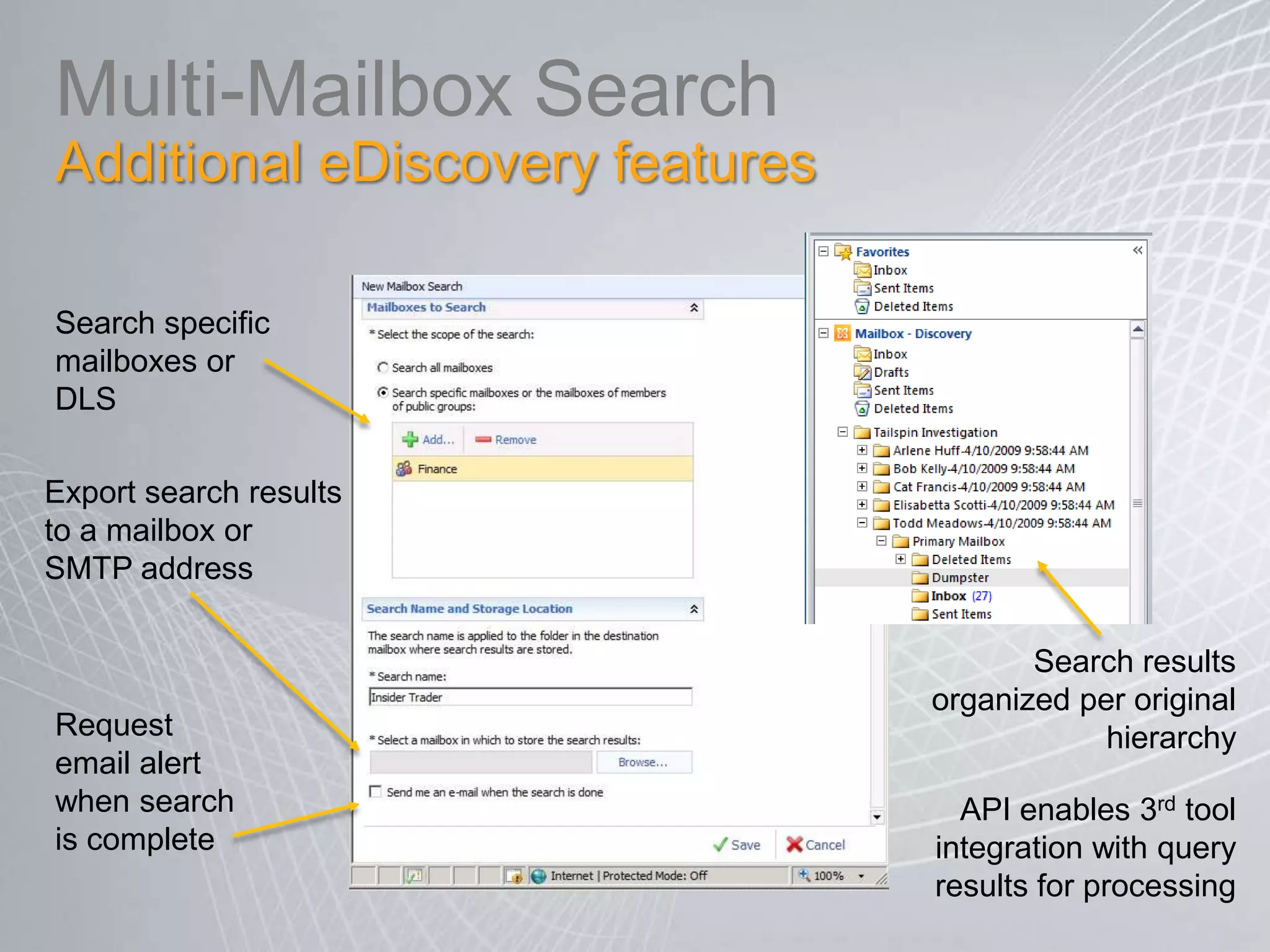
Multi-MailboxSearchAdditional eDiscovery features Search specific mailboxes or DLSExport search results to a mailbox or SMTP addressSearch results organized per original hierarchy Request email alert when search is complete API enables 3rd tool integration with query results for processing
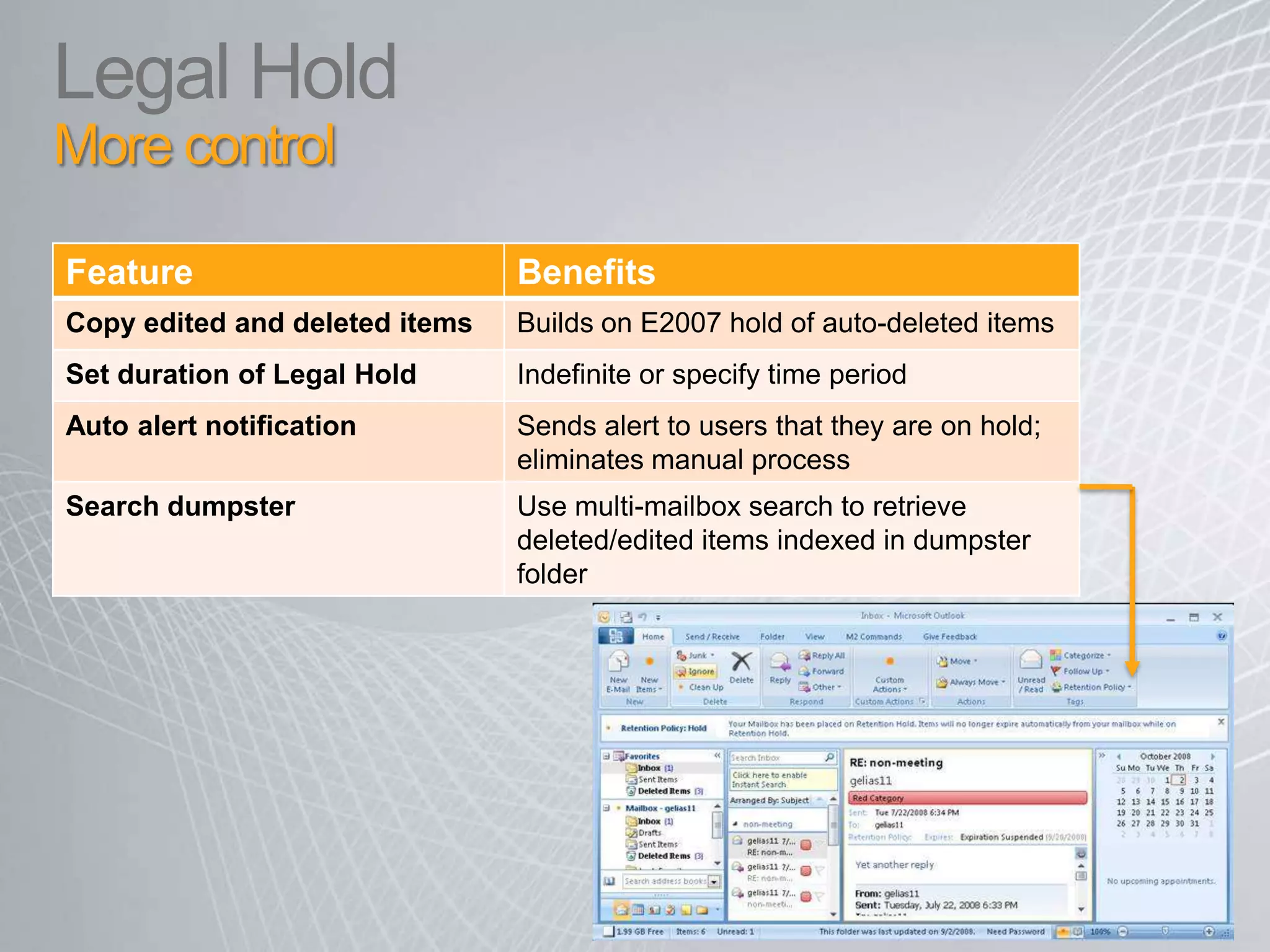
Legal Hold More control
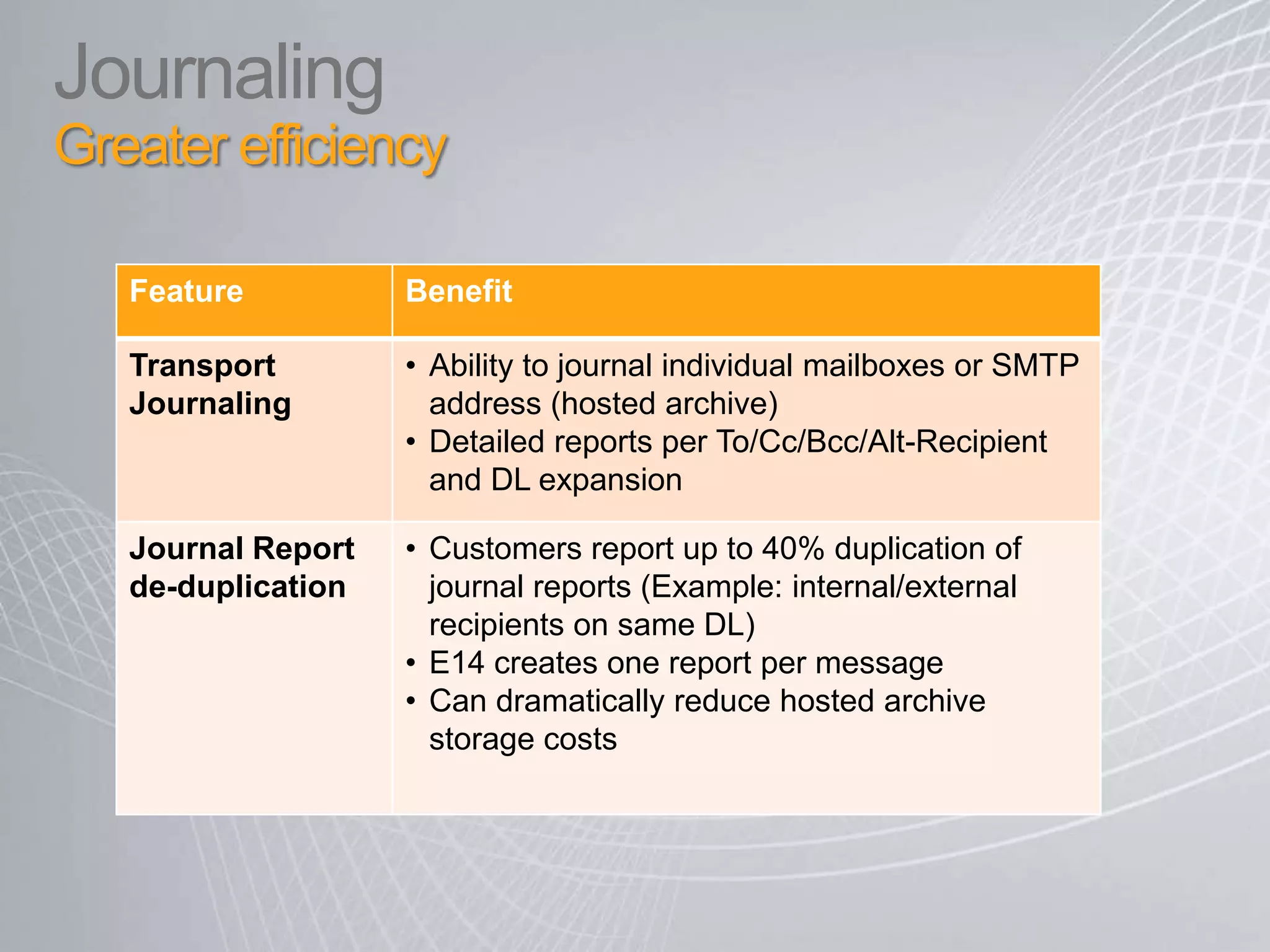
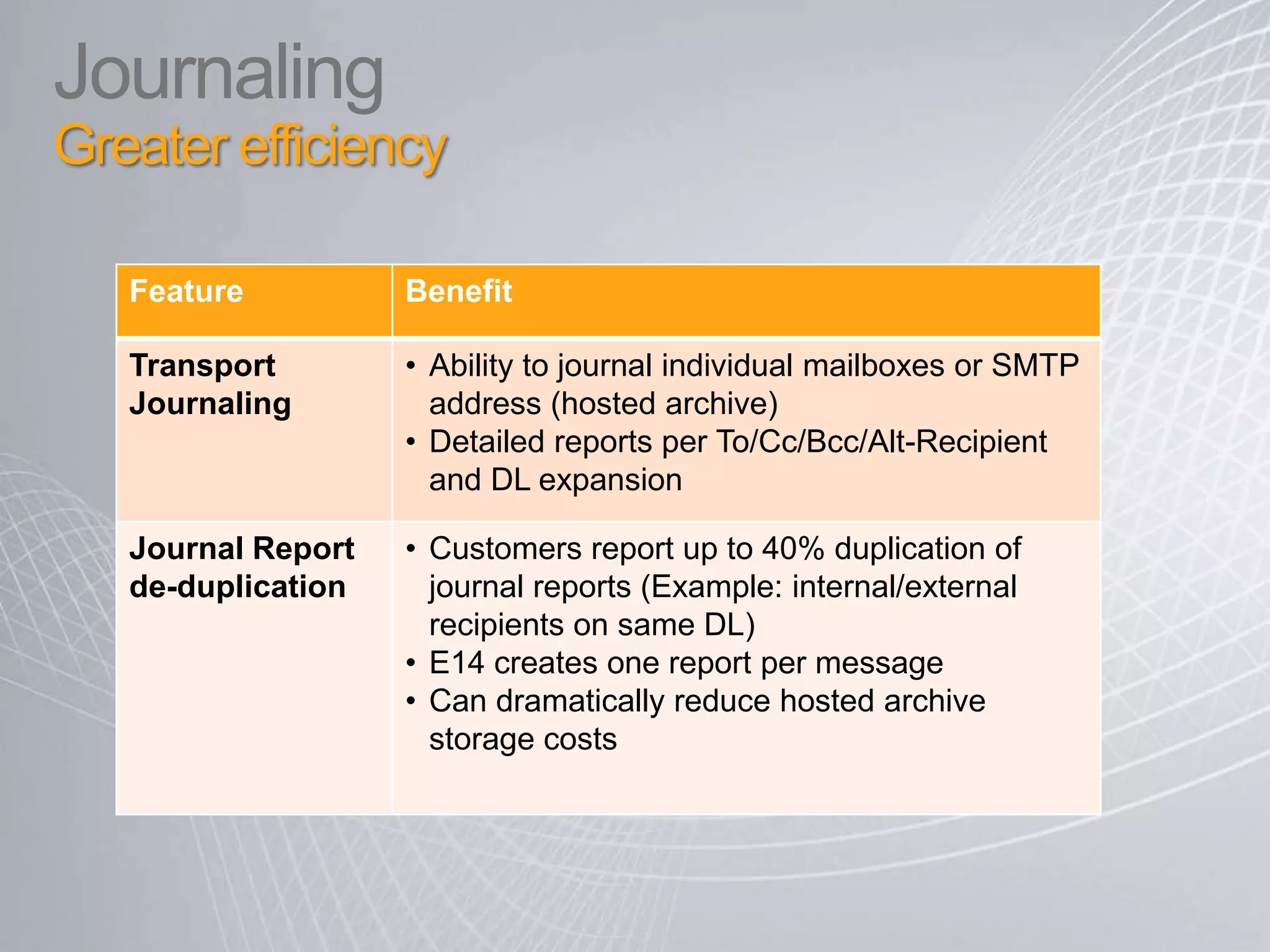
JournalingGreater efficiency
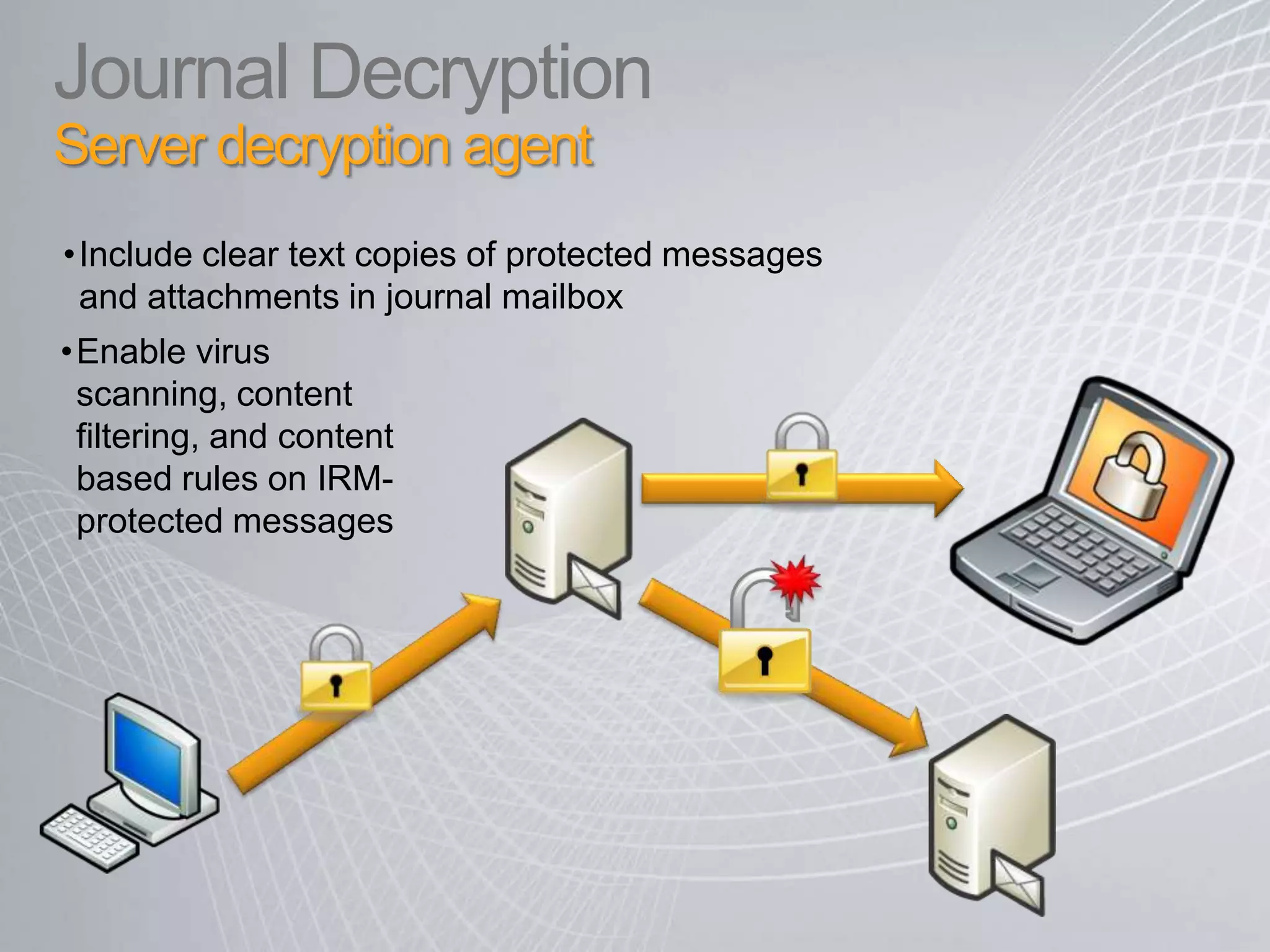
Journal Decryption Server decryption agent Include clear text copies of protected messages and attachments in journal mailbox
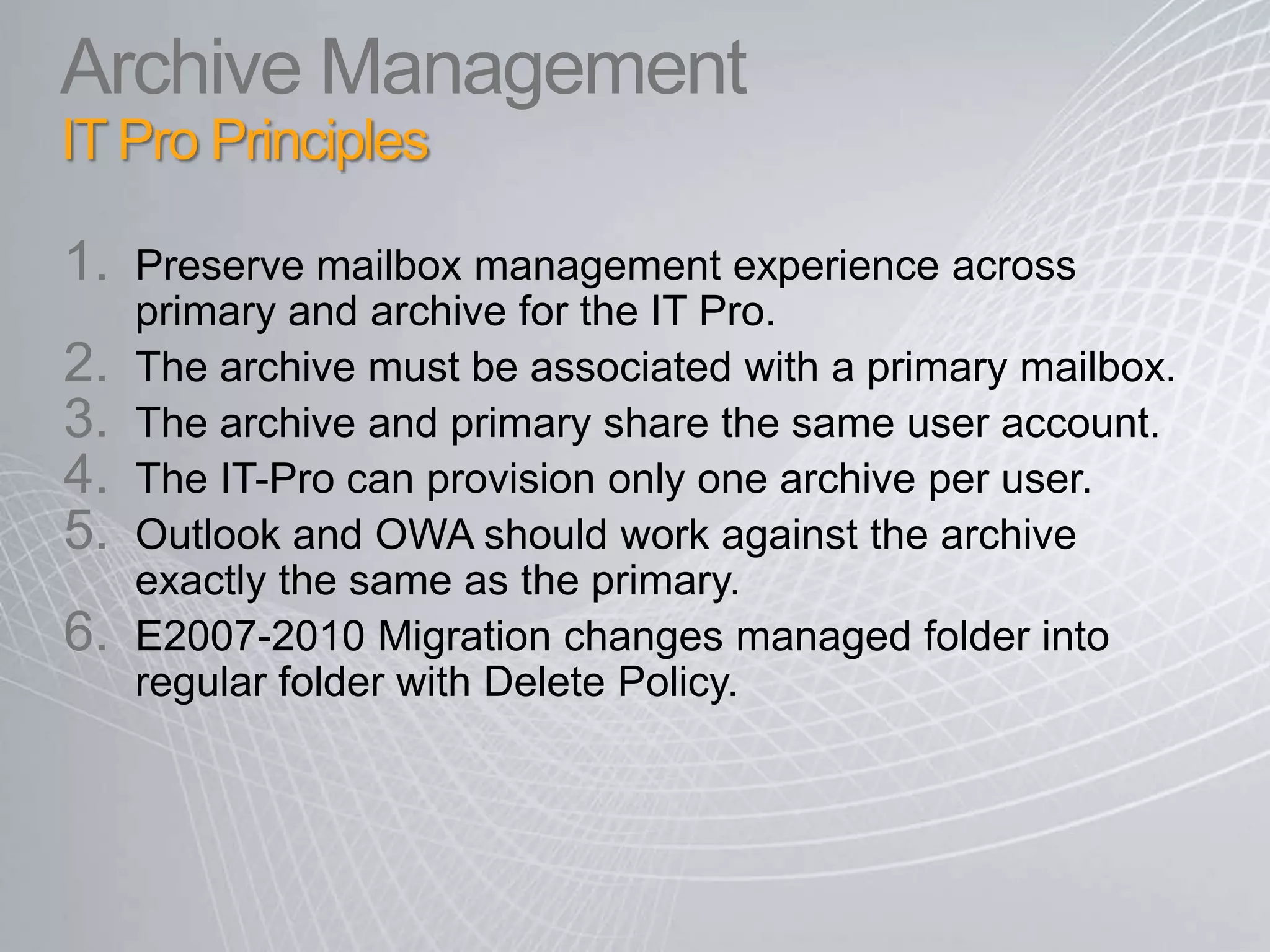
Enable virus scanning, content filtering, and content based rules on IRM-protected messagesArchive Management IT Pro PrinciplesPreserve mailbox management experience across primary and archive for the IT Pro.The archive must be associated with a primary mailbox.The archive and primary share the same user account.The IT-Pro can provision only one archive per user.  Outlook and OWA should work against the archive exactly the same as the primary.E2007-2010 Migration changes managed folder into regular folder with Delete Policy.
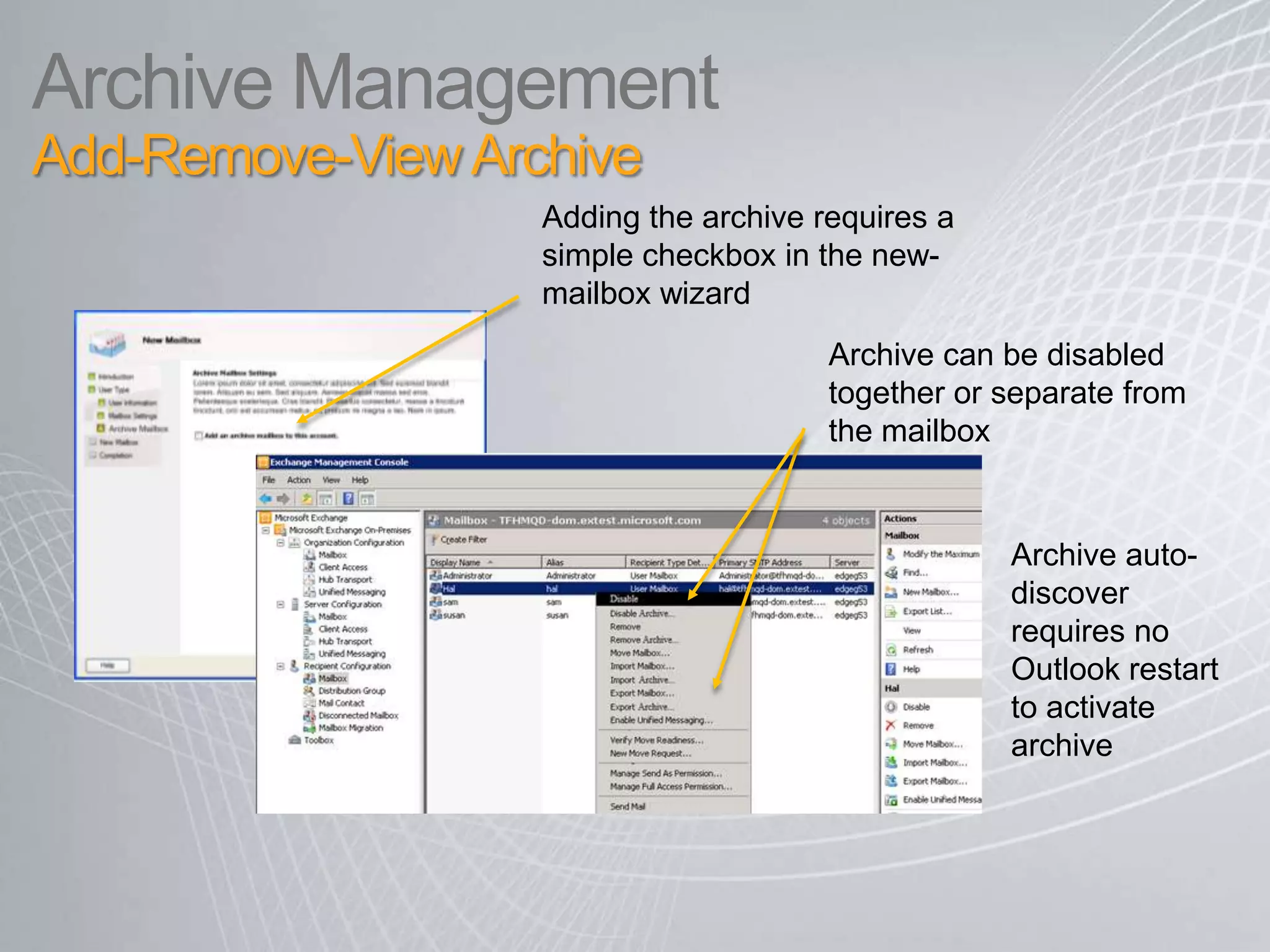
Archive Management Add-Remove-View Archive Adding the archive requires a simple checkbox in the new-mailbox wizardArchive can be disabled together or separate from the mailboxArchive auto-discover requires no Outlook restart to activate archive 17
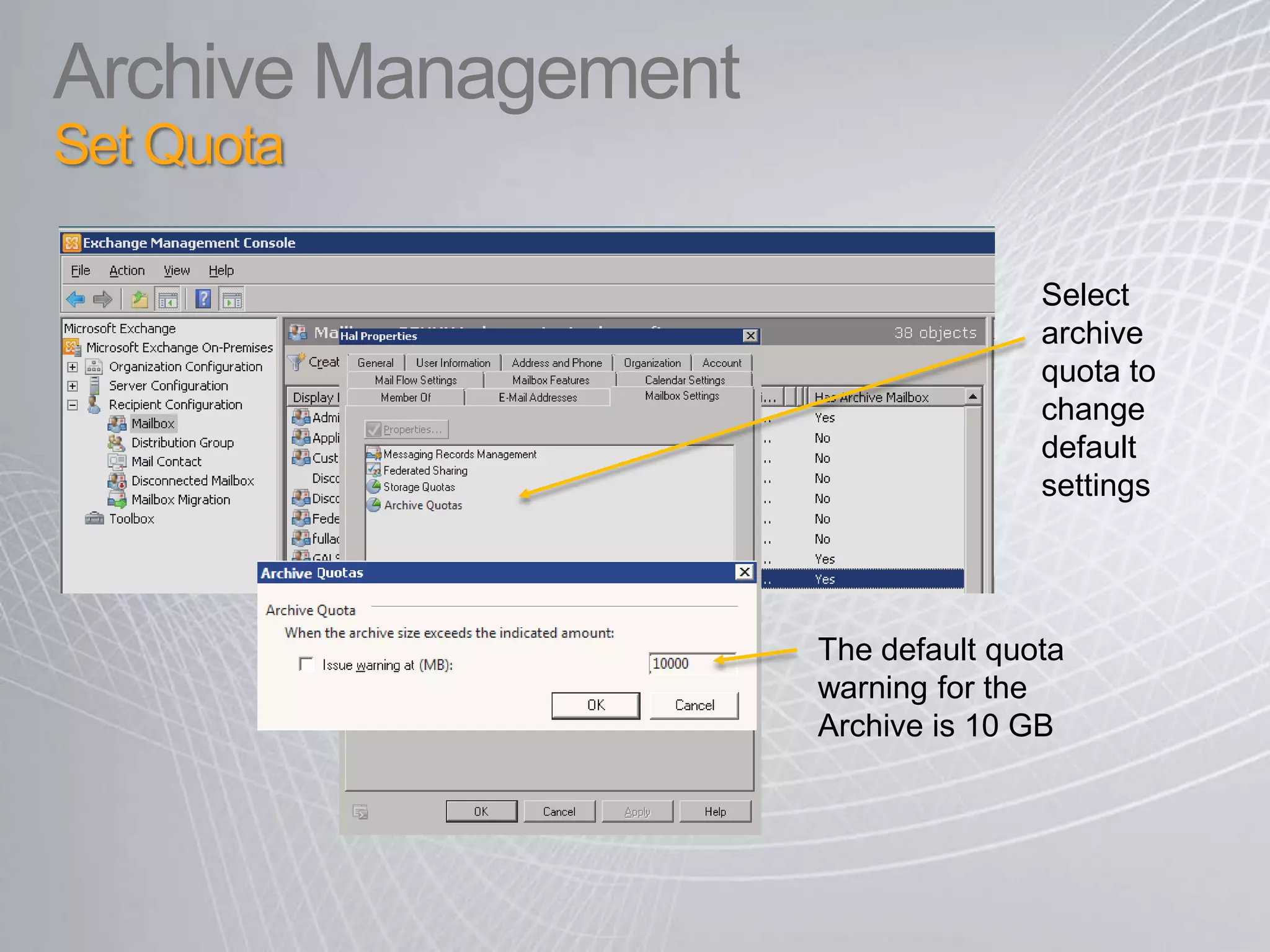
Archive Management Set Quota Select archive quota to change default settings The default quota warning for the Archive is 10 GB
JournalingGreater efficiency
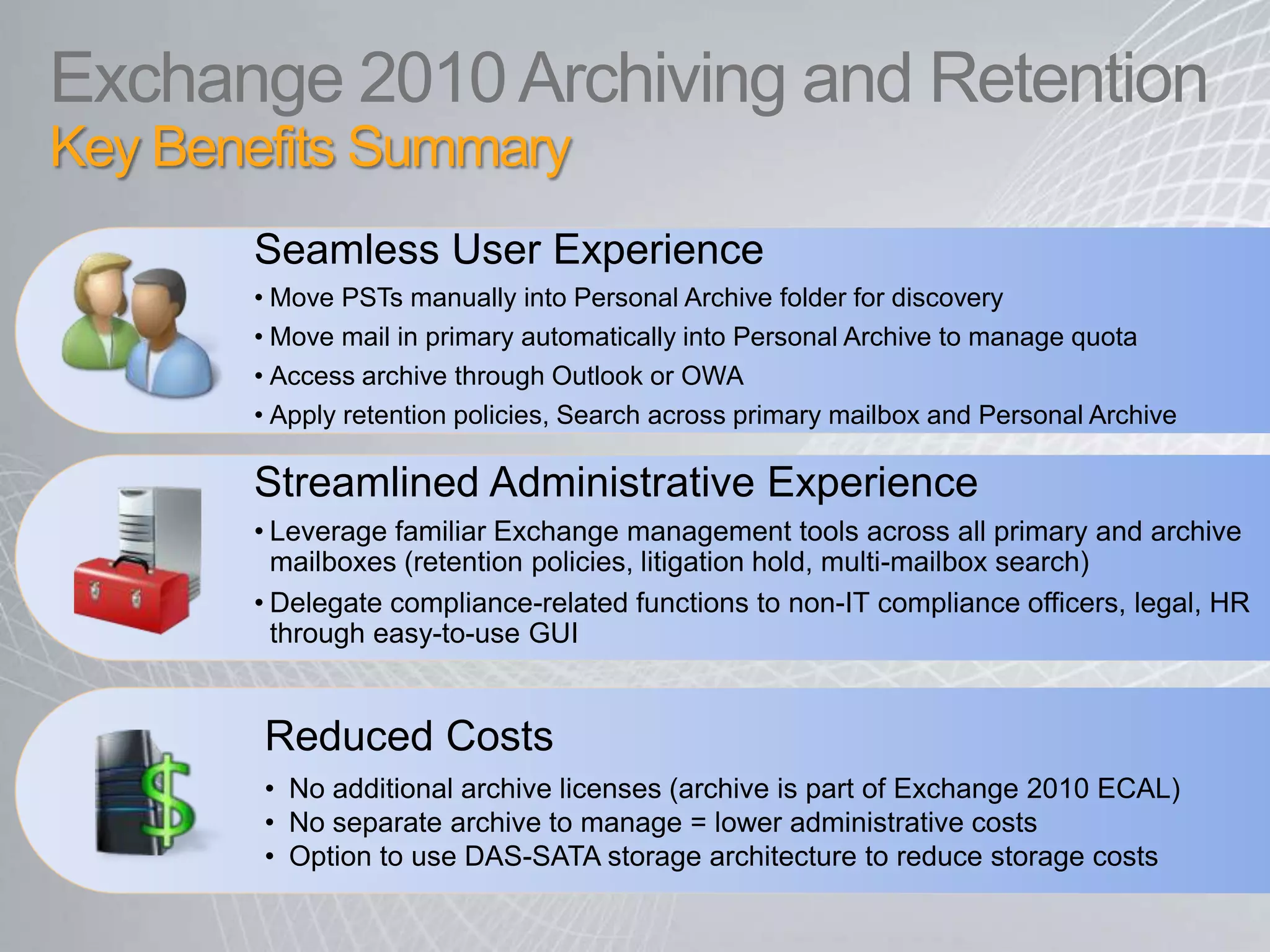
Exchange 2010 Archiving and Retention Key Benefits Summary Seamless User Experience Move PSTs manually into Personal Archive folder for discovery
Move mail in primary automatically into Personal Archive to manage quota
Access archive through Outlook or OWA
Apply retention policies, Search across primary mailbox and Personal ArchiveStreamlined Administrative Experience  Leverage familiar Exchange management tools across all primary and archive mailboxes (retention policies, litigation hold, multi-mailbox search)
Delegate compliance-related functions to non-IT compliance officers, legal, HR through easy-to-use GUIReduced Costs No additional archive licenses (archive is part of Exchange 2010 ECAL)
No separate archive to manage = lower administrative costs
Option to use DAS-SATA storage architecture to reduce storage costs Archiving and Retention demo
© 2008 Microsoft Corporation. All rights reserved. Microsoft, Windows, Windows Vista and other product names are or may be registered trademarks and/or trademarks in the U.S. and/or other countries.The information herein is for informational purposes only and represents the current view of Microsoft Corporation as of the date of this presentation.  Because Microsoft must respond to changing market conditions, it should not be interpreted to be a commitment on the part of Microsoft, and Microsoft cannot guarantee the accuracy of any information provided after the date of this presentation.  MICROSOFT MAKES NO WARRANTIES, EXPRESS, IMPLIED OR STATUTORY, AS TO THE INFORMATION IN THIS PRESENTATION.
Appendix

Exchange Server 2010 Archving And Retention

  • 1.
    Exchange 2010Archiving andRetention Harold Wongblogs.technet.com/haroldwong
  • 2.
    Why Archive? AVicious Cycle of Volume vs. Control PSTs difficult to discovery centrally
  • 3.
    Regulatory retention schedulescontribute to further volume/ storage issues Increasing storage and back-up costs Quota management often results in growing PSTs (Outlook auto-archive) Users forced to manage quota
  • 4.
    Breaking the CycleWithlarge mailbox archiecture and archiving Large Mailbox Architecture maintains performance
  • 5.
    provides optionfor DAS-SATA storage to reduce costs Archivingsimplifies discovery, retention and legal hold Archivingenables simple migration of PSTS back to server
  • 6.
    Large Mailbox LowerCosts, Better Performance
  • 7.
  • 8.
    Personal ArchiveOverview Asecondary mailbox that is configured by the administrator Appears alongside a user’s primary mailbox in Outlook or Outlook Web Access. PSTs can be dragged and dropped to the Personal ArchiveMail in primary mailbox can be moved automatically using Retention Policies Archive quota can be set separately from primary mailbox
  • 9.
    Personal ArchiveUser experienceUsercan view, read, navigate, flag and reply to archived mail same as live mail Folder hierarchy from primary mailbox maintained Reply to message in archive puts message in live mail sent items (same as PSTs) User gets conversation view scoped to Archive (same as PSTs)
  • 10.
    Personal Archive SearchOption to search archive only or both live and archived mail Advanced search options work across live and archived mail8
  • 11.
    Retention PolicesAt thefolder or item levelPolicies can be applied directly within an email Policies can be applied to all email within a folderDelete policies Archive policies Expiration date stamped directly on e-mail
  • 12.
    Retention Policies Move,DeleteMove Policy: Automatically moves messages to the archiveOptions: 6 months, 1 year, 2 years (default), 5 years, NeverHelps keep mailbox under quotaWorks like Outlook Auto-Archive – without creating PSTs!Delete Policy: Automatically deletes messagesDelete policies are Global (they travel with messages as they move to Archive)Removes unwanted itemsMove + Delete Policy: Automatically moves message to archive after x months and then deletes from archive after y monthsPolicy priority: Explicit policies over default policies; Longer policies apply over shorter policies
  • 13.
    Multi-Mailbox Search Simple,role-based GUIDelegate access to search to HR, compliance, legal manager Search all mail items (email, IM, contacts, calendar) across primary mailbox, archivesFiltering includes: sender, receiver, expiry policy, message size, sent/receive date, cc/bcc, regular expressions, IRM protected items
  • 14.
    Multi-MailboxSearchAdditional eDiscovery featuresSearch specific mailboxes or DLSExport search results to a mailbox or SMTP addressSearch results organized per original hierarchy Request email alert when search is complete API enables 3rd tool integration with query results for processing
  • 15.
  • 16.
  • 17.
    Journal Decryption Serverdecryption agent Include clear text copies of protected messages and attachments in journal mailbox
  • 18.
    Enable virus scanning,content filtering, and content based rules on IRM-protected messagesArchive Management IT Pro PrinciplesPreserve mailbox management experience across primary and archive for the IT Pro.The archive must be associated with a primary mailbox.The archive and primary share the same user account.The IT-Pro can provision only one archive per user. Outlook and OWA should work against the archive exactly the same as the primary.E2007-2010 Migration changes managed folder into regular folder with Delete Policy.
  • 19.
    Archive Management Add-Remove-ViewArchive Adding the archive requires a simple checkbox in the new-mailbox wizardArchive can be disabled together or separate from the mailboxArchive auto-discover requires no Outlook restart to activate archive 17
  • 20.
    Archive Management SetQuota Select archive quota to change default settings The default quota warning for the Archive is 10 GB
  • 21.
  • 22.
    Exchange 2010 Archivingand Retention Key Benefits Summary Seamless User Experience Move PSTs manually into Personal Archive folder for discovery
  • 23.
    Move mail inprimary automatically into Personal Archive to manage quota
  • 24.
  • 25.
    Apply retention policies,Search across primary mailbox and Personal ArchiveStreamlined Administrative Experience Leverage familiar Exchange management tools across all primary and archive mailboxes (retention policies, litigation hold, multi-mailbox search)
  • 26.
    Delegate compliance-related functionsto non-IT compliance officers, legal, HR through easy-to-use GUIReduced Costs No additional archive licenses (archive is part of Exchange 2010 ECAL)
  • 27.
    No separate archiveto manage = lower administrative costs
  • 28.
    Option to useDAS-SATA storage architecture to reduce storage costs Archiving and Retention demo
  • 29.
    © 2008 MicrosoftCorporation. All rights reserved. Microsoft, Windows, Windows Vista and other product names are or may be registered trademarks and/or trademarks in the U.S. and/or other countries.The information herein is for informational purposes only and represents the current view of Microsoft Corporation as of the date of this presentation. Because Microsoft must respond to changing market conditions, it should not be interpreted to be a commitment on the part of Microsoft, and Microsoft cannot guarantee the accuracy of any information provided after the date of this presentation. MICROSOFT MAKES NO WARRANTIES, EXPRESS, IMPLIED OR STATUTORY, AS TO THE INFORMATION IN THIS PRESENTATION.
  • 30.
  • 31.
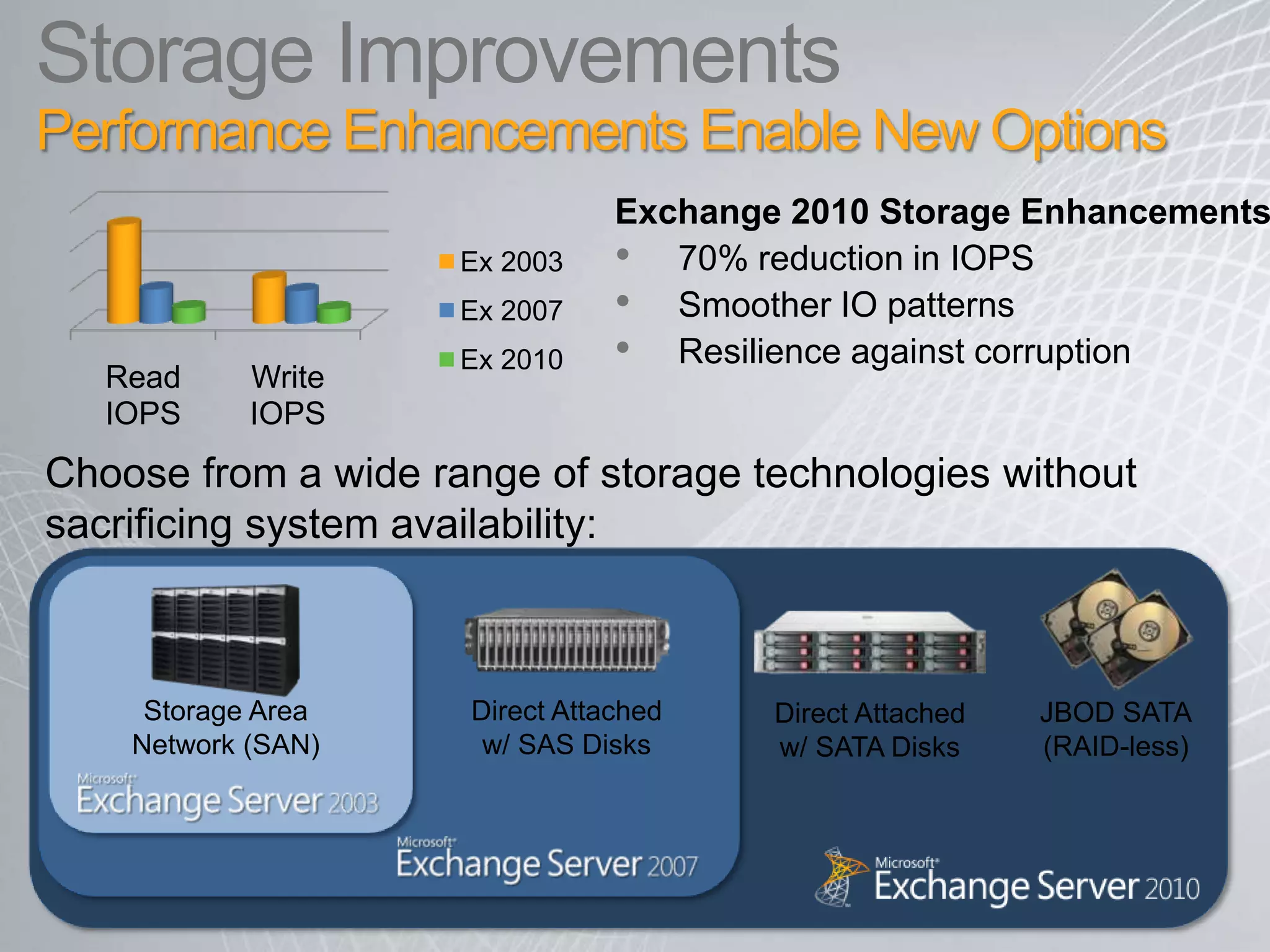
    Storage ImprovementsPerformance EnhancementsEnable New OptionsExchange 2010 Storage Enhancements70% reduction in IOPSSmoother IO patternsResilience against corruptionDirect Attached w/ SATA DisksChoose from a wide range of storage technologies without sacrificing system availability:Storage Area Network (SAN)Direct Attached w/ SAS DisksJBOD SATA(RAID-less)
  • 32.
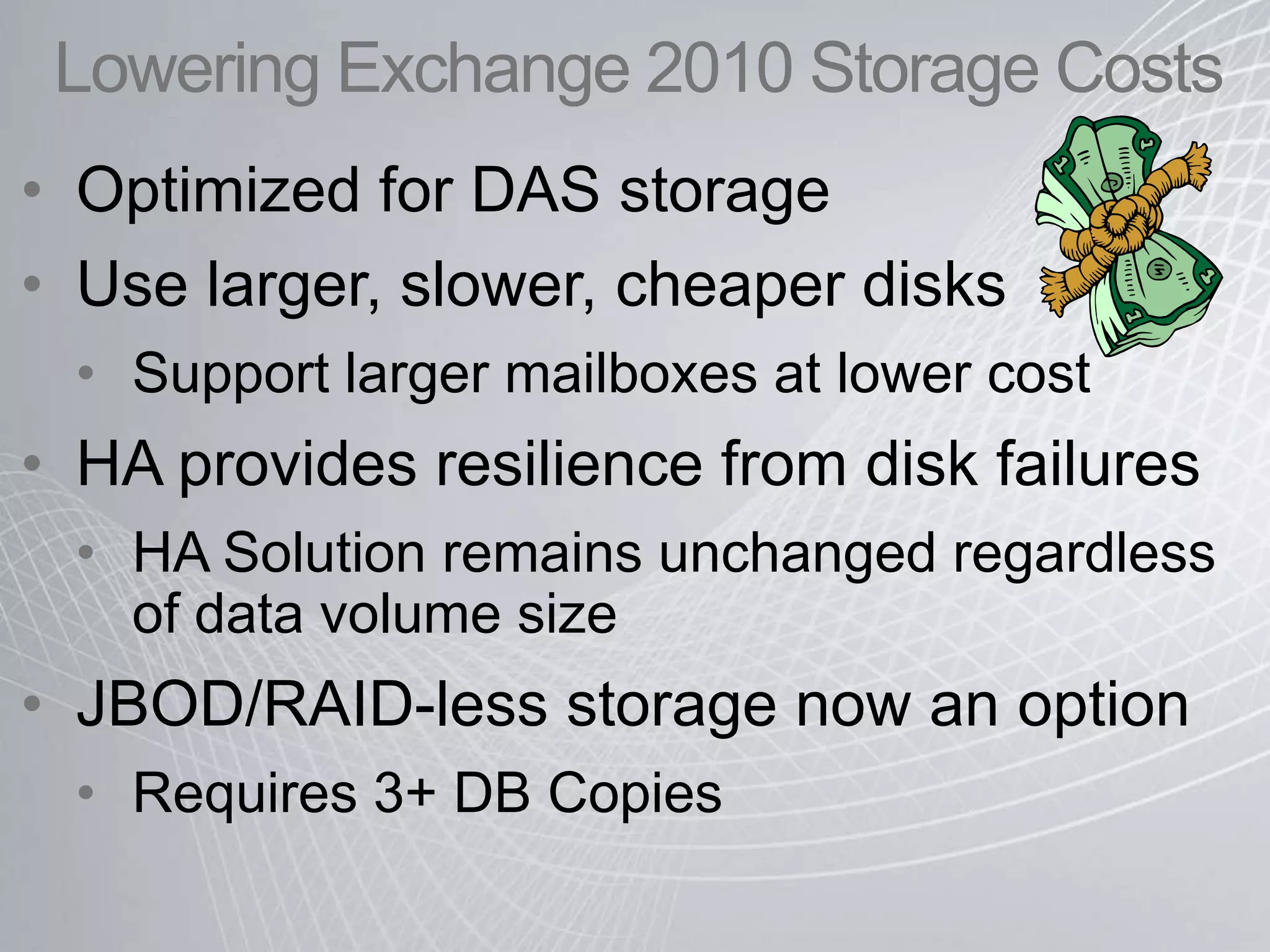
    Lowering Exchange 2010Storage CostsOptimized for DAS storage
  • 33.
    Use larger, slower,cheaper disks
  • 34.
  • 35.
    HA provides resiliencefrom disk failures
  • 36.
    HA Solution remainsunchanged regardless of data volume size
  • 37.
  • 38.
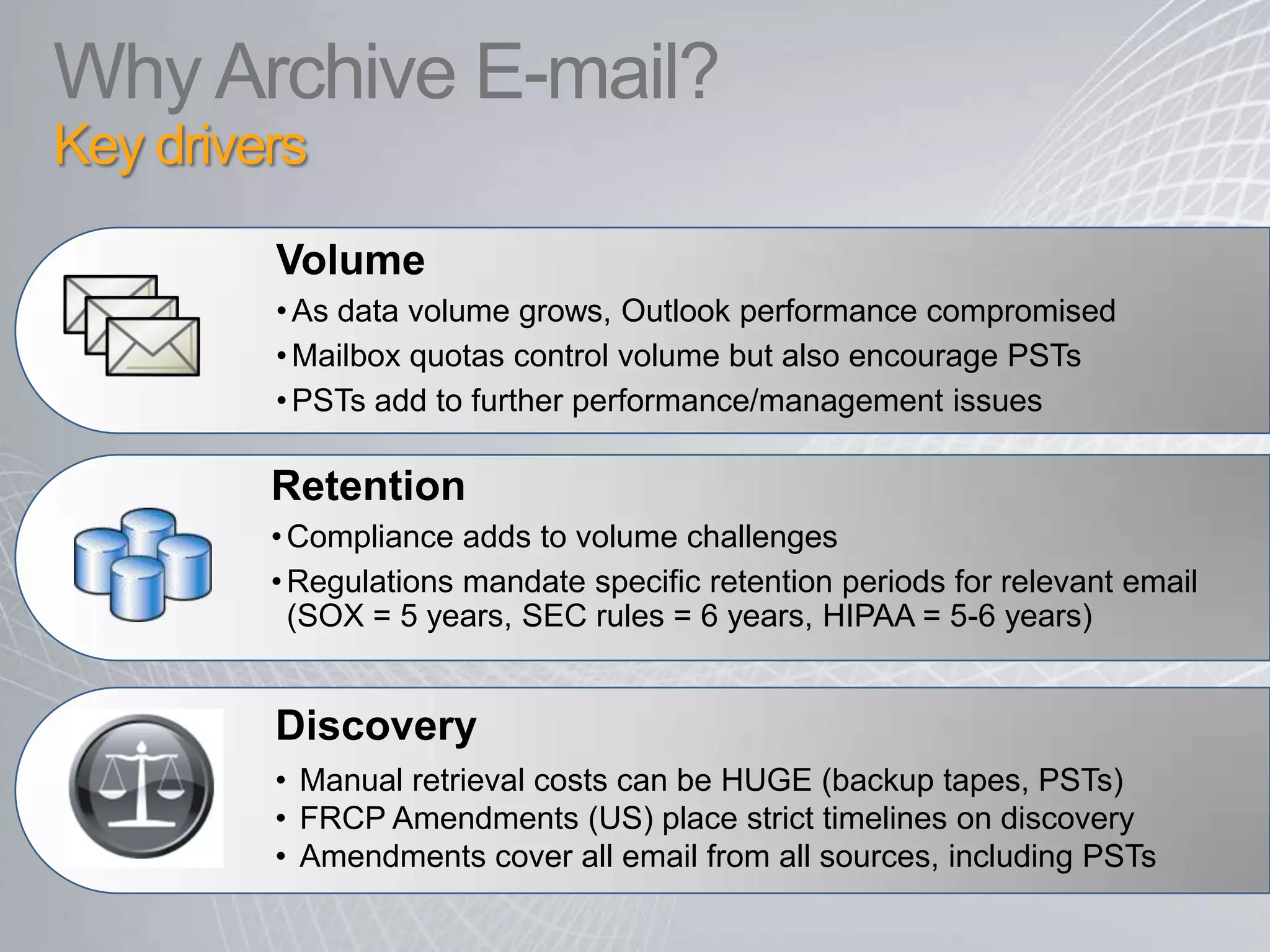
    Requires 3+ DBCopiesWhy Archive E-mail? Key drivers Volume As data volume grows, Outlook performance compromised
  • 39.
    Mailbox quotas controlvolume but also encourage PSTs
  • 40.
    PSTs add tofurther performance/management issues Retention Compliance adds to volume challenges
  • 41.
    Regulations mandate specificretention periods for relevant email (SOX = 5 years, SEC rules = 6 years, HIPAA = 5-6 years) Discovery Manual retrieval costs can be HUGE (backup tapes, PSTs)
  • 42.
    FRCP Amendments (US)place strict timelines on discovery
  • 43.
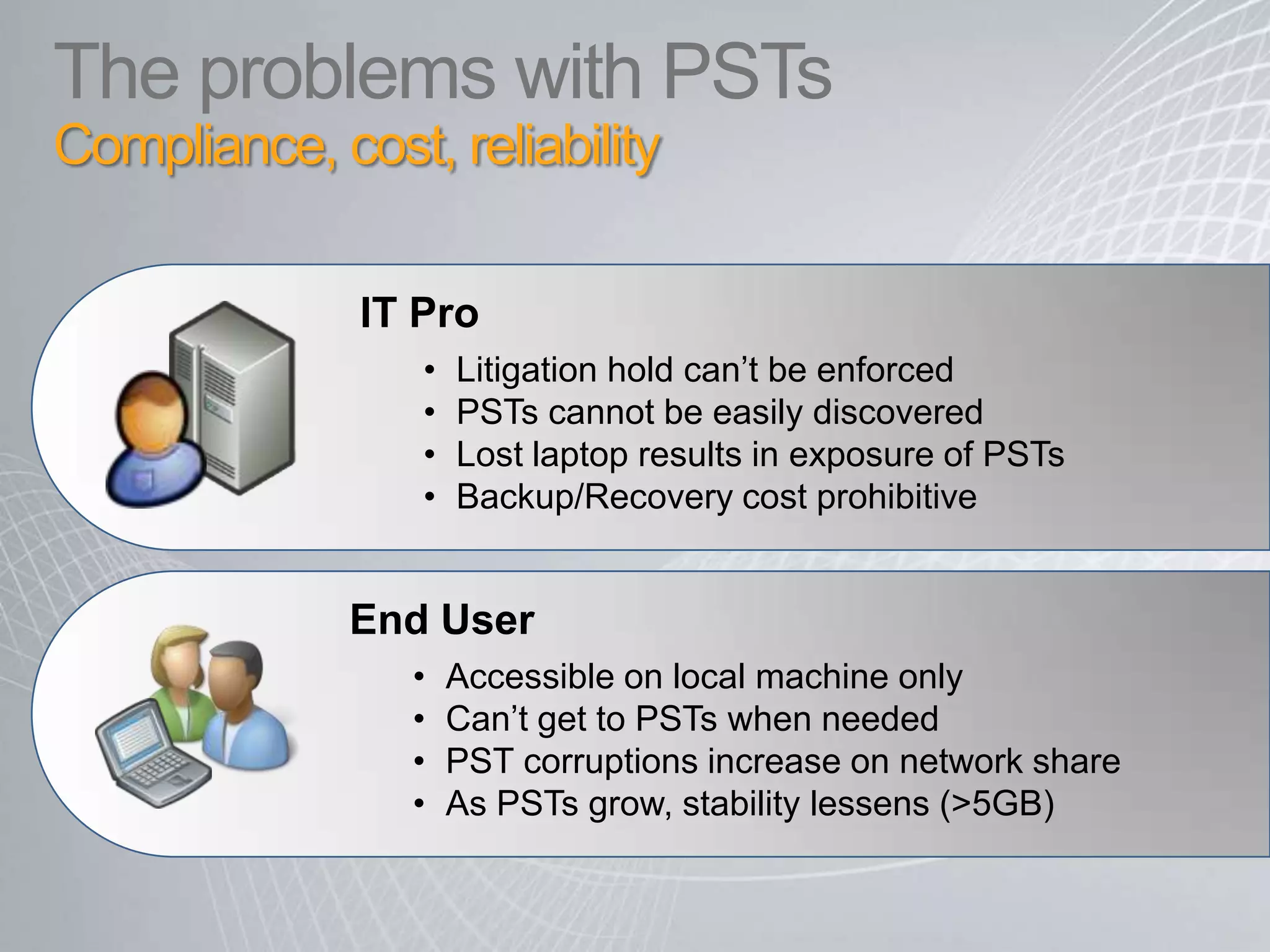
    Amendments cover allemail from all sources, including PSTs The problems with PSTs Compliance, cost, reliability IT Pro Litigation hold can’t be enforced
  • 44.
    PSTs cannot beeasily discovered
  • 45.
    Lost laptop resultsin exposure of PSTs
  • 46.
    Backup/Recovery cost prohibitiveEndUser Accessible on local machine only
  • 47.
    Can’t get toPSTs when needed
  • 48.
    PST corruptions increaseon network share
  • 49.
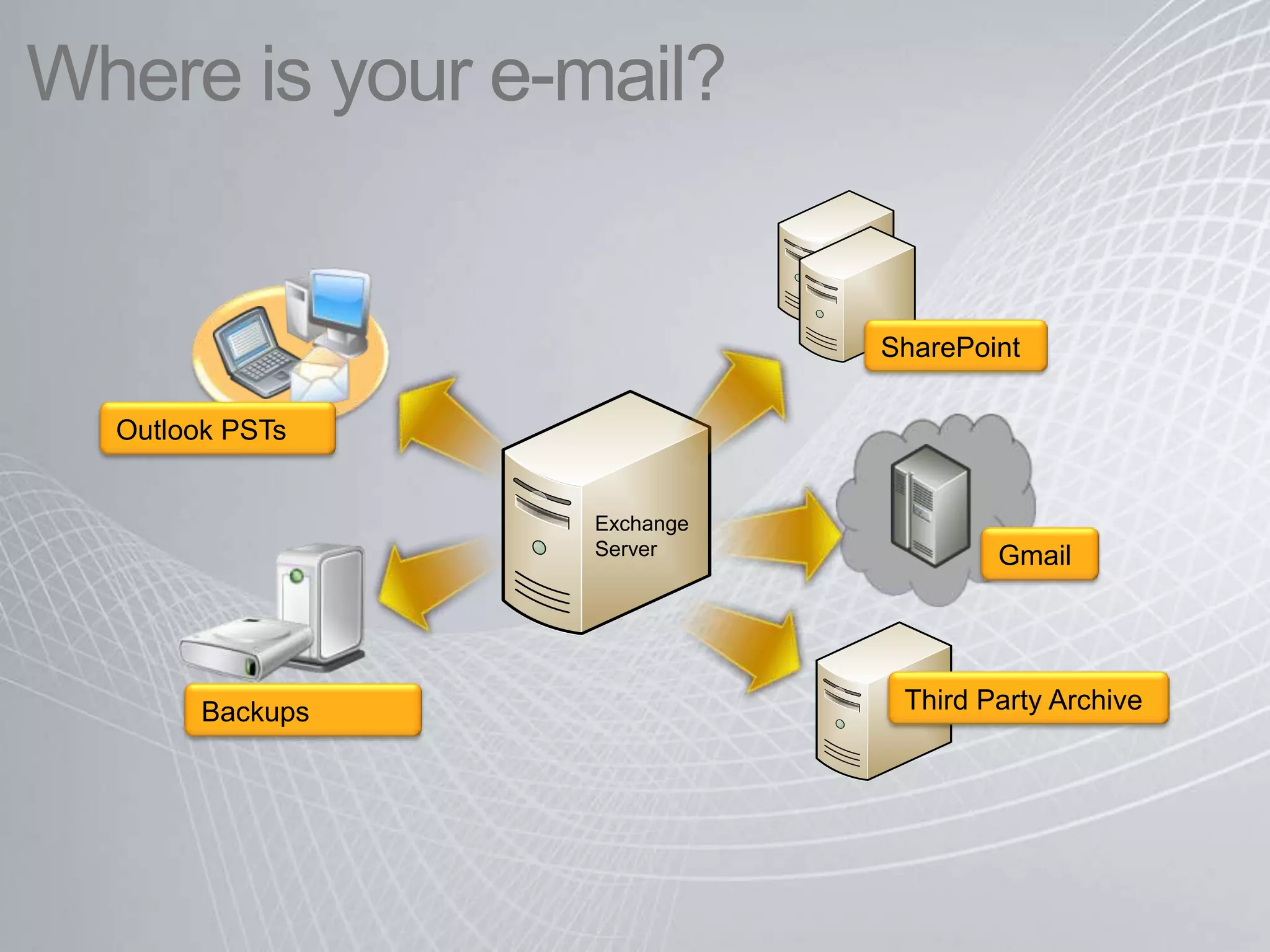
    As PSTs grow,stability lessens (>5GB)Where is your e-mail? SharePointOutlook PSTsExchange ServerGmailThird Party ArchiveBackups
  • 50.
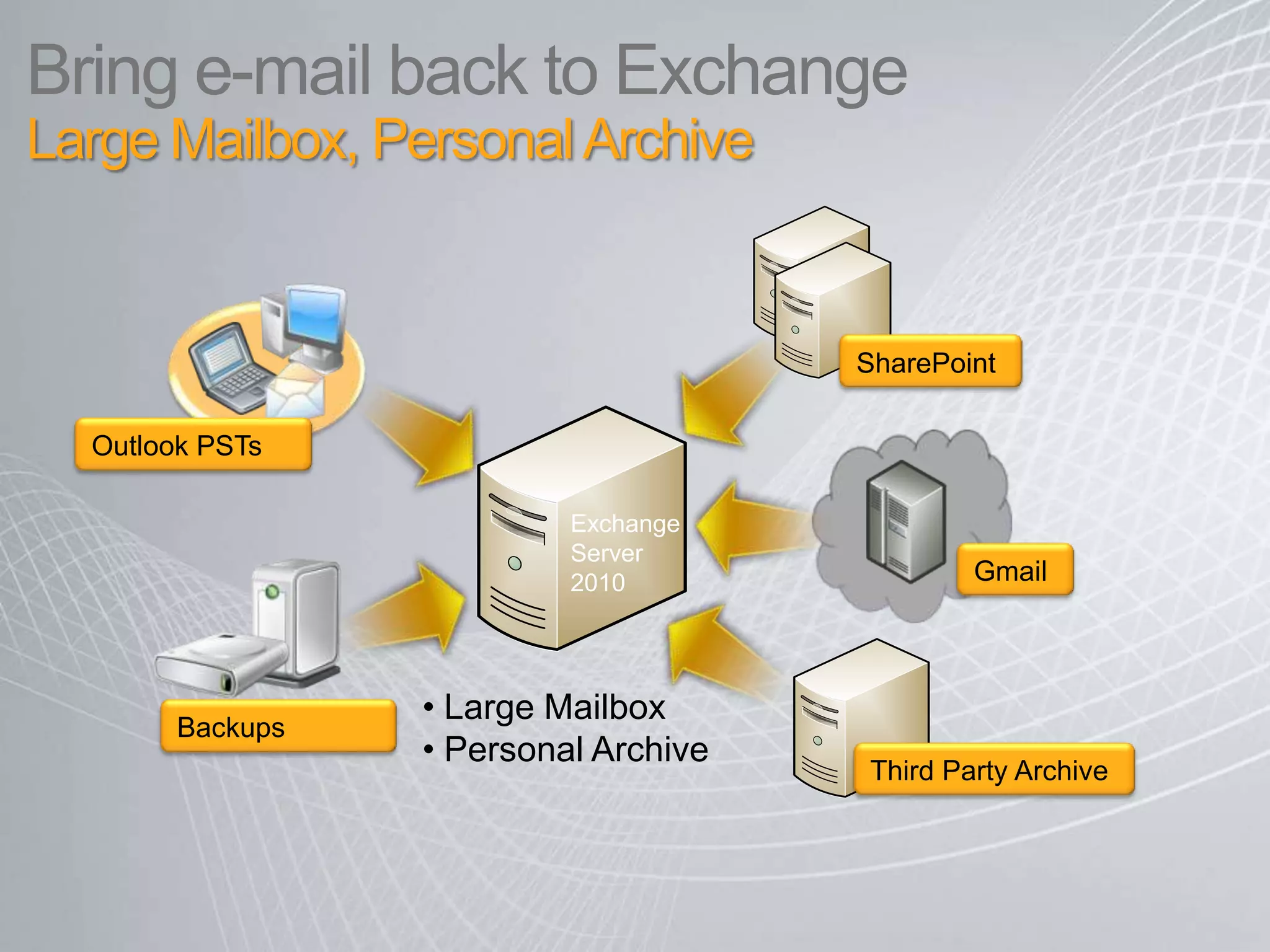
    Bring e-mail backto ExchangeLarge Mailbox, Personal Archive SharePointOutlook PSTsExchangeServer 2010Gmail Large Mailbox
  • 51.
    Personal ArchiveBackupsThird Party Archive
  • 52.
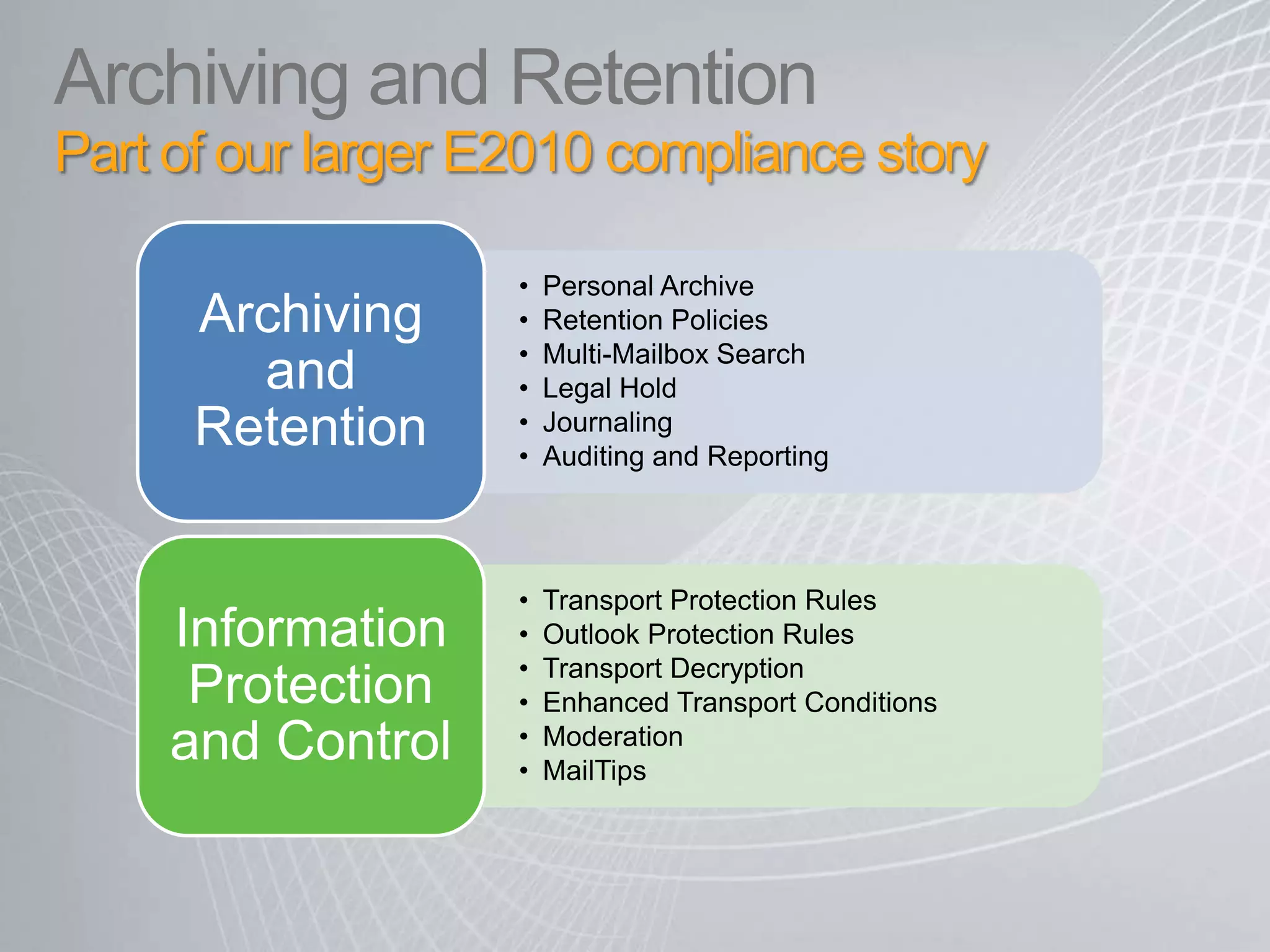
    Archiving and RetentionPartof our larger E2010 compliance story