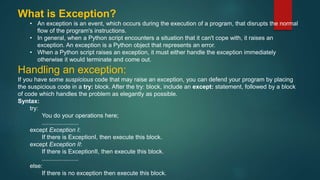
What is Exception?
• An exception is an event, which occurs during the execution of a program, that disrupts the normal
flow of the program's instructions.
• In general, when a Python script encounters a situation that it can't cope with, it raises an
exception. An exception is a Python object that represents an error.
• When a Python script raises an exception, it must either handle the exception immediately
otherwise it would terminate and come out.
Handling an exception:
If you have some suspicious code that may raise an exception, you can defend your program by placing
the suspicious code in a try: block. After the try: block, include an except: statement, followed by a block
of code which handles the problem as elegantly as possible.
Syntax:
try:
You do your operations here;
......................
except Exception I:
If there is ExceptionI, then execute this block.
except Exception II:
If there is ExceptionII, then execute this block.
......................
else:
If there is no exception then execute this block.
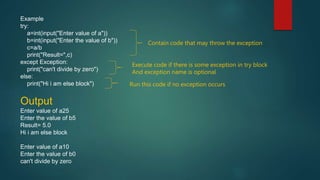
Example
try:
a=int(input("Enter value of a"))
b=int(input("Enter the value of b"))
c=a/b
print("Result=",c)
except Exception:
print("can't divide by zero")
else:
print("Hi i am else block")
Output
Enter value of a25
Enter the value of b5
Result= 5.0
Hi i am else block
Enter value of a10
Enter the value of b0
can't divide by zero
Contain code that may throw the exception
Execute code if there is some exception in try block
And exception name is optional
Run this code if no exception occurs
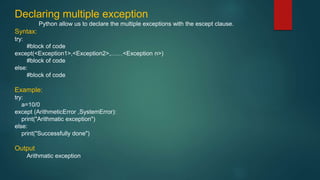
Declaring multiple exception
Python allow us to declare the multiple exceptions with the escept clause.
Syntax:
try:
#block of code
except(<Exception1>,<Exception2>,……<Exception n>)
#block of code
else:
#block of code
Example:
try:
a=10/0
except (ArithmeticError ,SystemError):
print("Arithmatic exception")
else:
print("Successfully done")
Output
Arithmatic exception
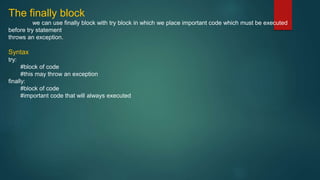
The finally block
we can use finally block with try block in which we place important code which must be executed
before try statement
throws an exception.
Syntax
try:
#block of code
#this may throw an exception
finally:
#block of code
#important code that will always executed
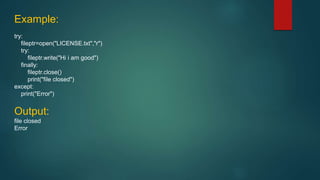
Example:
try:
fileptr=open("LICENSE.txt","r")
try:
fileptr.write("Hi i am good")
finally:
fileptr.close()
print("file closed")
except:
print("Error")
Output:
file closed
Error
Raising an Exception
An exce[ption can be raised by using the raise clause in python.

exceptioninpython.pptx

  • 1.
    What is Exception? •An exception is an event, which occurs during the execution of a program, that disrupts the normal flow of the program's instructions. • In general, when a Python script encounters a situation that it can't cope with, it raises an exception. An exception is a Python object that represents an error. • When a Python script raises an exception, it must either handle the exception immediately otherwise it would terminate and come out. Handling an exception: If you have some suspicious code that may raise an exception, you can defend your program by placing the suspicious code in a try: block. After the try: block, include an except: statement, followed by a block of code which handles the problem as elegantly as possible. Syntax: try: You do your operations here; ...................... except Exception I: If there is ExceptionI, then execute this block. except Exception II: If there is ExceptionII, then execute this block. ...................... else: If there is no exception then execute this block.
  • 2.
    Example try: a=int(input("Enter value ofa")) b=int(input("Enter the value of b")) c=a/b print("Result=",c) except Exception: print("can't divide by zero") else: print("Hi i am else block") Output Enter value of a25 Enter the value of b5 Result= 5.0 Hi i am else block Enter value of a10 Enter the value of b0 can't divide by zero Contain code that may throw the exception Execute code if there is some exception in try block And exception name is optional Run this code if no exception occurs
  • 3.
    Declaring multiple exception Pythonallow us to declare the multiple exceptions with the escept clause. Syntax: try: #block of code except(<Exception1>,<Exception2>,……<Exception n>) #block of code else: #block of code Example: try: a=10/0 except (ArithmeticError ,SystemError): print("Arithmatic exception") else: print("Successfully done") Output Arithmatic exception
  • 4.
    The finally block wecan use finally block with try block in which we place important code which must be executed before try statement throws an exception. Syntax try: #block of code #this may throw an exception finally: #block of code #important code that will always executed
  • 5.
    Example: try: fileptr=open("LICENSE.txt","r") try: fileptr.write("Hi i amgood") finally: fileptr.close() print("file closed") except: print("Error") Output: file closed Error
  • 6.
    Raising an Exception Anexce[ption can be raised by using the raise clause in python.