ADVANCE COMPUTER
PROGRAMMING
Week 9
By: Ammarah Khalid (Lecturer CS)
Riphah International University (Faisalabad)
Exceptions
• An exception is a condition which occurs during the
execution of a program that disrupts the normal flow of
the program's instructions
• In general, when a Python script encounters a situation
that it cannot cope with, it raises an exception
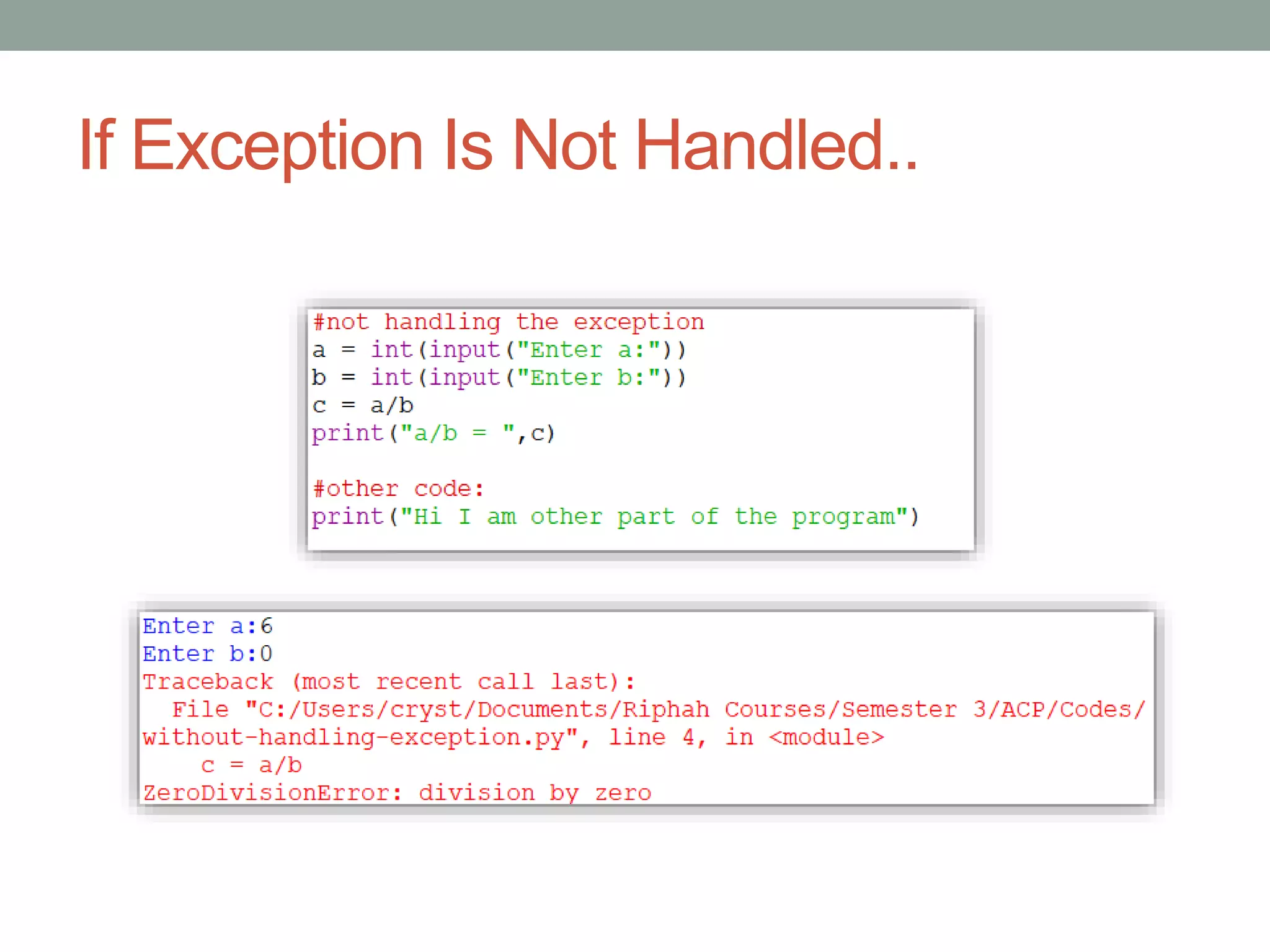
• Whenever an exception occurs, the program stops the execution,
and thus the further code is not executed
• An exception is a Python object that represents an
runtime error
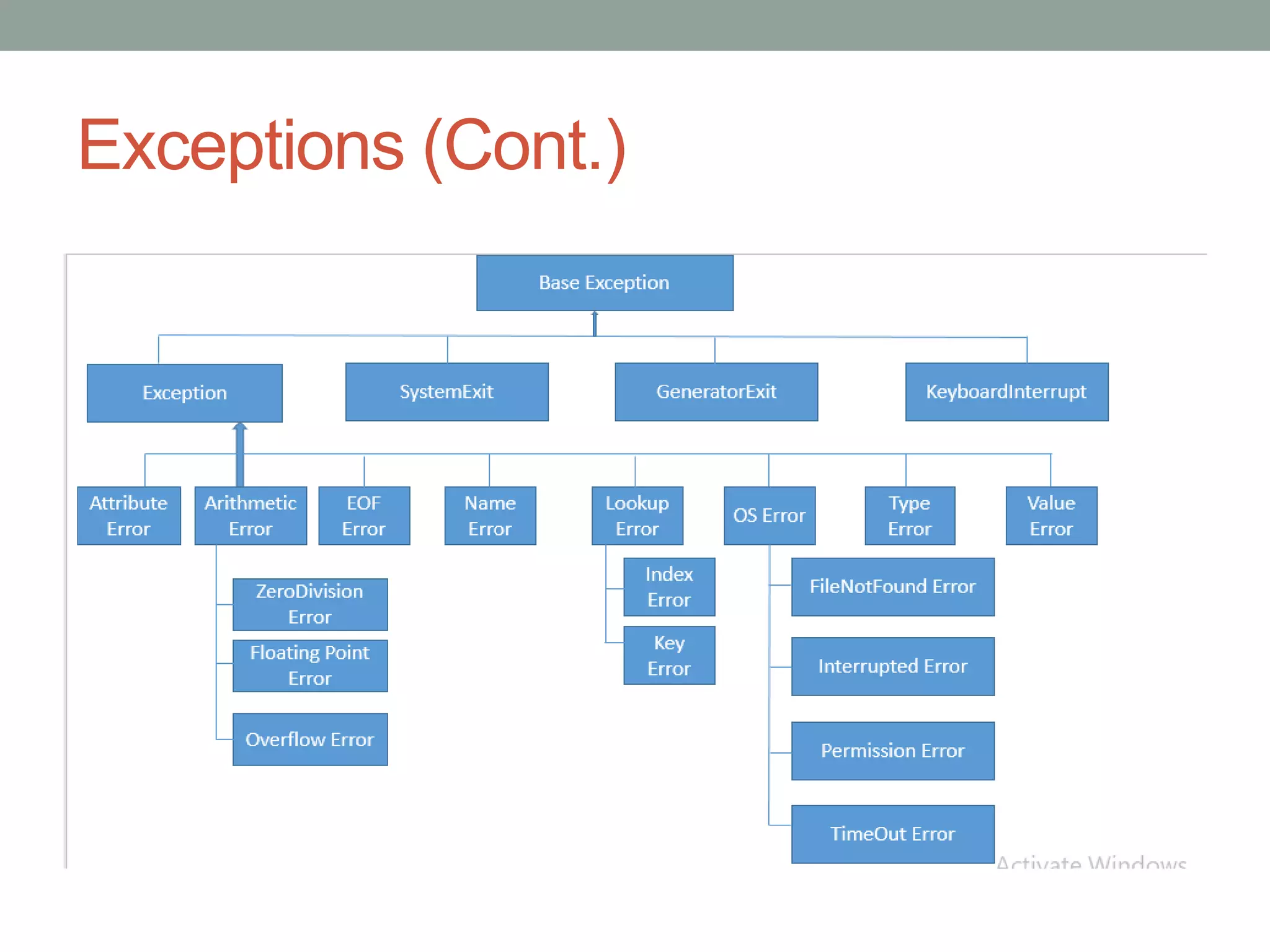
Exceptions (Cont.)
Common Exceptions
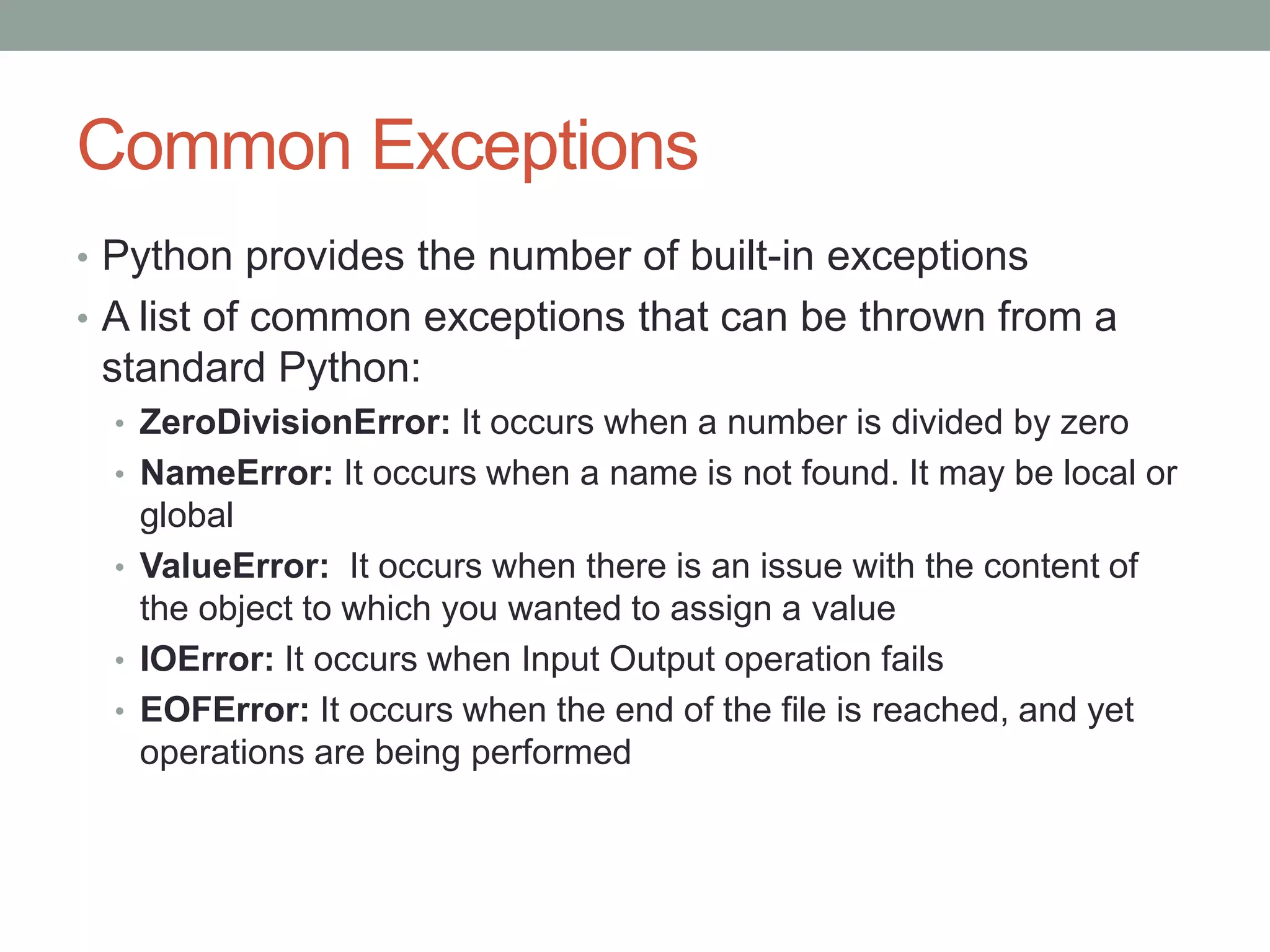
• Python provides the number of built-in exceptions
• A list of common exceptions that can be thrown from a
standard Python:
• ZeroDivisionError: It occurs when a number is divided by zero
• NameError: It occurs when a name is not found. It may be local or
global
• ValueError: It occurs when there is an issue with the content of
the object to which you wanted to assign a value
• IOError: It occurs when Input Output operation fails
• EOFError: It occurs when the end of the file is reached, and yet
operations are being performed
If Exception Is Not Handled..
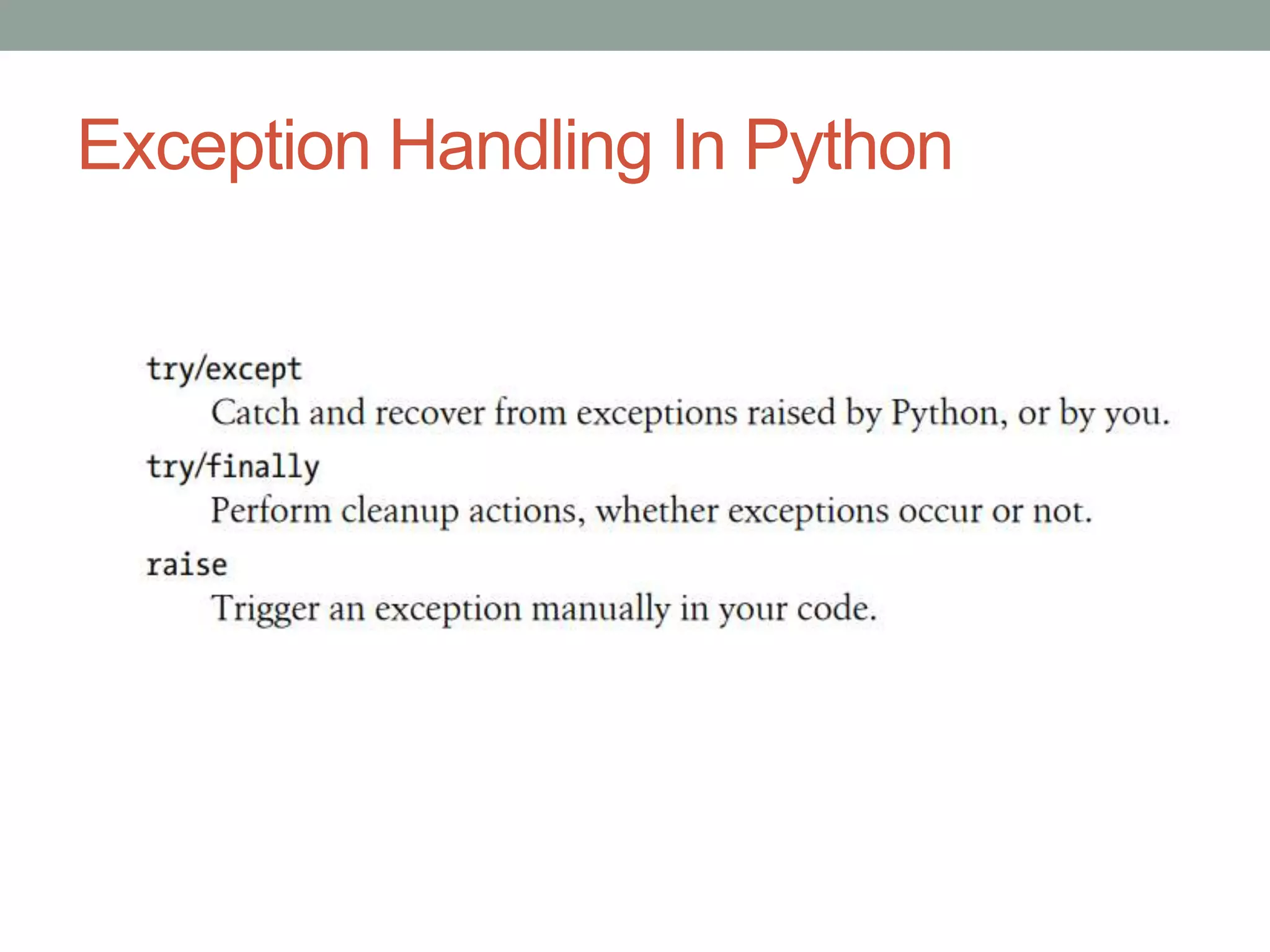
Exception Handling In Python
try/except
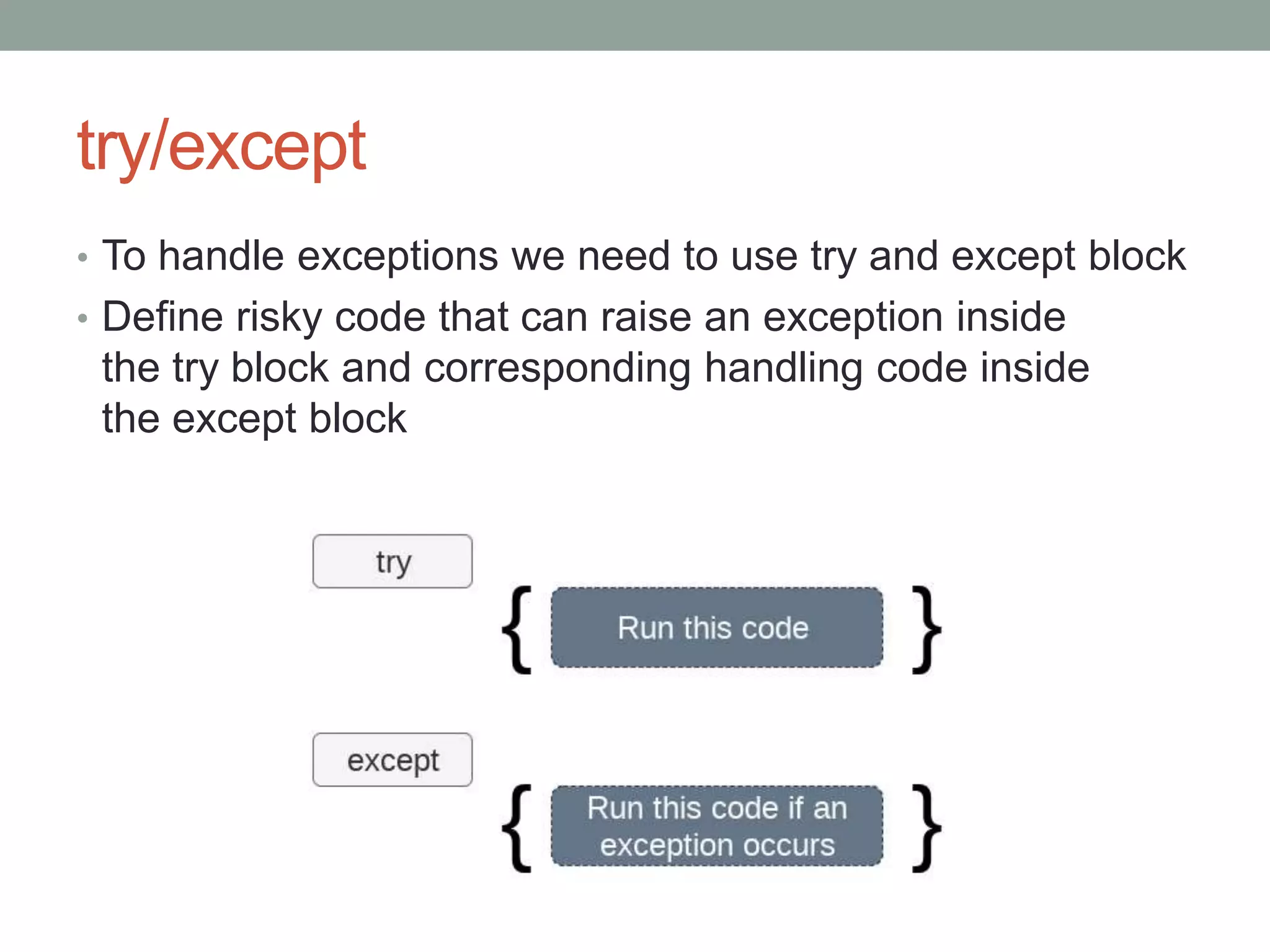
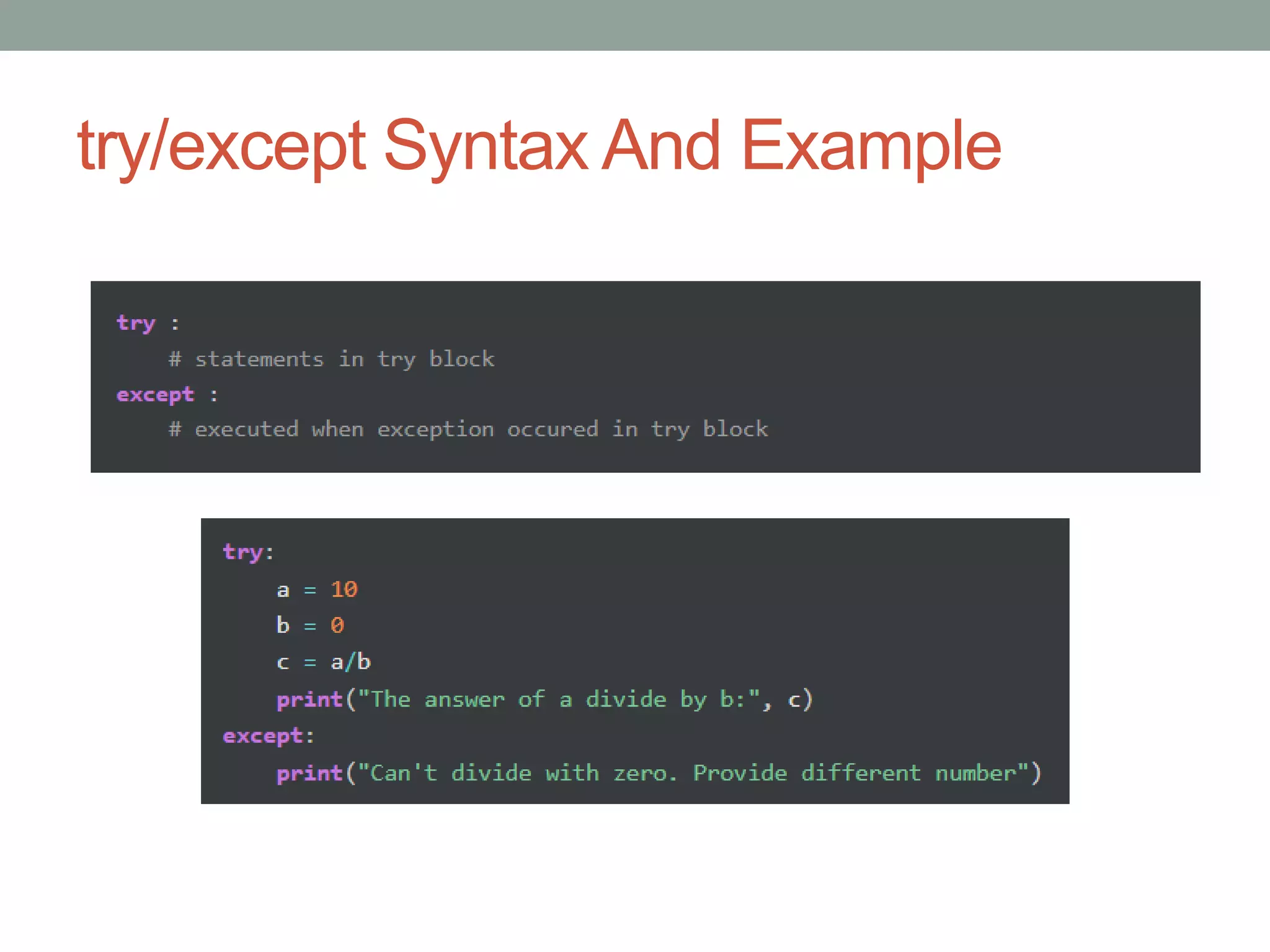
• To handle exceptions we need to use try and except block
• Define risky code that can raise an exception inside
the try block and corresponding handling code inside
the except block
try/except Syntax And Example
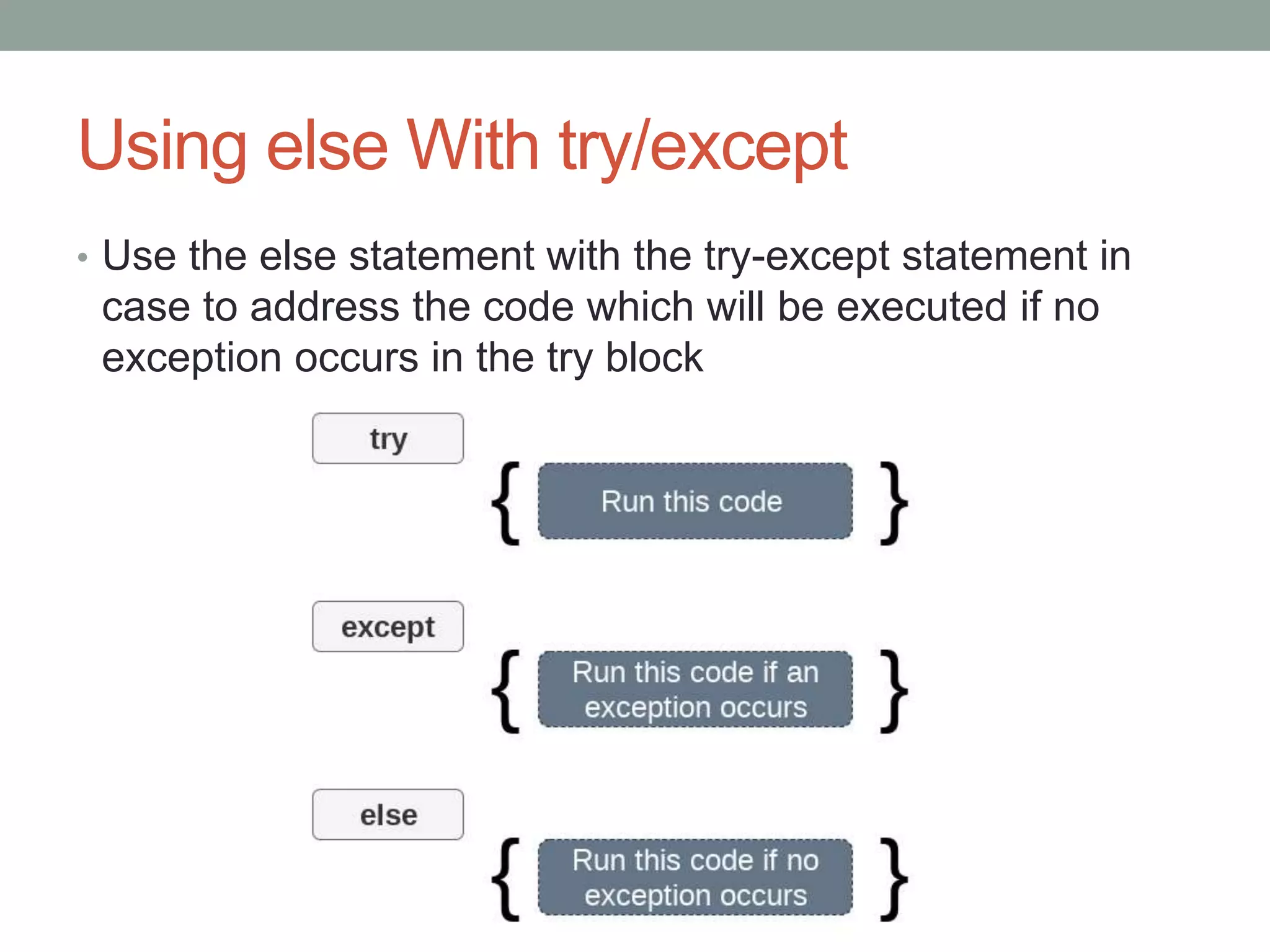
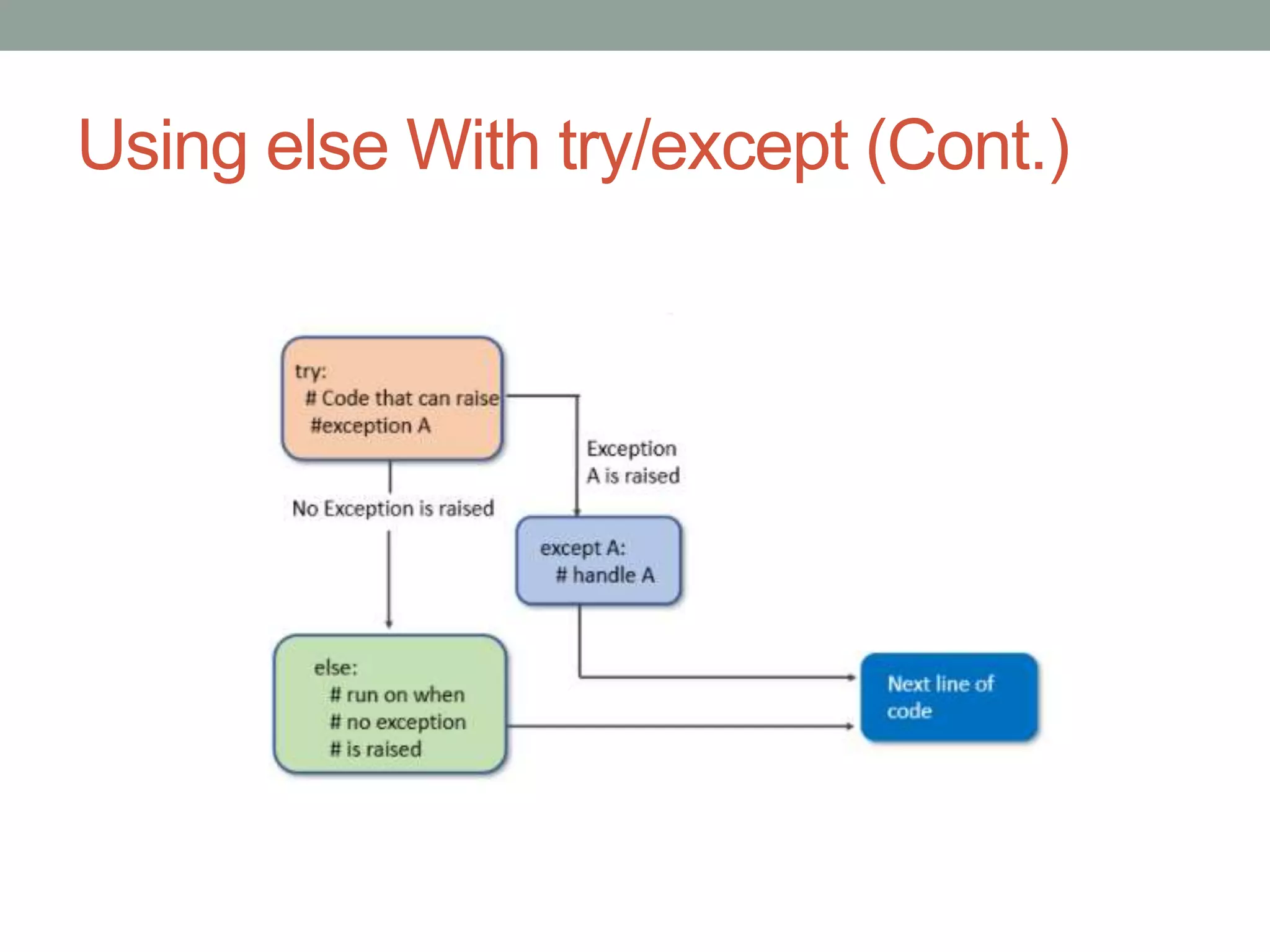
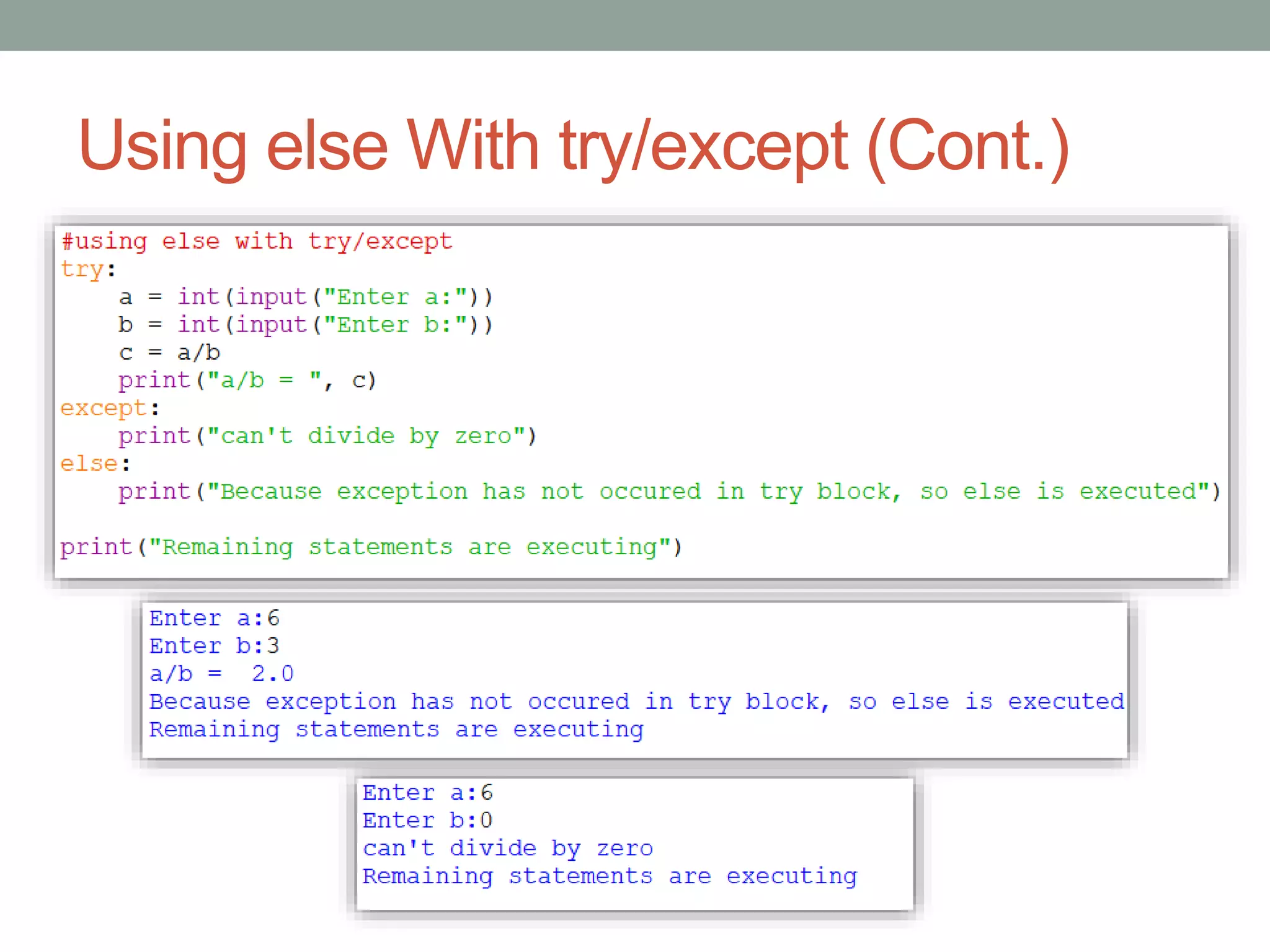
Using else With try/except
• Use the else statement with the try-except statement in
case to address the code which will be executed if no
exception occurs in the try block
Using else With try/except (Cont.)
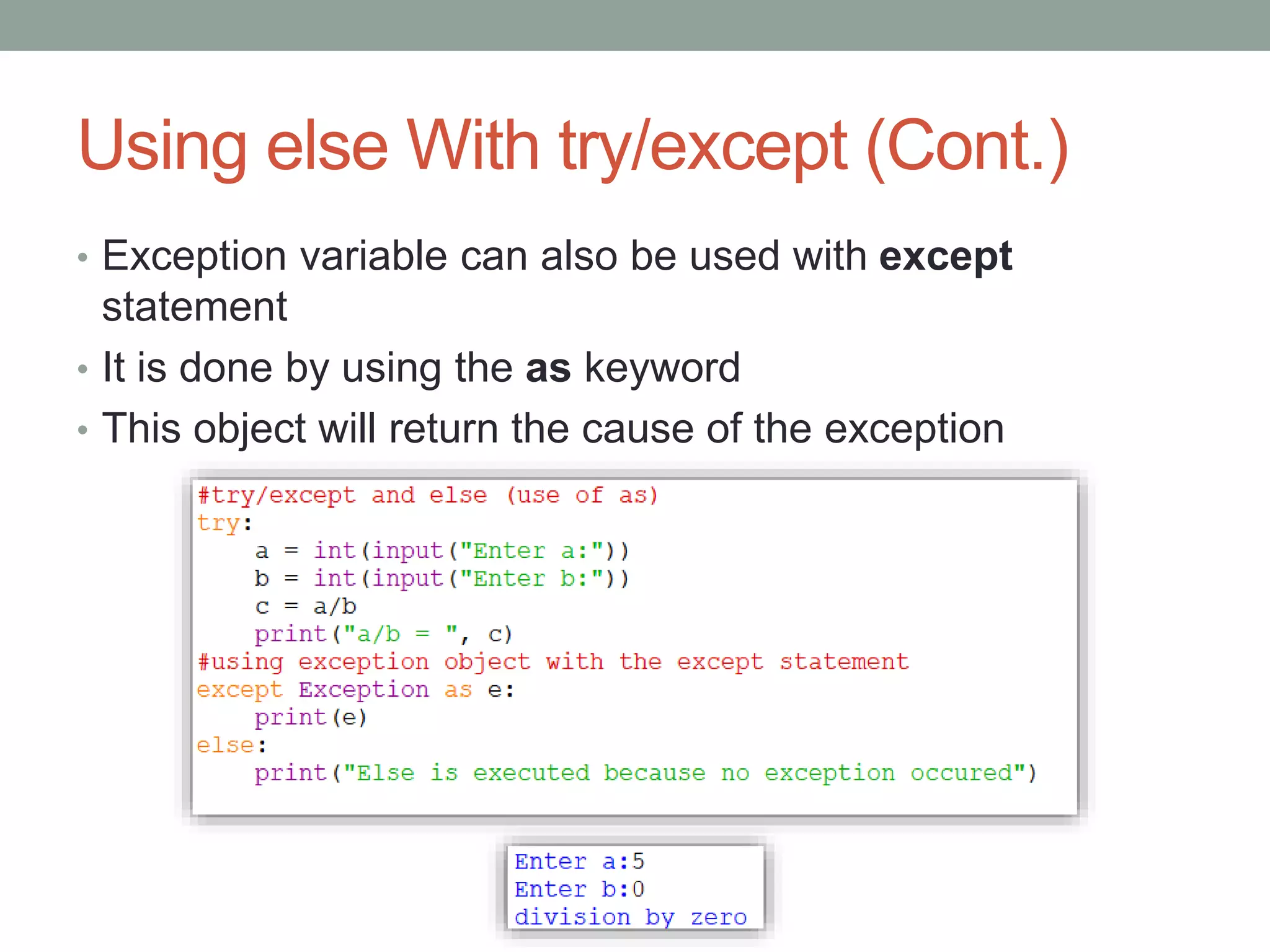
• Exception variable can also be used with except
statement
• It is done by using the as keyword
• This object will return the cause of the exception
Catching Specific Exception
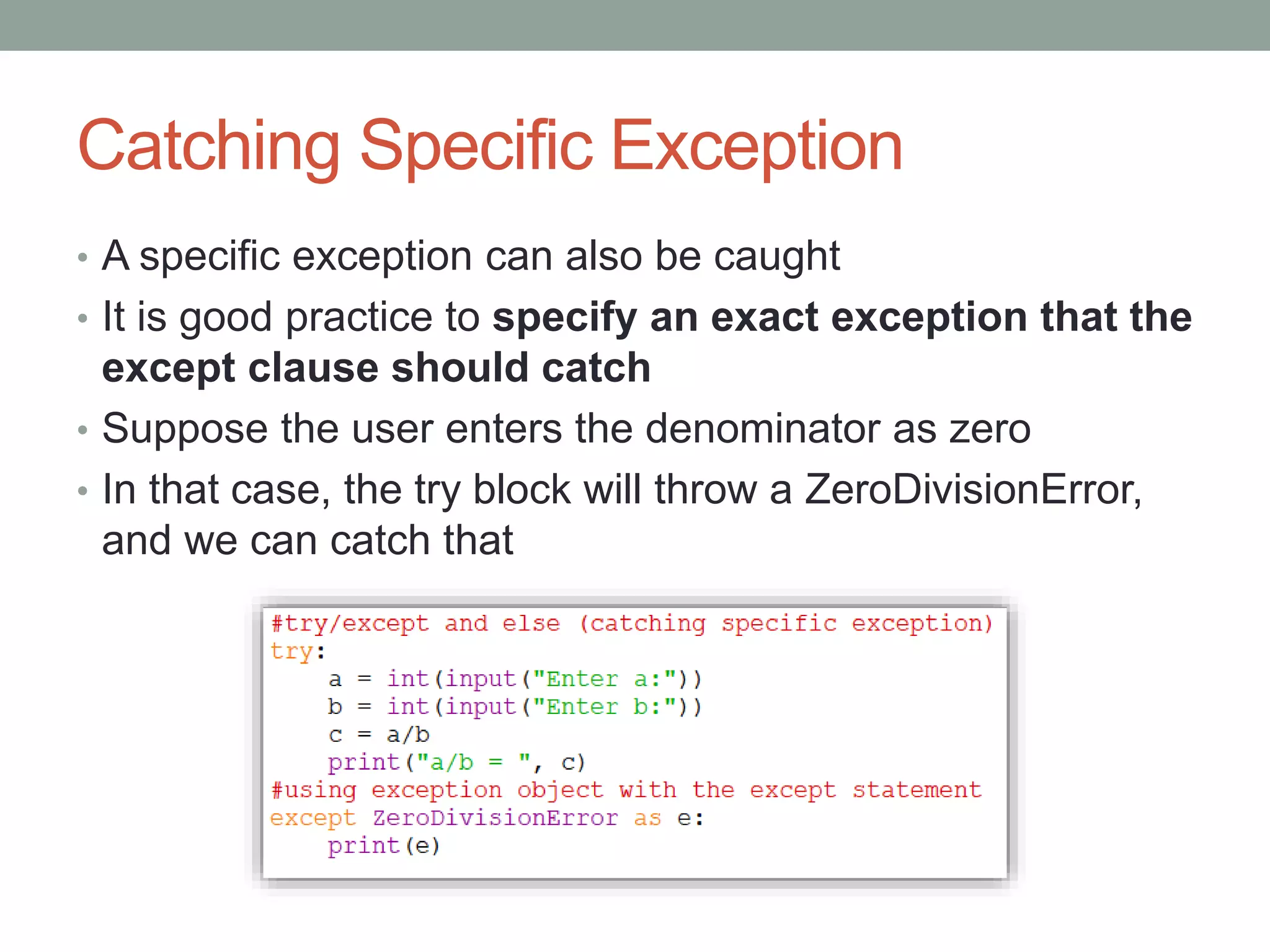
• A specific exception can also be caught
• It is good practice to specify an exact exception that the
except clause should catch
• Suppose the user enters the denominator as zero
• In that case, the try block will throw a ZeroDivisionError,
and we can catch that
Handling Multiple Exceptions
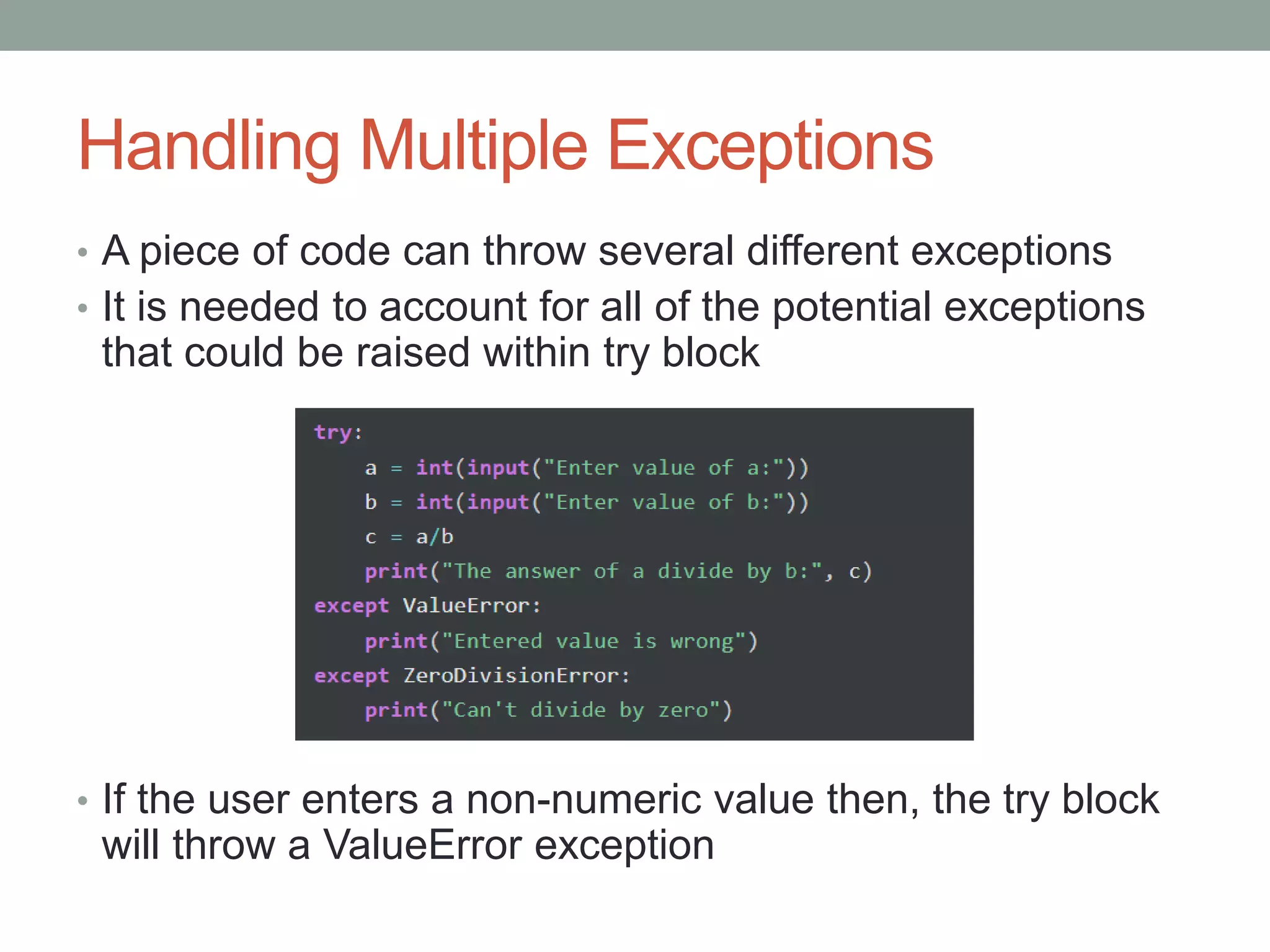
• A piece of code can throw several different exceptions
• It is needed to account for all of the potential exceptions
that could be raised within try block
• If the user enters a non-numeric value then, the try block
will throw a ValueError exception
Handling Multiple Exceptions (Cont.)
• If the user enters the denominator as zero, the try block
will throw a ZeroDivisionError
• Thus it can be specified which exception except block
should catch or handle
• A try block can be followed by multiple numbers
of except blocks to handle the different exceptions
• But only one exception will be executed when an
exception occurs
Handling Multiple Exceptions (Cont.)
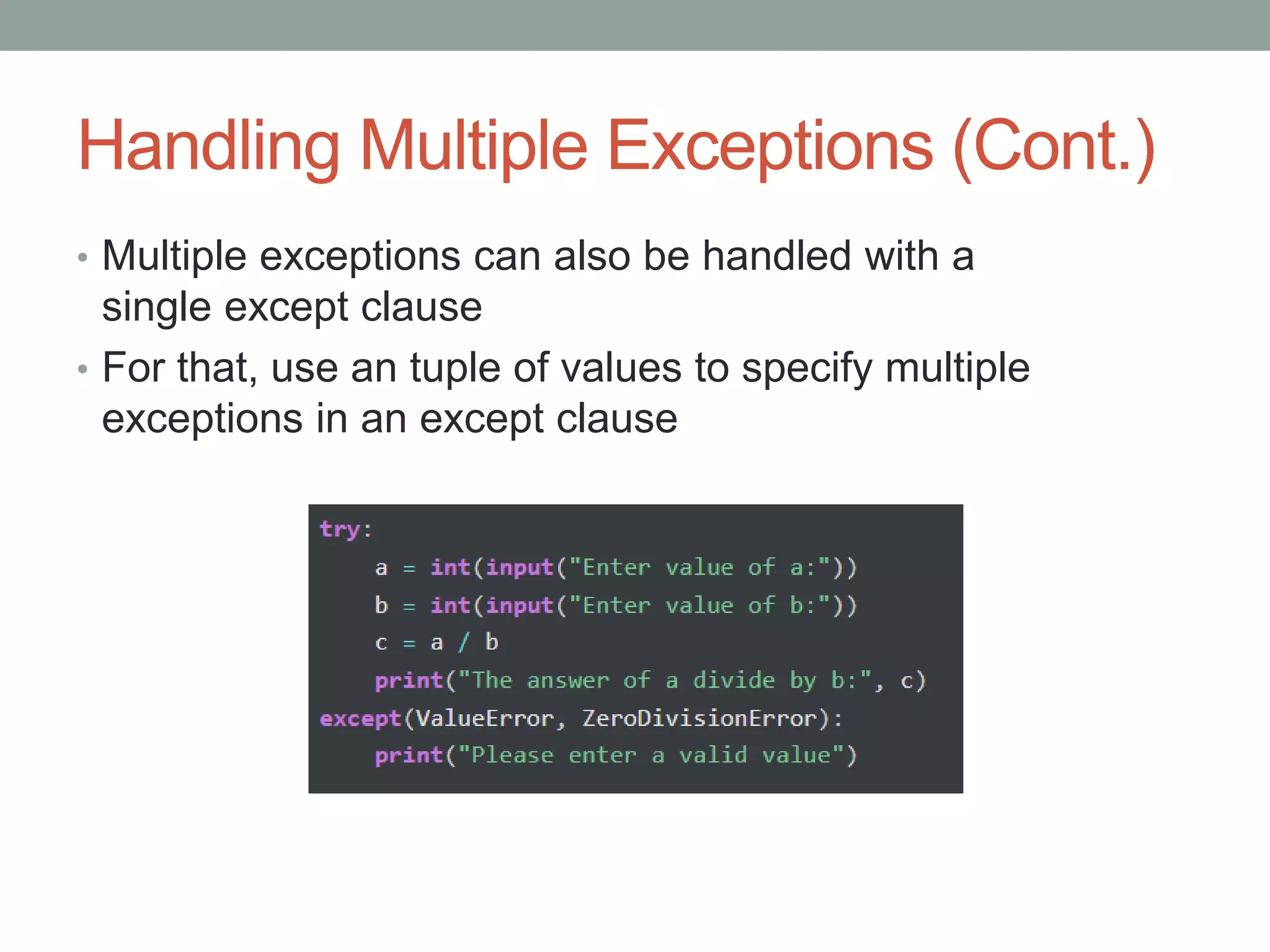
• Multiple exceptions can also be handled with a
single except clause
• For that, use an tuple of values to specify multiple
exceptions in an except clause
try/finally
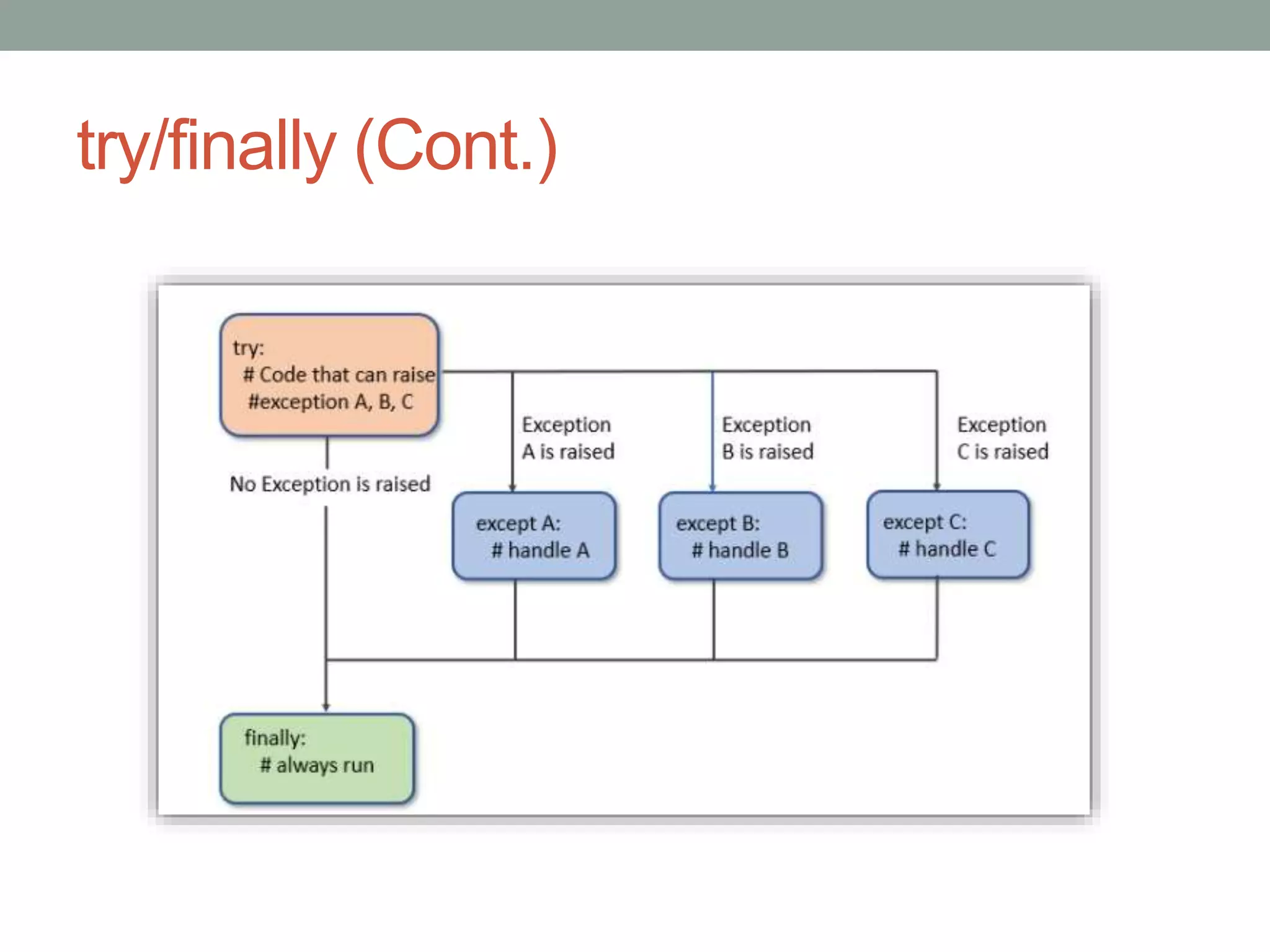
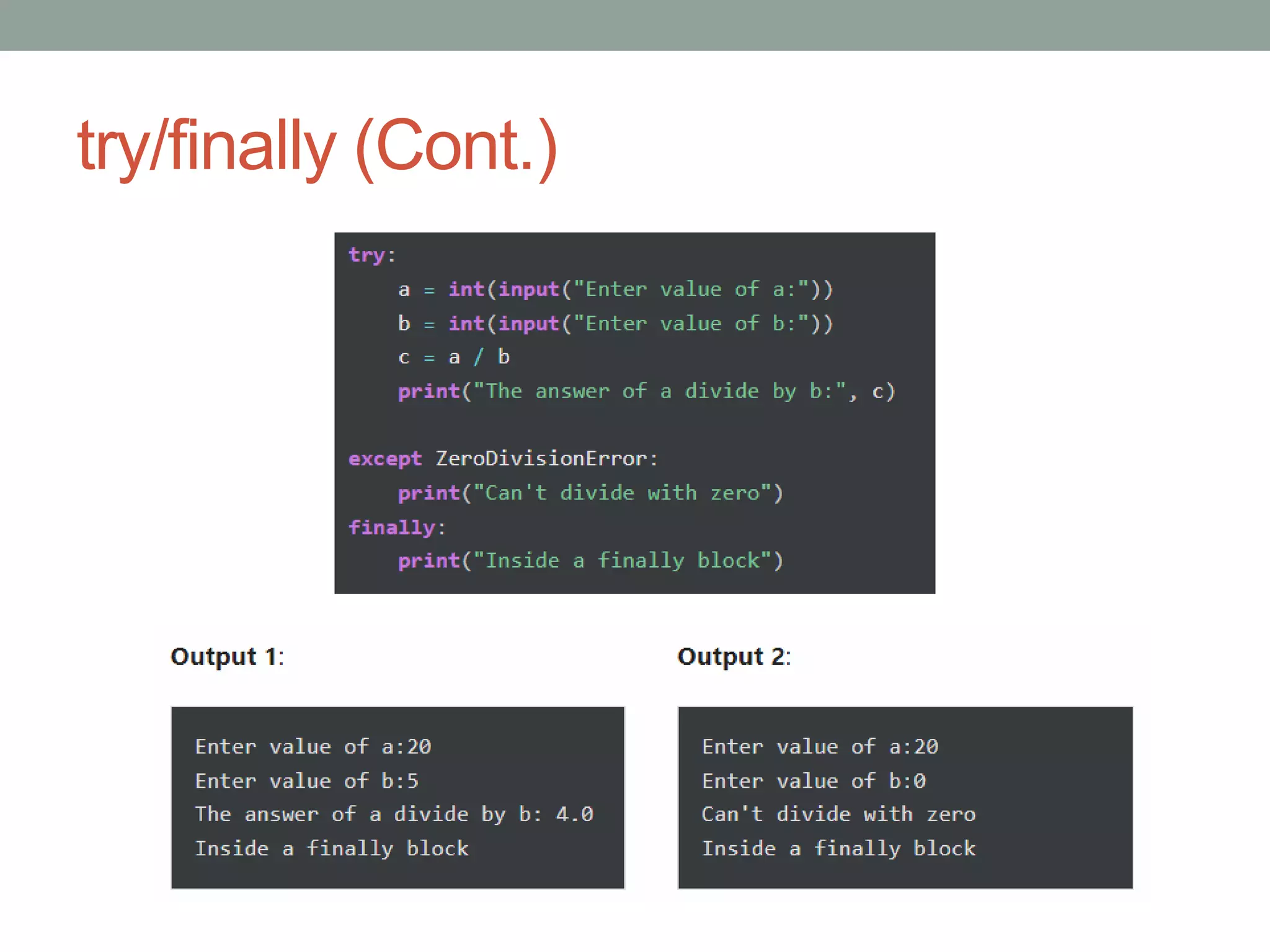
• Python provides the finally block, which is used with the
try block statement
• The finally block is used to write a block of code that
must execute, whether the try block raises an
exception or not
• Mostly, the finally block is used to release the external
resource
• This block provides a guarantee of execution
try/finally (Cont.)
try/finally (Cont.)
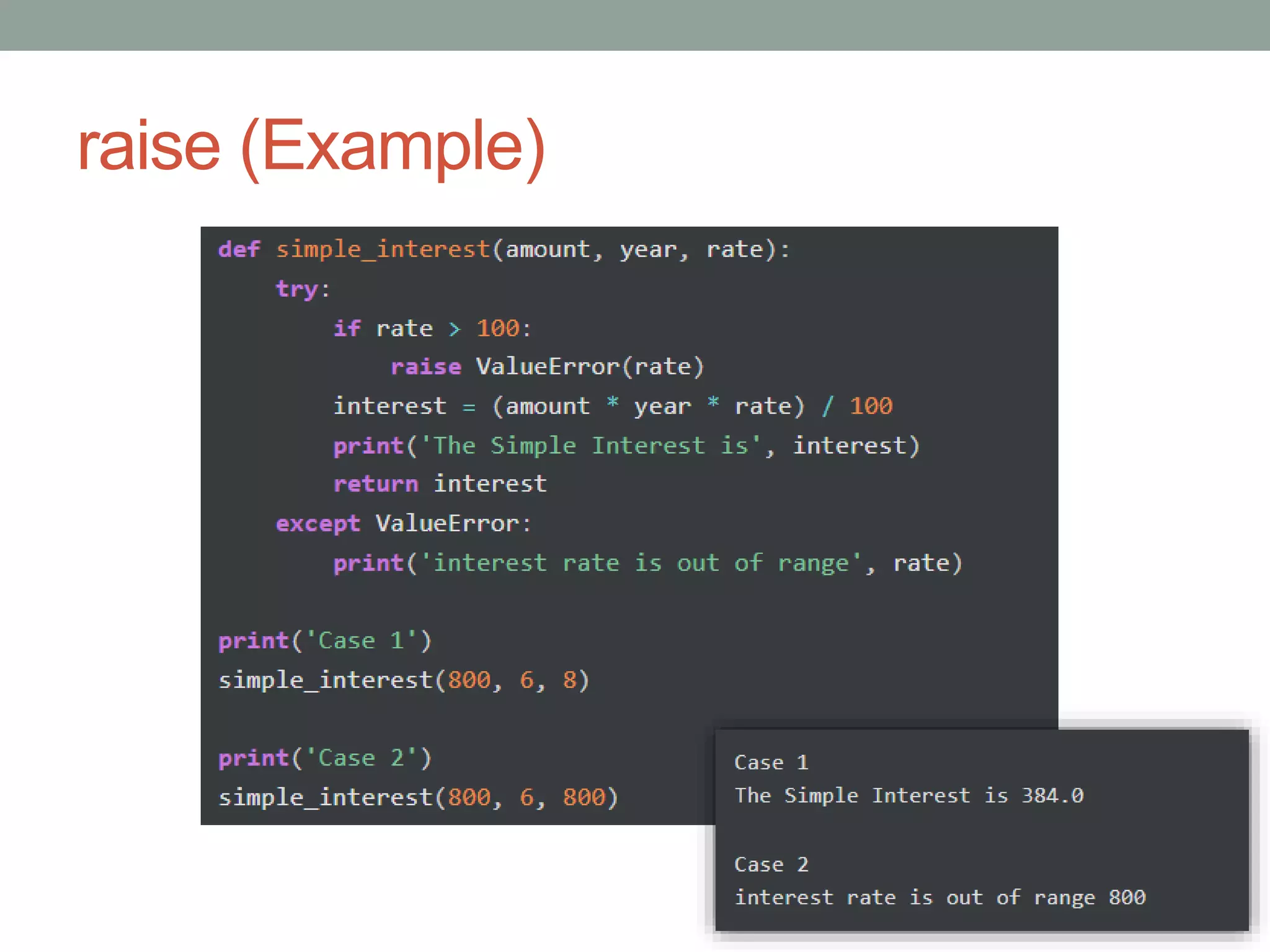
raise
• In Python, the raise statement allows to throw an
exception manually
• The single argument in the raise statement is an
exception to be raised
• It can be either an exception object or an Exception class
that is derived from the Exception class
• The raise statement is useful in situations where we need
to raise an exception explicitly
• For example, we can raise exceptions in cases such as
wrong data received or any validation failure
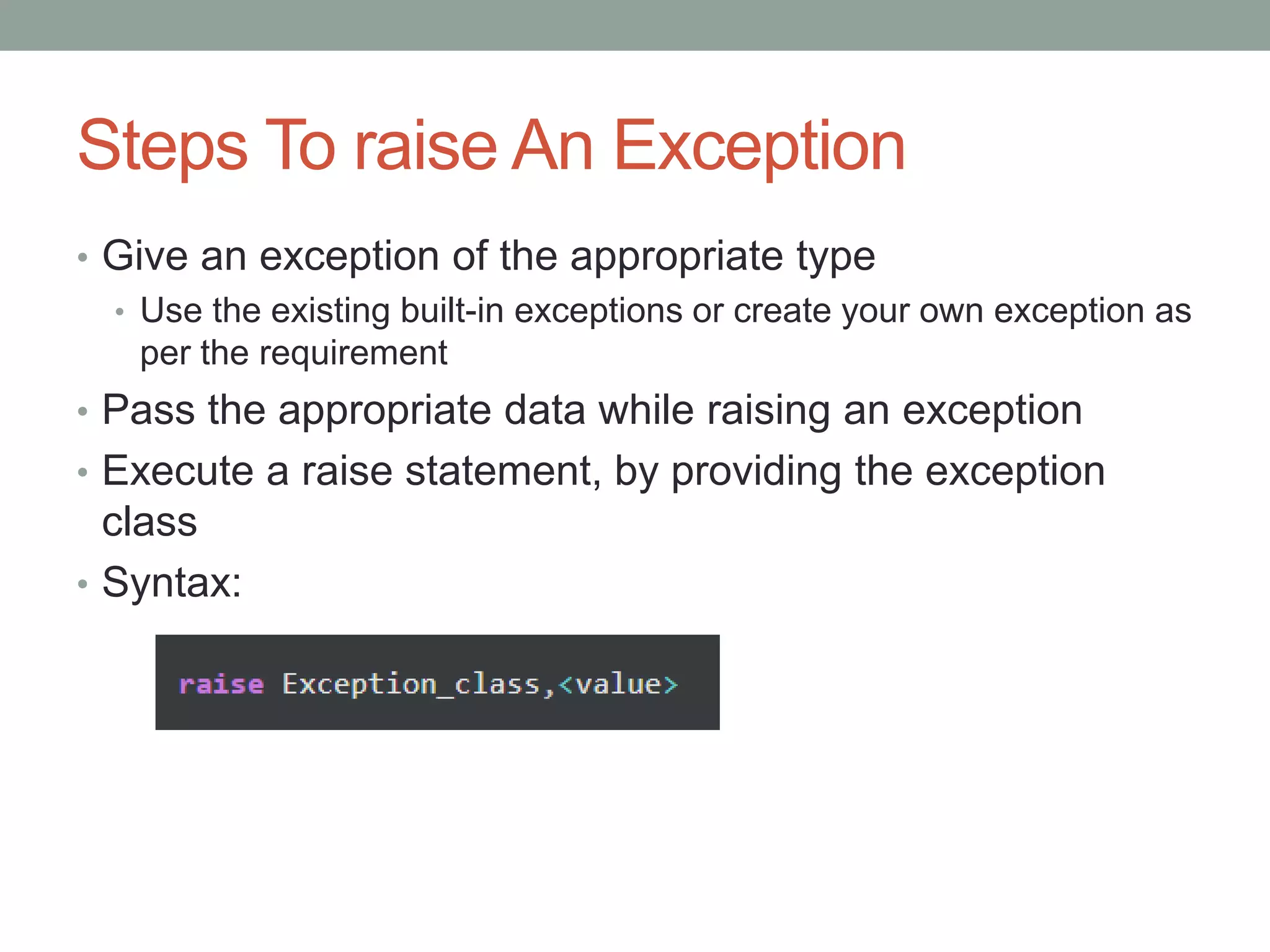
Steps To raise An Exception
• Give an exception of the appropriate type
• Use the existing built-in exceptions or create your own exception as
per the requirement
• Pass the appropriate data while raising an exception
• Execute a raise statement, by providing the exception
class
• Syntax:
raise (Example)
Custom Exceptions
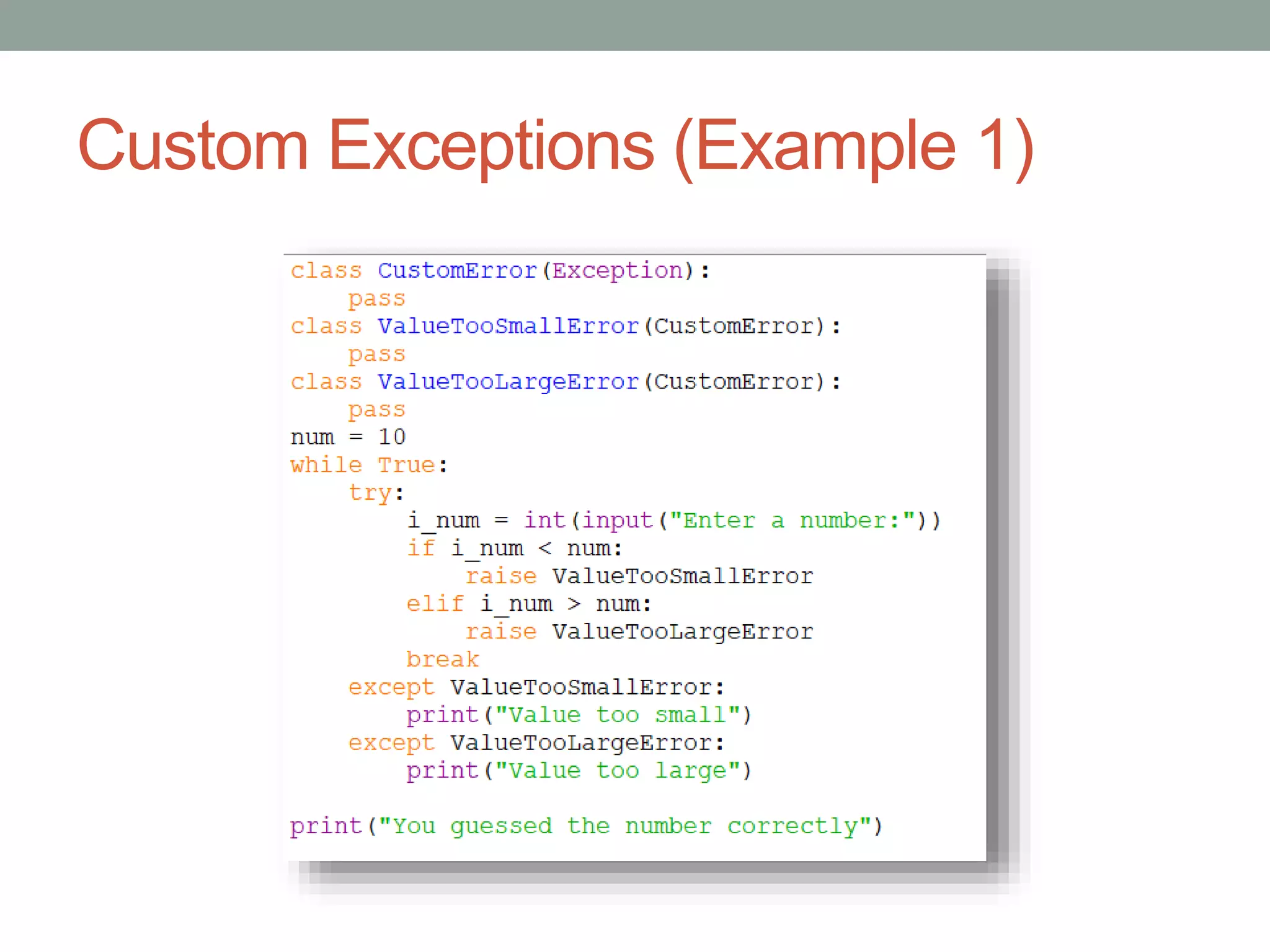
• In Python, users can define custom exceptions by
creating a new class
• This exception class has to be derived from the built-
in Exception class
• Most of the built-in exceptions are also derived from this
class
Custom Exceptions (Example 1)
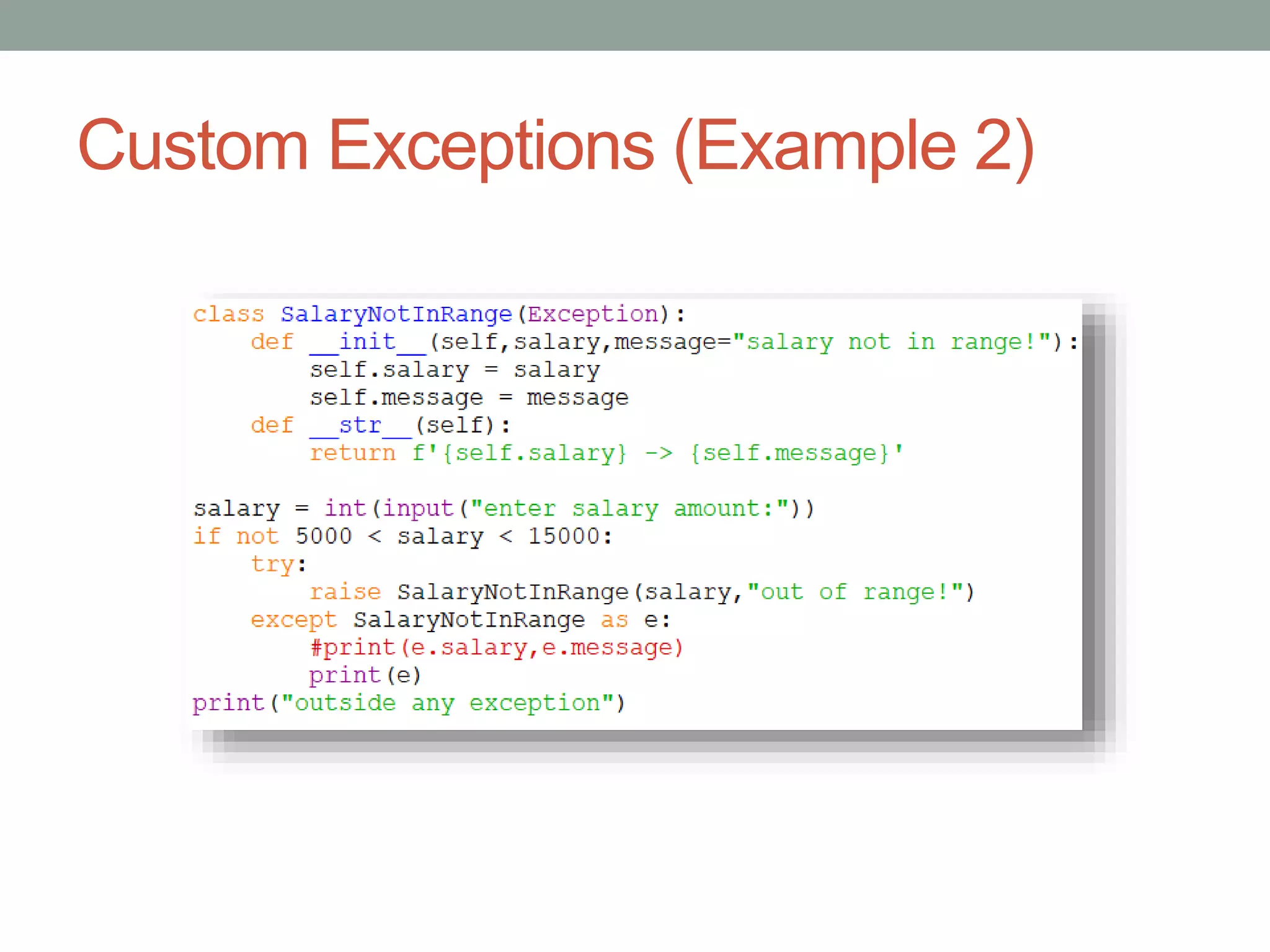
Custom Exceptions (Example 2)
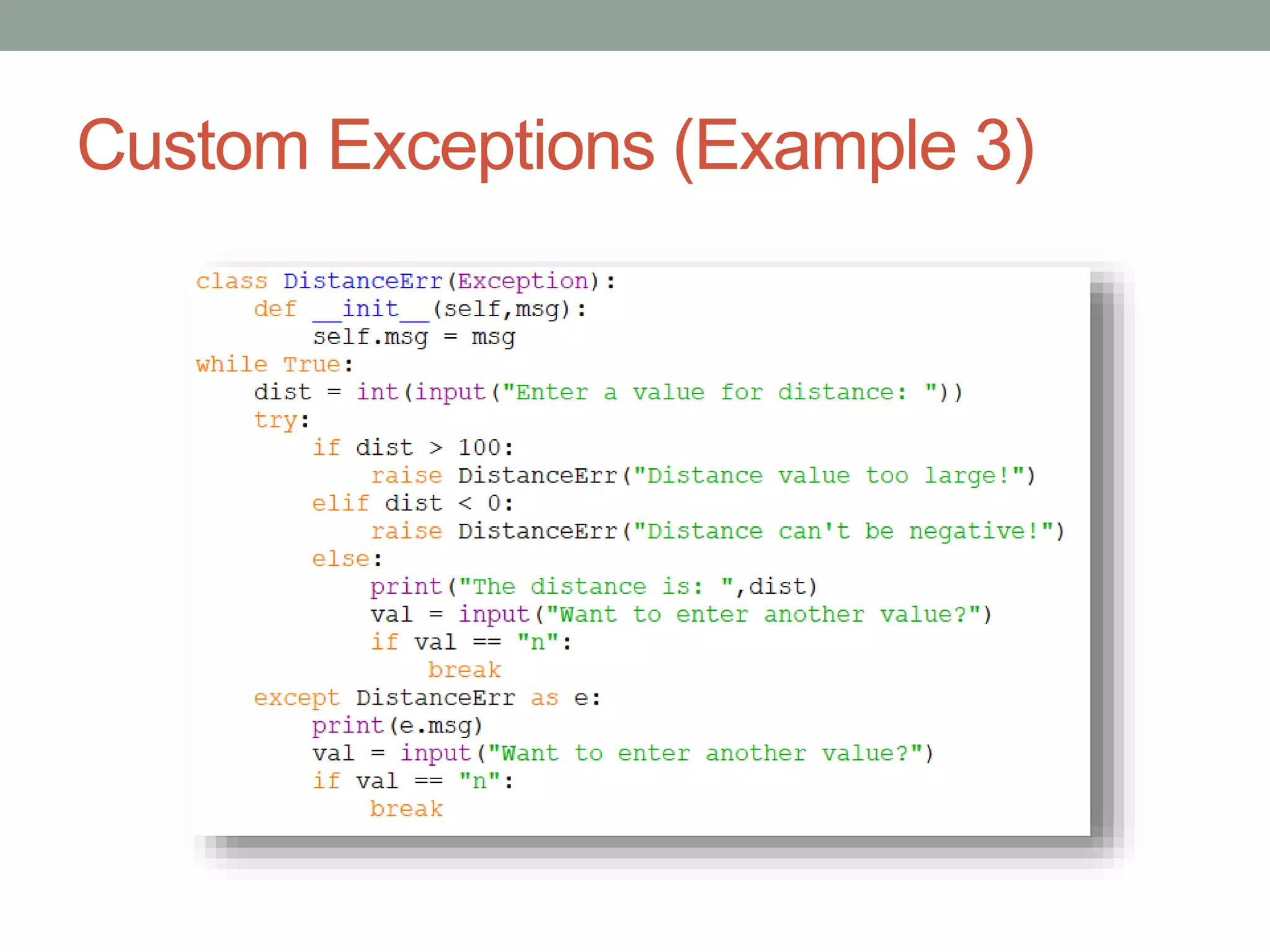
Custom Exceptions (Example 3)

ACP - Week - 9.pptx

  • 1.
    ADVANCE COMPUTER PROGRAMMING Week 9 By:Ammarah Khalid (Lecturer CS) Riphah International University (Faisalabad)
  • 2.
    Exceptions • An exceptionis a condition which occurs during the execution of a program that disrupts the normal flow of the program's instructions • In general, when a Python script encounters a situation that it cannot cope with, it raises an exception • Whenever an exception occurs, the program stops the execution, and thus the further code is not executed • An exception is a Python object that represents an runtime error
  • 3.
  • 4.
    Common Exceptions • Pythonprovides the number of built-in exceptions • A list of common exceptions that can be thrown from a standard Python: • ZeroDivisionError: It occurs when a number is divided by zero • NameError: It occurs when a name is not found. It may be local or global • ValueError: It occurs when there is an issue with the content of the object to which you wanted to assign a value • IOError: It occurs when Input Output operation fails • EOFError: It occurs when the end of the file is reached, and yet operations are being performed
  • 5.
    If Exception IsNot Handled..
  • 6.
  • 7.
    try/except • To handleexceptions we need to use try and except block • Define risky code that can raise an exception inside the try block and corresponding handling code inside the except block
  • 8.
  • 9.
    Using else Withtry/except • Use the else statement with the try-except statement in case to address the code which will be executed if no exception occurs in the try block
  • 10.
    Using else Withtry/except (Cont.)
  • 11.
    Using else Withtry/except (Cont.)
  • 12.
    Using else Withtry/except (Cont.) • Exception variable can also be used with except statement • It is done by using the as keyword • This object will return the cause of the exception
  • 13.
    Catching Specific Exception •A specific exception can also be caught • It is good practice to specify an exact exception that the except clause should catch • Suppose the user enters the denominator as zero • In that case, the try block will throw a ZeroDivisionError, and we can catch that
  • 14.
    Handling Multiple Exceptions •A piece of code can throw several different exceptions • It is needed to account for all of the potential exceptions that could be raised within try block • If the user enters a non-numeric value then, the try block will throw a ValueError exception
  • 15.
    Handling Multiple Exceptions(Cont.) • If the user enters the denominator as zero, the try block will throw a ZeroDivisionError • Thus it can be specified which exception except block should catch or handle • A try block can be followed by multiple numbers of except blocks to handle the different exceptions • But only one exception will be executed when an exception occurs
  • 16.
    Handling Multiple Exceptions(Cont.) • Multiple exceptions can also be handled with a single except clause • For that, use an tuple of values to specify multiple exceptions in an except clause
  • 17.
    try/finally • Python providesthe finally block, which is used with the try block statement • The finally block is used to write a block of code that must execute, whether the try block raises an exception or not • Mostly, the finally block is used to release the external resource • This block provides a guarantee of execution
  • 18.
  • 19.
  • 20.
    raise • In Python,the raise statement allows to throw an exception manually • The single argument in the raise statement is an exception to be raised • It can be either an exception object or an Exception class that is derived from the Exception class • The raise statement is useful in situations where we need to raise an exception explicitly • For example, we can raise exceptions in cases such as wrong data received or any validation failure
  • 21.
    Steps To raiseAn Exception • Give an exception of the appropriate type • Use the existing built-in exceptions or create your own exception as per the requirement • Pass the appropriate data while raising an exception • Execute a raise statement, by providing the exception class • Syntax:
  • 22.
  • 23.
    Custom Exceptions • InPython, users can define custom exceptions by creating a new class • This exception class has to be derived from the built- in Exception class • Most of the built-in exceptions are also derived from this class
  • 24.
  • 25.
  • 26.