1
The Ins and Outs of
Tailwind CSS for Melody
Caleb Hardin
TM
2
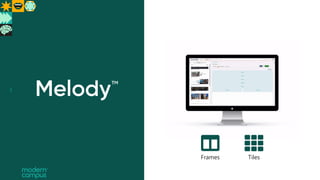
Frames Tiles
3
4
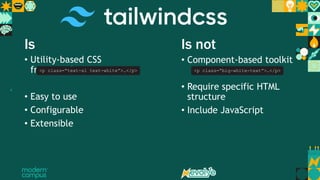
Is Is not
• Utility-based CSS
framework
• Easy to use
• Configurable
• Extensible
• Component-based toolkit
• Require specific HTML
structure
• Include JavaScript
<p class=“text-xl text-white”>…</p> <p class=“big-white-text”>…</p>
5
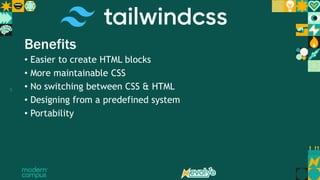
Benefits
• Easier to create HTML blocks
• More maintainable CSS
• No switching between CSS & HTML
• Designing from a predefined system
• Portability
6
Let’s dive in
7 The following slides are provided for download use
8
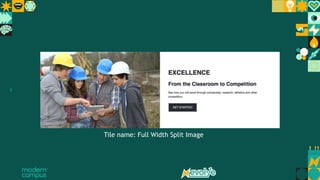
Tile name: Full Width Split Image
9 Insert slides with demo info for download use
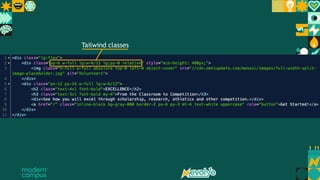
Tailwind classes
10 Insert slides with demo info for download use
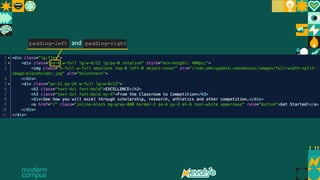
padding-left and padding-right
11 Insert slides with demo info for download use
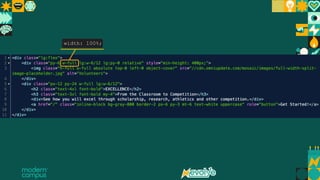
width: 100%;
12 Insert slides with demo info for download use
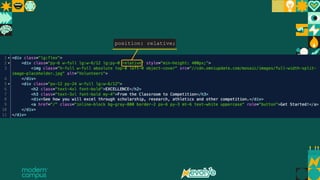
position: relative;
13 Insert slides with demo info for download use
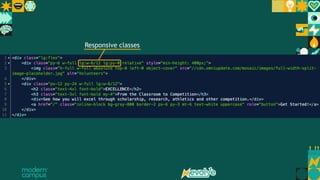
Responsive classes
14 Insert slides with demo info for download use
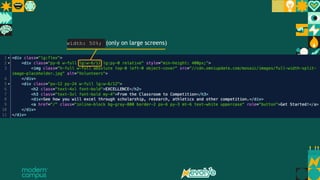
width: 50%; (only on large screens)
15 Insert slides with demo info for download use
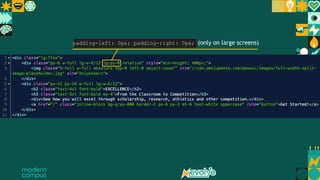
padding-left: 0px; padding-right: 0px; (only on large screens)
16 Insert slides with demo info for download use
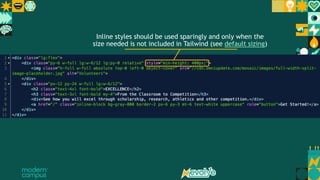
Inline styles should be used sparingly and only when the
size needed is not included in Tailwind (see default sizing)
17 Insert slides with demo info for download use
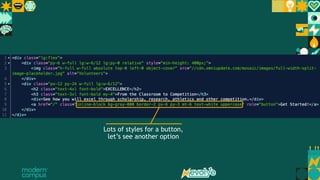
Lots of styles for a button,
let’s see another option
18
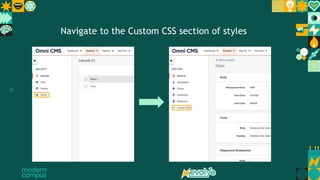
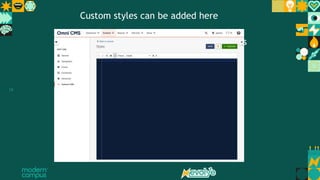
Navigate to the Custom CSS section of styles
19
Navigate to the Custom CSS section of styles
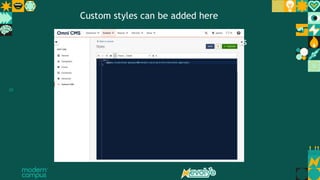
Custom styles can be added here
20
Navigate to the Custom CSS section of styles
Custom styles can be added here
21
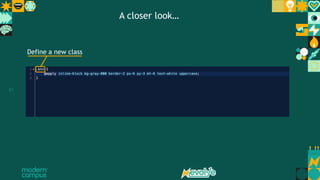
Define a new class
A closer look…
22
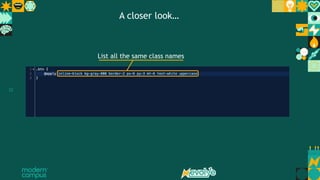
List all the same class names
A closer look…
23
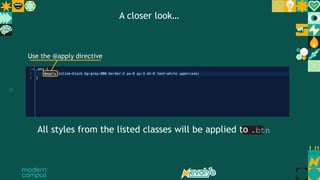
Use the @apply directive
All styles from the listed classes will be applied to .btn
A closer look…
24 Insert slides with demo info for download use
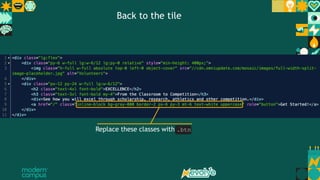
Replace these classes with .btn
Back to the tile
25
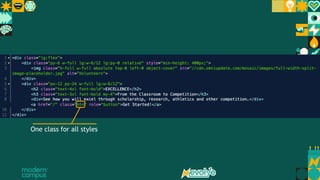
One class for all styles

evolve-2022ddfb vb b gbgfbgfbgbgbgd.pptx

  • 1.
    1 The Ins andOuts of Tailwind CSS for Melody Caleb Hardin TM
  • 2.
  • 3.
  • 4.
    4 Is Is not •Utility-based CSS framework • Easy to use • Configurable • Extensible • Component-based toolkit • Require specific HTML structure • Include JavaScript <p class=“text-xl text-white”>…</p> <p class=“big-white-text”>…</p>
  • 5.
    5 Benefits • Easier tocreate HTML blocks • More maintainable CSS • No switching between CSS & HTML • Designing from a predefined system • Portability
  • 6.
  • 7.
    7 The followingslides are provided for download use
  • 8.
    8 Tile name: FullWidth Split Image
  • 9.
    9 Insert slideswith demo info for download use Tailwind classes
  • 10.
    10 Insert slideswith demo info for download use padding-left and padding-right
  • 11.
    11 Insert slideswith demo info for download use width: 100%;
  • 12.
    12 Insert slideswith demo info for download use position: relative;
  • 13.
    13 Insert slideswith demo info for download use Responsive classes
  • 14.
    14 Insert slideswith demo info for download use width: 50%; (only on large screens)
  • 15.
    15 Insert slideswith demo info for download use padding-left: 0px; padding-right: 0px; (only on large screens)
  • 16.
    16 Insert slideswith demo info for download use Inline styles should be used sparingly and only when the size needed is not included in Tailwind (see default sizing)
  • 17.
    17 Insert slideswith demo info for download use Lots of styles for a button, let’s see another option
  • 18.
    18 Navigate to theCustom CSS section of styles
  • 19.
    19 Navigate to theCustom CSS section of styles Custom styles can be added here
  • 20.
    20 Navigate to theCustom CSS section of styles Custom styles can be added here
  • 21.
    21 Define a newclass A closer look…
  • 22.
    22 List all thesame class names A closer look…
  • 23.
    23 Use the @applydirective All styles from the listed classes will be applied to .btn A closer look…
  • 24.
    24 Insert slideswith demo info for download use Replace these classes with .btn Back to the tile
  • 25.
    25 One class forall styles

Editor's Notes

  • #3 -Melody is Omni CMS’s next-gen drag-and-drop interface for creating layouts -Layouts are made from Tiles and Frames. They’re just blocks of HTML
  • #4 -Tailwind is a CSS framework that can be used inside Tiles and Frames
  • #5 -Let’s see what Tailwind is and isn’t
  • #7 Demo
  • #9 -This tile can be edited in your sites by copying the “Full Width Split Image” tile -We’re going to look through this tile’s source
  • #10 First let’s take a closer look at its contents