East Bay WordPress Meetup Presentation
October 22, 2017
EastBayWP.com
For the meetup presentation slides and notes, go to https://eastbaywp.com
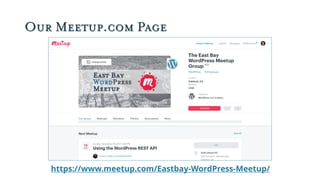
Our Meetup.com Page
https://www.meetup.com/Eastbay-WordPress-Meetup/
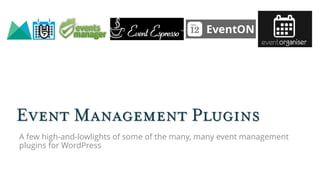
Event Management Plugins
A few high-and-lowlights of some of the many, many event management
plugins for WordPress
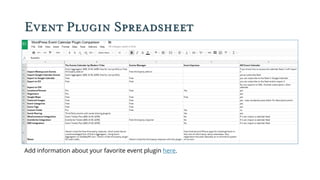
Event Plugin Spreadsheet
Add information about your favorite event plugin here.
What Event Plugins Can Do
• Show events in the order they’re happening.
• Display different event views: calendar, list, grid, map.
• Show extra event information like Google Maps
• Sell tickets to events.
• Import events from other sources.
• Sync with your calendar.
• Export events to people’s calendars.
• Let other people add events and sell tickets.
• Show detailed schedules for all-day events (sometimes).
A Few Honorable Mentions
• Just want to show your Google calendar on your site? Try
Simple Calendar.
• Want a timeline of history instead of a calendar of upcoming
events? Try Timeline Express.
• Selling tickets for your WordCamp? CampTix is the way to go.
• Is your band or show on tour? Try GigPress (now owned by
Modern Tribe).
• Show just the event schedule with Timetable and Event
Schedule.
The Events Calendar Modern Tribe
https://theeventscalendar.com
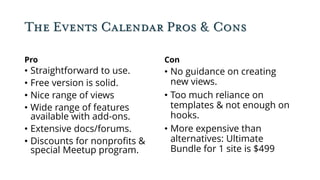
The Events Calendar Pros & Cons
Pro
• Straightforward to use.
• Free version is solid.
• Nice range of views
• Wide range of features
available with add-ons.
• Extensive docs/forums.
• Discounts for nonprofits &
special Meetup program.
Con
• No guidance on creating
new views.
• Too much reliance on
templates & not enough on
hooks.
• More expensive than
alternatives: Ultimate
Bundle for 1 site is $499
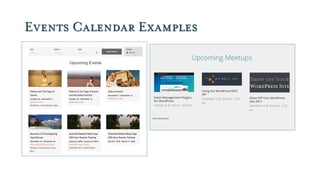
Events Calendar Examples
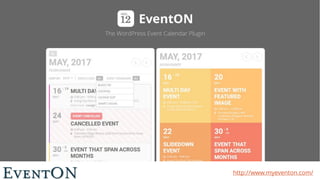
EventON http://www.myeventon.com/
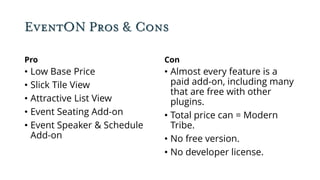
EventON Pros & Cons
Pro
• Low Base Price
• Slick Tile View
• Attractive List View
• Event Seating Add-on
• Event Speaker & Schedule
Add-on
Con
• Almost every feature is a
paid add-on, including many
that are free with other
plugins.
• Total price can = Modern
Tribe.
• No free version.
• No developer license.
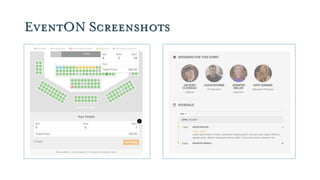
EventON Screenshots
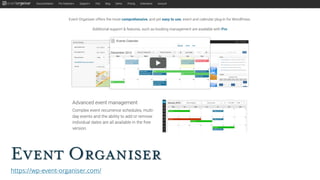
Event Organiser
https://wp-event-organiser.com/
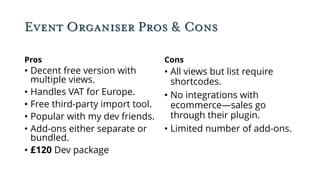
Event Organiser Pros & Cons
Pros
• Decent free version with
multiple views.
• Handles VAT for Europe.
• Free third-party import tool.
• Popular with my dev friends.
• Add-ons either separate or
bundled.
• £120 Dev package
Cons
• All views but list require
shortcodes.
• No integrations with
ecommerce—sales go
through their plugin.
• Limited number of add-ons.
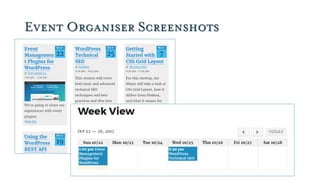
Event Organiser Screenshots
Events Manger https://eventsmanagerpro.com/
All This for $75 (Sonja London)
Pros
• Multisite & BuddyPress
• Shortcodes for All the
Things
• Approval of tickets, earlybird
tickets and multiple ticket
types.
• Custom fields and custom
registration forms
• Templates for All the Things
• Hooks for All the Things
Cons
• Not enough payment
gateways. In particular, no
Stripe.
• Very little documentation.
Event Espresso
https://eventespresso.com/
Event Espresso (Amanda McCoy)
Pros
• LOTS of payment gateways
• Able to create event packages
• Multiple dates for a single
event.
• Fantastic ticketing & attendee
management options
• Integrates w/ MailChimp &
LearnDash
• People add-on for event
speakers
Cons
• Free “Decaf” version lacks
most of the features that make
the plugin stand out
• Payment gateways are paid
add-ons, not included in Pro
• Calendar & grid view are both
paid add-ons ($40 each or
$299 for package with all add-
ons)
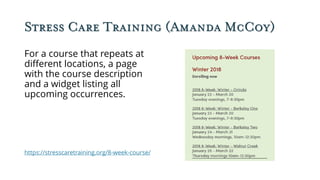
Stress Care Training (Amanda McCoy)
For a course that repeats at
different locations, a page
with the course description
and a widget listing all
upcoming occurrences.
https://stresscaretraining.org/8-week-course/
Stress Care Training Single Event
Single event page includes
ticket purchase on a sliding
scale, map & venue info, and
listing of all the different class
times.
https://stresscaretraining.org/events/2018-8-week-winter-orinda/
All-in-One Event Calendar
https://time.ly/
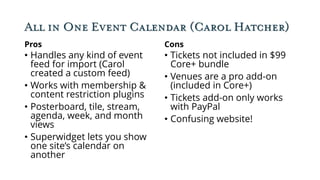
All in One Event Calendar (Carol Hatcher)
Pros
• Handles any kind of event
feed for import (Carol
created a custom feed)
• Works with membership &
content restriction plugins
• Posterboard, tile, stream,
agenda, week, and month
views
• Superwidget lets you show
one site’s calendar on
another
Cons
• Tickets not included in $99
Core+ bundle
• Venues are a pro add-on
(included in Core+)
• Tickets add-on only works
with PayPal
• Confusing website!
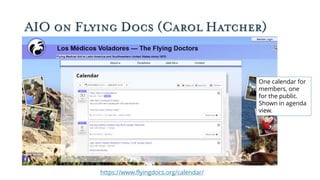
AIO on Flying Docs (Carol Hatcher)
One calendar for
members, one
for the public.
Shown in agenda
view.
https://www.flyingdocs.org/calendar/
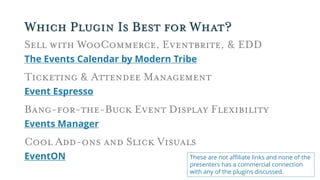
Which Plugin Is Best for What?
Sell with WooCommerce, Eventbrite, & EDD
The Events Calendar by Modern Tribe
Ticketing & Attendee Management
Event Espresso
Bang-for-the-Buck Event Display Flexibility
Events Manager
Cool Add-ons and Slick Visuals
EventON These are not affiliate links and none of the
presenters has a commercial connection
with any of the plugins discussed.
The Presenters
Sonja London, Zosime
Amanda McCoy, Amanda McCoy Design
Carol Hatcher, Los Médicos Voladores
Sallie Goetsch, WP Fangirl
You can reach any of us through Meetup.com

Event Management Plugins for WordPress

  • 1.
    East Bay WordPressMeetup Presentation October 22, 2017
  • 2.
    EastBayWP.com For the meetuppresentation slides and notes, go to https://eastbaywp.com
  • 3.
  • 4.
    Event Management Plugins Afew high-and-lowlights of some of the many, many event management plugins for WordPress
  • 5.
    Event Plugin Spreadsheet Addinformation about your favorite event plugin here.
  • 6.
    What Event PluginsCan Do • Show events in the order they’re happening. • Display different event views: calendar, list, grid, map. • Show extra event information like Google Maps • Sell tickets to events. • Import events from other sources. • Sync with your calendar. • Export events to people’s calendars. • Let other people add events and sell tickets. • Show detailed schedules for all-day events (sometimes).
  • 7.
    A Few HonorableMentions • Just want to show your Google calendar on your site? Try Simple Calendar. • Want a timeline of history instead of a calendar of upcoming events? Try Timeline Express. • Selling tickets for your WordCamp? CampTix is the way to go. • Is your band or show on tour? Try GigPress (now owned by Modern Tribe). • Show just the event schedule with Timetable and Event Schedule.
  • 8.
    The Events CalendarModern Tribe https://theeventscalendar.com
  • 9.
    The Events CalendarPros & Cons Pro • Straightforward to use. • Free version is solid. • Nice range of views • Wide range of features available with add-ons. • Extensive docs/forums. • Discounts for nonprofits & special Meetup program. Con • No guidance on creating new views. • Too much reliance on templates & not enough on hooks. • More expensive than alternatives: Ultimate Bundle for 1 site is $499
  • 10.
  • 11.
  • 12.
    EventON Pros &Cons Pro • Low Base Price • Slick Tile View • Attractive List View • Event Seating Add-on • Event Speaker & Schedule Add-on Con • Almost every feature is a paid add-on, including many that are free with other plugins. • Total price can = Modern Tribe. • No free version. • No developer license.
  • 13.
  • 14.
  • 15.
    Event Organiser Pros& Cons Pros • Decent free version with multiple views. • Handles VAT for Europe. • Free third-party import tool. • Popular with my dev friends. • Add-ons either separate or bundled. • £120 Dev package Cons • All views but list require shortcodes. • No integrations with ecommerce—sales go through their plugin. • Limited number of add-ons.
  • 16.
  • 17.
  • 18.
    All This for$75 (Sonja London) Pros • Multisite & BuddyPress • Shortcodes for All the Things • Approval of tickets, earlybird tickets and multiple ticket types. • Custom fields and custom registration forms • Templates for All the Things • Hooks for All the Things Cons • Not enough payment gateways. In particular, no Stripe. • Very little documentation.
  • 19.
  • 20.
    Event Espresso (AmandaMcCoy) Pros • LOTS of payment gateways • Able to create event packages • Multiple dates for a single event. • Fantastic ticketing & attendee management options • Integrates w/ MailChimp & LearnDash • People add-on for event speakers Cons • Free “Decaf” version lacks most of the features that make the plugin stand out • Payment gateways are paid add-ons, not included in Pro • Calendar & grid view are both paid add-ons ($40 each or $299 for package with all add- ons)
  • 21.
    Stress Care Training(Amanda McCoy) For a course that repeats at different locations, a page with the course description and a widget listing all upcoming occurrences. https://stresscaretraining.org/8-week-course/
  • 22.
    Stress Care TrainingSingle Event Single event page includes ticket purchase on a sliding scale, map & venue info, and listing of all the different class times. https://stresscaretraining.org/events/2018-8-week-winter-orinda/
  • 23.
  • 24.
    All in OneEvent Calendar (Carol Hatcher) Pros • Handles any kind of event feed for import (Carol created a custom feed) • Works with membership & content restriction plugins • Posterboard, tile, stream, agenda, week, and month views • Superwidget lets you show one site’s calendar on another Cons • Tickets not included in $99 Core+ bundle • Venues are a pro add-on (included in Core+) • Tickets add-on only works with PayPal • Confusing website!
  • 25.
    AIO on FlyingDocs (Carol Hatcher) One calendar for members, one for the public. Shown in agenda view. https://www.flyingdocs.org/calendar/
  • 26.
    Which Plugin IsBest for What? Sell with WooCommerce, Eventbrite, & EDD The Events Calendar by Modern Tribe Ticketing & Attendee Management Event Espresso Bang-for-the-Buck Event Display Flexibility Events Manager Cool Add-ons and Slick Visuals EventON These are not affiliate links and none of the presenters has a commercial connection with any of the plugins discussed.
  • 27.
    The Presenters Sonja London,Zosime Amanda McCoy, Amanda McCoy Design Carol Hatcher, Los Médicos Voladores Sallie Goetsch, WP Fangirl You can reach any of us through Meetup.com