Esri International User Conference | San Diego, CA
Technical Workshops | Tuesday, July 12th


Python: Integrating Standard and
Third-Party Libraries
Jason Scheirer
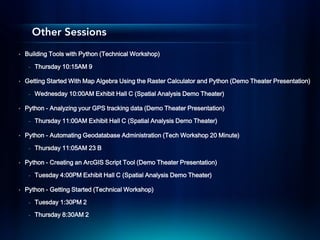
Other Sessions
•   Building Tools with Python (Technical Workshop)

     -   Thursday 10:15AM 9

•   Getting Started With Map Algebra Using the Raster Calculator and Python (Demo Theater Presentation)

     -   Wednesday 10:00AM Exhibit Hall C (Spatial Analysis Demo Theater)

•   Python - Analyzing your GPS tracking data (Demo Theater Presentation)

     -   Thursday 11:00AM Exhibit Hall C (Spatial Analysis Demo Theater)

•   Python - Automating Geodatabase Administration (Tech Workshop 20 Minute)

     -   Thursday 11:05AM 23 B

•   Python - Creating an ArcGIS Script Tool (Demo Theater Presentation)

     -   Tuesday 4:00PM Exhibit Hall C (Spatial Analysis Demo Theater)

•   Python - Getting Started (Technical Workshop)

     -   Tuesday 1:30PM 2
     -   Thursday 8:30AM 2
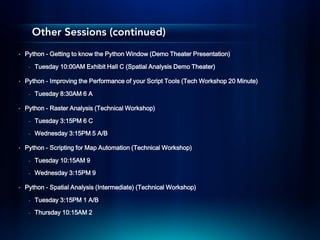
Other Sessions (continued)
•   Python - Getting to know the Python Window (Demo Theater Presentation)

     -   Tuesday 10:00AM Exhibit Hall C (Spatial Analysis Demo Theater)

•   Python - Improving the Performance of your Script Tools (Tech Workshop 20 Minute)

     -   Tuesday 8:30AM 6 A

•   Python - Raster Analysis (Technical Workshop)

     -   Tuesday 3:15PM 6 C
     -   Wednesday 3:15PM 5 A/B

•   Python - Scripting for Map Automation (Technical Workshop)

     -   Tuesday 10:15AM 9
     -   Wednesday 3:15PM 9

•   Python - Spatial Analysis (Intermediate) (Technical Workshop)

     -   Tuesday 3:15PM 1 A/B
     -   Thursday 10:15AM 2
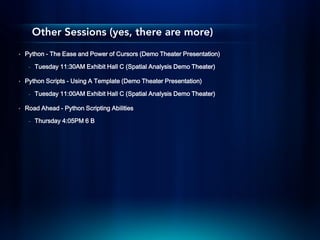
Other Sessions (yes, there are more)
•   Python - The Ease and Power of Cursors (Demo Theater Presentation)

     -   Tuesday 11:30AM Exhibit Hall C (Spatial Analysis Demo Theater)

•   Python Scripts - Using A Template (Demo Theater Presentation)

     -   Tuesday 11:00AM Exhibit Hall C (Spatial Analysis Demo Theater)

•   Road Ahead - Python Scripting Abilities

     -   Thursday 4:05PM 6 B
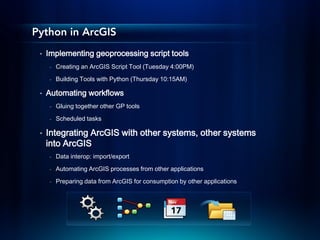
Python in ArcGIS
 •   Implementing geoprocessing script tools
      -   Creating an ArcGIS Script Tool (Tuesday 4:00PM)
      -   Building Tools with Python (Thursday 10:15AM)

 •   Automating workflows
      -   Gluing together other GP tools

      -   Scheduled tasks

 •   Integrating ArcGIS with other systems, other systems
     into ArcGIS
      -   Data interop: import/export
      -   Automating ArcGIS processes from other applications
      -   Preparing data from ArcGIS for consumption by other applications
Built-in Libraries
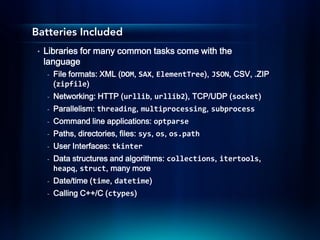
Batteries Included
 •   Libraries for many common tasks come with the
     language
     -   File formats: XML (DOM, SAX, ElementTree), JSON, CSV, .ZIP
         (zipfile)
     -   Networking: HTTP (urllib, urllib2), TCP/UDP (socket)
     -   Parallelism: threading, multiprocessing, subprocess
     -   Command line applications: optparse
     -   Paths, directories, files: sys, os, os.path
     -   User Interfaces: tkinter
     -   Data structures and algorithms: collections, itertools,
         heapq, struct, many more
     -   Date/time (time, datetime)
     -   Calling C++/C (ctypes)
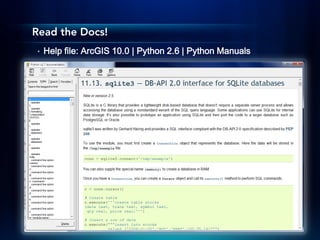
Read the Docs!
•   Help file: ArcGIS 10.0 | Python 2.6 | Python Manuals
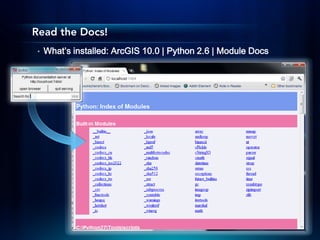
Read the Docs!
•   What’s installed: ArcGIS 10.0 | Python 2.6 | Module Docs
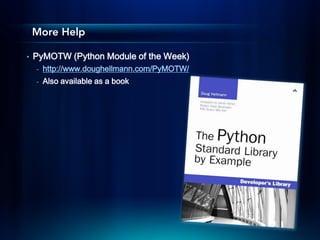
More Help

•   PyMOTW (Python Module of the Week)
    -   http://www.doughellmann.com/PyMOTW/
    -   Also available as a book
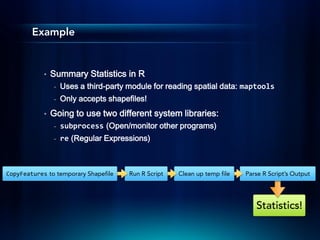
Example


            •   Summary Statistics in R
                -   Uses a third-party module for reading spatial data: maptools
                -   Only accepts shapefiles!
            •   Going to use two different system libraries:
                -   subprocess (Open/monitor other programs)
                -   re (Regular Expressions)


CopyFeatures to temporary Shapefile    Run R Script   Clean up temp file   Parse R Script’s Output


                                                                              Statistics!
Demo
But don’t reinvent the wheel!


  •   wget: Popular utility to download resources over
      HTTP/FTP
  •   Do I need it?
       -   urllib2 can download simple URLs
  •   But I need to follow links
       -   Don’t write a web spider in Python, use the –r option on
           wget
       -   Use subprocess, like in the previous example
Third-Party Libraries
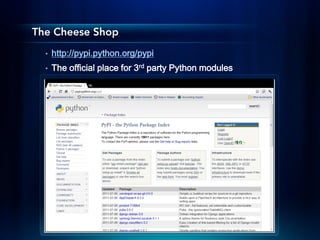
The Cheese Shop
  •   http://pypi.python.org/pypi
  •   The official place for 3rd party Python modules
Some Interesting Modules
  •   PDF writing – reportlab
  •   Image manipulation – PIL
  •   (Messy) HTML – beautifulsoup
  •   Advanced graphing/plotting – matplotlib
  •   Advanced date/time handling – dateutil
  •   Excel
      -   Read – xlrd
      -   Write – xlwt
  •   Consuming .Net
      -   http://pythonnet.sourceforge.net/
  •   .docx Read/write – docx
      -   https://github.com/mikemaccana/python-docx
      -   This brings us to…
There’s No Installer!


  •   Find python.exe in your install, add it to %PATH%.
      Scripts too.
  •   Try pip:
       -   http://python-distribute.org/
  •   Or on the command line:
       -   python.exe setup.py install
  •   Look for it on an unofficial Python library builds site:
       -   http://www.lfd.uci.edu/~gohlke/pythonlibs/
Conclusion


  •   A lot of what you need is already there
  •   Amazing documentation at your fingertips, more online
  •   There are built-in ways of interfacing with non-Python
      utilities (great for using script tools to integrate into
      ArcGIS)
  •   There’s a HUGE ecosystem out there that probably
      already has what you need
Esri International User Conference 2011: Python: Integrating Standard and Third-Party Libraries

Esri International User Conference 2011: Python: Integrating Standard and Third-Party Libraries

  • 1.
    Esri International UserConference | San Diego, CA Technical Workshops | Tuesday, July 12th Python: Integrating Standard and Third-Party Libraries Jason Scheirer
  • 2.
    Other Sessions • Building Tools with Python (Technical Workshop) - Thursday 10:15AM 9 • Getting Started With Map Algebra Using the Raster Calculator and Python (Demo Theater Presentation) - Wednesday 10:00AM Exhibit Hall C (Spatial Analysis Demo Theater) • Python - Analyzing your GPS tracking data (Demo Theater Presentation) - Thursday 11:00AM Exhibit Hall C (Spatial Analysis Demo Theater) • Python - Automating Geodatabase Administration (Tech Workshop 20 Minute) - Thursday 11:05AM 23 B • Python - Creating an ArcGIS Script Tool (Demo Theater Presentation) - Tuesday 4:00PM Exhibit Hall C (Spatial Analysis Demo Theater) • Python - Getting Started (Technical Workshop) - Tuesday 1:30PM 2 - Thursday 8:30AM 2
  • 3.
    Other Sessions (continued) • Python - Getting to know the Python Window (Demo Theater Presentation) - Tuesday 10:00AM Exhibit Hall C (Spatial Analysis Demo Theater) • Python - Improving the Performance of your Script Tools (Tech Workshop 20 Minute) - Tuesday 8:30AM 6 A • Python - Raster Analysis (Technical Workshop) - Tuesday 3:15PM 6 C - Wednesday 3:15PM 5 A/B • Python - Scripting for Map Automation (Technical Workshop) - Tuesday 10:15AM 9 - Wednesday 3:15PM 9 • Python - Spatial Analysis (Intermediate) (Technical Workshop) - Tuesday 3:15PM 1 A/B - Thursday 10:15AM 2
  • 4.
    Other Sessions (yes,there are more) • Python - The Ease and Power of Cursors (Demo Theater Presentation) - Tuesday 11:30AM Exhibit Hall C (Spatial Analysis Demo Theater) • Python Scripts - Using A Template (Demo Theater Presentation) - Tuesday 11:00AM Exhibit Hall C (Spatial Analysis Demo Theater) • Road Ahead - Python Scripting Abilities - Thursday 4:05PM 6 B
  • 5.
    Python in ArcGIS • Implementing geoprocessing script tools - Creating an ArcGIS Script Tool (Tuesday 4:00PM) - Building Tools with Python (Thursday 10:15AM) • Automating workflows - Gluing together other GP tools - Scheduled tasks • Integrating ArcGIS with other systems, other systems into ArcGIS - Data interop: import/export - Automating ArcGIS processes from other applications - Preparing data from ArcGIS for consumption by other applications
  • 6.
  • 7.
    Batteries Included • Libraries for many common tasks come with the language - File formats: XML (DOM, SAX, ElementTree), JSON, CSV, .ZIP (zipfile) - Networking: HTTP (urllib, urllib2), TCP/UDP (socket) - Parallelism: threading, multiprocessing, subprocess - Command line applications: optparse - Paths, directories, files: sys, os, os.path - User Interfaces: tkinter - Data structures and algorithms: collections, itertools, heapq, struct, many more - Date/time (time, datetime) - Calling C++/C (ctypes)
  • 8.
    Read the Docs! • Help file: ArcGIS 10.0 | Python 2.6 | Python Manuals
  • 9.
    Read the Docs! • What’s installed: ArcGIS 10.0 | Python 2.6 | Module Docs
  • 10.
    More Help • PyMOTW (Python Module of the Week) - http://www.doughellmann.com/PyMOTW/ - Also available as a book
  • 11.
    Example • Summary Statistics in R - Uses a third-party module for reading spatial data: maptools - Only accepts shapefiles! • Going to use two different system libraries: - subprocess (Open/monitor other programs) - re (Regular Expressions) CopyFeatures to temporary Shapefile Run R Script Clean up temp file Parse R Script’s Output Statistics!
  • 12.
  • 13.
    But don’t reinventthe wheel! • wget: Popular utility to download resources over HTTP/FTP • Do I need it? - urllib2 can download simple URLs • But I need to follow links - Don’t write a web spider in Python, use the –r option on wget - Use subprocess, like in the previous example
  • 14.
  • 15.
    The Cheese Shop • http://pypi.python.org/pypi • The official place for 3rd party Python modules
  • 16.
    Some Interesting Modules • PDF writing – reportlab • Image manipulation – PIL • (Messy) HTML – beautifulsoup • Advanced graphing/plotting – matplotlib • Advanced date/time handling – dateutil • Excel - Read – xlrd - Write – xlwt • Consuming .Net - http://pythonnet.sourceforge.net/ • .docx Read/write – docx - https://github.com/mikemaccana/python-docx - This brings us to…
  • 17.
    There’s No Installer! • Find python.exe in your install, add it to %PATH%. Scripts too. • Try pip: - http://python-distribute.org/ • Or on the command line: - python.exe setup.py install • Look for it on an unofficial Python library builds site: - http://www.lfd.uci.edu/~gohlke/pythonlibs/
  • 18.
    Conclusion • A lot of what you need is already there • Amazing documentation at your fingertips, more online • There are built-in ways of interfacing with non-Python utilities (great for using script tools to integrate into ArcGIS) • There’s a HUGE ecosystem out there that probably already has what you need