e-Services to Keep Your
Digital Fil C
Di it l Files Current
                    t


Presented by: Peter Bajcsy
-Research Scientist at NCSA
-Associate Director of I-CHASS, I3
                               ,
Institute
-Adjunct Assistant Professor, CS & ECE
UIUC

National Center for Supercomputing Applications
University of Illinois at Urbana-Champaign
Acknowledgement

   • This research was partially supported by a National
     Archives and Records Administration (NARA)
                                              (      )
     supplement to NSF PACI cooperative agreement CA
     #SCI-9619019 and NCSA Industrial Partners.
   • The views and conclusions contained in this doc ment
           ie s      concl sions                     document
     are those of the authors and should not be interpreted as
     representing the official policies, either expressed or
     implied, of the National Archives and Records
     Administration, or the U.S. government.
   • Contributions by: Peter Bajcsy Kenton McHenry Rob
                              Bajcsy,           McHenry,
     Kooper, Michal Ondrejcek, Jason Kastner, William
     McFadden, Sang-Chul Lee, Luigi Marini


Imaginations unbound
Outline

• Introduction
• Technologies
   • File format conversion software
     registry
   • Automated file format conversions
   • Conversion quality assessment
• Summary
• Future Work
Introduction
Supporting NARA’s Strategic Plan
• According to The Strategic Plan of The
  National Archives and Records
  Administration 2006–2016. “Preserving the
  Past to Protect the Future”
  • “Strategic Goal: We will preserve and
    process records to ensure access by the
    public as soon as legally possible”
                              possible
     • “Part D. We will improve the efficiency
       with which we manage our holdings
       from the time they are scheduled
       through accessioning, processing,
       storage, preservation
       storage preservation, and public
       use.”
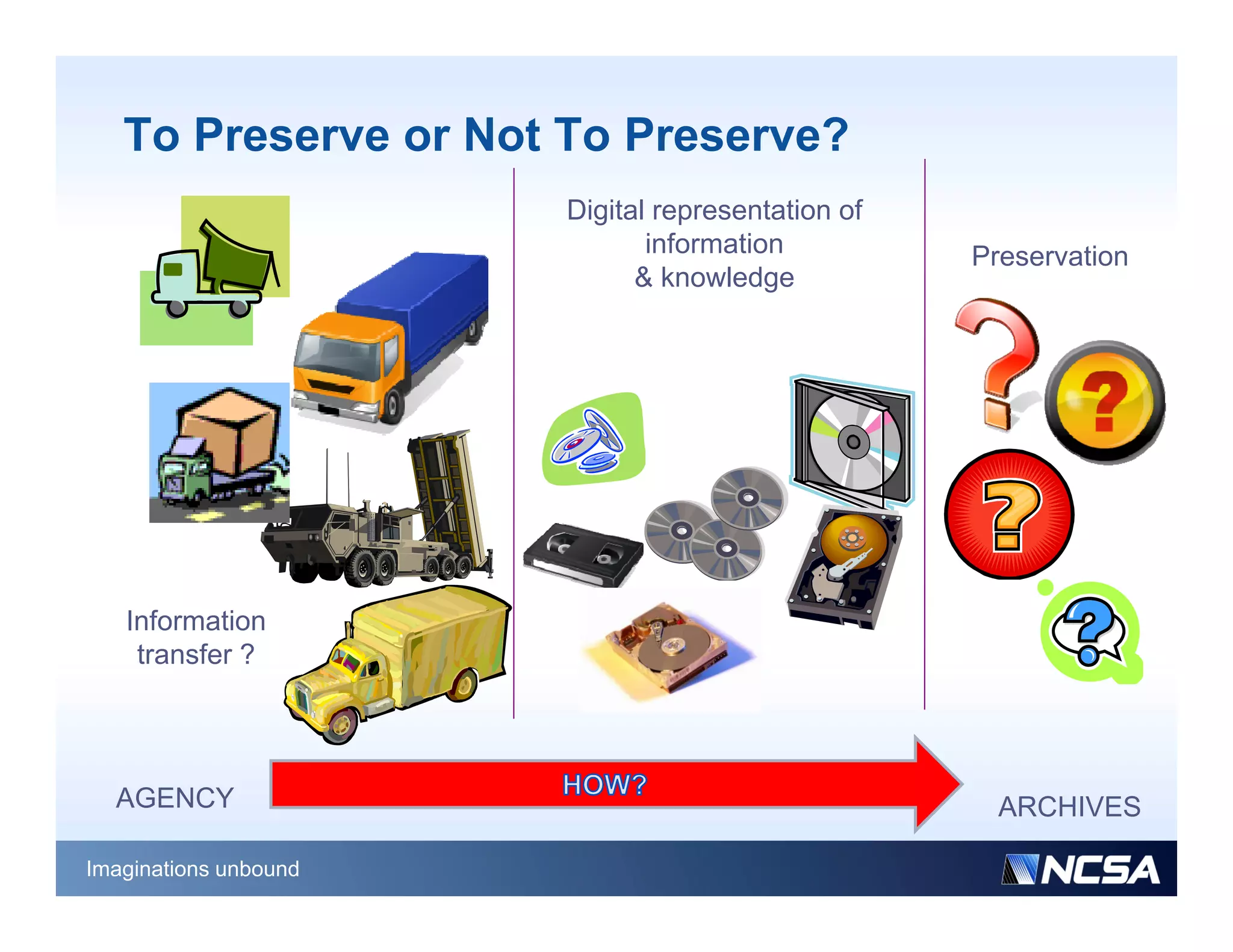
To Preserve or Not To Preserve?
                       Digital representation of
                              information          Preservation
                             & knowledge


   Information
    transfer ?


  AGENCY                                             ARCHIVES

Imaginations unbound
Do We Know the Answers?
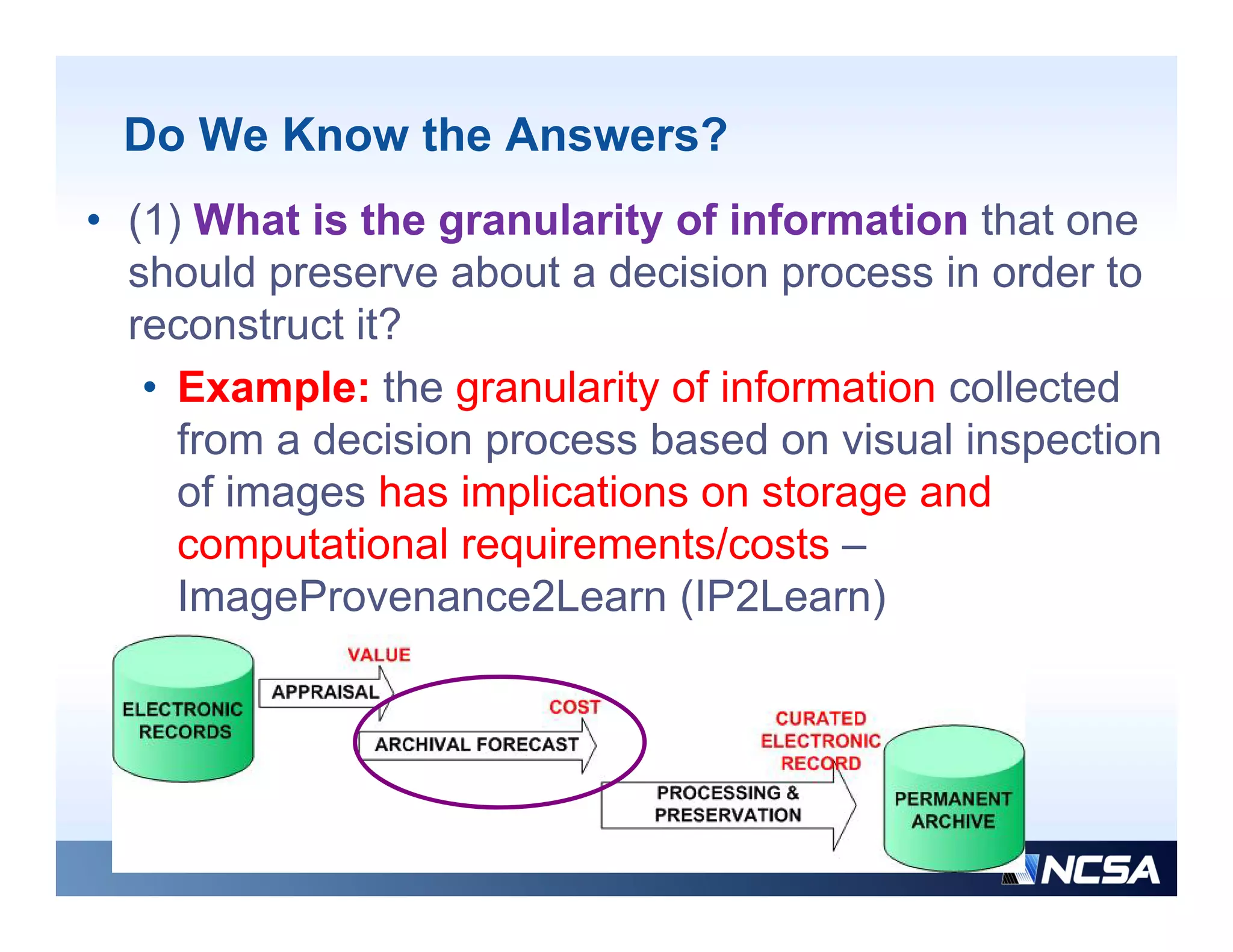
• (1) What is the granularity of information that one
  should preserve about a decision process in order to
  reconstruct it?
   • Example: the granularity of information collected
     from a decision process based on visual inspection
     of images has implications on storage and
     computational requirements/costs
     comp tational req irements/costs –
     ImageProvenance2Learn (IP2Learn)
Do We Know the Answers?
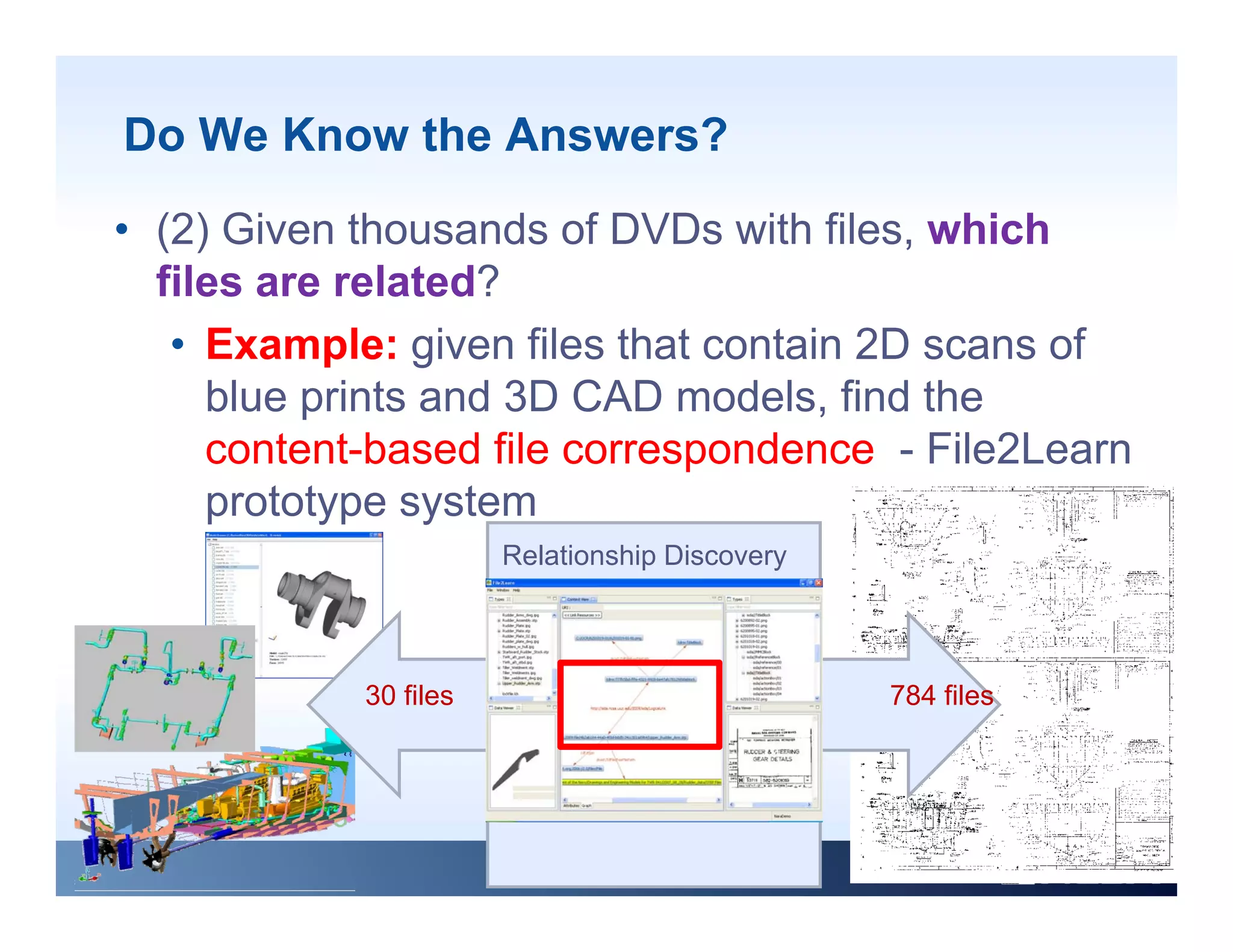
• (2) Given thousands of DVDs with files, which
  files are related?
   • Example: given files that contain 2D scans of
     blue prints and 3D CAD models, find the
          p                          ,
     content-based file correspondence - File2Learn
     prototype system
                       Relationship Discovery


            30 files                            784 files
Do We Know the Answers?
• (3) Given hundreds of versions of the ‘same’ file,
  which file version(s) are similar and which one(s)
  should be preserved?
    h ld b              d?
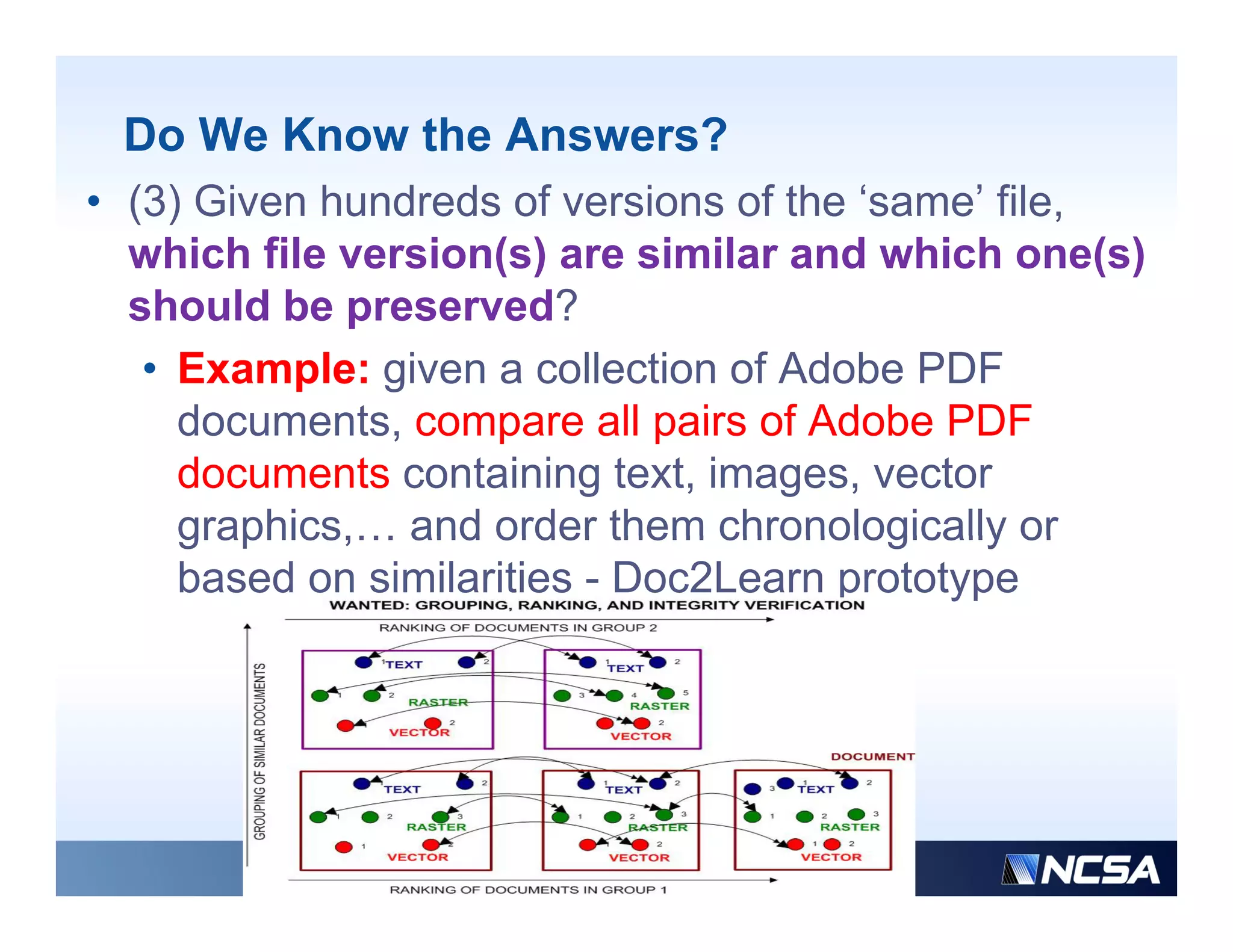
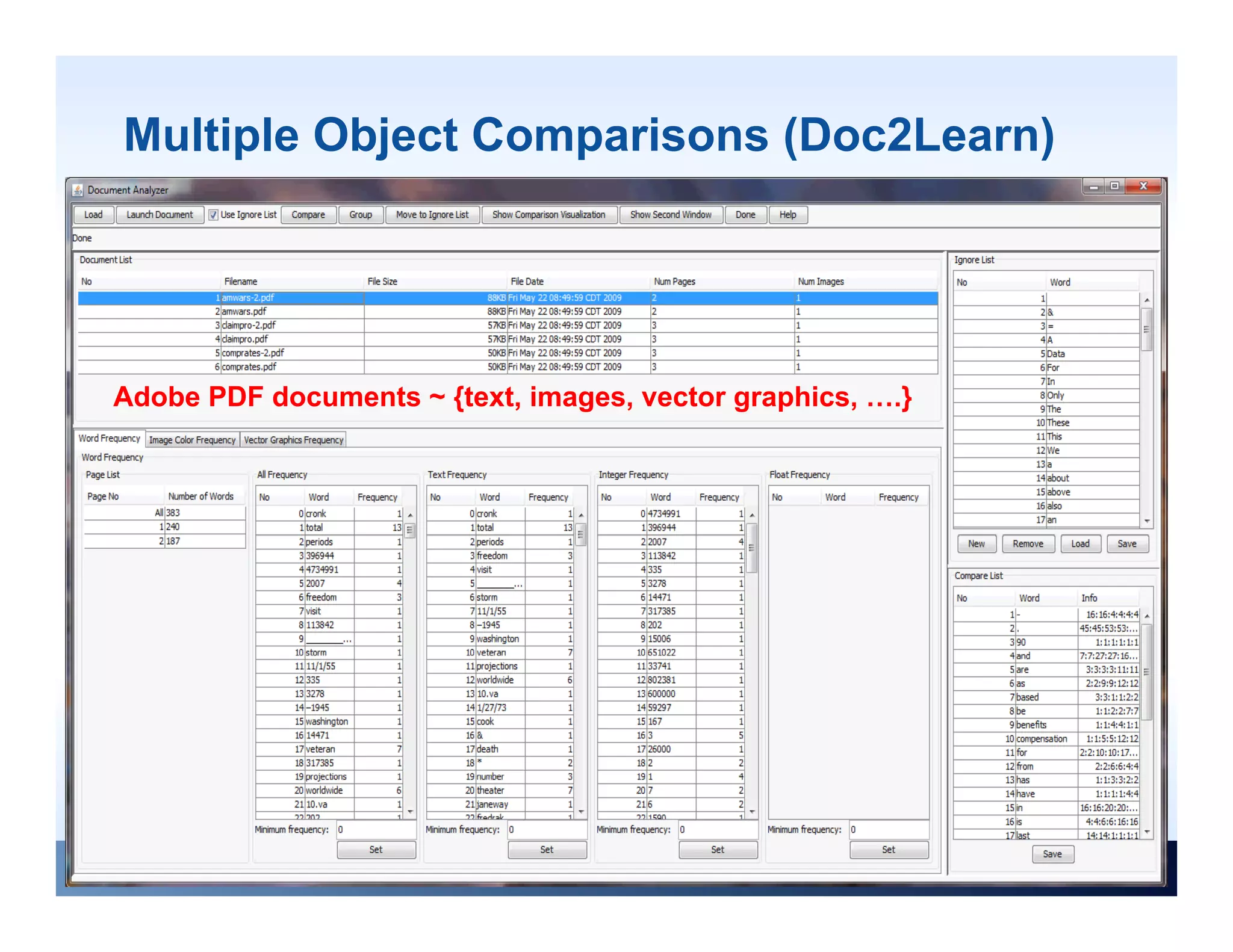
   • Example: given a collection of Adobe PDF
     documents,
     documents compare all pairs of Adobe PDF
     documents containing text, images, vector
     graphics,… and order them chronologically or
     based on similarities - Doc2Learn prototype
Do We Know the Answers?
• (4) Given thousands of file formats, which
  conversion software to use and which
  target file format to use so that the
  content of those thousands of files would
  be viewable in a long run?
   • Focus of today s talk is on examples
                today’s
     of technologies that would provide
     answers to (4) at large processing
     scale with computational scalability.
Goal
• Ob
  Observation: Fil f
           ti   File format conversions are
                           t          i
  inevitably one part of our daily life
• Question: Can file format conversions assist in
  making digital content created today to be
  accessible and viewable throughout its
  lifecycle?
• Consideration: we do not know what file
  formats will be around 100+ years down the
                                y
  road
• Goal: to make files backward and forward
  compatible
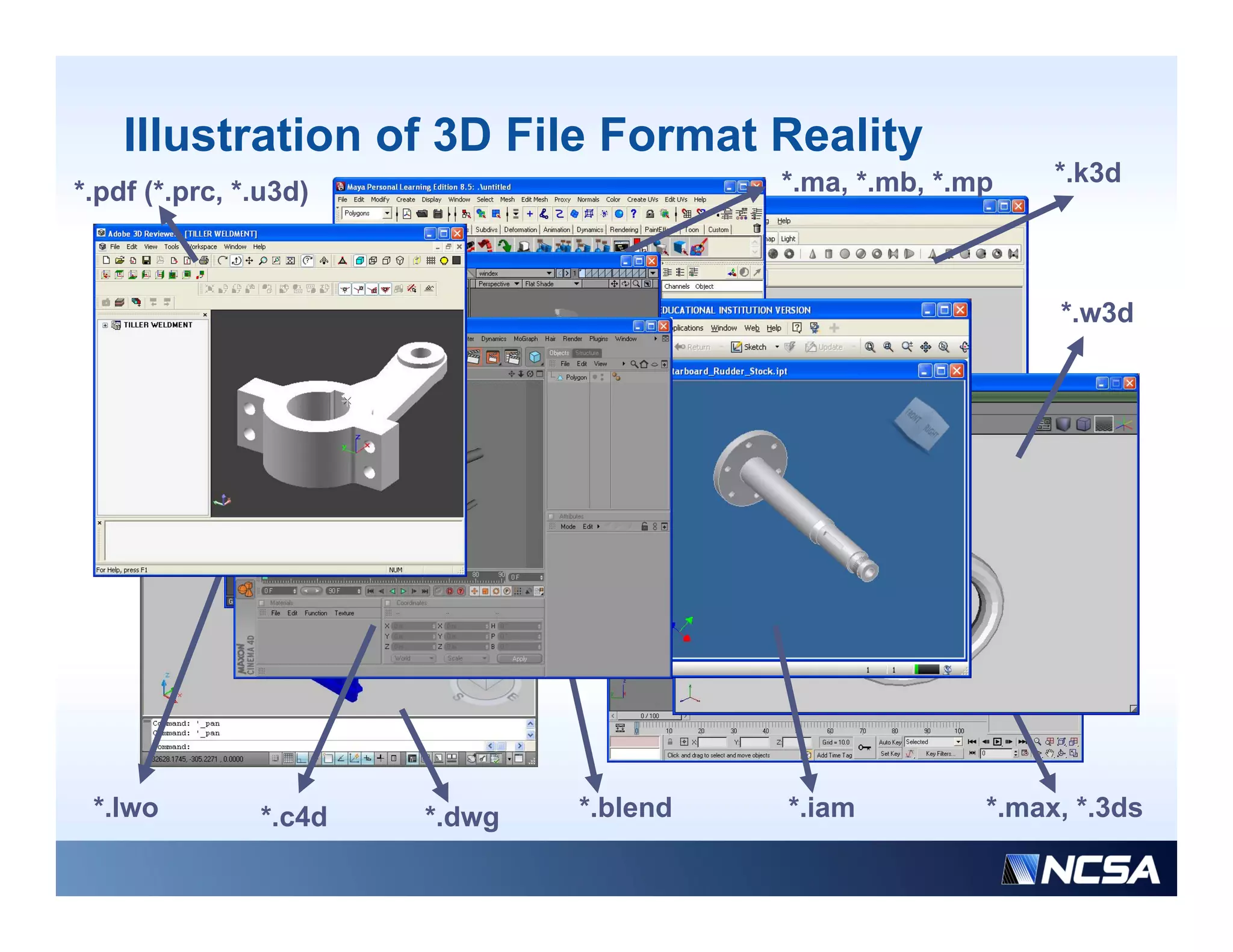
Background on File Format Conversions
• A very large number of file formats in which digital content is
  stored.
• A i
  An increasing number of complex fil f
             i        b      f     l file formats containing
                                                 t   t i i
  multiple types of digital content (e.g., Adobe PDF, HDF) or
  having very elaborate specifications (e.g., STEP).
• Many software implementations of import (read) and export
  (write) operations.
• A wide spectrum of quality of software i l
      id       t      f     lit f ft        implementations
                                                    t ti
  when reading and storing content in various file formats.
• Ephemeral support for many file formats and software
  implementations
• Hardware dependency of many software implementations
Illustration of 3D File Format Reality
                                         *.ma, * b *
                                         *     *.mb, *.mp    *.k3d
                                                               k3d
*.pdf (*.prc, *.u3d)


                                                             *.w3d


 *.lwo         *.c4d   *.dwg   *.blend   *.iam          *.max, *.3ds
Challenges and Objective
• Challenges:
   • The quality of file format conversions is unknown when
     using a particular software to do the conversion
   • The volume of file format conversions requires significant
     computational resources
   • Understanding information loss due to file format
     conversions is application dependent
   • Estimating information loss is complicated due to the
     complexity of file formats
   • Th file f
     The fil format, software and hardware d
                   t      ft      dh d        dependencies are
                                                    d   i
     often unknown
• Objective: Design and prototype services using a
     j             g         p     yp                g
  computational cloud to support forward-looking decisions
Parameters of File Format Conversions

• File format: Content representation depends on a
  file format
• Software: Retrieval and storage of content in a file
  format depends on the quality of software
  implementation
• Hardware: Software execution depends o access
     a d a e So t a e e ecut o depe ds on
  to storage media, operating system, and hardware
  platform
• Criteria defining information loss: Information
  loss due to file format conversions is defined by
  application specific criteria
Three Example Services of Interest

• (a) Find file format conversion software
  to convert from any file format to any
  other file format
• (b) Execute file format conversions with
  any available thi d party software
           il bl third    t   ft
• (c) Evaluate information loss due to file
  ( )
  format conversion over a set of files in
  multiple complex file formats
Technologies
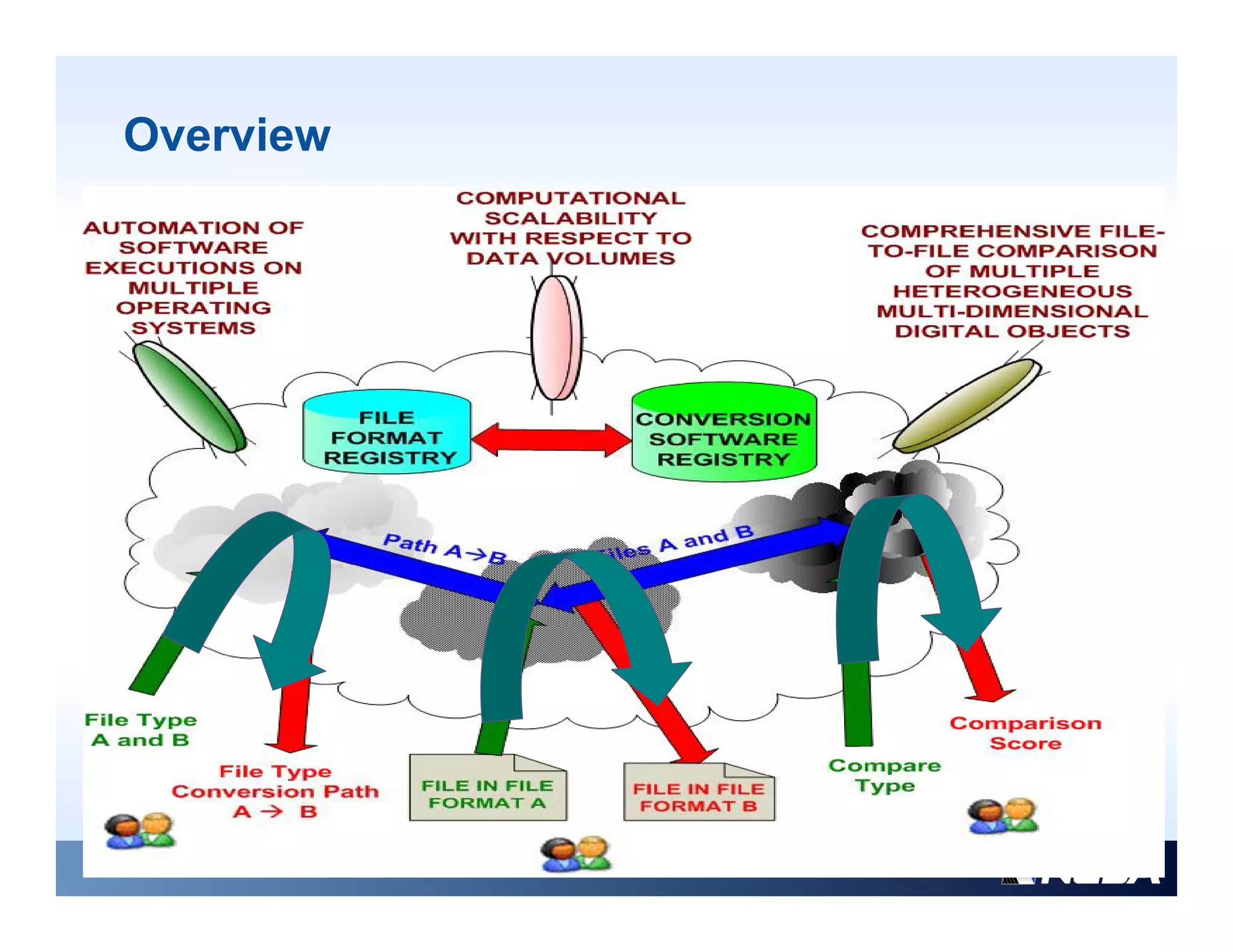
Overview
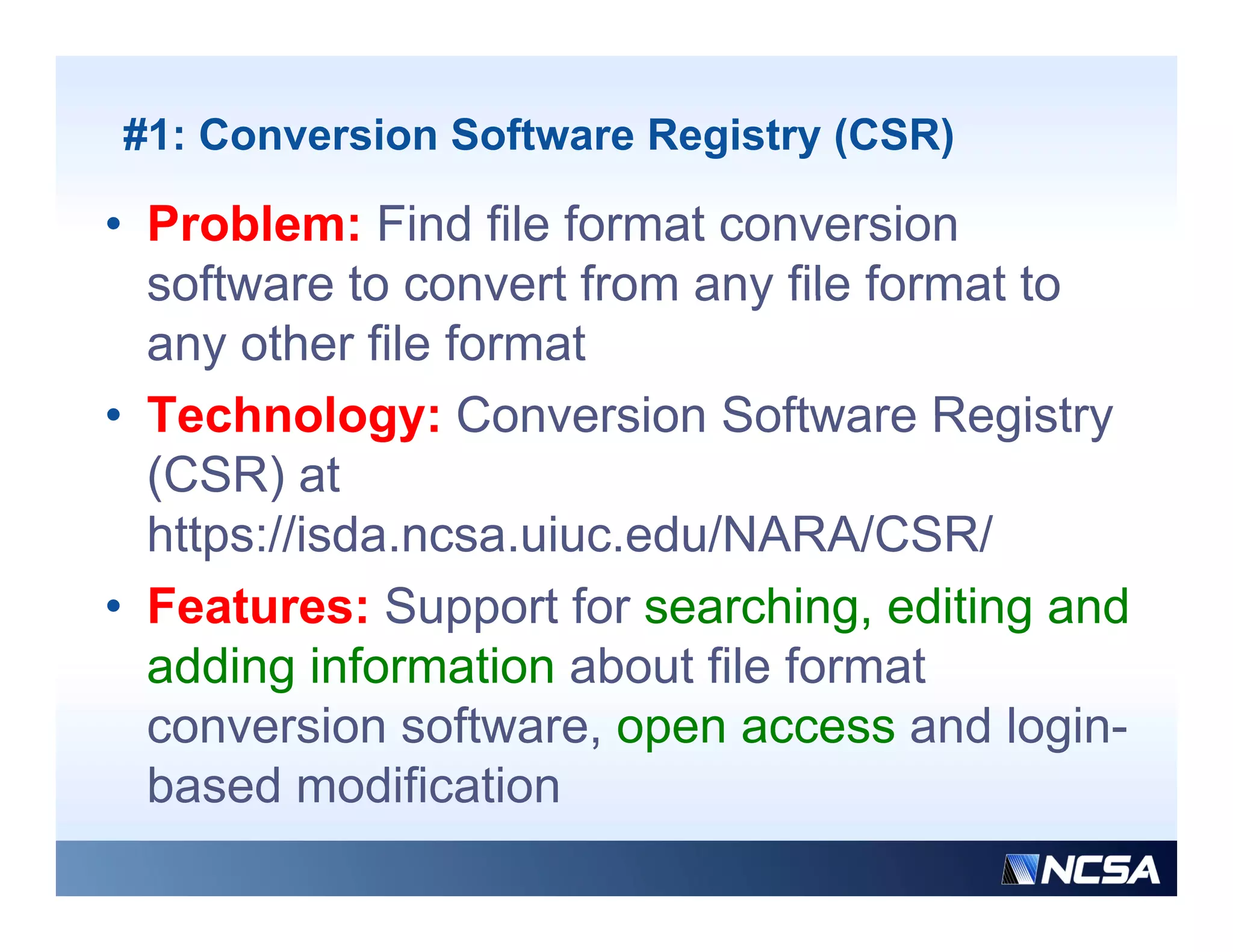
#1: Conversion Software Registry (CSR)

• Problem: Find file format conversion
  software to convert from any file format to
  any other file format
• Technology: Conversion Software Registry
  (CSR) at
  https://isda.ncsa.uiuc.edu/NARA/CSR/
  https://isda ncsa uiuc edu/NARA/CSR/
• Features: Support for searching, editing and
  adding i f
   ddi information about fil f
                   ti   b t file format
                                      t
  conversion software, open access and login-
  based modification
  b    d     difi ti
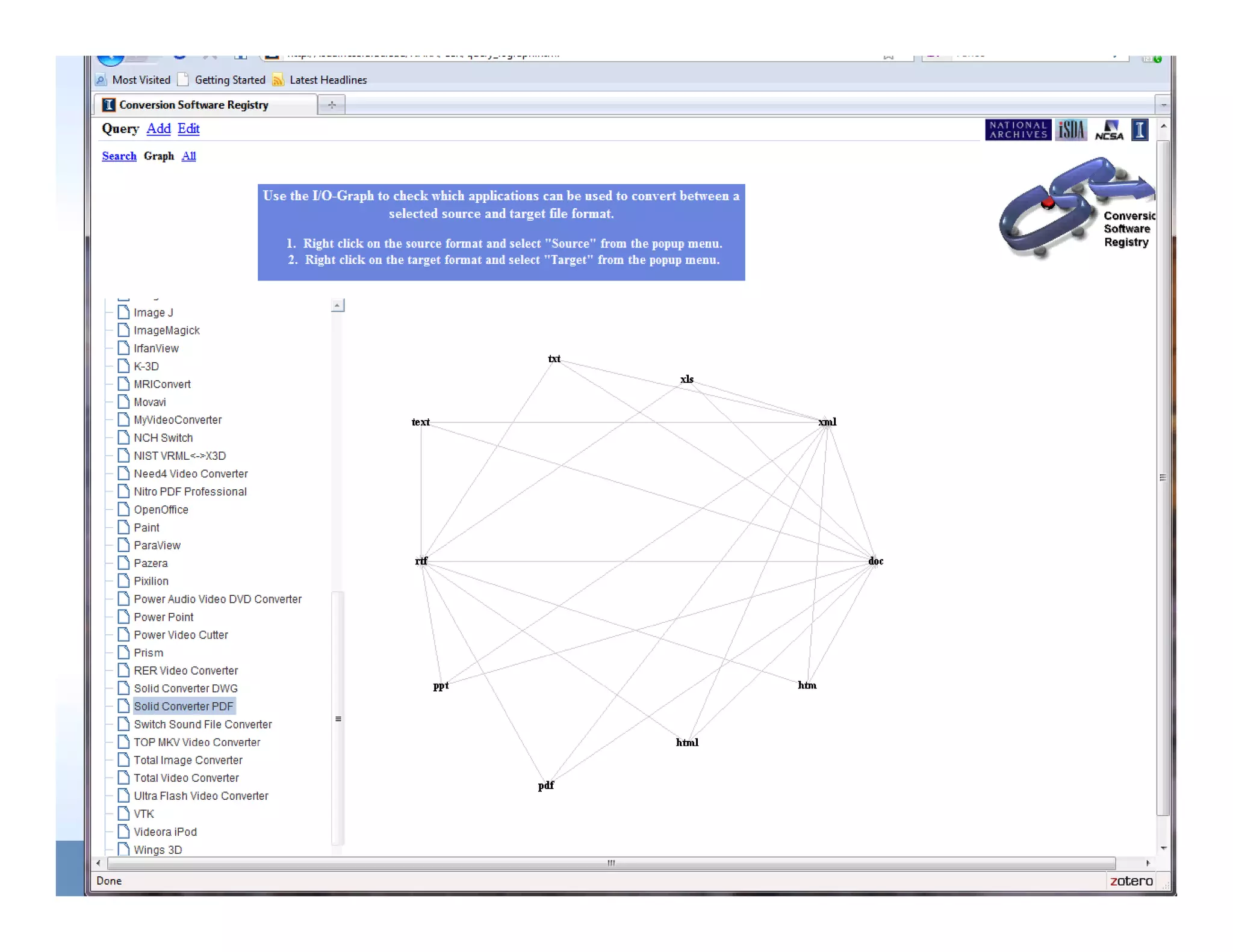
Movie of CSR
Comparison of CSR with Other Systems
• File Format Registries
   • PRONOM developed by the National Archives of the United
     Kingdom
        g
   • Unified Digital Formats Registry (UDFR – before GDFR)
• Software Registries/Catalogues
   • C
     Community specific
             it      ifi
      • The Geotechnical and Geoenvironmental Software Directory
        (GGSD)
      • The Natural Language Software Registry (NLSR)
   • Business oriented
      • The Bit9 Global Software Registry (
                                     g y (whitelisting software)
                                                       g          )
      • Cnet (available software with links to feature descriptions)
• File Format Conversion Registries
   • Th Planets test bed (password protected, 18 software packages)
     The Pl  t t tb d(           d    t t d        ft        k    )
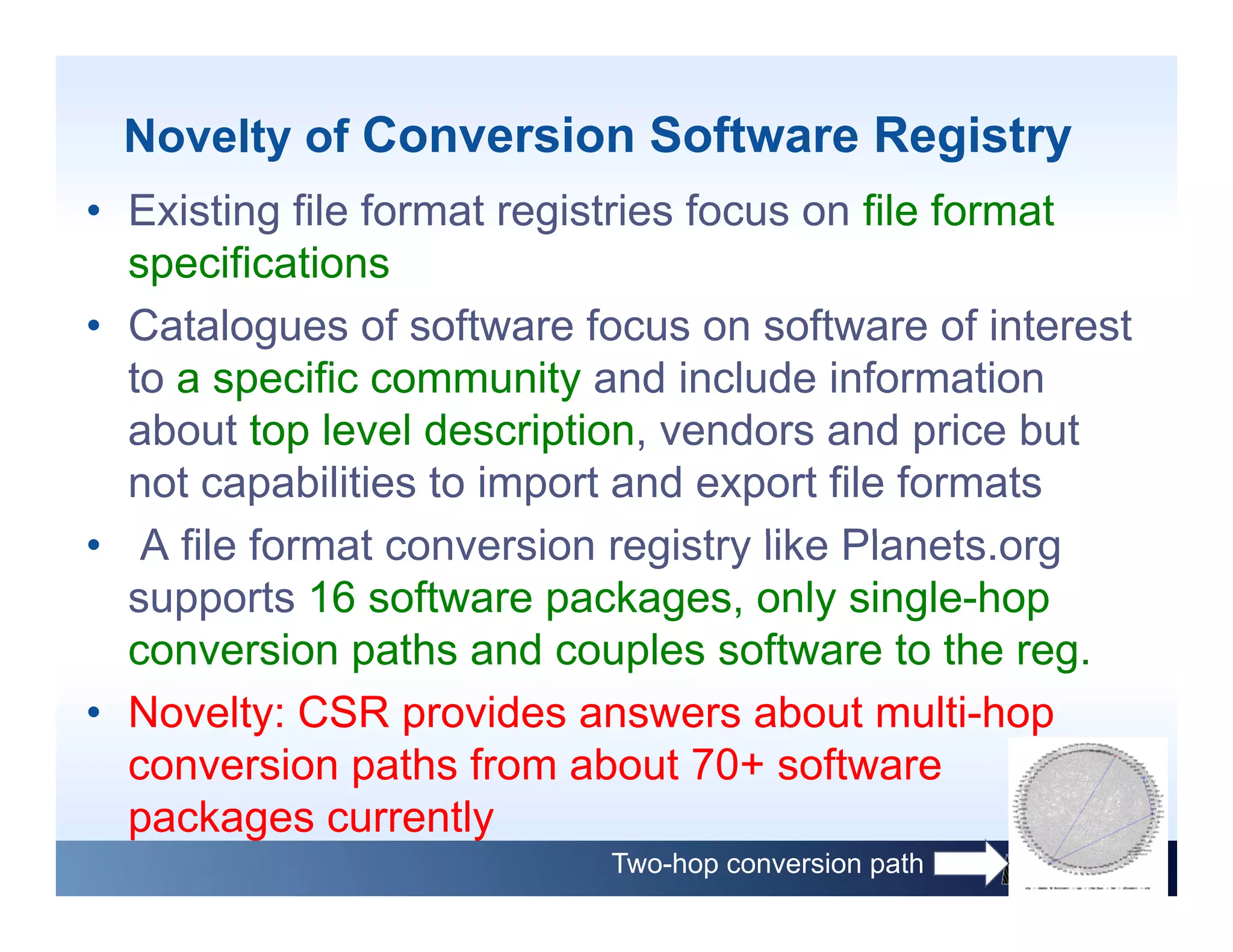
Novelty of Conversion Software Registry
• Existing file format registries focus on file format
  specifications
• Catalogues of software focus on software of interest
  to a specific community and include information
  about t level d
    b t top l     l description, vendors and price b t
                         i ti        d       d i but
  not capabilities to import and export file formats
• A file f
     fil format conversion registry lik Pl
                t         i       i t like Planets.org
                                                 t
  supports 16 software packages, only single-hop
  conversion paths and couples software to the reg  reg.
• Novelty: CSR provides answers about multi-hop
  conversion paths from about 70+ software
                                   70
  packages currently
                            Two-hop conversion path
#2: File Format Conversion Engine
• Problem: Execute file format conversions
  with any available third party software
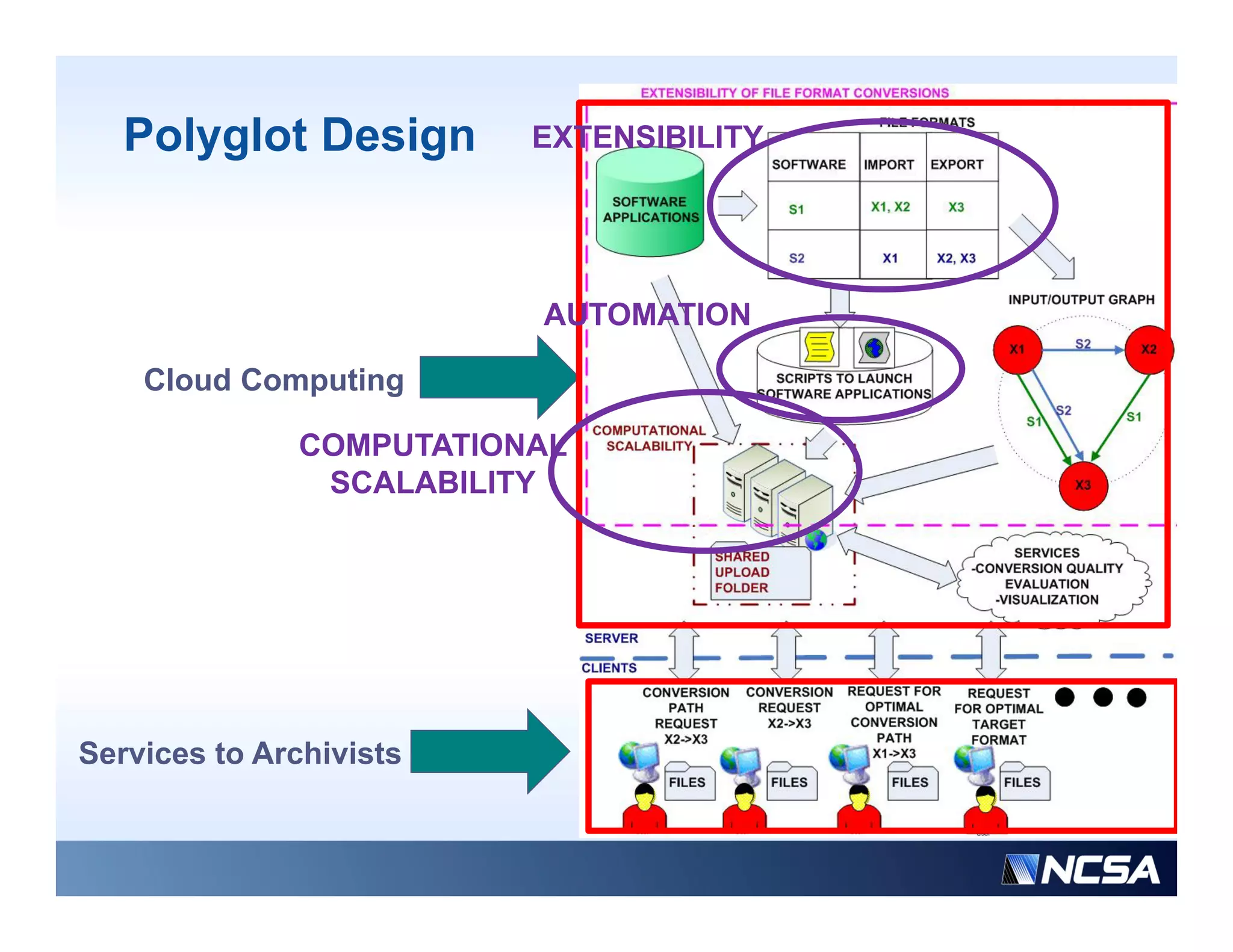
• Technology: Polyglot version 1, operating
  on NCSA hardware resources
                       resources,
  downloadable for private deployment
• F t
  Features: web-based access t a
                  bb    d         to
  computational cloud consisting of
  commodity h d
            dit hardware and i t ll ti
                           d installations of
                                            f
  third party software with import/export
  capabilities
        biliti
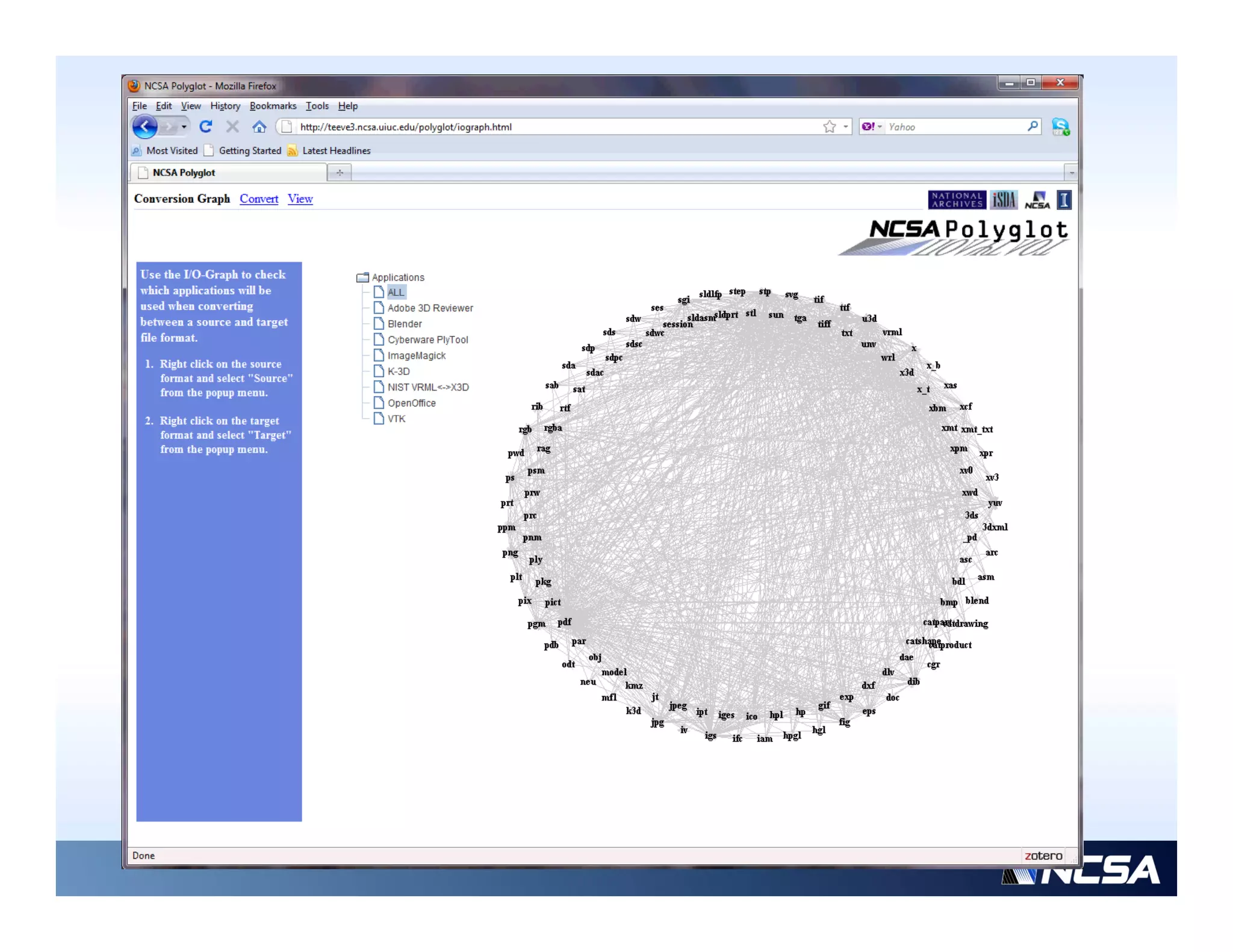
Movie of Polyglot
Polyglot Design       EXTENSIBILITY


                         AUTOMATION

    Cloud Computing

              COMPUTATIONAL
               SCALABILITY


Services to Archivists
Comparison of File Format Conversion
  Systems
• Some existing file format conversion services
   • http://www.ps2pdf.com;
        p       p p       ;
      • Supports only certain conversion types
   • http://www.zamzar.com
      • Supports conversion of document, image,
        music, video and couple of CAD formats
   • http://media-convert.com
     • Supports about 20 multi-media formats
• D
  Drawbacks: Th existing systems are not
       b k The i ti              t             t
  extensible (limited by specific libraries), cannot be
  downloaded for private use (files with sensitive info)
                                                     info),
  computational scalability is unknown
Format Conversion Extensibility Via
 Software Reuse
• Observation: Nobody has the resources to load every
  possible file format
   • Fully supporting the many available formats is an
     enormous undertaking
   • If a file format is closed/proprietary it may be difficult to
     retrieve the data directly from the file
   • Vendor file formats sometimes store application feature
                                                pp
     specific pieces of information that is not supported in
     other formats
   • M t software support importing/exporting of a subset of
     Most ft                  ti    ti /        ti   f      b t f
     application domain specific file formats.
• Conclusion: Software reuse a d e te s b ty are t e key
  Co c us o So t a e euse and extensibility a e the ey
  characteristics of file format conversion systems
File Format Conversion Extensibility
• Extensibility in Polyglot: Software is reused by wrapping
  3rd party software while utilizing whatever access the
  software vendors make available to embedded
     f          d      k        il bl      b dd d
  functionality
   • published Application Programming Interface (API),
                                                    (API)
      command line and Graphics User Interfaces (GUI)
• Novelty: Polyglot p
          y     yg provides a single user interface that
                                      g
  allows the user to execute multiple software conversion
  software applications automatically, and over distributed
  computers that have a license for the software needed to
  do the conversion and/or have the computing resources
  necessary for the size of the job (computational scalability).
#3: File Comparison Engines
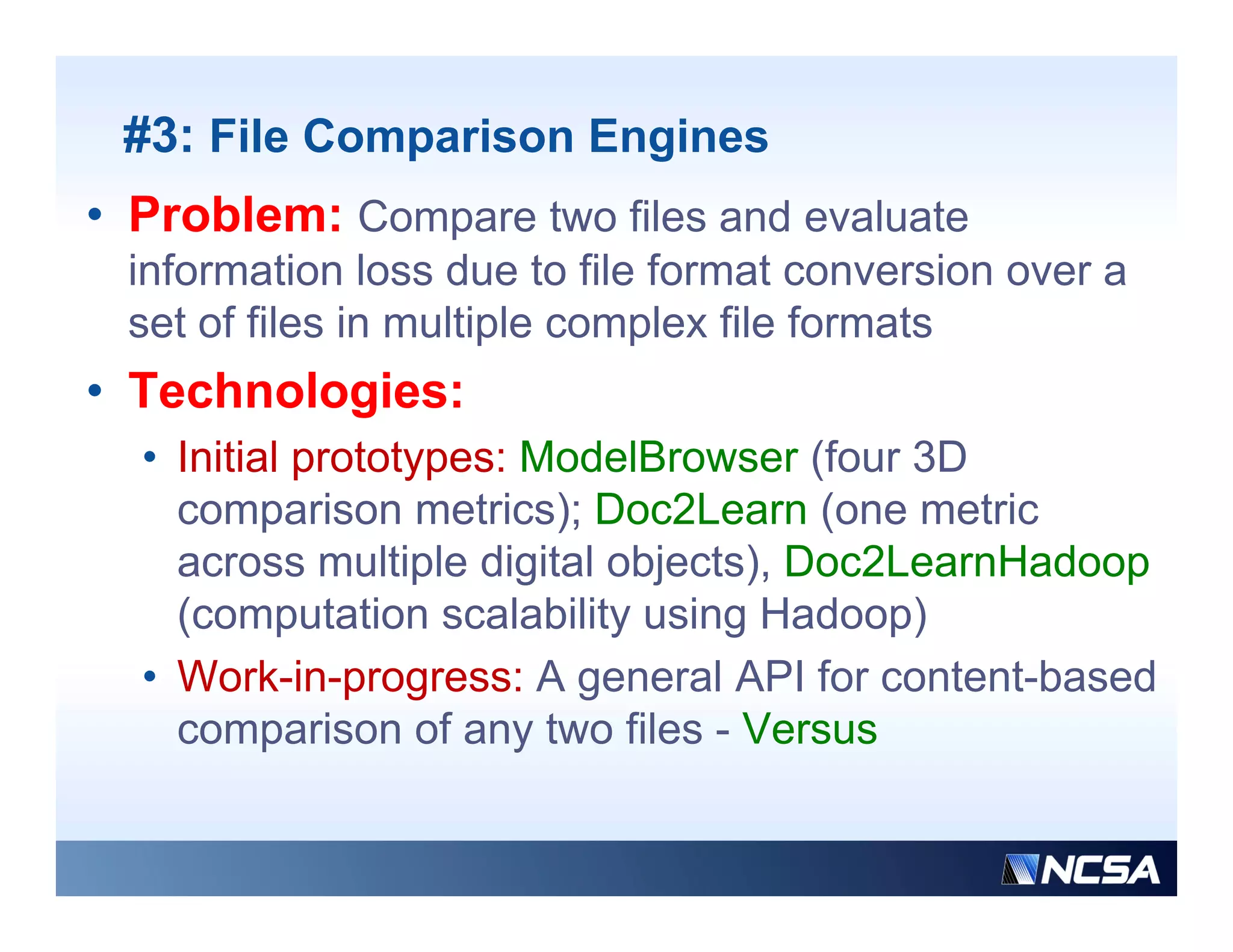
• Problem: Compare two files and evaluate
 information loss due to file format conversion over a
 set of files in multiple complex file formats
• Technologies:
          g
  • Initial prototypes: ModelBrowser (four 3D
    comparison metrics); Doc2Learn (one metric
    across multiple digital objects), Doc2LearnHadoop
    (computation scalability using Hadoop)
  • Work-in-progress: A general API for content-based
    comparison of any two files - Versus
3D Comparison Example (ModelBrowser)


                                             heart.stl


•    Software: Adobe 3D Reviewer                              heart.wrl
                                                              h t l

•    Original File: WRL
•    Converted Files: STP, STL,
     IGS, U3D
•    Comparison Method: Light
     Fields [C e , 2003] compares
       e ds [Chen, 003] co pa es             heart.stp
                                             heart stp
     silhouettes from various viewing
     angles around the objects


    Conclusion: Information loss(WRLSTP)=Information loss (WRLSTL)
Multiple Object Comparisons (Doc2Learn)


Adobe PDF documents ~ {text, images, vector graphics, ….}
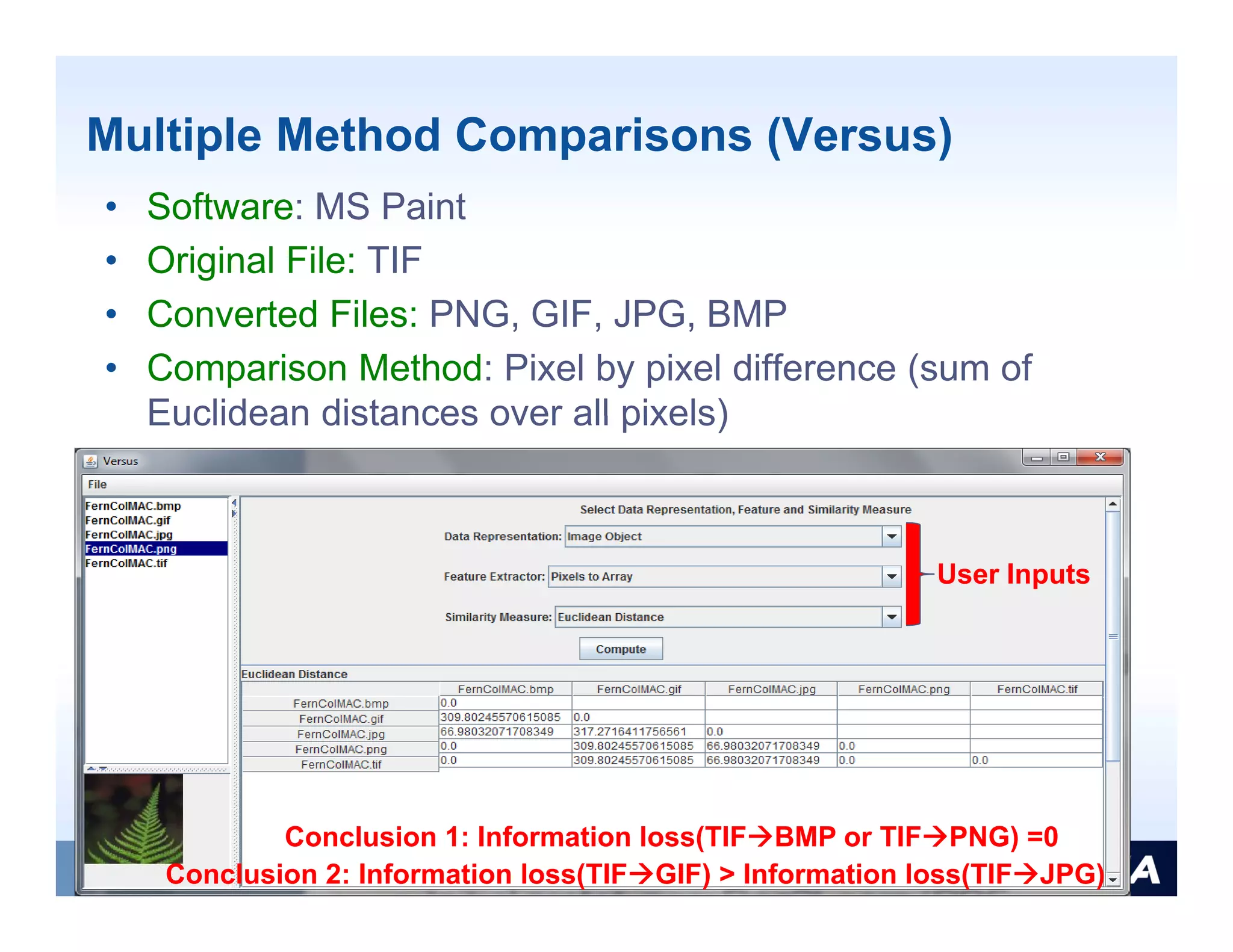
Multiple Method Comparisons (Versus)
•   Software: MS Paint
•   Original File: TIF
•   Converted Files: PNG, GIF, JPG, BMP
•   Comparison Method: Pixel by pixel difference (sum of
    Euclidean distances over all pixels)


                                                           User Inputs


             Conclusion 1: Information loss(TIFBMP or TIFPNG) =0
     Conclusion 2: Information loss(TIFGIF) > Information loss(TIFJPG)
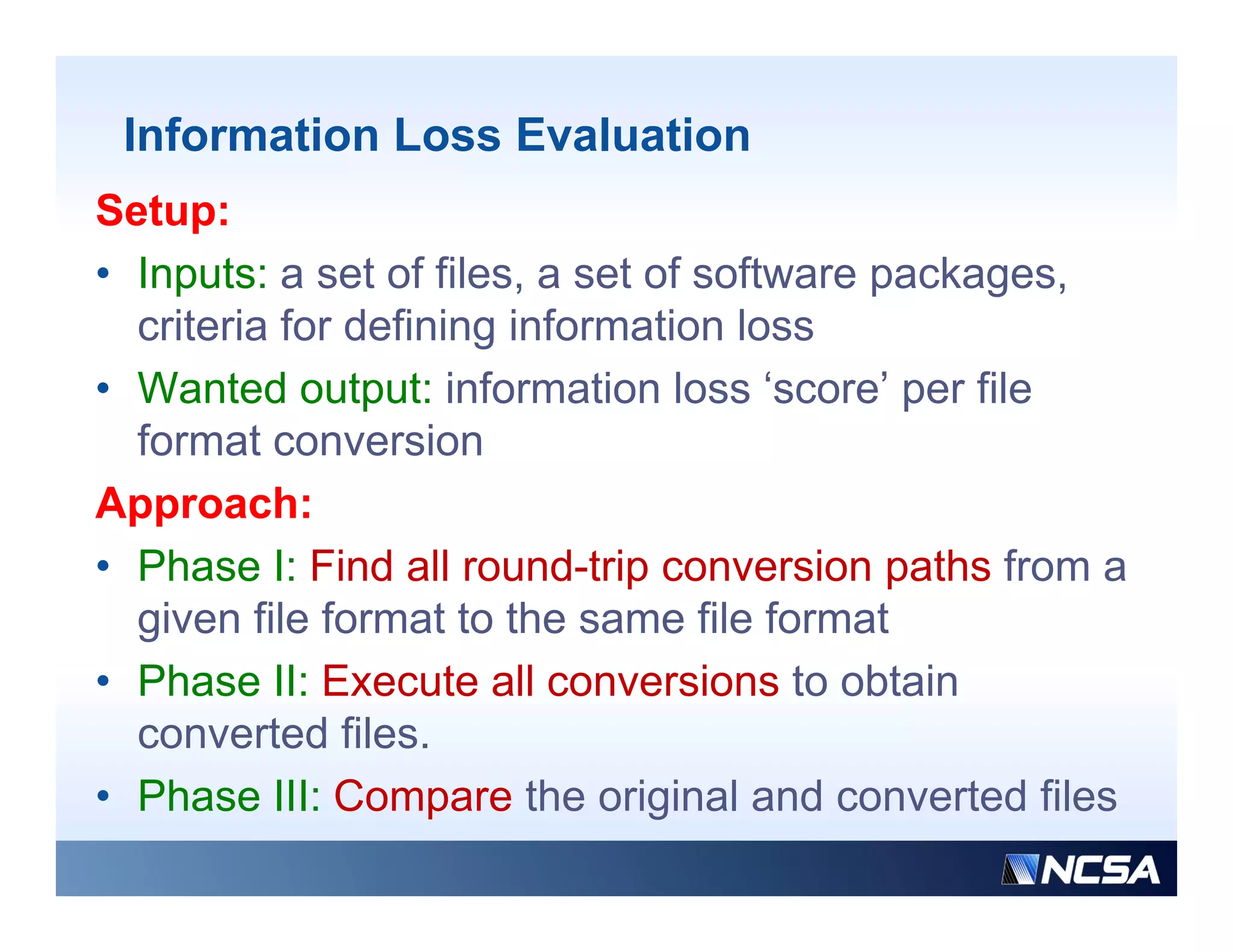
Information Loss Evaluation
Setup:
• Inputs: a set of files, a set of software packages,
    p                                       p    g
  criteria for defining information loss
• Wanted output: information loss ‘score’ per file
  format conversion
Approach:
• Phase I: Find all round-trip conversion paths from a
  given file format to the same file format
• Phase II: Execute all conversions to obtain
  converted files.
• Phase III: Compare the original and converted files
Information Loss Evaluation: Computational
    Requirements
•   Files: one file in STP file format
•   Software: Adobe 3D Reviewer, Cyberware PlyTool
•   Comparison Method: Light Fields [Chen, 2003]
•   Number of paths: 10 (28 individual conversions)


             Phase I: Find                       Phase III: Compare
                             Phase II: Execute
Summary
Information Technology Lessons
• Better understanding of preservation and reconstruction of
  electronic records in terms of file format conversions
   • Th data model needed f d
     The d t        d l    d d for documenting existing fil
                                             ti      i ti file
     format conversion software
   • A framework (test bed) for software reuse and
     extensibility to provide file format conversion services
   • The complexity of performing content-based file
     comparison and measurements of information loss d
               i      d               t fi f      ti l       due
     to file format conversions
   • The computational cost of file format conversions, file
     comparisons and information loss evaluations
   • The computational scalability of file format conversions
     and fil comparisons using parallel processing paradigms
        d file        i        i        ll l        i        di
The Value for Archivists
• Prototype services are freely available to digital preservation
  community and provide decision support tools
   • to select an ‘optimal’ file format to be preserved
   • to evaluate file format conversion software
   • to select minimum cost for a chosen file format conversion
     path
• The framework for conversion software documentation,         ,
  software reuse and functionality extensibility has a major
  impact on
   • Effi i
     Efficiency with which we manage our h ldi
                   ith hi h                    holdings
   • Understanding of the information loss introduced due to
     conversions
   • The cost of updating file format conversion services
Development Plans
• Prototype services are open to the public at
   • https://isda.ncsa.uiuc.edu/NARA/CSR/
   • http://teeve3.ncsa.uiuc.edu/polyglot/convert.php
• Software is open source technology and
  downloadable from
  http://isda.ncsa.uiuc.edu/download/
     p
• We have been building a second generation of
  these file format conversion services
• Feedback is very welcome
• Questions: Peter Bajcsy –
                         j y
  pbajcsy@ncsa.uiuc.edu

e-Services to Keep Your Digital Files Current

  • 1.
    e-Services to KeepYour Digital Fil C Di it l Files Current t Presented by: Peter Bajcsy -Research Scientist at NCSA -Associate Director of I-CHASS, I3 , Institute -Adjunct Assistant Professor, CS & ECE UIUC National Center for Supercomputing Applications University of Illinois at Urbana-Champaign
  • 2.
    Acknowledgement • This research was partially supported by a National Archives and Records Administration (NARA) ( ) supplement to NSF PACI cooperative agreement CA #SCI-9619019 and NCSA Industrial Partners. • The views and conclusions contained in this doc ment ie s concl sions document are those of the authors and should not be interpreted as representing the official policies, either expressed or implied, of the National Archives and Records Administration, or the U.S. government. • Contributions by: Peter Bajcsy Kenton McHenry Rob Bajcsy, McHenry, Kooper, Michal Ondrejcek, Jason Kastner, William McFadden, Sang-Chul Lee, Luigi Marini Imaginations unbound
  • 3.
    Outline • Introduction • Technologies • File format conversion software registry • Automated file format conversions • Conversion quality assessment • Summary • Future Work
  • 4.
  • 5.
    Supporting NARA’s StrategicPlan • According to The Strategic Plan of The National Archives and Records Administration 2006–2016. “Preserving the Past to Protect the Future” • “Strategic Goal: We will preserve and process records to ensure access by the public as soon as legally possible” possible • “Part D. We will improve the efficiency with which we manage our holdings from the time they are scheduled through accessioning, processing, storage, preservation storage preservation, and public use.”
  • 6.
    To Preserve orNot To Preserve? Digital representation of information Preservation & knowledge Information transfer ? AGENCY ARCHIVES Imaginations unbound
  • 7.
    Do We Knowthe Answers? • (1) What is the granularity of information that one should preserve about a decision process in order to reconstruct it? • Example: the granularity of information collected from a decision process based on visual inspection of images has implications on storage and computational requirements/costs comp tational req irements/costs – ImageProvenance2Learn (IP2Learn)
  • 8.
    Do We Knowthe Answers? • (2) Given thousands of DVDs with files, which files are related? • Example: given files that contain 2D scans of blue prints and 3D CAD models, find the p , content-based file correspondence - File2Learn prototype system Relationship Discovery 30 files 784 files
  • 9.
    Do We Knowthe Answers? • (3) Given hundreds of versions of the ‘same’ file, which file version(s) are similar and which one(s) should be preserved? h ld b d? • Example: given a collection of Adobe PDF documents, documents compare all pairs of Adobe PDF documents containing text, images, vector graphics,… and order them chronologically or based on similarities - Doc2Learn prototype
  • 10.
    Do We Knowthe Answers? • (4) Given thousands of file formats, which conversion software to use and which target file format to use so that the content of those thousands of files would be viewable in a long run? • Focus of today s talk is on examples today’s of technologies that would provide answers to (4) at large processing scale with computational scalability.
  • 11.
    Goal • Ob Observation: Fil f ti File format conversions are t i inevitably one part of our daily life • Question: Can file format conversions assist in making digital content created today to be accessible and viewable throughout its lifecycle? • Consideration: we do not know what file formats will be around 100+ years down the y road • Goal: to make files backward and forward compatible
  • 12.
    Background on FileFormat Conversions • A very large number of file formats in which digital content is stored. • A i An increasing number of complex fil f i b f l file formats containing t t i i multiple types of digital content (e.g., Adobe PDF, HDF) or having very elaborate specifications (e.g., STEP). • Many software implementations of import (read) and export (write) operations. • A wide spectrum of quality of software i l id t f lit f ft implementations t ti when reading and storing content in various file formats. • Ephemeral support for many file formats and software implementations • Hardware dependency of many software implementations
  • 13.
    Illustration of 3DFile Format Reality *.ma, * b * * *.mb, *.mp *.k3d k3d *.pdf (*.prc, *.u3d) *.w3d *.lwo *.c4d *.dwg *.blend *.iam *.max, *.3ds
  • 14.
    Challenges and Objective •Challenges: • The quality of file format conversions is unknown when using a particular software to do the conversion • The volume of file format conversions requires significant computational resources • Understanding information loss due to file format conversions is application dependent • Estimating information loss is complicated due to the complexity of file formats • Th file f The fil format, software and hardware d t ft dh d dependencies are d i often unknown • Objective: Design and prototype services using a j g p yp g computational cloud to support forward-looking decisions
  • 15.
    Parameters of FileFormat Conversions • File format: Content representation depends on a file format • Software: Retrieval and storage of content in a file format depends on the quality of software implementation • Hardware: Software execution depends o access a d a e So t a e e ecut o depe ds on to storage media, operating system, and hardware platform • Criteria defining information loss: Information loss due to file format conversions is defined by application specific criteria
  • 16.
    Three Example Servicesof Interest • (a) Find file format conversion software to convert from any file format to any other file format • (b) Execute file format conversions with any available thi d party software il bl third t ft • (c) Evaluate information loss due to file ( ) format conversion over a set of files in multiple complex file formats
  • 17.
  • 18.
  • 19.
    #1: Conversion SoftwareRegistry (CSR) • Problem: Find file format conversion software to convert from any file format to any other file format • Technology: Conversion Software Registry (CSR) at https://isda.ncsa.uiuc.edu/NARA/CSR/ https://isda ncsa uiuc edu/NARA/CSR/ • Features: Support for searching, editing and adding i f ddi information about fil f ti b t file format t conversion software, open access and login- based modification b d difi ti
  • 20.
  • 21.
    Comparison of CSRwith Other Systems • File Format Registries • PRONOM developed by the National Archives of the United Kingdom g • Unified Digital Formats Registry (UDFR – before GDFR) • Software Registries/Catalogues • C Community specific it ifi • The Geotechnical and Geoenvironmental Software Directory (GGSD) • The Natural Language Software Registry (NLSR) • Business oriented • The Bit9 Global Software Registry ( g y (whitelisting software) g ) • Cnet (available software with links to feature descriptions) • File Format Conversion Registries • Th Planets test bed (password protected, 18 software packages) The Pl t t tb d( d t t d ft k )
  • 22.
    Novelty of ConversionSoftware Registry • Existing file format registries focus on file format specifications • Catalogues of software focus on software of interest to a specific community and include information about t level d b t top l l description, vendors and price b t i ti d d i but not capabilities to import and export file formats • A file f fil format conversion registry lik Pl t i i t like Planets.org t supports 16 software packages, only single-hop conversion paths and couples software to the reg reg. • Novelty: CSR provides answers about multi-hop conversion paths from about 70+ software 70 packages currently Two-hop conversion path
  • 23.
    #2: File FormatConversion Engine • Problem: Execute file format conversions with any available third party software • Technology: Polyglot version 1, operating on NCSA hardware resources resources, downloadable for private deployment • F t Features: web-based access t a bb d to computational cloud consisting of commodity h d dit hardware and i t ll ti d installations of f third party software with import/export capabilities biliti
  • 24.
  • 25.
    Polyglot Design EXTENSIBILITY AUTOMATION Cloud Computing COMPUTATIONAL SCALABILITY Services to Archivists
  • 26.
    Comparison of FileFormat Conversion Systems • Some existing file format conversion services • http://www.ps2pdf.com; p p p ; • Supports only certain conversion types • http://www.zamzar.com • Supports conversion of document, image, music, video and couple of CAD formats • http://media-convert.com • Supports about 20 multi-media formats • D Drawbacks: Th existing systems are not b k The i ti t t extensible (limited by specific libraries), cannot be downloaded for private use (files with sensitive info) info), computational scalability is unknown
  • 27.
    Format Conversion ExtensibilityVia Software Reuse • Observation: Nobody has the resources to load every possible file format • Fully supporting the many available formats is an enormous undertaking • If a file format is closed/proprietary it may be difficult to retrieve the data directly from the file • Vendor file formats sometimes store application feature pp specific pieces of information that is not supported in other formats • M t software support importing/exporting of a subset of Most ft ti ti / ti f b t f application domain specific file formats. • Conclusion: Software reuse a d e te s b ty are t e key Co c us o So t a e euse and extensibility a e the ey characteristics of file format conversion systems
  • 28.
    File Format ConversionExtensibility • Extensibility in Polyglot: Software is reused by wrapping 3rd party software while utilizing whatever access the software vendors make available to embedded f d k il bl b dd d functionality • published Application Programming Interface (API), (API) command line and Graphics User Interfaces (GUI) • Novelty: Polyglot p y yg provides a single user interface that g allows the user to execute multiple software conversion software applications automatically, and over distributed computers that have a license for the software needed to do the conversion and/or have the computing resources necessary for the size of the job (computational scalability).
  • 29.
    #3: File ComparisonEngines • Problem: Compare two files and evaluate information loss due to file format conversion over a set of files in multiple complex file formats • Technologies: g • Initial prototypes: ModelBrowser (four 3D comparison metrics); Doc2Learn (one metric across multiple digital objects), Doc2LearnHadoop (computation scalability using Hadoop) • Work-in-progress: A general API for content-based comparison of any two files - Versus
  • 30.
    3D Comparison Example(ModelBrowser) heart.stl • Software: Adobe 3D Reviewer heart.wrl h t l • Original File: WRL • Converted Files: STP, STL, IGS, U3D • Comparison Method: Light Fields [C e , 2003] compares e ds [Chen, 003] co pa es heart.stp heart stp silhouettes from various viewing angles around the objects Conclusion: Information loss(WRLSTP)=Information loss (WRLSTL)
  • 31.
    Multiple Object Comparisons(Doc2Learn) Adobe PDF documents ~ {text, images, vector graphics, ….}
  • 32.
    Multiple Method Comparisons(Versus) • Software: MS Paint • Original File: TIF • Converted Files: PNG, GIF, JPG, BMP • Comparison Method: Pixel by pixel difference (sum of Euclidean distances over all pixels) User Inputs Conclusion 1: Information loss(TIFBMP or TIFPNG) =0 Conclusion 2: Information loss(TIFGIF) > Information loss(TIFJPG)
  • 33.
    Information Loss Evaluation Setup: •Inputs: a set of files, a set of software packages, p p g criteria for defining information loss • Wanted output: information loss ‘score’ per file format conversion Approach: • Phase I: Find all round-trip conversion paths from a given file format to the same file format • Phase II: Execute all conversions to obtain converted files. • Phase III: Compare the original and converted files
  • 34.
    Information Loss Evaluation:Computational Requirements • Files: one file in STP file format • Software: Adobe 3D Reviewer, Cyberware PlyTool • Comparison Method: Light Fields [Chen, 2003] • Number of paths: 10 (28 individual conversions) Phase I: Find Phase III: Compare Phase II: Execute
  • 35.
  • 36.
    Information Technology Lessons •Better understanding of preservation and reconstruction of electronic records in terms of file format conversions • Th data model needed f d The d t d l d d for documenting existing fil ti i ti file format conversion software • A framework (test bed) for software reuse and extensibility to provide file format conversion services • The complexity of performing content-based file comparison and measurements of information loss d i d t fi f ti l due to file format conversions • The computational cost of file format conversions, file comparisons and information loss evaluations • The computational scalability of file format conversions and fil comparisons using parallel processing paradigms d file i i ll l i di
  • 37.
    The Value forArchivists • Prototype services are freely available to digital preservation community and provide decision support tools • to select an ‘optimal’ file format to be preserved • to evaluate file format conversion software • to select minimum cost for a chosen file format conversion path • The framework for conversion software documentation, , software reuse and functionality extensibility has a major impact on • Effi i Efficiency with which we manage our h ldi ith hi h holdings • Understanding of the information loss introduced due to conversions • The cost of updating file format conversion services
  • 38.
    Development Plans • Prototypeservices are open to the public at • https://isda.ncsa.uiuc.edu/NARA/CSR/ • http://teeve3.ncsa.uiuc.edu/polyglot/convert.php • Software is open source technology and downloadable from http://isda.ncsa.uiuc.edu/download/ p • We have been building a second generation of these file format conversion services • Feedback is very welcome • Questions: Peter Bajcsy – j y pbajcsy@ncsa.uiuc.edu