Download to read offline


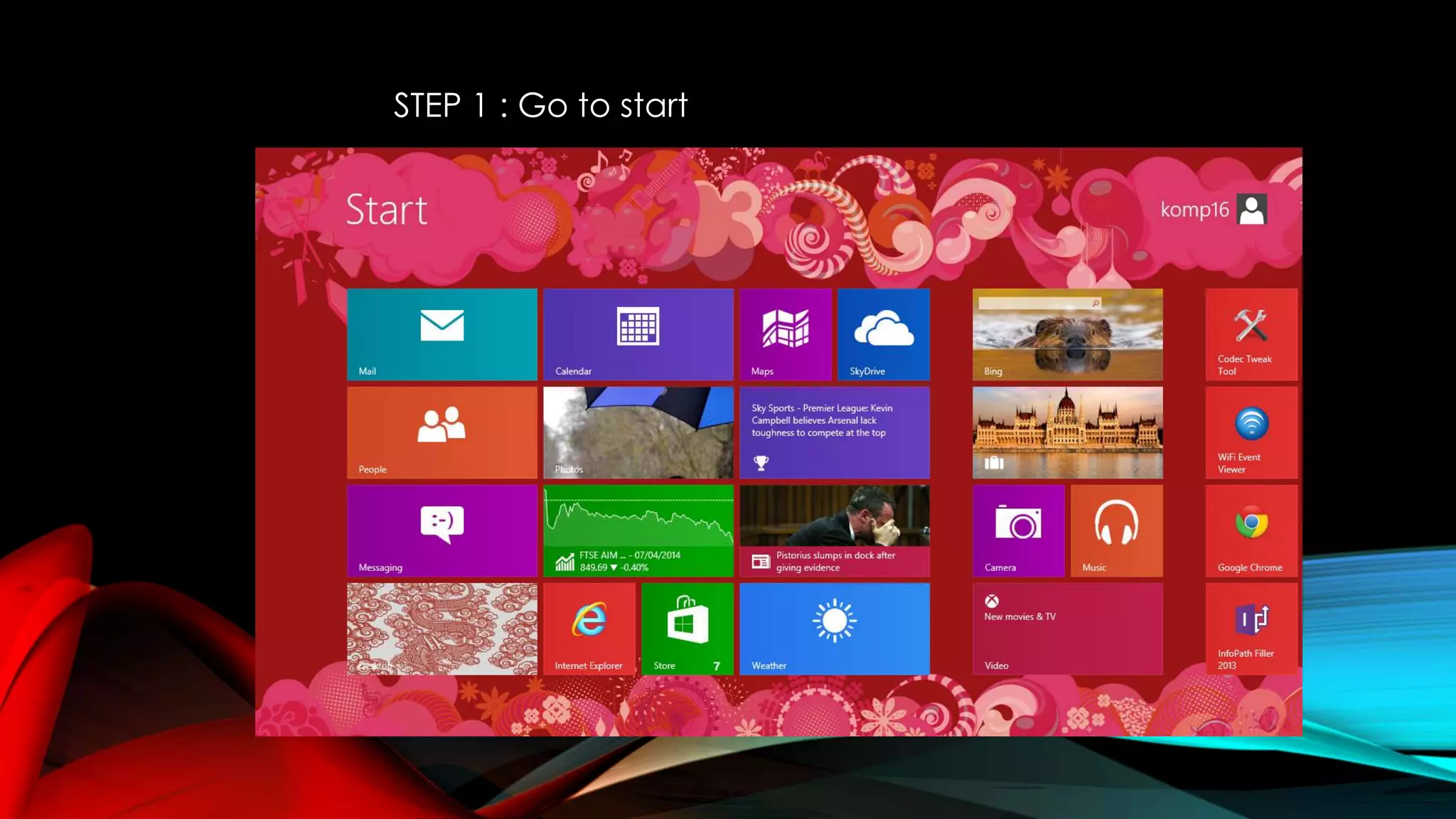
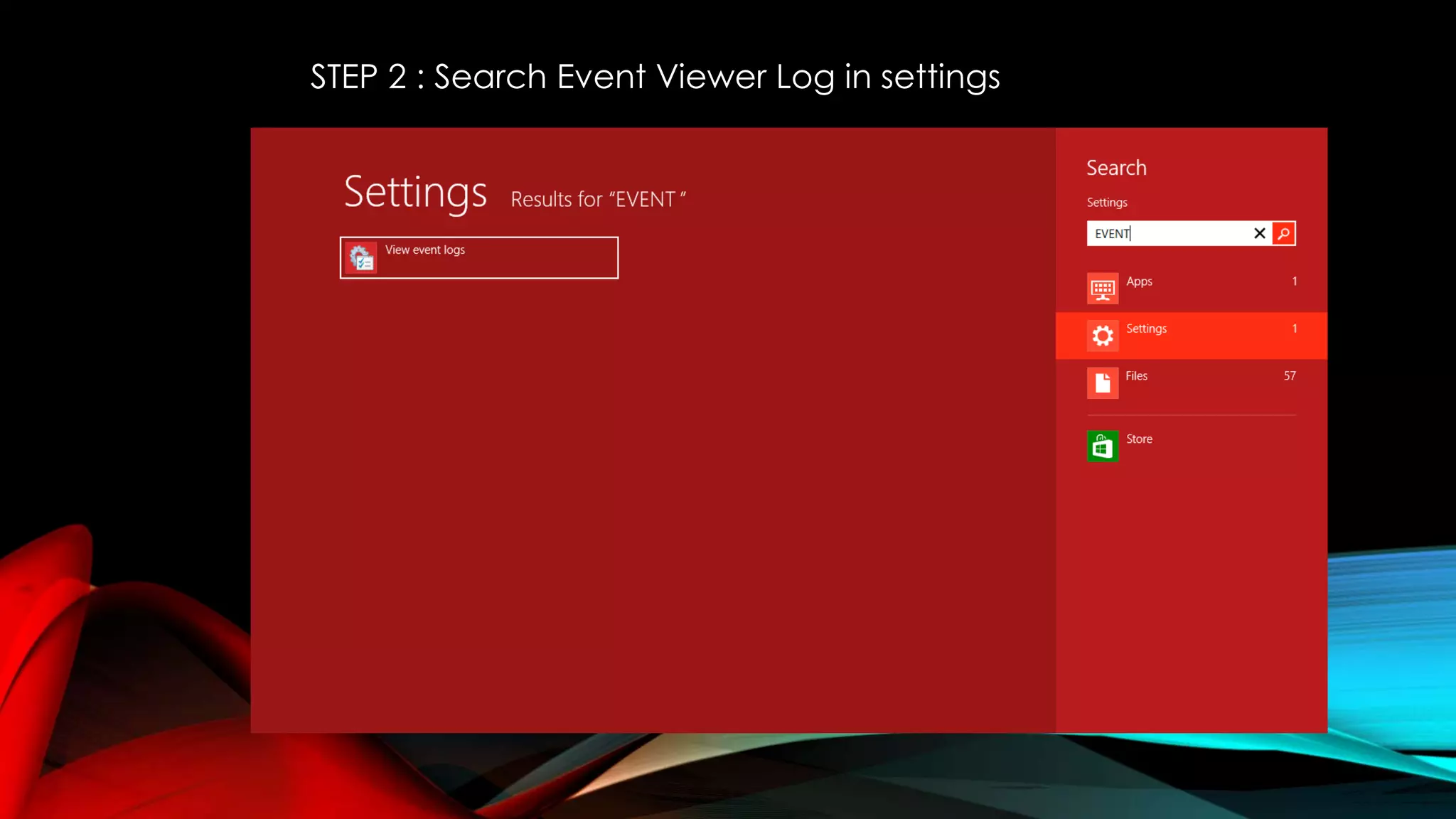
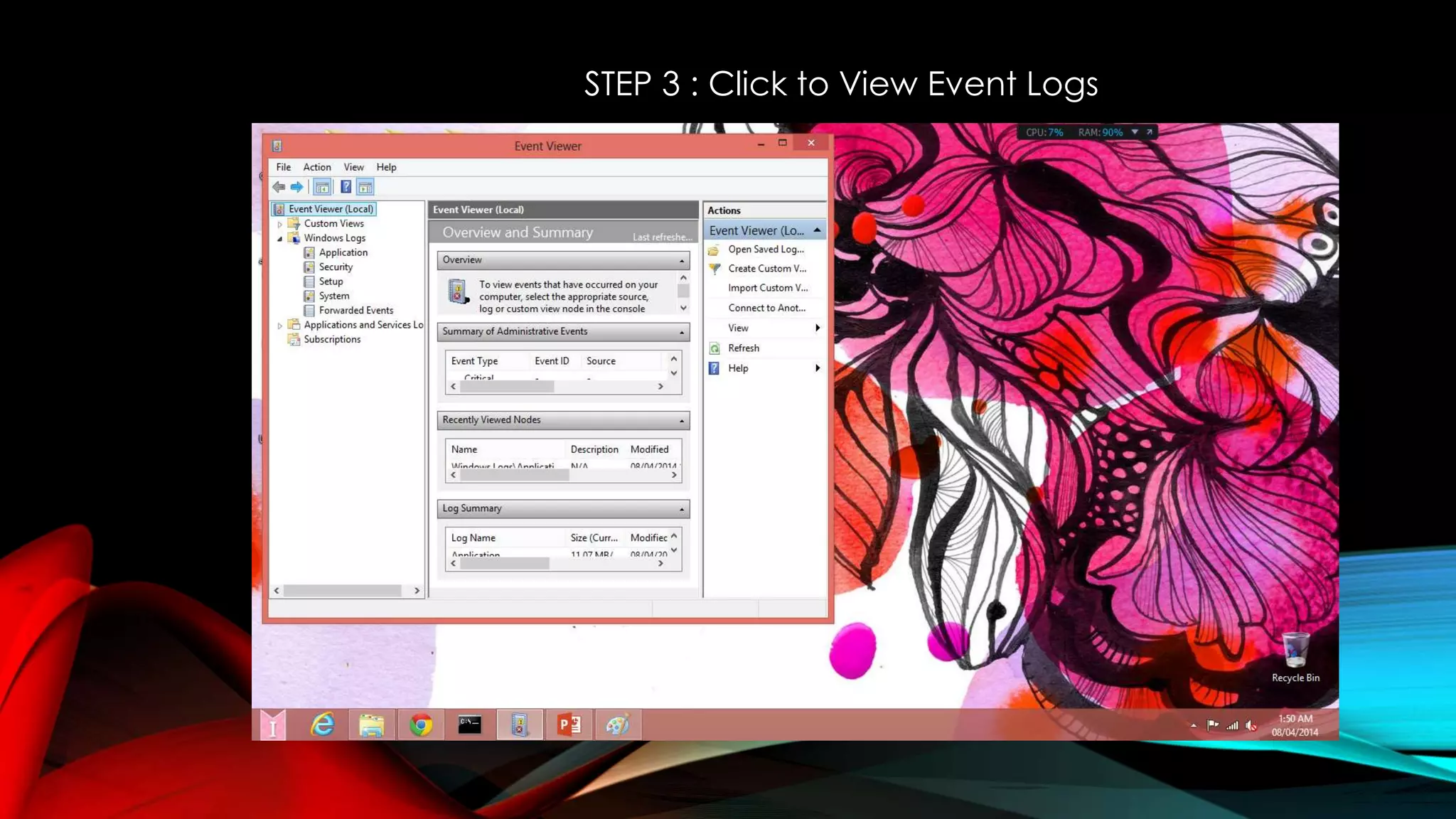
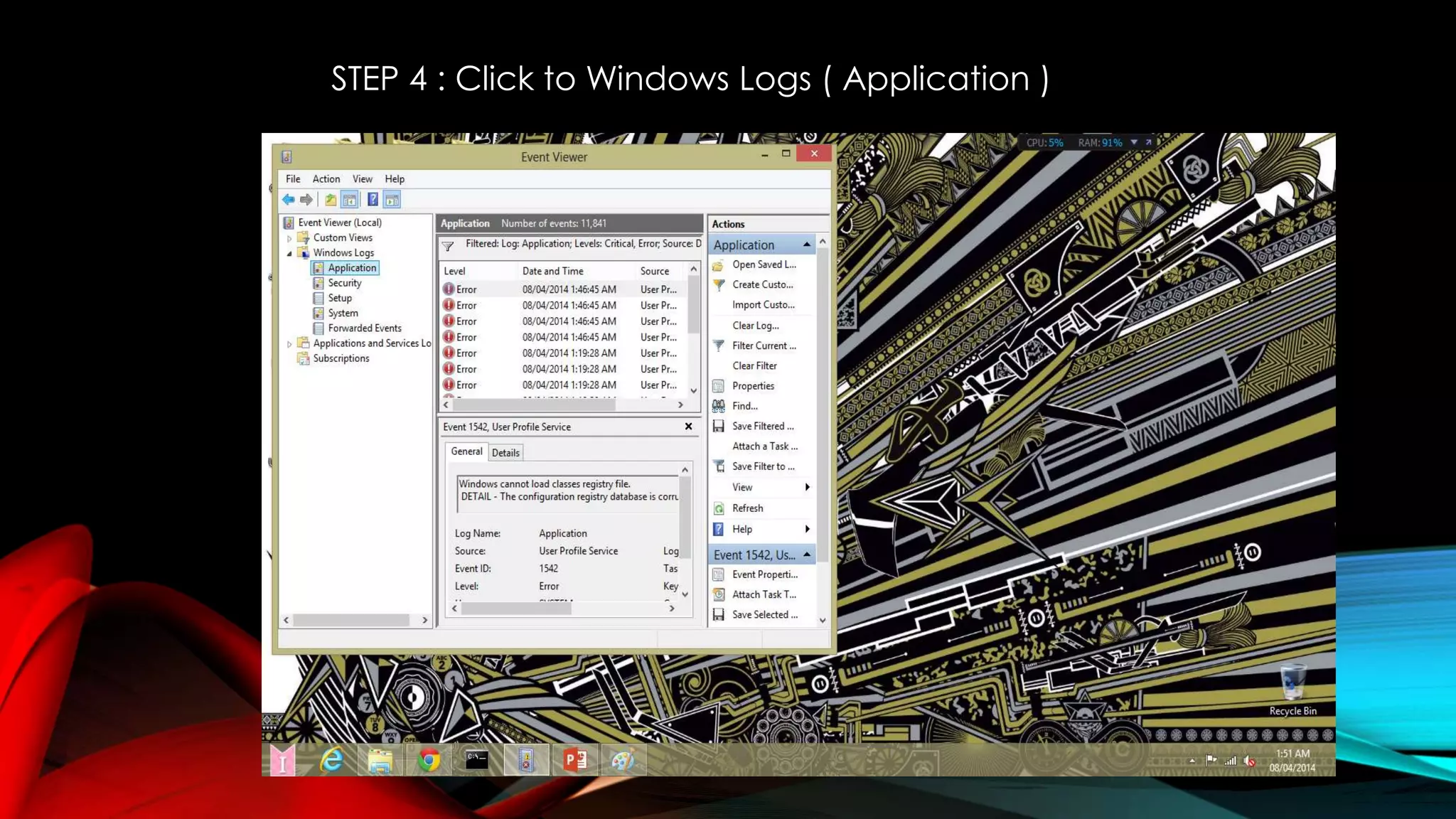
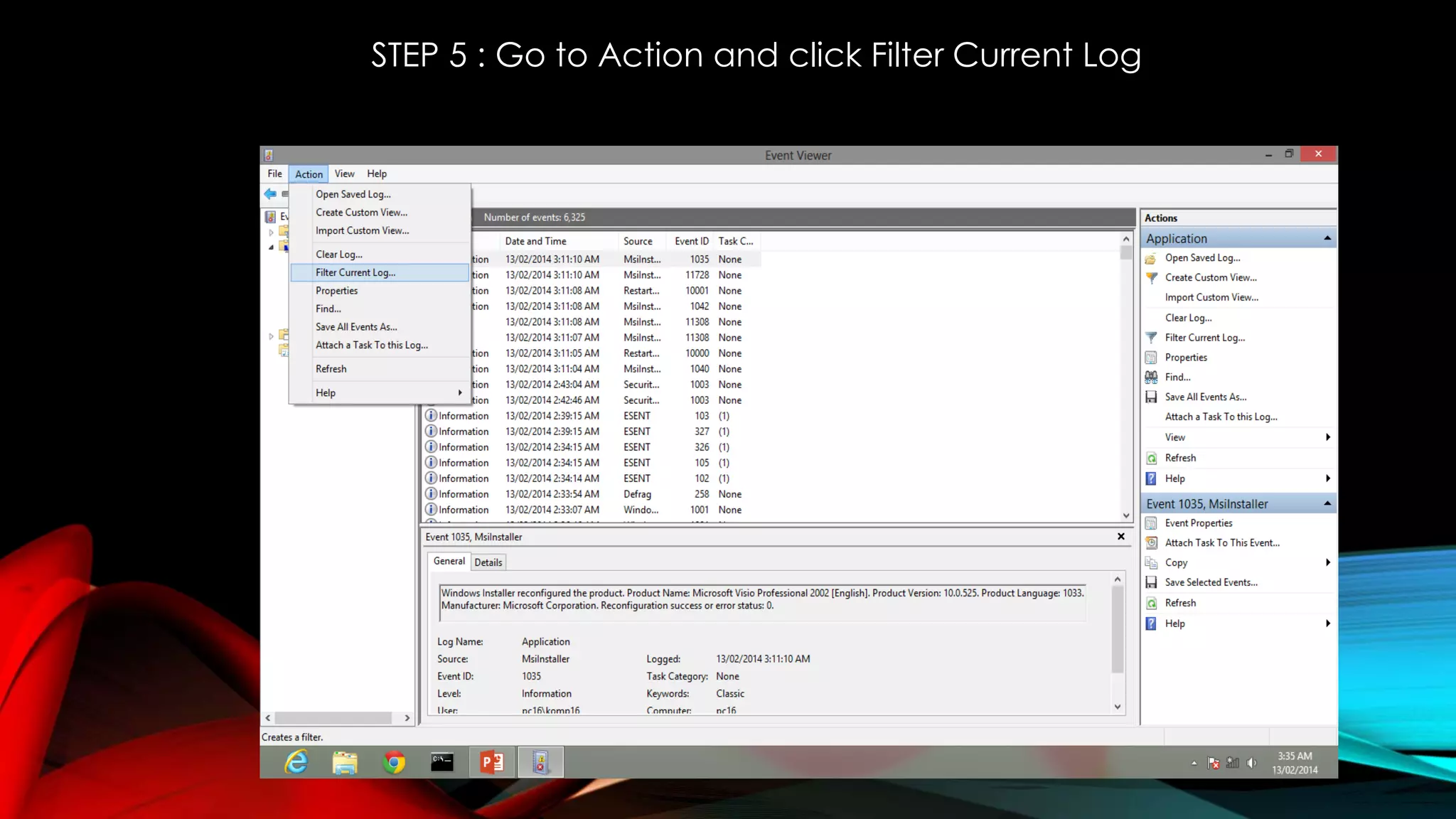
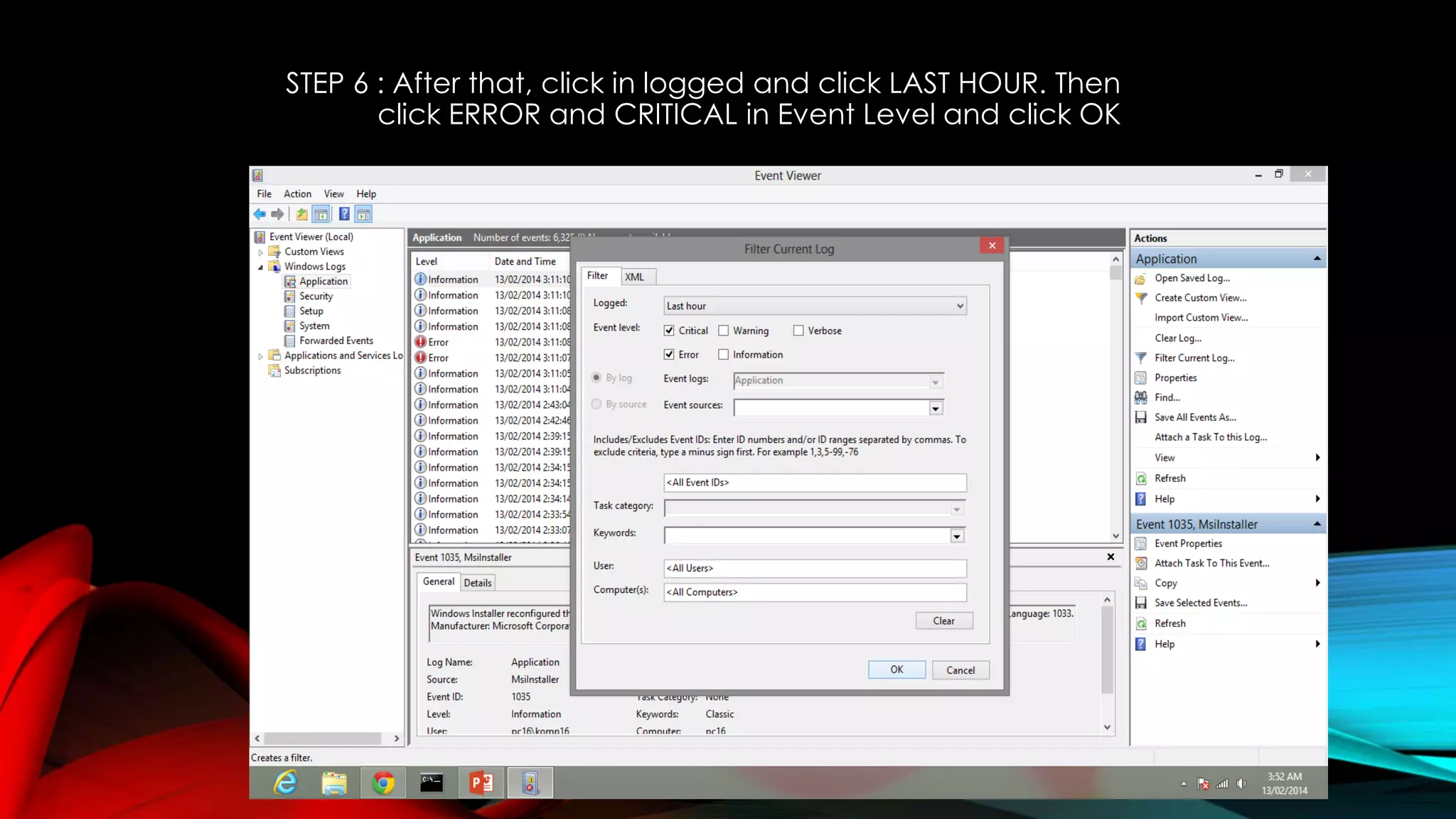
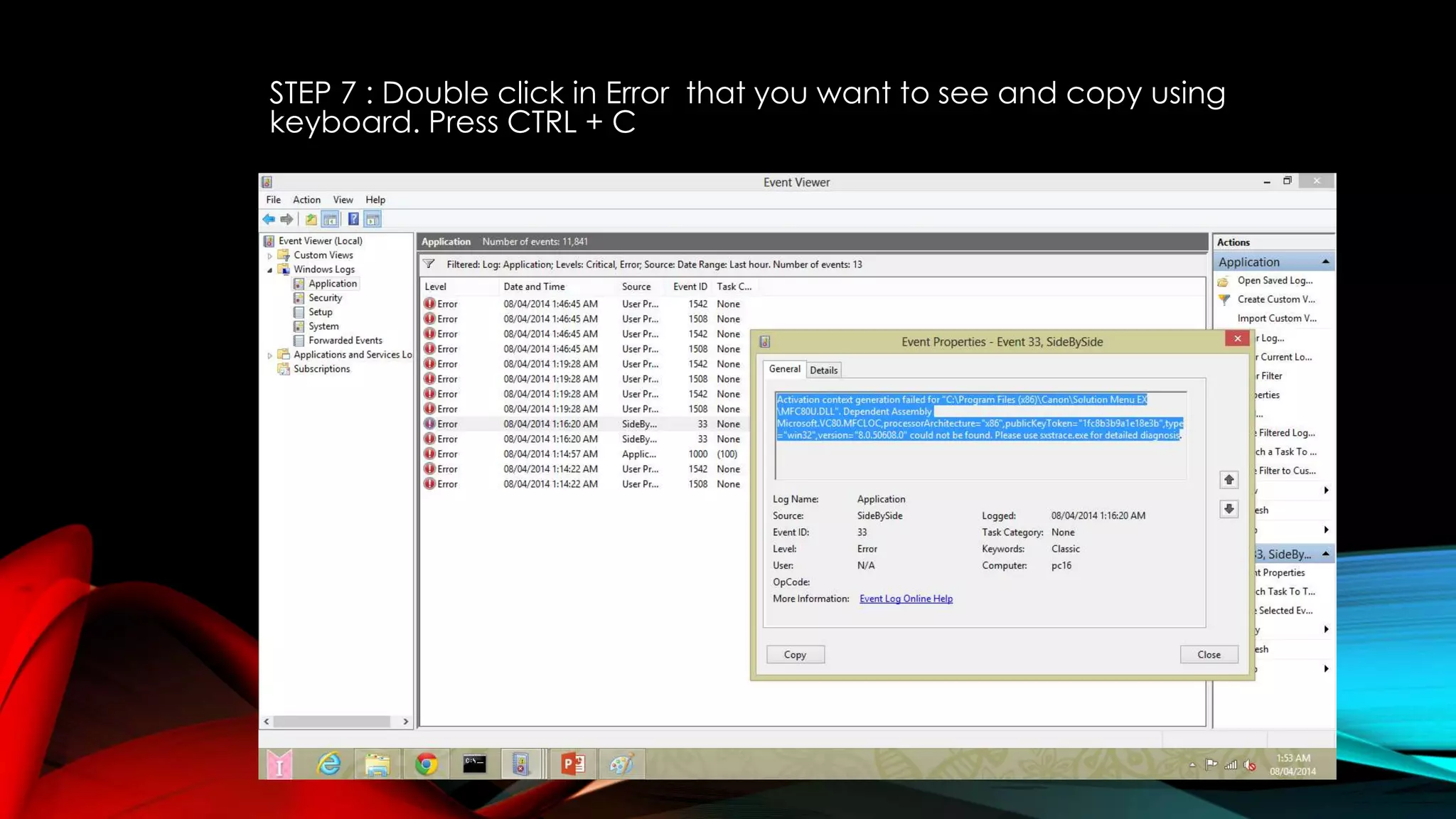
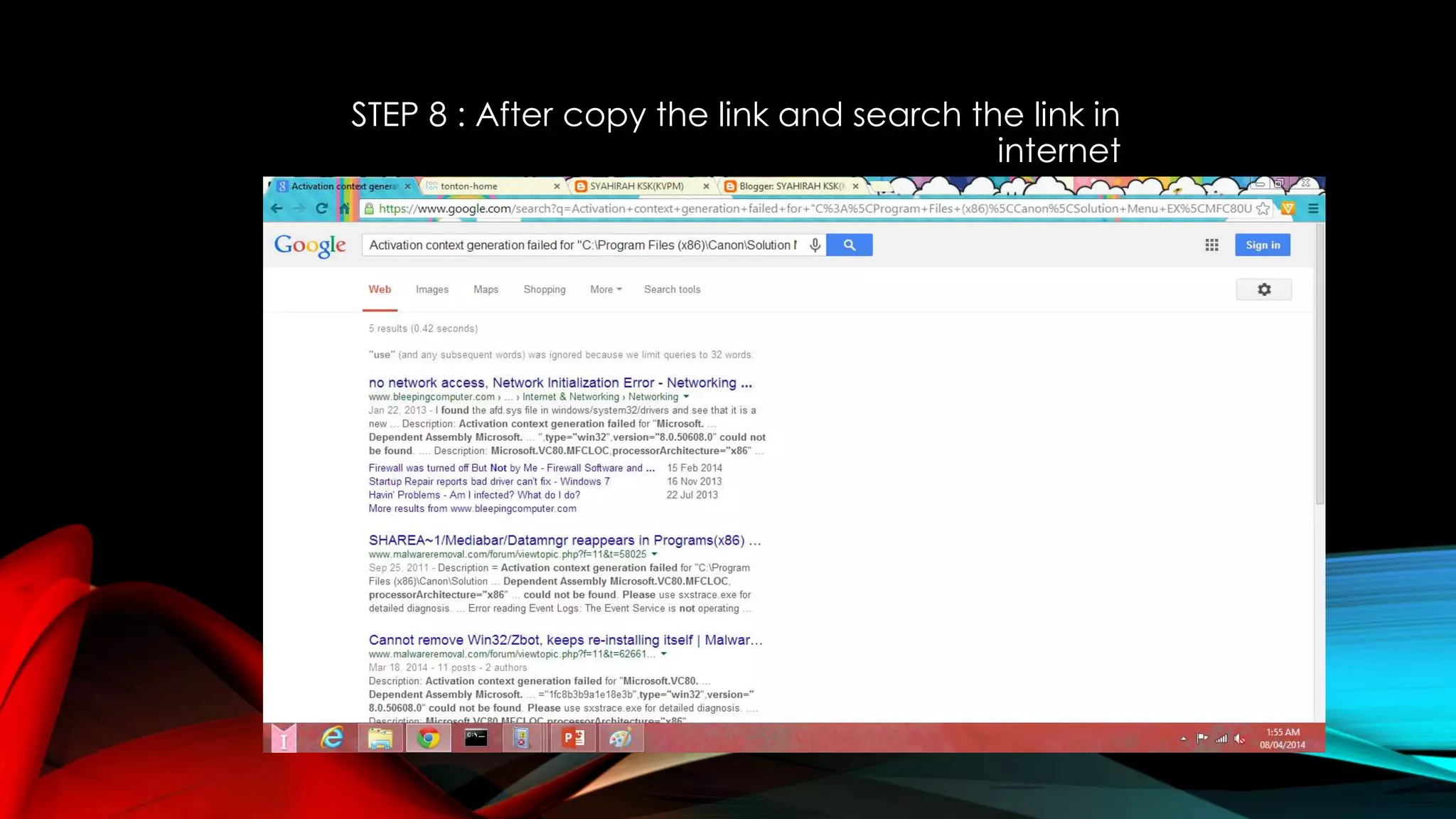
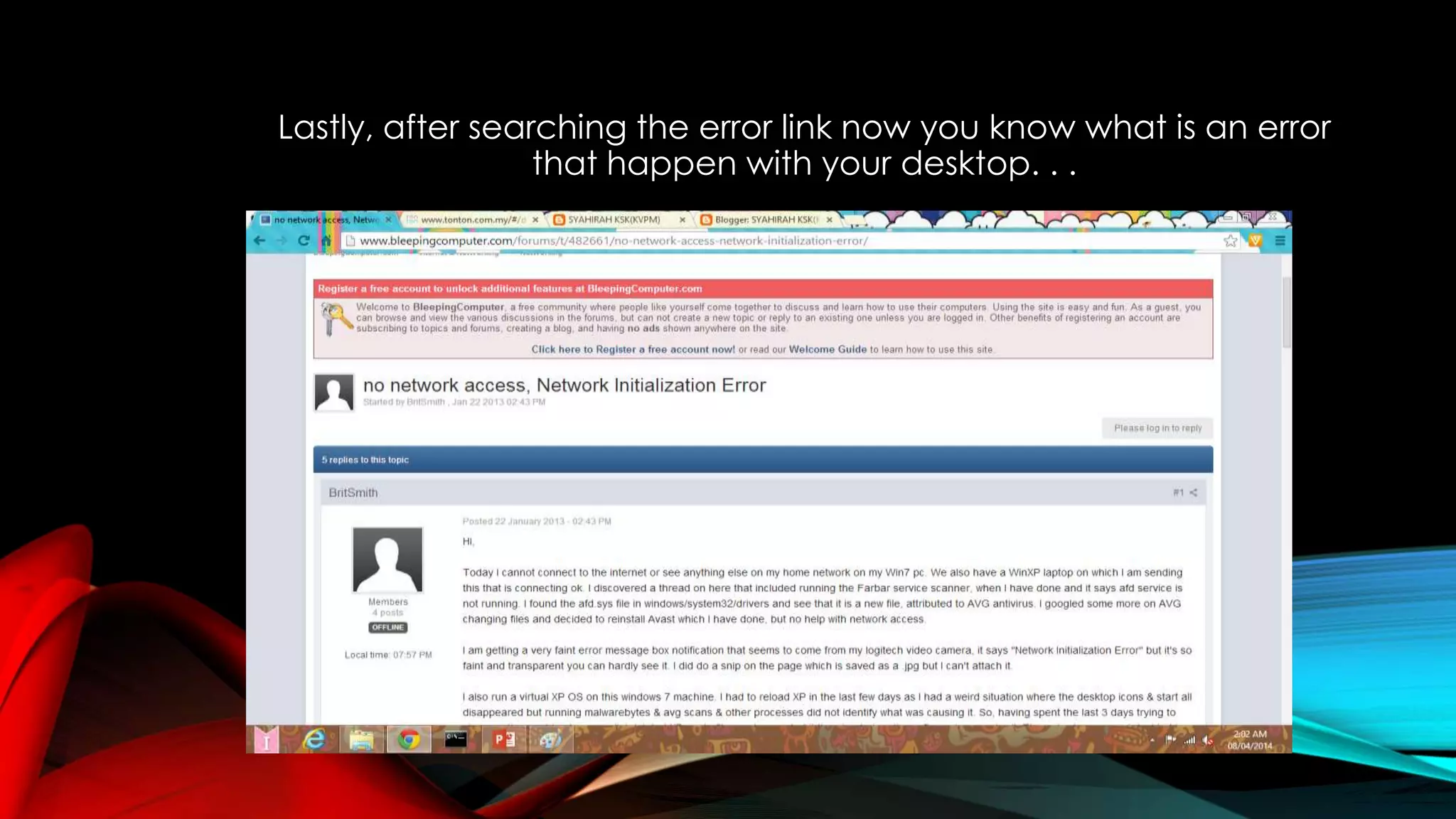

This document provides steps to view error logs on a Windows computer. It instructs the user to open the Event Viewer, go to the Windows Logs and Application categories, filter for errors from the last hour, double click a specific error to view details, copy the error information, and search online to diagnose and resolve the problem. The overall process allows a user to identify, copy, and research recent errors logged on their system.


