E-rate:
What’s New
for 2019?
Christa Porter
Nebraska Library Commission
December 11, 2018
What is E-rate?
• Federal program that provides
discounts to assist most schools
and libraries in the United States
(and U.S. territories) to obtain
affordable telecommunications
(telephone) and Internet access.
• Funded through the Universal
Service fee charged to companies
that provide telecommunications
services.
2
General information
• Federal Communications Commission
(FCC), an independent U.S. government
agency, oversees the E-rate program
• Universal Service Administrative
Company (USAC), a not-for-profit,
administers E-rate along with three other
programs
• Schools and Libraries Division (SLD) is the
part of USAC with responsibility for E-rate
3
E-rate Rules
The FCC sets rules and policies through orders
– Policies are defined in the text of orders
• E-rate Modernization Report and Order
adopted July 11, 2014.
• Second Modernization Report and Order
adopted December 11, 2014.
– USAC/SLD develops procedures for specific
actions, such as how to process applications
– USAC submits its procedures to the FCC for
approval each year
4
Who can apply?
– Libraries and library systems
• Must be eligible for LSTA funds – in
NE – all public libraries are eligible
– Schools and school districts
– Consortia – groups of eligible entities
that band together to aggregate
demand and negotiate lower prices
5
Funding Commitments
• Commitments for E-rate are made by Funding Year,
which runs from July 1 through the following June 30
– FY 2019 is July 1, 2019 – June 30, 2020
• Funding available:
– $3.99 billion, adjusted annually for inflation
– Once per year, the FCC may direct USAC to roll
over unused funds from previous funding years into
the next funding year.
6
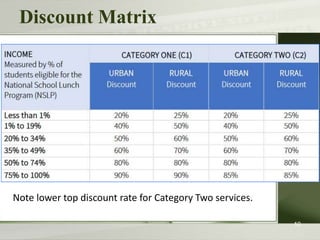
Calculate Your Discount
Discounts
How large are the discounts on eligible products
and services?
– Discounts: 20% to 90% of eligible costs
– Discount for a library depends on:
• Percentage of K-12 students eligible for
National School Lunch Program
(NSLP) in the school district in which the
library is located - can’t include PreK
• Urban or rural location of the library
8
Calculate Your Discount – 3 Steps
1. Find your NSLP data on the Nebraska DOE website:
https://www.education.ne.gov/dataservices/data-
reports/
2. Check your Urban/Rural Status in the Lookup Tool –
 https://sltools.universalservice.org/portal-
external/urbanRuralLookup/
• Based on 2010 U.S Census data. The FCC defines
Urban areas as areas with populations equal or
greater then 25,000. Rural encompasses all
territory not in an urban area.
3. Use the Discount Matrix to determine your discount.
Discount Matrix
10
Note lower top discount rate for Category Two services.
Eligible Services List
What is “E-rate-able”?
The FCC publishes the Eligible
Services List each year.
The list can be found on the SLD
website in PDF format:
 http://www.usac.org/sl/applicants/
beforeyoubegin/eligible-services-
list.aspx
Eligible Services List
Streamlined
– For FY 2014, the ESL was 49 pages
– Since FY 2016, the ESL is 8 pages
– Divides services into:
• Category One - services providing
high-speed connectivity to the building
• Category Two - services providing
high-speed connectivity throughout
the building
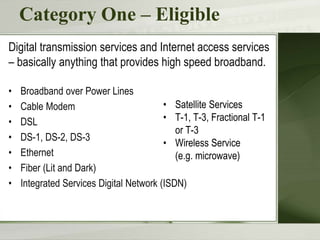
Category One – Eligible
Digital transmission services and Internet access services
– basically anything that provides high speed broadband.
• Broadband over Power Lines
• Cable Modem
• DSL
• DS-1, DS-2, DS-3
• Ethernet
• Fiber (Lit and Dark)
• Integrated Services Digital Network (ISDN)
• Satellite Services
• T-1, T-3, Fractional T-1
or T-3
• Wireless Service
(e.g. microwave)
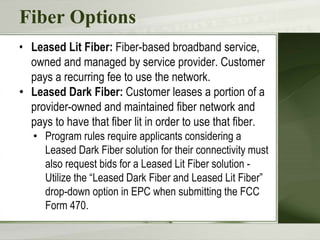
Fiber Options
• Leased Lit Fiber: Fiber-based broadband service,
owned and managed by service provider. Customer
pays a recurring fee to use the network.
• Leased Dark Fiber: Customer leases a portion of a
provider-owned and maintained fiber network and
pays to have that fiber lit in order to use that fiber.
• Program rules require applicants considering a
Leased Dark Fiber solution for their connectivity must
also request bids for a Leased Lit Fiber solution -
Utilize the “Leased Dark Fiber and Leased Lit Fiber”
drop-down option in EPC when submitting the FCC
Form 470.
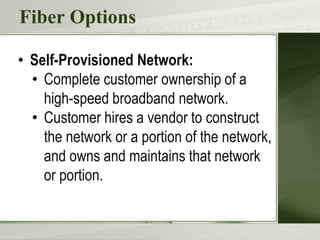
Fiber Options
• Self-Provisioned Network:
• Complete customer ownership of a
high-speed broadband network.
• Customer hires a vendor to construct
the network or a portion of the network,
and owns and maintains that network
or portion.
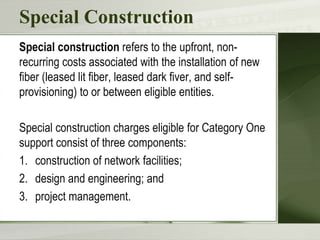
Special Construction
Special construction refers to the upfront, non-
recurring costs associated with the installation of new
fiber (leased lit fiber, leased dark fiver, and self-
provisioning) to or between eligible entities.
Special construction charges eligible for Category One
support consist of three components:
1. construction of network facilities;
2. design and engineering; and
3. project management.
Special Construction
• Installation of all Category One non-recurring services
may begin six months prior to the July 1 start of
the funding year (i.e., or after January 1) if the
following conditions are met:
– Construction begins after selection of the service
provider and a valid competitive bidding process.
– A Category One recurring service must depend on
the installation of the infrastructure.
– The actual service start date for that recurring
service is on or after the start of the funding year
(July 1).
Category One – Voice Services
• Focus on providing support for Broadband
– To close the Wi-Fi gap
• Phase down of Voice Services
– To make E-rate dollars go farther
– Working so far.
• Enough money to fund all applications
- demand did not outstrip available
funds.
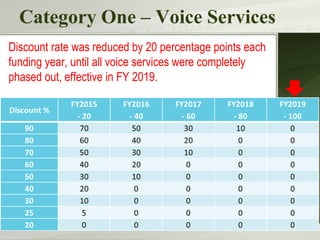
Category One – Voice Services
Discount rate was reduced by 20 percentage points each
funding year, until all voice services were completely
phased out, effective in FY 2019.
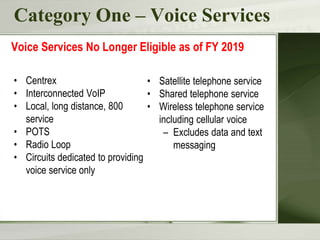
Category One – Voice Services
• Centrex
• Interconnected VoIP
• Local, long distance, 800
service
• POTS
• Radio Loop
• Circuits dedicated to providing
voice service only
Voice Services No Longer Eligible as of FY 2019
• Satellite telephone service
• Shared telephone service
• Wireless telephone service
including cellular voice
– Excludes data and text
messaging
Category Two
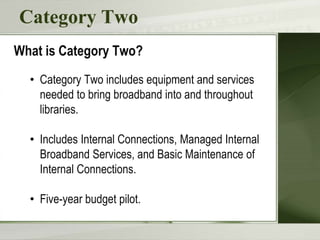
What is Category Two?
• Category Two includes equipment and services
needed to bring broadband into and throughout
libraries.
• Includes Internal Connections, Managed Internal
Broadband Services, and Basic Maintenance of
Internal Connections.
• Five-year budget pilot.
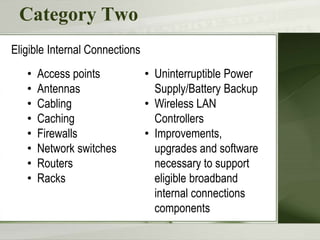
Category Two
• Access points
• Antennas
• Cabling
• Caching
• Firewalls
• Network switches
• Routers
• Racks
Eligible Internal Connections
• Uninterruptible Power
Supply/Battery Backup
• Wireless LAN
Controllers
• Improvements,
upgrades and software
necessary to support
eligible broadband
internal connections
components
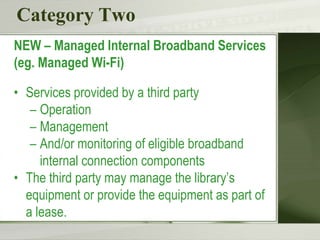
Category Two
NEW – Managed Internal Broadband Services
(eg. Managed Wi-Fi)
• Services provided by a third party
– Operation
– Management
– And/or monitoring of eligible broadband
internal connection components
• The third party may manage the library’s
equipment or provide the equipment as part of
a lease.
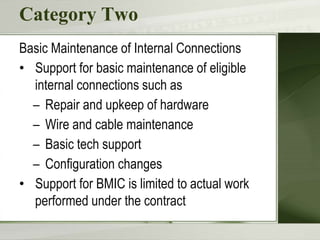
Category Two
Basic Maintenance of Internal Connections
• Support for basic maintenance of eligible
internal connections such as
– Repair and upkeep of hardware
– Wire and cable maintenance
– Basic tech support
– Configuration changes
• Support for BMIC is limited to actual work
performed under the contract
Miscellaneous
Could fall into either Category One or Two
– Taxes, surcharges and other similar reasonable
charges
– Lease fees to rent or lease eligible components
– Shipping charges
– Training
– Installation and configuration
• *New* Installation may be provided by a third
party – previously it had to be part of the
contract when you purchased the equipment.
Now you can have someone else install the
equipment.
Broadband Toolkit
“Toward Gigabit Libraries Toolkit” - Designed for
small, rural, and tribal libraries with limited IT support.
• Free, Open Source. Funded by IMLS
• Learn about your broadband infrastructure and IT
environment by answering guided questions
– Technology Inventory
– Broadband Services and Operational Support
– Funding Opportunities
• Broadband Improvement Plan
• https://www.internet2.edu/research-
solutions/community-projects/toward-gigabit-libraries/
Category Two Budgets
What are Category Two budgets?
Each library receiving Category Two support starting
between FY2015 and 2019 will have a five-year budget
for Category Two products and services.
– USAC calculates a C2 budget for each library.
– The library can receive discounts on the cost of
C2 services up to its C2 budget amount.
– Products and services ordered in excess of an
entity’s C2 budget will not receive E-rate
discounts.
Category Two Budgets
How much is my budget?
For FY 2018, the pre-discount budget for a library is
calculated by multiplying the total area in square feet –
including all areas enclosed by the outer walls of the
library and occupied by the library – by $2.39, with a
minimum of $9,582.23.
– C2 budget multiplier is adjusted each year for
inflation.
– Budgets were recalculated every year based on
current square footage, and can go up or down.
Category Two Budgets
How much is my budget?
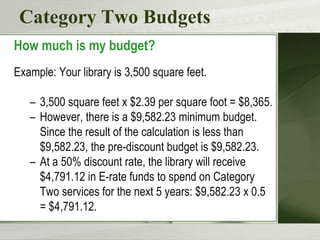
Example: Your library is 3,500 square feet.
– 3,500 square feet x $2.39 per square foot = $8,365.
– However, there is a $9,582.23 minimum budget.
Since the result of the calculation is less than
$9,582.23, the pre-discount budget is $9,582.23.
– At a 50% discount rate, the library will receive
$4,791.12 in E-rate funds to spend on Category
Two services for the next 5 years: $9,582.23 x 0.5
= $4,791.12.
Category Two Budget Pilot
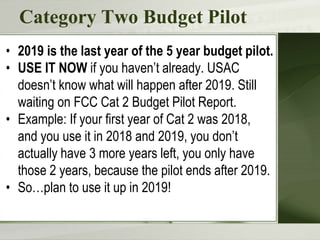
• 2019 is the last year of the 5 year budget pilot.
• USE IT NOW if you haven’t already. USAC
doesn’t know what will happen after 2019. Still
waiting on FCC Cat 2 Budget Pilot Report.
• Example: If your first year of Cat 2 was 2018,
and you use it in 2018 and 2019, you don’t
actually have 3 more years left, you only have
those 2 years, because the pilot ends after 2019.
• So…plan to use it up in 2019!
Technology Planning
Technology Plan
NO LONGER
REQUIRED!!!
Still a good idea to have one!
34
CIPA
CIPA/NCIPA Compliance
(Children's Internet Protection Act)
Compliance with CIPA required for:
• Internet access
• Internal connections
CIPA requires:
• Internet Safety Policy
• Technology Protection Measure
• Public Notice and Meeting/Hearing
SLD information on CIPA:
 http://www.usac.org/sl/applicants/step05/cipa.aspx
36
E-rate Forms
E-rate Forms
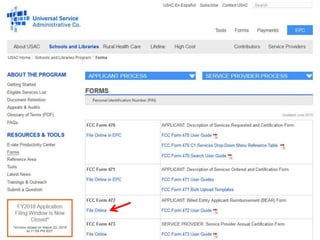
There are four basic forms:
1. Form 470: “I want a service.”
2. Form 471: “I have chosen a service provider.”
3. Form 486: “I am receiving the service.”
4. Form 472/474: “I am paying my bills – give
me my money!”
– New: Form 498 – to provide bank information
for direct reimbursement payments (BEARs).
E-rate Forms
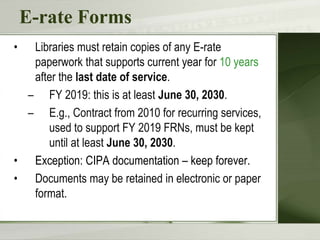
• Libraries must retain copies of any E-rate
paperwork that supports current year for 10 years
after the last date of service.
– FY 2019: this is at least June 30, 2030.
– E.g., Contract from 2010 for recurring services,
used to support FY 2019 FRNs, must be kept
until at least June 30, 2030.
• Exception: CIPA documentation – keep forever.
• Documents may be retained in electronic or paper
format.
E-rate Forms
You must retain:
– FCC Forms and letters received from USAC (e.g., FCC
Forms 470, 471, 486)
– Any other USAC correspondence.
– Copies of bids.
– Contracts/service agreements signed with service
providers.
– Correspondence with service providers regarding bidding
process.
– Copies of bid matrix or decision process for selecting
winning bid.
– Proof of delivery of the service and/or equipment.
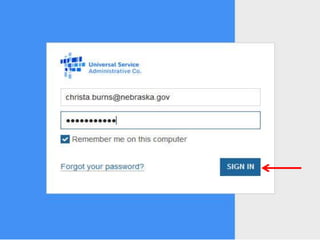
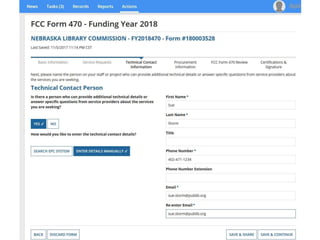
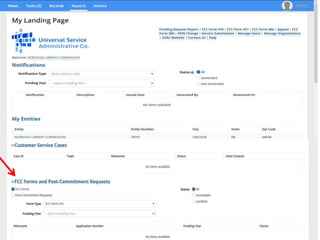
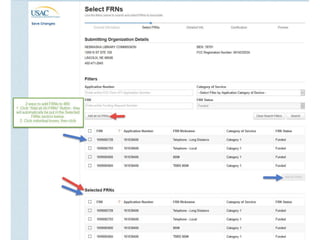
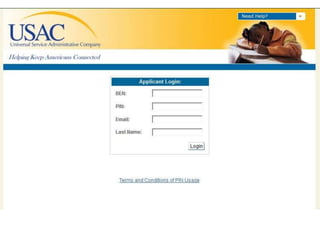
EPC –
The E-rate Portal
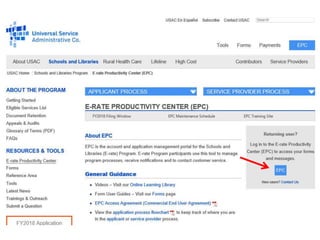
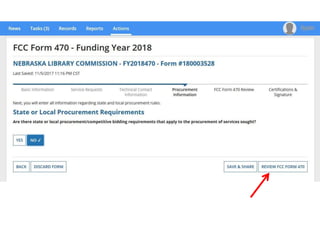
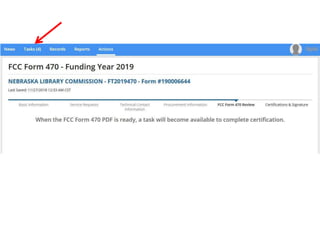
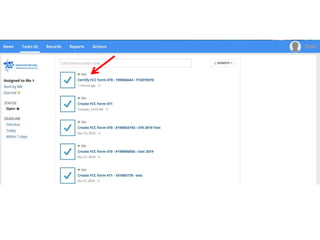
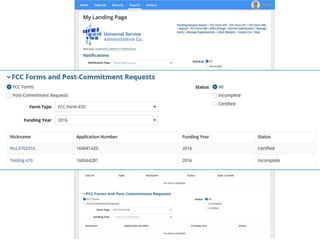
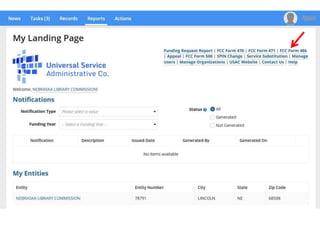
E-rate Productivity Center (EPC)
Starting in FY 2016,
most forms are filed via the
E-rate Productivity Center (EPC).
 http://portal.usac.org
Advantages of the EPC
• One online location for all program activities.
– Complete and certify program forms
– Check the status of applications
– Receive reminders and notifications
– Respond to PIA questions
– Ask USAC questions
• Users can access the portal from any device (e.g.,
desktop computer, laptop computer, tablet,
smartphone) and any browser.
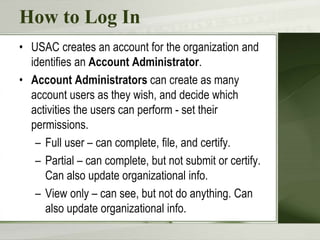
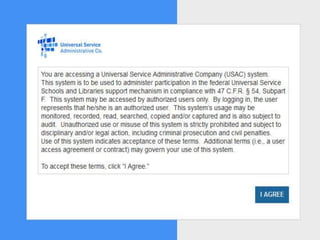
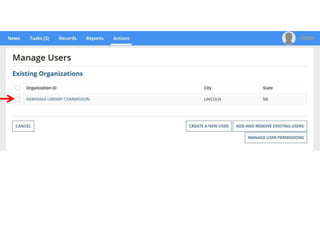
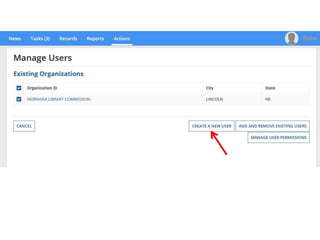
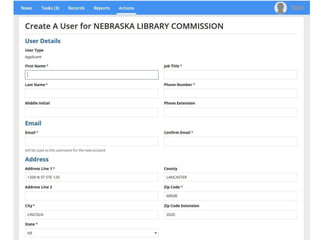
How to Log In
• USAC creates an account for the organization and
identifies an Account Administrator.
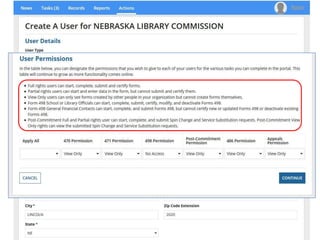
• Account Administrators can create as many
account users as they wish, and decide which
activities the users can perform - set their
permissions.
– Full user – can complete, file, and certify.
– Partial – can complete, but not submit or certify.
Can also update organizational info.
– View only – can see, but not do anything. Can
also update organizational info.
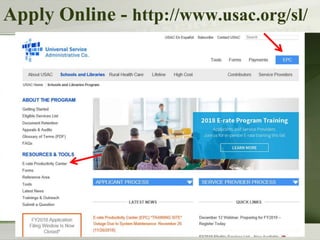
Apply Online - http://www.usac.org/sl/
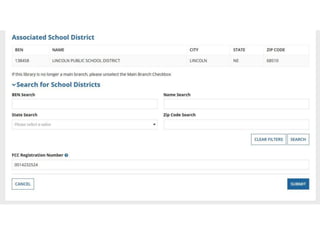
FCC Registration Number (FCC RN)
• Persons and entities doing business with
the FCC must obtain an FCC RN and
supply it when doing business with the FCC
• To look up your library’s FCC RN, or
request one, go to:
 https://apps.fcc.gov/cores/userLogin.do
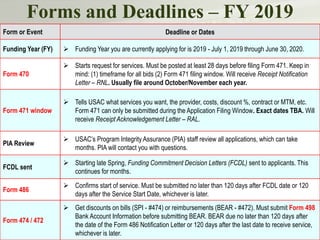
Forms and Deadlines – FY 2019
76
Form or Event Deadline or Dates
Funding Year (FY)  Funding Year you are currently applying for is 2019 - July 1, 2019 through June 30, 2020.
Form 470
 Starts request for services. Must be posted at least 28 days before filing Form 471. Keep in
mind: (1) timeframe for all bids (2) Form 471 filing window. Will receive Receipt Notification
Letter – RNL. Usually file around October/November each year.
Form 471 window
 Tells USAC what services you want, the provider, costs, discount %, contract or MTM, etc.
Form 471 can only be submitted during the Application Filing Window. Exact dates TBA. Will
receive Receipt Acknowledgement Letter – RAL.
PIA Review
 USAC’s Program Integrity Assurance (PIA) staff review all applications, which can take
months. PIA will contact you with questions.
FCDL sent
 Starting late Spring, Funding Commitment Decision Letters (FCDL) sent to applicants. This
continues for months.
Form 486
 Confirms start of service. Must be submitted no later than 120 days after FCDL date or 120
days after the Service Start Date, whichever is later.
Form 474 / 472
 Get discounts on bills (SPI - #474) or reimbursements (BEAR - #472). Must submit Form 498
Bank Account Information before submitting BEAR. BEAR due no later than 120 days after
the date of the Form 486 Notification Letter or 120 days after the last date to receive service,
whichever is later.
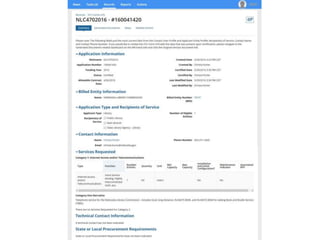
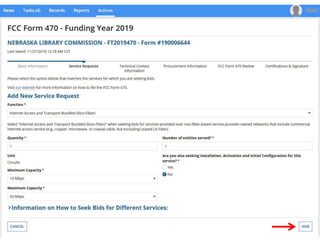
Form 470
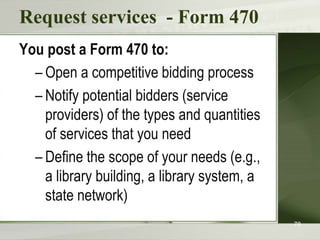
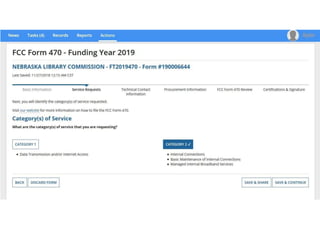
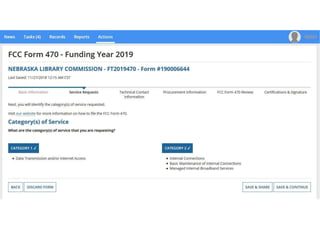
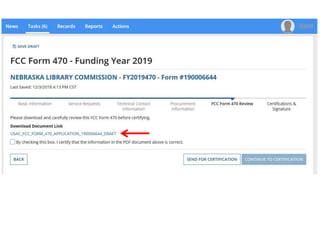
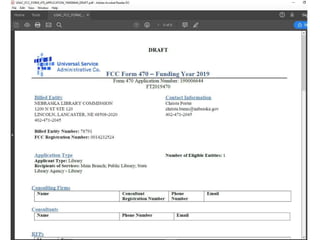
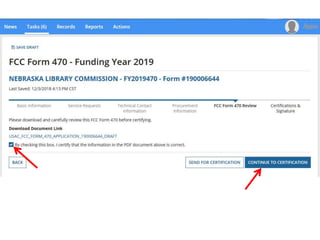
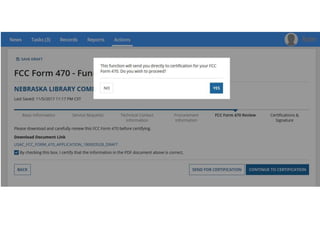
Request services - Form 470
You post a Form 470 to:
– Open a competitive bidding process
– Notify potential bidders (service
providers) of the types and quantities
of services that you need
– Define the scope of your needs (e.g.,
a library building, a library system, a
state network)
78
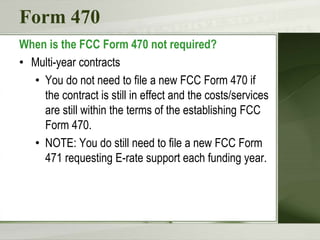
Form 470
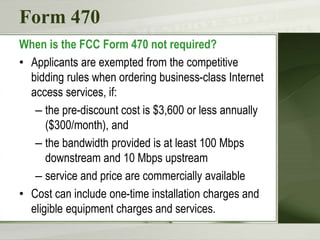
When is the FCC Form 470 not required?
• Multi-year contracts
• You do not need to file a new FCC Form 470 if
the contract is still in effect and the costs/services
are still within the terms of the establishing FCC
Form 470.
• NOTE: You do still need to file a new FCC Form
471 requesting E-rate support each funding year.
Form 470
When is the FCC Form 470 not required?
• Applicants are exempted from the competitive
bidding rules when ordering business-class Internet
access services, if:
– the pre-discount cost is $3,600 or less annually
($300/month), and
– the bandwidth provided is at least 100 Mbps
downstream and 10 Mbps upstream
– service and price are commercially available
• Cost can include one-time installation charges and
eligible equipment charges and services.
Receipt Notification Letter (RNL)
• Letter issued by USAC that summarizes
the information provided in the Form 470
• Applicant can use the RNL to make
corrections or changes
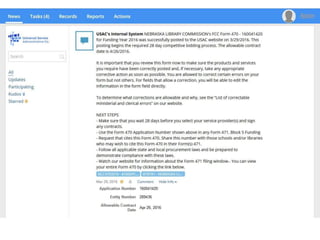
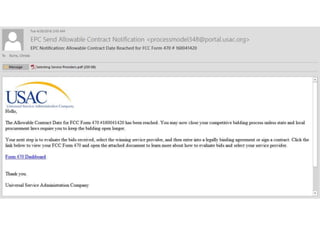
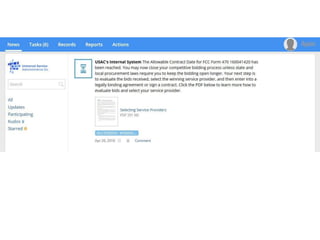
• Gives the Allowable Contract Date
(ACD) – the date 28 days after the Form
470 is posted to the USAC website
What is Competitive Bidding?
• Competitive bidding is a formal process to choose the
vendors/service providers who provide your products
and services
– Service providers read your documents and bid on
your services.
– After submitting your 470, wait 28 days, then
compare the offers you receive.
– Select the most cost-effective bid using price of
the eligible products and services as the primary
factor
123
Competitive bidding
• Must have a fair and open bidding process
– All vendors are treated the same; have access to
same information
– Vendors cannot be involved in your 470
• Must choose most cost-effective bid
– Cost must be primary factor
– Fully document your bid review process and any
decision(s)
• Record dates of any decisions, actions taken, etc.
124
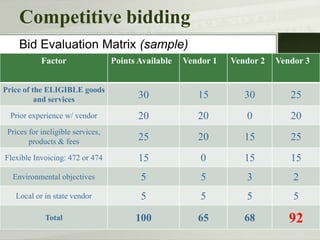
Competitive bidding
Factor Points Available Vendor 1 Vendor 2 Vendor 3
Price of the ELIGIBLE goods
and services 30 15 30 25
Prior experience w/ vendor 20 20 0 20
Prices for ineligible services,
products & fees 25 20 15 25
Flexible Invoicing: 472 or 474 15 0 15 15
Environmental objectives 5 5 3 2
Local or in state vendor 5 5 5 5
Total 100 65 68 92
Bid Evaluation Matrix (sample)
Existing Contract?
• Applicant has a contract for service. Did not post an
FCC Form 470, wait at least 28 days, and then sign
the contract.
• To bring the contract into compliance, post an FCC
Form 470 for the services.
• Wait 28 days and then use existing contract as a bid
response. You must then evaluate that contract
against any other bids you may receive.
• If the existing contract is the winning bid, the E-rate
contract is now eligible for funding for the upcoming
funding year.
Zero Bids or One Bid?
• If you receive only one bid, and it is cost-effective,
you may accept it.
– Document your decision with a memo or email
for your records.
• If you did not receive any bids, you can solicit bids.
– Reach out to vendors in the area.
– Ask your current service provider to submit a bid
or to send you an email that they are willing to
continue to provide service at your current level
and cost.
Competitive bidding
After you close the competitive bidding
process for your services (on or after your
Allowable Contract Date):
– You can evaluate the bids received
– You can choose your service provider(s)
– You can sign a contract or legally binding
agreement
– You can post a Form 471 – BUT, only
during the Application Filing Window
128
Form 471
Choose services – Form 471
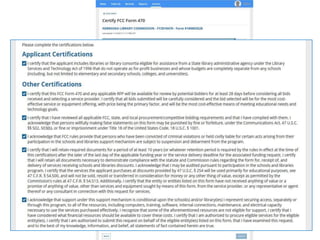
You post a Form 471 to:
– Report information on the service
providers and services you have
chosen, and the costs.
– Includes discount calculation
information including student NSLP
counts
– Certify your compliance with program
rules
130
Choose services – Form 471
• USAC recommends communicating with
your service provider:
– If you need help completing technical
details
– To notify them of your desired
invoicing method
131
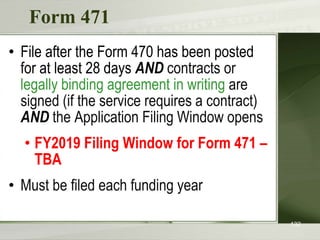
Form 471
• File after the Form 470 has been posted
for at least 28 days AND contracts or
legally binding agreement in writing are
signed (if the service requires a contract)
AND the Application Filing Window opens
• FY2019 Filing Window for Form 471 –
TBA
• Must be filed each funding year
132
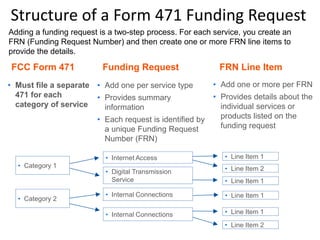
• Category 1
Structure of a Form 471 Funding Request
• Must file a separate
471 for each
category of service
FCC Form 471 Funding Request FRN Line Item
• Category 2
• Add one per service type
• Provides summary
information
• Each request is identified by
a unique Funding Request
Number (FRN)
• Add one or more per FRN
• Provides details about the
individual services or
products listed on the
funding request
• Internet Access
• Digital Transmission
Service
• Internal Connections
• Line Item 1
• Line Item 2
• Line Item 1
• Line Item 1
• Line Item 1
• Line Item 2
Adding a funding request is a two-step process. For each service, you create an
FRN (Funding Request Number) and then create one or more FRN line items to
provide the details.
Acronyms and terms
• Funding Request Number (FRN) – the
identification number assigned to a Form
471 funding request
• Service Provider Identification Number
(SPIN) – the identification number
assigned by USAC to a service provider
• Service providers may have more than
one SPIN in order to identify separate
business units, different states in which
they operate, etc.
136
Receipt Acknowledgement Letter (RAL)
• Letter issued by USAC to the applicant and
service provider that summarizes the
information provided in the Form 471
• Applicant can use the RAL to make
corrections or changes until USAC issues the
Funding Commitment Decision Letter
• Applicants can request funding reductions,
but not funding increases.
Application Review
Application review
USAC reviews your Form(s) 471 to:
– Check the eligibility of the libraries and their
discount levels
– Verify that the services you requested are
eligible for discounts
– Give you an opportunity to make allowable
corrections to your form
– In some cases, ask for additional verification
of your compliance with program rules
140
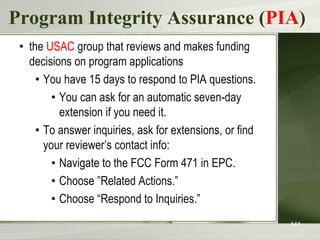
Program Integrity Assurance (PIA)
• the USAC group that reviews and makes funding
decisions on program applications
• You have 15 days to respond to PIA questions.
• You can ask for an automatic seven-day
extension if you need it.
• To answer inquiries, ask for extensions, or find
your reviewer’s contact info:
• Navigate to the FCC Form 471 in EPC.
• Choose ”Related Actions.”
• Choose “Respond to Inquiries.”
141
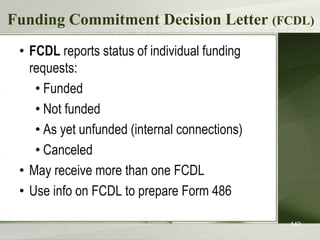
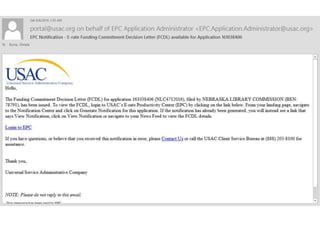
Funding Commitment Decision Letter (FCDL)
• FCDL reports status of individual funding
requests:
• Funded
• Not funded
• As yet unfunded (internal connections)
• Canceled
• May receive more than one FCDL
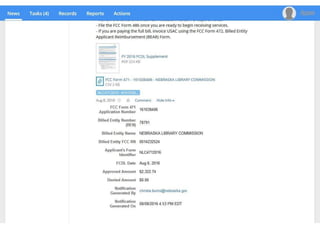
• Use info on FCDL to prepare Form 486
142
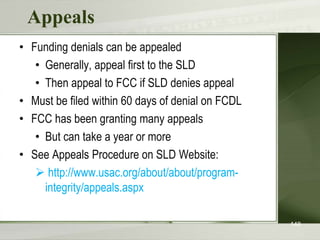
Appeals
• Funding denials can be appealed
• Generally, appeal first to the SLD
• Then appeal to FCC if SLD denies appeal
• Must be filed within 60 days of denial on FCDL
• FCC has been granting many appeals
• But can take a year or more
• See Appeals Procedure on SLD Website:
 http://www.usac.org/about/about/program-
integrity/appeals.aspx
148
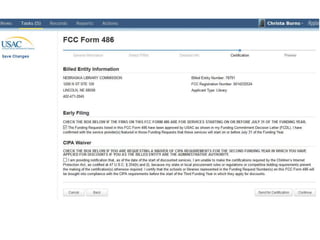
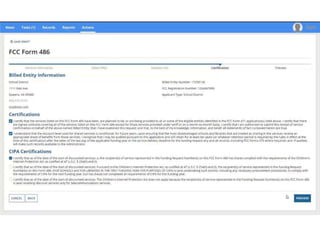
Form 486
Start services – Form 486
You post a Form 486 to:
– Notify USAC that services have started
and invoices for those services can be
processed and paid
– Report your status of compliance with
CIPA (if needed)
• All the information you need to complete your
486 is in EPC and auto-fills into your 486.
150
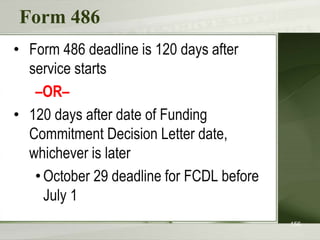
Form 486
• Form 486 deadline is 120 days after
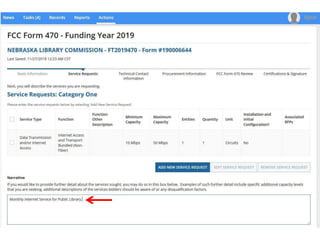
service starts
–OR–
• 120 days after date of Funding
Commitment Decision Letter date,
whichever is later
•October 29 deadline for FCDL before
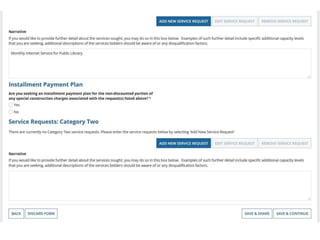
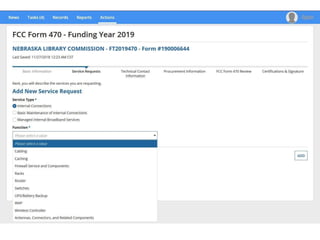
July 1
156
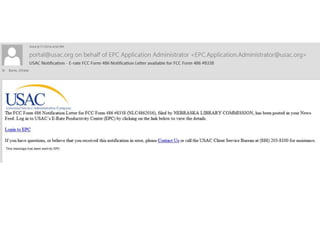
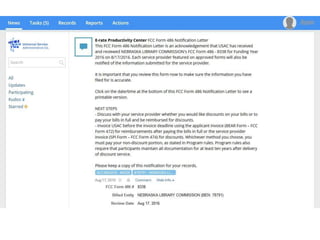
Form 486 Notification Letter
Letter issued by USAC to the
applicant and service provider after a
Form 486 has been processed
157
Forms 472/474
Invoicing USAC - Forms 472/474
Applicants have a choice of two invoicing
methods to receive discounts:
– Billed Entity Applicant Reimbursement
(BEAR) Form 472
• to receive reimbursement after you have
paid your bills in full
– Service Provider Invoice (SPI) Form 474
• to receive the discount on your bills
161
Invoicing USAC - Forms 472/474
BEAR Form is filed by the applicant after they
have paid for the services in full.
– Form due October 28, 120 days after last
service date, June 30
– Or 120 days after date of Form 486
Notification Letter
SPI Form is filed by the service provider after
the applicant has been billed for the non-
discount portion of the cost of eligible services.
162
BEAR payments to applicants
• As of July 1, 2016, applicants will
receive direct reimbursement from
USAC.
• Electronic bank transfers only. USAC
does not issue checks.
• BEAR Form is not in EPC yet.
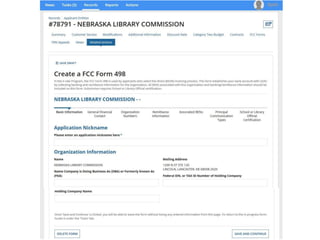
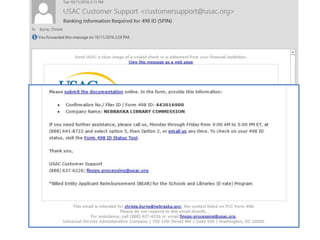
Direct Payment – Form 498
Form 498 – to provide USAC with banking
information.
• You must submit the 498 and your bank
account documentation before you can do the
BEAR Form.
• Basic banking information: Contact person,
Applicant (library) information, Bank
account and routing numbers.
• NEW: Will need a Federal Employer ID
Number (EIN/TaxID) – used for payroll.
Direct Payment – Form 498
• NEW: DUNS Number: Dun & Bradstreet “Data
Universal Numbering System” – used to identify
business entities.
• Free to get one if it is required for a federal form -
E-rate qualifies.
• Check to see if you already have one: D&B’s online
D-U-N-S database:
https://www.dandb.com/dunsnumberlookup/ or call
(866) 705-5711 to speak to a representative
• Apply online through Dun & Bradstreet’s website:
http://www.dnb.com/get-a-duns-number.html
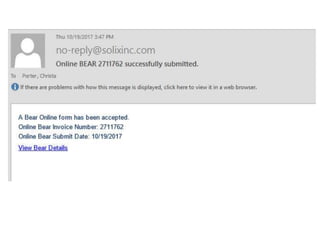
Invoicing USAC - Forms 472/474
• BEAR Notification Letter – a letter issued
by USAC to the applicant and service
provider after a BEAR has been processed
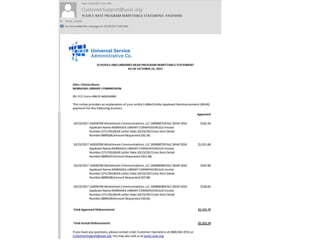
• Quarterly Disbursement Report – a report
issued to the applicant detailing all
invoicing activity (BEARs and SPIs) during
the previous quarter
174
Getting help
SLD Client Service Bureau (CSB)
– 1-888-203-8100
– EPC – Contact Us link
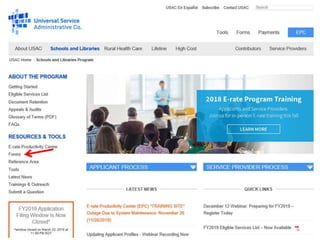
USAC website – www.usac.org/sl
177
Useful Links
SL News Briefs -
 http://www.usac.org/sl/tools/news/default.aspx
Application Process -
 http://www.usac.org/sl/about/getting-
started/process-overview.aspx
E-rate Central
 http://e-ratecentral.com/
Funds for Learning
 https://www.fundsforlearning.com/
Questions???
Christa Porter
Library Development Director
Nebraska Library Commission
800-307-2665
christa.porter@nebraska.gov
http://nlc.nebraska.gov/erate/

E-rate: What's New for 2019?

  • 1.
    E-rate: What’s New for 2019? ChristaPorter Nebraska Library Commission December 11, 2018
  • 2.
    What is E-rate? •Federal program that provides discounts to assist most schools and libraries in the United States (and U.S. territories) to obtain affordable telecommunications (telephone) and Internet access. • Funded through the Universal Service fee charged to companies that provide telecommunications services. 2
  • 3.
    General information • FederalCommunications Commission (FCC), an independent U.S. government agency, oversees the E-rate program • Universal Service Administrative Company (USAC), a not-for-profit, administers E-rate along with three other programs • Schools and Libraries Division (SLD) is the part of USAC with responsibility for E-rate 3
  • 4.
    E-rate Rules The FCCsets rules and policies through orders – Policies are defined in the text of orders • E-rate Modernization Report and Order adopted July 11, 2014. • Second Modernization Report and Order adopted December 11, 2014. – USAC/SLD develops procedures for specific actions, such as how to process applications – USAC submits its procedures to the FCC for approval each year 4
  • 5.
    Who can apply? –Libraries and library systems • Must be eligible for LSTA funds – in NE – all public libraries are eligible – Schools and school districts – Consortia – groups of eligible entities that band together to aggregate demand and negotiate lower prices 5
  • 6.
    Funding Commitments • Commitmentsfor E-rate are made by Funding Year, which runs from July 1 through the following June 30 – FY 2019 is July 1, 2019 – June 30, 2020 • Funding available: – $3.99 billion, adjusted annually for inflation – Once per year, the FCC may direct USAC to roll over unused funds from previous funding years into the next funding year. 6
  • 7.
  • 8.
    Discounts How large arethe discounts on eligible products and services? – Discounts: 20% to 90% of eligible costs – Discount for a library depends on: • Percentage of K-12 students eligible for National School Lunch Program (NSLP) in the school district in which the library is located - can’t include PreK • Urban or rural location of the library 8
  • 9.
    Calculate Your Discount– 3 Steps 1. Find your NSLP data on the Nebraska DOE website: https://www.education.ne.gov/dataservices/data- reports/ 2. Check your Urban/Rural Status in the Lookup Tool –  https://sltools.universalservice.org/portal- external/urbanRuralLookup/ • Based on 2010 U.S Census data. The FCC defines Urban areas as areas with populations equal or greater then 25,000. Rural encompasses all territory not in an urban area. 3. Use the Discount Matrix to determine your discount.
  • 10.
    Discount Matrix 10 Note lowertop discount rate for Category Two services.
  • 11.
  • 12.
    What is “E-rate-able”? TheFCC publishes the Eligible Services List each year. The list can be found on the SLD website in PDF format:  http://www.usac.org/sl/applicants/ beforeyoubegin/eligible-services- list.aspx
  • 13.
    Eligible Services List Streamlined –For FY 2014, the ESL was 49 pages – Since FY 2016, the ESL is 8 pages – Divides services into: • Category One - services providing high-speed connectivity to the building • Category Two - services providing high-speed connectivity throughout the building
  • 14.
    Category One –Eligible Digital transmission services and Internet access services – basically anything that provides high speed broadband. • Broadband over Power Lines • Cable Modem • DSL • DS-1, DS-2, DS-3 • Ethernet • Fiber (Lit and Dark) • Integrated Services Digital Network (ISDN) • Satellite Services • T-1, T-3, Fractional T-1 or T-3 • Wireless Service (e.g. microwave)
  • 15.
    Fiber Options • LeasedLit Fiber: Fiber-based broadband service, owned and managed by service provider. Customer pays a recurring fee to use the network. • Leased Dark Fiber: Customer leases a portion of a provider-owned and maintained fiber network and pays to have that fiber lit in order to use that fiber. • Program rules require applicants considering a Leased Dark Fiber solution for their connectivity must also request bids for a Leased Lit Fiber solution - Utilize the “Leased Dark Fiber and Leased Lit Fiber” drop-down option in EPC when submitting the FCC Form 470.
  • 16.
    Fiber Options • Self-ProvisionedNetwork: • Complete customer ownership of a high-speed broadband network. • Customer hires a vendor to construct the network or a portion of the network, and owns and maintains that network or portion.
  • 17.
    Special Construction Special constructionrefers to the upfront, non- recurring costs associated with the installation of new fiber (leased lit fiber, leased dark fiver, and self- provisioning) to or between eligible entities. Special construction charges eligible for Category One support consist of three components: 1. construction of network facilities; 2. design and engineering; and 3. project management.
  • 18.
    Special Construction • Installationof all Category One non-recurring services may begin six months prior to the July 1 start of the funding year (i.e., or after January 1) if the following conditions are met: – Construction begins after selection of the service provider and a valid competitive bidding process. – A Category One recurring service must depend on the installation of the infrastructure. – The actual service start date for that recurring service is on or after the start of the funding year (July 1).
  • 19.
    Category One –Voice Services • Focus on providing support for Broadband – To close the Wi-Fi gap • Phase down of Voice Services – To make E-rate dollars go farther – Working so far. • Enough money to fund all applications - demand did not outstrip available funds.
  • 20.
    Category One –Voice Services Discount rate was reduced by 20 percentage points each funding year, until all voice services were completely phased out, effective in FY 2019.
  • 21.
    Category One –Voice Services • Centrex • Interconnected VoIP • Local, long distance, 800 service • POTS • Radio Loop • Circuits dedicated to providing voice service only Voice Services No Longer Eligible as of FY 2019 • Satellite telephone service • Shared telephone service • Wireless telephone service including cellular voice – Excludes data and text messaging
  • 22.
    Category Two What isCategory Two? • Category Two includes equipment and services needed to bring broadband into and throughout libraries. • Includes Internal Connections, Managed Internal Broadband Services, and Basic Maintenance of Internal Connections. • Five-year budget pilot.
  • 23.
    Category Two • Accesspoints • Antennas • Cabling • Caching • Firewalls • Network switches • Routers • Racks Eligible Internal Connections • Uninterruptible Power Supply/Battery Backup • Wireless LAN Controllers • Improvements, upgrades and software necessary to support eligible broadband internal connections components
  • 24.
    Category Two NEW –Managed Internal Broadband Services (eg. Managed Wi-Fi) • Services provided by a third party – Operation – Management – And/or monitoring of eligible broadband internal connection components • The third party may manage the library’s equipment or provide the equipment as part of a lease.
  • 25.
    Category Two Basic Maintenanceof Internal Connections • Support for basic maintenance of eligible internal connections such as – Repair and upkeep of hardware – Wire and cable maintenance – Basic tech support – Configuration changes • Support for BMIC is limited to actual work performed under the contract
  • 26.
    Miscellaneous Could fall intoeither Category One or Two – Taxes, surcharges and other similar reasonable charges – Lease fees to rent or lease eligible components – Shipping charges – Training – Installation and configuration • *New* Installation may be provided by a third party – previously it had to be part of the contract when you purchased the equipment. Now you can have someone else install the equipment.
  • 27.
    Broadband Toolkit “Toward GigabitLibraries Toolkit” - Designed for small, rural, and tribal libraries with limited IT support. • Free, Open Source. Funded by IMLS • Learn about your broadband infrastructure and IT environment by answering guided questions – Technology Inventory – Broadband Services and Operational Support – Funding Opportunities • Broadband Improvement Plan • https://www.internet2.edu/research- solutions/community-projects/toward-gigabit-libraries/
  • 28.
  • 29.
    Category Two Budgets Whatare Category Two budgets? Each library receiving Category Two support starting between FY2015 and 2019 will have a five-year budget for Category Two products and services. – USAC calculates a C2 budget for each library. – The library can receive discounts on the cost of C2 services up to its C2 budget amount. – Products and services ordered in excess of an entity’s C2 budget will not receive E-rate discounts.
  • 30.
    Category Two Budgets Howmuch is my budget? For FY 2018, the pre-discount budget for a library is calculated by multiplying the total area in square feet – including all areas enclosed by the outer walls of the library and occupied by the library – by $2.39, with a minimum of $9,582.23. – C2 budget multiplier is adjusted each year for inflation. – Budgets were recalculated every year based on current square footage, and can go up or down.
  • 31.
    Category Two Budgets Howmuch is my budget? Example: Your library is 3,500 square feet. – 3,500 square feet x $2.39 per square foot = $8,365. – However, there is a $9,582.23 minimum budget. Since the result of the calculation is less than $9,582.23, the pre-discount budget is $9,582.23. – At a 50% discount rate, the library will receive $4,791.12 in E-rate funds to spend on Category Two services for the next 5 years: $9,582.23 x 0.5 = $4,791.12.
  • 32.
    Category Two BudgetPilot • 2019 is the last year of the 5 year budget pilot. • USE IT NOW if you haven’t already. USAC doesn’t know what will happen after 2019. Still waiting on FCC Cat 2 Budget Pilot Report. • Example: If your first year of Cat 2 was 2018, and you use it in 2018 and 2019, you don’t actually have 3 more years left, you only have those 2 years, because the pilot ends after 2019. • So…plan to use it up in 2019!
  • 33.
  • 34.
  • 35.
  • 36.
    CIPA/NCIPA Compliance (Children's InternetProtection Act) Compliance with CIPA required for: • Internet access • Internal connections CIPA requires: • Internet Safety Policy • Technology Protection Measure • Public Notice and Meeting/Hearing SLD information on CIPA:  http://www.usac.org/sl/applicants/step05/cipa.aspx 36
  • 37.
  • 38.
    E-rate Forms There arefour basic forms: 1. Form 470: “I want a service.” 2. Form 471: “I have chosen a service provider.” 3. Form 486: “I am receiving the service.” 4. Form 472/474: “I am paying my bills – give me my money!” – New: Form 498 – to provide bank information for direct reimbursement payments (BEARs).
  • 39.
    E-rate Forms • Librariesmust retain copies of any E-rate paperwork that supports current year for 10 years after the last date of service. – FY 2019: this is at least June 30, 2030. – E.g., Contract from 2010 for recurring services, used to support FY 2019 FRNs, must be kept until at least June 30, 2030. • Exception: CIPA documentation – keep forever. • Documents may be retained in electronic or paper format.
  • 40.
    E-rate Forms You mustretain: – FCC Forms and letters received from USAC (e.g., FCC Forms 470, 471, 486) – Any other USAC correspondence. – Copies of bids. – Contracts/service agreements signed with service providers. – Correspondence with service providers regarding bidding process. – Copies of bid matrix or decision process for selecting winning bid. – Proof of delivery of the service and/or equipment.
  • 41.
  • 42.
    E-rate Productivity Center(EPC) Starting in FY 2016, most forms are filed via the E-rate Productivity Center (EPC).  http://portal.usac.org
  • 43.
    Advantages of theEPC • One online location for all program activities. – Complete and certify program forms – Check the status of applications – Receive reminders and notifications – Respond to PIA questions – Ask USAC questions • Users can access the portal from any device (e.g., desktop computer, laptop computer, tablet, smartphone) and any browser.
  • 44.
    How to LogIn • USAC creates an account for the organization and identifies an Account Administrator. • Account Administrators can create as many account users as they wish, and decide which activities the users can perform - set their permissions. – Full user – can complete, file, and certify. – Partial – can complete, but not submit or certify. Can also update organizational info. – View only – can see, but not do anything. Can also update organizational info.
  • 45.
    Apply Online -http://www.usac.org/sl/
  • 75.
    FCC Registration Number(FCC RN) • Persons and entities doing business with the FCC must obtain an FCC RN and supply it when doing business with the FCC • To look up your library’s FCC RN, or request one, go to:  https://apps.fcc.gov/cores/userLogin.do
  • 76.
    Forms and Deadlines– FY 2019 76 Form or Event Deadline or Dates Funding Year (FY)  Funding Year you are currently applying for is 2019 - July 1, 2019 through June 30, 2020. Form 470  Starts request for services. Must be posted at least 28 days before filing Form 471. Keep in mind: (1) timeframe for all bids (2) Form 471 filing window. Will receive Receipt Notification Letter – RNL. Usually file around October/November each year. Form 471 window  Tells USAC what services you want, the provider, costs, discount %, contract or MTM, etc. Form 471 can only be submitted during the Application Filing Window. Exact dates TBA. Will receive Receipt Acknowledgement Letter – RAL. PIA Review  USAC’s Program Integrity Assurance (PIA) staff review all applications, which can take months. PIA will contact you with questions. FCDL sent  Starting late Spring, Funding Commitment Decision Letters (FCDL) sent to applicants. This continues for months. Form 486  Confirms start of service. Must be submitted no later than 120 days after FCDL date or 120 days after the Service Start Date, whichever is later. Form 474 / 472  Get discounts on bills (SPI - #474) or reimbursements (BEAR - #472). Must submit Form 498 Bank Account Information before submitting BEAR. BEAR due no later than 120 days after the date of the Form 486 Notification Letter or 120 days after the last date to receive service, whichever is later.
  • 77.
  • 78.
    Request services -Form 470 You post a Form 470 to: – Open a competitive bidding process – Notify potential bidders (service providers) of the types and quantities of services that you need – Define the scope of your needs (e.g., a library building, a library system, a state network) 78
  • 79.
    Form 470 When isthe FCC Form 470 not required? • Multi-year contracts • You do not need to file a new FCC Form 470 if the contract is still in effect and the costs/services are still within the terms of the establishing FCC Form 470. • NOTE: You do still need to file a new FCC Form 471 requesting E-rate support each funding year.
  • 80.
    Form 470 When isthe FCC Form 470 not required? • Applicants are exempted from the competitive bidding rules when ordering business-class Internet access services, if: – the pre-discount cost is $3,600 or less annually ($300/month), and – the bandwidth provided is at least 100 Mbps downstream and 10 Mbps upstream – service and price are commercially available • Cost can include one-time installation charges and eligible equipment charges and services.
  • 119.
    Receipt Notification Letter(RNL) • Letter issued by USAC that summarizes the information provided in the Form 470 • Applicant can use the RNL to make corrections or changes • Gives the Allowable Contract Date (ACD) – the date 28 days after the Form 470 is posted to the USAC website
  • 123.
    What is CompetitiveBidding? • Competitive bidding is a formal process to choose the vendors/service providers who provide your products and services – Service providers read your documents and bid on your services. – After submitting your 470, wait 28 days, then compare the offers you receive. – Select the most cost-effective bid using price of the eligible products and services as the primary factor 123
  • 124.
    Competitive bidding • Musthave a fair and open bidding process – All vendors are treated the same; have access to same information – Vendors cannot be involved in your 470 • Must choose most cost-effective bid – Cost must be primary factor – Fully document your bid review process and any decision(s) • Record dates of any decisions, actions taken, etc. 124
  • 125.
    Competitive bidding Factor PointsAvailable Vendor 1 Vendor 2 Vendor 3 Price of the ELIGIBLE goods and services 30 15 30 25 Prior experience w/ vendor 20 20 0 20 Prices for ineligible services, products & fees 25 20 15 25 Flexible Invoicing: 472 or 474 15 0 15 15 Environmental objectives 5 5 3 2 Local or in state vendor 5 5 5 5 Total 100 65 68 92 Bid Evaluation Matrix (sample)
  • 126.
    Existing Contract? • Applicanthas a contract for service. Did not post an FCC Form 470, wait at least 28 days, and then sign the contract. • To bring the contract into compliance, post an FCC Form 470 for the services. • Wait 28 days and then use existing contract as a bid response. You must then evaluate that contract against any other bids you may receive. • If the existing contract is the winning bid, the E-rate contract is now eligible for funding for the upcoming funding year.
  • 127.
    Zero Bids orOne Bid? • If you receive only one bid, and it is cost-effective, you may accept it. – Document your decision with a memo or email for your records. • If you did not receive any bids, you can solicit bids. – Reach out to vendors in the area. – Ask your current service provider to submit a bid or to send you an email that they are willing to continue to provide service at your current level and cost.
  • 128.
    Competitive bidding After youclose the competitive bidding process for your services (on or after your Allowable Contract Date): – You can evaluate the bids received – You can choose your service provider(s) – You can sign a contract or legally binding agreement – You can post a Form 471 – BUT, only during the Application Filing Window 128
  • 129.
  • 130.
    Choose services –Form 471 You post a Form 471 to: – Report information on the service providers and services you have chosen, and the costs. – Includes discount calculation information including student NSLP counts – Certify your compliance with program rules 130
  • 131.
    Choose services –Form 471 • USAC recommends communicating with your service provider: – If you need help completing technical details – To notify them of your desired invoicing method 131
  • 132.
    Form 471 • Fileafter the Form 470 has been posted for at least 28 days AND contracts or legally binding agreement in writing are signed (if the service requires a contract) AND the Application Filing Window opens • FY2019 Filing Window for Form 471 – TBA • Must be filed each funding year 132
  • 135.
    • Category 1 Structureof a Form 471 Funding Request • Must file a separate 471 for each category of service FCC Form 471 Funding Request FRN Line Item • Category 2 • Add one per service type • Provides summary information • Each request is identified by a unique Funding Request Number (FRN) • Add one or more per FRN • Provides details about the individual services or products listed on the funding request • Internet Access • Digital Transmission Service • Internal Connections • Internal Connections • Line Item 1 • Line Item 2 • Line Item 1 • Line Item 1 • Line Item 1 • Line Item 2 Adding a funding request is a two-step process. For each service, you create an FRN (Funding Request Number) and then create one or more FRN line items to provide the details.
  • 136.
    Acronyms and terms •Funding Request Number (FRN) – the identification number assigned to a Form 471 funding request • Service Provider Identification Number (SPIN) – the identification number assigned by USAC to a service provider • Service providers may have more than one SPIN in order to identify separate business units, different states in which they operate, etc. 136
  • 137.
    Receipt Acknowledgement Letter(RAL) • Letter issued by USAC to the applicant and service provider that summarizes the information provided in the Form 471 • Applicant can use the RAL to make corrections or changes until USAC issues the Funding Commitment Decision Letter • Applicants can request funding reductions, but not funding increases.
  • 139.
  • 140.
    Application review USAC reviewsyour Form(s) 471 to: – Check the eligibility of the libraries and their discount levels – Verify that the services you requested are eligible for discounts – Give you an opportunity to make allowable corrections to your form – In some cases, ask for additional verification of your compliance with program rules 140
  • 141.
    Program Integrity Assurance(PIA) • the USAC group that reviews and makes funding decisions on program applications • You have 15 days to respond to PIA questions. • You can ask for an automatic seven-day extension if you need it. • To answer inquiries, ask for extensions, or find your reviewer’s contact info: • Navigate to the FCC Form 471 in EPC. • Choose ”Related Actions.” • Choose “Respond to Inquiries.” 141
  • 142.
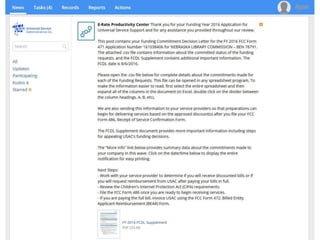
    Funding Commitment DecisionLetter (FCDL) • FCDL reports status of individual funding requests: • Funded • Not funded • As yet unfunded (internal connections) • Canceled • May receive more than one FCDL • Use info on FCDL to prepare Form 486 142
  • 148.
    Appeals • Funding denialscan be appealed • Generally, appeal first to the SLD • Then appeal to FCC if SLD denies appeal • Must be filed within 60 days of denial on FCDL • FCC has been granting many appeals • But can take a year or more • See Appeals Procedure on SLD Website:  http://www.usac.org/about/about/program- integrity/appeals.aspx 148
  • 149.
  • 150.
    Start services –Form 486 You post a Form 486 to: – Notify USAC that services have started and invoices for those services can be processed and paid – Report your status of compliance with CIPA (if needed) • All the information you need to complete your 486 is in EPC and auto-fills into your 486. 150
  • 156.
    Form 486 • Form486 deadline is 120 days after service starts –OR– • 120 days after date of Funding Commitment Decision Letter date, whichever is later •October 29 deadline for FCDL before July 1 156
  • 157.
    Form 486 NotificationLetter Letter issued by USAC to the applicant and service provider after a Form 486 has been processed 157
  • 160.
  • 161.
    Invoicing USAC -Forms 472/474 Applicants have a choice of two invoicing methods to receive discounts: – Billed Entity Applicant Reimbursement (BEAR) Form 472 • to receive reimbursement after you have paid your bills in full – Service Provider Invoice (SPI) Form 474 • to receive the discount on your bills 161
  • 162.
    Invoicing USAC -Forms 472/474 BEAR Form is filed by the applicant after they have paid for the services in full. – Form due October 28, 120 days after last service date, June 30 – Or 120 days after date of Form 486 Notification Letter SPI Form is filed by the service provider after the applicant has been billed for the non- discount portion of the cost of eligible services. 162
  • 163.
    BEAR payments toapplicants • As of July 1, 2016, applicants will receive direct reimbursement from USAC. • Electronic bank transfers only. USAC does not issue checks. • BEAR Form is not in EPC yet.
  • 164.
    Direct Payment –Form 498 Form 498 – to provide USAC with banking information. • You must submit the 498 and your bank account documentation before you can do the BEAR Form. • Basic banking information: Contact person, Applicant (library) information, Bank account and routing numbers. • NEW: Will need a Federal Employer ID Number (EIN/TaxID) – used for payroll.
  • 165.
    Direct Payment –Form 498 • NEW: DUNS Number: Dun & Bradstreet “Data Universal Numbering System” – used to identify business entities. • Free to get one if it is required for a federal form - E-rate qualifies. • Check to see if you already have one: D&B’s online D-U-N-S database: https://www.dandb.com/dunsnumberlookup/ or call (866) 705-5711 to speak to a representative • Apply online through Dun & Bradstreet’s website: http://www.dnb.com/get-a-duns-number.html
  • 174.
    Invoicing USAC -Forms 472/474 • BEAR Notification Letter – a letter issued by USAC to the applicant and service provider after a BEAR has been processed • Quarterly Disbursement Report – a report issued to the applicant detailing all invoicing activity (BEARs and SPIs) during the previous quarter 174
  • 177.
    Getting help SLD ClientService Bureau (CSB) – 1-888-203-8100 – EPC – Contact Us link USAC website – www.usac.org/sl 177
  • 178.
    Useful Links SL NewsBriefs -  http://www.usac.org/sl/tools/news/default.aspx Application Process -  http://www.usac.org/sl/about/getting- started/process-overview.aspx E-rate Central  http://e-ratecentral.com/ Funds for Learning  https://www.fundsforlearning.com/
  • 179.
    Questions??? Christa Porter Library DevelopmentDirector Nebraska Library Commission 800-307-2665 christa.porter@nebraska.gov http://nlc.nebraska.gov/erate/

Editor's Notes

  • #3 October13, 2003
  • #11 October13, 2003
  • #22 80% discount = 60% in 2015, 40% in 2016.
  • #27 Installation – order equipment online, Amazon, etc. Have someone local install it.
  • #37 October13, 2003
  • #44 Official reminder letters will still be sent, but also notifications will be pushed to your portal account.
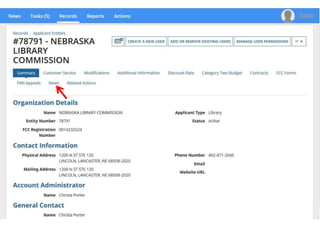
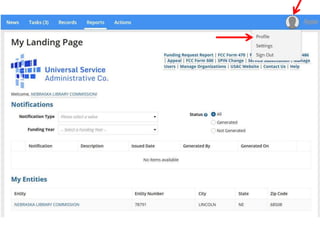
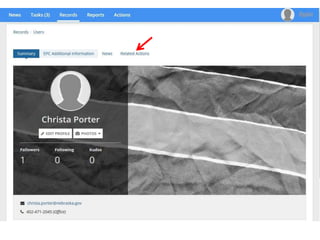
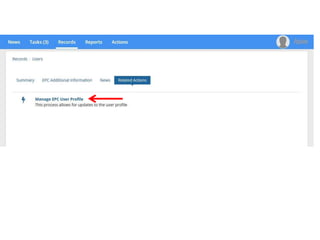
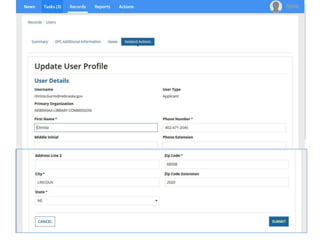
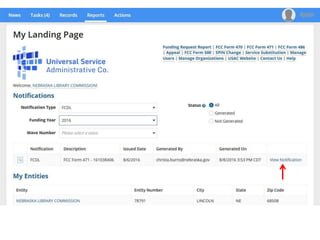
  • #45 User name and Password instead of PIN to know who you are.
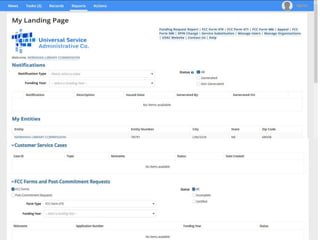
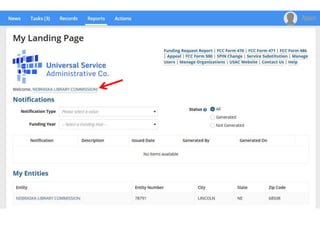
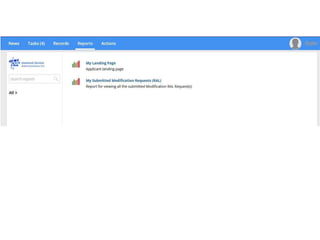
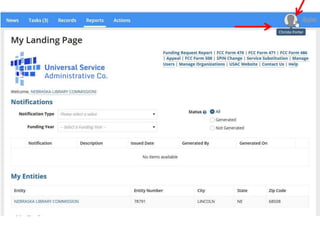
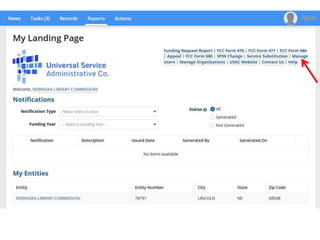
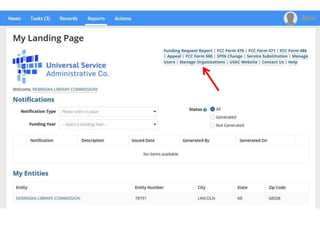
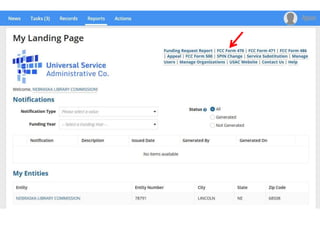
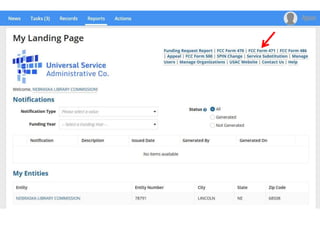
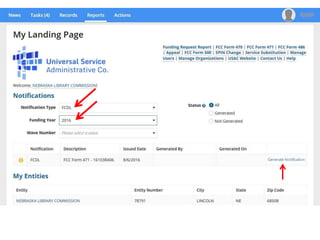
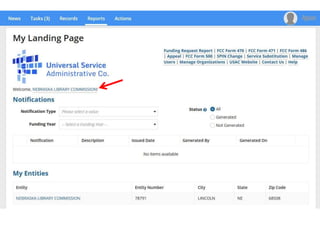
  • #50 Landing Page is your home page. USAC logo brings you back to your Landing Page.
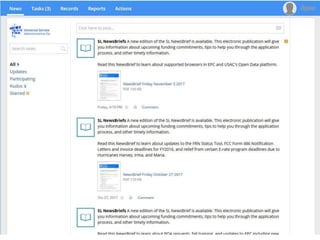
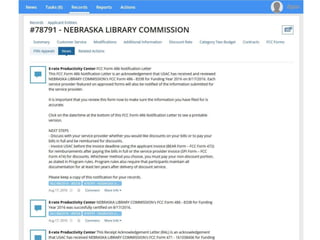
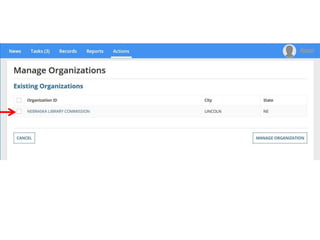
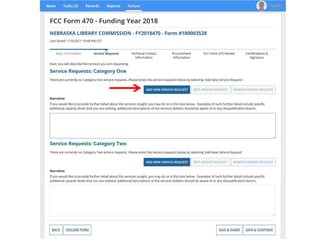
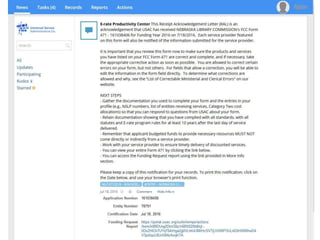
  • #51 News – can communicate with other users in your organization. Receipt Notification Letters will be here – no longer mailed. Will have a link to the form, so you can check it for correctness. RNL corrections can all be done within EPC. Can be set up so you will also get email notifications – USAC can set that up for us.
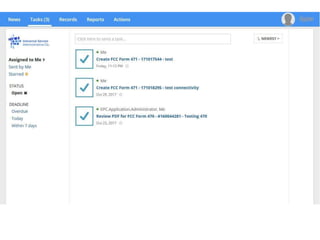
  • #55 Tasks – Forms in process. Undone things – things that need to be done.
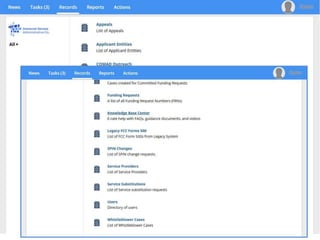
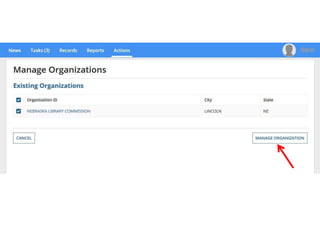
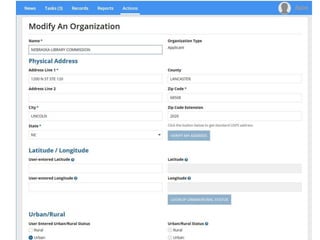
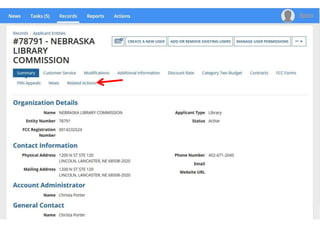
  • #56 Records – All your forms are here. Entities – full user can manage and update info here. Make sure this infor is all correct before starting your 470. Questions to CSB – can attach documents if needed – no more emailing or faxing info or forms.
  • #57 Reports – Let them know what you want to know here.
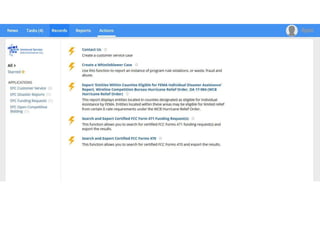
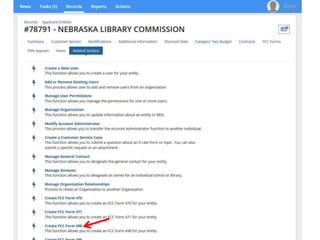
  • #58 Actions – Things you can do within the system.
  • #77 October13, 2003
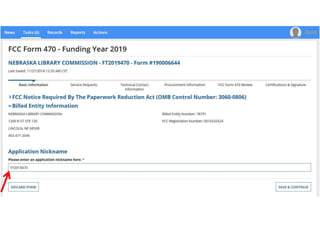
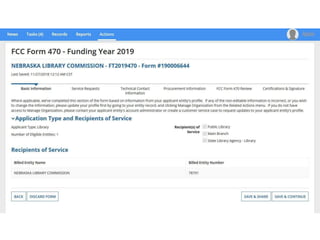
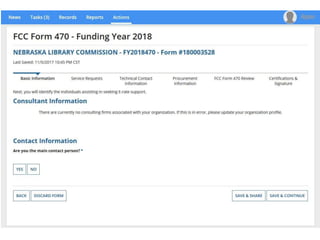
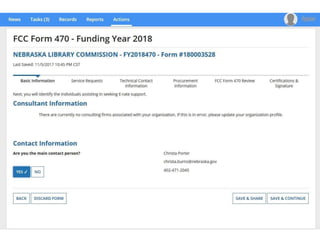
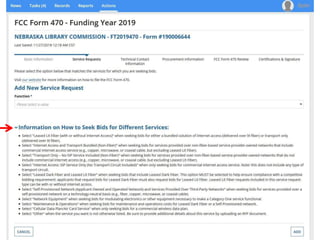
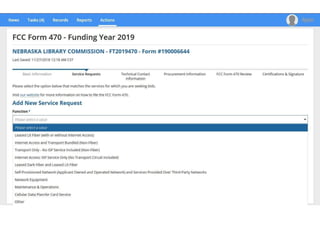
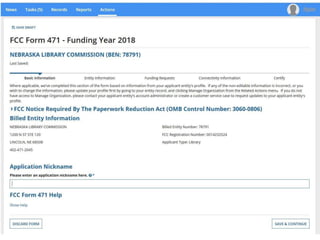
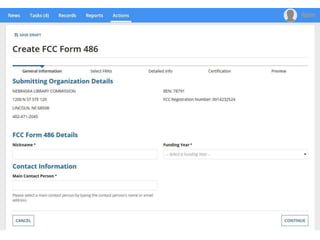
  • #83 Can Discard forms you have started by accident or don’t want to use anymore. Don’t just let them sit there because system will keep sending you reminders to finish it. Red * = Required Save & Share – send to someone else to continue or submit/certify. Nickname – you are not going to remember all the different 10 digit numbers that USAC will assign to each form you submit. And you want something you will remember so you can tell each years’ forms apart.
  • #117 Landing Page is your home page. USAC logo brings you back to your Landing Page.
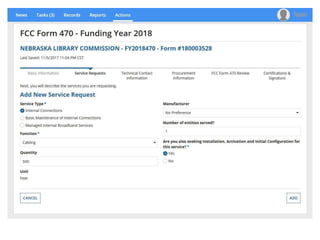
  • #121 471 same, not complete yet, so no screenshots to show. EPC is a work in progress, so things are still being added and updated.
  • #125 October13, 2003
  • #126 Customer Service Record – heard bad things about them, or had bad experience yourself with them, don’t want to work with them.
  • #133 October13, 2003
  • #143 October13, 2003
  • #149 October13, 2003
  • #157 October13, 2003
  • #164 For ALL Funding Years, even old ones that you are still trying to get the money for. As of July 1, 2016, BEAR is only thru EPC this way.