© 2015-2017 EnvisionEcommerce.com
Envision Advance Self Assistant
Version: 1.0.0
User Guide
Store URL: www.envisionecommerce.com/store/
Support: www.envisionecommerce.com/store/helpdesk/
© 2015-2017 EnvisionEcommerce.com
Plugin Overview
Envision Advanced Self-Assistant WordPress plugin provides a quick self-support to
customers without a need of a sales representative. It completely works like a live chat, but
with no sales executive handling clients. It responses to customers’ queries in real-time. This
plugin also facilitates customers by replacing their queries or questions with the smart
question for the quick response. Moreover, this plugin is built in some outclass features,
which allow admin to create smart questions, categories & tags, manage question rankings,
theme settings, POPup settings, EECOM analytics and more easily via back-end.
Main Features
1. Allow store owner to create smart questions via back-end.
2. Give a quick self-support to customers with no sales executive handling clients.
3. Allow store owner to add and assign different categories and tags to each smart question.
4. Response to customers’ queries in real-time
5. Allow admin to manage or update the rank of smart questions
6. Replace customers’ queries or questions with the smart question for fast response.
7. Allow admin to manage the entire list of customers as well.
8. Help in keeping the complete record of “Reply to Customer”.
9. Allow admin to change the self-assistant Popup widget’s theme settings
10. EASA Front-end POPUP Settings can also be changed.
11. Allow admin to create and manage EASA company types.
12. Allow admin to create multiple scripts for the “Reply to Customers.”
13. EECOM analytic details can also be viewed by admin through this plugin.
Continued ......
© 2015-2017 EnvisionEcommerce.com
Installation Steps
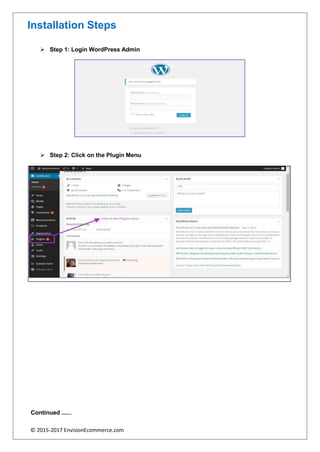
➢ Step 1: Login WordPress Admin
➢ Step 2: Click on the Plugin Menu
Continued ......
© 2015-2017 EnvisionEcommerce.com
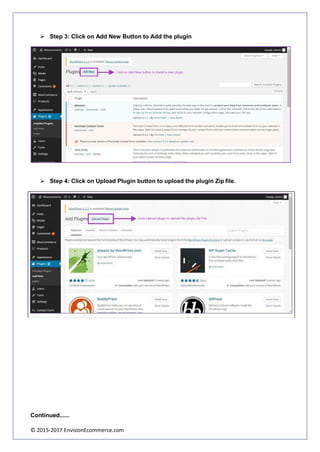
➢ Step 3: Click on Add New Button to Add the plugin
➢ Step 4: Click on Upload Plugin button to upload the plugin Zip file.
Continued......
© 2015-2017 EnvisionEcommerce.com
➢ Step 5: Activate the Plugin
Installation Procedure is now completed
Plugin Configuration
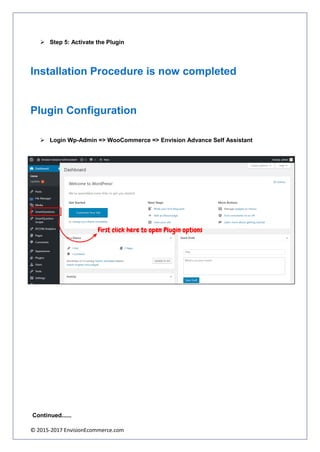
➢ Login Wp-Admin => WooCommerce => Envision Advance Self Assistant
Continued......
© 2015-2017 EnvisionEcommerce.com
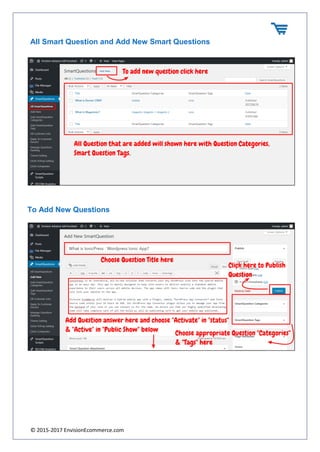
All Smart Question and Add New Smart Questions
To Add New Questions
© 2015-2017 EnvisionEcommerce.com
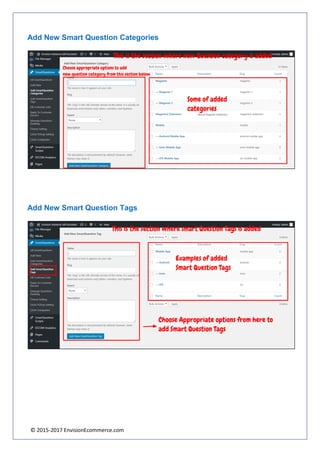
Add New Smart Question Categories
Add New Smart Question Tags
© 2015-2017 EnvisionEcommerce.com
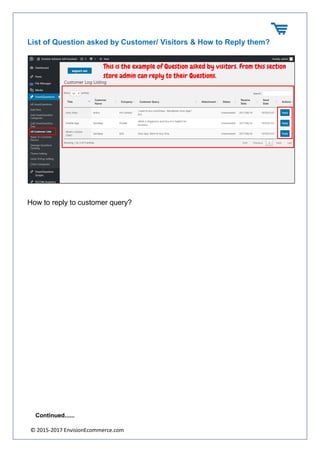
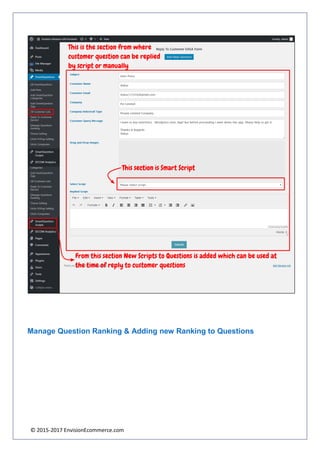
List of Question asked by Customer/ Visitors & How to Reply them?
How to reply to customer query?
Continued......
© 2015-2017 EnvisionEcommerce.com
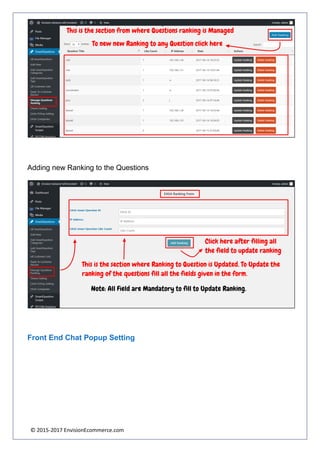
Manage Question Ranking & Adding new Ranking to Questions
© 2015-2017 EnvisionEcommerce.com
Adding new Ranking to the Questions
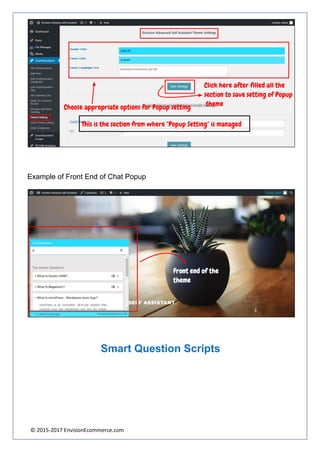
Front End Chat Popup Setting
© 2015-2017 EnvisionEcommerce.com
Example of Front End of Chat Popup
Smart Question Scripts
© 2015-2017 EnvisionEcommerce.com
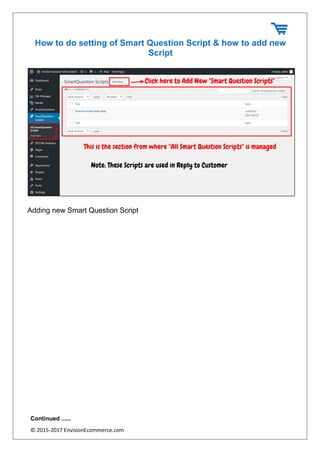
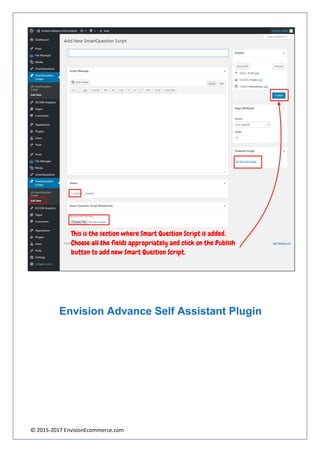
How to do setting of Smart Question Script & how to add new
Script
Adding new Smart Question Script
Continued ......
© 2015-2017 EnvisionEcommerce.com
Envision Advance Self Assistant Plugin
© 2015-2017 EnvisionEcommerce.com
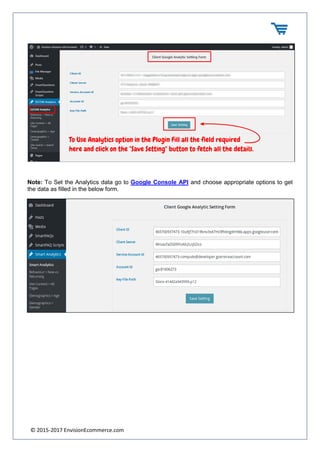
Note: To Set the Analytics data go to Google Console API and choose appropriate options to get
the data as filled in the below form.
© 2015-2017 EnvisionEcommerce.com
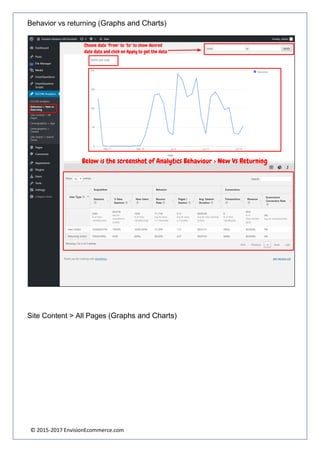
Behavior vs returning (Graphs and Charts)
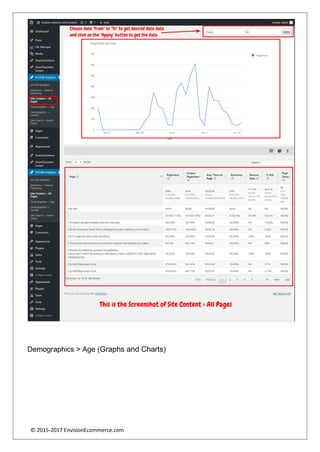
Site Content > All Pages (Graphs and Charts)
© 2015-2017 EnvisionEcommerce.com
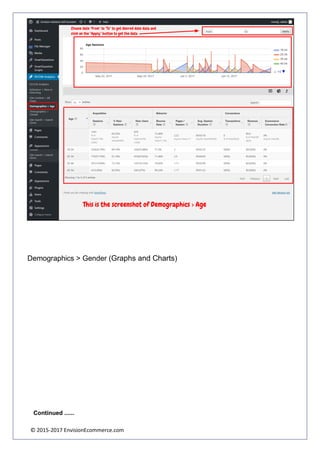
Demographics > Age (Graphs and Charts)
© 2015-2017 EnvisionEcommerce.com
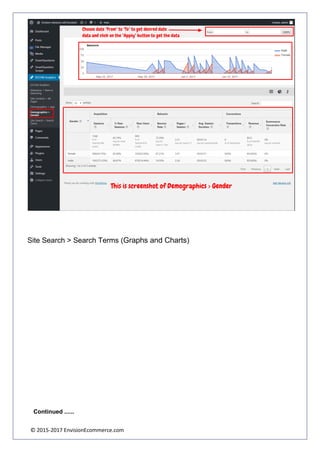
Demographics > Gender (Graphs and Charts)
Continued ......
© 2015-2017 EnvisionEcommerce.com
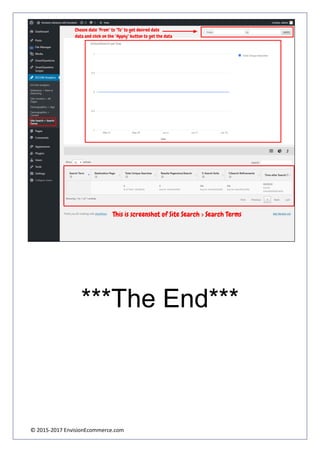
Site Search > Search Terms (Graphs and Charts)
Continued ......
© 2015-2017 EnvisionEcommerce.com
***The End***

Envision Advance Self Assistant