Progressive Enhancement 
The only way to start your day
Clearle! 
UX DESIGN 
AGENCY 
BRIGHTON 
BLAH BLAH BLAH
By layering web technologies so that the content 
is always accessible, regardless of access 
method, connectivity, software, or 
hardware being used we make better sites. 
The concept of progressive enhancement is simple. 
READ SLIDE 
With this we can say that we should provide all the CORE functionality, and enhance it’s capabilities where optional. 
This isn’t new, it’s how any web page works, all you need is some well written html.
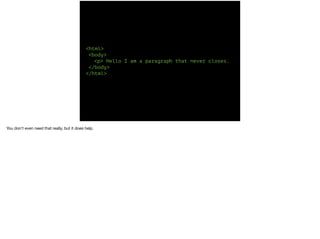
<html> 
<body> 
<p> Hello I am a paragraph that never closes. 
</body> 
</html> 
You don’t even need that really, but it does help.
All of your css, colours, sizing, floating elements around the viewport - all of this is an enhancement to the content. 
In the case of CSS, this is progressive enhancement that should be available to everyone. That said there are things which may not work, or work as well from one 
browser to the next.
LAYOUT OPTIONAL IS 
And that’s OK because layout is optional too. Nothing has to look the same in every browser because we need to stop thinking about browsers, now we have TV’s 
watches, and eventually a 6inch screen in the back of the head of the person in front of you on the tube.
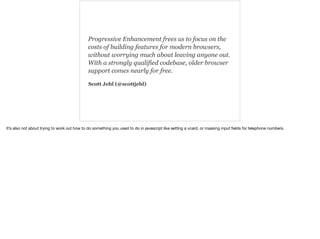
Progressive Enhancement frees us to focus on the 
costs of building features for modern browsers, 
without worrying much about leaving anyone out. 
With a strongly qualified codebase, older browser 
support comes nearly for free. 
Scott Jehl (@scottjehl) 
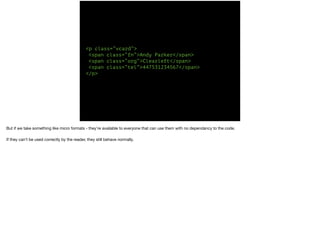
It’s also not about trying to work out how to do something you used to do in javascript like setting a vcard, or masking input fields for telephone numbers.
<p class=“vcard”> 
<span class=“fn”>Andy Parker</span> 
<span class=“org”>Clearleft</span> 
<span class=“tel”>447531234567</span> 
</p> 
But if we take something like micro formats - they’re available to everyone that can use them with no dependancy to the code. 
If they can’t be used correctly by the reader, they still behave normally.
But what about pictures?
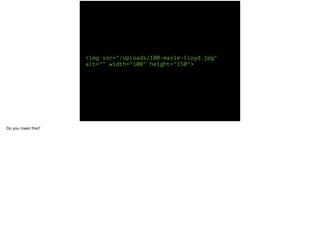
<img src="/uploads/100-marie-lloyd.jpg" 
alt="" width="100" height="150"> 
Do you mean this?
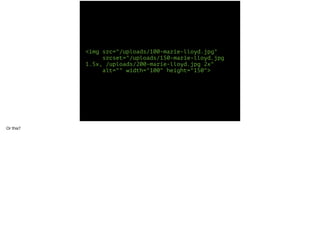
<img src="/uploads/100-marie-lloyd.jpg" 
srcset="/uploads/150-marie-lloyd.jpg 
1.5x, /uploads/200-marie-lloyd.jpg 2x" 
alt="" width="100" height="150"> 
Or this?
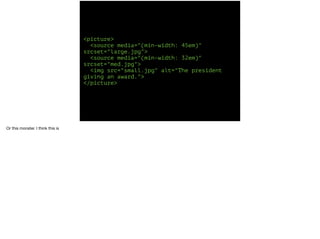
<picture> 
<source media="(min-width: 45em)" 
srcset="large.jpg"> 
<source media="(min-width: 32em)" 
srcset="med.jpg"> 
<img src="small.jpg" alt="The president 
giving an award."> 
</picture> 
Or this monster. I think this is
WRONG 
People are going to abuse it sending totally different photos to different viewports. 
But there are ways already to progressively enhance images.
Well, Eddard stark, that isn’t entirely true. 
It depends on what the image is.
If it is suitable, we could be using a scaleable vector graphic or SVG and then it enhances itself.
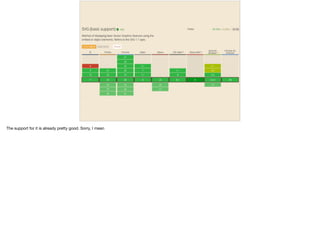
The support for it is already pretty good. Sorry, I mean
It literally means we can start saying - yes, we can make the logo bigger.
What progressive enhancement can do for you - even if you don’t write code, is make you FOCUS on the CORE task at hand and the simplest way to solve it.
A rich text editor at its core is a textarea, so put a text area on the page and you can still write whatever you wanted to write, and using the save button store it wherever. 
If the access method can have it enhanced with nice styling do that, and if it can take this asynchronous writing function to the database - give it that too. As long as the 
key purpose is achieved.
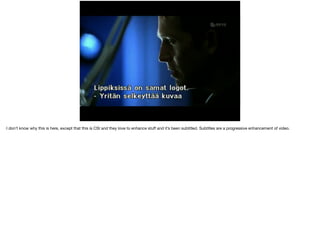
I don’t know why this is here, except that this is CSI and they love to enhance stuff and it’s been subtitled. Subtitles are a progressive enhancement of video.
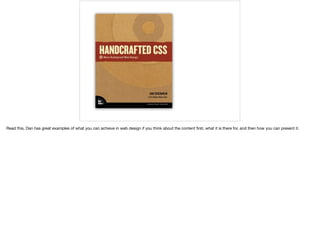
Read this, Dan has great examples of what you can achieve in web design if you think about the content first, what it is there for, and then how you can present it.
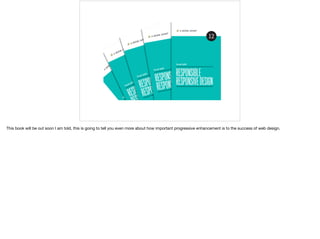
This book will be out soon I am told, this is going to tell you even more about how important progressive enhancement is to the success of web design.
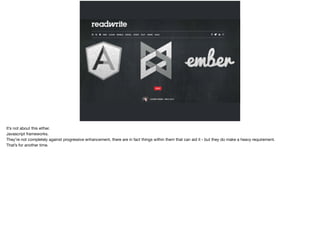
It’s not about this either. 
Javascript frameworks. 
They’re not completely against progressive enhancement, there are in fact things within them that can aid it - but they do make a heavy requirement. 
That’s for another time.
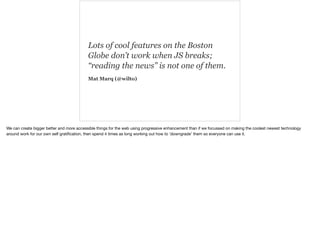
Lots of cool features on the Boston 
Globe don’t work when JS breaks; 
“reading the news” is not one of them. 
Mat Marq (@wilto) 
We can create bigger better and more accessible things for the web using progressive enhancement than if we focussed on making the coolest newest technology 
around work for our own self gratification, then spend 4 times as long working out how to ‘downgrade’ them so everyone can use it.
Come play 
XboxOne: AvangelistXMB 
Twitter: theavangelist 
clearleft.com

Enhance Enhance

  • 1.
    Progressive Enhancement Theonly way to start your day
  • 2.
    Clearle! UX DESIGN AGENCY BRIGHTON BLAH BLAH BLAH
  • 3.
    By layering webtechnologies so that the content is always accessible, regardless of access method, connectivity, software, or hardware being used we make better sites. The concept of progressive enhancement is simple. READ SLIDE With this we can say that we should provide all the CORE functionality, and enhance it’s capabilities where optional. This isn’t new, it’s how any web page works, all you need is some well written html.
  • 4.
    <html> <body> <p>Hello I am a paragraph that never closes. </body> </html> You don’t even need that really, but it does help.
  • 5.
    All of yourcss, colours, sizing, floating elements around the viewport - all of this is an enhancement to the content. In the case of CSS, this is progressive enhancement that should be available to everyone. That said there are things which may not work, or work as well from one browser to the next.
  • 6.
    LAYOUT OPTIONAL IS And that’s OK because layout is optional too. Nothing has to look the same in every browser because we need to stop thinking about browsers, now we have TV’s watches, and eventually a 6inch screen in the back of the head of the person in front of you on the tube.
  • 7.
    Progressive Enhancement freesus to focus on the costs of building features for modern browsers, without worrying much about leaving anyone out. With a strongly qualified codebase, older browser support comes nearly for free. Scott Jehl (@scottjehl) It’s also not about trying to work out how to do something you used to do in javascript like setting a vcard, or masking input fields for telephone numbers.
  • 8.
    <p class=“vcard”> <spanclass=“fn”>Andy Parker</span> <span class=“org”>Clearleft</span> <span class=“tel”>447531234567</span> </p> But if we take something like micro formats - they’re available to everyone that can use them with no dependancy to the code. If they can’t be used correctly by the reader, they still behave normally.
  • 9.
    But what aboutpictures?
  • 10.
    <img src="/uploads/100-marie-lloyd.jpg" alt=""width="100" height="150"> Do you mean this?
  • 11.
    <img src="/uploads/100-marie-lloyd.jpg" srcset="/uploads/150-marie-lloyd.jpg 1.5x, /uploads/200-marie-lloyd.jpg 2x" alt="" width="100" height="150"> Or this?
  • 12.
    <picture> <source media="(min-width:45em)" srcset="large.jpg"> <source media="(min-width: 32em)" srcset="med.jpg"> <img src="small.jpg" alt="The president giving an award."> </picture> Or this monster. I think this is
  • 13.
    WRONG People aregoing to abuse it sending totally different photos to different viewports. But there are ways already to progressively enhance images.
  • 14.
    Well, Eddard stark,that isn’t entirely true. It depends on what the image is.
  • 15.
    If it issuitable, we could be using a scaleable vector graphic or SVG and then it enhances itself.
  • 16.
    The support forit is already pretty good. Sorry, I mean
  • 18.
    It literally meanswe can start saying - yes, we can make the logo bigger.
  • 19.
    What progressive enhancementcan do for you - even if you don’t write code, is make you FOCUS on the CORE task at hand and the simplest way to solve it.
  • 20.
    A rich texteditor at its core is a textarea, so put a text area on the page and you can still write whatever you wanted to write, and using the save button store it wherever. If the access method can have it enhanced with nice styling do that, and if it can take this asynchronous writing function to the database - give it that too. As long as the key purpose is achieved.
  • 21.
    I don’t knowwhy this is here, except that this is CSI and they love to enhance stuff and it’s been subtitled. Subtitles are a progressive enhancement of video.
  • 22.
    Read this, Danhas great examples of what you can achieve in web design if you think about the content first, what it is there for, and then how you can present it.
  • 23.
    This book willbe out soon I am told, this is going to tell you even more about how important progressive enhancement is to the success of web design.
  • 24.
    It’s not aboutthis either. Javascript frameworks. They’re not completely against progressive enhancement, there are in fact things within them that can aid it - but they do make a heavy requirement. That’s for another time.
  • 25.
    Lots of coolfeatures on the Boston Globe don’t work when JS breaks; “reading the news” is not one of them. Mat Marq (@wilto) We can create bigger better and more accessible things for the web using progressive enhancement than if we focussed on making the coolest newest technology around work for our own self gratification, then spend 4 times as long working out how to ‘downgrade’ them so everyone can use it.
  • 26.
    Come play XboxOne:AvangelistXMB Twitter: theavangelist clearleft.com