PAGE ! OF !1 2
Operator Usage Guide
SkidWeigh Plus ED3-Zebra V1.0
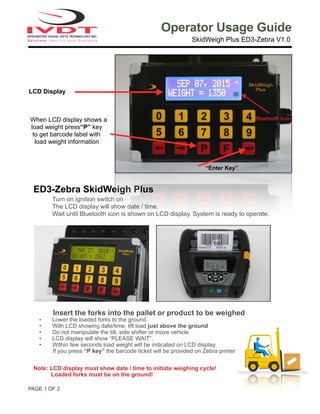
ED3-Zebra SkidWeigh Plus
Turn on ignition switch on
The LCD display will show date / time.
Wait until Bluetooth icon is shown on LCD display. System is ready to operate.
Insert the forks into the pallet or product to be weighed
• Lower the loaded forks to the ground.
• With LCD showing date/time, lift load just above the ground
• Do not manipulate the tilt, side shifter or move vehicle
• LCD display will show “PLEASE WAIT”.
• Within few seconds load weight will be indicated on LCD display.
If you press “P key” the barcode ticket will be provided on Zebra printer
Note: LCD display must show date / time to initiate weighing cycle!
Loaded forks must be on the ground!
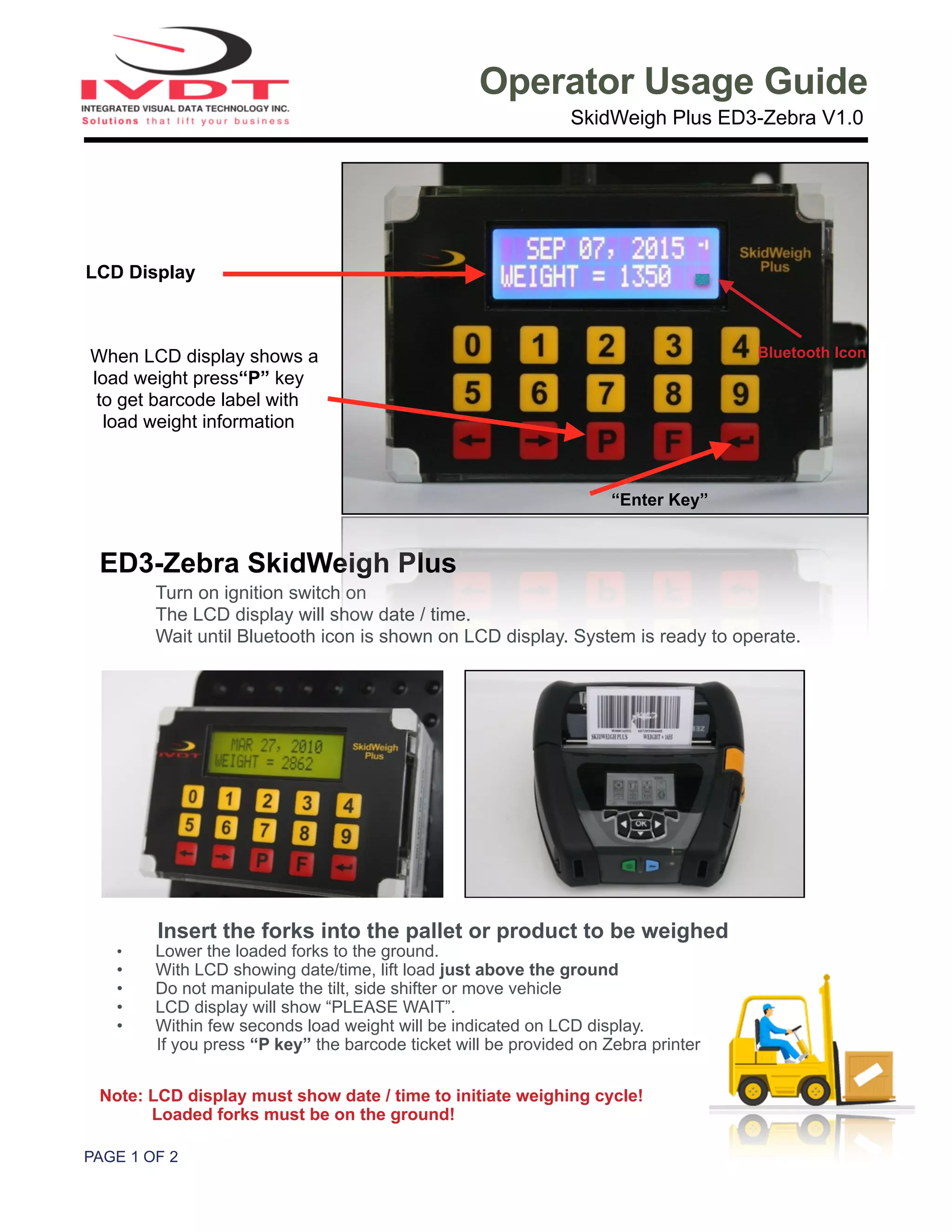
LCD Display
When LCD display shows a
load weight press“P” key
to get barcode label with
load weight information
“Enter Key”
Bluetooth Icon
PAGE ! OF ! ED3-ZEBRA V1.0 OPERATOR GUIDE2 2
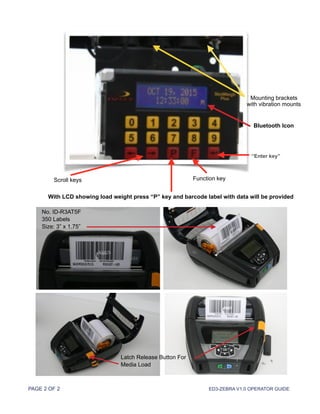
Mounting brackets
with vibration mounts
Scroll keys
With LCD showing load weight press “P” key and barcode label with data will be provided
Function key
“Enter key”
Bluetooth Icon
Latch Release Button For
Media Load
No. ID-R3AT5F
350 Labels
Size: 3” x 1.75”

ED3 SkidWeigh with Zebra Mobile Printer

  • 1.
    PAGE ! OF!1 2 Operator Usage Guide SkidWeigh Plus ED3-Zebra V1.0 ED3-Zebra SkidWeigh Plus Turn on ignition switch on The LCD display will show date / time. Wait until Bluetooth icon is shown on LCD display. System is ready to operate. Insert the forks into the pallet or product to be weighed • Lower the loaded forks to the ground. • With LCD showing date/time, lift load just above the ground • Do not manipulate the tilt, side shifter or move vehicle • LCD display will show “PLEASE WAIT”. • Within few seconds load weight will be indicated on LCD display. If you press “P key” the barcode ticket will be provided on Zebra printer Note: LCD display must show date / time to initiate weighing cycle! Loaded forks must be on the ground! LCD Display When LCD display shows a load weight press“P” key to get barcode label with load weight information “Enter Key” Bluetooth Icon
  • 2.
    PAGE ! OF! ED3-ZEBRA V1.0 OPERATOR GUIDE2 2 Mounting brackets with vibration mounts Scroll keys With LCD showing load weight press “P” key and barcode label with data will be provided Function key “Enter key” Bluetooth Icon Latch Release Button For Media Load No. ID-R3AT5F 350 Labels Size: 3” x 1.75”