EBImage: Image processing
package in R
Charles Howard
Portland R Users Group
16-Sep-2015
EBImage
• EBImage is an image processing and analysis toolbox for R.
• Development of the package arose from the need for general purpose
tools for segmenting cells and extracting quantitative cellular
descriptors
• Package is hosted on Bioconductor (http://bioconductor.org/)
•
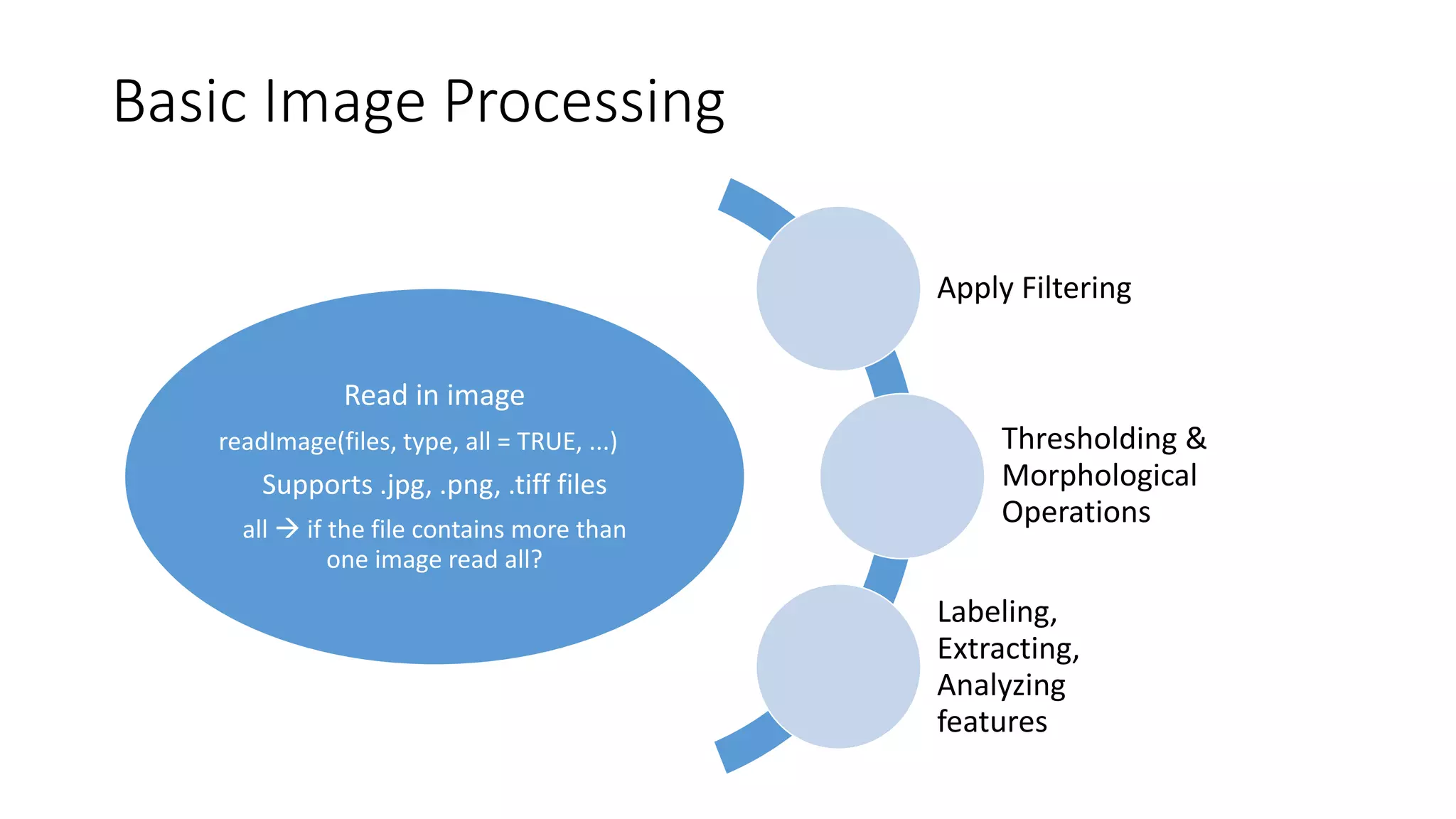
Read in image
readImage(files, type, all = TRUE, ...)
Supports .jpg, .png, .tiff files
all  if the file contains more than
one image read all?
Apply Filtering
Thresholding &
Morphological
Operations
Labeling,
Extracting,
Analyzing
features
Basic Image Processing
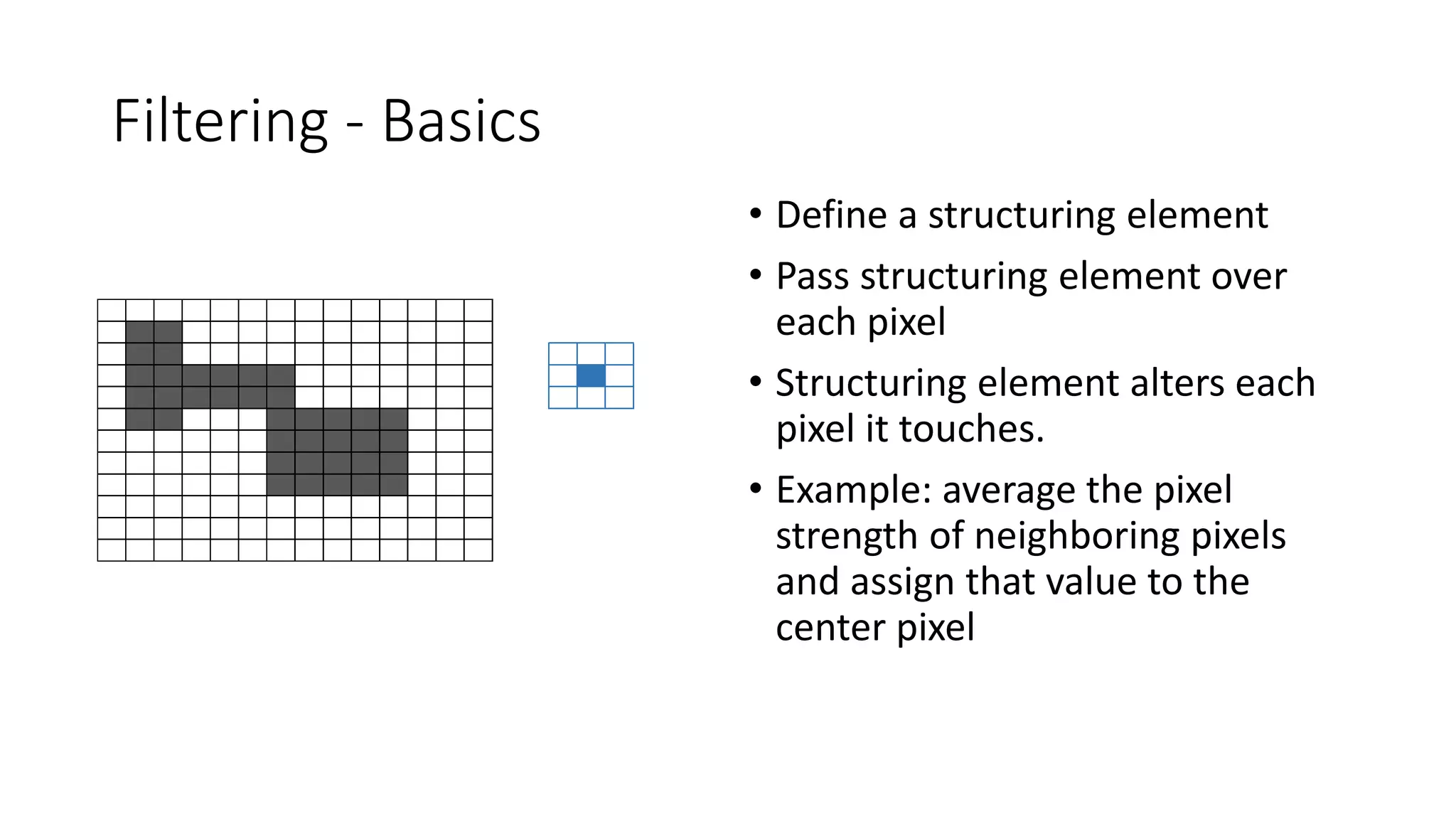
Filtering - Basics
• Define a structuring element
• Pass structuring element over
each pixel
• Structuring element alters each
pixel it touches.
• Example: average the pixel
strength of neighboring pixels
and assign that value to the
center pixel
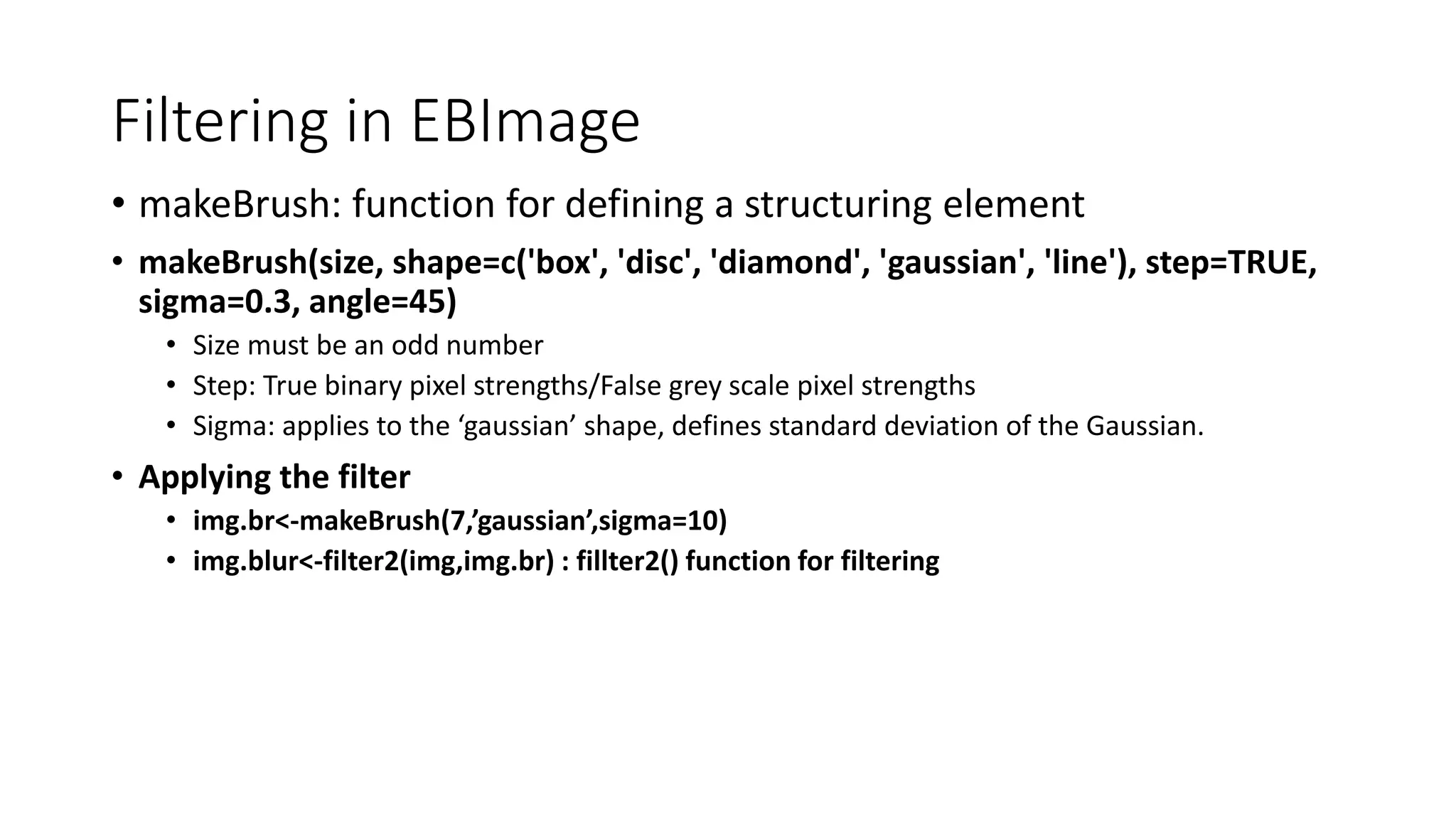
Filtering in EBImage
• makeBrush: function for defining a structuring element
• makeBrush(size, shape=c('box', 'disc', 'diamond', 'gaussian', 'line'), step=TRUE,
sigma=0.3, angle=45)
• Size must be an odd number
• Step: True binary pixel strengths/False grey scale pixel strengths
• Sigma: applies to the ‘gaussian’ shape, defines standard deviation of the Gaussian.
• Applying the filter
• img.br<-makeBrush(7,’gaussian’,sigma=10)
• img.blur<-filter2(img,img.br) : fillter2() function for filtering
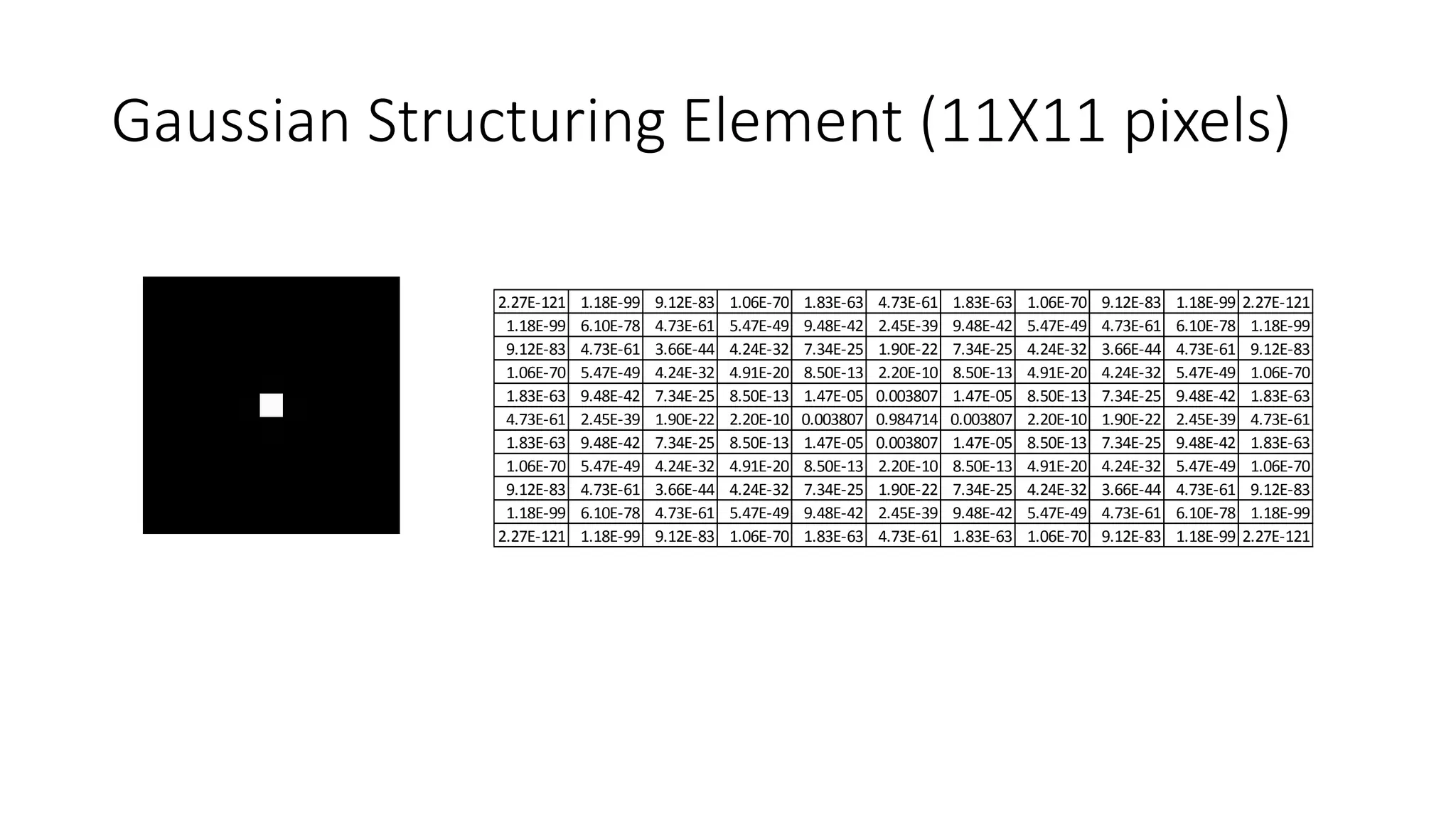
Gaussian Structuring Element (11X11 pixels)
2.27E-121 1.18E-99 9.12E-83 1.06E-70 1.83E-63 4.73E-61 1.83E-63 1.06E-70 9.12E-83 1.18E-99 2.27E-121
1.18E-99 6.10E-78 4.73E-61 5.47E-49 9.48E-42 2.45E-39 9.48E-42 5.47E-49 4.73E-61 6.10E-78 1.18E-99
9.12E-83 4.73E-61 3.66E-44 4.24E-32 7.34E-25 1.90E-22 7.34E-25 4.24E-32 3.66E-44 4.73E-61 9.12E-83
1.06E-70 5.47E-49 4.24E-32 4.91E-20 8.50E-13 2.20E-10 8.50E-13 4.91E-20 4.24E-32 5.47E-49 1.06E-70
1.83E-63 9.48E-42 7.34E-25 8.50E-13 1.47E-05 0.003807 1.47E-05 8.50E-13 7.34E-25 9.48E-42 1.83E-63
4.73E-61 2.45E-39 1.90E-22 2.20E-10 0.003807 0.984714 0.003807 2.20E-10 1.90E-22 2.45E-39 4.73E-61
1.83E-63 9.48E-42 7.34E-25 8.50E-13 1.47E-05 0.003807 1.47E-05 8.50E-13 7.34E-25 9.48E-42 1.83E-63
1.06E-70 5.47E-49 4.24E-32 4.91E-20 8.50E-13 2.20E-10 8.50E-13 4.91E-20 4.24E-32 5.47E-49 1.06E-70
9.12E-83 4.73E-61 3.66E-44 4.24E-32 7.34E-25 1.90E-22 7.34E-25 4.24E-32 3.66E-44 4.73E-61 9.12E-83
1.18E-99 6.10E-78 4.73E-61 5.47E-49 9.48E-42 2.45E-39 9.48E-42 5.47E-49 4.73E-61 6.10E-78 1.18E-99
2.27E-121 1.18E-99 9.12E-83 1.06E-70 1.83E-63 4.73E-61 1.83E-63 1.06E-70 9.12E-83 1.18E-99 2.27E-121
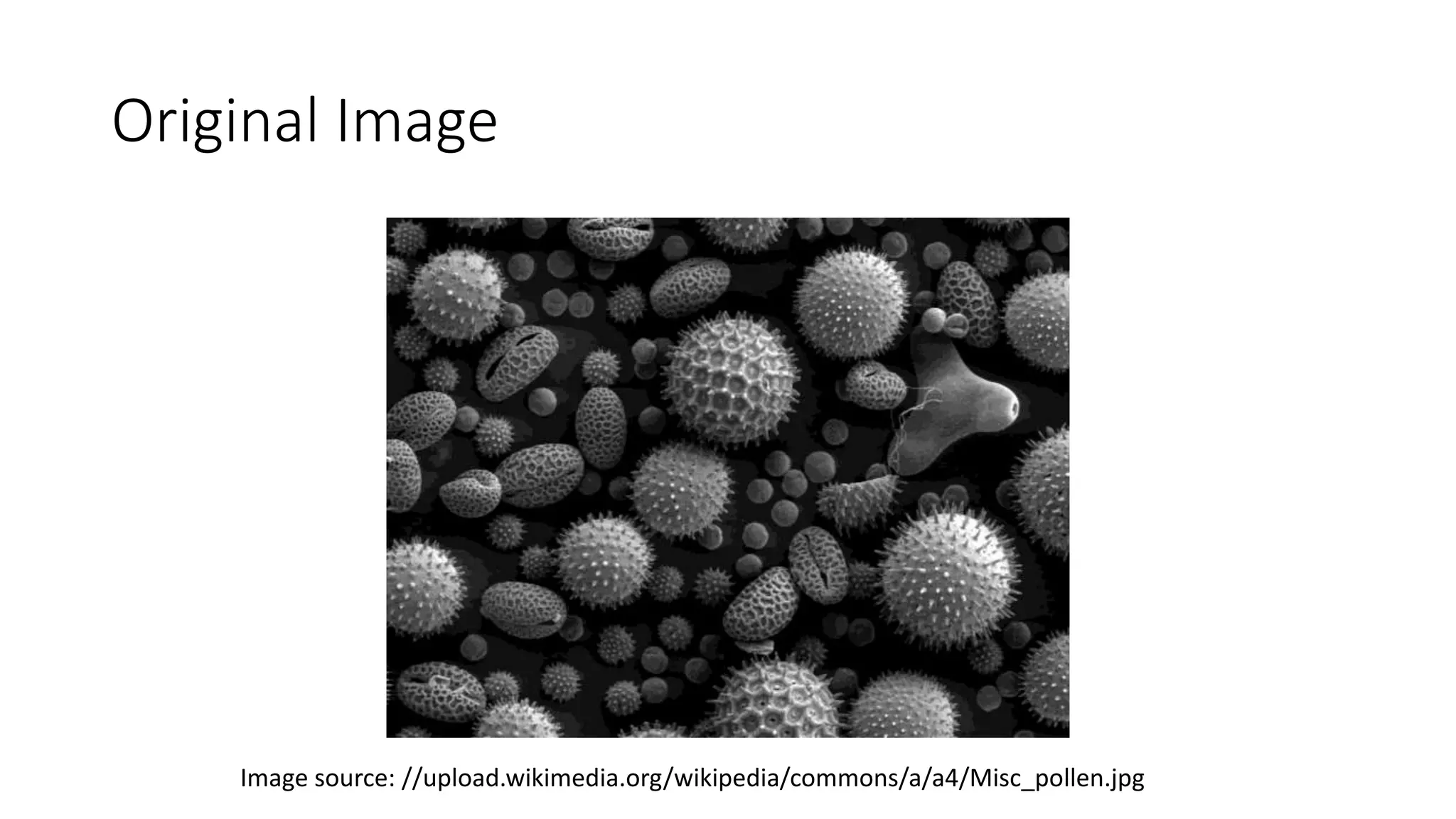
Original Image
Image source: //upload.wikimedia.org/wikipedia/commons/a/a4/Misc_pollen.jpg
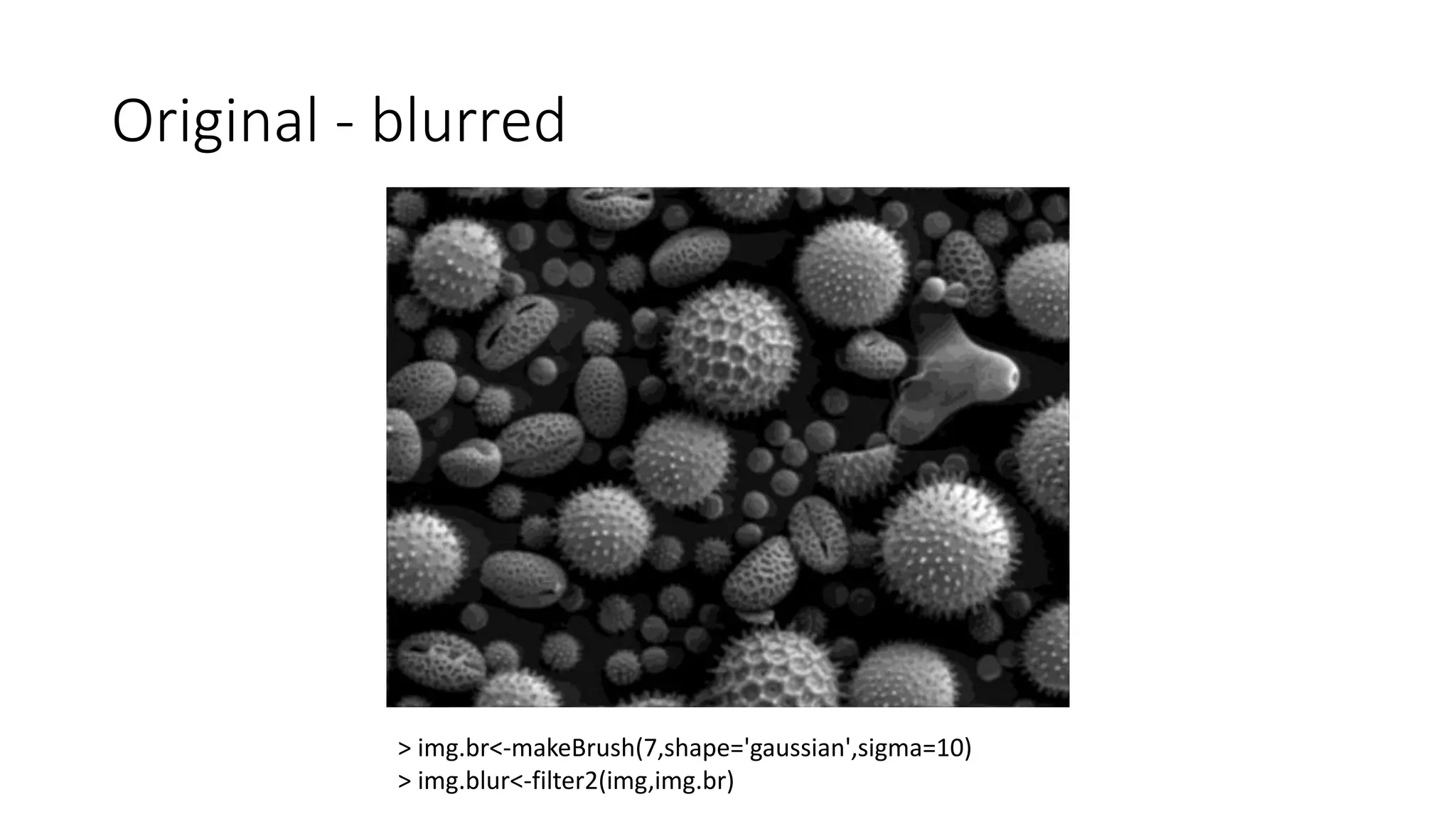
Original - blurred
> img.br<-makeBrush(7,shape='gaussian',sigma=10)
> img.blur<-filter2(img,img.br)
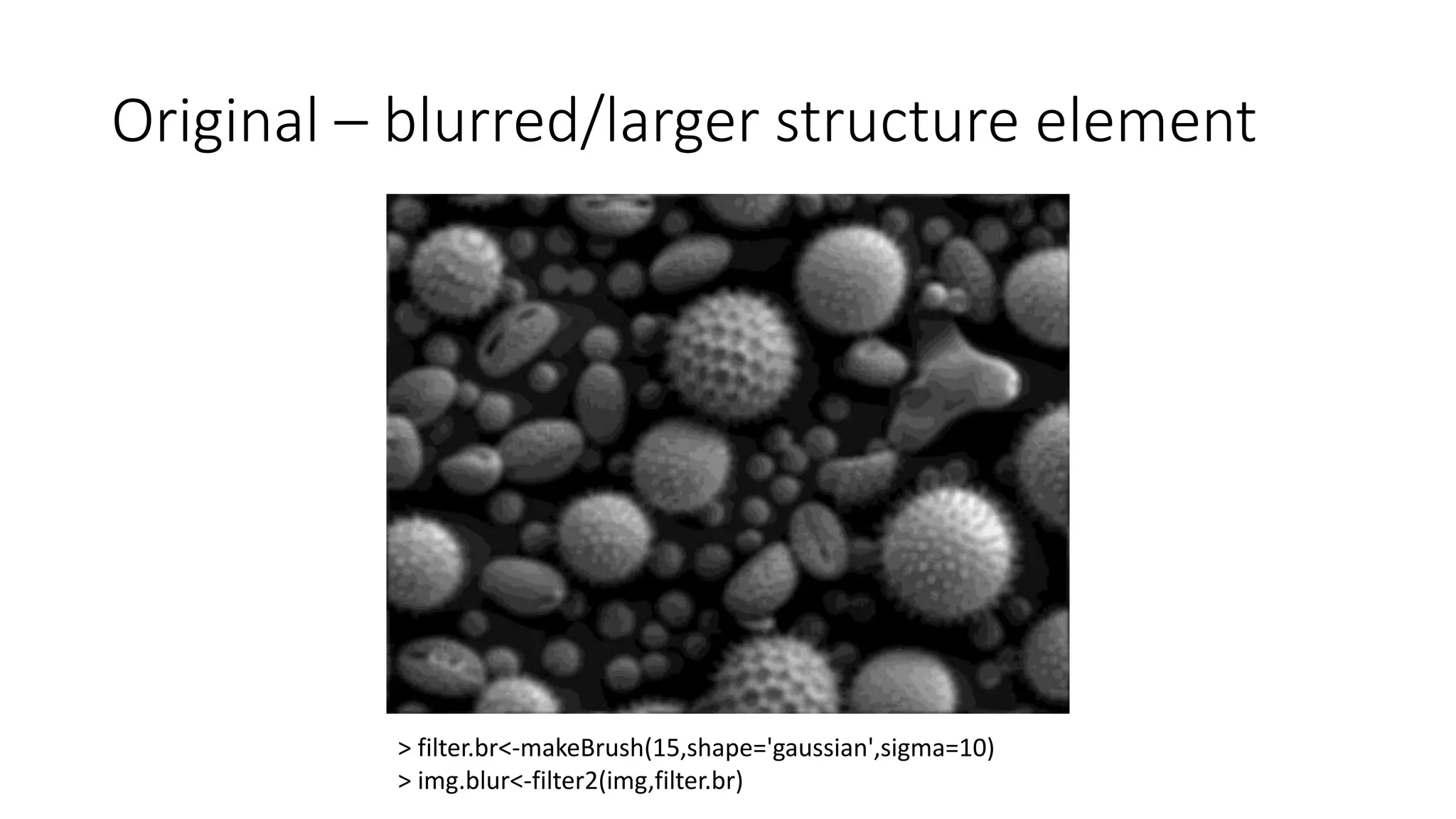
Original – blurred/larger structure element
> filter.br<-makeBrush(15,shape='gaussian',sigma=10)
> img.blur<-filter2(img,filter.br)
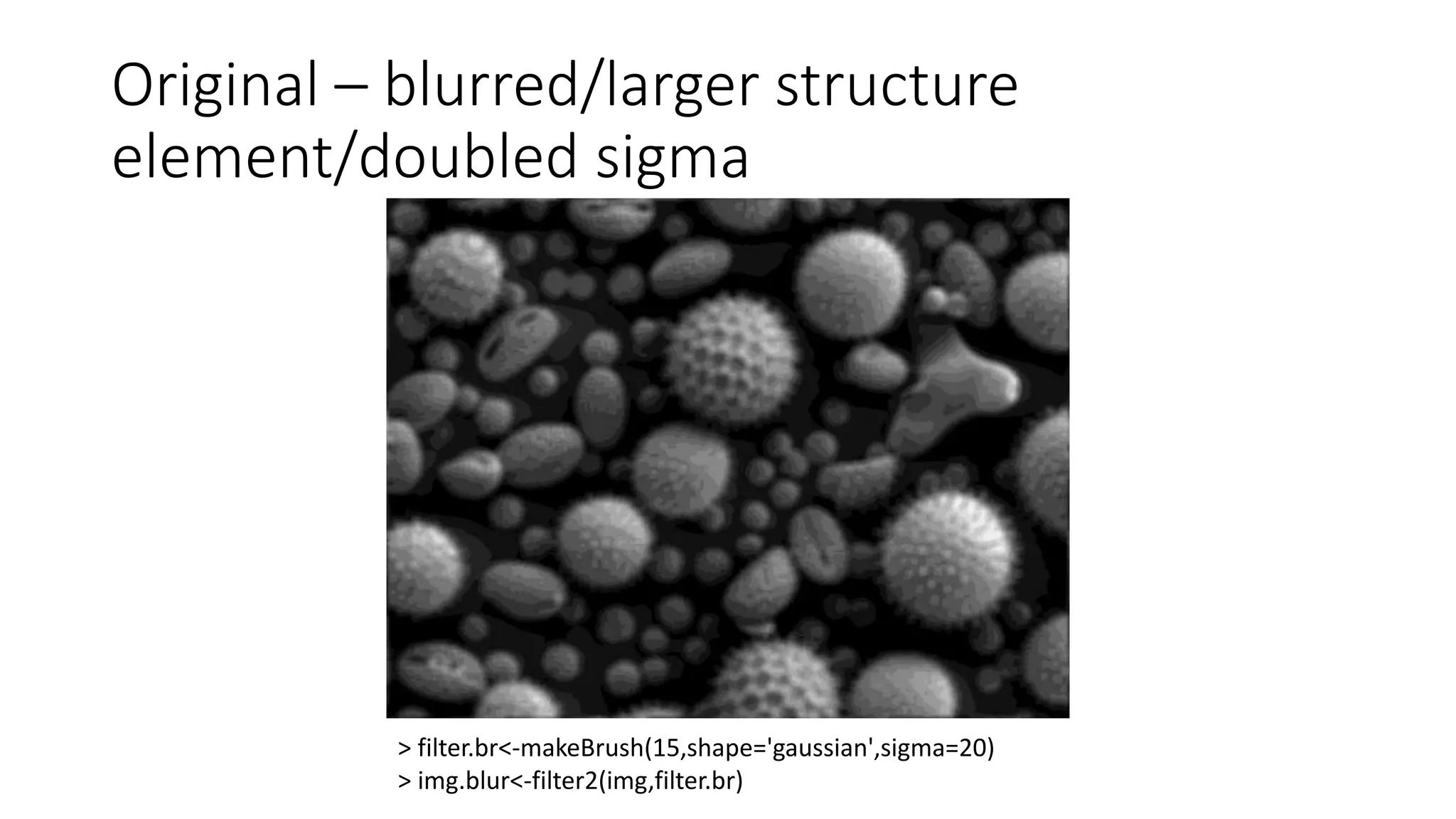
Original – blurred/larger structure
element/doubled sigma
> filter.br<-makeBrush(15,shape='gaussian',sigma=20)
> img.blur<-filter2(img,filter.br)
Thresholding & Morphological Operations
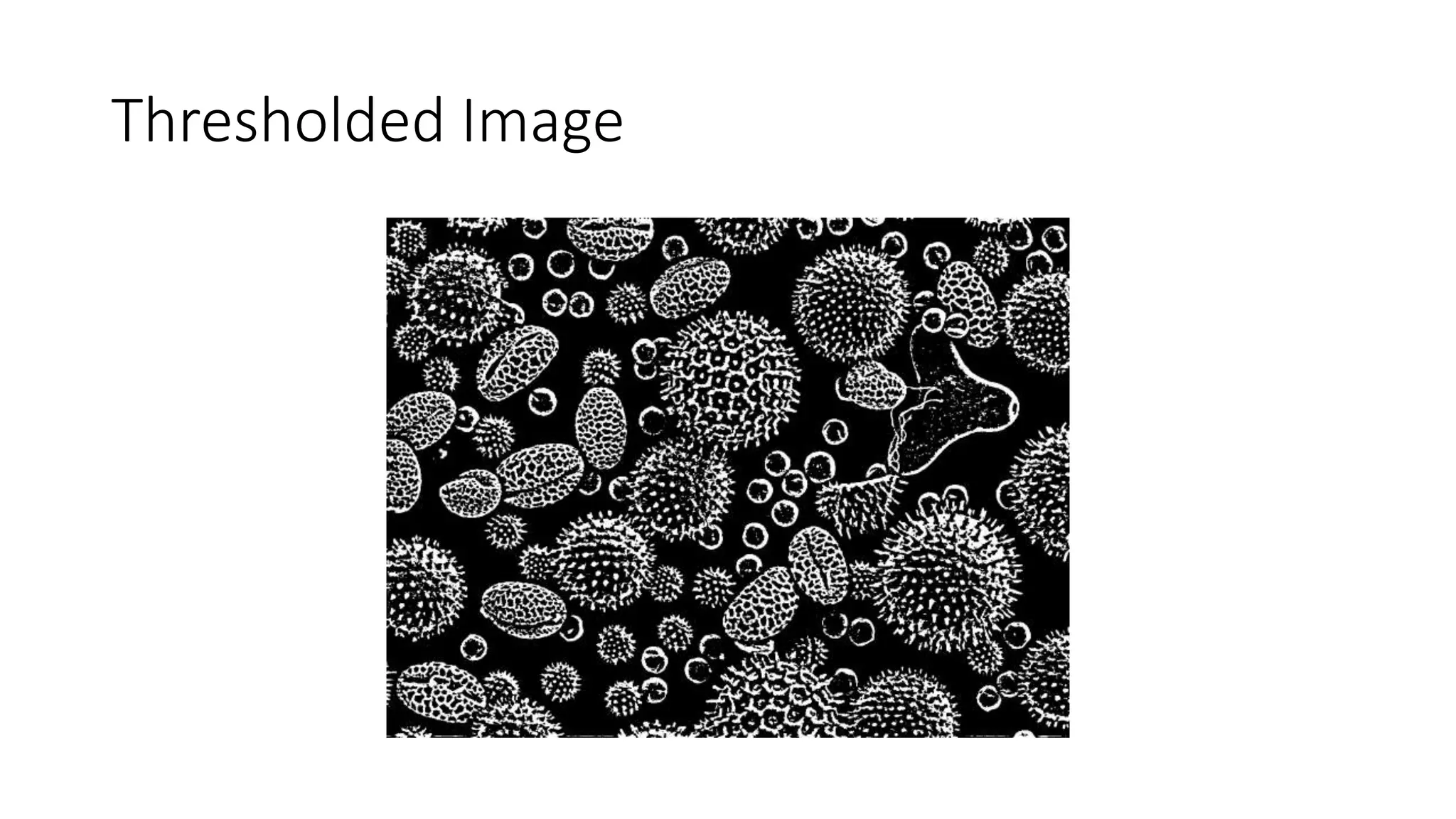
• Thresholding: applies a structuring element to generate a binary
image which retains only those pixels which exceed a given threshold.
Used to find edges in an image.
• img.th<-thresh(img,w=9,h=9,offset=0.03)
• Morphological Operations: functions that dilate or erode thresholded
features.
• open.br<-makeBrush(7,shape="disc",step=TRUE)
• img.th<-thresh(img,w=9,h=9,offset=0.03)
• img.op<-opening(img.th,open.br)
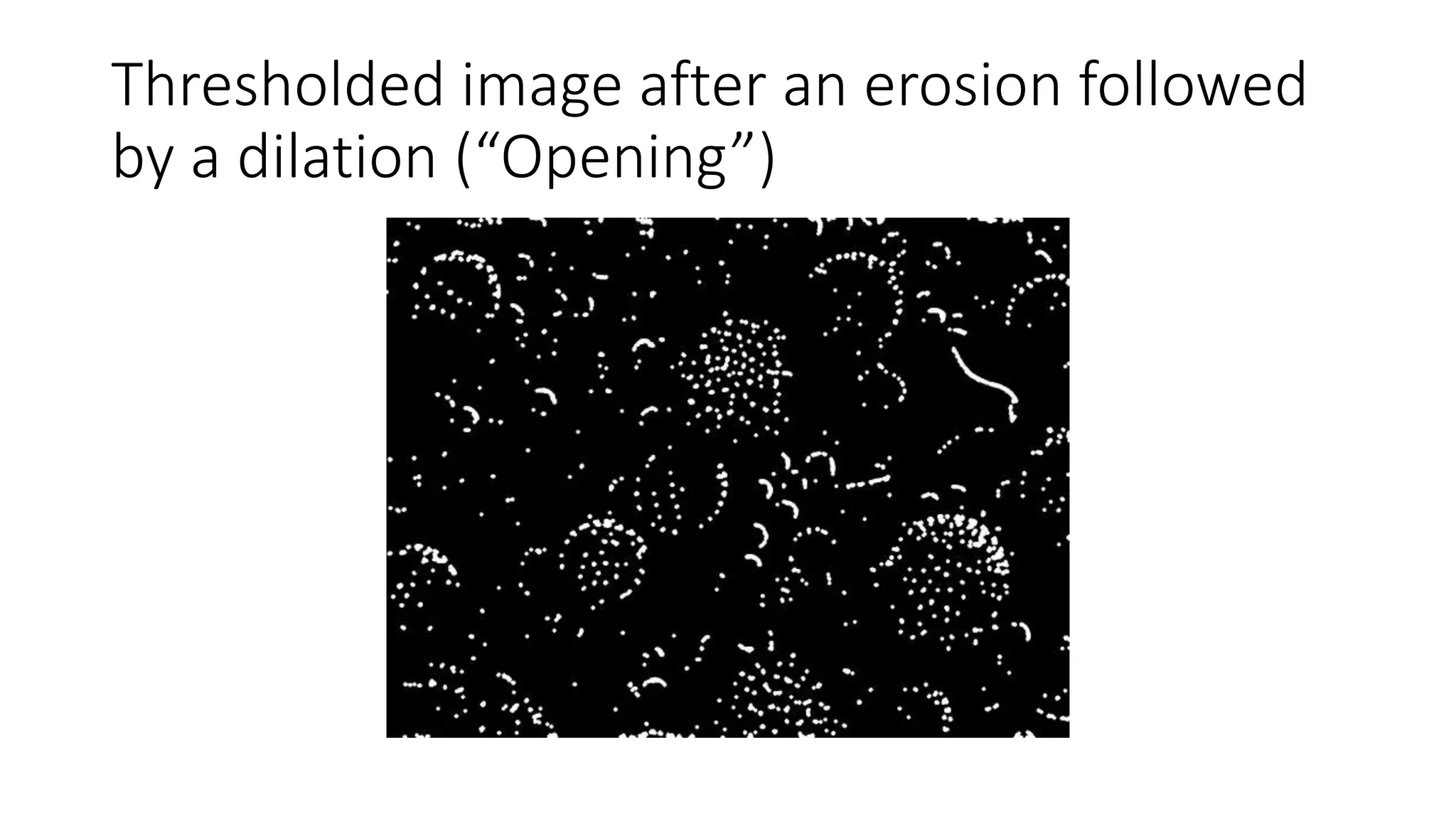
• An erosion followed by a dilation is called an “opening”
• A dilation followed by an erosion is called a “closing”
Thresholded Image
Thresholded image after an erosion followed
by a dilation (“Opening”)
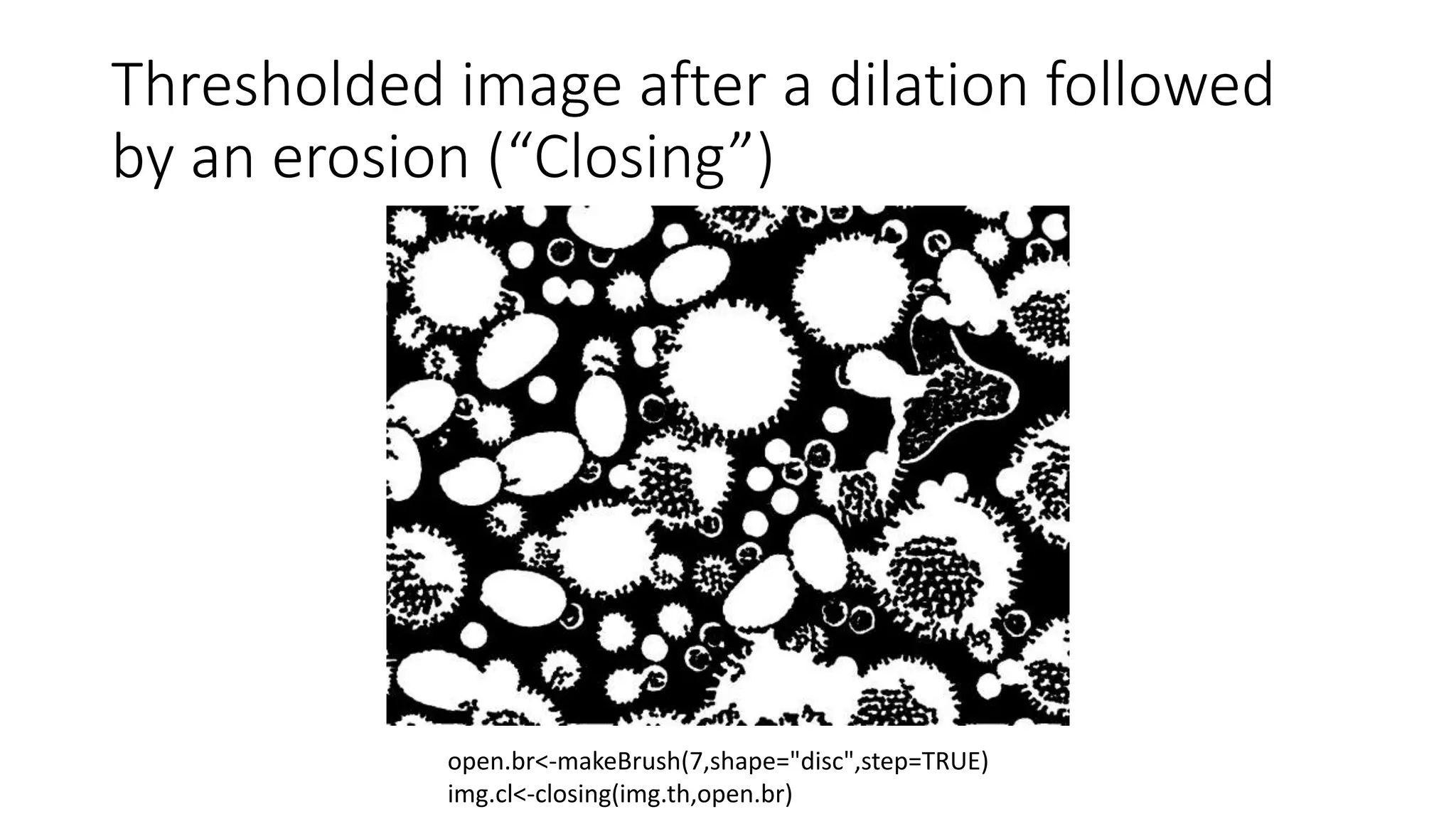
Thresholded image after a dilation followed
by an erosion (“Closing”)
open.br<-makeBrush(7,shape="disc",step=TRUE)
img.cl<-closing(img.th,open.br)
Feature extraction
• Once a satisfactory threshold and erosion/dilation combination is
arrived at, features can be extracted for statistical purposes. The
binary features must be labeled. The functions for labeling and
computing features are:
imgcl.lab<-bwlabel(img.cl)
ftrs<-computeFeatures(imgcl.lab,img)
• More than 20 feature parameters may be found. Basic features such
as the center of mass of each feature, number of pixels per feature,
number of perimeter pixels, etc.
• Complex feature characteristics like Zernicke polynomial moments
and Haralick features can also be computed.
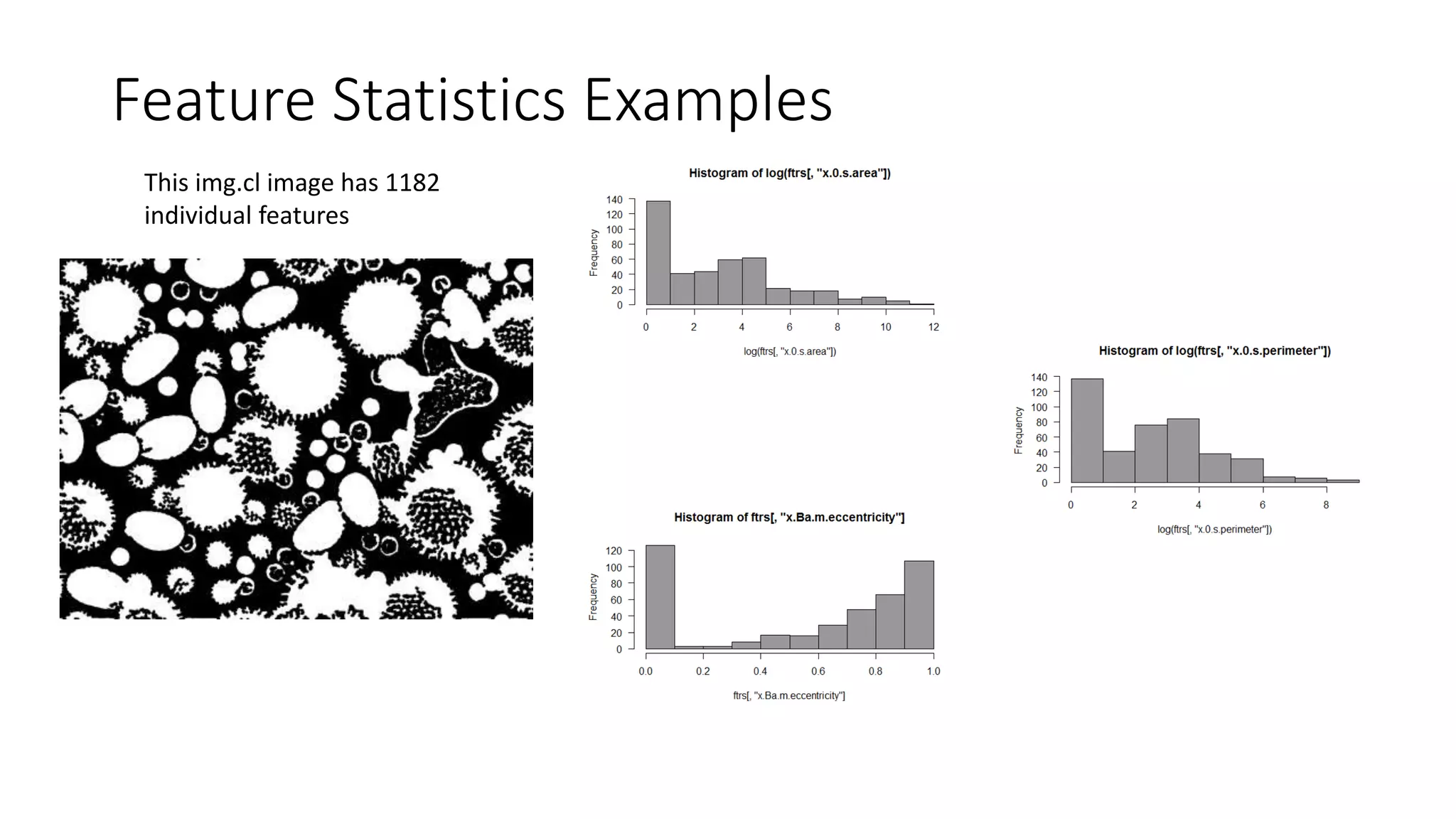
Feature Statistics Examples
This img.cl image has 1182
individual features
Feature Statistics Examples
• What are the 0.4-0.5 eccentricity features?
ecc.ftrs<-which(ftrs[,'x.a.m.eccentricity']>0.4 & ftrs[,'x.a.m.eccentricity']<=0.5)
ecc.img<-Image(0,dim=dim(img))
ecc.img[which(imgcl.lab %in% ecc.img)]<-img[which(imgcl.lab %in% ecc.img)]
Thanks!

EBImage - Short Overview

  • 1.
    EBImage: Image processing packagein R Charles Howard Portland R Users Group 16-Sep-2015
  • 2.
    EBImage • EBImage isan image processing and analysis toolbox for R. • Development of the package arose from the need for general purpose tools for segmenting cells and extracting quantitative cellular descriptors • Package is hosted on Bioconductor (http://bioconductor.org/) •
  • 3.
    Read in image readImage(files,type, all = TRUE, ...) Supports .jpg, .png, .tiff files all  if the file contains more than one image read all? Apply Filtering Thresholding & Morphological Operations Labeling, Extracting, Analyzing features Basic Image Processing
  • 4.
    Filtering - Basics •Define a structuring element • Pass structuring element over each pixel • Structuring element alters each pixel it touches. • Example: average the pixel strength of neighboring pixels and assign that value to the center pixel
  • 5.
    Filtering in EBImage •makeBrush: function for defining a structuring element • makeBrush(size, shape=c('box', 'disc', 'diamond', 'gaussian', 'line'), step=TRUE, sigma=0.3, angle=45) • Size must be an odd number • Step: True binary pixel strengths/False grey scale pixel strengths • Sigma: applies to the ‘gaussian’ shape, defines standard deviation of the Gaussian. • Applying the filter • img.br<-makeBrush(7,’gaussian’,sigma=10) • img.blur<-filter2(img,img.br) : fillter2() function for filtering
  • 6.
    Gaussian Structuring Element(11X11 pixels) 2.27E-121 1.18E-99 9.12E-83 1.06E-70 1.83E-63 4.73E-61 1.83E-63 1.06E-70 9.12E-83 1.18E-99 2.27E-121 1.18E-99 6.10E-78 4.73E-61 5.47E-49 9.48E-42 2.45E-39 9.48E-42 5.47E-49 4.73E-61 6.10E-78 1.18E-99 9.12E-83 4.73E-61 3.66E-44 4.24E-32 7.34E-25 1.90E-22 7.34E-25 4.24E-32 3.66E-44 4.73E-61 9.12E-83 1.06E-70 5.47E-49 4.24E-32 4.91E-20 8.50E-13 2.20E-10 8.50E-13 4.91E-20 4.24E-32 5.47E-49 1.06E-70 1.83E-63 9.48E-42 7.34E-25 8.50E-13 1.47E-05 0.003807 1.47E-05 8.50E-13 7.34E-25 9.48E-42 1.83E-63 4.73E-61 2.45E-39 1.90E-22 2.20E-10 0.003807 0.984714 0.003807 2.20E-10 1.90E-22 2.45E-39 4.73E-61 1.83E-63 9.48E-42 7.34E-25 8.50E-13 1.47E-05 0.003807 1.47E-05 8.50E-13 7.34E-25 9.48E-42 1.83E-63 1.06E-70 5.47E-49 4.24E-32 4.91E-20 8.50E-13 2.20E-10 8.50E-13 4.91E-20 4.24E-32 5.47E-49 1.06E-70 9.12E-83 4.73E-61 3.66E-44 4.24E-32 7.34E-25 1.90E-22 7.34E-25 4.24E-32 3.66E-44 4.73E-61 9.12E-83 1.18E-99 6.10E-78 4.73E-61 5.47E-49 9.48E-42 2.45E-39 9.48E-42 5.47E-49 4.73E-61 6.10E-78 1.18E-99 2.27E-121 1.18E-99 9.12E-83 1.06E-70 1.83E-63 4.73E-61 1.83E-63 1.06E-70 9.12E-83 1.18E-99 2.27E-121
  • 7.
    Original Image Image source://upload.wikimedia.org/wikipedia/commons/a/a4/Misc_pollen.jpg
  • 8.
    Original - blurred >img.br<-makeBrush(7,shape='gaussian',sigma=10) > img.blur<-filter2(img,img.br)
  • 9.
    Original – blurred/largerstructure element > filter.br<-makeBrush(15,shape='gaussian',sigma=10) > img.blur<-filter2(img,filter.br)
  • 10.
    Original – blurred/largerstructure element/doubled sigma > filter.br<-makeBrush(15,shape='gaussian',sigma=20) > img.blur<-filter2(img,filter.br)
  • 11.
    Thresholding & MorphologicalOperations • Thresholding: applies a structuring element to generate a binary image which retains only those pixels which exceed a given threshold. Used to find edges in an image. • img.th<-thresh(img,w=9,h=9,offset=0.03) • Morphological Operations: functions that dilate or erode thresholded features. • open.br<-makeBrush(7,shape="disc",step=TRUE) • img.th<-thresh(img,w=9,h=9,offset=0.03) • img.op<-opening(img.th,open.br) • An erosion followed by a dilation is called an “opening” • A dilation followed by an erosion is called a “closing”
  • 12.
  • 13.
    Thresholded image afteran erosion followed by a dilation (“Opening”)
  • 14.
    Thresholded image aftera dilation followed by an erosion (“Closing”) open.br<-makeBrush(7,shape="disc",step=TRUE) img.cl<-closing(img.th,open.br)
  • 15.
    Feature extraction • Oncea satisfactory threshold and erosion/dilation combination is arrived at, features can be extracted for statistical purposes. The binary features must be labeled. The functions for labeling and computing features are: imgcl.lab<-bwlabel(img.cl) ftrs<-computeFeatures(imgcl.lab,img) • More than 20 feature parameters may be found. Basic features such as the center of mass of each feature, number of pixels per feature, number of perimeter pixels, etc. • Complex feature characteristics like Zernicke polynomial moments and Haralick features can also be computed.
  • 16.
    Feature Statistics Examples Thisimg.cl image has 1182 individual features
  • 17.
    Feature Statistics Examples •What are the 0.4-0.5 eccentricity features? ecc.ftrs<-which(ftrs[,'x.a.m.eccentricity']>0.4 & ftrs[,'x.a.m.eccentricity']<=0.5) ecc.img<-Image(0,dim=dim(img)) ecc.img[which(imgcl.lab %in% ecc.img)]<-img[which(imgcl.lab %in% ecc.img)]
  • 18.