How To Easily Create A Written Disaster Plan
When It Comes To Planning, Remember…
“A good plan executed now is far better than a perfect
plan executed next week.”
—General George S. Patton
XSolutions: (845) 362-9675 | contactus@xsolutions.com |
www.xsolutions.com
Disasters Come In Many Flavors
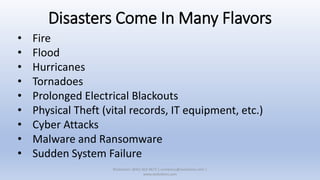
• Fire
• Flood
• Hurricanes
• Tornadoes
• Prolonged Electrical Blackouts
• Physical Theft (vital records, IT equipment, etc.)
• Cyber Attacks
• Malware and Ransomware
• Sudden System Failure
XSolutions: (845) 362-9675 | contactus@xsolutions.com |
www.xsolutions.com
Why Disaster Planning Is So Important For Businesses
Disasters are typically associated with hurricanes, tornados and other
natural calamities. Most come with at least a little warning.
But, catastrophic data loss can strike suddenly and quickly put a
company out of business.
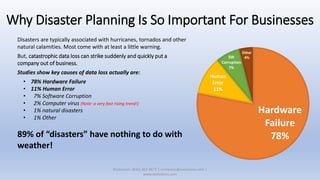
Studies show key causes of data loss actually are:
• 78% Hardware Failure
• 11% Human Error
• 7% Software Corruption
• 2% Computer virus (Note: a very fast rising trend!)
• 1% natural disasters
• 1% Other
89% of “disasters” have nothing to do with
weather!
Hardware
Failure
78%
Human
Error
11%
SW
Corruption
7%
Other
4%
XSolutions: (845) 362-9675 | contactus@xsolutions.com |
www.xsolutions.com
You Need To Plan For ALL Contingencies
• Recovery systems must be in place to protect the
company’s digital assets
• Employees need to know how to react properly
during emergency situations
• Procedures should be in place to guide
employees and management during a crisis
XSolutions: (845) 362-9675 | contactus@xsolutions.com |
www.xsolutions.com
ALL Businesses Need A Written Disaster Plan
But, many don’t because:
• They lack the time and resources
• Outside consultants can be very expensive
XSolutions: (845) 362-9675 | contactus@xsolutions.com |
www.xsolutions.com
It Doesn’t Have To Be So Hard!
Businesses already have the information—It just
needs to be:
• Organized
• Communicated
• Tested
XSolutions: (845) 362-9675 | contactus@xsolutions.com |
www.xsolutions.com
But How?
• Use a simple Microsoft Excel Workbook
• 1 sheet for each form
• Each sheet should have only one focus
• Management should have a complete workbook
• Employees can be given subsets as appropriate
• Someone should be appointed to make sure the
plan is always up-to-date and communicated
XSolutions: (845) 362-9675 | contactus@xsolutions.com |
www.xsolutions.com
Lets Begin…
• The following slides will show you the type of
information you’ll need to create your Disaster Plan
• Your Disaster Plan is a “living document” and should be
revised as conditions warrant
• Excel makes it real easy to update your plan
• Use the following slides as a guide:
• Create the sheets and populate them with the
applicable information
XSolutions: (845) 362-9675 | contactus@xsolutions.com |
www.xsolutions.com
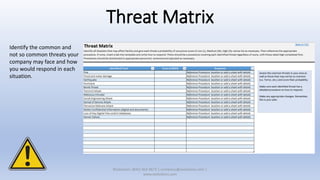
Threat Matrix
Identify the common and
not so common threats your
company may face and how
you would respond in each
situation.
XSolutions: (845) 362-9675 | contactus@xsolutions.com |
www.xsolutions.com
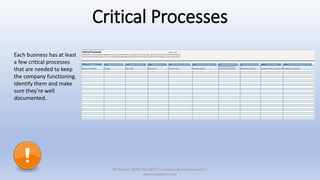
Critical Processes
Each business has at least
a few critical processes
that are needed to keep
the company functioning.
Identify them and make
sure they’re well
documented.
XSolutions: (845) 362-9675 | contactus@xsolutions.com |
www.xsolutions.com
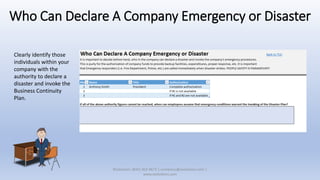
Who Can Declare A Company Emergency or Disaster
Clearly identify those
individuals within your
company with the
authority to declare a
disaster and invoke the
Business Continuity
Plan.
XSolutions: (845) 362-9675 | contactus@xsolutions.com |
www.xsolutions.com
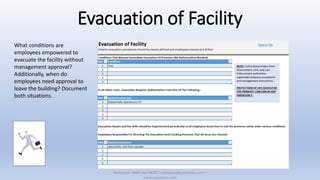
Evacuation of Facility
What conditions are
employees empowered to
evacuate the facility without
management approval?
Additionally, when do
employees need approval to
leave the building? Document
both situations.
XSolutions: (845) 362-9675 | contactus@xsolutions.com |
www.xsolutions.com
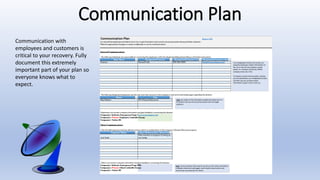
Communication Plan
Communication with
employees and customers is
critical to your recovery. Fully
document this extremely
important part of your plan so
everyone knows what to
expect.
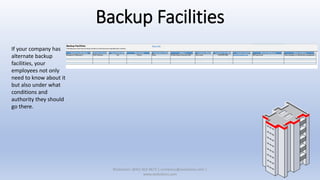
Backup Facilities
If your company has
alternate backup
facilities, your
employees not only
need to know about it
but also under what
conditions and
authority they should
go there.
XSolutions: (845) 362-9675 | contactus@xsolutions.com |
www.xsolutions.com
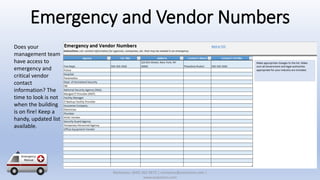
Emergency and Vendor Numbers
Does your
management team
have access to
emergency and
critical vendor
contact
information? The
time to look is not
when the building
is on fire! Keep a
handy, updated list
available.
XSolutions: (845) 362-9675 | contactus@xsolutions.com |
www.xsolutions.com
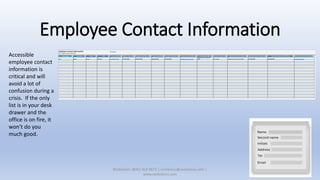
Employee Contact Information
Accessible
employee contact
information is
critical and will
avoid a lot of
confusion during a
crisis. If the only
list is in your desk
drawer and the
office is on fire, it
won’t do you
much good.
XSolutions: (845) 362-9675 | contactus@xsolutions.com |
www.xsolutions.com
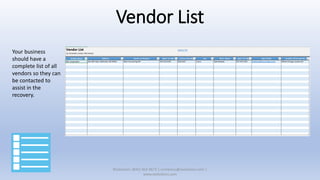
Vendor List
Your business
should have a
complete list of all
vendors so they can
be contacted to
assist in the
recovery.
XSolutions: (845) 362-9675 | contactus@xsolutions.com |
www.xsolutions.com
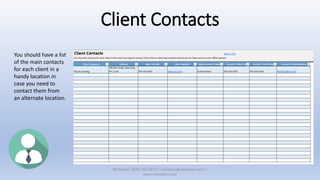
Client Contacts
You should have a list
of the main contacts
for each client in a
handy location in
case you need to
contact them from
an alternate location.
XSolutions: (845) 362-9675 | contactus@xsolutions.com |
www.xsolutions.com
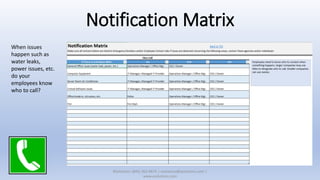
Notification Matrix
When issues
happen such as
water leaks,
power issues, etc.
do your
employees know
who to call?
XSolutions: (845) 362-9675 | contactus@xsolutions.com |
www.xsolutions.com
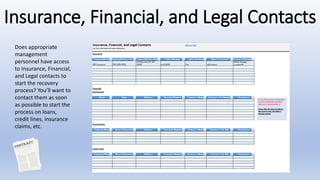
Insurance, Financial, and Legal Contacts
Does appropriate
management
personnel have access
to Insurance, Financial,
and Legal contacts to
start the recovery
process? You’ll want to
contact them as soon
as possible to start the
process on loans,
credit lines, insurance
claims, etc.
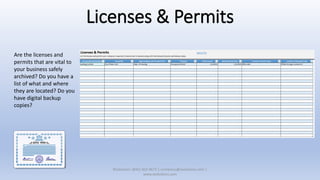
Licenses & Permits
Are the licenses and
permits that are vital to
your business safely
archived? Do you have a
list of what and where
they are located? Do you
have digital backup
copies?
XSolutions: (845) 362-9675 | contactus@xsolutions.com |
www.xsolutions.com
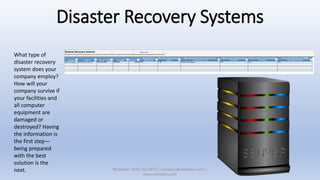
Disaster Recovery Systems
What type of
disaster recovery
system does your
company employ?
How will your
company survive if
your facilities and
all computer
equipment are
damaged or
destroyed? Having
the information is
the first step—
being prepared
with the best
solution is the
next. XSolutions: (845) 362-9675 | contactus@xsolutions.com |
www.xsolutions.com
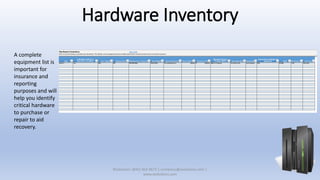
Hardware Inventory
A complete
equipment list is
important for
insurance and
reporting
purposes and will
help you identify
critical hardware
to purchase or
repair to aid
recovery.
XSolutions: (845) 362-9675 | contactus@xsolutions.com |
www.xsolutions.com
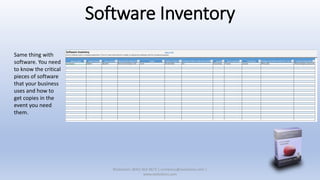
Software Inventory
Same thing with
software. You need
to know the critical
pieces of software
that your business
uses and how to
get copies in the
event you need
them.
XSolutions: (845) 362-9675 | contactus@xsolutions.com |
www.xsolutions.com
Your Disaster Plan Is A Living Document!
• Test your plan often
• Take notes on what went well and what went wrong
• Modify your plan accordingly
• Document changes and make sure everyone knows about them
ALWAYS make sure your IT Backup Systems are working properly and
that you have the right solution for your company!
XSolutions: (845) 362-9675 | contactus@xsolutions.com |
www.xsolutions.com
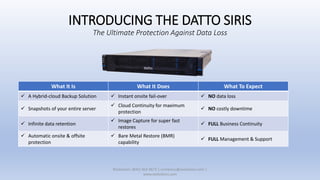
INTRODUCING THE DATTO SIRIS
The Ultimate Protection Against Data Loss
XSolutions: (845) 362-9675 | contactus@xsolutions.com |
www.xsolutions.com
What It Is What It Does What To Expect
✓ A Hybrid-cloud Backup Solution ✓ Instant onsite fail-over ✓ NO data loss
✓ Snapshots of your entire server
✓ Cloud Continuity for maximum
protection
✓ NO costly downtime
✓ Infinite data retention
✓ Image Capture for super fast
restores
✓ FULL Business Continuity
✓ Automatic onsite & offsite
protection
✓ Bare Metal Restore (BMR)
capability
✓ FULL Management & Support
XSolutions And Datto—An Unbeatable Combination!
XSolutions is an Elite Partner of Datto, the world leader
in Hybrid-cloud Business Continuity solutions whose systems
protect 180+ Petabytes of data with over 700 employees around
the globe.
We are experts in the configuration, installation and
management of Datto Business Continuity and Backup systems.
We'll manage, monitor and maintain your backup systems,
making sure that they're working properly and that they'll be
ready when needed.
With XSolutions, you're NEVER alone. We'll be there to help you
whenever you need it, from restoring individual files to full
server restorations.
In addition to automated alerts, we physically check backups
throughout the day making sure they're viable and taking place
on schedule. If an issue arises, we'll resolve it immediately or
work with Datto’s award-winning support team until the
problem is solved.
XSolutions: (845) 362-9675 | contactus@xsolutions.com |
www.xsolutions.com
Contact us to schedule a FREE demo!
Call: (845) 362-9675
Email: contactus@xsolutions.com
Web: www.xsolutions.com

Easily create a written DR plan

  • 1.
    How To EasilyCreate A Written Disaster Plan
  • 2.
    When It ComesTo Planning, Remember… “A good plan executed now is far better than a perfect plan executed next week.” —General George S. Patton XSolutions: (845) 362-9675 | contactus@xsolutions.com | www.xsolutions.com
  • 3.
    Disasters Come InMany Flavors • Fire • Flood • Hurricanes • Tornadoes • Prolonged Electrical Blackouts • Physical Theft (vital records, IT equipment, etc.) • Cyber Attacks • Malware and Ransomware • Sudden System Failure XSolutions: (845) 362-9675 | contactus@xsolutions.com | www.xsolutions.com
  • 4.
    Why Disaster PlanningIs So Important For Businesses Disasters are typically associated with hurricanes, tornados and other natural calamities. Most come with at least a little warning. But, catastrophic data loss can strike suddenly and quickly put a company out of business. Studies show key causes of data loss actually are: • 78% Hardware Failure • 11% Human Error • 7% Software Corruption • 2% Computer virus (Note: a very fast rising trend!) • 1% natural disasters • 1% Other 89% of “disasters” have nothing to do with weather! Hardware Failure 78% Human Error 11% SW Corruption 7% Other 4% XSolutions: (845) 362-9675 | contactus@xsolutions.com | www.xsolutions.com
  • 5.
    You Need ToPlan For ALL Contingencies • Recovery systems must be in place to protect the company’s digital assets • Employees need to know how to react properly during emergency situations • Procedures should be in place to guide employees and management during a crisis XSolutions: (845) 362-9675 | contactus@xsolutions.com | www.xsolutions.com
  • 6.
    ALL Businesses NeedA Written Disaster Plan But, many don’t because: • They lack the time and resources • Outside consultants can be very expensive XSolutions: (845) 362-9675 | contactus@xsolutions.com | www.xsolutions.com
  • 7.
    It Doesn’t HaveTo Be So Hard! Businesses already have the information—It just needs to be: • Organized • Communicated • Tested XSolutions: (845) 362-9675 | contactus@xsolutions.com | www.xsolutions.com
  • 8.
    But How? • Usea simple Microsoft Excel Workbook • 1 sheet for each form • Each sheet should have only one focus • Management should have a complete workbook • Employees can be given subsets as appropriate • Someone should be appointed to make sure the plan is always up-to-date and communicated XSolutions: (845) 362-9675 | contactus@xsolutions.com | www.xsolutions.com
  • 9.
    Lets Begin… • Thefollowing slides will show you the type of information you’ll need to create your Disaster Plan • Your Disaster Plan is a “living document” and should be revised as conditions warrant • Excel makes it real easy to update your plan • Use the following slides as a guide: • Create the sheets and populate them with the applicable information XSolutions: (845) 362-9675 | contactus@xsolutions.com | www.xsolutions.com
  • 10.
    Threat Matrix Identify thecommon and not so common threats your company may face and how you would respond in each situation. XSolutions: (845) 362-9675 | contactus@xsolutions.com | www.xsolutions.com
  • 11.
    Critical Processes Each businesshas at least a few critical processes that are needed to keep the company functioning. Identify them and make sure they’re well documented. XSolutions: (845) 362-9675 | contactus@xsolutions.com | www.xsolutions.com
  • 12.
    Who Can DeclareA Company Emergency or Disaster Clearly identify those individuals within your company with the authority to declare a disaster and invoke the Business Continuity Plan. XSolutions: (845) 362-9675 | contactus@xsolutions.com | www.xsolutions.com
  • 13.
    Evacuation of Facility Whatconditions are employees empowered to evacuate the facility without management approval? Additionally, when do employees need approval to leave the building? Document both situations. XSolutions: (845) 362-9675 | contactus@xsolutions.com | www.xsolutions.com
  • 14.
    Communication Plan Communication with employeesand customers is critical to your recovery. Fully document this extremely important part of your plan so everyone knows what to expect.
  • 15.
    Backup Facilities If yourcompany has alternate backup facilities, your employees not only need to know about it but also under what conditions and authority they should go there. XSolutions: (845) 362-9675 | contactus@xsolutions.com | www.xsolutions.com
  • 16.
    Emergency and VendorNumbers Does your management team have access to emergency and critical vendor contact information? The time to look is not when the building is on fire! Keep a handy, updated list available. XSolutions: (845) 362-9675 | contactus@xsolutions.com | www.xsolutions.com
  • 17.
    Employee Contact Information Accessible employeecontact information is critical and will avoid a lot of confusion during a crisis. If the only list is in your desk drawer and the office is on fire, it won’t do you much good. XSolutions: (845) 362-9675 | contactus@xsolutions.com | www.xsolutions.com
  • 18.
    Vendor List Your business shouldhave a complete list of all vendors so they can be contacted to assist in the recovery. XSolutions: (845) 362-9675 | contactus@xsolutions.com | www.xsolutions.com
  • 19.
    Client Contacts You shouldhave a list of the main contacts for each client in a handy location in case you need to contact them from an alternate location. XSolutions: (845) 362-9675 | contactus@xsolutions.com | www.xsolutions.com
  • 20.
    Notification Matrix When issues happensuch as water leaks, power issues, etc. do your employees know who to call? XSolutions: (845) 362-9675 | contactus@xsolutions.com | www.xsolutions.com
  • 21.
    Insurance, Financial, andLegal Contacts Does appropriate management personnel have access to Insurance, Financial, and Legal contacts to start the recovery process? You’ll want to contact them as soon as possible to start the process on loans, credit lines, insurance claims, etc.
  • 22.
    Licenses & Permits Arethe licenses and permits that are vital to your business safely archived? Do you have a list of what and where they are located? Do you have digital backup copies? XSolutions: (845) 362-9675 | contactus@xsolutions.com | www.xsolutions.com
  • 23.
    Disaster Recovery Systems Whattype of disaster recovery system does your company employ? How will your company survive if your facilities and all computer equipment are damaged or destroyed? Having the information is the first step— being prepared with the best solution is the next. XSolutions: (845) 362-9675 | contactus@xsolutions.com | www.xsolutions.com
  • 24.
    Hardware Inventory A complete equipmentlist is important for insurance and reporting purposes and will help you identify critical hardware to purchase or repair to aid recovery. XSolutions: (845) 362-9675 | contactus@xsolutions.com | www.xsolutions.com
  • 25.
    Software Inventory Same thingwith software. You need to know the critical pieces of software that your business uses and how to get copies in the event you need them. XSolutions: (845) 362-9675 | contactus@xsolutions.com | www.xsolutions.com
  • 26.
    Your Disaster PlanIs A Living Document! • Test your plan often • Take notes on what went well and what went wrong • Modify your plan accordingly • Document changes and make sure everyone knows about them ALWAYS make sure your IT Backup Systems are working properly and that you have the right solution for your company! XSolutions: (845) 362-9675 | contactus@xsolutions.com | www.xsolutions.com
  • 27.
    INTRODUCING THE DATTOSIRIS The Ultimate Protection Against Data Loss XSolutions: (845) 362-9675 | contactus@xsolutions.com | www.xsolutions.com What It Is What It Does What To Expect ✓ A Hybrid-cloud Backup Solution ✓ Instant onsite fail-over ✓ NO data loss ✓ Snapshots of your entire server ✓ Cloud Continuity for maximum protection ✓ NO costly downtime ✓ Infinite data retention ✓ Image Capture for super fast restores ✓ FULL Business Continuity ✓ Automatic onsite & offsite protection ✓ Bare Metal Restore (BMR) capability ✓ FULL Management & Support
  • 28.
    XSolutions And Datto—AnUnbeatable Combination! XSolutions is an Elite Partner of Datto, the world leader in Hybrid-cloud Business Continuity solutions whose systems protect 180+ Petabytes of data with over 700 employees around the globe. We are experts in the configuration, installation and management of Datto Business Continuity and Backup systems. We'll manage, monitor and maintain your backup systems, making sure that they're working properly and that they'll be ready when needed. With XSolutions, you're NEVER alone. We'll be there to help you whenever you need it, from restoring individual files to full server restorations. In addition to automated alerts, we physically check backups throughout the day making sure they're viable and taking place on schedule. If an issue arises, we'll resolve it immediately or work with Datto’s award-winning support team until the problem is solved. XSolutions: (845) 362-9675 | contactus@xsolutions.com | www.xsolutions.com Contact us to schedule a FREE demo! Call: (845) 362-9675 Email: contactus@xsolutions.com Web: www.xsolutions.com