Safer Internet Day
8 February 2011
Primary
Assembly
Virtual Lives
It’s more
than a
game… it’s
your life!
The
Internet is
great
because…
Over to
you…
Who plays
games
online?
How long do
you spend
online each
day?
How do you
know which
games are
suitable?
Why do we have age ratings?…
Films, videos, DVDs and computer games are labelled according to the content,
not the difficulty. The colours are like traffic lights
49% of all games are suitable for players of ALL ages, however – some are for older
children and teenagers, and some are for adults only
PEGI ratings are used in 30 European countries to highlight for whom each game is
suitable
Microsoft, Nintendo and Sony support the PEGI ratings. Every PC game from the
main European and American publishers also have PEGI ratings, it’s very unusual to
find a game that does not have one
Some websites and online services contain hundreds of small games – so look for
ones that have been rated “PEGI OK” – suitable for everyone
All information
taken from
www.pegi.info
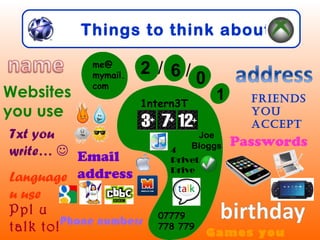
Things to think about…
Email
address
Passwords
me@
mymail.
com
2 / 6 / 0
1
07779
778 779
1ntern3T
Joe
Bloggs
Websites
you use
Friends
you
accept
Txt you
write… 
Language
u use
4
Privet
Drive
Games you
Ppl u
talk to!Phone numbers
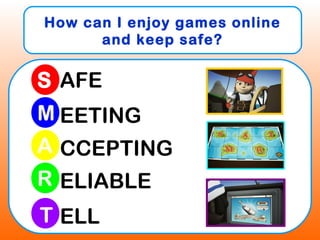
How can I enjoy games online
and keep safe?
S
M
R
A
T
AFE
EETING
CCEPTING
ELIABLE
ELL
Follow the SMART rules
Keep your personal information safe!
If you wouldn’t say it to a stranger on
the street, don’t share it with strangers
on the internet…
Follow the SMART rules
Don’t meet up!
Online games can be a great place for
chatting to your friends. Always know
who you are talking to. If an adult who
you don’t know ever asks you to meet
up, say no and report it…
Follow the SMART rules
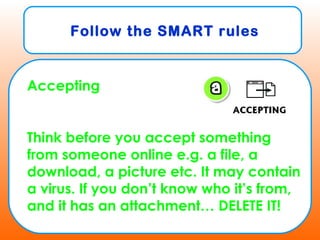
Accepting
Think before you accept something
from someone online e.g. a file, a
download, a picture etc. It may contain
a virus. If you don’t know who it’s from,
and it has an attachment… DELETE IT!
Follow the SMART rules
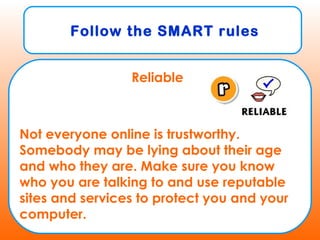
Reliable
Not everyone online is trustworthy.
Somebody may be lying about their age
and who they are. Make sure you know
who you are talking to and use reputable
sites and services to protect you and your
computer.
Follow the SMART rules
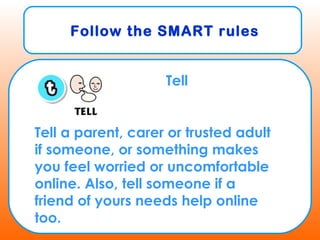
Tell
Tell a parent, carer or trusted adult
if someone, or something makes
you feel worried or uncomfortable
online. Also, tell someone if a
friend of yours needs help online
too.
You are playing your favourite game online and one
of your friends starts to be unkind to you. They use bad
language during the game and begin to call you
names in the messages you send to each other
afterwards. You are really upset and don’t go on the
website again, even though you don’t want to stop
playing because you’re doing really well and getting
high scores!
What should you do?
Who can you tell?
What can you do on a website
if this happens?
KS1
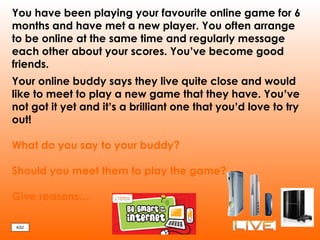
You have been playing your favourite online game for 6
months and have met a new player. You often arrange
to be online at the same time and regularly message
each other about your scores. You’ve become good
friends.
Your online buddy says they live quite close and would
like to meet to play a new game that they have. You’ve
not got it yet and it’s a brilliant one that you’d love to try
out!
What do you say to your buddy?
Should you meet them to play the game?
Give reasons…
KS2
E safety assembly

E safety assembly

  • 1.
    Safer Internet Day 8February 2011 Primary Assembly Virtual Lives
  • 2.
    It’s more than a game…it’s your life!
  • 3.
  • 4.
    Over to you… Who plays games online? Howlong do you spend online each day? How do you know which games are suitable?
  • 5.
    Why do wehave age ratings?… Films, videos, DVDs and computer games are labelled according to the content, not the difficulty. The colours are like traffic lights 49% of all games are suitable for players of ALL ages, however – some are for older children and teenagers, and some are for adults only PEGI ratings are used in 30 European countries to highlight for whom each game is suitable Microsoft, Nintendo and Sony support the PEGI ratings. Every PC game from the main European and American publishers also have PEGI ratings, it’s very unusual to find a game that does not have one Some websites and online services contain hundreds of small games – so look for ones that have been rated “PEGI OK” – suitable for everyone All information taken from www.pegi.info
  • 6.
    Things to thinkabout… Email address Passwords me@ mymail. com 2 / 6 / 0 1 07779 778 779 1ntern3T Joe Bloggs Websites you use Friends you accept Txt you write…  Language u use 4 Privet Drive Games you Ppl u talk to!Phone numbers
  • 7.
    How can Ienjoy games online and keep safe? S M R A T AFE EETING CCEPTING ELIABLE ELL
  • 8.
    Follow the SMARTrules Keep your personal information safe! If you wouldn’t say it to a stranger on the street, don’t share it with strangers on the internet…
  • 9.
    Follow the SMARTrules Don’t meet up! Online games can be a great place for chatting to your friends. Always know who you are talking to. If an adult who you don’t know ever asks you to meet up, say no and report it…
  • 10.
    Follow the SMARTrules Accepting Think before you accept something from someone online e.g. a file, a download, a picture etc. It may contain a virus. If you don’t know who it’s from, and it has an attachment… DELETE IT!
  • 11.
    Follow the SMARTrules Reliable Not everyone online is trustworthy. Somebody may be lying about their age and who they are. Make sure you know who you are talking to and use reputable sites and services to protect you and your computer.
  • 12.
    Follow the SMARTrules Tell Tell a parent, carer or trusted adult if someone, or something makes you feel worried or uncomfortable online. Also, tell someone if a friend of yours needs help online too.
  • 13.
    You are playingyour favourite game online and one of your friends starts to be unkind to you. They use bad language during the game and begin to call you names in the messages you send to each other afterwards. You are really upset and don’t go on the website again, even though you don’t want to stop playing because you’re doing really well and getting high scores! What should you do? Who can you tell? What can you do on a website if this happens? KS1
  • 14.
    You have beenplaying your favourite online game for 6 months and have met a new player. You often arrange to be online at the same time and regularly message each other about your scores. You’ve become good friends. Your online buddy says they live quite close and would like to meet to play a new game that they have. You’ve not got it yet and it’s a brilliant one that you’d love to try out! What do you say to your buddy? Should you meet them to play the game? Give reasons… KS2

Editor's Notes

  • #4 Who has been on the internet before? Who can tell me what they’ve done on the internet, or tell me a website that they like playing on? How fantastic that you all know about the internet! I’ve actually got a story about the internet to read to you. It’s all about a little penguin and how he learns to be safe. The one thing he loves more than anything is going online but he’s quite new to it and is going to need a little bit of help to make the best choices. Give me a big thumbs up if you think you can help Smartie to stay safe. Give me a big thumbs up if you’re a great singer! Wow, that’s great as you’ve got a very important song to learn! Now Smartie is actually here with me today. If you show me your most super sitting, he might just come out! Wow! Here he is, this is Smartie and because the story is all about him, he really likes to sit and watch it!