E-Books and Readers Made E-Z Suzanne Reymer Montana State Library MLA/MPLA 2011
DISCLAIMER All of the E-books and content used for this presentation has been purchased with my own funds. No state funds were used and the opinions expressed are strictly my own and not MSL’s.
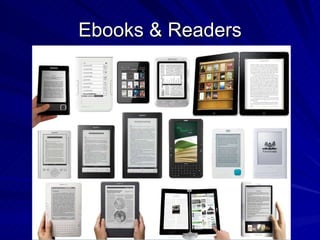
Ebooks & Readers
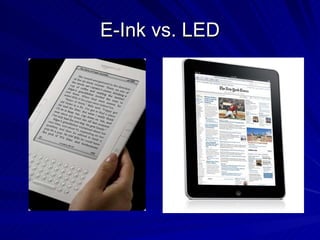
E-Ink vs. LED
E-Ink Advantages Easier on the eyes Longer battery life Light weight Disadvantages Largely single use device No color makes photos and graphics less attractive and usable.
E-Ink Readers Amazon Kindle - $139 - $379 Barnes & Noble Nook - $149 - $199 Sony Reader - $180 - $300 Borders Kobo Reader - $99 And more…
Digital Rights Management (DRM) AZW (Amazon) EPUB and EPUB with DRM (Barnes & Noble, Borders, Adobe) PDF Adobe Digital Editions as DRM gate for many EPUB versions
LED Backlit computer screen Amazon, B&N, Sony, Borders, Google make free ereader software for Desktops Laptops Smart phones Apple iPad $499 – comes with iBooks app. Free Kindle, Nook, Borders, Google apps available from iTunes NookColor $249
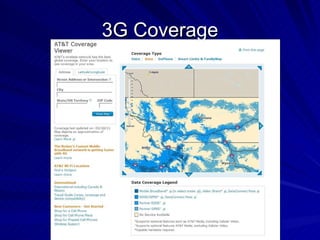
3G or WiFi? With 3G, you can connect to the e-book store or the internet wherever there’s a cellular signal. E-book readers with 3G generally cost more to buy but there are no additional charges.  That’s not true for cell phones or tablets. With wifi devices, you need a wifi internet hotspot.
3G Coverage
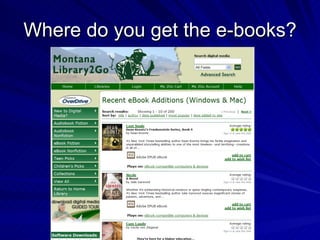
Where do you get the e-books?
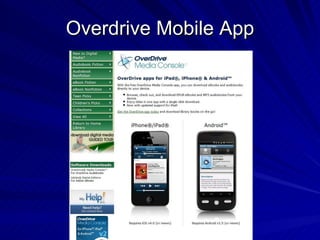
Overdrive Mobile App
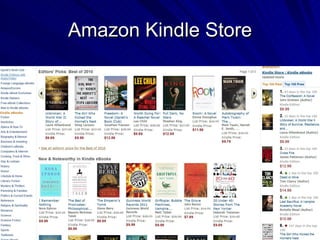
Amazon Kindle Store
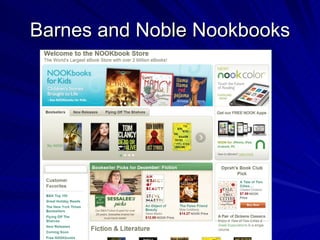
Barnes and Noble Nookbooks
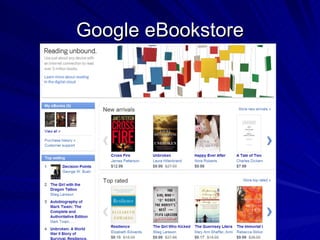
Google eBookstore
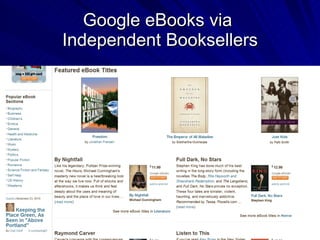
Google eBooks via  Independent Booksellers
Free  Mostly Public Domain Books Project Gutenberg http://www.gutenberg.org/ Munseys http://www.munseys.com/ Open Library (Internet Archive) http://openlibrary.org/ Google Books http:// books.google.com /books
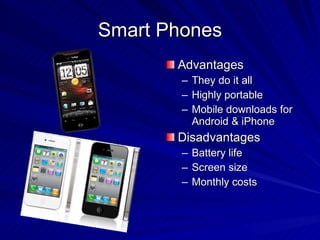
Smart Phones Advantages They do it all Highly portable Mobile downloads for Android & iPhone Disadvantages Battery life Screen size Monthly costs
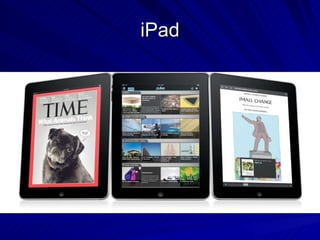
iPad
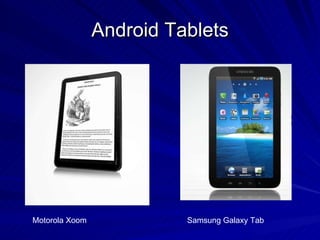
Android Tablets Motorola Xoom Samsung Galaxy Tab
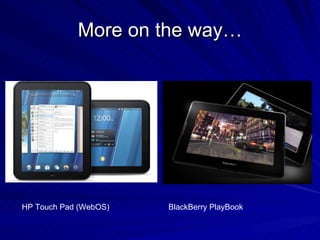
More on the way… HP Touch Pad (WebOS) BlackBerry PlayBook
Advantages Size – more screen real estate Touch – interactivity/tactile Audio/Video integration Good for Internet browsing Multiple e-reader apps available so you can buy/download from a number of different stores
Disadvantages Cost – cheapest iPad starts at $499 3G models incur monthly costs – some require contracts Size – heavy and bulky to hold Screen resolution Screen glare and fingerprints
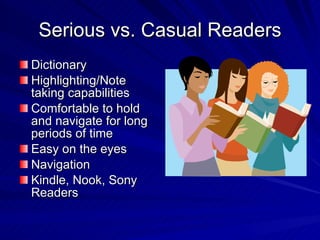
Serious vs. Casual Readers Dictionary Highlighting/Note taking capabilities Comfortable to hold and navigate for long periods of time Easy on the eyes Navigation Kindle, Nook, Sony Readers
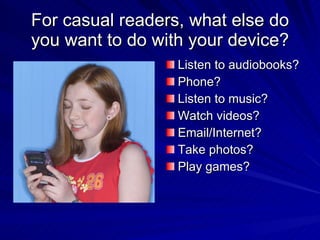
For casual readers, what else do you want to do with your device? Listen to audiobooks? Phone? Listen to music? Watch videos? Email/Internet? Take photos? Play games?
Libraries & E-Books Licensing – renting not owning content Limits on checkouts Providing devices as well as content Digital Rights Management Planned Obsolescence
Contact Information Presentation will be posted to Slideshare http://www.slideshare.net/sreymer/ Email: sreymer@mtlib.org

E books mla 2011

  • 1.
    E-Books and ReadersMade E-Z Suzanne Reymer Montana State Library MLA/MPLA 2011
  • 2.
    DISCLAIMER All ofthe E-books and content used for this presentation has been purchased with my own funds. No state funds were used and the opinions expressed are strictly my own and not MSL’s.
  • 3.
  • 4.
  • 5.
    E-Ink Advantages Easieron the eyes Longer battery life Light weight Disadvantages Largely single use device No color makes photos and graphics less attractive and usable.
  • 6.
    E-Ink Readers AmazonKindle - $139 - $379 Barnes & Noble Nook - $149 - $199 Sony Reader - $180 - $300 Borders Kobo Reader - $99 And more…
  • 7.
    Digital Rights Management(DRM) AZW (Amazon) EPUB and EPUB with DRM (Barnes & Noble, Borders, Adobe) PDF Adobe Digital Editions as DRM gate for many EPUB versions
  • 8.
    LED Backlit computerscreen Amazon, B&N, Sony, Borders, Google make free ereader software for Desktops Laptops Smart phones Apple iPad $499 – comes with iBooks app. Free Kindle, Nook, Borders, Google apps available from iTunes NookColor $249
  • 9.
    3G or WiFi?With 3G, you can connect to the e-book store or the internet wherever there’s a cellular signal. E-book readers with 3G generally cost more to buy but there are no additional charges. That’s not true for cell phones or tablets. With wifi devices, you need a wifi internet hotspot.
  • 10.
  • 11.
    Where do youget the e-books?
  • 12.
  • 13.
  • 14.
  • 15.
  • 16.
    Google eBooks via Independent Booksellers
  • 17.
    Free MostlyPublic Domain Books Project Gutenberg http://www.gutenberg.org/ Munseys http://www.munseys.com/ Open Library (Internet Archive) http://openlibrary.org/ Google Books http:// books.google.com /books
  • 18.
    Smart Phones AdvantagesThey do it all Highly portable Mobile downloads for Android & iPhone Disadvantages Battery life Screen size Monthly costs
  • 19.
  • 20.
    Android Tablets MotorolaXoom Samsung Galaxy Tab
  • 21.
    More on theway… HP Touch Pad (WebOS) BlackBerry PlayBook
  • 22.
    Advantages Size –more screen real estate Touch – interactivity/tactile Audio/Video integration Good for Internet browsing Multiple e-reader apps available so you can buy/download from a number of different stores
  • 23.
    Disadvantages Cost –cheapest iPad starts at $499 3G models incur monthly costs – some require contracts Size – heavy and bulky to hold Screen resolution Screen glare and fingerprints
  • 24.
    Serious vs. CasualReaders Dictionary Highlighting/Note taking capabilities Comfortable to hold and navigate for long periods of time Easy on the eyes Navigation Kindle, Nook, Sony Readers
  • 25.
    For casual readers,what else do you want to do with your device? Listen to audiobooks? Phone? Listen to music? Watch videos? Email/Internet? Take photos? Play games?
  • 26.
    Libraries & E-BooksLicensing – renting not owning content Limits on checkouts Providing devices as well as content Digital Rights Management Planned Obsolescence
  • 27.
    Contact Information Presentationwill be posted to Slideshare http://www.slideshare.net/sreymer/ Email: sreymer@mtlib.org