CONTENT
MIGRATION
INTO DRUPAL8
WITH ONE CLICK EASE
FOR SITE BUILDERS
Case study ::Work in progress
Irina Zaks izaks@stanford.edu
http://fibonacciwebstudio.com/
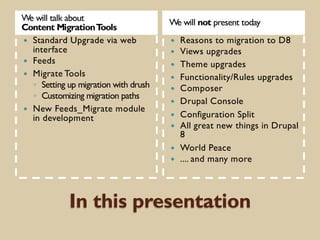
In this presentation
We will talk about
Content MigrationTools
We will not present today
— Standard Upgrade via web
interface
— Feeds
— Migrate Tools
◦ Setting up migration with drush
◦ Customizing migration paths
— New Feeds_Migrate module
in development
— Reasons to migration to D8
— Views upgrades
— Theme upgrades
— Functionality/Rules upgrades
— Composer
— Drupal Console
— Configuration Split
— All great new things in Drupal
8
— World Peace
— .... and many more
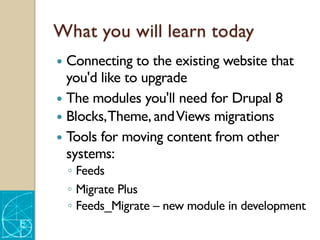
What you will learn today
— Connecting to the existing website that
you'd like to upgrade
— The modules you'll need for Drupal 8
— Blocks,Theme, andViews migrations
— Tools for moving content from other
systems:
◦ Feeds
◦ Migrate Plus
◦ Feeds_Migrate – new module in development
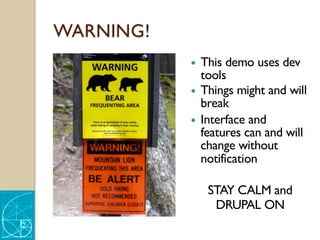
WARNING!
— This demo uses dev
tools
— Things might and will
break
— Interface and
features can and will
change without
notification
STAY CALM and
DRUPAL ON
Website is supporting mission and
operation of your organization
— Websites are living creatures
— As organization changes, so should the
website
— Websites change, grow, shrink as do
organizations that these sites support
— Website average lifetime is 4-5 years
Why do you want to migrate
1. Our organization has changed and
website needs to reflect it
2. We want new fresh feel and look
3. Our site needs to be mobile friendly
4. Our site is very difficult to manage
5. Everyone is on Drupal 8 now
6. Drupal 7 will not have security updates
WE GOT BUDGET – LET’s BEGIN!
What do you want to migrate -
Review
— Information architecture
◦ Data models
◦ Relationships
— Content – pages, images, documents
— Designs
◦ Index pages
◦ Pages layout
— Editor’s UX and UI
— Functionality and workflows
What do you want to migrate -
Decide
— What do you want to keep
— What do you want to delete
— What do you want to change
— What do you want to add
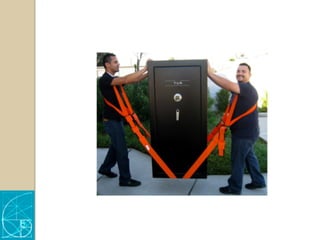
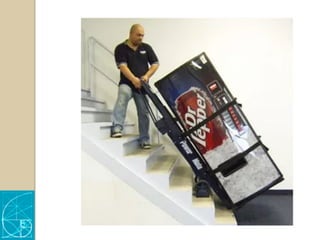
READY
FOR
MOVING
Using KIPAC website migration
— Research Center
Website
— Well defined content
types and
relationships
— Good content,
images, video
— Integrated with
mailing lists, etc.
— Non-responsive
theme
— Poor experience for
content managers
— Migration completed
in early 2017
Brief history of Drupal migrations
— Upgrades between major versions of
Drupal was a major undertaking
before Drupal 8
— My Drupal migration journey started
with moving 4.7 to D6
— Upgrade in D8 was one of the most
pleasant surprises
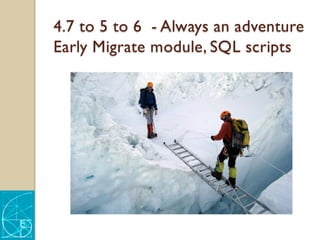
4.7 to 5 to 6 - Always an adventure
Early Migrate module, SQL scripts
6 to 7 - Routine exercise
Migrate / Feeds Modules
6 to 7 - Routine exercise
— Set up new Drupal 7 site
— Create content types in D7
— Set data export in D6
— Set data import in D7
— Feeds or Migrate
— Unlimited import
— Rollback / Reimport
6/7 to 8
Pleasant walk in the park
Moving content into Drupal 8
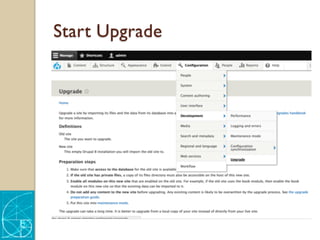
— “One-click “ upgrade via web interface
Configuration > Development->Upgrade
— Set up migrations via drush and manage in
Migrations tab
Structure-> Migrations
— Feeds Module
D8 upgrade
— Set up new Drupal 8 site
— Create content types
— Set data export
— Set data import
— Click Upgrade
DEMO
Source D7 site - Review
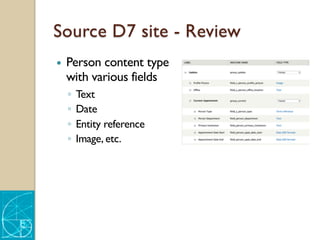
— Person content type
with various fields
◦ Text
◦ Date
◦ Entity reference
◦ Image, etc.
Source D7 site - Review
— Page layout / display
— Image styles
— URL’s – aliases, patterns
— Views
— Menu
— Front page
Destination - New site D8
— Setup new blank Drupal 8 site
— Many major D7 modules are now in core
◦ Views
◦ Path
Destination - New site D8
— Add “your” basic set of modules
1. AdminToolbar (replaces Admin Menu)
2. Pathauto (requires token and ctools)
3. Devel
4. Ctools
5. Token
6. Diff
DevOps
Thanks to Pantheon for providing all tools
— Dev / test / multidev instances
— Backups
— Db / files export/import
— Drush
UPGRADEVIAWEB
INTERFACE
Enable Migration modules
— Core
◦ Migrate
◦ Migrate Drupal
◦ Migrate Drupal UI
— Good Admin experience
◦ Admin menu for convenience of all operations
◦ Pathauto to ensure migration of aliases if
needed
Start Upgrade
Read The Manual
— Make sure that access to the database for
the old site is available from this new site.
— If the old site has private files, a copy of
its files directory must also be accessible.
— Enable all modules on this new site that
are enabled on the old site.
— Do not add any content to the new
site before upgrading.Any existing content
is likely to be overwritten by the upgrade
process.
— The upgrade can take a long time.
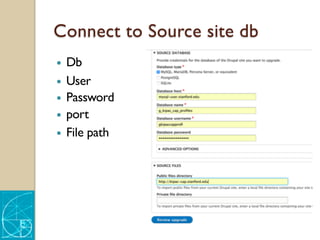
Connect to Source site db
— Db
— User
— Password
— port
— File path
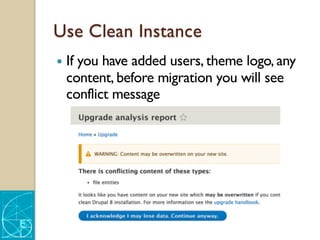
Use Clean Instance
— If you have added users, theme logo, any
content, before migration you will see
conflict message
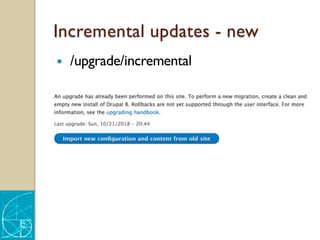
Incremental updates - new
— /upgrade/incremental
List of default migration paths
— ## available upgrade paths
◦ core modules
— ## missing upgrade paths
◦ contrib modules
◦ custom modules
◦ other features
— Continue
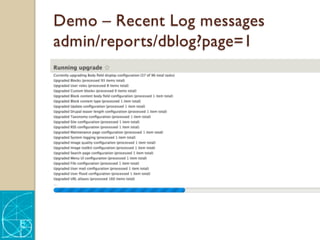
Demo – Recent Log messages
admin/reports/dblog?page=1
Drupal is setting your Migration
— Creates content types / fields even if
there are no nodes of this content type
— Creates users and roles
◦ User id’s and roles are preserved
— Reports every step of upgrade in a log
Content import
— Content imported – nid’s are preserved
— Url aliases but not pathauto patterns
— Menu items – set in menus, not views
— Not found or access denied links go to
front page by default
Standard upgrade limitations
— One time migration – no rollback (you
can restore site from backup)
— Fields Content imported, not display and
form display
— Field collections do not have upgrade
path
— “Plain HTML” format does exist in D8,
new format created during migration
Dealing with limitations
— We are discovering other issues as we do
more migrations
— Solutions
◦ Write custom script to solve each issue
◦ Develop features missing in D8 now and
commit to drupal.org
MIGRATE MODULE
Custom updates Migrate with drush
— Add modules
◦ Drupal Upgrade
◦ MigrateTools
◦ Migrate Plus
◦ Migrate Manifest
Creating Migration
— drush migrate-upgrade [options] – config-
only (does not move content)
— drush @pantheon.your-site.dev --strict=0
migrate-upgrade --legacy-db-
url=mysql://dbusername:dbpasswordhere
@mysql-user.stanford.edu/dbname
Web interface for Migration
— “Execute” button added to web UI in
February, get dev versions here
— https://www.drupal.org/node/2202391/git-
instructions/8.x-4.x/nonmaintainer
— https://www.drupal.org/node/2609548/git-
instructions/8.x-4.x/nonmaintainer
Web interface for Migration
— Migration tab
◦ /admin/structure/migrate
— Migration group
◦ /admin/structure/migrate/manage/group_name
/migrations
— Specific migration
◦ /admin/structure/migrate/manage/group_name
/migrations/upgrade_d7_node_stanford_pers
on/execute
Migrate Options
— Import
— Rollback
— Stop
— Reset
CUSTOMIZING
MIGRATIONS
Migrate Manifest
— Standard manifest installed with Migrate
Manifest Module in root directory
/manifest.yml
— Intercept standard upgrade and launch
custom manifest(s)
◦ /manifest2.yml
◦ /manifest-news.yml
◦ /manifest-date.yml
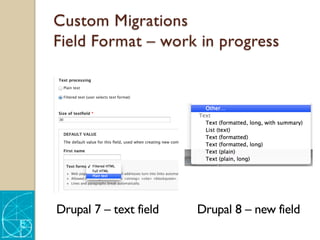
Custom Migrations
Field Format – work in progress
Drupal 7 – text field Drupal 8 – new field
FEEDS MODULE
Current status of Feeds
— Most recent release Sept 6, 2018
— CSV import works out of the box
— Tamper includes more plugins
— Join discussion Feeds weekly meetup
https://drupal.slack.com/messages/C34CE
CZAL/details/ everyThursday 11 am PST
Summary – Tools for Moving
Content
— One time full migration via Update
◦ One instance of D6.7 to clean D8
— Feeds – setup via web UI
— MigrateTools+Plus – setup via .yml files
and drush
Next step – Feeds+Migrate
— Integration of Feeds UI with Migrate engine
— https://www.drupal.org/project/feeds_migra
te
◦ @MegaChriz + @heddn
— UI and requirements
https://docs.google.com/presentation/d/1H
v8VPh6mD35U2dH2e1HhROKPNkea9GB
3BSetX4St5x8/edit#slide=id.p
— Session @BADcamp on Saturday, Oct 28
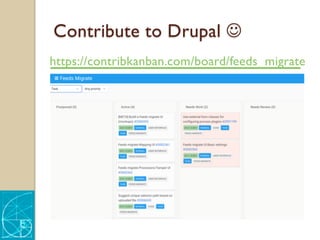
Contribute to Drupal J
https://contribkanban.com/board/feeds_migrate
THANKYOU!
Irina Zaks,
FibonacciWeb Studio
Stanford Open Source Lab
izaks@stanford.edu

Drupal Migrations in 2018

  • 1.
    CONTENT MIGRATION INTO DRUPAL8 WITH ONECLICK EASE FOR SITE BUILDERS Case study ::Work in progress Irina Zaks izaks@stanford.edu http://fibonacciwebstudio.com/
  • 2.
    In this presentation Wewill talk about Content MigrationTools We will not present today — Standard Upgrade via web interface — Feeds — Migrate Tools ◦ Setting up migration with drush ◦ Customizing migration paths — New Feeds_Migrate module in development — Reasons to migration to D8 — Views upgrades — Theme upgrades — Functionality/Rules upgrades — Composer — Drupal Console — Configuration Split — All great new things in Drupal 8 — World Peace — .... and many more
  • 3.
    What you willlearn today — Connecting to the existing website that you'd like to upgrade — The modules you'll need for Drupal 8 — Blocks,Theme, andViews migrations — Tools for moving content from other systems: ◦ Feeds ◦ Migrate Plus ◦ Feeds_Migrate – new module in development
  • 4.
    WARNING! — This demouses dev tools — Things might and will break — Interface and features can and will change without notification STAY CALM and DRUPAL ON
  • 6.
    Website is supportingmission and operation of your organization — Websites are living creatures — As organization changes, so should the website — Websites change, grow, shrink as do organizations that these sites support — Website average lifetime is 4-5 years
  • 7.
    Why do youwant to migrate 1. Our organization has changed and website needs to reflect it 2. We want new fresh feel and look 3. Our site needs to be mobile friendly 4. Our site is very difficult to manage 5. Everyone is on Drupal 8 now 6. Drupal 7 will not have security updates WE GOT BUDGET – LET’s BEGIN!
  • 8.
    What do youwant to migrate - Review — Information architecture ◦ Data models ◦ Relationships — Content – pages, images, documents — Designs ◦ Index pages ◦ Pages layout — Editor’s UX and UI — Functionality and workflows
  • 9.
    What do youwant to migrate - Decide — What do you want to keep — What do you want to delete — What do you want to change — What do you want to add
  • 10.
  • 11.
    Using KIPAC websitemigration — Research Center Website — Well defined content types and relationships — Good content, images, video — Integrated with mailing lists, etc. — Non-responsive theme — Poor experience for content managers — Migration completed in early 2017
  • 15.
    Brief history ofDrupal migrations — Upgrades between major versions of Drupal was a major undertaking before Drupal 8 — My Drupal migration journey started with moving 4.7 to D6 — Upgrade in D8 was one of the most pleasant surprises
  • 16.
    4.7 to 5to 6 - Always an adventure Early Migrate module, SQL scripts
  • 17.
    6 to 7- Routine exercise Migrate / Feeds Modules
  • 18.
    6 to 7- Routine exercise — Set up new Drupal 7 site — Create content types in D7 — Set data export in D6 — Set data import in D7 — Feeds or Migrate — Unlimited import — Rollback / Reimport
  • 19.
    6/7 to 8 Pleasantwalk in the park
  • 20.
    Moving content intoDrupal 8 — “One-click “ upgrade via web interface Configuration > Development->Upgrade — Set up migrations via drush and manage in Migrations tab Structure-> Migrations — Feeds Module
  • 21.
    D8 upgrade — Setup new Drupal 8 site — Create content types — Set data export — Set data import — Click Upgrade
  • 22.
  • 23.
    Source D7 site- Review — Person content type with various fields ◦ Text ◦ Date ◦ Entity reference ◦ Image, etc.
  • 24.
    Source D7 site- Review — Page layout / display — Image styles — URL’s – aliases, patterns — Views — Menu — Front page
  • 25.
    Destination - Newsite D8 — Setup new blank Drupal 8 site — Many major D7 modules are now in core ◦ Views ◦ Path
  • 26.
    Destination - Newsite D8 — Add “your” basic set of modules 1. AdminToolbar (replaces Admin Menu) 2. Pathauto (requires token and ctools) 3. Devel 4. Ctools 5. Token 6. Diff
  • 27.
    DevOps Thanks to Pantheonfor providing all tools — Dev / test / multidev instances — Backups — Db / files export/import — Drush
  • 28.
  • 29.
    Enable Migration modules —Core ◦ Migrate ◦ Migrate Drupal ◦ Migrate Drupal UI — Good Admin experience ◦ Admin menu for convenience of all operations ◦ Pathauto to ensure migration of aliases if needed
  • 30.
  • 31.
    Read The Manual —Make sure that access to the database for the old site is available from this new site. — If the old site has private files, a copy of its files directory must also be accessible. — Enable all modules on this new site that are enabled on the old site. — Do not add any content to the new site before upgrading.Any existing content is likely to be overwritten by the upgrade process. — The upgrade can take a long time.
  • 32.
    Connect to Sourcesite db — Db — User — Password — port — File path
  • 33.
    Use Clean Instance —If you have added users, theme logo, any content, before migration you will see conflict message
  • 34.
    Incremental updates -new — /upgrade/incremental
  • 35.
    List of defaultmigration paths — ## available upgrade paths ◦ core modules — ## missing upgrade paths ◦ contrib modules ◦ custom modules ◦ other features — Continue
  • 36.
    Demo – RecentLog messages admin/reports/dblog?page=1
  • 37.
    Drupal is settingyour Migration — Creates content types / fields even if there are no nodes of this content type — Creates users and roles ◦ User id’s and roles are preserved — Reports every step of upgrade in a log
  • 38.
    Content import — Contentimported – nid’s are preserved — Url aliases but not pathauto patterns — Menu items – set in menus, not views — Not found or access denied links go to front page by default
  • 39.
    Standard upgrade limitations —One time migration – no rollback (you can restore site from backup) — Fields Content imported, not display and form display — Field collections do not have upgrade path — “Plain HTML” format does exist in D8, new format created during migration
  • 40.
    Dealing with limitations —We are discovering other issues as we do more migrations — Solutions ◦ Write custom script to solve each issue ◦ Develop features missing in D8 now and commit to drupal.org
  • 41.
  • 42.
    Custom updates Migratewith drush — Add modules ◦ Drupal Upgrade ◦ MigrateTools ◦ Migrate Plus ◦ Migrate Manifest
  • 43.
    Creating Migration — drushmigrate-upgrade [options] – config- only (does not move content) — drush @pantheon.your-site.dev --strict=0 migrate-upgrade --legacy-db- url=mysql://dbusername:dbpasswordhere @mysql-user.stanford.edu/dbname
  • 44.
    Web interface forMigration — “Execute” button added to web UI in February, get dev versions here — https://www.drupal.org/node/2202391/git- instructions/8.x-4.x/nonmaintainer — https://www.drupal.org/node/2609548/git- instructions/8.x-4.x/nonmaintainer
  • 45.
    Web interface forMigration — Migration tab ◦ /admin/structure/migrate — Migration group ◦ /admin/structure/migrate/manage/group_name /migrations — Specific migration ◦ /admin/structure/migrate/manage/group_name /migrations/upgrade_d7_node_stanford_pers on/execute
  • 46.
    Migrate Options — Import —Rollback — Stop — Reset
  • 47.
  • 48.
    Migrate Manifest — Standardmanifest installed with Migrate Manifest Module in root directory /manifest.yml — Intercept standard upgrade and launch custom manifest(s) ◦ /manifest2.yml ◦ /manifest-news.yml ◦ /manifest-date.yml
  • 49.
    Custom Migrations Field Format– work in progress Drupal 7 – text field Drupal 8 – new field
  • 50.
  • 51.
    Current status ofFeeds — Most recent release Sept 6, 2018 — CSV import works out of the box — Tamper includes more plugins — Join discussion Feeds weekly meetup https://drupal.slack.com/messages/C34CE CZAL/details/ everyThursday 11 am PST
  • 52.
    Summary – Toolsfor Moving Content — One time full migration via Update ◦ One instance of D6.7 to clean D8 — Feeds – setup via web UI — MigrateTools+Plus – setup via .yml files and drush
  • 53.
    Next step –Feeds+Migrate — Integration of Feeds UI with Migrate engine — https://www.drupal.org/project/feeds_migra te ◦ @MegaChriz + @heddn — UI and requirements https://docs.google.com/presentation/d/1H v8VPh6mD35U2dH2e1HhROKPNkea9GB 3BSetX4St5x8/edit#slide=id.p — Session @BADcamp on Saturday, Oct 28
  • 54.
    Contribute to DrupalJ https://contribkanban.com/board/feeds_migrate
  • 55.
    THANKYOU! Irina Zaks, FibonacciWeb Studio StanfordOpen Source Lab izaks@stanford.edu