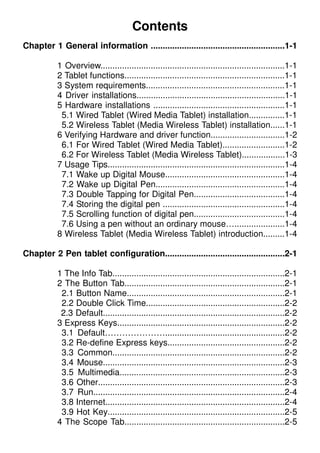
This document provides instructions for configuring a tablet and digital pen device. It describes installing the driver software, connecting both wired and wireless tablets, and verifying that the hardware and drivers are functioning properly. It also provides details on customizing the pen tip and button functions, setting the pressure sensitivity and working area, and programming hot cells and express keys. Usage tips are provided for waking the pen from standby, double tapping, scrolling, and storing the pen properly.
![II. Pen tablet configuration
2-1
II. Pen tablet configuration
You may configure the pen tablet by modifying the functions of pen tip and the two barrel
buttons, tap [Start] > [Settings] > [Control Panel], and double-tap the [Tablet Setting ]
icon, or tap on the tablet icon ( ) in the system tray, usually located at the lower right corner of
the screen. You may also adjust the pressure sensitivity of the digital pen by determining the
scope of the tablet’s working area, or (re-) program the hot-cells of your pen tablet by modifying
device driver.
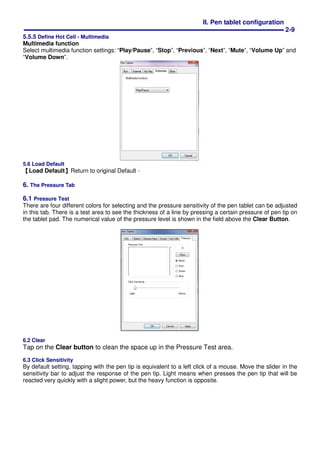
1. The Info Tab : The Info tab displays the version number of the driver and Tablet PC function.
(1) Show Icon in System Tray
You can choose it if you want to show the tablet icon ( ) in the system tray.
(2) Support Tablet PC Feature
You can select the Tablet PC function of pressure sensitive by tick the box of Support Tablet PC Feature.
★★★★ After the Tablet driver is installed in the Windows , the Tablet PC function setting will
support pressure in MS Journal, OneNote (2003、、、、2007)…..etc.
★★★★ If the Tablet PC setting is disabled, the most of art software's pen pressure (Photoshop,
Illustrator, Corel Painter) are still working, but the pen pressure will be disappeared in
MS Journal, OneNote(2003、、、、2007) …..etc.
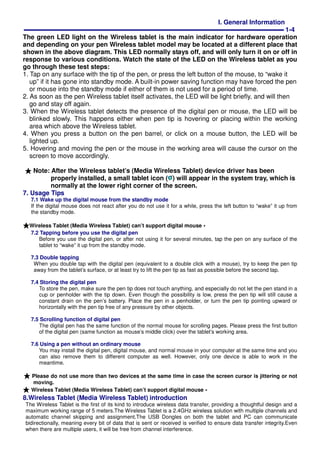
2. The Button Tab
2.1 Button Name
You may re-program the functions of the pen tip and the two-barrel buttons by selecting the button name from the
drop down menu and assign a command of a traditional three-button mouse to it. According to the mouse function,
you can select no action, left click, left double click, middle click, middle double click, right click, or right double click.](https://image.slidesharecdn.com/driverenglish-150110170758-conversion-gate01/85/Driver-english-8-320.jpg)
![IV. Question & Answer
4-1
IV. Question & Answer
Question 1::::How can I get the update software????
Answer: You can download the new driver from our website.
1. Uninstall your old driver: Click [Start] ► [All Programs] ► [TABLET] ► [Uninstall].
2. Download the latest version of driver in the download section and save it into your hard disk.
3. Unzip the file in a folder on your hard disk (with Windows built-in unzip utility or a program like
Winzip for instance).
4. Double-click the Setup.exe in the folder where you unzipped the file.
Question 2::::The tablet cannot work. How can I do????
Answer: Please follow steps as showing below:
1. Please pull off the tablet's USB plug from the computer.
2. Remove the Tablet driver from the system.
3. Re-connect the Tablet's USB to the computer.
3.1 Check whether the tablet's LED is blinking or not? If the LED unlighted, that means your
tablet is fault.
3.2 Test your wireless digital pen on tablet working area, if it can work as a mouse, which
means the hardware is OK. If it doesn't work, please change the battery with a new one.
3.3 After changed a new battery for the pen, if it still not working, that means the hardware is
fault.
4. You can download the latest version of driver directly from our website.
5. After installing the new version of driver, the system will require you to restart your computer.
6. After restart your computer, on bottom right of the screen, you can find the tablet icon ( )
within there.
6.1 If you can't find the tablet icon ( ) on the bottom right of the screen, it means the driver
fail in startup, It might cause by an incompatible issue.
6.2 Check from [My Computer] ► [Properties] ► [Hardware] ► [Device Manager], if
there is an exclamation mark occurs, it means the installed driver of tablet is incompatible
with the windows system. If you have this problem, please contact us for more service.
7. By clicking the tablet icon ( ) on the bottom right of the screen, you can test the pressure
sensitivity to see whether the pen pressure function works or not. (Please see the chapters 2,
section 6, Pen tablet configuration for more details).
If you do not have the pen pressure, it means the pen might be faulty.
Question 3︰︰︰︰The LED of tablet is blinking continuously?
Answer: It means that the USB port of your PC has a bad connection or power is not stable.
Please re-plug in your USB/dongle again. If still not working, please change to another
USB port.
Question 4︰︰︰︰Why the RED LED of Wireless Tablet (Media WIRELESS Tablet) LED is
blinking?
Answer: It means a low battery reminder, please change the new battery in time.](https://image.slidesharecdn.com/driverenglish-150110170758-conversion-gate01/85/Driver-english-18-320.jpg)