DOCKER @ STUFFLE
Robin Brandt / @rob_b
ABOUT ME
lead developer @ Stuffle since fall 2012
mostly working on the backend
ABOUT STUFFLE
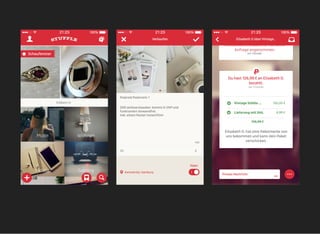
mobile marketplace for classifieds
founded 2012 in Hamburg
since 2014 part of Immobilienscout24 Group
PLATFORMS
iOS, Android, Web (in order of appearance)
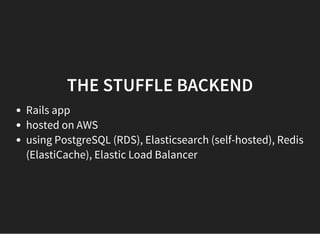
THE STUFFLE BACKEND
Rails app
hosted on AWS
using PostgreSQL (RDS), Elasticsearch (self-hosted), Redis
(ElastiCache), Elastic Load Balancer
MANAGING THE INFRASTRUCTURE
provisioning must be scripted, no manual installations
scripts are executable documentation, can be versioned
use the exact same scripts to setup development, staging
and production
AND DOCKER?
discovered Docker in late 2013
loved the idea of containerization
especially cool: running the exact same code in tests,
staging and production
running in production since 09/2014
COREOS / KUBERNETES / SWARM /
MESOS / ...?
haven't looked at it in depth, yet
interesting ecosystem growing around containerization
wanted to start somewhere simple
would love to have the problems some of these tools are
solving
TOOLS WE'RE USING
ansible sets up and provisions the environment
consul runs on every server and does service discovery
and stores application configuration
the application code is run in docker containers via a 40
line ruby script creatively called run-stuffle
ANSIBLE
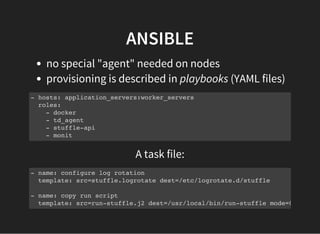
no special "agent" needed on nodes
provisioning is described in playbooks (YAML files)
- hosts: application_servers:worker_servers
roles:
- docker
- td_agent
- stuffle-api
- monit
A task file:
- name: configure log rotation
template: src=stuffle.logrotate dest=/etc/logrotate.d/stuffle
- name: copy run script
template: src=run-stuffle.j2 dest=/usr/local/bin/run-stuffle mode=0755
ANSIBLE (2)
can specify different inventories (static or dynamic)
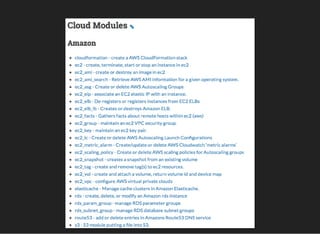
support for AWS out of the box
lots of available modules, see ansible docs
CONSUL
for service discovery and configuration management
one binary (thx Go!)
offers DNS and HTTP interfaces (we're using the HTTP
interface)
CONSUL (2)
Supports registering services via config file:
{
"service": {
"name": "elasticsearch",
"tags": [],
"port": 9200,
"check": {
"script": "nc -z -w2 localhost 9200 || exit 2",
"interval": "30s"
}
}
}
We use this for our self-hosted services (Elasticsearch).
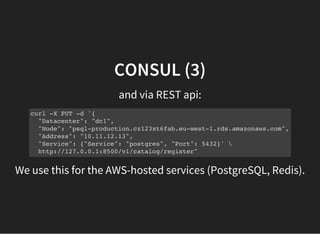
CONSUL (3)
and via REST api:
curl -X PUT -d '{
"Datacenter": "dc1",
"Node": "psql-production.cz123xt6fab.eu-west-1.rds.amazonaws.com",
"Address": "10.11.12.13",
"Service": {"Service": "postgres", "Port": 5432}' 
http://127.0.0.1:8500/v1/catalog/register"
We use this for the AWS-hosted services (PostgreSQL, Redis).
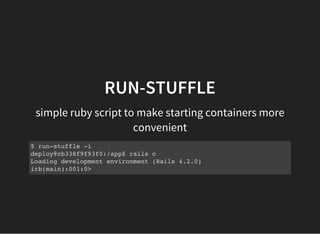
RUN-STUFFLE
simple ruby script to make starting containers more
convenient
$ run-stuffle -i
deploy@cb338f9f93f0:/app$ rails c
Loading development environment (Rails 4.2.0)
irb(main):001:0>
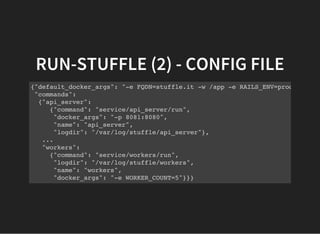
RUN-STUFFLE (2) - CONFIG FILE
{"default_docker_args": "-e FQDN=stuffle.it -w /app -e RAILS_ENV=production",
"commands":
{"api_server":
{"command": "service/api_server/run",
"docker_args": "-p 8081:8080",
"name": "api_server",
"logdir": "/var/log/stuffle/api_server"},
...
"workers":
{"command": "service/workers/run",
"logdir": "/var/log/stuffle/workers",
"name": "workers",
"docker_args": "-e WORKER_COUNT=5"}}}
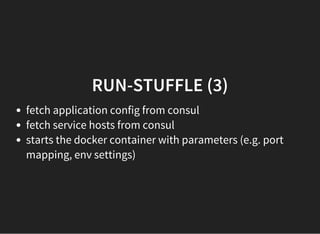
RUN-STUFFLE (3)
fetch application config from consul
fetch service hosts from consul
starts the docker container with parameters (e.g. port
mapping, env settings)
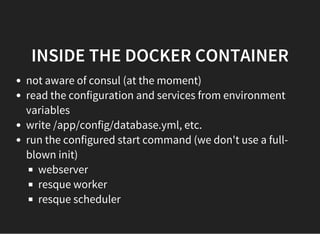
INSIDE THE DOCKER CONTAINER
not aware of consul (at the moment)
read the configuration and services from environment
variables
write /app/config/database.yml, etc.
run the configured start command (we don't use a full-
blown init)
webserver
resque worker
resque scheduler
DEV ENVIRONMENT
using
source directory is synced to VM via synced folders and
bind-mounted to the docker container
vagrant
DEMO
service discovery via consul
run-stuffle
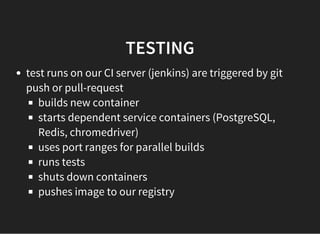
TESTING
test runs on our CI server (jenkins) are triggered by git
push or pull-request
builds new container
starts dependent service containers (PostgreSQL,
Redis, chromedriver)
uses port ranges for parallel builds
runs tests
shuts down containers
pushes image to our registry
DEPLOYMENT
done via ansible and a deployment playbook
- hosts: application_servers:worker_servers
tasks:
- name: login to docker registry
command: sudo su deploy -c "docker login -e ... -u registry -p {{docker
- name: pull the current container
command: sudo su deploy -c "docker pull {{docker_api_container}}"
- hosts: application_servers[0]
tasks:
- name: execute database migrations
command: sudo su deploy -c "run-stuffle -c {{docker_api_container}} bun
- include: restart_containers.yml
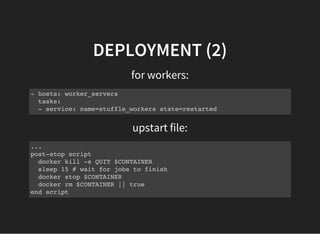
DEPLOYMENT (2)
for workers:
- hosts: worker_servers
tasks:
- service: name=stuffle_workers state=restarted
upstart file:
...
post-stop script
docker kill -s QUIT $CONTAINER
sleep 15 # wait for jobs to finish
docker stop $CONTAINER
docker rm $CONTAINER || true
end script
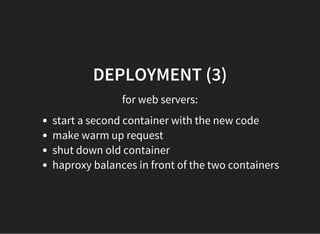
DEPLOYMENT (3)
for web servers:
start a second container with the new code
make warm up request
shut down old container
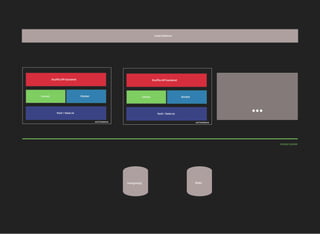
haproxy balances in front of the two containers
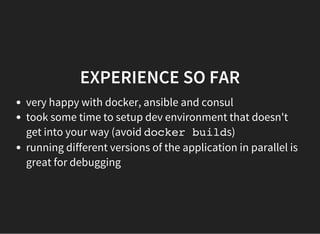
EXPERIENCE SO FAR
very happy with docker, ansible and consul
took some time to setup dev environment that doesn't
get into your way (avoid docker builds)
running different versions of the application in parallel is
great for debugging
QUESTIONS?
THANK YOU!

How Stuffle uses Docker for deployments

  • 1.
    DOCKER @ STUFFLE RobinBrandt / @rob_b
  • 2.
    ABOUT ME lead developer@ Stuffle since fall 2012 mostly working on the backend
  • 3.
    ABOUT STUFFLE mobile marketplacefor classifieds founded 2012 in Hamburg since 2014 part of Immobilienscout24 Group
  • 4.
    PLATFORMS iOS, Android, Web(in order of appearance)
  • 6.
    THE STUFFLE BACKEND Railsapp hosted on AWS using PostgreSQL (RDS), Elasticsearch (self-hosted), Redis (ElastiCache), Elastic Load Balancer
  • 7.
    MANAGING THE INFRASTRUCTURE provisioningmust be scripted, no manual installations scripts are executable documentation, can be versioned use the exact same scripts to setup development, staging and production
  • 8.
    AND DOCKER? discovered Dockerin late 2013 loved the idea of containerization especially cool: running the exact same code in tests, staging and production running in production since 09/2014
  • 9.
    COREOS / KUBERNETES/ SWARM / MESOS / ...? haven't looked at it in depth, yet interesting ecosystem growing around containerization wanted to start somewhere simple would love to have the problems some of these tools are solving
  • 10.
    TOOLS WE'RE USING ansiblesets up and provisions the environment consul runs on every server and does service discovery and stores application configuration the application code is run in docker containers via a 40 line ruby script creatively called run-stuffle
  • 12.
    ANSIBLE no special "agent"needed on nodes provisioning is described in playbooks (YAML files) - hosts: application_servers:worker_servers roles: - docker - td_agent - stuffle-api - monit A task file: - name: configure log rotation template: src=stuffle.logrotate dest=/etc/logrotate.d/stuffle - name: copy run script template: src=run-stuffle.j2 dest=/usr/local/bin/run-stuffle mode=0755
  • 13.
    ANSIBLE (2) can specifydifferent inventories (static or dynamic) support for AWS out of the box lots of available modules, see ansible docs
  • 15.
    CONSUL for service discoveryand configuration management one binary (thx Go!) offers DNS and HTTP interfaces (we're using the HTTP interface)
  • 16.
    CONSUL (2) Supports registeringservices via config file: { "service": { "name": "elasticsearch", "tags": [], "port": 9200, "check": { "script": "nc -z -w2 localhost 9200 || exit 2", "interval": "30s" } } } We use this for our self-hosted services (Elasticsearch).
  • 17.
    CONSUL (3) and viaREST api: curl -X PUT -d '{ "Datacenter": "dc1", "Node": "psql-production.cz123xt6fab.eu-west-1.rds.amazonaws.com", "Address": "10.11.12.13", "Service": {"Service": "postgres", "Port": 5432}' http://127.0.0.1:8500/v1/catalog/register" We use this for the AWS-hosted services (PostgreSQL, Redis).
  • 18.
    RUN-STUFFLE simple ruby scriptto make starting containers more convenient $ run-stuffle -i deploy@cb338f9f93f0:/app$ rails c Loading development environment (Rails 4.2.0) irb(main):001:0>
  • 19.
    RUN-STUFFLE (2) -CONFIG FILE {"default_docker_args": "-e FQDN=stuffle.it -w /app -e RAILS_ENV=production", "commands": {"api_server": {"command": "service/api_server/run", "docker_args": "-p 8081:8080", "name": "api_server", "logdir": "/var/log/stuffle/api_server"}, ... "workers": {"command": "service/workers/run", "logdir": "/var/log/stuffle/workers", "name": "workers", "docker_args": "-e WORKER_COUNT=5"}}}
  • 20.
    RUN-STUFFLE (3) fetch applicationconfig from consul fetch service hosts from consul starts the docker container with parameters (e.g. port mapping, env settings)
  • 21.
    INSIDE THE DOCKERCONTAINER not aware of consul (at the moment) read the configuration and services from environment variables write /app/config/database.yml, etc. run the configured start command (we don't use a full- blown init) webserver resque worker resque scheduler
  • 22.
    DEV ENVIRONMENT using source directoryis synced to VM via synced folders and bind-mounted to the docker container vagrant
  • 23.
    DEMO service discovery viaconsul run-stuffle
  • 24.
    TESTING test runs onour CI server (jenkins) are triggered by git push or pull-request builds new container starts dependent service containers (PostgreSQL, Redis, chromedriver) uses port ranges for parallel builds runs tests shuts down containers pushes image to our registry
  • 25.
    DEPLOYMENT done via ansibleand a deployment playbook - hosts: application_servers:worker_servers tasks: - name: login to docker registry command: sudo su deploy -c "docker login -e ... -u registry -p {{docker - name: pull the current container command: sudo su deploy -c "docker pull {{docker_api_container}}" - hosts: application_servers[0] tasks: - name: execute database migrations command: sudo su deploy -c "run-stuffle -c {{docker_api_container}} bun - include: restart_containers.yml
  • 26.
    DEPLOYMENT (2) for workers: -hosts: worker_servers tasks: - service: name=stuffle_workers state=restarted upstart file: ... post-stop script docker kill -s QUIT $CONTAINER sleep 15 # wait for jobs to finish docker stop $CONTAINER docker rm $CONTAINER || true end script
  • 27.
    DEPLOYMENT (3) for webservers: start a second container with the new code make warm up request shut down old container haproxy balances in front of the two containers
  • 28.
    EXPERIENCE SO FAR veryhappy with docker, ansible and consul took some time to setup dev environment that doesn't get into your way (avoid docker builds) running different versions of the application in parallel is great for debugging
  • 29.
  • 30.