DNN Upgrades Made
Simple
Will Strohl
@WillStrohl | @UpendoVentures
We Want Your Feedback!
Download the DNN
Summit Mobile App now
and take the survey at the
end of the conference to
be entered to win a $100
Amazon gift card!
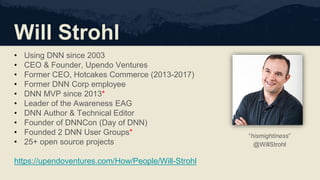
Will Strohl
• Using DNN since 2003
• CEO & Founder, Upendo Ventures
• Former CEO, Hotcakes Commerce (2013-2017)
• Former DNN Corp employee
• DNN MVP since 2013*
• Leader of the Awareness EAG
• DNN Author & Technical Editor
• Founder of DNNCon (Day of DNN)
• Founded 2 DNN User Groups*
• 25+ open source projects
https://upendoventures.com/How/People/Will-Strohl
“hismightiness”
@WillStrohl
Upendo Ventures
We use technology to help your business change people’s lives
• Platform & Evoq
• E-Commerce
• Implementations
• Integrations
• Custom Modules
• Upgrades & Downgrades
• Custom Themes
• Training
• Fixing stuff other people did ;) @UpendoVentures
UpendoVentures.com
DNN Upgrades Made Simple
Objectives
I hope you learn…
• Critical steps to begin
• Preventative maintenance
• Pitfalls to look for
• Our process
Prerequisites
• Some local/server SysAdmin
experience
• Knowledge of how ASP.NET &
SQL Server work and interact with
each other
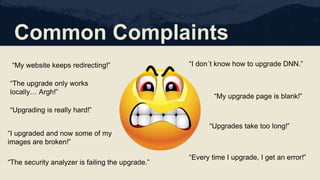
Common Complaints
“My website keeps redirecting!”
“Upgrading is really hard!”
“I don´t know how to upgrade DNN.”
“My upgrade page is blank!”
“Every time I upgrade, I get an error!”
“Upgrades take too long!”
“The security analyzer is failing the upgrade.”
“I upgraded and now some of my
images are broken!”
“The upgrade only works
locally… Argh!”
Preventative Tips
• Upgrade DNN often
• Upgrade extensions often
• Uninstall extensions as soon as
possible
• Vet extensions thoroughly before
installing them anywhere
• Never “test” a module in your
production website
• Never change core code
• Smoke test your website
whenever installing a new module
Before You Begin…
Eliminate
Distractions!
Information Gathering
Try to Find Out
• Version & edition of DNN
• File system size
• Database size & version
• Number of, name, and version of
third-party extensions
• Timeline
Special Concerns
• Custom extensions (source code)
• End-of-life extensions
• Extension licensing
• Perform a risk assessment
Get a Backup
File System & Database Size
• Many DNN websites are very large
• Lengthens the time it takes for all
steps
• May need to consider cleaning the
website first
Considerations
• Clean the DB user data
• Remove all cache data
• Remove log files
• Remove search data
Preparation Work
Better Safe Than Sorry
• Run a virus scan on all files
• Perform a search for *.asp & *.php
• Clean the DB user data
• Rebuild DB indexes*
• Remove all cache data
• Remove log files
• Remove search data
• Remove /Install packages
• Remove source control files
• Note the URL provider
Useful Tools
• FileLocator Lite
• https://www.mythicsoft.com/fileloc
atorlite/download/
• Test Plans
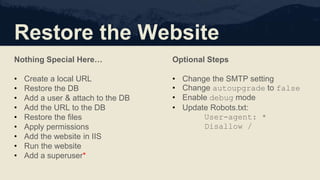
Restore the Website
Nothing Special Here…
• Create a local URL
• Restore the DB
• Add a user & attach to the DB
• Add the URL to the DB
• Restore the files
• Apply permissions
• Add the website in IIS
• Run the website
• Add a superuser*
Optional Steps
• Change the SMTP setting
• Change autoupgrade to false
• Enable debug mode
• Update Robots.txt:
User-agent: *
Disallow /
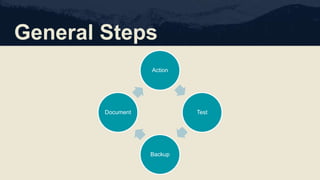
General Steps
Action
Test
Backup
Document
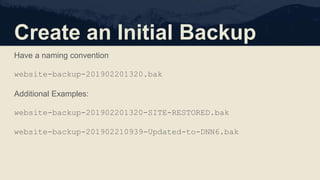
Create an Initial Backup
Have a naming convention
website-backup-201902201320.bak
Additional Examples:
website-backup-201902201320-SITE-RESTORED.bak
website-backup-201902210939-Updated-to-DNN6.bak
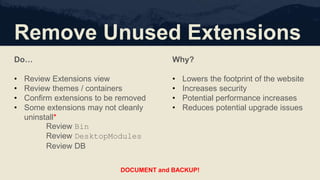
Remove Unused Extensions
Do…
• Review Extensions view
• Review themes / containers
• Confirm extensions to be removed
• Some extensions may not cleanly
uninstall*
Review Bin
Review DesktopModules
Review DB
Why?
• Lowers the footprint of the website
• Increases security
• Potential performance increases
• Reduces potential upgrade issues
DOCUMENT and BACKUP!
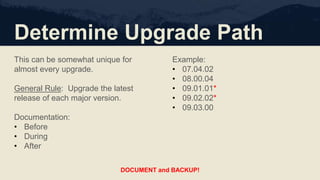
Determine Upgrade Path
This can be somewhat unique for
almost every upgrade.
General Rule: Upgrade the latest
release of each major version.
Documentation:
• Before
• During
• After
Example:
• 07.04.02
• 08.00.04
• 09.01.01*
• 09.02.02*
• 09.03.00
DOCUMENT and BACKUP!
DNN Editions
Be sure to pay attention to the edition of DNN… Evoq* vs. Platform
https://www.dnnsoftware.com/wiki/version-history
https://www.dnnsoftware.com/docs/developers/product-versions.html
Upgrade Packages
Recent Releases
https://github.com/dnnsoftware/Dnn.Platform/releases
Older Releases
https://github.com/dnnsoftware/Dnn.Releases.Archive.9x
https://github.com/dnnsoftware/Dnn.Releases.Archive.8x
https://github.com/dnnsoftware/Dnn.Releases.Archive.7x
https://github.com/dnnsoftware/Dnn.Releases.Archive.6x
https://github.com/dnnsoftware/Dnn.Releases.Archive.5x
Evoq Releases
https://www.dnnsoftware.com/services/customer-support/success-
network/software-downloads
Upgrading DNN
General Instructions
• Disable the website (App_Offline.htm)*
• Backup!!!
• Extract the DNN version over the website
• Re-apply the permissions to the file system
• View the website; OR run the upgrade URL (preferred)
Upgrading DNN
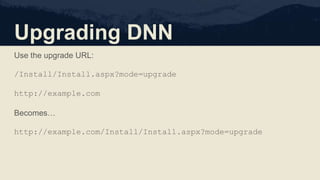
Use the upgrade URL:
/Install/Install.aspx?mode=upgrade
http://example.com
Becomes…
http://example.com/Install/Install.aspx?mode=upgrade
Upgrade Extensions
Upgrading Extensions
• Upgrade all existing extensions*
• This is an iterative process.
• You may need to do this multiple
times, after specific DNN
upgrades.
Additional Tips
• Backup after each successful
upgrade, after testing.
• Review Extensions view to see
which pages to test.
• Contact vendors for upgrade tips
DOCUMENT and BACKUP!
Upgrade Version Tips
07.04.02
• May need to manually add Entity
Framework DLLs
08.00.04
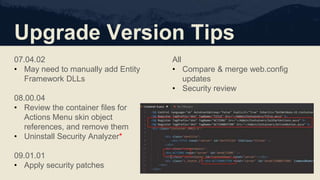
• Review the container files for
Actions Menu skin object
references, and remove them
• Uninstall Security Analyzer*
09.01.01
• Apply security patches
All
• Compare & merge web.config
updates
• Security review
Core Code Changes
We Want Your Feedback!
Download the DNN
Summit Mobile App now
and take the survey at the
end of the conference to
be entered to win a $100
Amazon gift card!
Thank You So Much!
We use technology to help your business change people’s lives
UpendoVentures.com
548 Market St. #65401
San Francisco, CA 94104
(650) 381-9160
solutions@upendoventures.com @UpendoVentures

DNN Upgrades Made Simple (DNN Summit 2019)

  • 1.
    DNN Upgrades Made Simple WillStrohl @WillStrohl | @UpendoVentures
  • 3.
    We Want YourFeedback! Download the DNN Summit Mobile App now and take the survey at the end of the conference to be entered to win a $100 Amazon gift card!
  • 4.
    Will Strohl • UsingDNN since 2003 • CEO & Founder, Upendo Ventures • Former CEO, Hotcakes Commerce (2013-2017) • Former DNN Corp employee • DNN MVP since 2013* • Leader of the Awareness EAG • DNN Author & Technical Editor • Founder of DNNCon (Day of DNN) • Founded 2 DNN User Groups* • 25+ open source projects https://upendoventures.com/How/People/Will-Strohl “hismightiness” @WillStrohl
  • 5.
    Upendo Ventures We usetechnology to help your business change people’s lives • Platform & Evoq • E-Commerce • Implementations • Integrations • Custom Modules • Upgrades & Downgrades • Custom Themes • Training • Fixing stuff other people did ;) @UpendoVentures UpendoVentures.com
  • 6.
  • 7.
    Objectives I hope youlearn… • Critical steps to begin • Preventative maintenance • Pitfalls to look for • Our process Prerequisites • Some local/server SysAdmin experience • Knowledge of how ASP.NET & SQL Server work and interact with each other
  • 8.
    Common Complaints “My websitekeeps redirecting!” “Upgrading is really hard!” “I don´t know how to upgrade DNN.” “My upgrade page is blank!” “Every time I upgrade, I get an error!” “Upgrades take too long!” “The security analyzer is failing the upgrade.” “I upgraded and now some of my images are broken!” “The upgrade only works locally… Argh!”
  • 9.
    Preventative Tips • UpgradeDNN often • Upgrade extensions often • Uninstall extensions as soon as possible • Vet extensions thoroughly before installing them anywhere • Never “test” a module in your production website • Never change core code • Smoke test your website whenever installing a new module
  • 10.
  • 11.
    Information Gathering Try toFind Out • Version & edition of DNN • File system size • Database size & version • Number of, name, and version of third-party extensions • Timeline Special Concerns • Custom extensions (source code) • End-of-life extensions • Extension licensing • Perform a risk assessment
  • 12.
    Get a Backup FileSystem & Database Size • Many DNN websites are very large • Lengthens the time it takes for all steps • May need to consider cleaning the website first Considerations • Clean the DB user data • Remove all cache data • Remove log files • Remove search data
  • 13.
    Preparation Work Better SafeThan Sorry • Run a virus scan on all files • Perform a search for *.asp & *.php • Clean the DB user data • Rebuild DB indexes* • Remove all cache data • Remove log files • Remove search data • Remove /Install packages • Remove source control files • Note the URL provider Useful Tools • FileLocator Lite • https://www.mythicsoft.com/fileloc atorlite/download/ • Test Plans
  • 14.
    Restore the Website NothingSpecial Here… • Create a local URL • Restore the DB • Add a user & attach to the DB • Add the URL to the DB • Restore the files • Apply permissions • Add the website in IIS • Run the website • Add a superuser* Optional Steps • Change the SMTP setting • Change autoupgrade to false • Enable debug mode • Update Robots.txt: User-agent: * Disallow /
  • 15.
  • 16.
    Create an InitialBackup Have a naming convention website-backup-201902201320.bak Additional Examples: website-backup-201902201320-SITE-RESTORED.bak website-backup-201902210939-Updated-to-DNN6.bak
  • 17.
    Remove Unused Extensions Do… •Review Extensions view • Review themes / containers • Confirm extensions to be removed • Some extensions may not cleanly uninstall* Review Bin Review DesktopModules Review DB Why? • Lowers the footprint of the website • Increases security • Potential performance increases • Reduces potential upgrade issues DOCUMENT and BACKUP!
  • 18.
    Determine Upgrade Path Thiscan be somewhat unique for almost every upgrade. General Rule: Upgrade the latest release of each major version. Documentation: • Before • During • After Example: • 07.04.02 • 08.00.04 • 09.01.01* • 09.02.02* • 09.03.00 DOCUMENT and BACKUP!
  • 19.
    DNN Editions Be sureto pay attention to the edition of DNN… Evoq* vs. Platform https://www.dnnsoftware.com/wiki/version-history https://www.dnnsoftware.com/docs/developers/product-versions.html
  • 20.
    Upgrade Packages Recent Releases https://github.com/dnnsoftware/Dnn.Platform/releases OlderReleases https://github.com/dnnsoftware/Dnn.Releases.Archive.9x https://github.com/dnnsoftware/Dnn.Releases.Archive.8x https://github.com/dnnsoftware/Dnn.Releases.Archive.7x https://github.com/dnnsoftware/Dnn.Releases.Archive.6x https://github.com/dnnsoftware/Dnn.Releases.Archive.5x Evoq Releases https://www.dnnsoftware.com/services/customer-support/success- network/software-downloads
  • 21.
    Upgrading DNN General Instructions •Disable the website (App_Offline.htm)* • Backup!!! • Extract the DNN version over the website • Re-apply the permissions to the file system • View the website; OR run the upgrade URL (preferred)
  • 22.
    Upgrading DNN Use theupgrade URL: /Install/Install.aspx?mode=upgrade http://example.com Becomes… http://example.com/Install/Install.aspx?mode=upgrade
  • 23.
    Upgrade Extensions Upgrading Extensions •Upgrade all existing extensions* • This is an iterative process. • You may need to do this multiple times, after specific DNN upgrades. Additional Tips • Backup after each successful upgrade, after testing. • Review Extensions view to see which pages to test. • Contact vendors for upgrade tips DOCUMENT and BACKUP!
  • 24.
    Upgrade Version Tips 07.04.02 •May need to manually add Entity Framework DLLs 08.00.04 • Review the container files for Actions Menu skin object references, and remove them • Uninstall Security Analyzer* 09.01.01 • Apply security patches All • Compare & merge web.config updates • Security review
  • 25.
  • 26.
    We Want YourFeedback! Download the DNN Summit Mobile App now and take the survey at the end of the conference to be entered to win a $100 Amazon gift card!
  • 28.
    Thank You SoMuch! We use technology to help your business change people’s lives UpendoVentures.com 548 Market St. #65401 San Francisco, CA 94104 (650) 381-9160 solutions@upendoventures.com @UpendoVentures

Editor's Notes

  • #10 This includes DNN and extensions. Check the Extensions view to see the upgrade/update status “Watch” open source extensions in GitHub Subscribe to vendor newsletters
  • #14 URL provider should be AUMs “advanced” provider. May need to remove the iFinity URL provider on older websites There are SQL scripts to determine fragmentation… If rebuilding indexes is necessary, let someone know
  • #15 Uninstall Security Analyzer in any website lower than DNN 8.0
  • #21 If your DNN instance is old enough, it may be a better idea to just create a new website
  • #25 Important to review and add security configuration into the web.config Run the Security Analyzer & respond to issues Delete any superusers that haven’t been used (you can always add them back later) Apply known security patches Review the server for Windows Updates, configuration concerns
  • #26 Includes files and database Especially the database… Don’t run or use Turbo Scripts