Standard Query Language
SQL
Lecture 1
Course Expectations
◈ What do you expect from this course?
◈ Prior Exposure to SQL?
◈ My Experience with SQL.
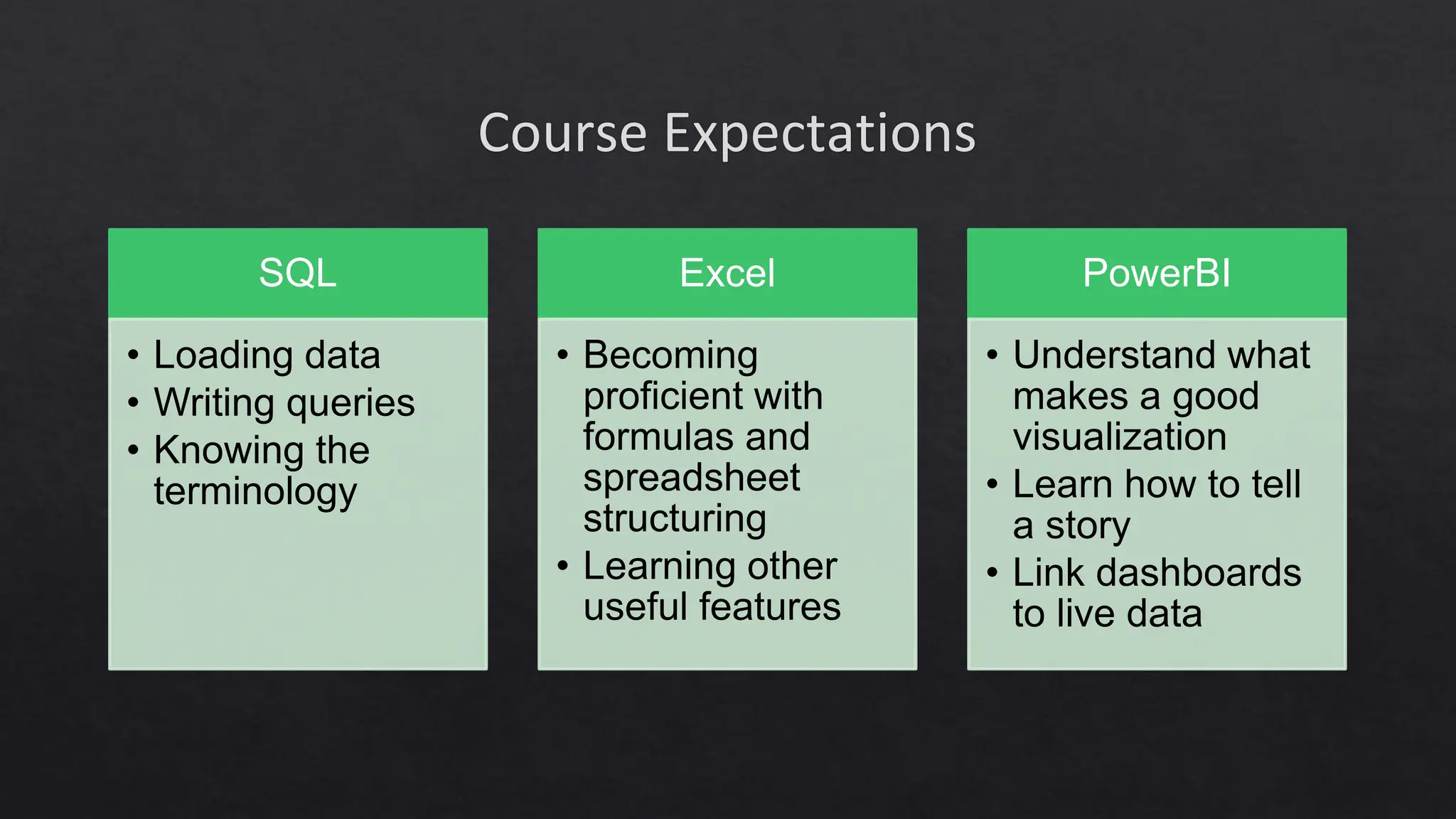
Course Expectations
SQL
• Loading data
• Writing queries
• Knowing the
terminology
Excel
• Becoming
proficient with
formulas and
spreadsheet
structuring
• Learning other
useful features
PowerBI
• Understand what
makes a good
visualization
• Learn how to tell
a story
• Link dashboards
to live data
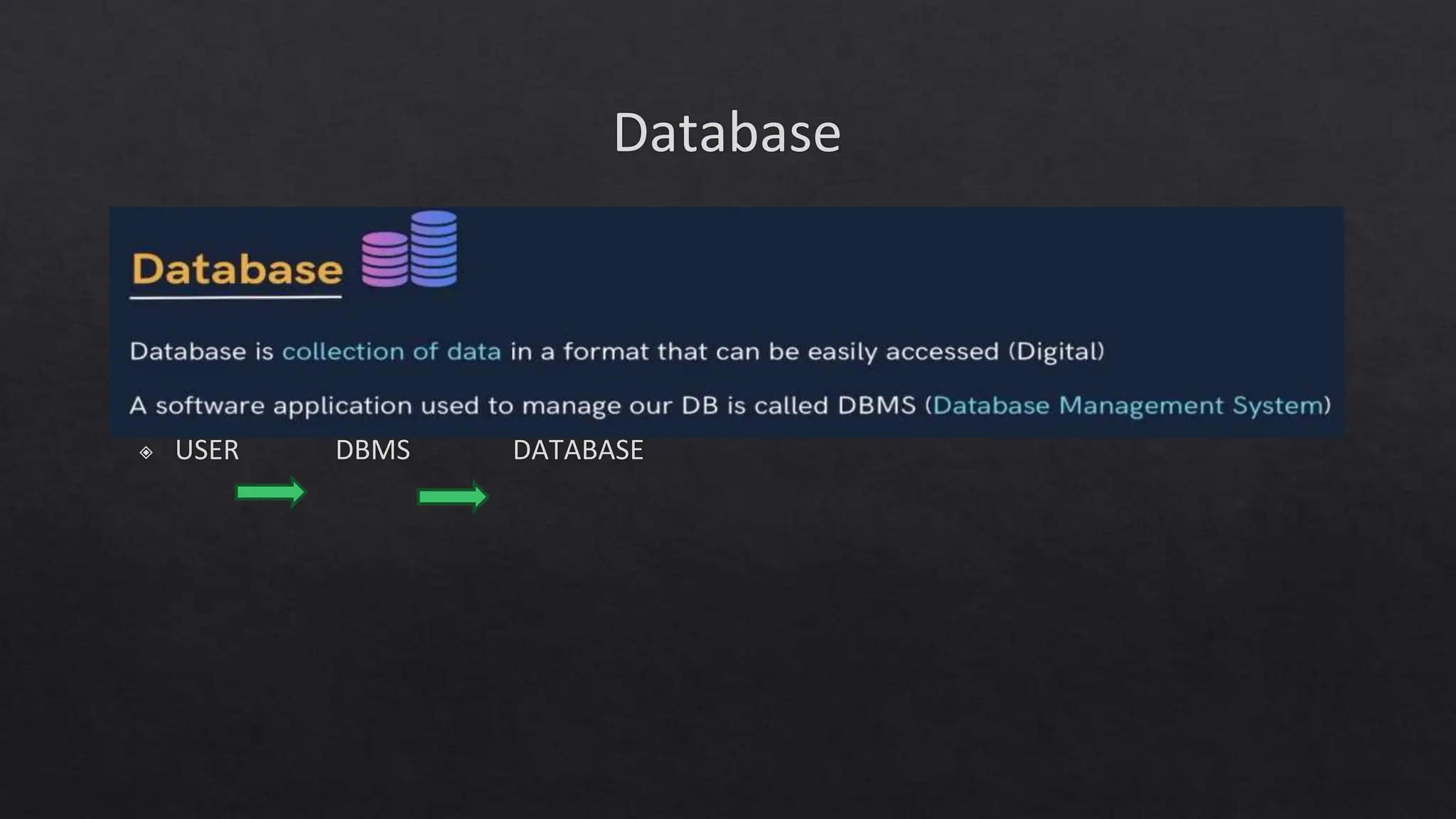
Database
◈ USER DBMS DATABASE
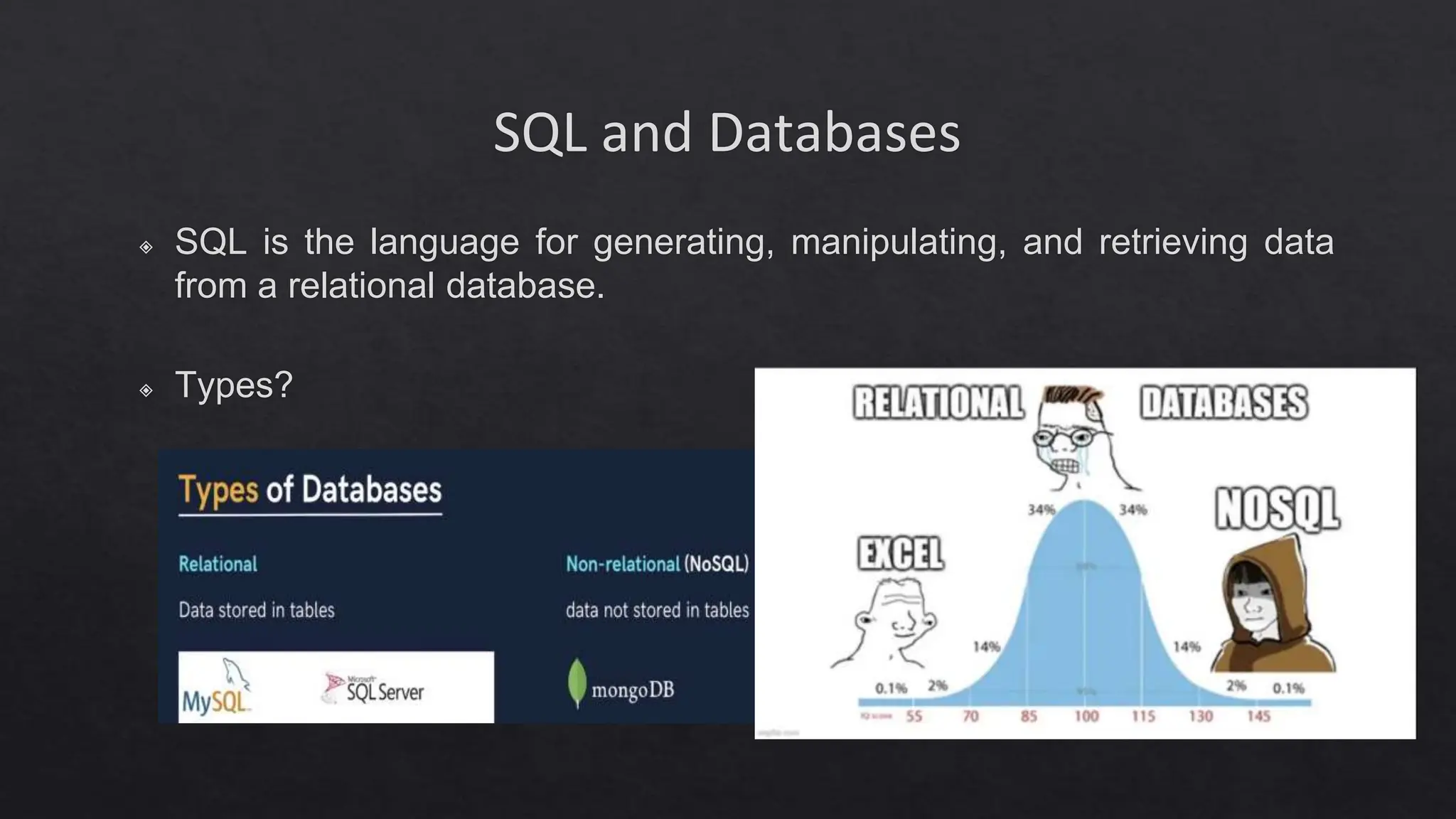
SQL and Databases
◈ SQL is the language for generating, manipulating, and retrieving data
from a relational database.
◈ Types?
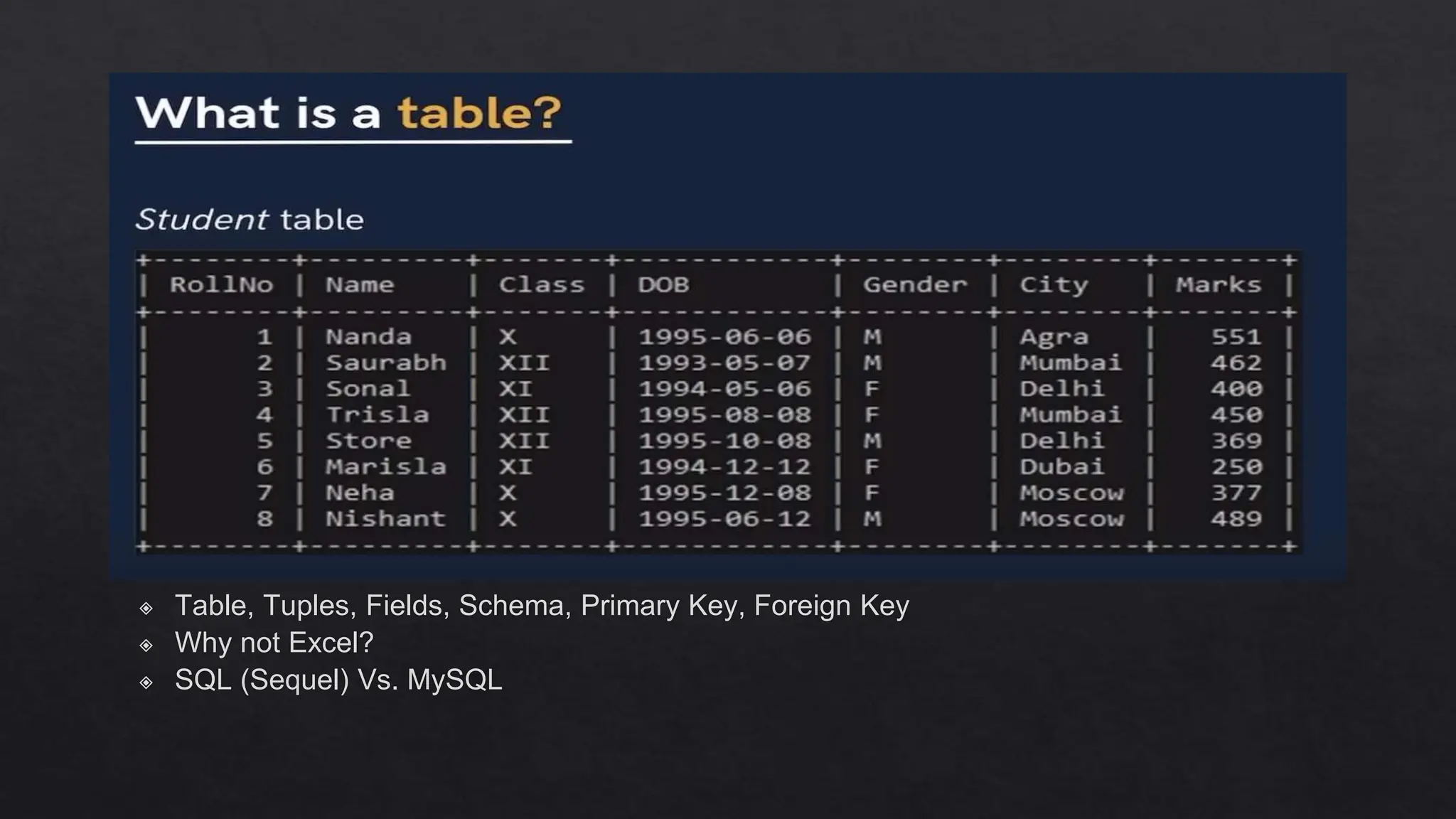
◈ Table, Tuples, Fields, Schema, Primary Key, Foreign Key
◈ Why not Excel?
◈ SQL (Sequel) Vs. MySQL
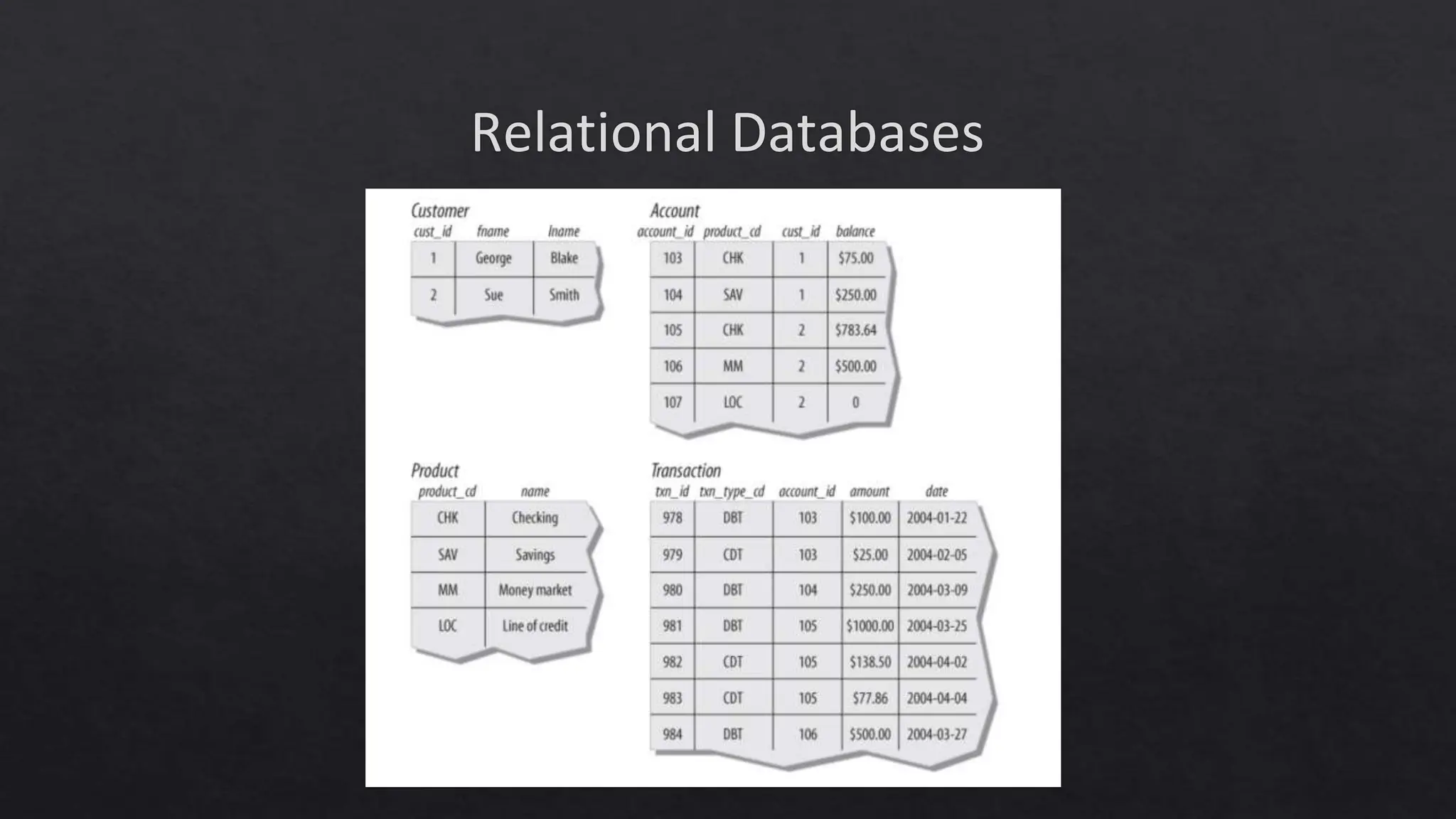
Relational Databases
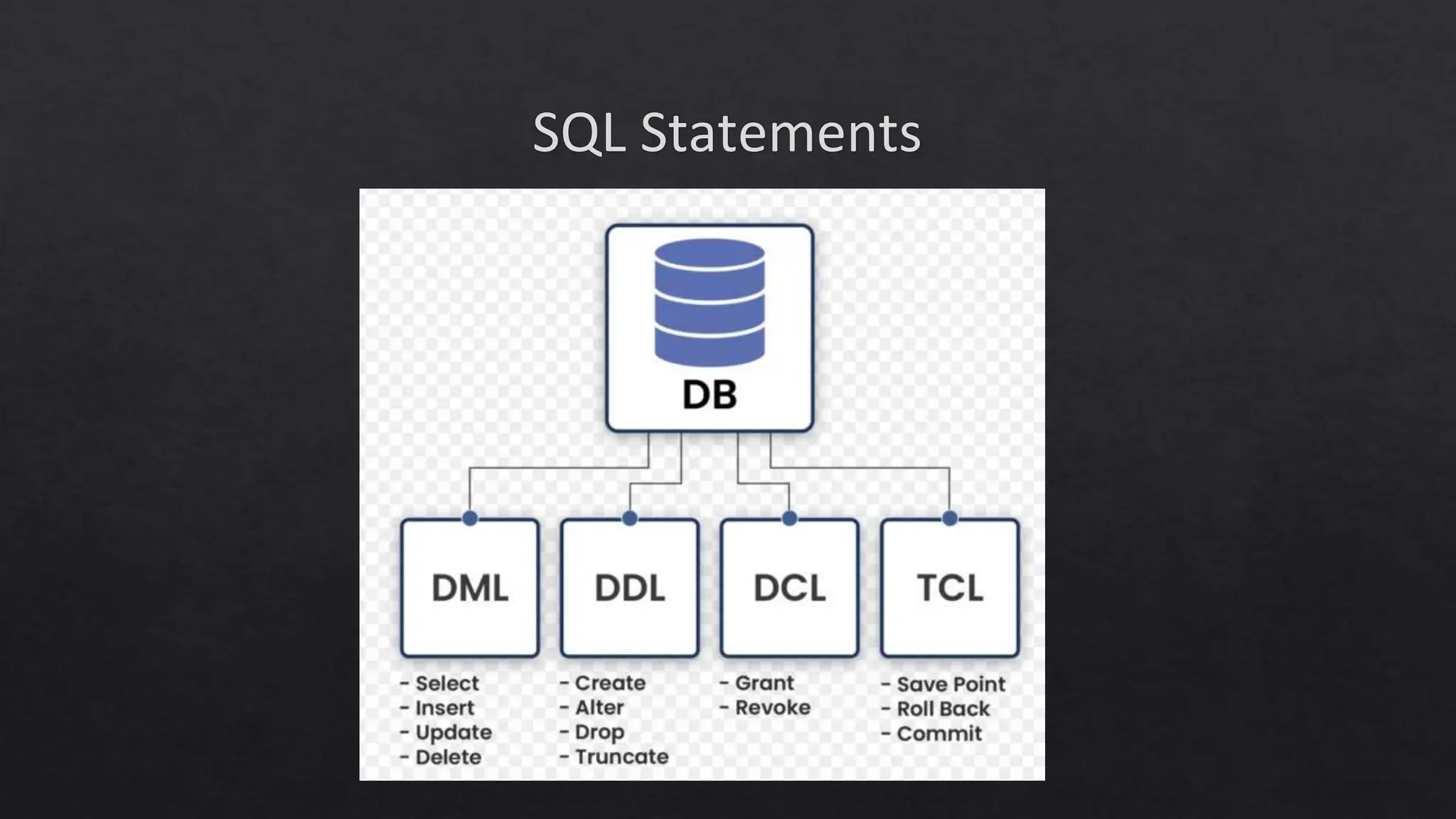
SQL Statements
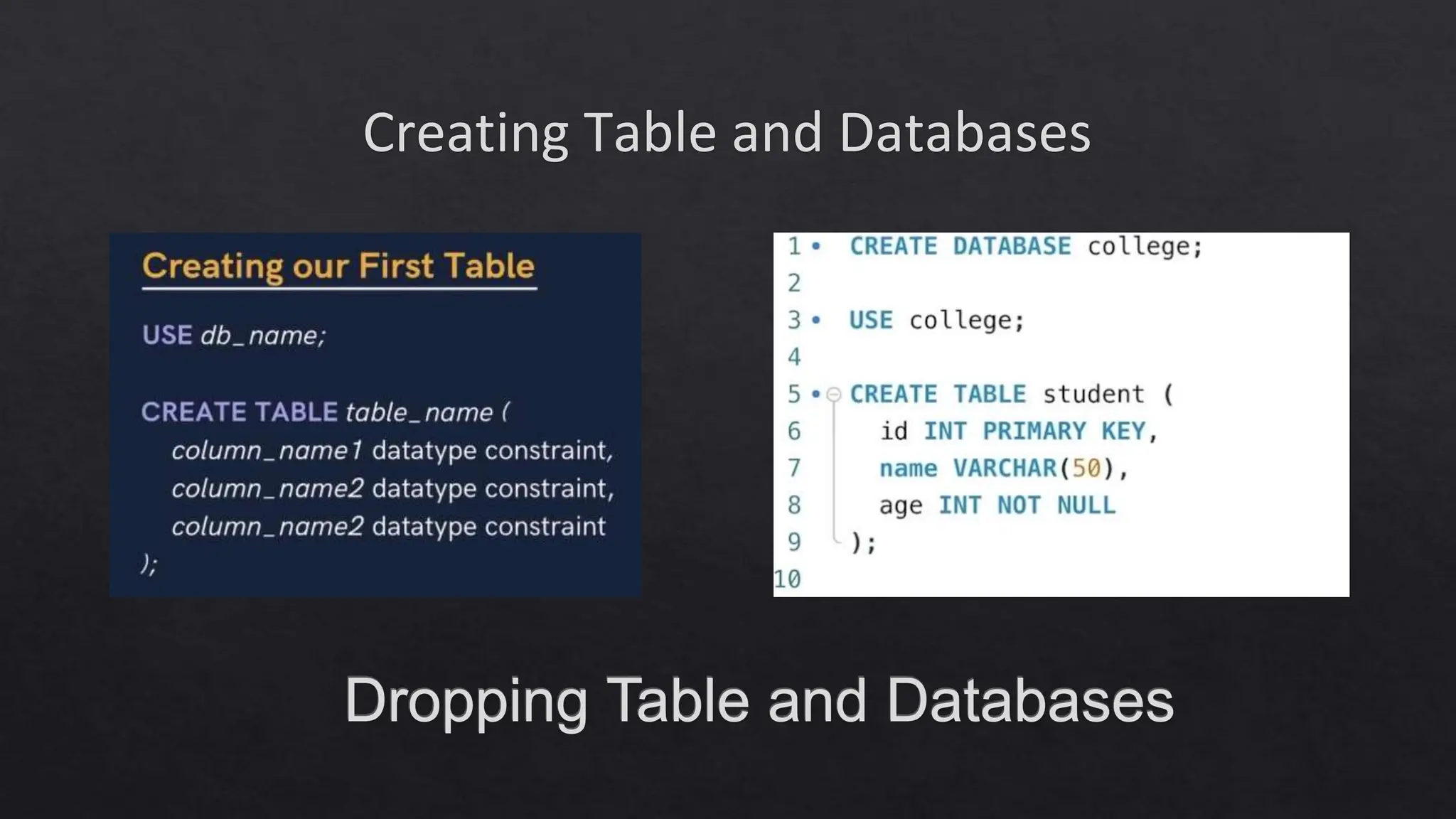
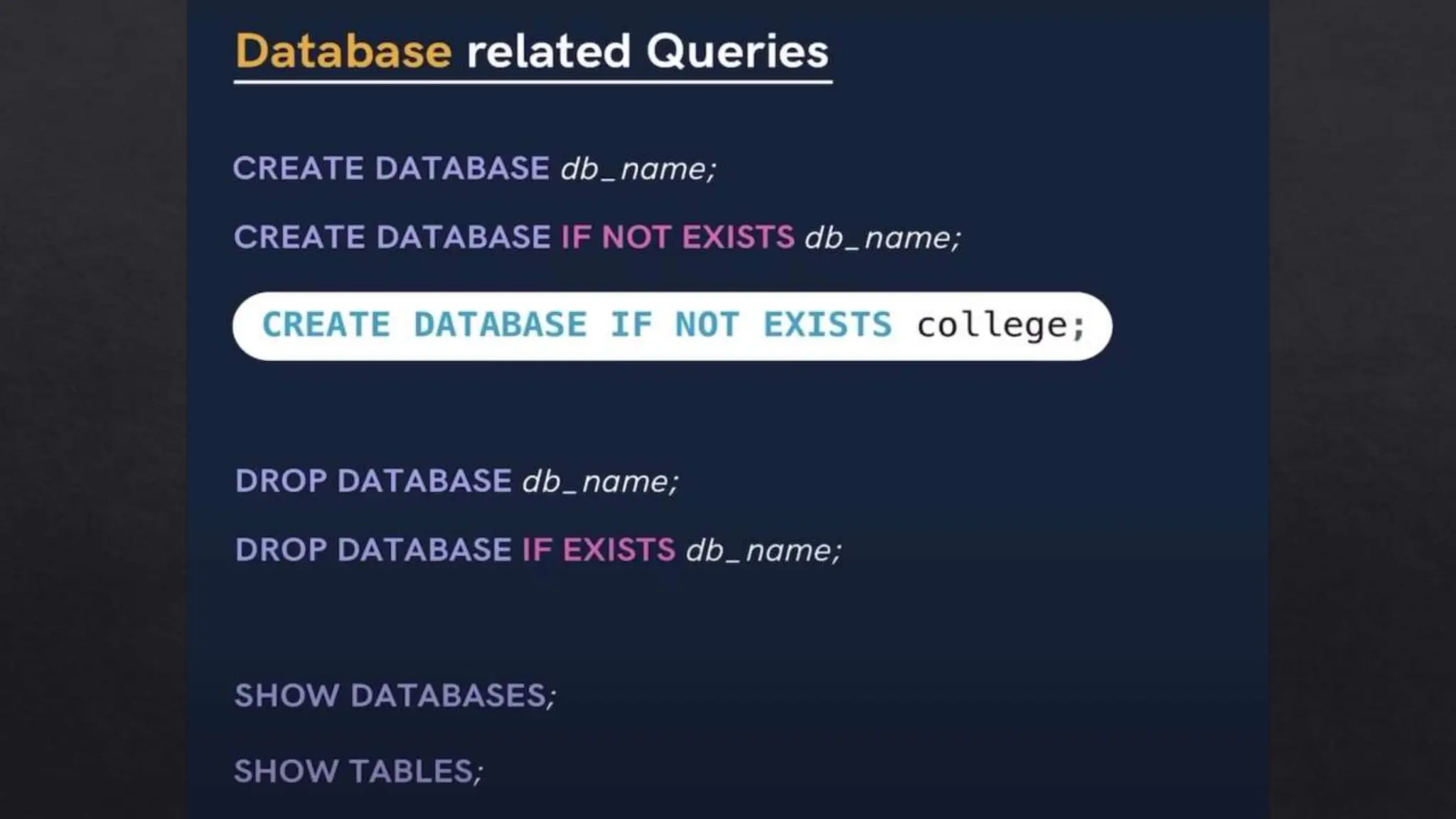
Creating Table and Databases
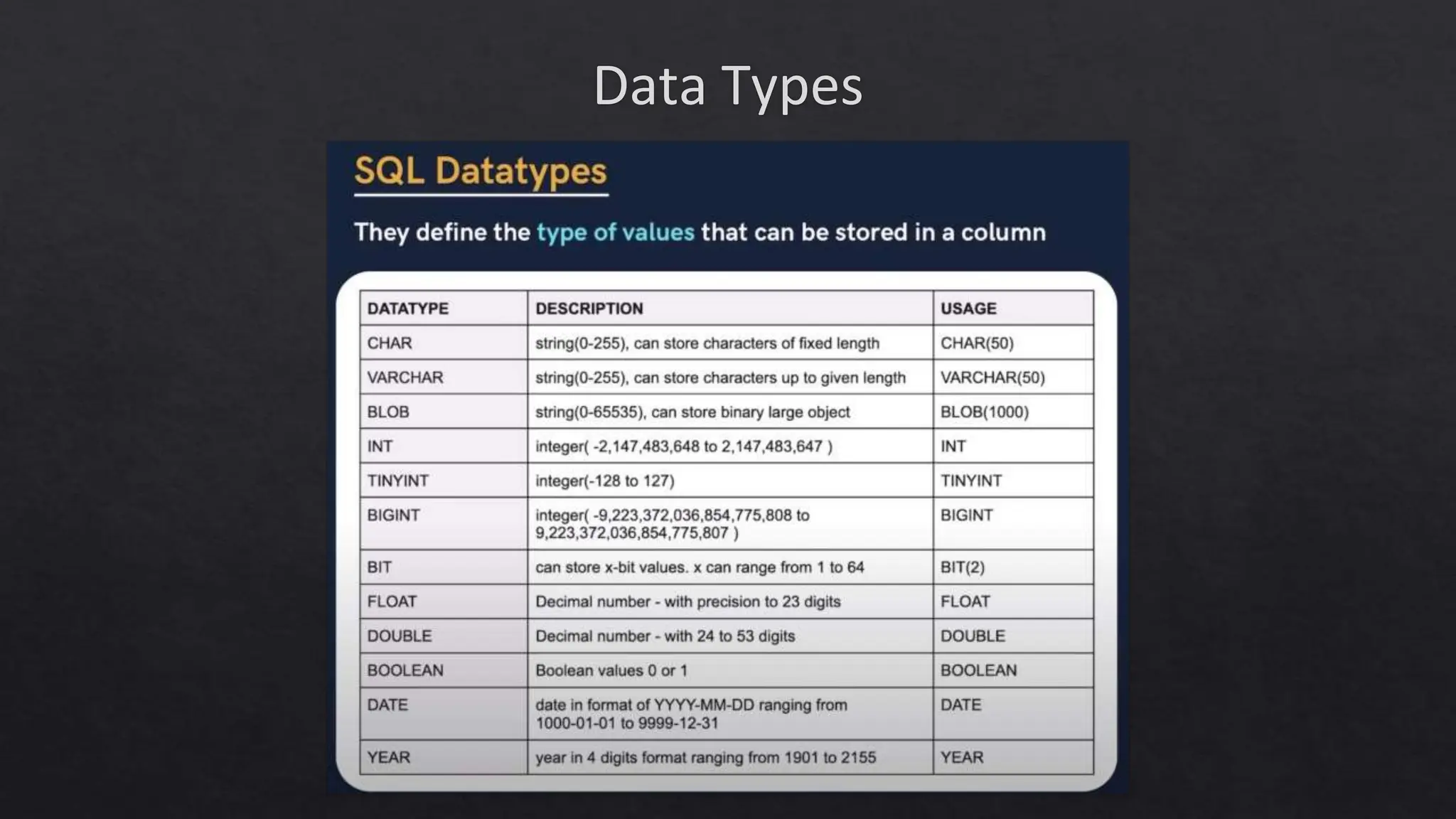
Data Types
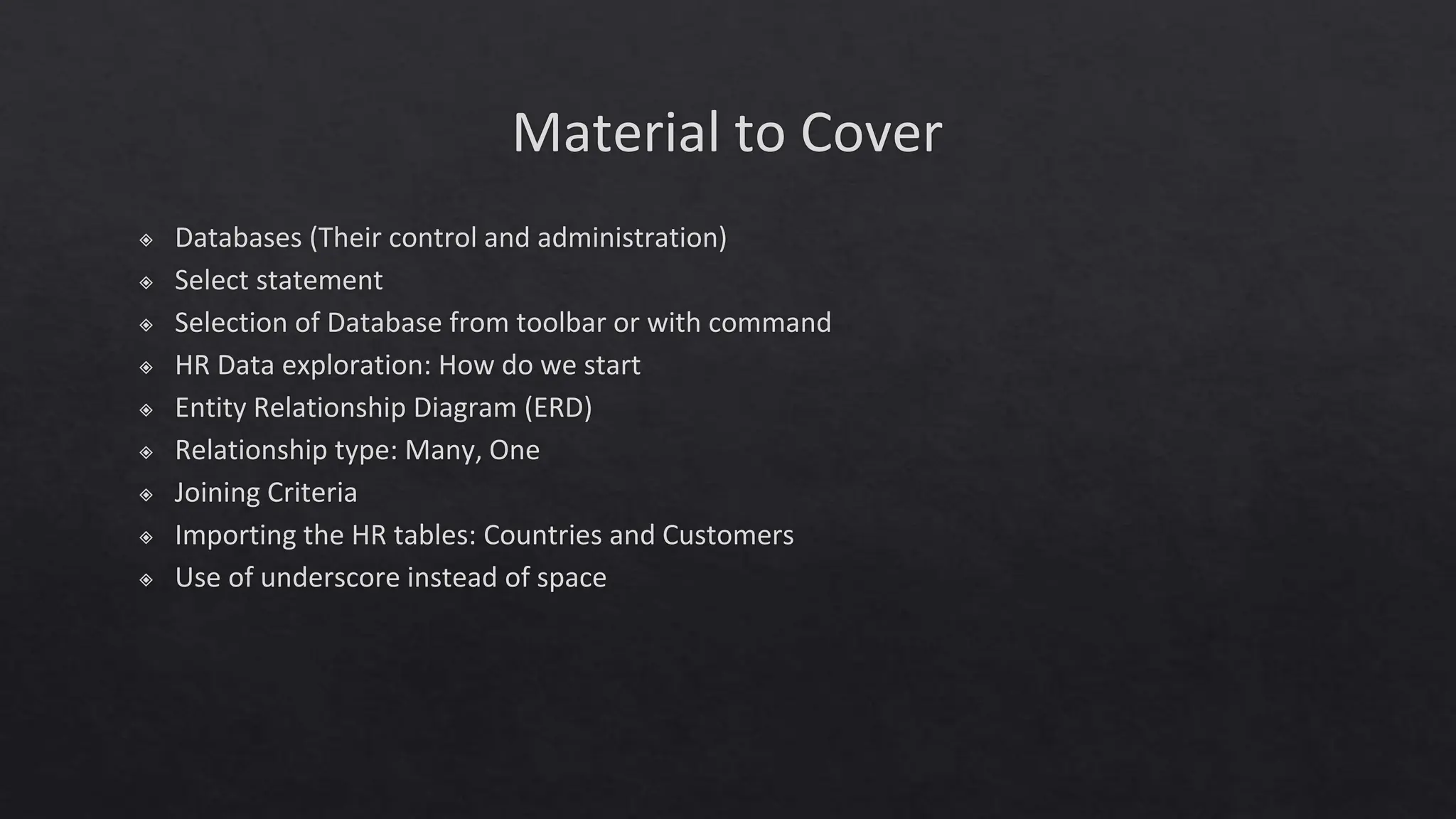
Material to Cover
◈ Databases (Their control and administration)
◈ Select statement
◈ Selection of Database from toolbar or with command
◈ HR Data exploration: How do we start
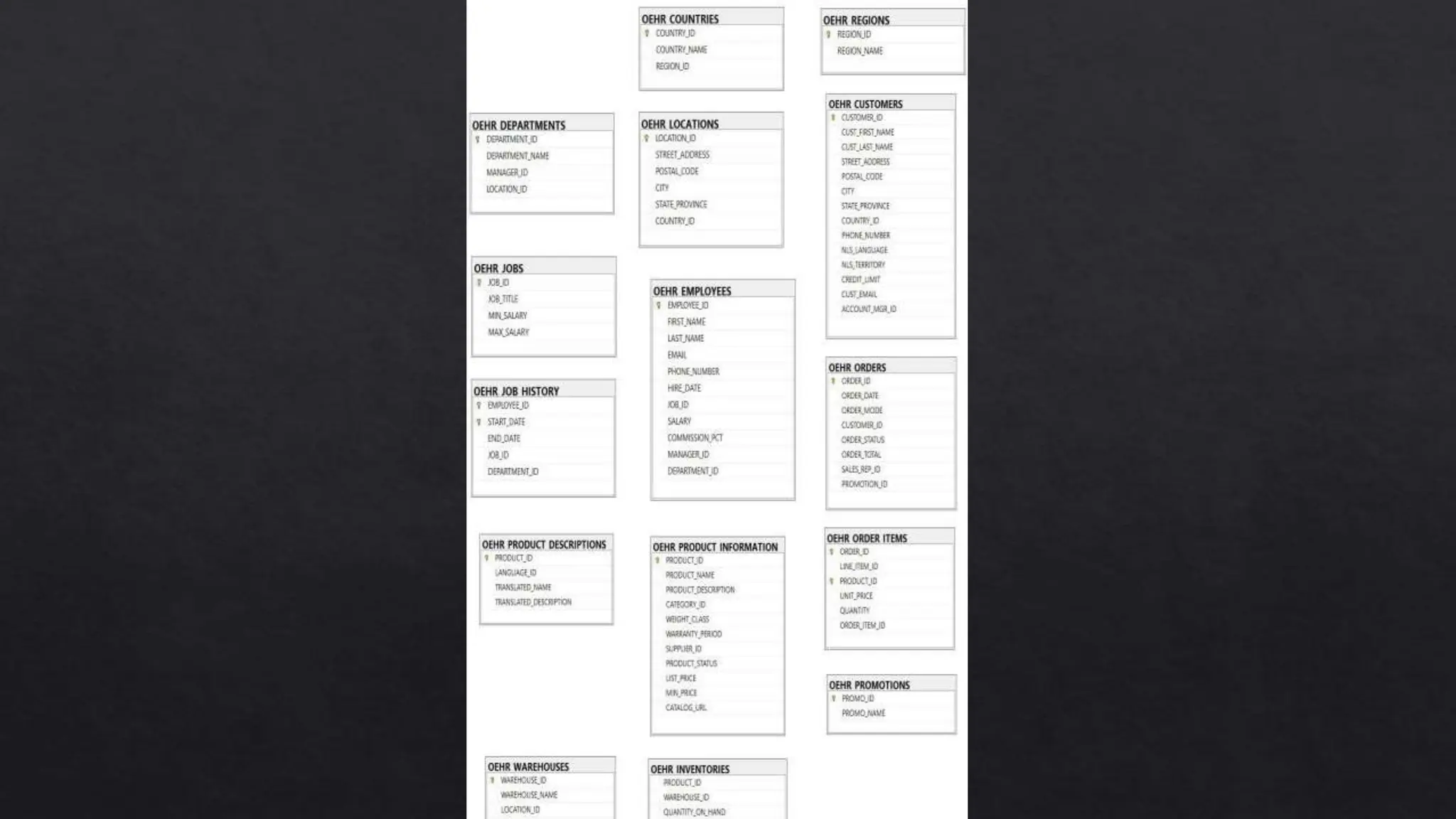
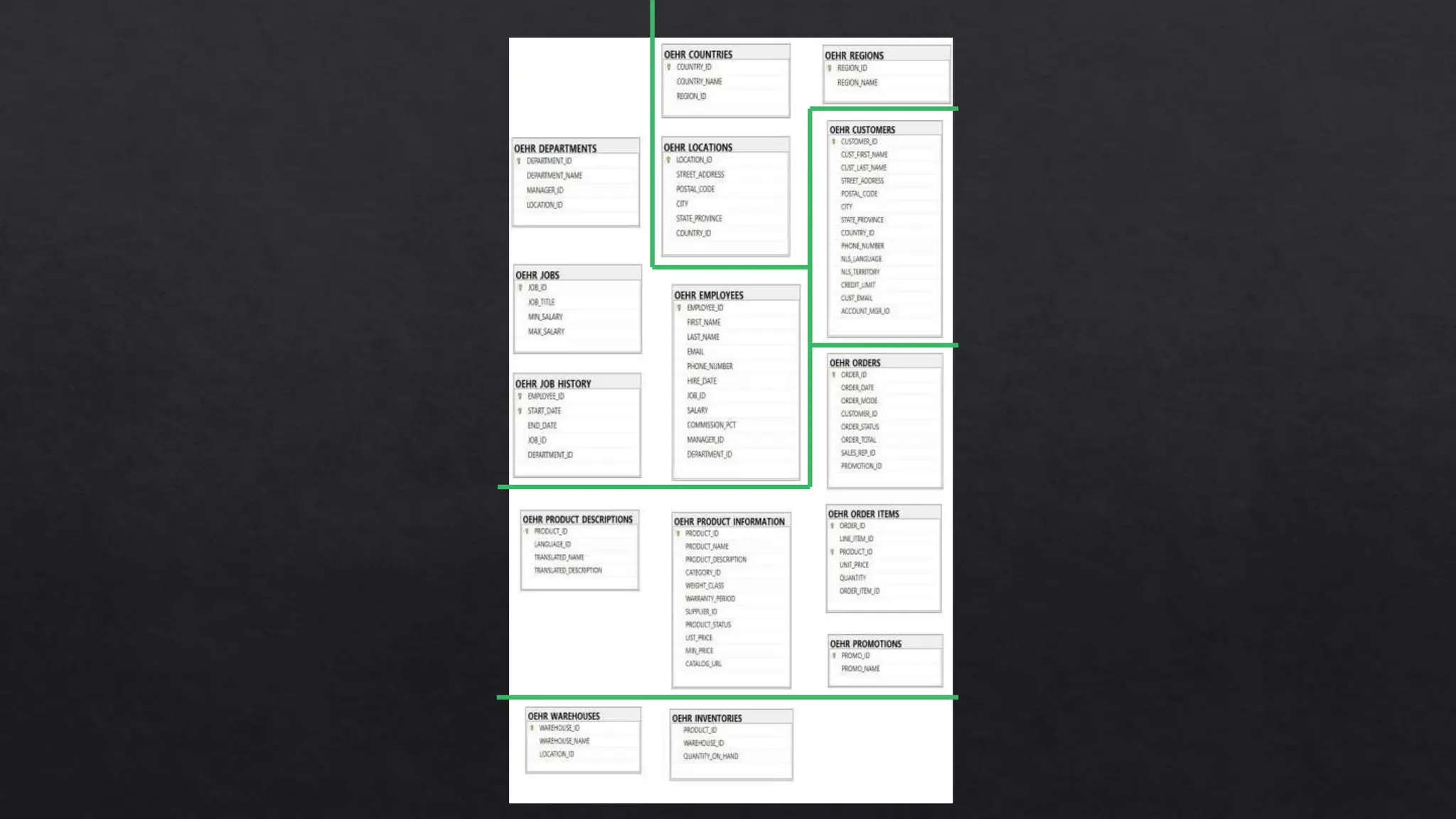
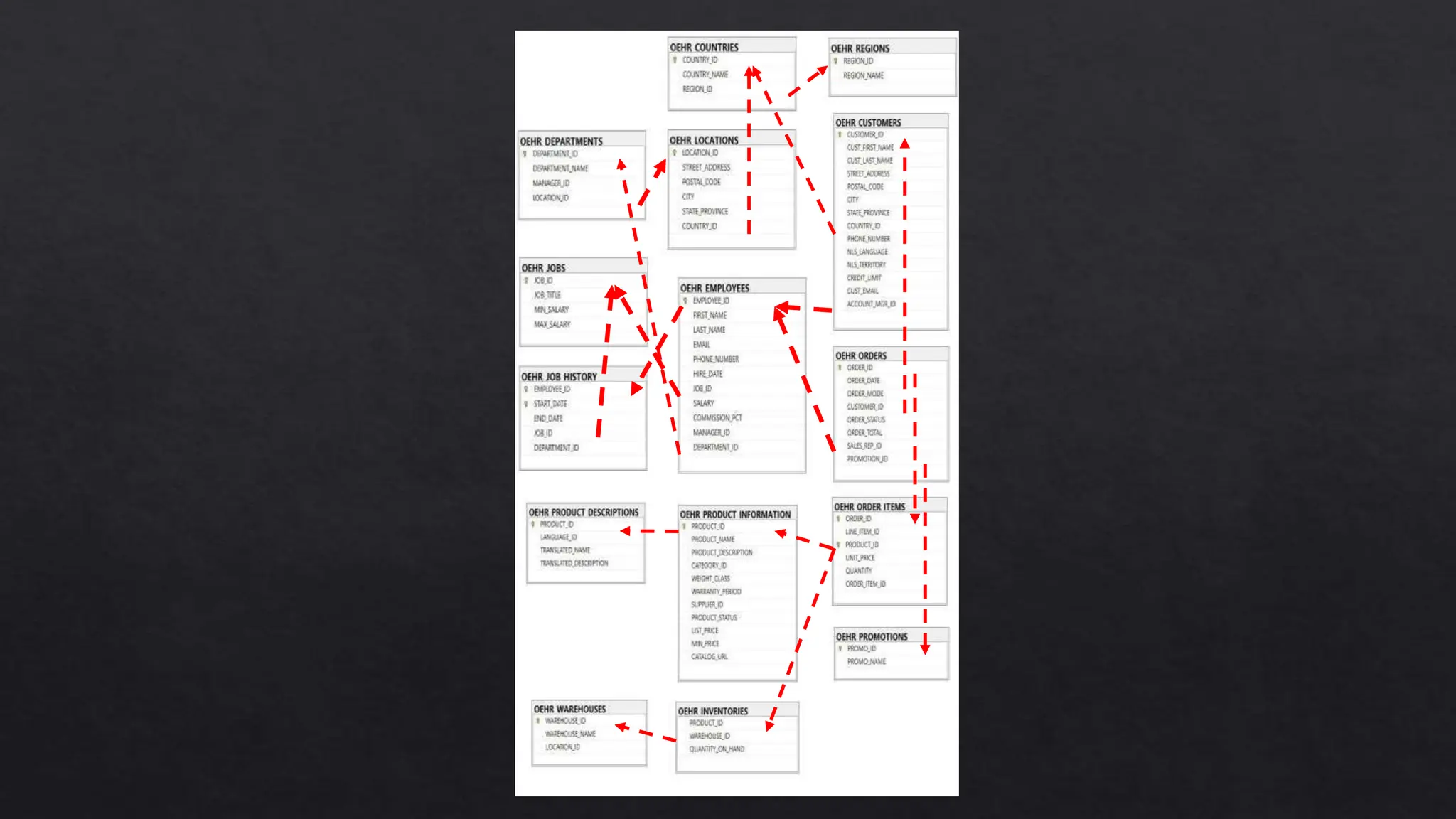
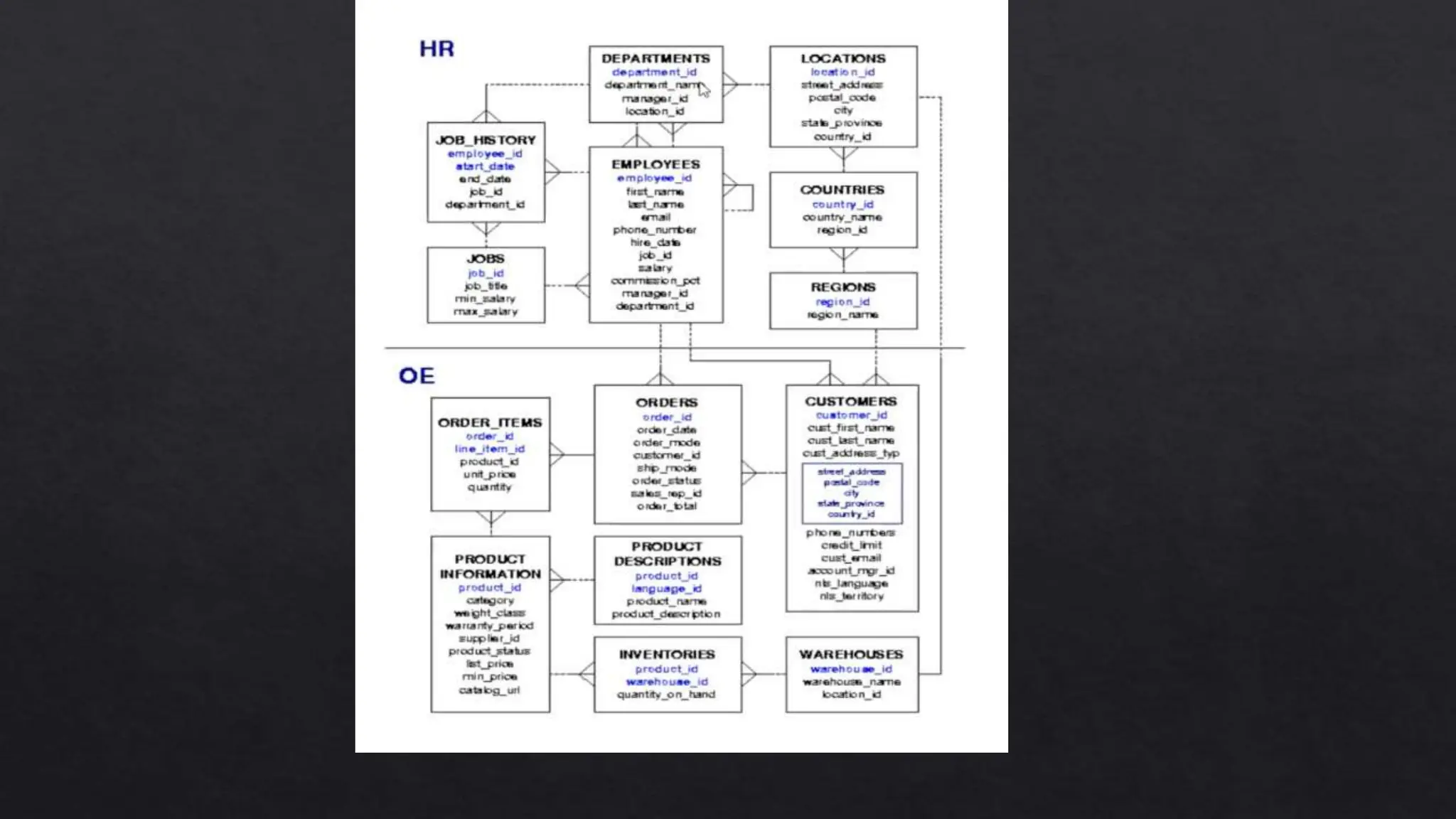
◈ Entity Relationship Diagram (ERD)
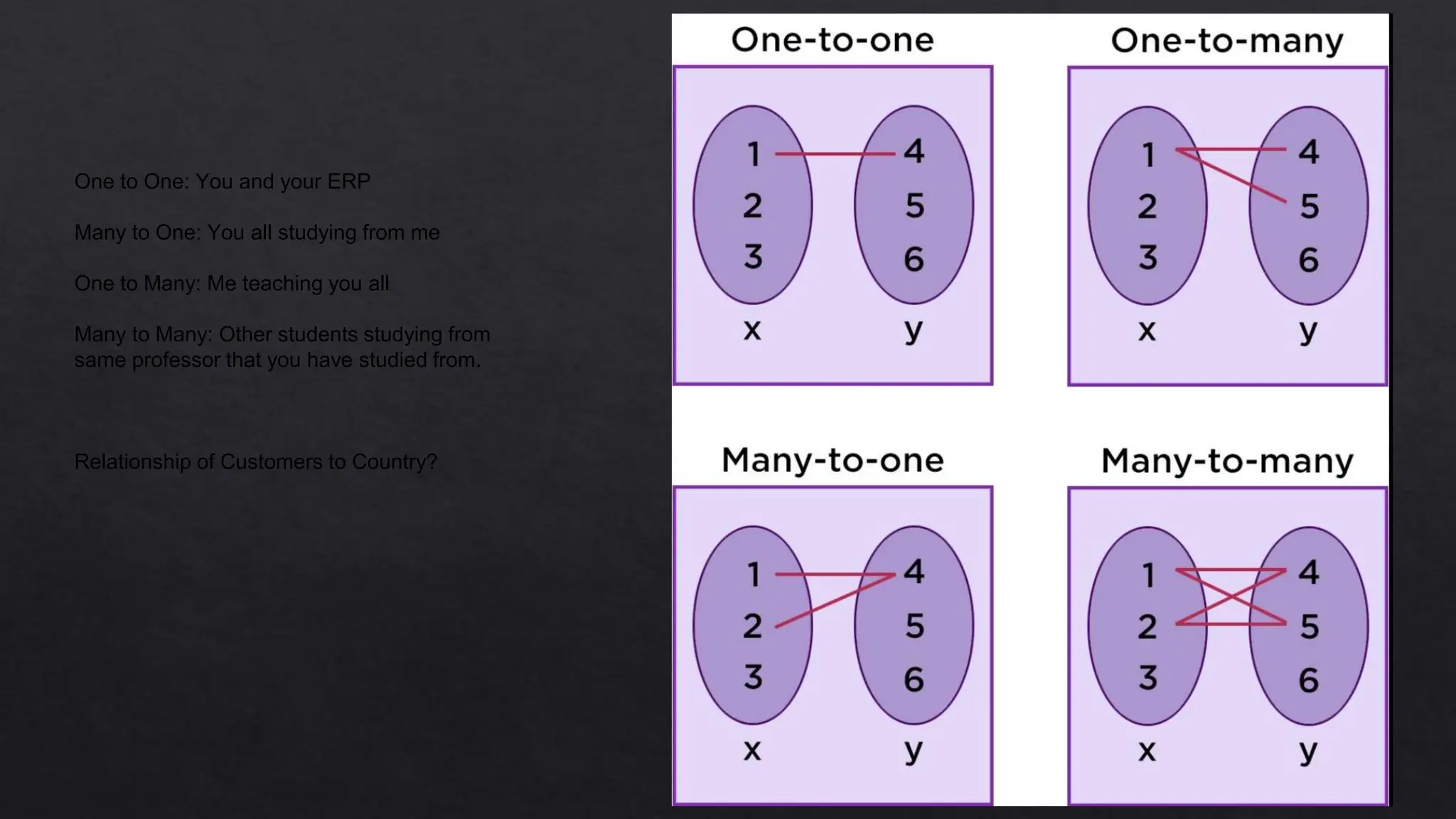
◈ Relationship type: Many, One
◈ Joining Criteria
◈ Importing the HR tables: Countries and Customers
◈ Use of underscore instead of space
One to One: You and your ERP
Many to One: You all studying from me
One to Many: Me teaching you all
Many to Many: Other students studying from
same professor that you have studied from.
Relationship of Customers to Country?
Standard Query Language
SQL
Lecture 3
ERD Diagram
◈ A customer complains about an employee, how to find the data of the
employee?
◈ Why not Country Name as PK and why Country ID?
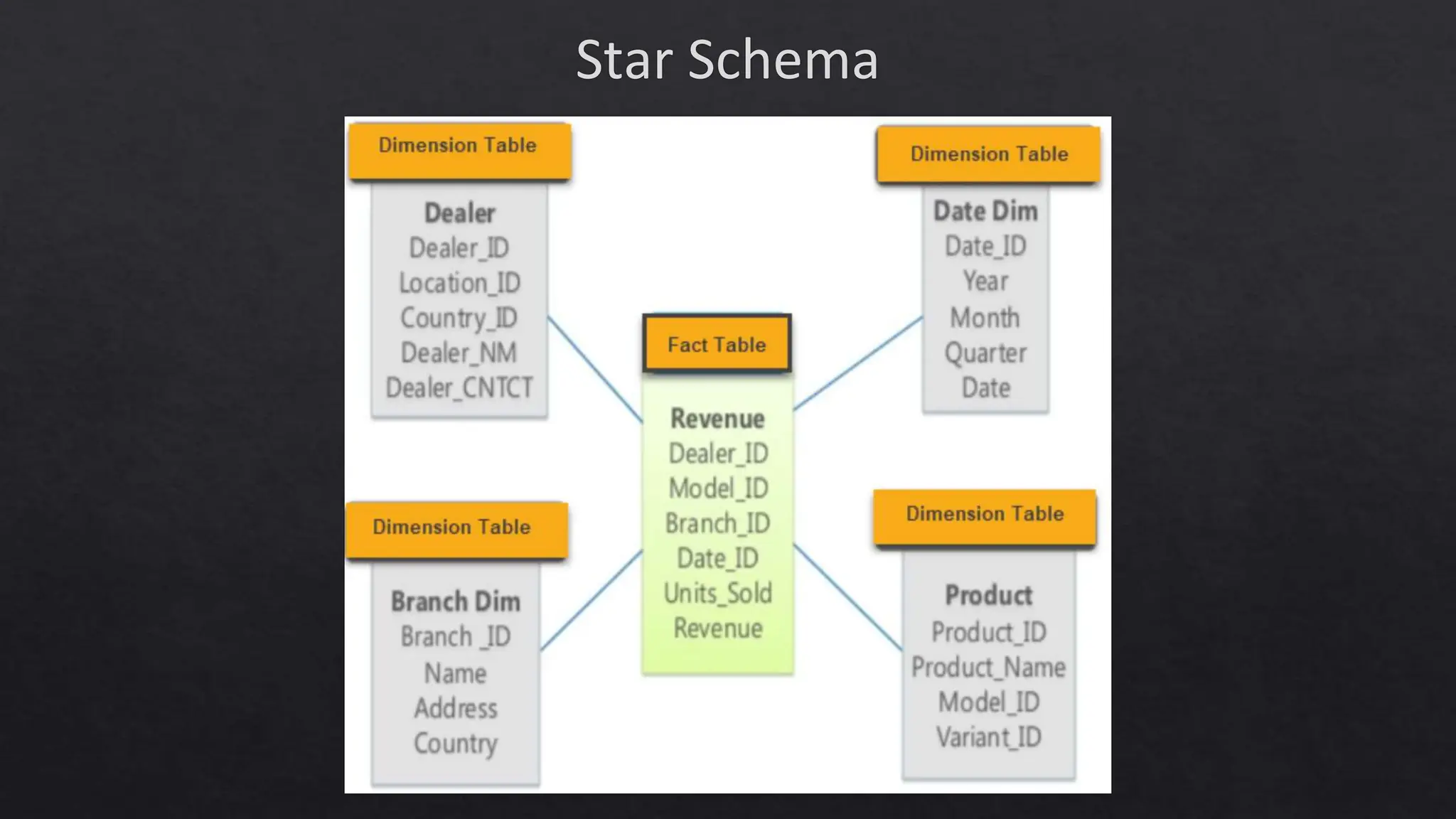
Star Schema
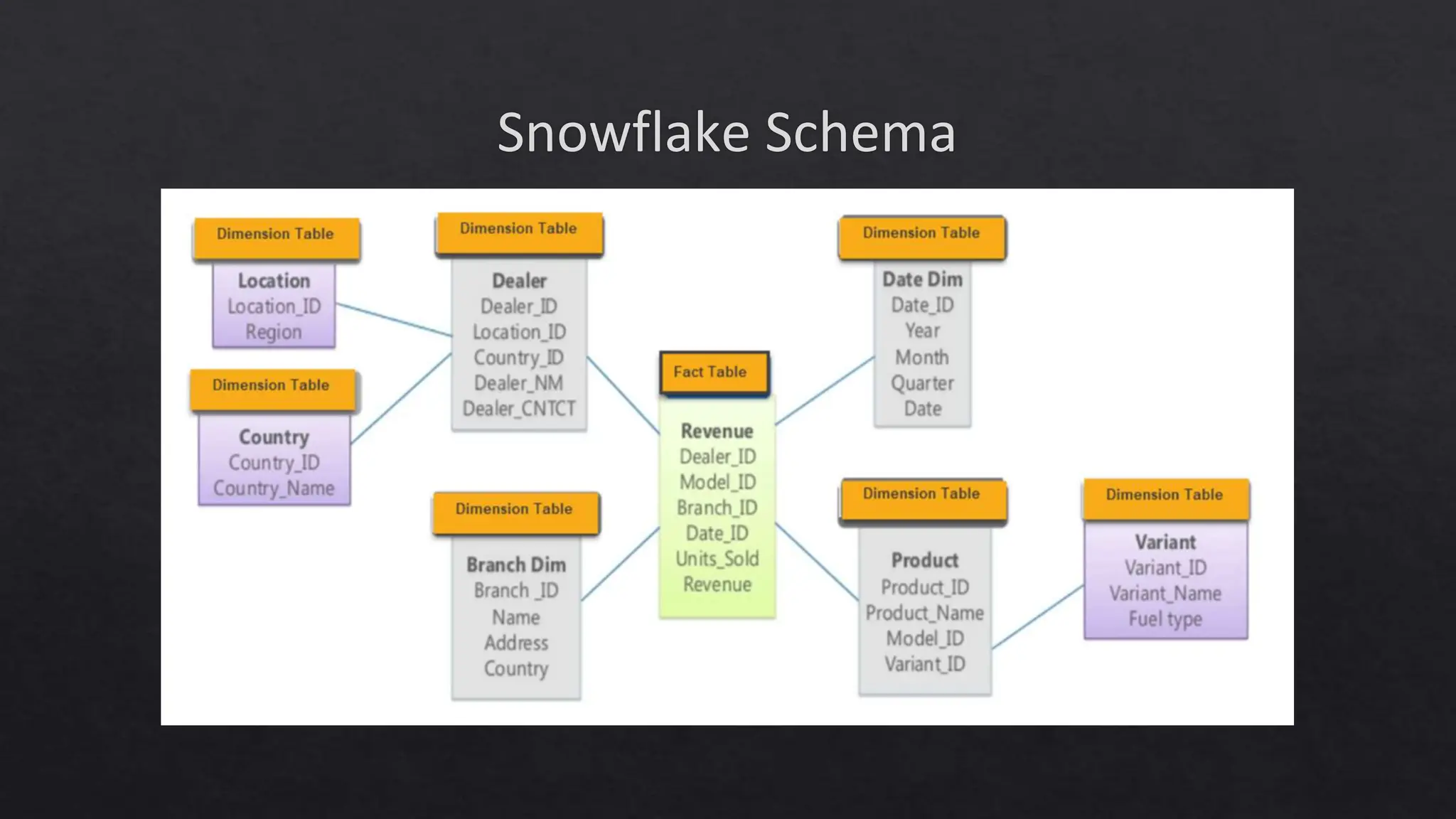
Snowflake Schema
Topics to Cover in Lecture 2
◈ Text vs Numbers
◈ Comments in SQL: #, --, /*
◈ Not equal to sign
◈ Between command
◈ '[acs]%’ '[!acs]%’
◈ '[a-f]%
Topics to Cover in Lecture 3
◈ Importing Date columns as text
◈ Color coding of SQL: Gray = Operator, Pink = Function
◈ YEAR, MONTH
◈ Temporary Table: INTO #hktemp, INTO ##hktemp
◈ Copying the data to Excel
Topics to Cover in Lecture 4
◈ Refresher of Group By Function
◈ Distinct feature in Excel – Not Done
◈ Flow of Processing SQL commands
◈ ‘Having’ does not depend on Select statement
◈ Distinct feature in Excel
◈ Count Distinct *
Topics to Cover in Lecture 5
◈ ORDER BY 2 or more columns
◈ ORDER BY on String
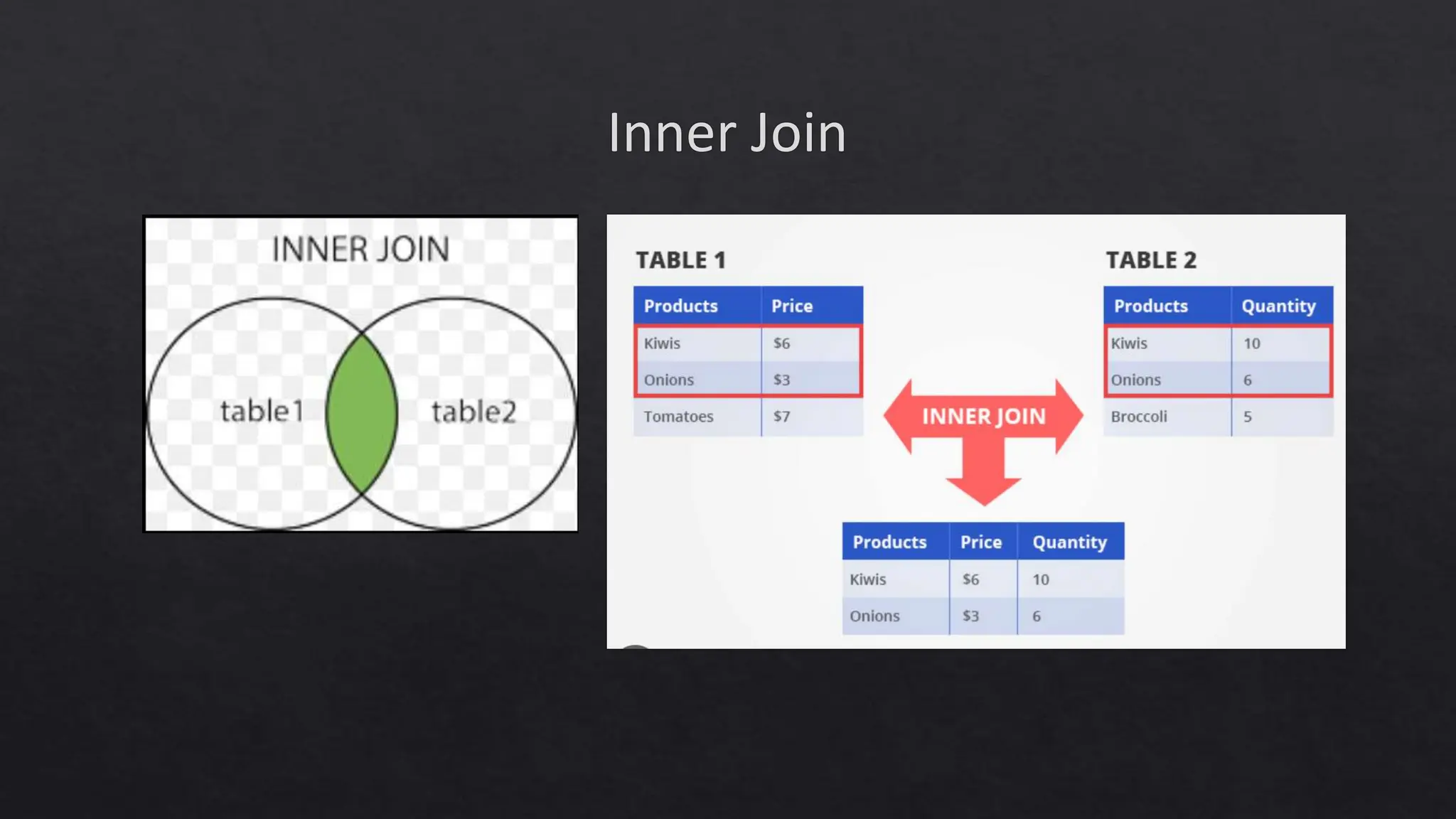
Inner Join
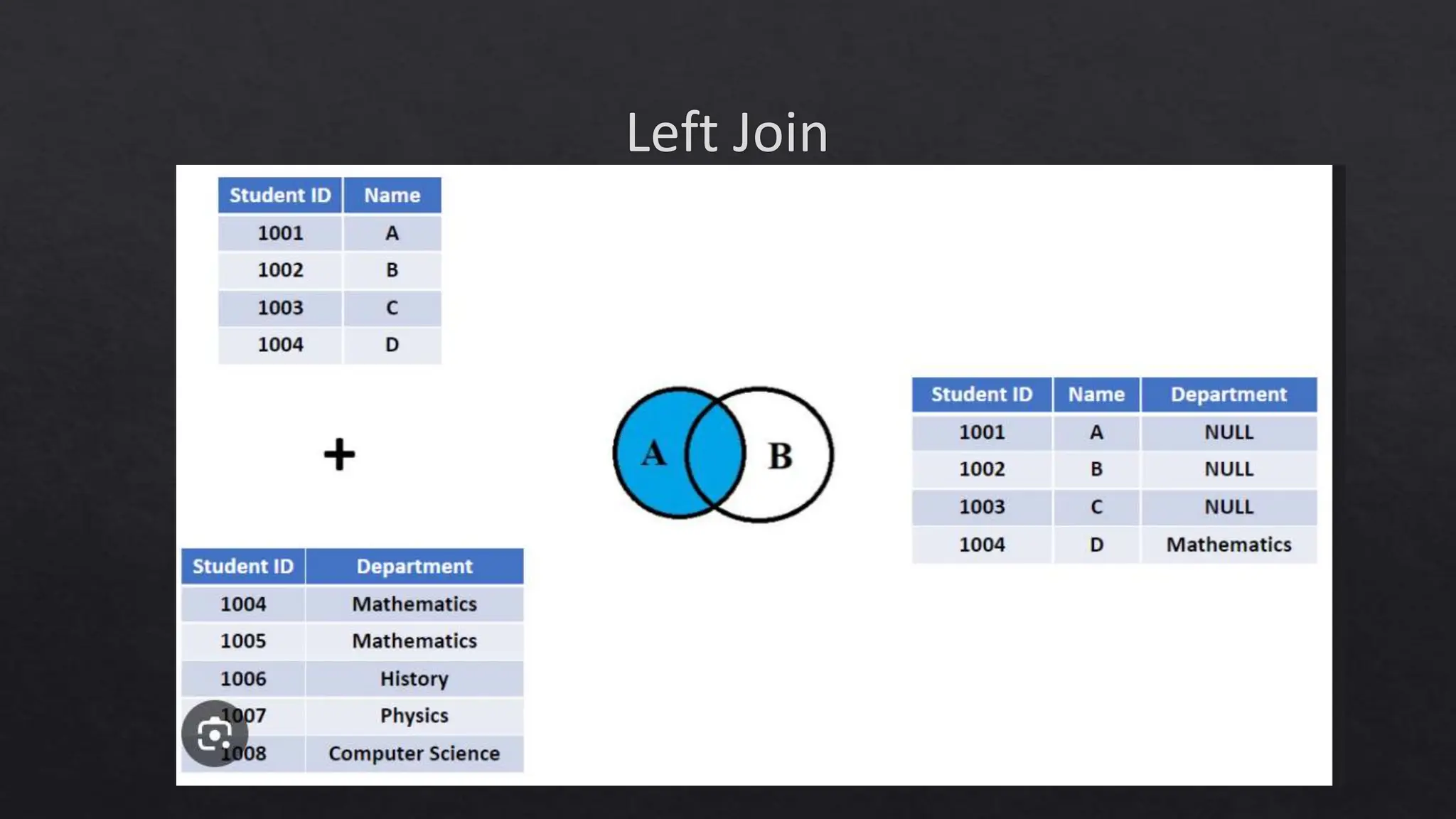
Left Join
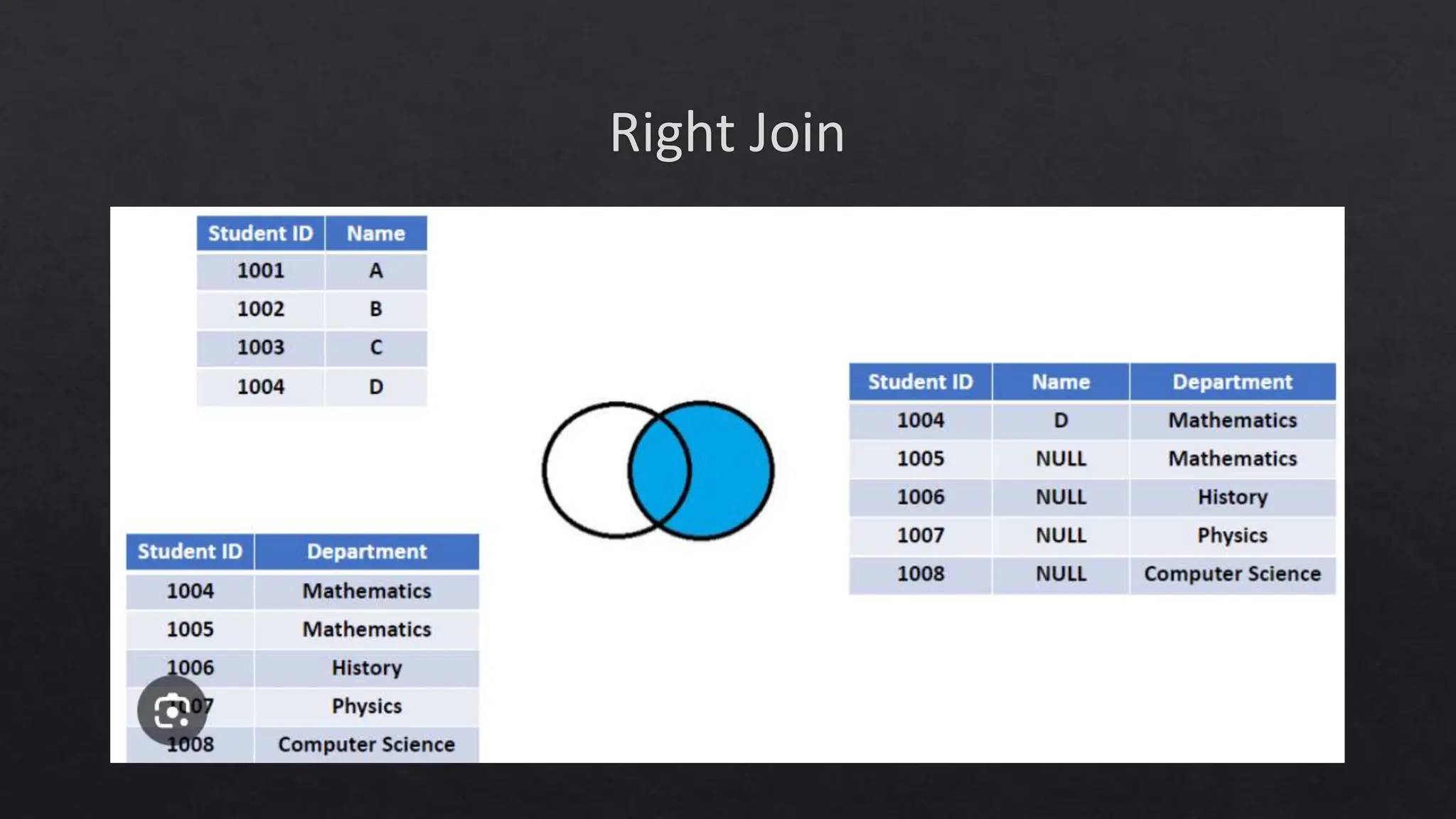
Right Join
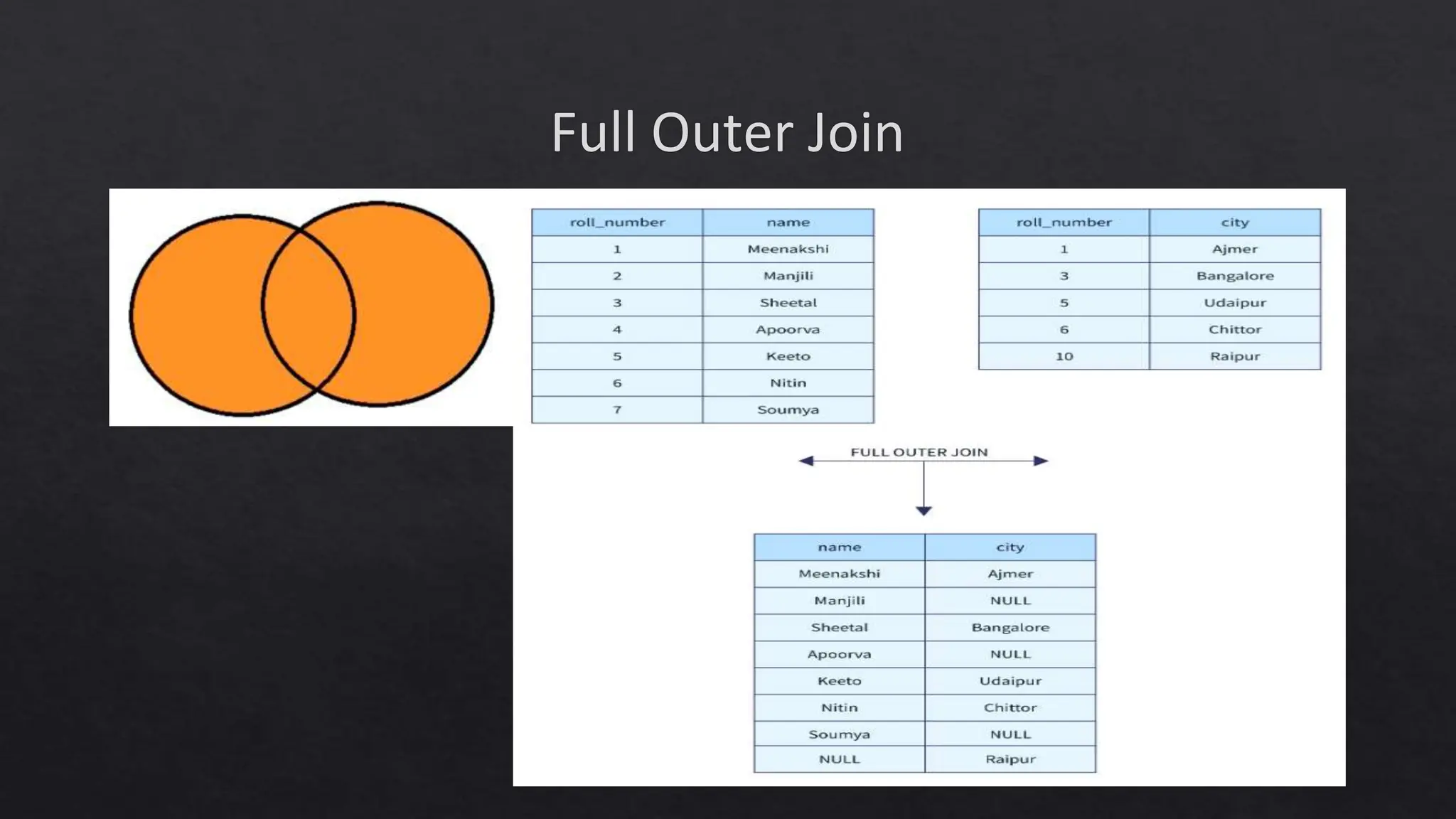
Full Outer Join
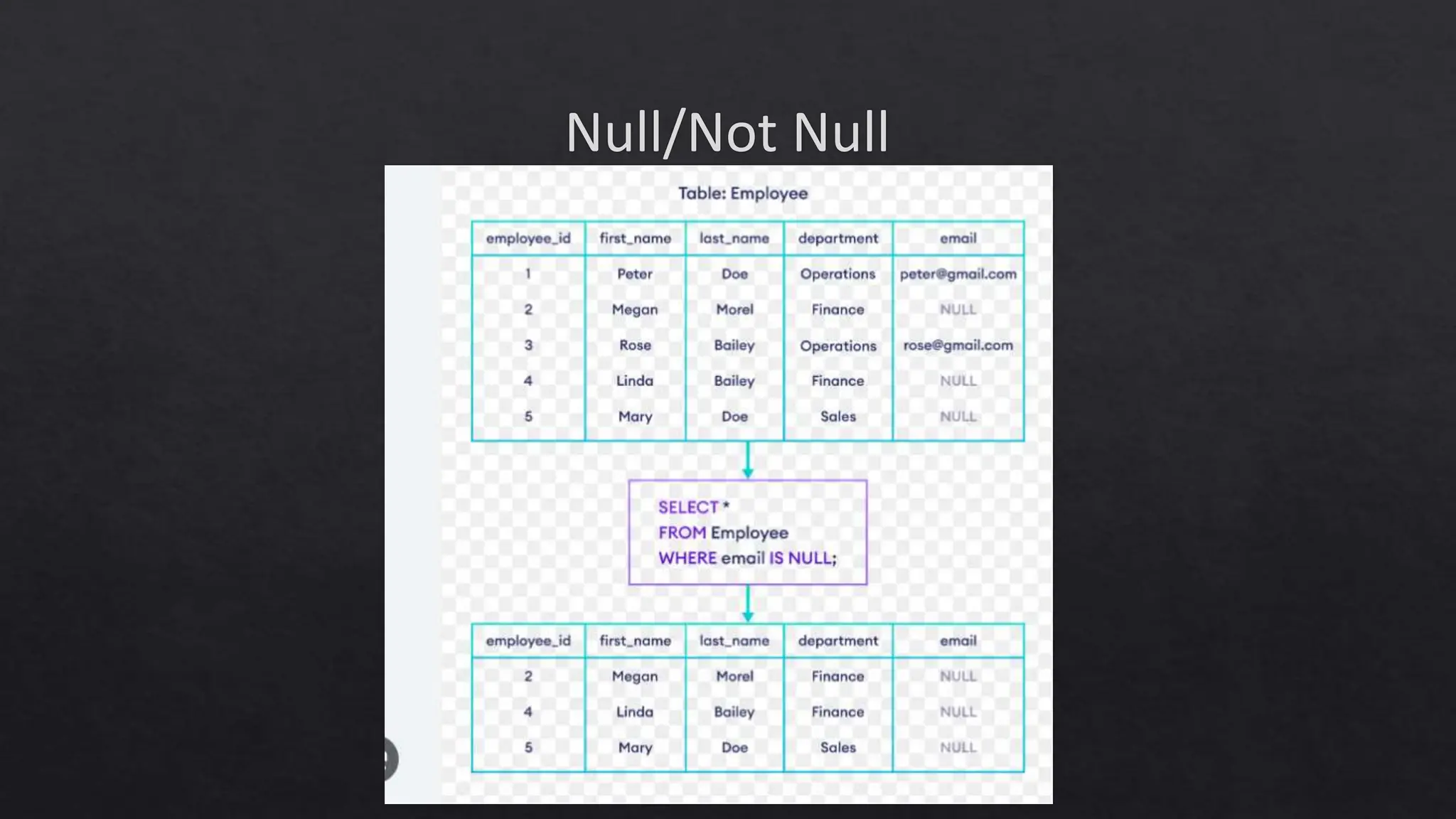
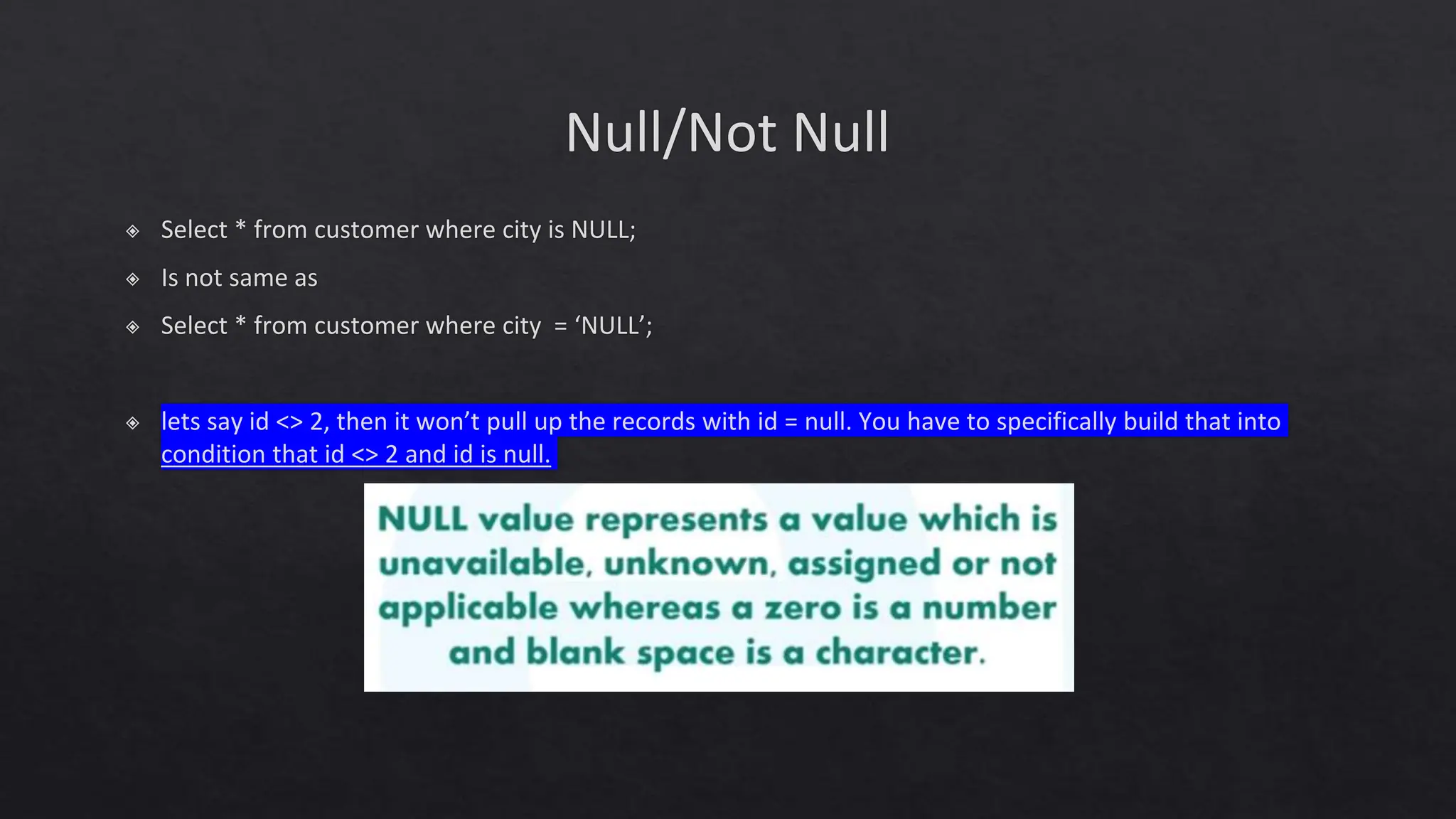
Null/Not Null
Null/Not Null
◈ Select * from customer where city is NULL;
◈ Is not same as
◈ Select * from customer where city = ‘NULL’;
◈ lets say id <> 2, then it won’t pull up the records with id = null. You have to specifically build that into
condition that id <> 2 and id is null.
SQL Functions
◈ MODULUS or %: Checking the Remainder:
◈ select distinct city from station where ID%2 = 0;
◈ For Even: Either do MOD(ID, 2) = 0 or ID%2 = 0.
◈ For Odd: Either do MOD(ID, 2) = 0 or ID%2 = 1.
◈ POWER(X, 2): To raise x to the power (exponent) of 2.
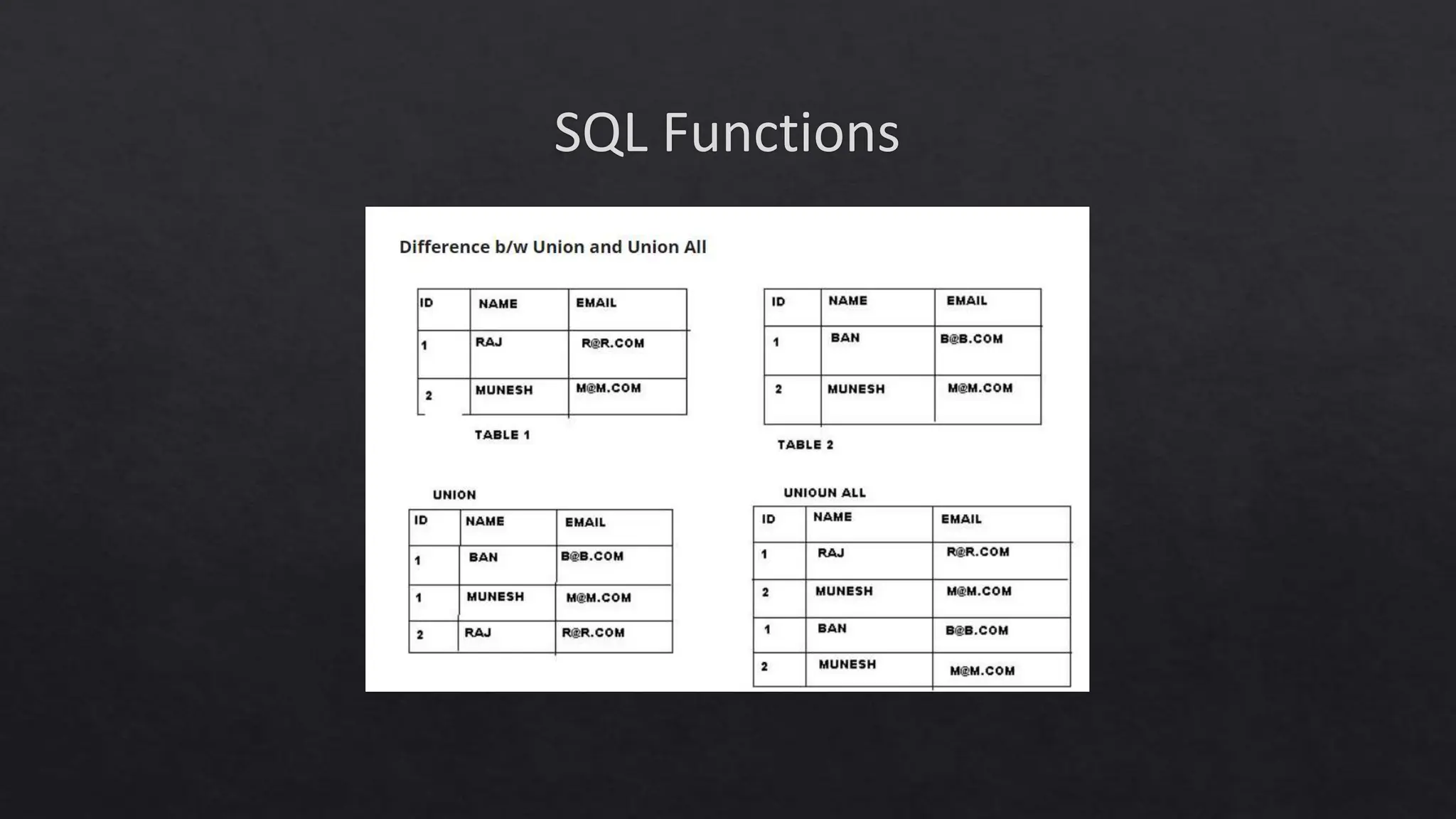
SQL Functions
SQL Functions
◈ TRIM([characters FROM ]string): removes leading spaces or the characters you specify. LTRIM, RTRIM.
◈ Window Functions:
◈ Over() to open a window: If no column is passed to over(), it is going create one window for all the
records, will iterate over all rows.
◈ Select *, max(salaray) over() as max_salary from employee: this will show max salary among all the
employees.
SQL Functions
◈ ROW_NUMBER() to apply row numbers in a table. Specification in the Over() clause will tell us how to
apply the row number.
◈ Example:
◈ Select a.CITY, a.CITY_LENGTH FROM
◈ (SELECT CITY, LENGTH(CITY) AS CITY_LENGTH,
◈ Row_number() over(order by LENGTH(CITY) asc, city asc) as short_length_rn,
◈ Row_number() over(order by LENGTH(CITY) desc, city asc) as long_length_rn
◈ FROM STATION) as a
◈ where a.short_length_rn = 1 or a.long_length_rn = 1
◈ order by 1 asc;
SQL Functions
◈ DateAdd
◈ Datediff
◈ Left
◈ Right
◈ GetDate

DMV - All Lectures SQL.pptxpComplete SQL

  • 1.
  • 2.
    Course Expectations ◈ Whatdo you expect from this course? ◈ Prior Exposure to SQL? ◈ My Experience with SQL.
  • 3.
    Course Expectations SQL • Loadingdata • Writing queries • Knowing the terminology Excel • Becoming proficient with formulas and spreadsheet structuring • Learning other useful features PowerBI • Understand what makes a good visualization • Learn how to tell a story • Link dashboards to live data
  • 5.
  • 6.
    SQL and Databases ◈SQL is the language for generating, manipulating, and retrieving data from a relational database. ◈ Types?
  • 7.
    ◈ Table, Tuples,Fields, Schema, Primary Key, Foreign Key ◈ Why not Excel? ◈ SQL (Sequel) Vs. MySQL
  • 8.
  • 9.
  • 10.
  • 11.
  • 13.
    Material to Cover ◈Databases (Their control and administration) ◈ Select statement ◈ Selection of Database from toolbar or with command ◈ HR Data exploration: How do we start ◈ Entity Relationship Diagram (ERD) ◈ Relationship type: Many, One ◈ Joining Criteria ◈ Importing the HR tables: Countries and Customers ◈ Use of underscore instead of space
  • 14.
    One to One:You and your ERP Many to One: You all studying from me One to Many: Me teaching you all Many to Many: Other students studying from same professor that you have studied from. Relationship of Customers to Country?
  • 17.
  • 21.
    ERD Diagram ◈ Acustomer complains about an employee, how to find the data of the employee? ◈ Why not Country Name as PK and why Country ID?
  • 22.
  • 23.
  • 24.
    Topics to Coverin Lecture 2 ◈ Text vs Numbers ◈ Comments in SQL: #, --, /* ◈ Not equal to sign ◈ Between command ◈ '[acs]%’ '[!acs]%’ ◈ '[a-f]%
  • 25.
    Topics to Coverin Lecture 3 ◈ Importing Date columns as text ◈ Color coding of SQL: Gray = Operator, Pink = Function ◈ YEAR, MONTH ◈ Temporary Table: INTO #hktemp, INTO ##hktemp ◈ Copying the data to Excel
  • 26.
    Topics to Coverin Lecture 4 ◈ Refresher of Group By Function ◈ Distinct feature in Excel – Not Done ◈ Flow of Processing SQL commands ◈ ‘Having’ does not depend on Select statement ◈ Distinct feature in Excel ◈ Count Distinct *
  • 27.
    Topics to Coverin Lecture 5 ◈ ORDER BY 2 or more columns ◈ ORDER BY on String
  • 28.
  • 29.
  • 30.
  • 31.
  • 34.
  • 35.
    Null/Not Null ◈ Select* from customer where city is NULL; ◈ Is not same as ◈ Select * from customer where city = ‘NULL’; ◈ lets say id <> 2, then it won’t pull up the records with id = null. You have to specifically build that into condition that id <> 2 and id is null.
  • 36.
    SQL Functions ◈ MODULUSor %: Checking the Remainder: ◈ select distinct city from station where ID%2 = 0; ◈ For Even: Either do MOD(ID, 2) = 0 or ID%2 = 0. ◈ For Odd: Either do MOD(ID, 2) = 0 or ID%2 = 1. ◈ POWER(X, 2): To raise x to the power (exponent) of 2.
  • 37.
  • 38.
    SQL Functions ◈ TRIM([charactersFROM ]string): removes leading spaces or the characters you specify. LTRIM, RTRIM. ◈ Window Functions: ◈ Over() to open a window: If no column is passed to over(), it is going create one window for all the records, will iterate over all rows. ◈ Select *, max(salaray) over() as max_salary from employee: this will show max salary among all the employees.
  • 39.
    SQL Functions ◈ ROW_NUMBER()to apply row numbers in a table. Specification in the Over() clause will tell us how to apply the row number. ◈ Example: ◈ Select a.CITY, a.CITY_LENGTH FROM ◈ (SELECT CITY, LENGTH(CITY) AS CITY_LENGTH, ◈ Row_number() over(order by LENGTH(CITY) asc, city asc) as short_length_rn, ◈ Row_number() over(order by LENGTH(CITY) desc, city asc) as long_length_rn ◈ FROM STATION) as a ◈ where a.short_length_rn = 1 or a.long_length_rn = 1 ◈ order by 1 asc;
  • 40.
    SQL Functions ◈ DateAdd ◈Datediff ◈ Left ◈ Right ◈ GetDate