




Discovering December 11, 2008
What is Facebook? “ Facebook helps you connect and share with the people in your life.” – a social network
Who is Facebook For? People who want to stay connected with or reconnect with friends, family, and colleagues. Recommended: know at least one person who already has a Facebook account, or someone who is willing to create an account at the same time as you
Setting Up An Account Go to: http://www.facebook.com *In order to create an account, you must verify your email address. (bgkclass@yahoo.com)
Finding Friends Search your address book to see which friends are already in Facebook Find friends by entering education and current employer Select “People You May Know” Search by name, or for groups and pages of interest Potential “friends” MUST approve your friend request before you can interact with them.
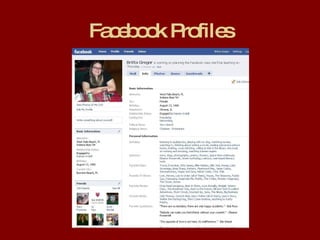
Facebook Profiles
Edit Your Profile Profile Picture Status Updating Personal Info
Toolbars Bottom Toolbar Notifications Chat Applications Top Toolbar Home/Name Profile Friends Inbox Settings
Safety First Users can edit their safety settings to define who can find them on Facebook, and who can see various parts of their profile It is recommended to have only your friends able to view your profile.  Leaving your profile open to the public is risky. Settings > Privacy Settings > Profile Settings > Privacy Settings > Search (For password, email, etc: Settings > Account Settings

Discover Facebook (New)

  • 1.
  • 2.
    What is Facebook?“ Facebook helps you connect and share with the people in your life.” – a social network
  • 3.
    Who is FacebookFor? People who want to stay connected with or reconnect with friends, family, and colleagues. Recommended: know at least one person who already has a Facebook account, or someone who is willing to create an account at the same time as you
  • 4.
    Setting Up AnAccount Go to: http://www.facebook.com *In order to create an account, you must verify your email address. (bgkclass@yahoo.com)
  • 5.
    Finding Friends Searchyour address book to see which friends are already in Facebook Find friends by entering education and current employer Select “People You May Know” Search by name, or for groups and pages of interest Potential “friends” MUST approve your friend request before you can interact with them.
  • 6.
  • 7.
    Edit Your ProfileProfile Picture Status Updating Personal Info
  • 8.
    Toolbars Bottom ToolbarNotifications Chat Applications Top Toolbar Home/Name Profile Friends Inbox Settings
  • 9.
    Safety First Userscan edit their safety settings to define who can find them on Facebook, and who can see various parts of their profile It is recommended to have only your friends able to view your profile. Leaving your profile open to the public is risky. Settings > Privacy Settings > Profile Settings > Privacy Settings > Search (For password, email, etc: Settings > Account Settings