DiigoDiigo
http://www.diigo.comhttp://www.diigo.com
A Bookmarking Tool that .does so much more
Dr. Carole Redline,
2013
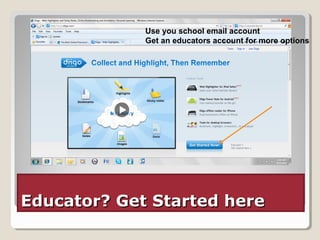
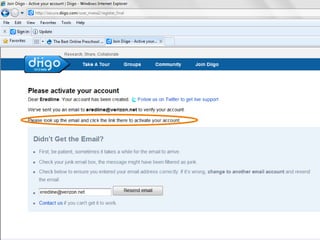
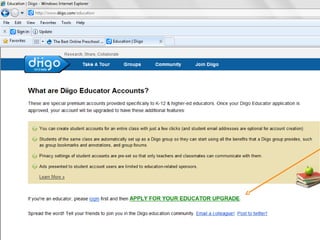
Educator? Get Started hereEducator? Get Started here
Use you school email account
Get an educators account for more options
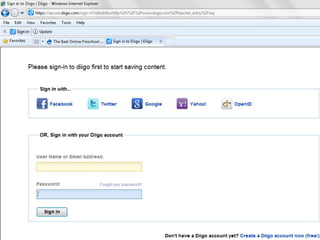
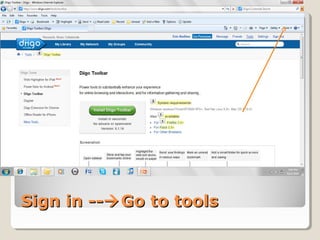
Sign in --Sign in --Go to toolsGo to tools
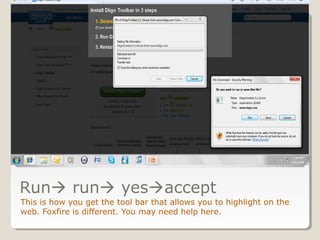
Run run yesaccept
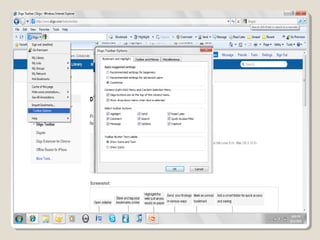
This is how you get the tool bar that allows you to highlight on the
web. Foxfire is different. You may need help here.
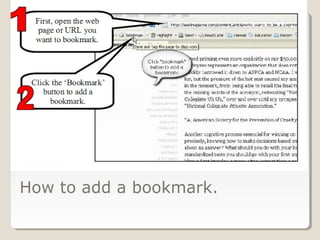
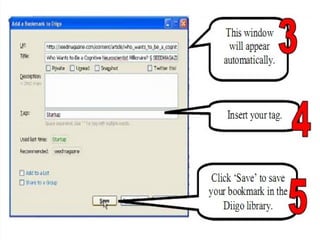
How to add a bookmark.
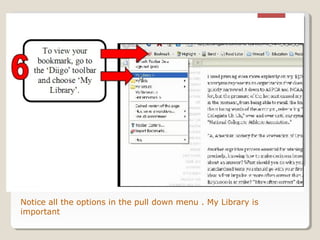
Notice all the options in the pull down menu . My Library is
important
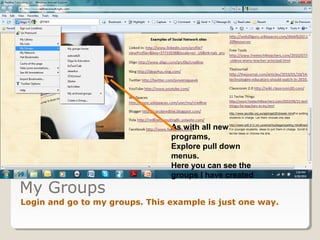
My Groups
Login and go to my groups. This example is just one way.
As with all new
programs,
Explore pull down
menus.
Here you can see the
groups I have created
++
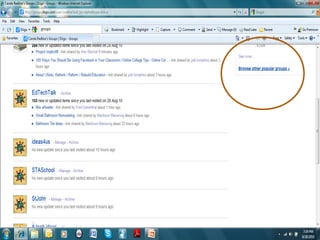
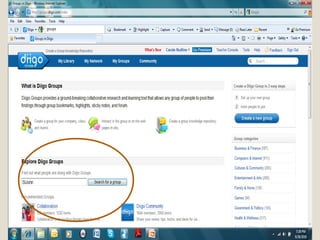
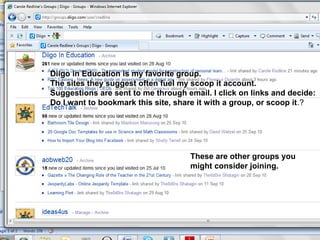
These are other groups you
might consider joining.
Diigo in Education is my favorite group.
The sites they suggest often fuel my scoop it account.
Suggestions are sent to me through email. I click on links and decide:
Do I want to bookmark this site, share it with a group, or scoop it.?
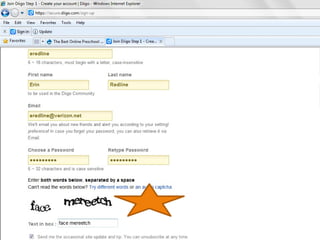
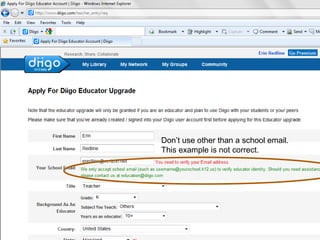
Don’t use other than a school email.
This example is not correct.
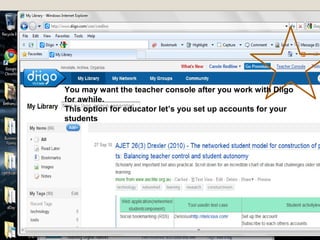
You may want the teacher console after you work with Diigo
for awhile.
This option for educator let’s you set up accounts for your
students
Reference Web 2.0Annotation &BookmarkingTools:AQuick Guide
http://www.scribd.com/doc/111778965/Web-2-0-Annotation-and-Bookmar
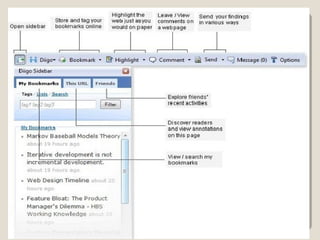
Diigo allows the user to see any bookmarked sites on any computer
on the web. You sign into your account and no matter where you are
your bookmarks are there.
But also you can highlight right on any websites .
You and your students can make comments on the websites and
share you ideas. Those highlights and comments will stay on the site
even after you close it. Just login to your account to see them.
You can share ideas with your own groups or gather ideas from
other groups, Choose how and when to receive email alerts.
This tool takes a little time, patience and practice but it is so
worthwhile.
Take time to explore Diigo.
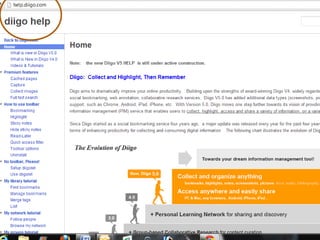
Use the Help Services
Dream big: How can your class use
Diigo

Diigo tutorial

  • 1.
    DiigoDiigo http://www.diigo.comhttp://www.diigo.com A Bookmarking Toolthat .does so much more Dr. Carole Redline, 2013
  • 2.
    Educator? Get StartedhereEducator? Get Started here Use you school email account Get an educators account for more options
  • 6.
    Sign in --Signin --Go to toolsGo to tools
  • 7.
    Run run yesaccept Thisis how you get the tool bar that allows you to highlight on the web. Foxfire is different. You may need help here.
  • 9.
    How to adda bookmark.
  • 11.
    Notice all theoptions in the pull down menu . My Library is important
  • 12.
    My Groups Login andgo to my groups. This example is just one way. As with all new programs, Explore pull down menus. Here you can see the groups I have created
  • 13.
  • 15.
    These are othergroups you might consider joining. Diigo in Education is my favorite group. The sites they suggest often fuel my scoop it account. Suggestions are sent to me through email. I click on links and decide: Do I want to bookmark this site, share it with a group, or scoop it.?
  • 17.
    Don’t use otherthan a school email. This example is not correct.
  • 18.
    You may wantthe teacher console after you work with Diigo for awhile. This option for educator let’s you set up accounts for your students
  • 20.
    Reference Web 2.0Annotation&BookmarkingTools:AQuick Guide http://www.scribd.com/doc/111778965/Web-2-0-Annotation-and-Bookmar Diigo allows the user to see any bookmarked sites on any computer on the web. You sign into your account and no matter where you are your bookmarks are there. But also you can highlight right on any websites . You and your students can make comments on the websites and share you ideas. Those highlights and comments will stay on the site even after you close it. Just login to your account to see them. You can share ideas with your own groups or gather ideas from other groups, Choose how and when to receive email alerts. This tool takes a little time, patience and practice but it is so worthwhile. Take time to explore Diigo.
  • 21.
    Use the HelpServices Dream big: How can your class use Diigo