Change & Release
Management
Tom Nepa
Success Manager
Agenda
โ–  Introductions
โ–  Change management
โ–  Release management
โ–  Process and governance
โ–  Environment management
โ–  Best practice and recommendations
โ–  Training and communication
โ–  Ongoing support
โ–  Next steps
โ–  Q & A
Change Management
High Level
โ–  How do you collect change requests?
โ–  Where will you track and store requests?
โ–  Who is responsible for managing requests?
โ–  Who prioritizes?
โ–  Who Schedules and assigns tasks?
โ–  What does your development architecture look like?
โ–  How do you roll up development releases?
โ–  How do you handle QA/UAT issues?
โ–  Approvals
โ–  How will releases be communicated to users?
โ–  When is training brought in the process?
โ–  How does this tie into your project plan?
Change Management
โ–  Change Management is the process by which an
organization identifies, prioritizes, assigns, executes
and communicates change.
โ–  In a salesforce.com deployment this could result from
โ€“ Organizational change
โ€“ Business process changes
โ€“ Addition or subtraction of processes
โ€“ Salesforce.com release of new versions
โ–  Different process for different change request
โ€“ Big changes: Rolling new business lines
โ€“ Medium: Enhancements that affect specific line of business
โ€“ Simple: Fixes, Config change, Reports and templates
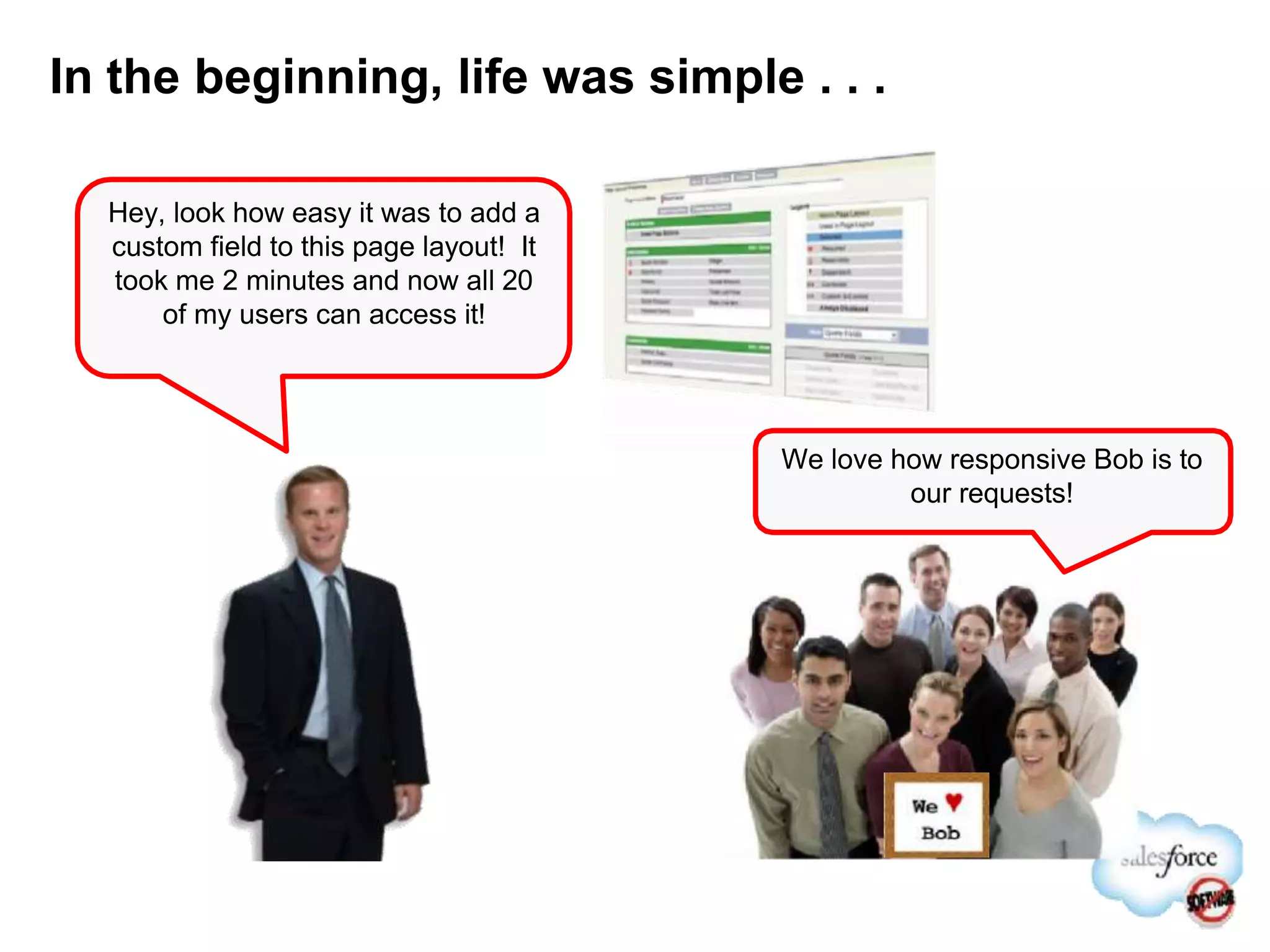
In the beginning, life was simple . . .
Hey, look how easy it was to add a
custom field to this page layout! It
took me 2 minutes and now all 20
of my users can access it!
We love how responsive Bob is to
our requests!
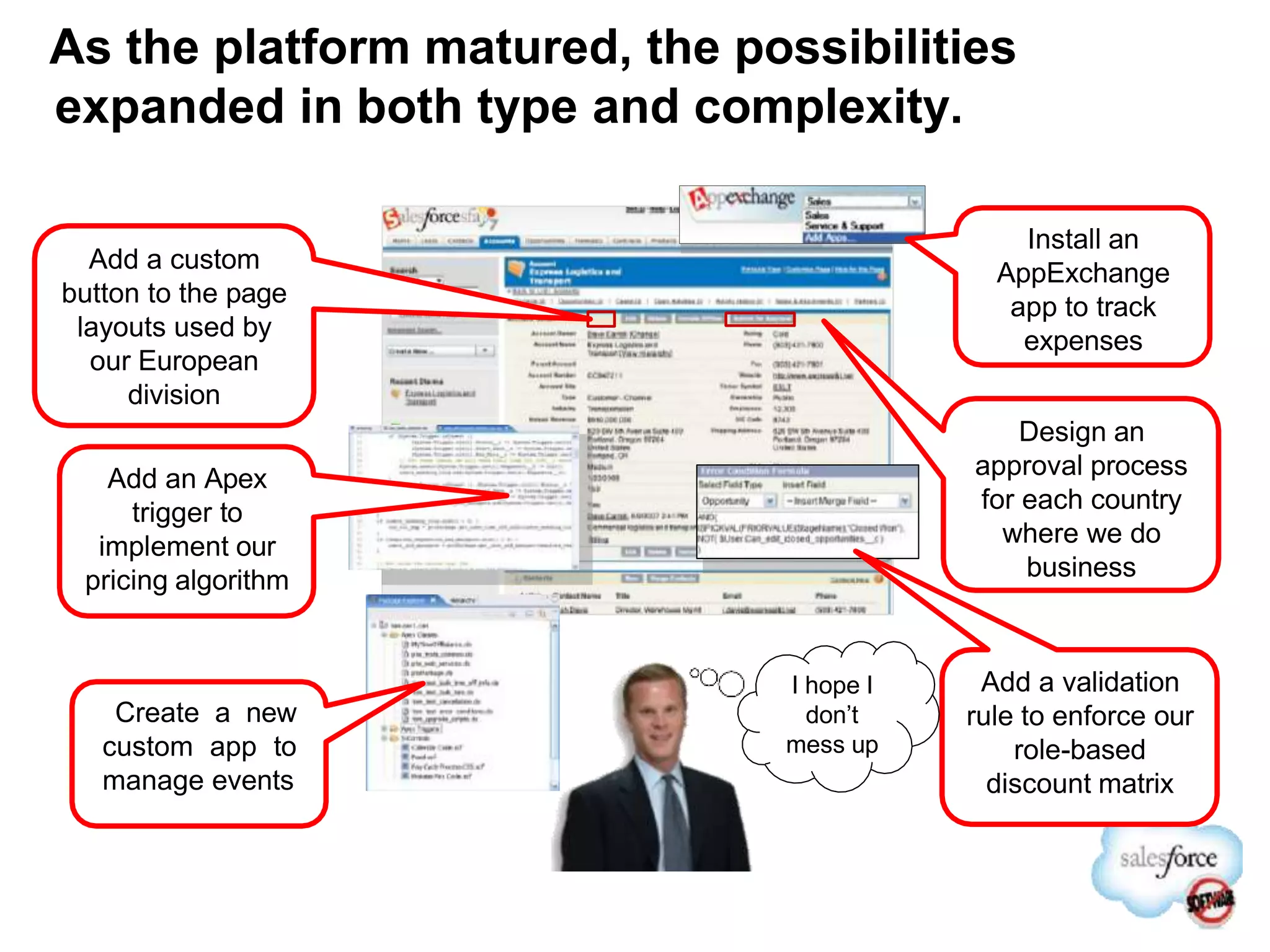
As the platform matured, the possibilities
expanded in both type and complexity.
Design an
approval process
for each country
where we do
business
Add a custom
button to the page
layouts used by
our European
division
Add an Apex
trigger to
implement our
pricing algorithm
Install an
AppExchange
app to track
expenses
Add a validation
rule to enforce our
role-based
discount matrix
Create a new
custom app to
manage events
I hope I
donโ€™t
mess up
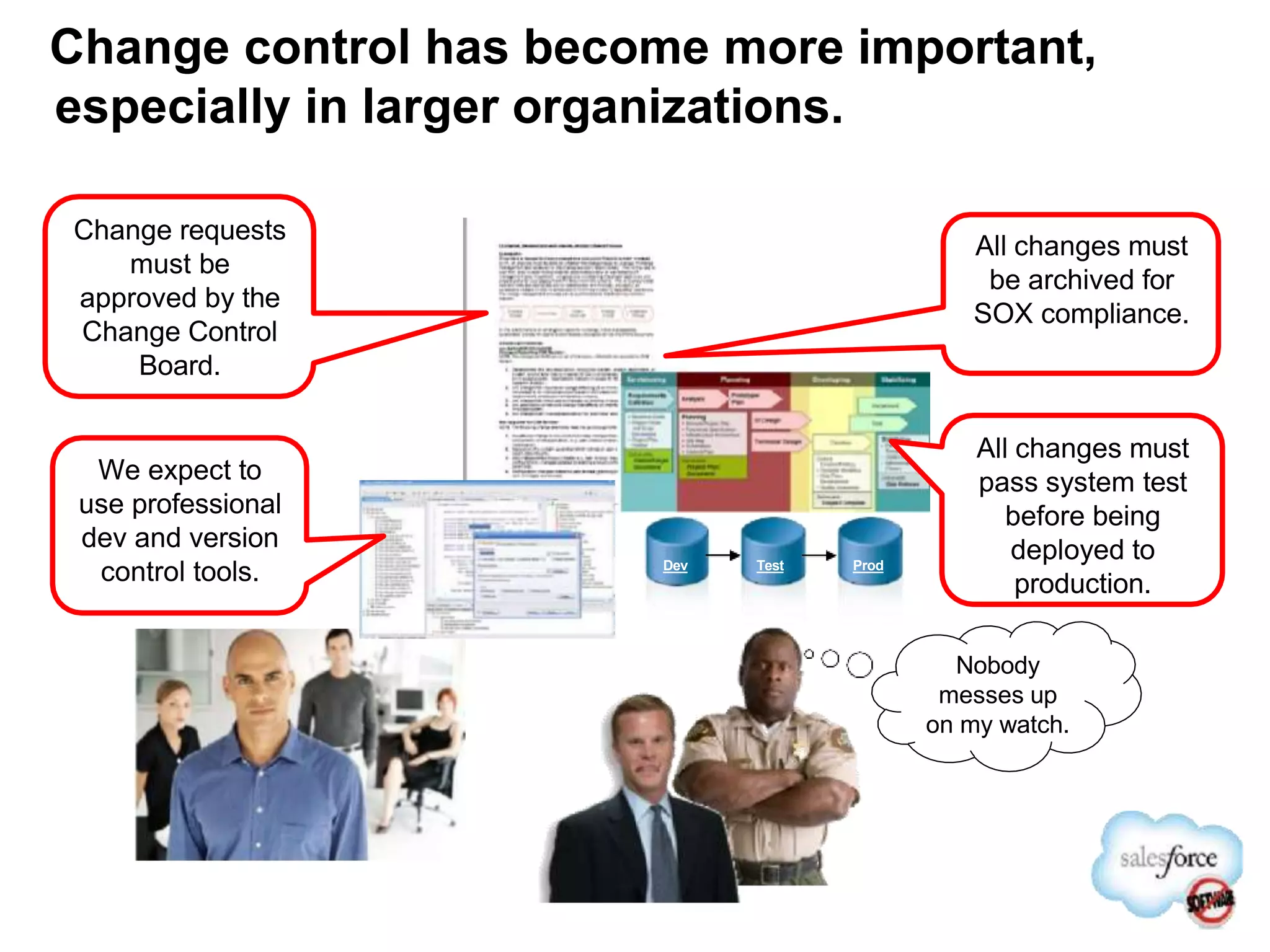
Change control has become more important,
especially in larger organizations.
Change requests
must be
approved by the
Change Control
Board.
All changes must
be archived for
SOX compliance.
All changes must
pass system test
before being
deployed to
production.
Dev Test Prod
Nobody
messes up
on my watch.
We expect to
use professional
dev and version
control tools.
Why Change Management for Salesforce?
โ€ขWhy should change management be applied to Salesforce.com?
โ€“You are dealing with an application that is in constant flux
โ€ข Its fully customizable to your business
โ€ข Its functionality improves and expands up to three times a year
โ€ข Your users and go to market strategy are most likely changing and in turn
your CRM system must evolve
โ€ขControlled change will allow you to focus on streamlined processes and
maintaining consistency while remaining nimble and responsive
โ€ขLimited application administration resources will require organization to
obtain maximum efficiency
โ€ขTop-down adoption is critical to success; a focus on bottom up adoption is
also necessary for success
Change Management
A process of continuous evolution
Vision
Strategy
Objectives
Validate
โ€ข Audit Salesforce data
โ€ข Monitor performance metrics
โ€ข Use results to drive behavior
or process change within the
organization where
appropriate
Vision & Strategy
โ€ข Establish program vision
โ€ข Define strategy to achieve
โ€ข Develop objectives to
ensure progress
Initiate/Plan
โ€ข Identify key
Salesforce
capabilities
required
โ€ข Develop a
roadmap to
implement
โ€ข Tie capabilities to
program
objectives
Operationalize
โ€ข Build, configure,
and deploy
application
โ€ข Manage
organizational
change (release
mgmt, training, etc.)
โ€ข Drive adoption of
new features
Continuously analyze your current
state, collect user feedback and
implement change when appropriate.
Who should be involved?
โ€ขThe users community
โ€“Customer facing personnel, management and senior management should all have access to
provide feedback and influence direction
โ€ขKey decision makers
โ€“The feedback and requests from the field must be triaged by an identified individual or group
that has proper training, understanding of the system and business processes
โ€“Enterprise Architects, Administrators etc.
โ€ขChange Control Committee or Steering Committee
โ€“A cross departmental group that has the overall business objectives and understanding of
the overall vision. This group should meet regularly and the agenda should include select
change control requests.
โ€ขExecutive Sponsor
โ€“The leader of the Steering Committee should set priorities and ensure alignment with overall
business goals.
Do all changes require โ€œRelease Managementโ€? โ€“ No
Salesforce.com is designed for end users to make some
configuration changes. Some of these changes can be made in
production and shared when the testing is complete:
o Reports, Dashboards and List Views
o Adding a picklist value
o Adding a new user
o Group Membership
o Creating a territory
o Changing the label of a field
o Email Templates and Letterhead
o Creating a โ€œmessage of the dayโ€
These changes are still
tested before being
shared with end users.
This is done through
access controls!
Steps to Effective Change Management
โ€ข Get a strategy
โ€“ Define an execution strategy and try and keep it simple as possible
โ€ข Collect input
โ€“ Capture input from end users, cultivate interaction between change management group and end user
โ€ข Get a sponsor
โ€“ Having an engaged executive sponsor is key to establish Objectives, define Process and drive Adoption
โ€ข Define scope and impact
โ€“ Determine the level of effort, scope, and impact. Identify and align processes between functional areas
โ€ข Prioritize
โ€“ Get end user input to understand overall impact and prioritize user requirements
โ€ข Implement and test
โ€“ Define implementation, end user validation and deployment plan
โ€ข Communicate and train users
โ€“ Keep user community informed of changes so they are better prepared for adoption
โ€ข Deploy
โ€“ Define and adhere to a repeatable release management process
โ€ข Follow up
โ€“ Identify power users to follow-up on new release and define future enhancements
Release Management
5 Pillars of Release Management
1 2
Deployment
Size & New Project
Cadence Evaluation
3
Environment
Strategy
4
Training &
Communica-
tion
5
Ongoing
Support
Model
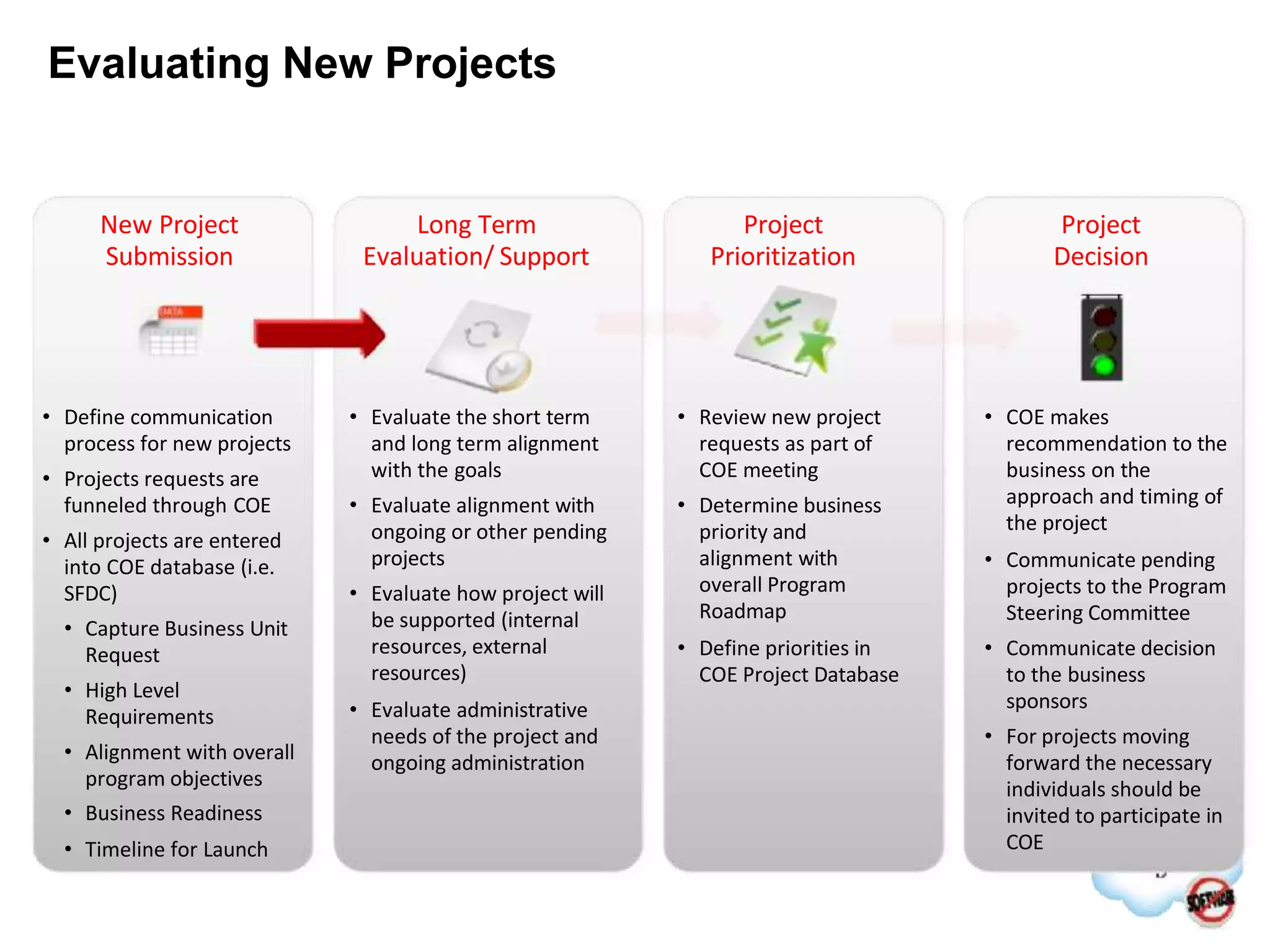
Evaluating New Projects
โ€ข Define communication
process for new projects
โ€ข Projects requests are
funneled through COE
โ€ข All projects are entered
into COE database (i.e.
SFDC)
โ€ข Capture Business Unit
Request
โ€ข High Level
Requirements
โ€ข Alignment with overall
program objectives
โ€ข Business Readiness
โ€ข Timeline for Launch
โ€ข Review new project
requests as part of
COE meeting
โ€ข Determine business
priority and
alignment with
overall Program
Roadmap
โ€ข Define priorities in
COE Project Database
โ€ข Evaluate the short term
and long term alignment
with the goals
โ€ข Evaluate alignment with
ongoing or other pending
projects
โ€ข Evaluate how project will
be supported (internal
resources, external
resources)
โ€ข Evaluate administrative
needs of the project and
ongoing administration
โ€ข COE makes
recommendation to the
business on the
approach and timing of
the project
โ€ข Communicate pending
projects to the Program
Steering Committee
โ€ข Communicate decision
to the business
sponsors
โ€ข For projects moving
forward the necessary
individuals should be
invited to participate in
COE
New Project
Submission
Project
Prioritization
Project
Decision
Long Term
Evaluation/ Support
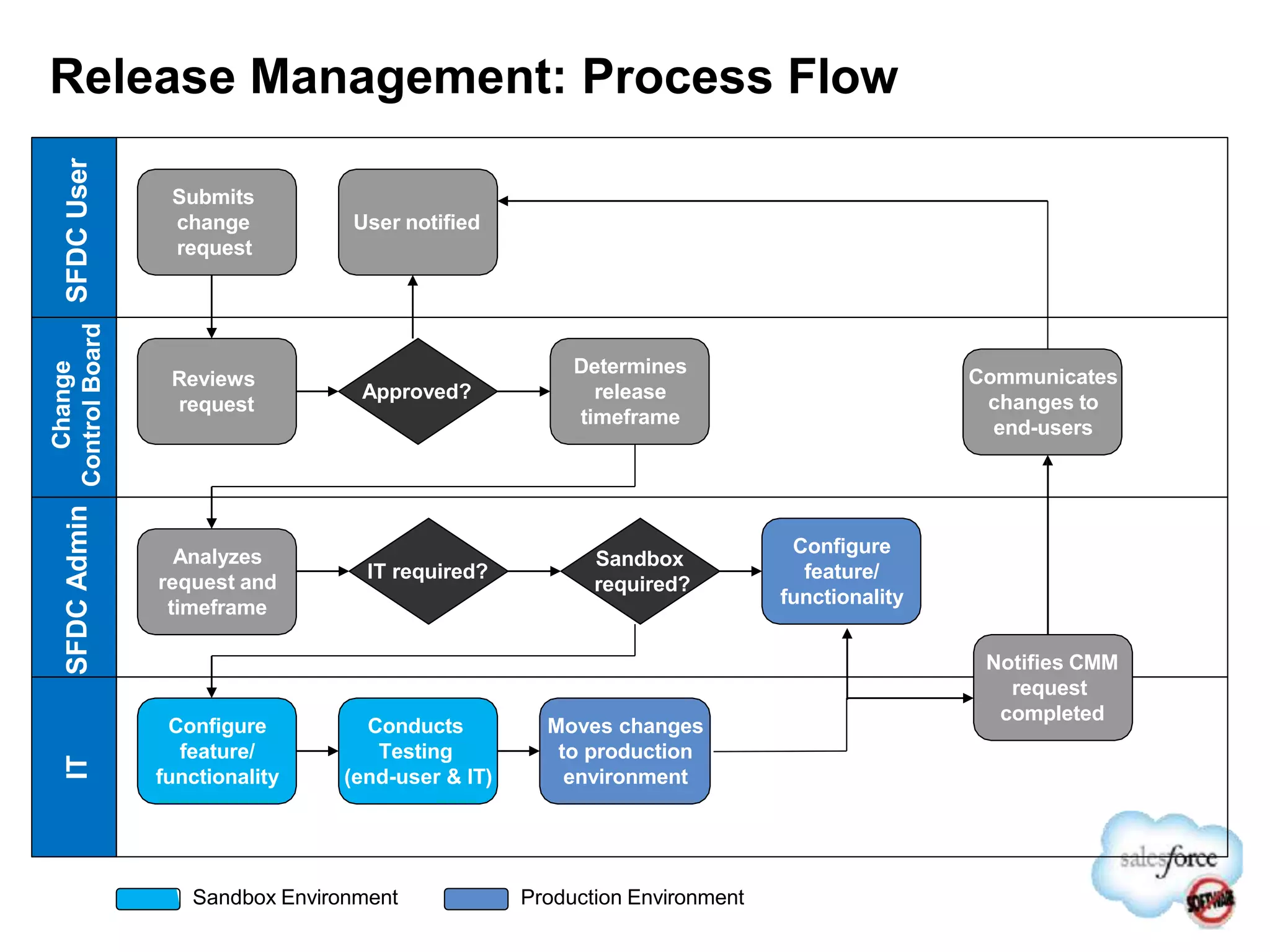
Release Management: Process Flow
SFDC
User
SFDC
Admin
Change
Control
Board
IT
Submits
change
request
Reviews
request
Approved?
Determines
release
timeframe
Analyzes
request and
timeframe
IT required?
Configure
feature/
functionality
Sandbox Environment
Sandbox
required?
Configure
feature/
functionality
Production Environment
Notifies CMM
request
completed
Conducts
Testing
(end-user & IT)
Moves changes
to production
environment
Communicates
changes to
end-users
User notified
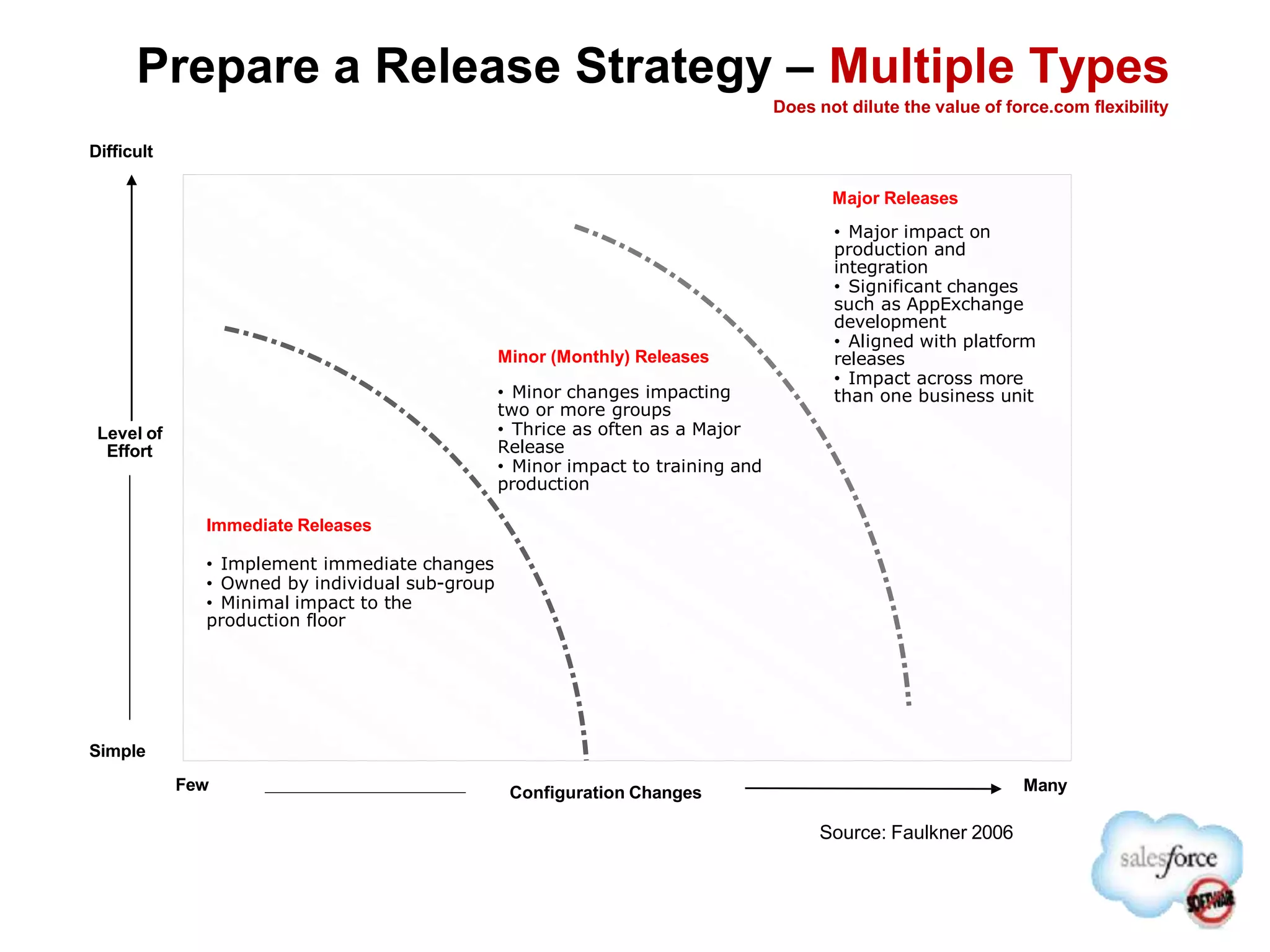
Configuration Changes Many
Few
Simple
Difficult
Level of
Effort
Source: Faulkner 2006
Immediate Releases
โ€ข Implement immediate changes
โ€ข Owned by individual sub-group
โ€ข Minimal impact to the
production floor
Minor (Monthly) Releases
โ€ข Minor changes impacting
two or more groups
โ€ข Thrice as often as a Major
Release
โ€ข Minor impact to training and
production
Major Releases
โ€ข Major impact on
production and
integration
โ€ข Significant changes
such as AppExchange
development
โ€ข Aligned with platform
releases
โ€ข Impact across more
than one business unit
Prepare a Release Strategy โ€“ Multiple Types
Does not dilute the value of force.com flexibility
Release Management: Definitions
Release Type Activities Examples Level of Effort
Immediate โ€ข Small changes,
rapidly applied
directly to PRD
โ€ข Min impact to users
โ€ข Outside scope of
Change process
โ€ข Dashboards/Reports
โ€ข Related lists
โ€ข Data Loads
โ€ข Territory Alignments
LOW
โ€ข No training required
โ€ข No integration
โ€ข Implemented by BA
Minor
(Monthly)
โ€ข Minor impact to users
โ€ข Config, test and
deploy w/ minor
impact to small # of
users
โ€ข New Fields
โ€ข New page layouts
โ€ข New Objects
โ€ข New Territory
structure
MEDIUM
โ€ข < 1 day of training
โ€ข < 1 week of config
โ€ข IT involvement
Major
(Quarterly)
โ€ข Significant change to
business users
โ€ข UI change, data
migration/integration
โ€ข Apex/VF Code
โ€ข AppExchange apps
โ€ข Process-impacting
changes
โ€ข Data migration
โ€ข Integration changes
โ€ข Impacts multiple BUs
HIGH
โ€ข 1+ days training
โ€ข 1+ weeks config
โ€ข 1+ wks of integration
development
โ€ข IT lead
โ–บ Reports
โ–บ Dashboards
โ–บ List View Management
โ–บ Documentation Management
โ–บ User Administration
โ–บ Solution Management
โ–บ Communication Templates
โ–บ Email Templates
Business Responsibilities
Daily Changes
IT Responsibilities
Monthly Changes
โ–บ Minor Release: Simple configuration
changes that do not impact day to day
business or require training.
As Required (Target Monthly)
โ–บ Major Release: New Initiatives and other
changes that require training or testing.
Dates determined by Steering Committee
(Target Quarterly)
Division of Responsibilities
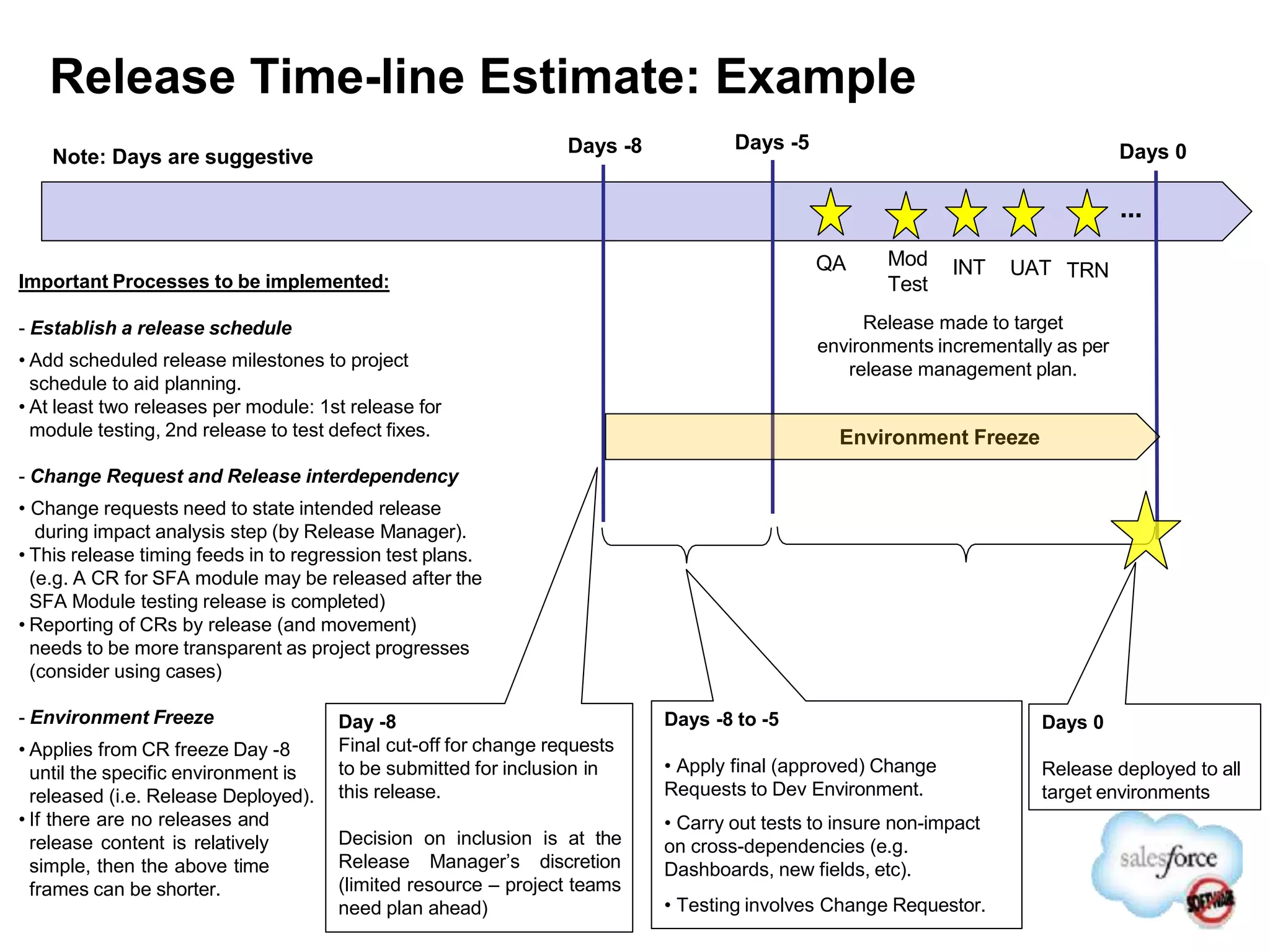
Release Time-line Estimate: Example
Release made to target
environments incrementally as per
release management plan.
Important Processes to be implemented:
- Establish a release schedule
โ€ข Add scheduled release milestones to project
schedule to aid planning.
โ€ข At least two releases per module: 1st release for
module testing, 2nd release to test defect fixes.
- Change Request and Release interdependency
โ€ข Change requests need to state intended release
during impact analysis step (by Release Manager).
โ€ข This release timing feeds in to regression test plans.
(e.g. A CR for SFA module may be released after the
SFA Module testing release is completed)
โ€ข Reporting of CRs by release (and movement)
needs to be more transparent as project progresses
(consider using cases)
- Environment Freeze
โ€ข Applies from CR freeze Day -8
until the specific environment is
released (i.e. Release Deployed).
โ€ข If there are no releases and
release content is relatively
simple, then the above time
frames can be shorter.
Day -8
Final cut-off for change requests
to be submitted for inclusion in
this release.
Decision on inclusion is at the
Release Managerโ€™s discretion
(limited resource โ€“ project teams
need plan ahead)
Days -8 to -5
โ€ข Apply final (approved) Change
Requests to Dev Environment.
โ€ข Carry out tests to insure non-impact
on cross-dependencies (e.g.
Dashboards, new fields, etc).
โ€ข Testing involves Change Requestor.
Days 0
Release deployed to all
target environments
Days 0
Days -5
Days -8
QA Mod
Test
TRN
INT UAT
Environment Freeze
...
Note: Days are suggestive
Appendix
Process
&
Governance
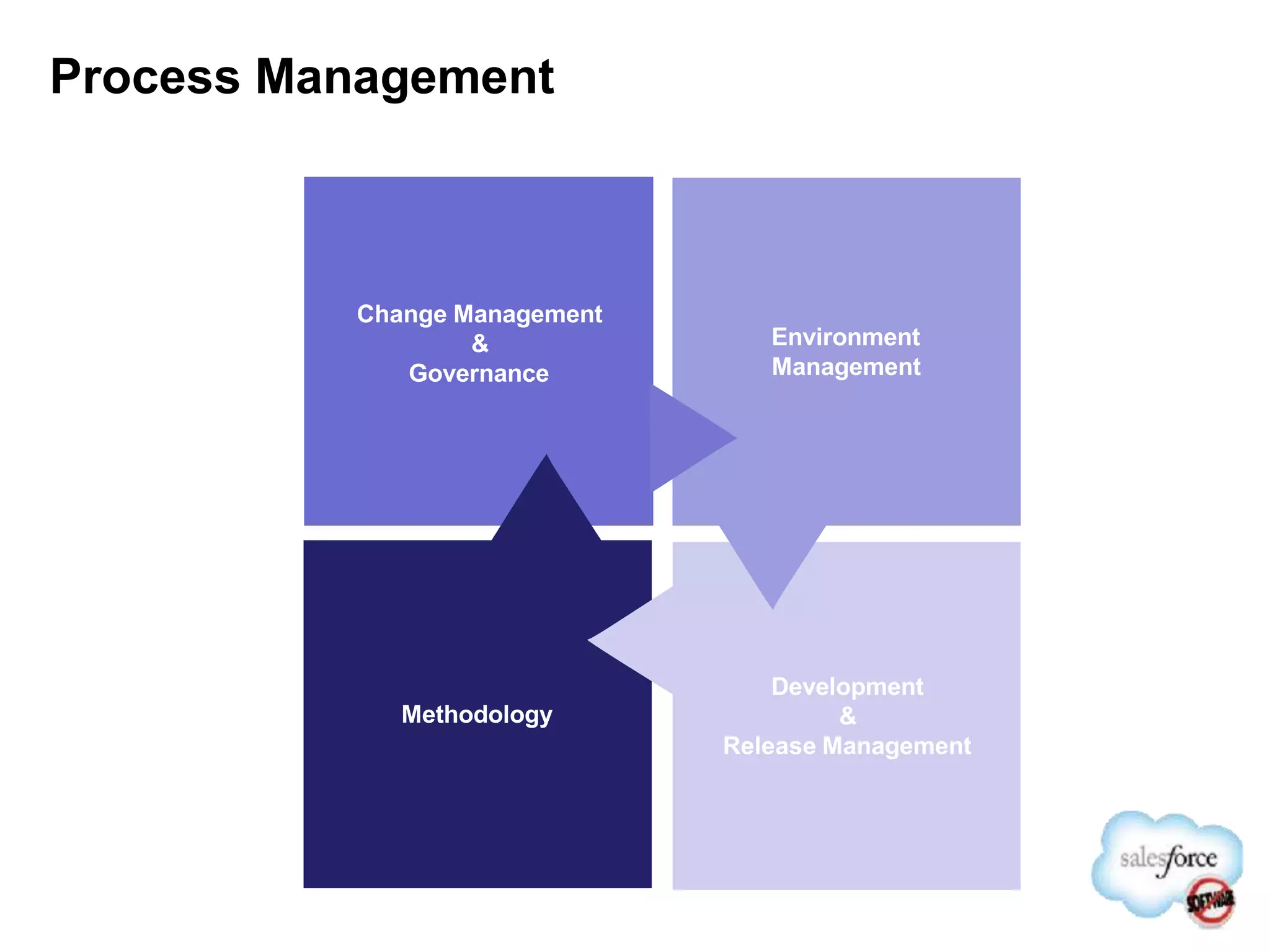
Process Management
Methodology
Development
&
Release Management
Environment
Management
Change Management
&
Governance
Establish Process and Governance
โ€ข Development Process
โ€“ Develop Process for how various teams will collaborate
โ€“ Define a process to handle defects(bugs) and change requests
โ€ข How do you collect requests?
โ€“ Incorporate Release Management process
โ€“ Define Version Control, Change Control, Backup processes
โ€“ Create an iterative development plan incorporating build dependencies and
periodic testing
โ€“ Determine resources and their access levels to the various environments
โ€ข Benefits
โ€“ A well established process leads to a smoother development - scale
โ€“ Continuous build and sync may elongate initial development process, but has
less downstream risks and impacts
Process
and
Governance
Governance: Focus Areas
Development Processes
โ€ข Change Mgmt
โ€ข Problem Mgmt
โ€ข Environment Mgmt
โ€ข Version Control
โ€ข Code Migrations
โ€ข Data Migrations
โ€ข Coding Standards / Best
Practices
โ€ข Data Management Best
Practices
Application Delivery /
Support Model(s)
โ€ข Procurement
โ€ข Methodology (Agile, Waterfall,
etc.)
โ€ข Training
โ€ข Skills
โ€ข Resourcing Model
(Onshore/Offshore)
โ€ข Support
โ€ข Governance
Support Request Process: Example
Above is a high-level support process.
Detailed procedure for each process step needs to be developed in-house.
Key role
โ€ข Change Committee
โ€“ Who: A team of Functional, Technical, Management and Support personal
โ€“ Responsibility:
โ€ข Streamline change management and development process
โ€ข Prioritize change request and approve for development and deployment
โ€ข Conduct weekly (at times daily) meetings to evaluate change request and assess impact
โ€ข Identify implementation and migration path for change request
โ€ข Support Manager
โ€“ Who: A Person nominated to handle support request from user community.
โ€“ Responsibility:
โ€ข Establish support levels and manage support team
โ€ข Handles support request / call and routes to appropriate support team
โ€ข Identifies defect / gap in functionality and creates change request
โ€ข Prioritizes and present to change committee for approval for development
โ€ข Can make change requests and raise defects to be made available in next release.
โ€ข Suggest development and release path based on user feedback
โ€ข Monitor Chatter and Idea boards and respond to user queries
Environment
Management
Considerations
โ€ข How many development
environments do I need?
โ€ข How do I provision and manage
the environment?
โ€ข How do I promote a
collaborative development
environment?
โ€ข How do I incorporate my
organizational processes?
โ€ข What tools can I use to help me
automate my processes?
Environments
Process and
Governance
Development
Practices
Development
Tools
7/15/14 30
Real-Time Sandbox Environments
Fully Replicated Development
Environments
Support any IT Governance Strategy
Production-class Infrastructure
One Click Import/Refresh of Your
Production Data
Refresh Anytime
Eliminate Risk in
Deployment
Development Testing Training
Production
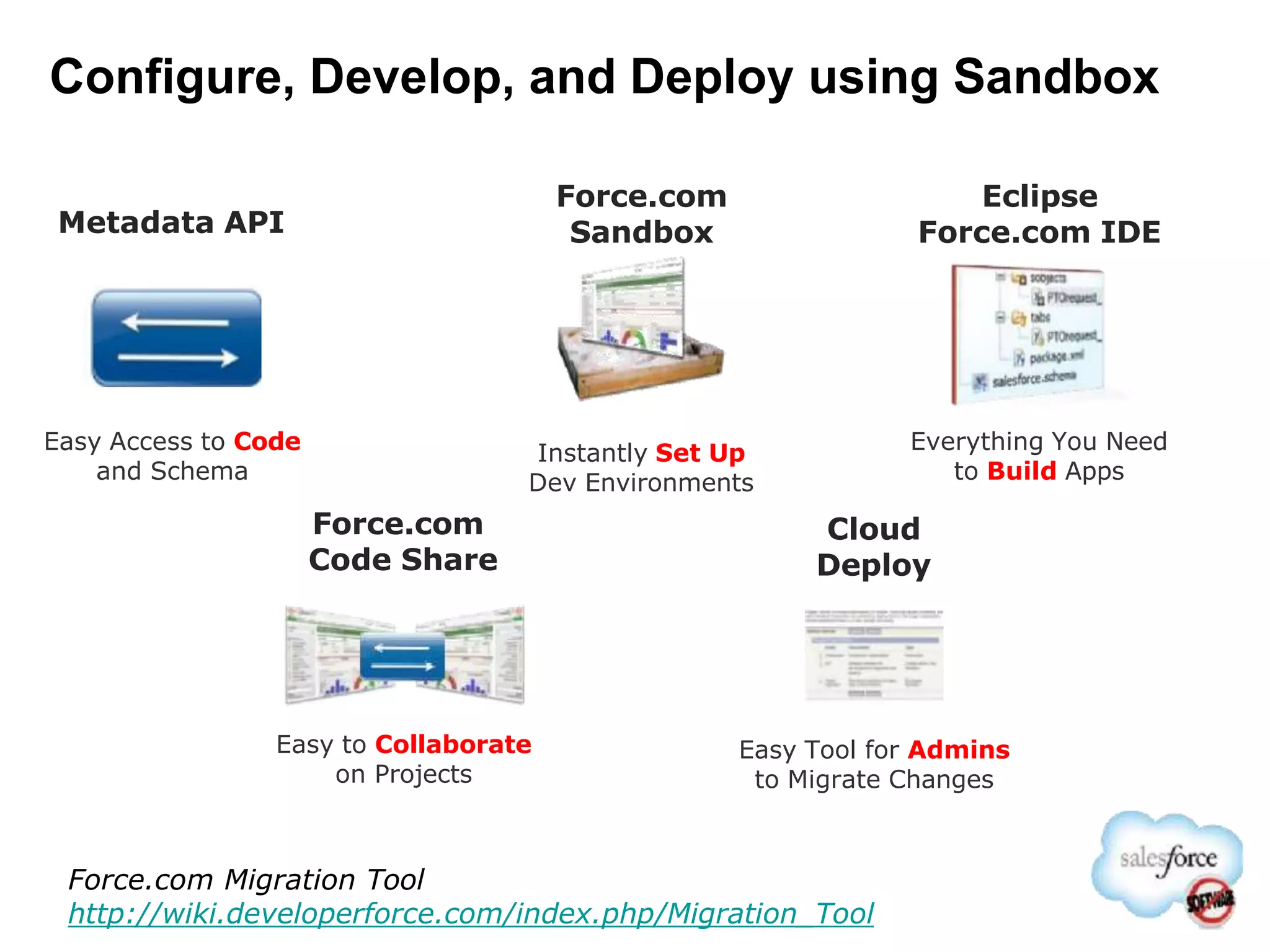
Configure, Develop, and Deploy using Sandbox
Instantly Set Up
Dev Environments
Everything You Need
to Build Apps
Easy to Collaborate
on Projects
Eclipse
Force.com IDE
Force.com
Code Share
Force.com
Sandbox
Easy Access to Code
and Schema
Metadata API
Force.com Migration Tool
http://wiki.developerforce.com/index.php/Migration_Tool
Cloud
Deploy
Easy Tool for Admins
to Migrate Changes
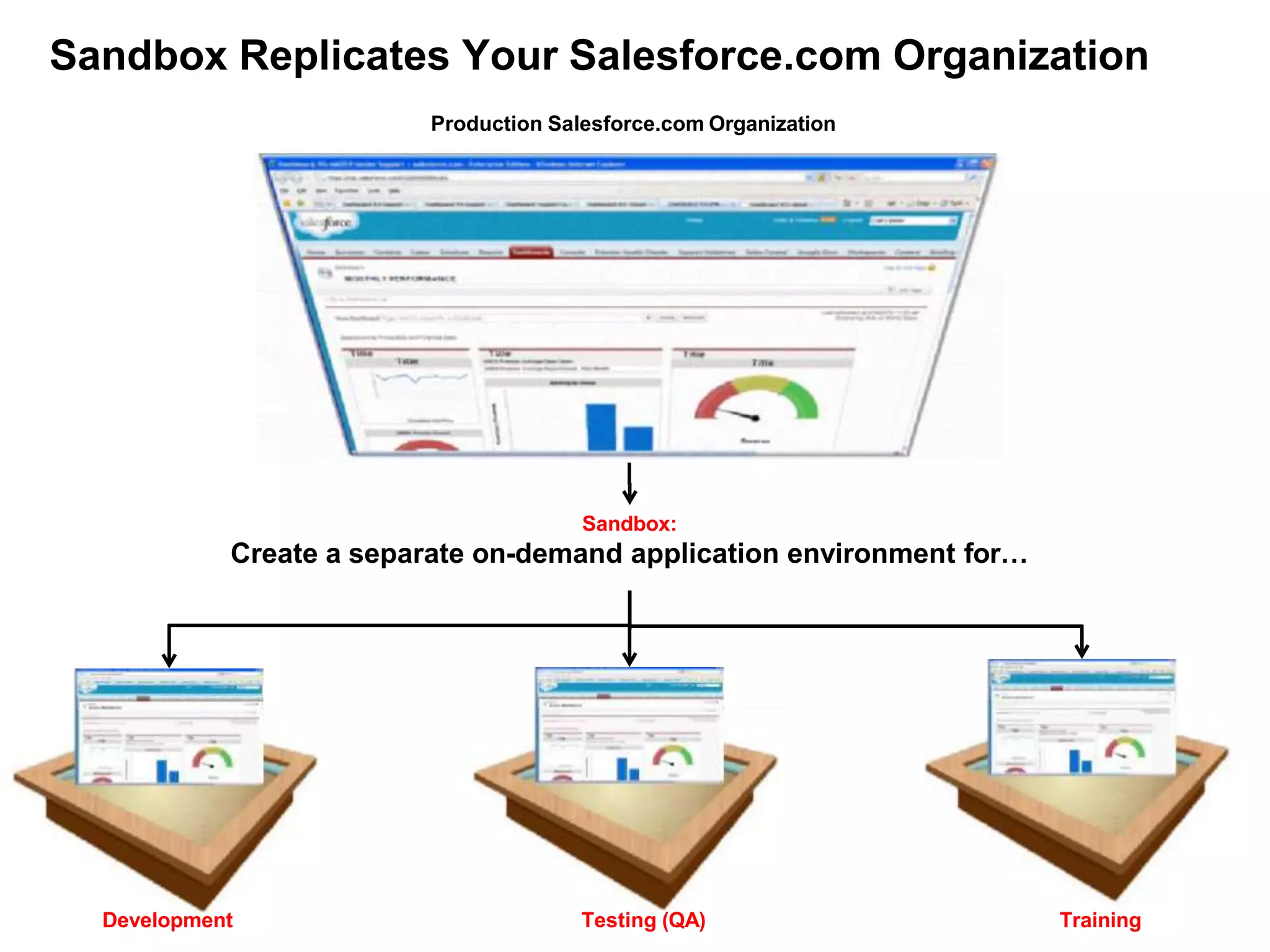
Sandbox Replicates Your Salesforce.com Organization
Production Salesforce.com Organization
Development
Sandbox:
Create a separate on-demand application environment forโ€ฆ
Training
Testing (QA)
Sandbox: Types, Features, Uses
Features Best Forโ€ฆ
Developer โ€ข Copy of configuration/code
โ€ข No data copied
โ€ข 10 MB data storage
โ€ข Development
โ€ข Testing new features
โ€ข Apex tests
Configuration Only
Full
โ€ข Copy of configuration/code
โ€ข No data copied
โ€ข 500 MB data storage
โ€ข Copy of configuration /code
โ€ข Copy of active data and files
โ€ข Same storage limits as the
production organization
โ€ข Testing new features
โ€ข Loading standard data for
regression testing
โ€ข Limited use for staging/UAT
โ€ข Staging / UAT
โ€ข Validating new apps against
active configuration and data
โ€ข Testing external integrations
โ€ข Training
Environment Definitions
Sandbox Owner
(Suggested)
Type Purpose
Development IT Config Only Constantly moving environment due to ongoing development.
Development & unit testing.
Consolidated
Development
IT Config Only Consolidated environment where development artefacts are consolidated , system tested
and packaged for deployment downstream. Developers will have read only access and will
be delegated administrators or selectively granted write access.
QA IT Config Only A controlled (non-moving) environment to test release candidates
Control IT Config Only Once a release passes the QA stage, it is released in to the control environment, from
which the โ€˜physicalโ€™ releasing takes place as per the environment path. Historic snapshots of
this environment will be backed-up in to the version control repository via the Salesforce IDE
/ Ant migration tool.
Module Testing Business Config Only โ€ข Controlled environment.
โ€ข Formal releases are issued in to this environment with the identified release content /
functionality.
โ€ข Business conducts Module/release testing in this controlled environment.
โ€ข Releases are made as Change Sets from โ€˜Controlโ€™ environment.
โ€ข Stays for the life of the project.
โ€ข Receives isolated data migration loads to support testing (repeatable process).
Integration testing IT Config Only Integration team to conduct end to end testing with other internal systemsand validate
relevant test cases. Other characteristics identical to Module testing Sandbox.
UAT Business Full Created from Production in order to conduct UAT with a full set of data.
Data load testing and verification takes place in this environment prior to UAT.
Training Business Config Only For end-user training development and training execution.
Needs to remain after implementation, for ongoing training.
Data needs to be controlled/need to be able to restore a stable set of training data between
each course.
Production Business N/A The production environment
Rollback IT Config Only A clone of production created prior to a production release, primarily used to accommodate
rollback scenarios. Training environment could also be used for this purpose.
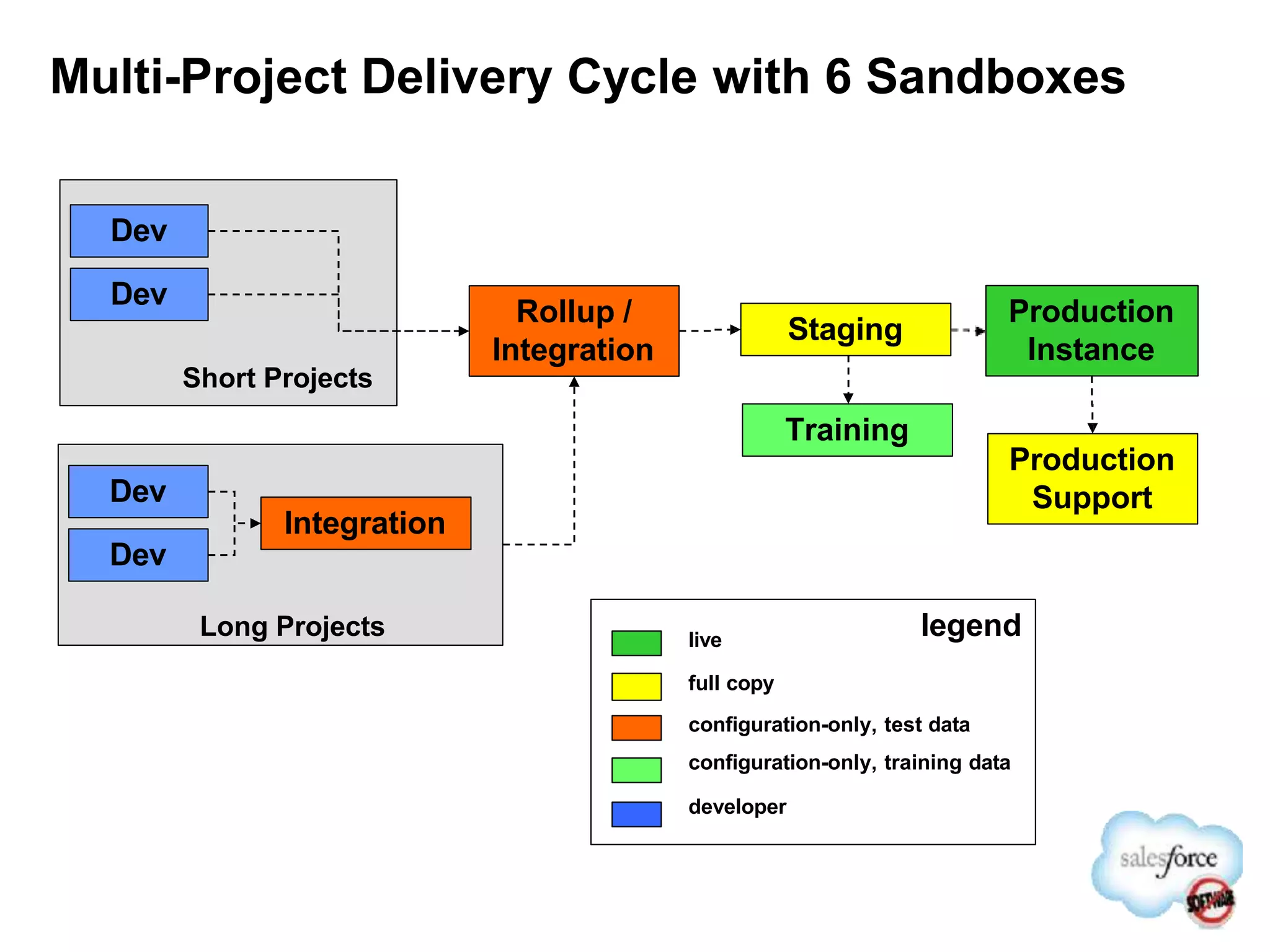
Multi-Project Delivery Cycle with 6 Sandboxes
Production
Instance
Production
Support
Staging
live
full copy
legend
Dev
Integration
Long Projects
configuration-only, test data
configuration-only, training data
developer
Training
Dev
Dev
Dev
Rollup /
Integration
Short Projects
Environment Planning
Developer
sandbox
Configuration-only sandbox Full copy sandbox
Development โ€ข Good Fit โ€ข Good Fit
โ€ขPerfect for having configuration
and development on the same
sandbox
โ€ข slower to copy
โ€ข giving developers access to
data may not be ok
Testing โ€ข unit tests
โ€ข apex tests
โ€ข best for Feature/ Unit test
โ€ข load minimal data for regression
โ€ข Best for production debugging
โ€ข Load testing
Testing external
integrations
โ€ข not a good fit โ€ข special cases only
โ€ข use sample or subset data
โ€ข works well if using external ids
โ€ข frequently required
โ€ข external system expects full
production data to be present
Volume / UAT โ€ข not a good fit โ€ข sometimes appropriate if testing
against subset of production data
is acceptable, e.g. regional
โ€ข usually required
โ€ข validation of new apps against
production config and data
Sandboxes
Available / Edition
โ€ข EE โ€“ 1 sandbox
โ€ข UE โ€“ 1 sandbox
โ€ข UE โ€“ 5 config sandboxes
โ€ข Note: Can purchase up to 6
config only sandboxes
โ€ข UE โ€“ 1 full sandbox
โ€ข Note :Can purchase up to 3
full sandboxes
Considerations โ€ข Small 10 MB โ€ข 500 MB storage โ€ข Same as production
Choosing a type of Sandbox
Environment Planning
โ€ข Development environments required to support
Development process
โ€“ Create manageable number of development Sandboxes
โ€“ Each Sandbox is its own environment and they do not share
configuration, code or data
โ€“ Provision users to appropriate sandboxes based on
development activities
โ€ข Considerations
โ€“ Too many environments lead to management and
synchronization chaos
โ€“ Too few environments lead to a chaos in managing concurrent
activities thereby leading to an elongated development time
โ€“ POC could be done on developers org
Environments
7/15/14 38
Establish Configuration Baseline
Dev
Integration
Testing
Production
Training
Consolidated
Dev
Environment
Production
Org
Full
Sandbox
Config-only
Sandbox
UAT | Pre-
production
QA
Control
Develop
in DEV
Sandbox Refresh From Production
Note: Any changes to base line configuration should trigger a sandbox refresh cycle
Rollback
Controlling Change
โ€ข Before migrating any data changes from Sandbox to production you should
always make a back-up copy of your production organization data
โ€“ Data back-ups: Setup | Data Management | Data Export
โ€“ Data exports can be run immediately or scheduled
โ€“ Use the Data Loader to restore the data to the previous state
โ€“ Appropriate for territory changes, assignment changes (i.e. account or case
transfers), etc.
โ€ข Copies of your configuration can be made using tools such as Snapshot
โ€ข Control administrative access to your org
โ€“ Allow only a certain number of users full access to make configuration and data
changes
โ€“ Implement an oversight committee to review/approve changes before they are
made
โ€“ โ€œFlipโ€ the profile for Users if necessary to toggle between admin and standard user
privileges โ€“ use custom profiles to define specific parameters for what a User can
do without full fledged Admin access
Some Facts About Sandboxes
โ€ข Config / Dev sandboxes can be refreshed once every day
โ€ข Full sandbox refresh period is 29 days after previous refresh date
โ€ข Sandbox refresh are queued and takes time to complete
โ€ข A sandbox is not a point-in-time snapshot of production. Keep
production changes down when copying.
โ€ข Sandbox delete option available when maximum limit reached
โ€ข User name and email address appended with sandbox name
โ€ข New users created in sandbox count against number of licenses
โ€ข Sandboxes after every refresh may appear on different instance
and URL may vary.
โ€ข Data copied from production will have matching object Id
Note: Please refer to development life cycle document or help text for details
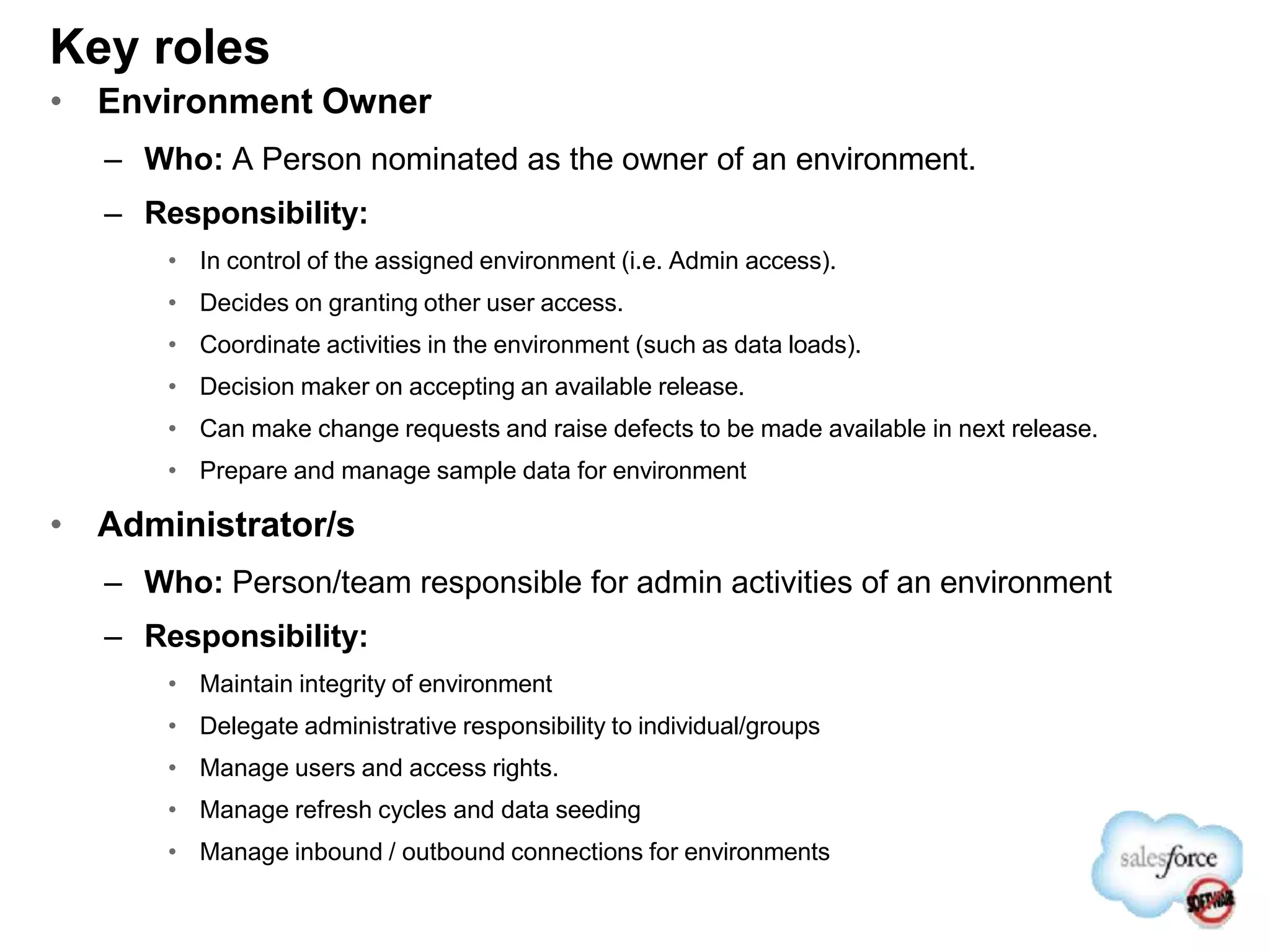
Key roles
โ€ข Environment Owner
โ€“ Who: A Person nominated as the owner of an environment.
โ€“ Responsibility:
โ€ข In control of the assigned environment (i.e. Admin access).
โ€ข Decides on granting other user access.
โ€ข Coordinate activities in the environment (such as data loads).
โ€ข Decision maker on accepting an available release.
โ€ข Can make change requests and raise defects to be made available in next release.
โ€ข Prepare and manage sample data for environment
โ€ข Administrator/s
โ€“ Who: Person/team responsible for admin activities of an environment
โ€“ Responsibility:
โ€ข Maintain integrity of environment
โ€ข Delegate administrative responsibility to individual/groups
โ€ข Manage users and access rights.
โ€ข Manage refresh cycles and data seeding
โ€ข Manage inbound / outbound connections for environments
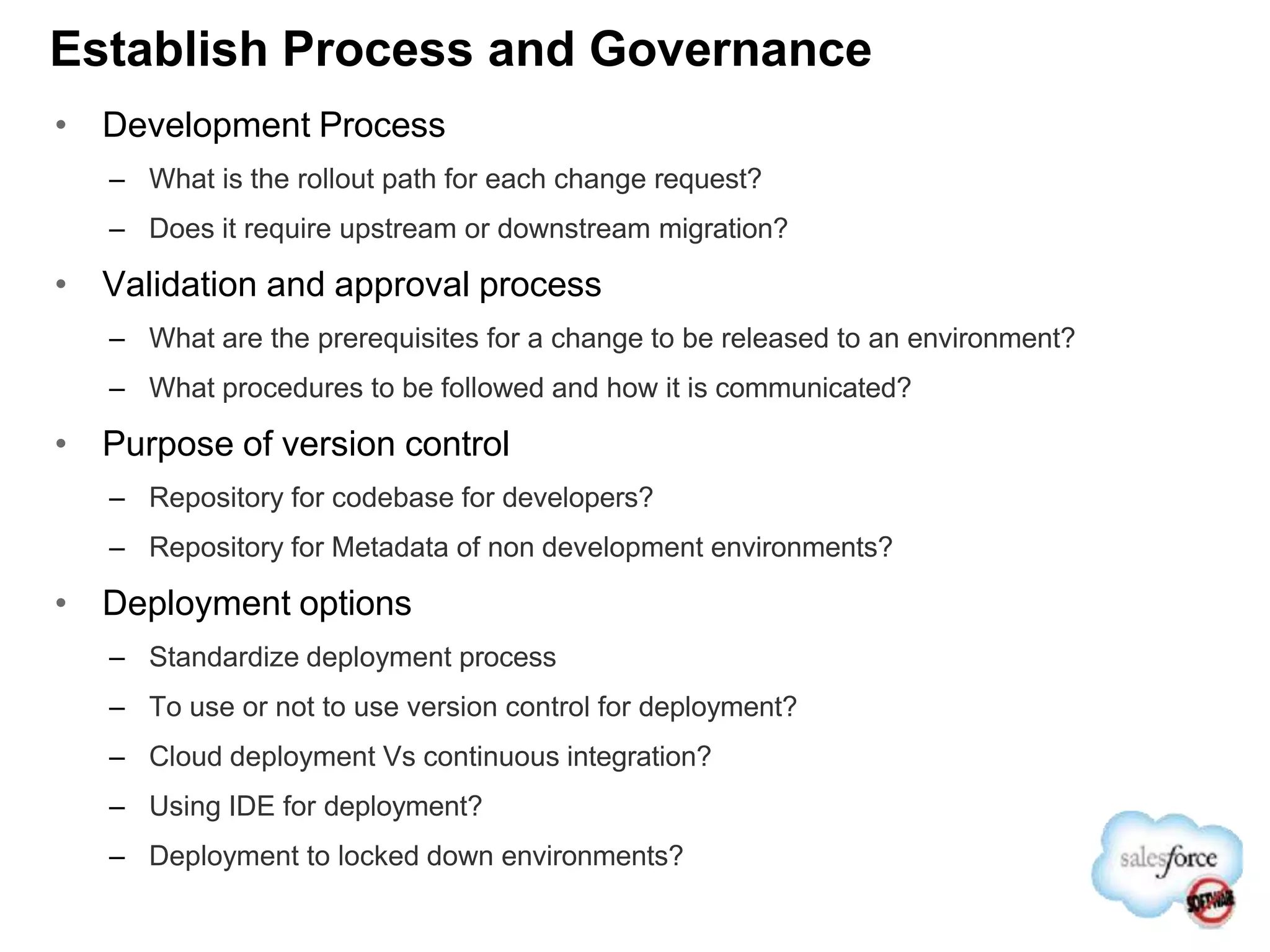
Establish Process and Governance
โ€ข Development Process
โ€“ What is the rollout path for each change request?
โ€“ Does it require upstream or downstream migration?
โ€ข Validation and approval process
โ€“ What are the prerequisites for a change to be released to an environment?
โ€“ What procedures to be followed and how it is communicated?
โ€ข Purpose of version control
โ€“ Repository for codebase for developers?
โ€“ Repository for Metadata of non development environments?
โ€ข Deployment options
โ€“ Standardize deployment process
โ€“ To use or not to use version control for deployment?
โ€“ Cloud deployment Vs continuous integration?
โ€“ Using IDE for deployment?
โ€“ Deployment to locked down environments?
Tools: Selecting the right tools for the job
โ€ข Salesforce.com Tools and Framework
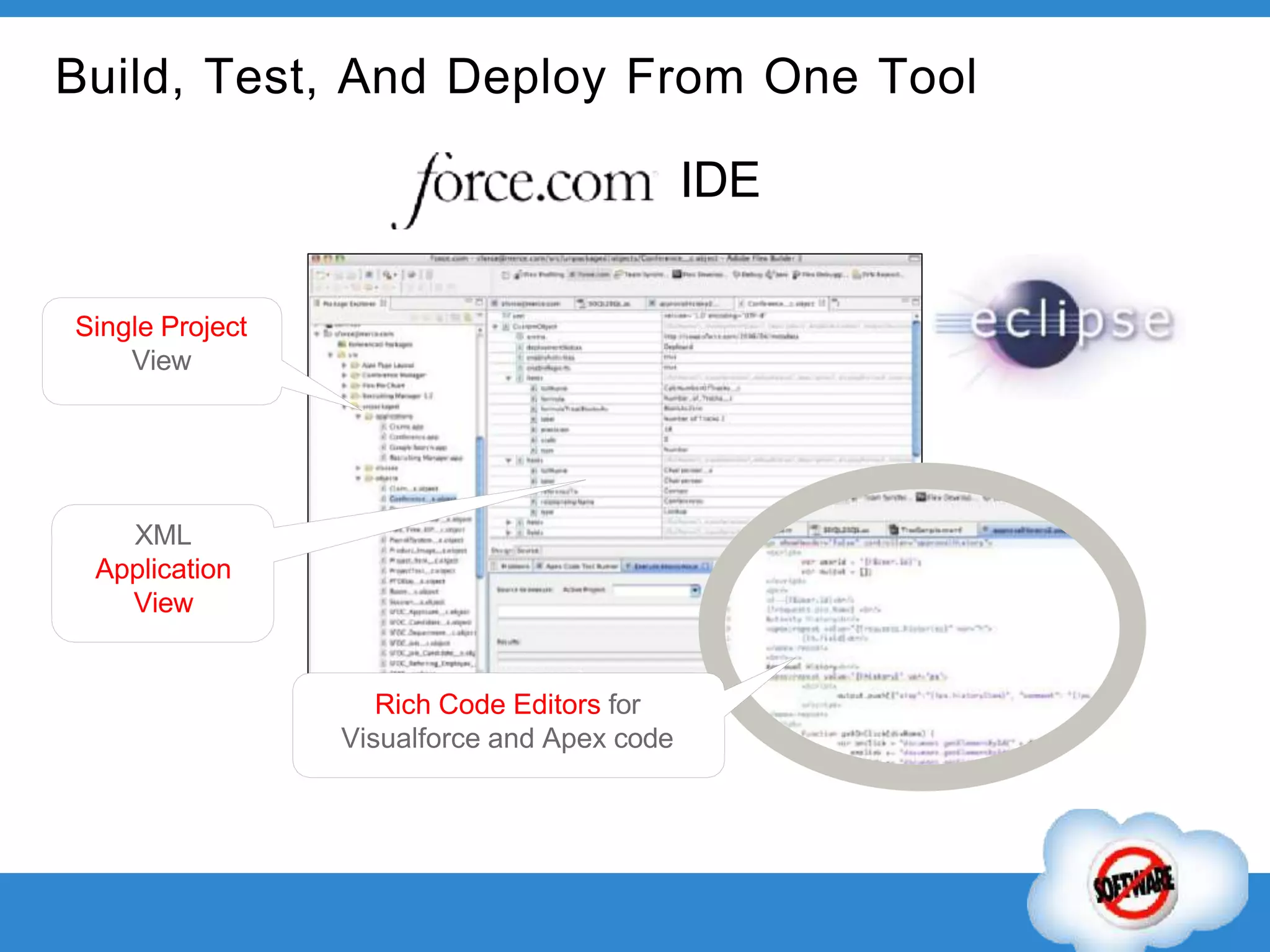
โ€“ Force.com IDE (Eclipse based)
โ€“ Change Sets (Cloud Deploy)
โ€“ Ant migration tool
โ€ข 3rd Party Tools
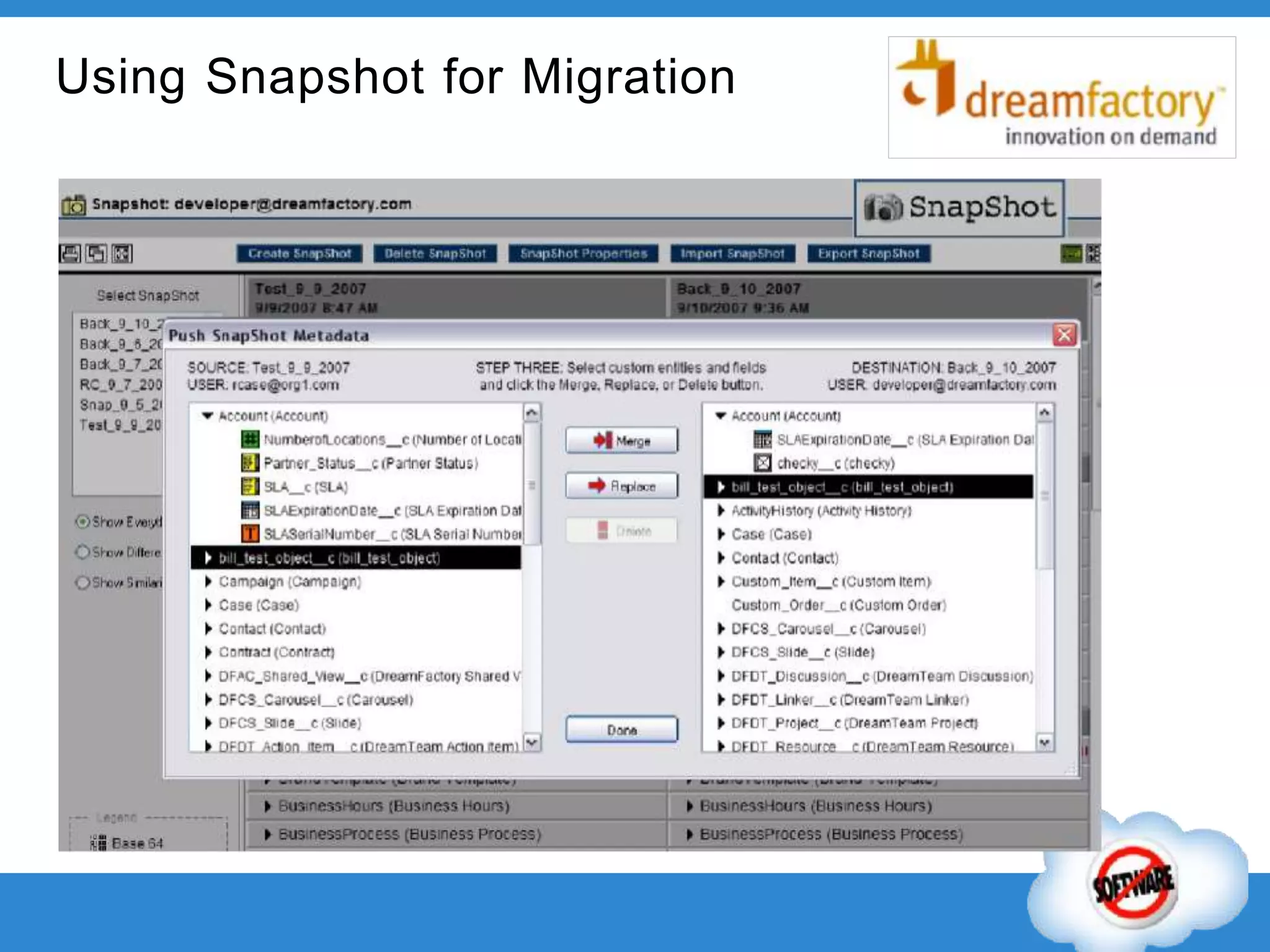
โ€“ Dreamfactory Monarch: Copy, merge,
migrate and archive data between orgs
โ€“ Dreamfactory SnapShot: View, compare
and push configurations (Metadata)
โ€ข Customer Tools
โ€“ Version Control
โ€“ Change Management
Dev
Test
Dev
Version
Control
Project Branch
BASIC ADVANCED
Cloud
IDE
Deploy
Ant Version
Control
Build, Test, And Deploy From One Tool
IDE
Single Project
View
XML
Application
View
Rich Code Editors for
Visualforce and Apex code
Promote Changes Seamlessly with Change
Sets
BUSINESS USERS
ADMINS AND
DEVELOPERS
PRODUCTION
1. Create Sandbox
2. Make Changes
3. Deploy Change Sets
Tool Selection: Change Sets
โ€ข Deployment tool in the cloud
โ€ข Predicts code/config dependency
โ€ข Does not require knowledge of Eclipse,
ANT, EDI, etc.
โ€ข Capabilities:
โ€“ Authorize inbound/outbound connections
โ€“ Assemble a set of metadata in source org
โ€“ Upload change set to target
โ€“ Clone change set
โ€“ Deploy a Change Set
โ€ข Limitations
โ€“ Manual and process driven
โ€“ Cannot delete or rename
โ€“ Some object are not available
โ€“ Not a snapshot of metadata
โ€“ 2,500 components, total file size of 400 MB.
โ€ข Disconnected process
โ€“ Developers upload changes
โ€“ QA/ Release Managers download and apply
changes
Using Snapshot for Migration
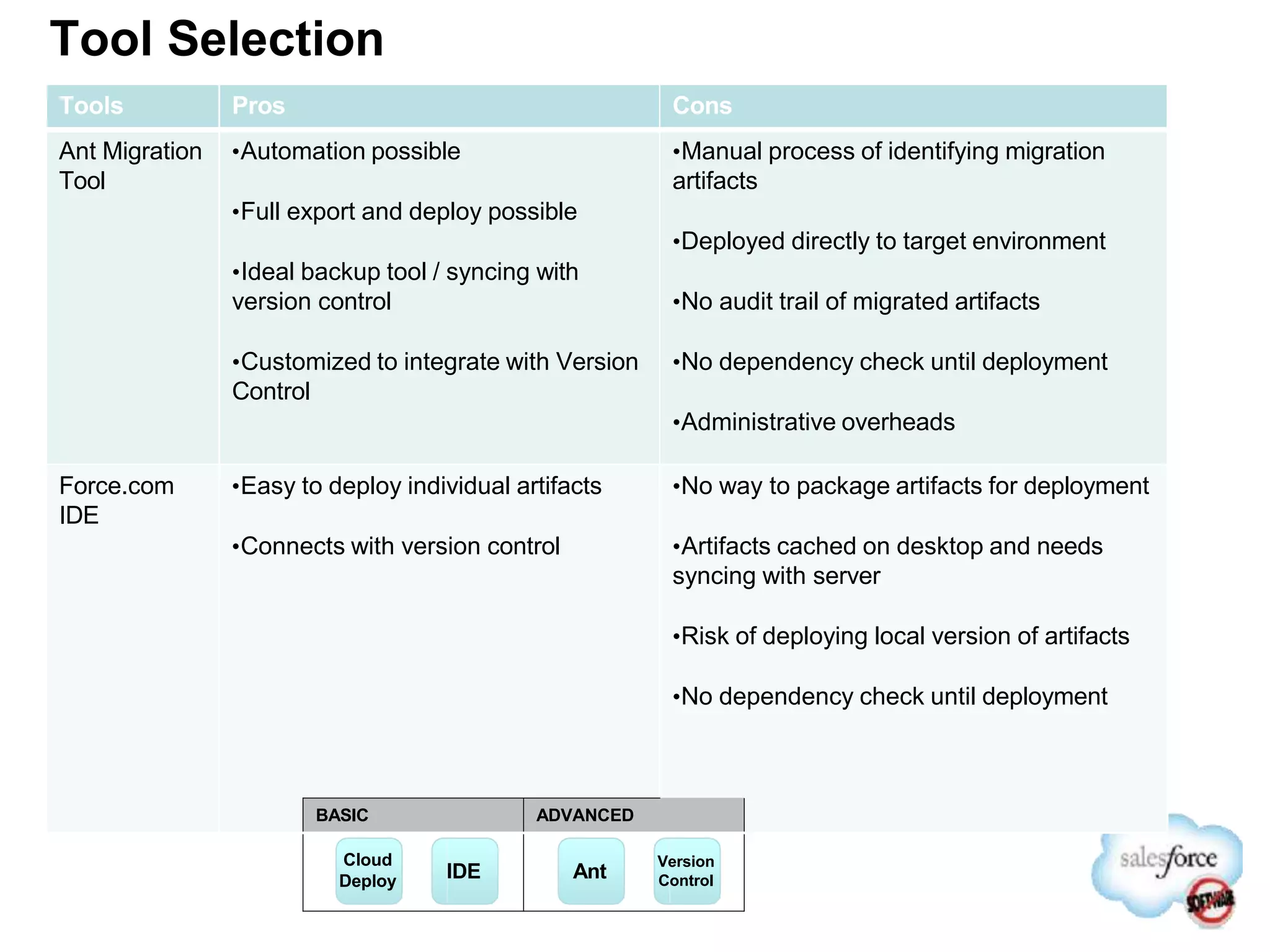
Tool Selection
Tools Pros Cons
Ant Migration
Tool
โ€ขAutomation possible
โ€ขFull export and deploy possible
โ€ขIdeal backup tool / syncing with
version control
โ€ขCustomized to integrate with Version
Control
โ€ขManual process of identifying migration
artifacts
โ€ขDeployed directly to target environment
โ€ขNo audit trail of migrated artifacts
โ€ขNo dependency check until deployment
โ€ขAdministrative overheads
Force.com
IDE
โ€ขEasy to deploy individual artifacts
โ€ขConnects with version control
โ€ขNo way to package artifacts for deployment
โ€ขArtifacts cached on desktop and needs
syncing with server
โ€ขRisk of deploying local version of artifacts
โ€ขNo dependency check until deployment
BASIC ADVANCED
Cloud
Deploy IDE Ant
Version
Control
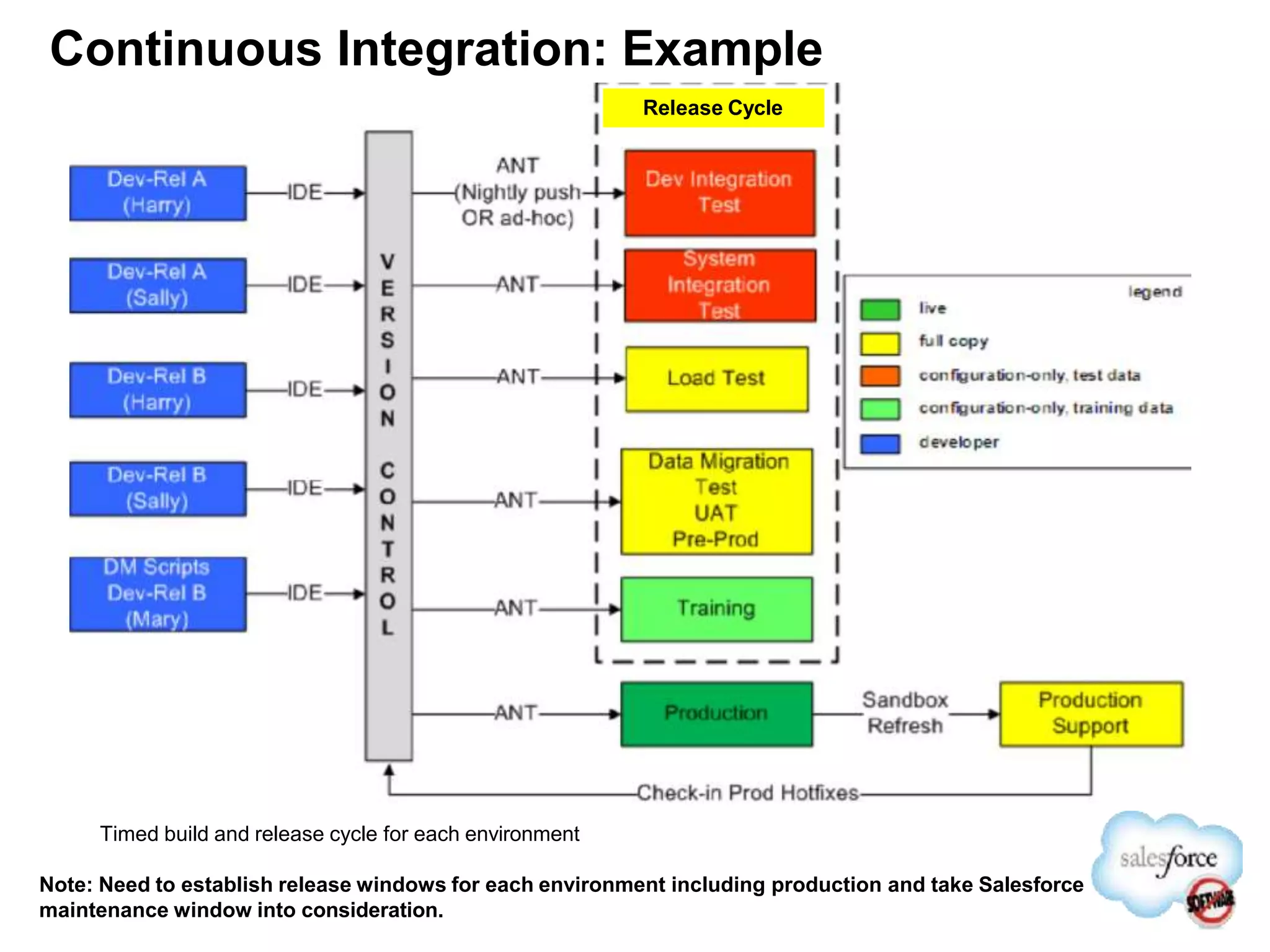
Continuous Integration: Example
Timed build and release cycle for each environment
Note: Need to establish release windows for each environment including production and take Salesforce
maintenance window into consideration.
Release Cycle
Tool Selection: Change Set Vs Automation
Change Set
โ€ข Simple and easy to use / manage
โ€ข Convenient for developers and admin to work together
โ€ข Build and deployment will be a manual process
โ€ข Controlled release process
โ€ข Ad hock release possible
Continuous Integration
โ€ข Complex and requires customization
โ€ข Admin requires development (Ant, API etc) tools/skills
โ€ข Automation possible with strict adherence of process and
governance
โ€ข Identifying delta becomes a challenge and full migration
required
Development
7/15/14 51
Version
Control
Integration
UAT
Production
Version
Control
Integration
Staging
Production
Development
Metadata
Metadata
Code
and/or
Metadata
Code &
Metadata
Code &
Metadata
Code &
Metadata
Tools Comparison Summary
Need
Force.com IDE ANT based Migration Tool Change Sets
Configuration Changes
(Add/ Update)
โ€ข Great Fit โ€ข Good Fit
โ€ขPerfect for having configuration and
development on the same sandbox
โ€ข Good Fit
โ€ข Perfect for having a disconnected
process where users donโ€™t have to be in
two orgs for performing deployment
โ€ข IDE and ANT has more change
capabilities that Change Sets
Code Changes (Add/
Update)
โ€ข Great Fit โ€ข Good Fit โ€ข Great Fit
Deleting Configurations
and Code assets
โ€ข Good Fit โ€ข Good Fit โ€ข Not a Good Fit
Nightly Automated
pushes
โ€ข not a good fit โ€ข Perfect fit for batch releases โ€ข Not a good Fit
Less Programming/
ANT / IDE Skills
โ€ข Good Fit (Can use
Change Sets as well if
performing migration
from Sandbox to
Prod.)
โ€ข Not a Good Fit (Needs
programming and ANT skills)
โ€ข Perfect for organizations not having
resources knowledgeable with IDE or
ANT
Automated Test
Coverages
โ€ข Not a Good Fit โ€ข Great Fit โ€ข Not a Good Fit
Release Types Identified
โ€ข Controlled / Periodic Release
โ€“ Strictly adheres to process
โ€“ Change flows through every downstream environment
โ€“ Tested and approved by every environment owner
โ€“ Goes through integration and UAT
โ€ข Quick / Hot Fixes
โ€“ A fast rollout path typically to address a burning production issue
โ€“ Release path to be defined at the time of evaluating change
โ€“ UAT may or may not be required depending on nature of change
โ€“ Downstream environment owner to approves based on upstream testing results
โ€“ Deployment should flow through all down stream environment
โ€“ Could be applied directly in production and then replicated to other environments
โ€ข Rollback
โ€“ Production rollback is not a straight forward task
โ€“ Prepare a rollback environment that is a copy of production
โ€“ Release manager responsible for preparing rollback change sets
โ€“ Cannot rollback new artifacts deployed and needs to be removed manually
โ€“ Apex code could be removed in production only after it is disabled
Sample Path to Production Matrix
Note: Table above shows a sample path to production chart. These are suggestive guidelines
โ€ข Change control process to determine appropriate path to production
โ€ข Measure change type and release type based on complexity
โ€ข Consider validation requirements in determining path to production
โ€ข Ensure path to production environments are in sync
โ€ข Determine if concurrent testing permissible or should be serialized
โ€ข Yes. It is ok to apply certain changes directly in production. Be judicious.
โ€ข Changes from production applied to sandbox using change sets or refresh cycle
โ€ข Identify rollback scenarios and prepare for rollback
โ€ข Identify a tool to capture change request and track progress
Change
Type
Release
Type
Con Dev QA INT UAT PRD
Simple Immediate Yes Yes No No Yes
Medium Minor Yes Yes No Yes Yes
Complex Major Yes Yes Yes Yes Yes
Hot Fix Production No No No No Yes
Integration
Testing
Production
Training
Consolidated
Development
Full
Sandbox
Production
Org
Config-only
Sandbox
UAT | Pre-
production
Environment Plan and Release Path
Control
Definition: Constant Development, Moving
Environments.
Change Requests and Defect Management
โ€ข All environment owners could log Defects and submit
Change Requests via the Defect Management and
Change Management processes, respectively.
โ€ข A Release Manager responsibility is assigned within the
development team.
โ€ข Defects and Change Requests are worked on in the
Development environments and are included in the next
release as per the above release path.
Definition: Holds
latest release.
Definition: Controlled
environment quality assurance
and incremental testing.
QA
Definition: Data Migration
testing, followed by UAT and
pre-production.
Definition: Training
Environment. Relevant releases
deployed for incremental training
material development.
Definition: Utilised to
conduct integration testing
with other systems
Dev
Dev
Rollback
Definition: Refresh Prior
to release. IDE/change
sets for rollback
Change Set From Controlled environment
IDE / Change set from development environment
Sandbox Refresh
Developer
POC
(Full Sandbox)
QA
(Full Sandbox)
Eclipse
Package
Creation
SubVersion
Package
Installation
Testing
(Full Sandbox)
UAT
(Full Sandbox)
Production
Subversion Package is installed in each Sandbox and tested.
Training
(Full Sandbox)
Integration
(Full Sandbox)
Developers
(Dev Sandbox)
30+
Download to
Eclipse
Release Management at
Sandbox
Dev QA Prod
Individual
Project /Dev
Environments
FunctionalDev
Project Team 2
FunctionalDev
Project Team 1
Apex and VF
Dev
Integration
Dev
Legend
Deployment by Production Deployment
Team
Deployment by Project/Dev Team
Managed by Production System Admin
Sandbox refresh from Production after each
Release to ensure they are current with
Production environment
Sandbox refreshed from Production as and
when required for additional testing
Full Copy Sandbox
Dev/Configuration Only Sandbox
Testing Bugs
Reported in Production
โ€ขData Load
โ€ขData Cleansing
โ€ขIntegration
โ€ขProject Testing
for Sprints
โ€ขUAT
โ€ขTraining
1. Having 5 Full Copy Sandbox helps leverage environments respectively as required
based on Monthly Refresh Cycles provided by Salesforce.com and Project timelines
2. QA is separated from UAT allowing less impact on the project timelines and Monthly
release cycles.
3. Splitting Data/Integration helps in managing activities independently for ETL
development and testing.
4. Support process would be more streamlined and can be conducted with Production
data as bugs are reported independently on release cycles
5. Project Stream have their individual sandbox to assist in Quality testing using full data
from production as oppose sample data, allowing team to perform regression testing
for each sprint as oppose to waiting for final QA cycles.
Release Using Change Set
โ€ข Change control process governs every stage of release management
โ€ข Developer creates change set on one or many development environments
โ€ข Release manager upon approval by owner deploys inbound change sets to consolidated
environment
โ€ข System testing performed to validate build on Consolidated environment
โ€ข Release manager creates outbound change set on consolidated development environment
โ€ข Uploads for deployment to QA environment . Change set locked down at this point.
โ€ข QA environment owner approves and QA admin deploys changes
โ€ข Once QA validation complete release manager queues up change set for Integration / UAT
โ€ข Deployed to UAT or downstream environment upon approval by environment owner
โ€ข Defects goes back to development and follows the path until production ready
Dev
Dev
Dev
Consolidated
Development
QA
Integration
UAT | Pre-
production
Production
Key role
โ€ข Environment & Release Manager
โ€“ Who: A single person across the project who defines the content of each
release and tracks the status of each environment from a release perspective.
โ€“ Responsibility:
โ€ข In control of defining and communicating the content of a release.
(e.g. Release 3.2 covers delivers 101-121, defects 11-15, Change Requests
32-35).
โ€ข Applies the release to each environment ( where the owner has accepted
the release).
โ€ข Tracks the status of each environment from a release perspective
(e.g. Module testing is on v3.0, SIT & UAT are on v2.3).
โ€ข Keeps track of change sets status in source and target environments
Best Practice
&
Recommendations
Salesforce.com Environment & Release
Management Best Practice
For further content on development best practice, tools and techniques, please see:
โ€ข โ€œDevelopment Lifecycle Guide โ€“ Enterprise Development on the Force.com Platformโ€
http://www.salesforce.com/us/developer/docs/dev_lifecycle/salesforce_development_lifecycle.pdf
Change Management
1. Always Open a Change Request.
โ€“ Use cases to capture and track support / change request
โ€“ Support Manager: โ€œIf its not in the system then it doesnโ€™t exist...No Exceptionsโ€
2. All Change Requests Must Follow Development Lifecycle
โ€“ All Change Requests must be analysed via development process, irrespective of simplicity
โ€“ Analyse downstream impact first
โ€“ e.g. Given a new change request, modifying a validation rule may make sense in isolation,
but can cause runtime exceptions in downstream custom code that relied on this validation.
Many similar examples exist
3. Take Admin Access Seriously
โ€“ Strictly follow procedures and follow administrator checklist
โ€“ A โ€œSimpleโ€ configuration change can break the system
4. Systemize Change Request Management
โ€“ Adhere to process, reviews, approvals and associated documentation
โ€“ Determine dependencies and release path for change request
โ€“ Identify, if test environments requires refresh and adjust timeline accordingly
Change Management
5. Regular (Scheduled) Release Window
โ€“ Defect fixes and change request artefacts are released in to Production during a pre-planned
recurring release window
โ€“ Ad-hock releases only an exception
6. Collaborate
โ€“ Support and Change Requests are likely to involve multiple teams:
โ€ข Define Support Levels and support teams
โ€ข Business stakeholders reviewing and approving changes
7. Change Committee
โ€“ A Change Committee should be established
โ€“ Ensure that due process has been followed for support and change requests
โ€“ Make decisions on major releases, exceptions and prioritize change requests
8. Post Release Activities
โ€“ Release manager responsible for defining rollback scenarios and approach
โ€“ Communicate new releases to user community
Environment Planning
โ€ข Do the baseline build and configuration in Production
โ€ข Refresh configuration from the production org into separate developer /
configuration only sandboxes
โ€ข Lockdown on all sandbox environments and only open up development
environment
โ€ข Developer work on development, test their work, and synchronize their
finished changes to version control
โ€ข Completed changes from development pushed into consolidated
development environment
โ€ข Perform system testing before packaging for promotion
โ€ข Change set from Consolidated Dev uploaded to test environments
โ€ข Governance required to manage on going changes where lead architect,
environment owner, business representatives approve changes.
โ€ข Eventually, approved changes are applied to downstream environments
7/15/14 65
Environment Planning
โ€ข Combine multiple streams of development to minimize need for
development sandbox
โ€ข Identify data seeding requirements and prepare data for Dev/Config only
sandboxes
โ€ข Prepare sample data sets for Dev / module / QA / integration testing.
โ€ข Prepare data loader scripts to load sample data test environments
โ€ข Utilize full sandbox for User Acceptance Testing (UAT)
โ€ข Consider sequencing integration testing and QA/Module testing
โ€ข Identify large data volume testing scenarios and perform those on full
sandbox prior to / part of UAT
โ€ข Inactive users from production could be activated in sandbox. Dev Admin /
QA Admin may require โ€œModify Allโ€ special privileges.
โ€ข Evaluate need for additional sandbox environments
Development Practice
โ€ข Use latest versions of tools
โ€ข Enforce standard versions of Eclipse IDE across development
โ€“ Reduces risks of unavailable API
โ€ข Create deployment notes for deployment
โ€“ Dependency Matrix describe deployment dependencies
โ€“ Package dependencies / sequence of deployment
โ€ข Enforce and Educate
โ€“ Publish and Distribute Development Process and Guidelines
โ€“ Educate resources on Technology and Tools
โ€“ Enforce periodic testing to mitigate risks
โ€“ Publish Code best practices, Testing Methodology
โ€“ Enforce accountability
7/15/14 67
Best Practices
Development Practice
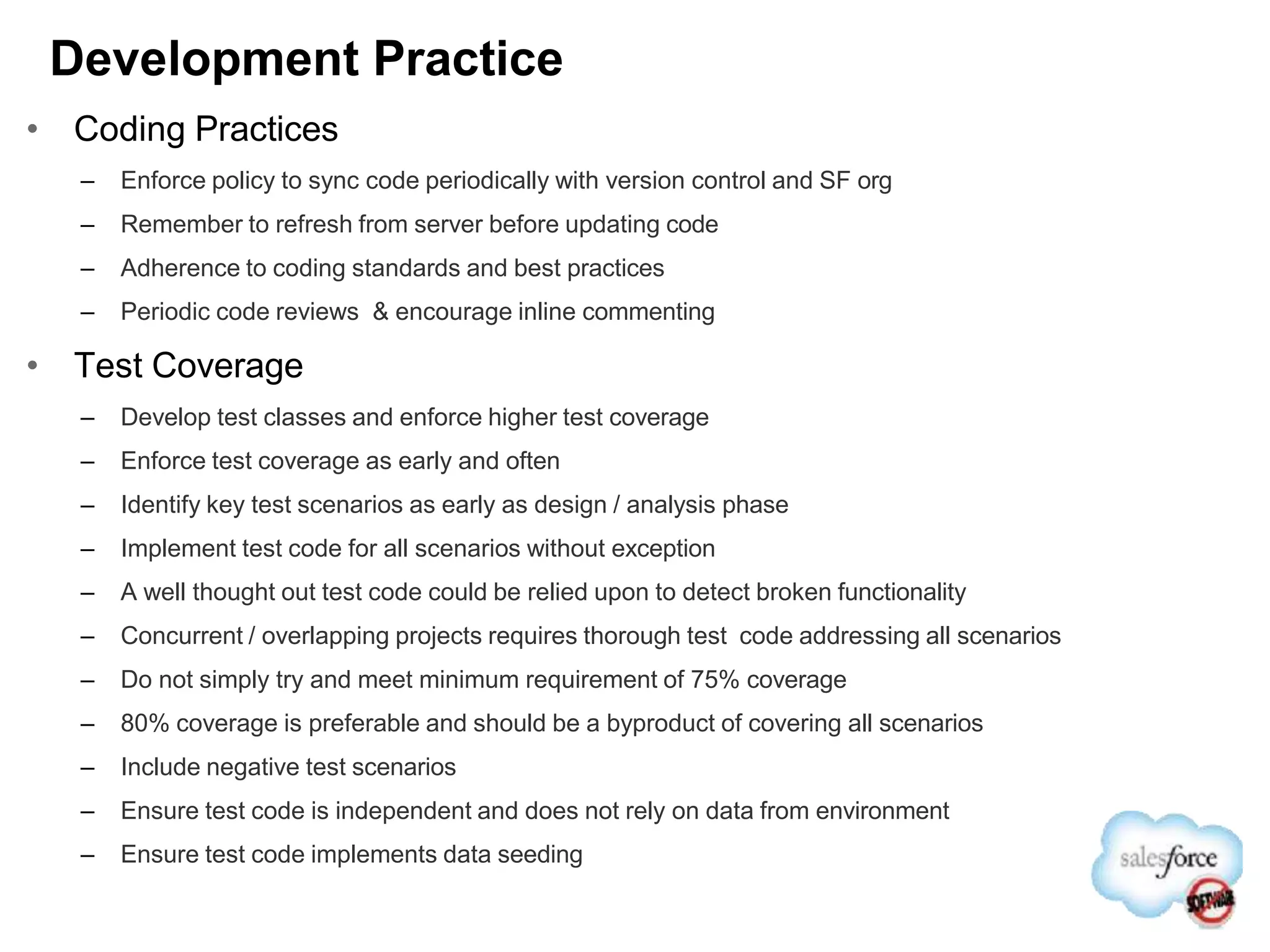
โ€ข Coding Practices
โ€“ Enforce policy to sync code periodically with version control and SF org
โ€“ Remember to refresh from server before updating code
โ€“ Adherence to coding standards and best practices
โ€“ Periodic code reviews & encourage inline commenting
โ€ข Test Coverage
โ€“ Develop test classes and enforce higher test coverage
โ€“ Enforce test coverage as early and often
โ€“ Identify key test scenarios as early as design / analysis phase
โ€“ Implement test code for all scenarios without exception
โ€“ A well thought out test code could be relied upon to detect broken functionality
โ€“ Concurrent / overlapping projects requires thorough test code addressing all scenarios
โ€“ Do not simply try and meet minimum requirement of 75% coverage
โ€“ 80% coverage is preferable and should be a byproduct of covering all scenarios
โ€“ Include negative test scenarios
โ€“ Ensure test code is independent and does not rely on data from environment
โ€“ Ensure test code implements data seeding
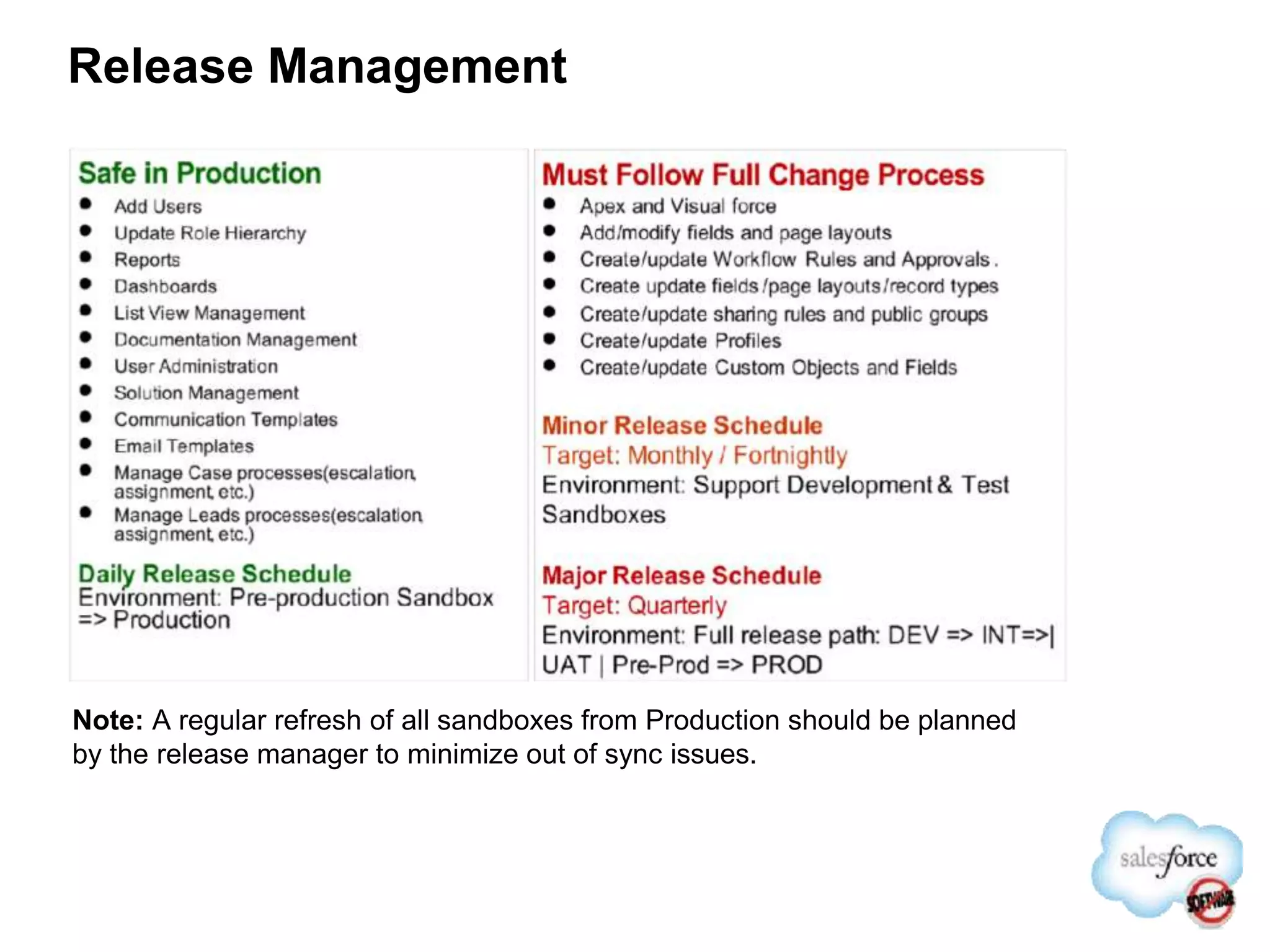
Release Management
Note: A regular refresh of all sandboxes from Production should be planned
by the release manager to minimize out of sync issues.
Release Management
โ€ข Start with Change set, firm up process and extend to automation
โ€ข Change management process defines release path
โ€ข Change management process to introduce a unique # to track changes
โ€ข Introduce naming convention for change sets and keep name descriptive
โ€“ Include project name or description of issue fixed
โ€“ Change Request # + Description, CR-1234-CareGroupEnhancement
โ€ข Differentiate between enhancement and a fix
โ€ข Perform system testing on Consolidated Dev environment
โ€ข Release manager to coordinate deployment of change set with environment owner.
โ€ข Environment owner / admin deploy changes only when approved
โ€ข Environment owner responsible for validating release and approval for downstream
release
โ€ข Repackage change set by cloning, prefix a release increment to package name
โ€“ E.g.: R2-CR-1234-CareGroupEnhancement
โ€ข Change set applied to production only after validated and approved on all up stream
environment.
Release Management
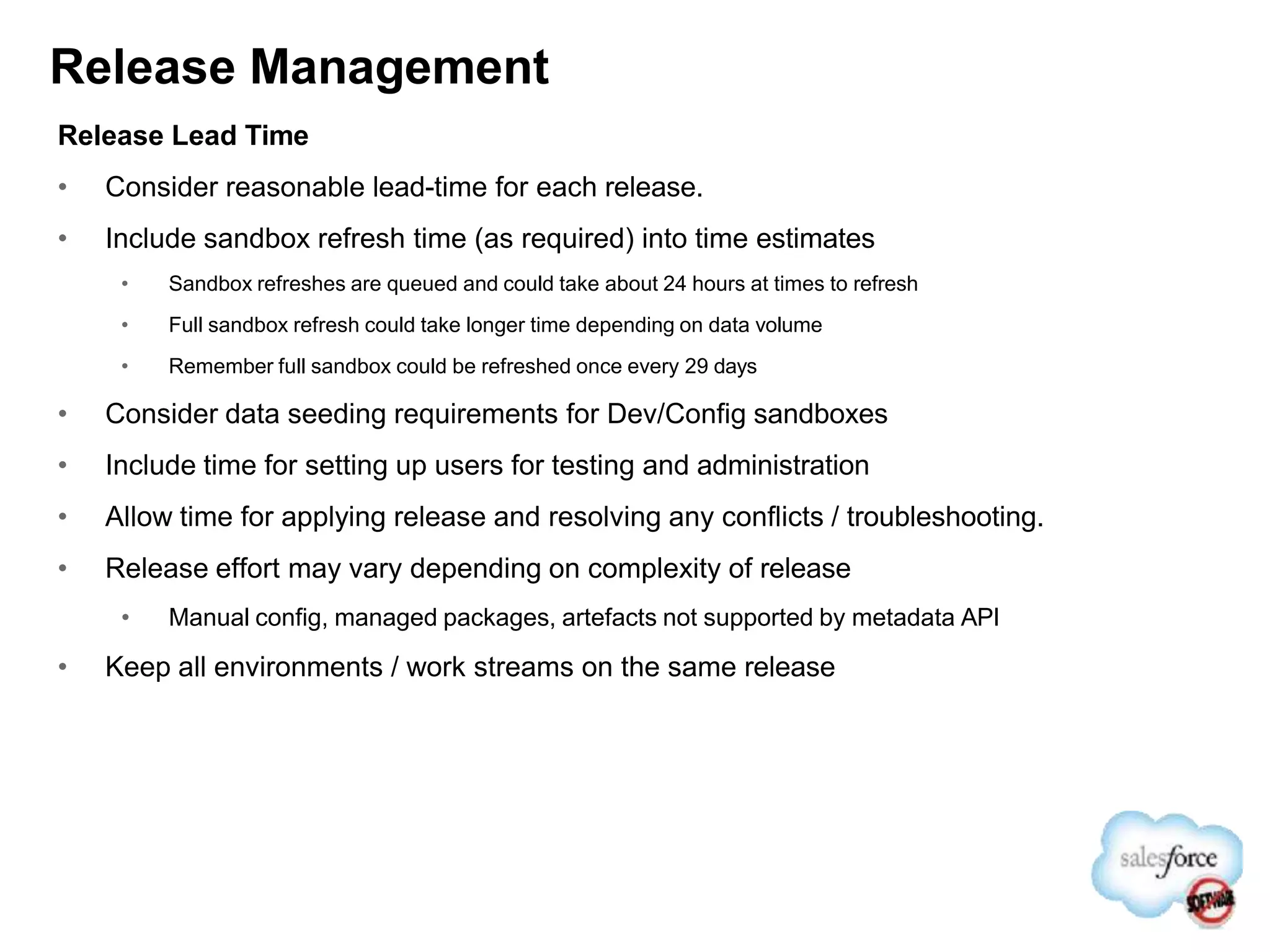
Release Lead Time
โ€ข Consider reasonable lead-time for each release.
โ€ข Include sandbox refresh time (as required) into time estimates
โ€ข Sandbox refreshes are queued and could take about 24 hours at times to refresh
โ€ข Full sandbox refresh could take longer time depending on data volume
โ€ข Remember full sandbox could be refreshed once every 29 days
โ€ข Consider data seeding requirements for Dev/Config sandboxes
โ€ข Include time for setting up users for testing and administration
โ€ข Allow time for applying release and resolving any conflicts / troubleshooting.
โ€ข Release effort may vary depending on complexity of release
โ€ข Manual config, managed packages, artefacts not supported by metadata API
โ€ข Keep all environments / work streams on the same release
Training & Communication
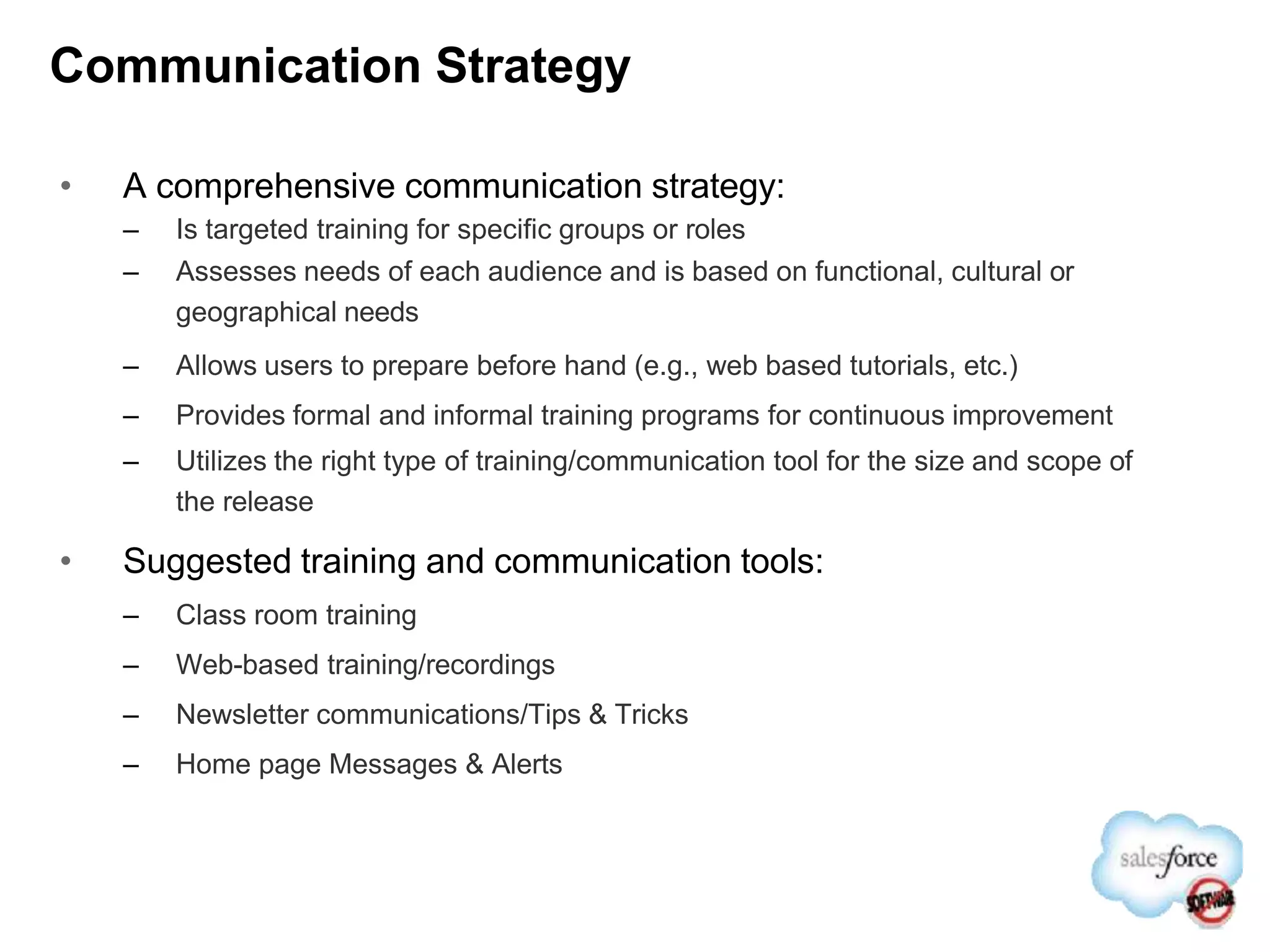
Communication Strategy
โ€ข A comprehensive communication strategy:
โ€“ Is targeted training for specific groups or roles
โ€“ Assesses needs of each audience and is based on functional, cultural or
geographical needs
โ€“ Allows users to prepare before hand (e.g., web based tutorials, etc.)
โ€“ Provides formal and informal training programs for continuous improvement
โ€“ Utilizes the right type of training/communication tool for the size and scope of
the release
โ€ข Suggested training and communication tools:
โ€“ Class room training
โ€“ Web-based training/recordings
โ€“ Newsletter communications/Tips & Tricks
โ€“ Home page Messages & Alerts
โ€ข The technology is not difficult to learn
โ€ข Focus more on โ€œwhyโ€ and โ€œwhatโ€, not โ€œhowโ€ when training
โ€ข Address uncertainty on why and when to use the technology
โ€ข Considerations
โ€“ Audience โ€“ users, evangelists, sponsors
โ€“ Remote live vs. recorded
โ€“ Train-the-trainer approach can leverage evangelists
โ€ข Additional Assets
โ€“ FAQs
โ€“ Videos
โ€“ Quick reference guides
User Training Guidance
Supplement Training with Premier Learning Paths
Ongoing Support
Governance Functions: Support Tiers
Level Type Description
Tier 1 Internal networkers (Change
Agents)
Power Users and Champions
โ€ข Advanced users who understand the system
โ€ข The โ€œgo toโ€ person in their community
โ€ข Vocal advocate of support
End Users
โ€ข Day-to-day users of the application
โ€ข Can be advocates to their peers
Tier 2 Internal Help Desk โ€ข Formalized point of contact for technical
issues
โ€ข Change agents filter common FAQs
โ€ข Change agents also help identify training
improvement opportunities
Tier 3 SFDC administrator โ€ข Formal escalations from internal help desk
โ€ข Also performs basic configuration (reports &
Dashboards), data loads, scheduled
processes, etc.
Tier 4 Salesforce.com Premier
Support
โ€ข Escalation for Tier 3 to help resolve issue
Ongoing Support Model cont.
โ€ข Leverage custom application to manage changes
โ€ข Leverage your internal Help Desk
โ€ข Develop skilled administrators & developers โ€“ Add Value
โ€ข Delegate administration duties across business lines
โ€ข Automate business processes using workflow to streamline support
โ€ข Build Change Control Board to streamline processes
โ€ข Create FAQs to reinforce how-to guidance
โ€ข Institute Lunch & Learn sessions to help drive and reinforce adoption
โ€ข Examples of types of communication/messages include:
โ€“ Messages of the day (from Executive Sponsors, VPs, etc.)
โ€“ New features
โ€“ Upcoming system changes/ maintenance
โ€“ Tips and tricks
โ€“ Training
โ€“ Events
Next Steps
โ€ข Develop process for change management
โ€ข Advertise for top to bottom & bottom up adoption
โ€ข Evaluate environment needs to meet release
requirements
โ€ข Define change complexity and release path matrix
โ€ข Define test environments and migration path
โ€ข Evaluate manual Vs automated release
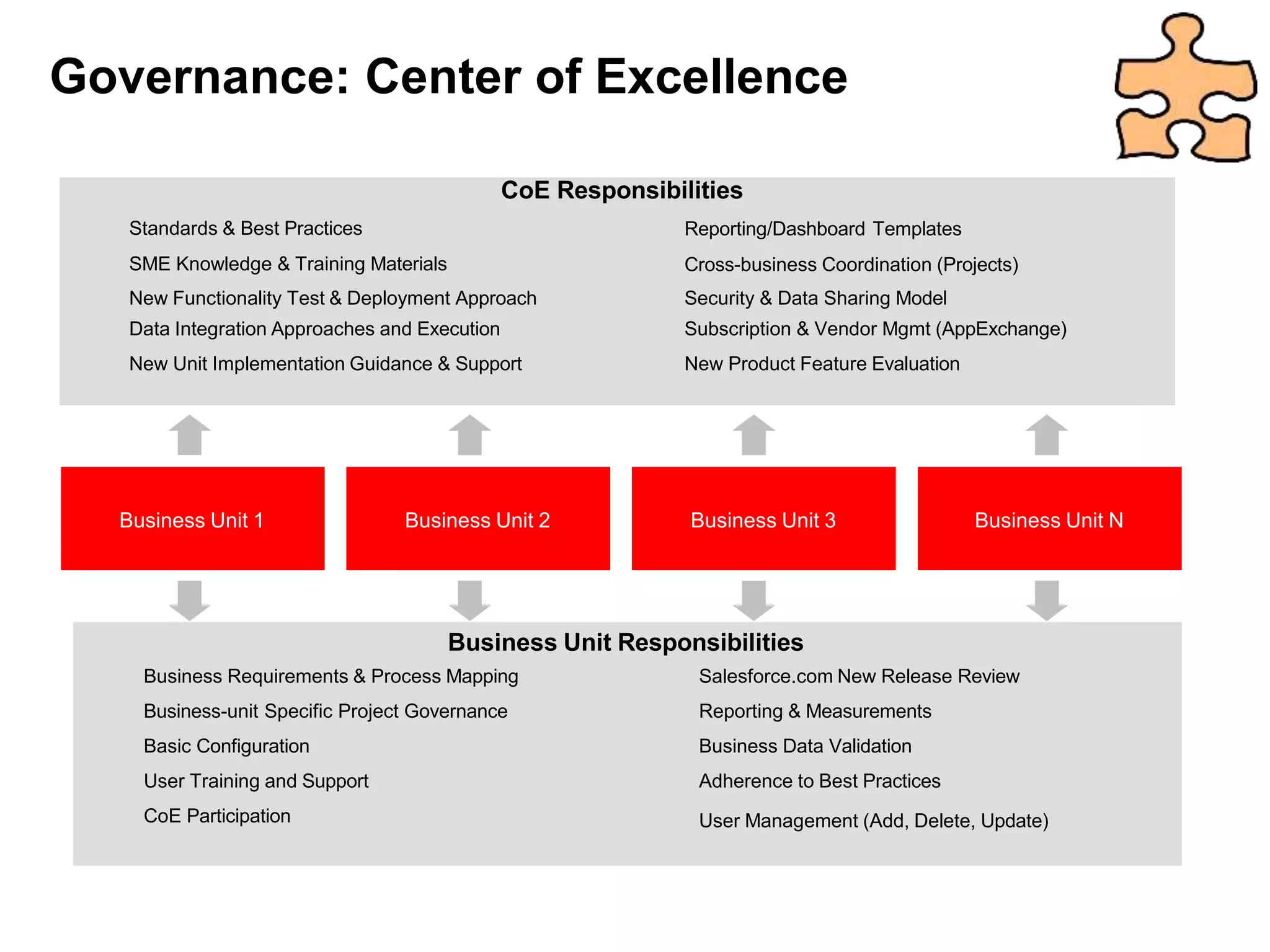
Standards & Best Practices
SME Knowledge & Training Materials
CoE Responsibilities
Reporting/Dashboard Templates
Cross-business Coordination (Projects)
New Functionality Test & Deployment Approach Security & Data Sharing Model
Data Integration Approaches and Execution Subscription & Vendor Mgmt (AppExchange)
New Unit Implementation Guidance & Support New Product Feature Evaluation
Business Unit 1
Business Unit Responsibilities
Business Requirements & Process Mapping
Business-unit Specific Project Governance
Basic Configuration
User Training and Support
CoE Participation
Salesforce.com New Release Review
Reporting & Measurements
Business Data Validation
Adherence to Best Practices
User Management (Add, Delete, Update)
Business Unit 2 Business Unit 3 Business Unit N
Governance: Center of Excellence

Change, Release, Management In-Depth vTom.pptx

  • 1.
    Change & Release Management TomNepa Success Manager
  • 2.
    Agenda โ–  Introductions โ–  Changemanagement โ–  Release management โ–  Process and governance โ–  Environment management โ–  Best practice and recommendations โ–  Training and communication โ–  Ongoing support โ–  Next steps โ–  Q & A
  • 3.
  • 4.
    High Level โ–  Howdo you collect change requests? โ–  Where will you track and store requests? โ–  Who is responsible for managing requests? โ–  Who prioritizes? โ–  Who Schedules and assigns tasks? โ–  What does your development architecture look like? โ–  How do you roll up development releases? โ–  How do you handle QA/UAT issues? โ–  Approvals โ–  How will releases be communicated to users? โ–  When is training brought in the process? โ–  How does this tie into your project plan?
  • 5.
    Change Management โ–  ChangeManagement is the process by which an organization identifies, prioritizes, assigns, executes and communicates change. โ–  In a salesforce.com deployment this could result from โ€“ Organizational change โ€“ Business process changes โ€“ Addition or subtraction of processes โ€“ Salesforce.com release of new versions โ–  Different process for different change request โ€“ Big changes: Rolling new business lines โ€“ Medium: Enhancements that affect specific line of business โ€“ Simple: Fixes, Config change, Reports and templates
  • 6.
    In the beginning,life was simple . . . Hey, look how easy it was to add a custom field to this page layout! It took me 2 minutes and now all 20 of my users can access it! We love how responsive Bob is to our requests!
  • 7.
    As the platformmatured, the possibilities expanded in both type and complexity. Design an approval process for each country where we do business Add a custom button to the page layouts used by our European division Add an Apex trigger to implement our pricing algorithm Install an AppExchange app to track expenses Add a validation rule to enforce our role-based discount matrix Create a new custom app to manage events I hope I donโ€™t mess up
  • 8.
    Change control hasbecome more important, especially in larger organizations. Change requests must be approved by the Change Control Board. All changes must be archived for SOX compliance. All changes must pass system test before being deployed to production. Dev Test Prod Nobody messes up on my watch. We expect to use professional dev and version control tools.
  • 9.
    Why Change Managementfor Salesforce? โ€ขWhy should change management be applied to Salesforce.com? โ€“You are dealing with an application that is in constant flux โ€ข Its fully customizable to your business โ€ข Its functionality improves and expands up to three times a year โ€ข Your users and go to market strategy are most likely changing and in turn your CRM system must evolve โ€ขControlled change will allow you to focus on streamlined processes and maintaining consistency while remaining nimble and responsive โ€ขLimited application administration resources will require organization to obtain maximum efficiency โ€ขTop-down adoption is critical to success; a focus on bottom up adoption is also necessary for success
  • 10.
    Change Management A processof continuous evolution Vision Strategy Objectives Validate โ€ข Audit Salesforce data โ€ข Monitor performance metrics โ€ข Use results to drive behavior or process change within the organization where appropriate Vision & Strategy โ€ข Establish program vision โ€ข Define strategy to achieve โ€ข Develop objectives to ensure progress Initiate/Plan โ€ข Identify key Salesforce capabilities required โ€ข Develop a roadmap to implement โ€ข Tie capabilities to program objectives Operationalize โ€ข Build, configure, and deploy application โ€ข Manage organizational change (release mgmt, training, etc.) โ€ข Drive adoption of new features Continuously analyze your current state, collect user feedback and implement change when appropriate.
  • 11.
    Who should beinvolved? โ€ขThe users community โ€“Customer facing personnel, management and senior management should all have access to provide feedback and influence direction โ€ขKey decision makers โ€“The feedback and requests from the field must be triaged by an identified individual or group that has proper training, understanding of the system and business processes โ€“Enterprise Architects, Administrators etc. โ€ขChange Control Committee or Steering Committee โ€“A cross departmental group that has the overall business objectives and understanding of the overall vision. This group should meet regularly and the agenda should include select change control requests. โ€ขExecutive Sponsor โ€“The leader of the Steering Committee should set priorities and ensure alignment with overall business goals.
  • 12.
    Do all changesrequire โ€œRelease Managementโ€? โ€“ No Salesforce.com is designed for end users to make some configuration changes. Some of these changes can be made in production and shared when the testing is complete: o Reports, Dashboards and List Views o Adding a picklist value o Adding a new user o Group Membership o Creating a territory o Changing the label of a field o Email Templates and Letterhead o Creating a โ€œmessage of the dayโ€ These changes are still tested before being shared with end users. This is done through access controls!
  • 13.
    Steps to EffectiveChange Management โ€ข Get a strategy โ€“ Define an execution strategy and try and keep it simple as possible โ€ข Collect input โ€“ Capture input from end users, cultivate interaction between change management group and end user โ€ข Get a sponsor โ€“ Having an engaged executive sponsor is key to establish Objectives, define Process and drive Adoption โ€ข Define scope and impact โ€“ Determine the level of effort, scope, and impact. Identify and align processes between functional areas โ€ข Prioritize โ€“ Get end user input to understand overall impact and prioritize user requirements โ€ข Implement and test โ€“ Define implementation, end user validation and deployment plan โ€ข Communicate and train users โ€“ Keep user community informed of changes so they are better prepared for adoption โ€ข Deploy โ€“ Define and adhere to a repeatable release management process โ€ข Follow up โ€“ Identify power users to follow-up on new release and define future enhancements
  • 14.
  • 15.
    5 Pillars ofRelease Management 1 2 Deployment Size & New Project Cadence Evaluation 3 Environment Strategy 4 Training & Communica- tion 5 Ongoing Support Model
  • 16.
    Evaluating New Projects โ€ขDefine communication process for new projects โ€ข Projects requests are funneled through COE โ€ข All projects are entered into COE database (i.e. SFDC) โ€ข Capture Business Unit Request โ€ข High Level Requirements โ€ข Alignment with overall program objectives โ€ข Business Readiness โ€ข Timeline for Launch โ€ข Review new project requests as part of COE meeting โ€ข Determine business priority and alignment with overall Program Roadmap โ€ข Define priorities in COE Project Database โ€ข Evaluate the short term and long term alignment with the goals โ€ข Evaluate alignment with ongoing or other pending projects โ€ข Evaluate how project will be supported (internal resources, external resources) โ€ข Evaluate administrative needs of the project and ongoing administration โ€ข COE makes recommendation to the business on the approach and timing of the project โ€ข Communicate pending projects to the Program Steering Committee โ€ข Communicate decision to the business sponsors โ€ข For projects moving forward the necessary individuals should be invited to participate in COE New Project Submission Project Prioritization Project Decision Long Term Evaluation/ Support
  • 17.
    Release Management: ProcessFlow SFDC User SFDC Admin Change Control Board IT Submits change request Reviews request Approved? Determines release timeframe Analyzes request and timeframe IT required? Configure feature/ functionality Sandbox Environment Sandbox required? Configure feature/ functionality Production Environment Notifies CMM request completed Conducts Testing (end-user & IT) Moves changes to production environment Communicates changes to end-users User notified
  • 18.
    Configuration Changes Many Few Simple Difficult Levelof Effort Source: Faulkner 2006 Immediate Releases โ€ข Implement immediate changes โ€ข Owned by individual sub-group โ€ข Minimal impact to the production floor Minor (Monthly) Releases โ€ข Minor changes impacting two or more groups โ€ข Thrice as often as a Major Release โ€ข Minor impact to training and production Major Releases โ€ข Major impact on production and integration โ€ข Significant changes such as AppExchange development โ€ข Aligned with platform releases โ€ข Impact across more than one business unit Prepare a Release Strategy โ€“ Multiple Types Does not dilute the value of force.com flexibility
  • 19.
    Release Management: Definitions ReleaseType Activities Examples Level of Effort Immediate โ€ข Small changes, rapidly applied directly to PRD โ€ข Min impact to users โ€ข Outside scope of Change process โ€ข Dashboards/Reports โ€ข Related lists โ€ข Data Loads โ€ข Territory Alignments LOW โ€ข No training required โ€ข No integration โ€ข Implemented by BA Minor (Monthly) โ€ข Minor impact to users โ€ข Config, test and deploy w/ minor impact to small # of users โ€ข New Fields โ€ข New page layouts โ€ข New Objects โ€ข New Territory structure MEDIUM โ€ข < 1 day of training โ€ข < 1 week of config โ€ข IT involvement Major (Quarterly) โ€ข Significant change to business users โ€ข UI change, data migration/integration โ€ข Apex/VF Code โ€ข AppExchange apps โ€ข Process-impacting changes โ€ข Data migration โ€ข Integration changes โ€ข Impacts multiple BUs HIGH โ€ข 1+ days training โ€ข 1+ weeks config โ€ข 1+ wks of integration development โ€ข IT lead
  • 20.
    โ–บ Reports โ–บ Dashboards โ–บList View Management โ–บ Documentation Management โ–บ User Administration โ–บ Solution Management โ–บ Communication Templates โ–บ Email Templates Business Responsibilities Daily Changes IT Responsibilities Monthly Changes โ–บ Minor Release: Simple configuration changes that do not impact day to day business or require training. As Required (Target Monthly) โ–บ Major Release: New Initiatives and other changes that require training or testing. Dates determined by Steering Committee (Target Quarterly) Division of Responsibilities
  • 21.
    Release Time-line Estimate:Example Release made to target environments incrementally as per release management plan. Important Processes to be implemented: - Establish a release schedule โ€ข Add scheduled release milestones to project schedule to aid planning. โ€ข At least two releases per module: 1st release for module testing, 2nd release to test defect fixes. - Change Request and Release interdependency โ€ข Change requests need to state intended release during impact analysis step (by Release Manager). โ€ข This release timing feeds in to regression test plans. (e.g. A CR for SFA module may be released after the SFA Module testing release is completed) โ€ข Reporting of CRs by release (and movement) needs to be more transparent as project progresses (consider using cases) - Environment Freeze โ€ข Applies from CR freeze Day -8 until the specific environment is released (i.e. Release Deployed). โ€ข If there are no releases and release content is relatively simple, then the above time frames can be shorter. Day -8 Final cut-off for change requests to be submitted for inclusion in this release. Decision on inclusion is at the Release Managerโ€™s discretion (limited resource โ€“ project teams need plan ahead) Days -8 to -5 โ€ข Apply final (approved) Change Requests to Dev Environment. โ€ข Carry out tests to insure non-impact on cross-dependencies (e.g. Dashboards, new fields, etc). โ€ข Testing involves Change Requestor. Days 0 Release deployed to all target environments Days 0 Days -5 Days -8 QA Mod Test TRN INT UAT Environment Freeze ... Note: Days are suggestive
  • 22.
  • 23.
  • 24.
  • 25.
    Establish Process andGovernance โ€ข Development Process โ€“ Develop Process for how various teams will collaborate โ€“ Define a process to handle defects(bugs) and change requests โ€ข How do you collect requests? โ€“ Incorporate Release Management process โ€“ Define Version Control, Change Control, Backup processes โ€“ Create an iterative development plan incorporating build dependencies and periodic testing โ€“ Determine resources and their access levels to the various environments โ€ข Benefits โ€“ A well established process leads to a smoother development - scale โ€“ Continuous build and sync may elongate initial development process, but has less downstream risks and impacts Process and Governance
  • 26.
    Governance: Focus Areas DevelopmentProcesses โ€ข Change Mgmt โ€ข Problem Mgmt โ€ข Environment Mgmt โ€ข Version Control โ€ข Code Migrations โ€ข Data Migrations โ€ข Coding Standards / Best Practices โ€ข Data Management Best Practices Application Delivery / Support Model(s) โ€ข Procurement โ€ข Methodology (Agile, Waterfall, etc.) โ€ข Training โ€ข Skills โ€ข Resourcing Model (Onshore/Offshore) โ€ข Support โ€ข Governance
  • 27.
    Support Request Process:Example Above is a high-level support process. Detailed procedure for each process step needs to be developed in-house.
  • 28.
    Key role โ€ข ChangeCommittee โ€“ Who: A team of Functional, Technical, Management and Support personal โ€“ Responsibility: โ€ข Streamline change management and development process โ€ข Prioritize change request and approve for development and deployment โ€ข Conduct weekly (at times daily) meetings to evaluate change request and assess impact โ€ข Identify implementation and migration path for change request โ€ข Support Manager โ€“ Who: A Person nominated to handle support request from user community. โ€“ Responsibility: โ€ข Establish support levels and manage support team โ€ข Handles support request / call and routes to appropriate support team โ€ข Identifies defect / gap in functionality and creates change request โ€ข Prioritizes and present to change committee for approval for development โ€ข Can make change requests and raise defects to be made available in next release. โ€ข Suggest development and release path based on user feedback โ€ข Monitor Chatter and Idea boards and respond to user queries
  • 29.
  • 30.
    Considerations โ€ข How manydevelopment environments do I need? โ€ข How do I provision and manage the environment? โ€ข How do I promote a collaborative development environment? โ€ข How do I incorporate my organizational processes? โ€ข What tools can I use to help me automate my processes? Environments Process and Governance Development Practices Development Tools 7/15/14 30
  • 31.
    Real-Time Sandbox Environments FullyReplicated Development Environments Support any IT Governance Strategy Production-class Infrastructure One Click Import/Refresh of Your Production Data Refresh Anytime Eliminate Risk in Deployment Development Testing Training Production
  • 32.
    Configure, Develop, andDeploy using Sandbox Instantly Set Up Dev Environments Everything You Need to Build Apps Easy to Collaborate on Projects Eclipse Force.com IDE Force.com Code Share Force.com Sandbox Easy Access to Code and Schema Metadata API Force.com Migration Tool http://wiki.developerforce.com/index.php/Migration_Tool Cloud Deploy Easy Tool for Admins to Migrate Changes
  • 33.
    Sandbox Replicates YourSalesforce.com Organization Production Salesforce.com Organization Development Sandbox: Create a separate on-demand application environment forโ€ฆ Training Testing (QA)
  • 34.
    Sandbox: Types, Features,Uses Features Best Forโ€ฆ Developer โ€ข Copy of configuration/code โ€ข No data copied โ€ข 10 MB data storage โ€ข Development โ€ข Testing new features โ€ข Apex tests Configuration Only Full โ€ข Copy of configuration/code โ€ข No data copied โ€ข 500 MB data storage โ€ข Copy of configuration /code โ€ข Copy of active data and files โ€ข Same storage limits as the production organization โ€ข Testing new features โ€ข Loading standard data for regression testing โ€ข Limited use for staging/UAT โ€ข Staging / UAT โ€ข Validating new apps against active configuration and data โ€ข Testing external integrations โ€ข Training
  • 35.
    Environment Definitions Sandbox Owner (Suggested) TypePurpose Development IT Config Only Constantly moving environment due to ongoing development. Development & unit testing. Consolidated Development IT Config Only Consolidated environment where development artefacts are consolidated , system tested and packaged for deployment downstream. Developers will have read only access and will be delegated administrators or selectively granted write access. QA IT Config Only A controlled (non-moving) environment to test release candidates Control IT Config Only Once a release passes the QA stage, it is released in to the control environment, from which the โ€˜physicalโ€™ releasing takes place as per the environment path. Historic snapshots of this environment will be backed-up in to the version control repository via the Salesforce IDE / Ant migration tool. Module Testing Business Config Only โ€ข Controlled environment. โ€ข Formal releases are issued in to this environment with the identified release content / functionality. โ€ข Business conducts Module/release testing in this controlled environment. โ€ข Releases are made as Change Sets from โ€˜Controlโ€™ environment. โ€ข Stays for the life of the project. โ€ข Receives isolated data migration loads to support testing (repeatable process). Integration testing IT Config Only Integration team to conduct end to end testing with other internal systemsand validate relevant test cases. Other characteristics identical to Module testing Sandbox. UAT Business Full Created from Production in order to conduct UAT with a full set of data. Data load testing and verification takes place in this environment prior to UAT. Training Business Config Only For end-user training development and training execution. Needs to remain after implementation, for ongoing training. Data needs to be controlled/need to be able to restore a stable set of training data between each course. Production Business N/A The production environment Rollback IT Config Only A clone of production created prior to a production release, primarily used to accommodate rollback scenarios. Training environment could also be used for this purpose.
  • 36.
    Multi-Project Delivery Cyclewith 6 Sandboxes Production Instance Production Support Staging live full copy legend Dev Integration Long Projects configuration-only, test data configuration-only, training data developer Training Dev Dev Dev Rollup / Integration Short Projects
  • 37.
    Environment Planning Developer sandbox Configuration-only sandboxFull copy sandbox Development โ€ข Good Fit โ€ข Good Fit โ€ขPerfect for having configuration and development on the same sandbox โ€ข slower to copy โ€ข giving developers access to data may not be ok Testing โ€ข unit tests โ€ข apex tests โ€ข best for Feature/ Unit test โ€ข load minimal data for regression โ€ข Best for production debugging โ€ข Load testing Testing external integrations โ€ข not a good fit โ€ข special cases only โ€ข use sample or subset data โ€ข works well if using external ids โ€ข frequently required โ€ข external system expects full production data to be present Volume / UAT โ€ข not a good fit โ€ข sometimes appropriate if testing against subset of production data is acceptable, e.g. regional โ€ข usually required โ€ข validation of new apps against production config and data Sandboxes Available / Edition โ€ข EE โ€“ 1 sandbox โ€ข UE โ€“ 1 sandbox โ€ข UE โ€“ 5 config sandboxes โ€ข Note: Can purchase up to 6 config only sandboxes โ€ข UE โ€“ 1 full sandbox โ€ข Note :Can purchase up to 3 full sandboxes Considerations โ€ข Small 10 MB โ€ข 500 MB storage โ€ข Same as production Choosing a type of Sandbox
  • 38.
    Environment Planning โ€ข Developmentenvironments required to support Development process โ€“ Create manageable number of development Sandboxes โ€“ Each Sandbox is its own environment and they do not share configuration, code or data โ€“ Provision users to appropriate sandboxes based on development activities โ€ข Considerations โ€“ Too many environments lead to management and synchronization chaos โ€“ Too few environments lead to a chaos in managing concurrent activities thereby leading to an elongated development time โ€“ POC could be done on developers org Environments 7/15/14 38
  • 39.
    Establish Configuration Baseline Dev Integration Testing Production Training Consolidated Dev Environment Production Org Full Sandbox Config-only Sandbox UAT| Pre- production QA Control Develop in DEV Sandbox Refresh From Production Note: Any changes to base line configuration should trigger a sandbox refresh cycle Rollback
  • 40.
    Controlling Change โ€ข Beforemigrating any data changes from Sandbox to production you should always make a back-up copy of your production organization data โ€“ Data back-ups: Setup | Data Management | Data Export โ€“ Data exports can be run immediately or scheduled โ€“ Use the Data Loader to restore the data to the previous state โ€“ Appropriate for territory changes, assignment changes (i.e. account or case transfers), etc. โ€ข Copies of your configuration can be made using tools such as Snapshot โ€ข Control administrative access to your org โ€“ Allow only a certain number of users full access to make configuration and data changes โ€“ Implement an oversight committee to review/approve changes before they are made โ€“ โ€œFlipโ€ the profile for Users if necessary to toggle between admin and standard user privileges โ€“ use custom profiles to define specific parameters for what a User can do without full fledged Admin access
  • 41.
    Some Facts AboutSandboxes โ€ข Config / Dev sandboxes can be refreshed once every day โ€ข Full sandbox refresh period is 29 days after previous refresh date โ€ข Sandbox refresh are queued and takes time to complete โ€ข A sandbox is not a point-in-time snapshot of production. Keep production changes down when copying. โ€ข Sandbox delete option available when maximum limit reached โ€ข User name and email address appended with sandbox name โ€ข New users created in sandbox count against number of licenses โ€ข Sandboxes after every refresh may appear on different instance and URL may vary. โ€ข Data copied from production will have matching object Id Note: Please refer to development life cycle document or help text for details
  • 42.
    Key roles โ€ข EnvironmentOwner โ€“ Who: A Person nominated as the owner of an environment. โ€“ Responsibility: โ€ข In control of the assigned environment (i.e. Admin access). โ€ข Decides on granting other user access. โ€ข Coordinate activities in the environment (such as data loads). โ€ข Decision maker on accepting an available release. โ€ข Can make change requests and raise defects to be made available in next release. โ€ข Prepare and manage sample data for environment โ€ข Administrator/s โ€“ Who: Person/team responsible for admin activities of an environment โ€“ Responsibility: โ€ข Maintain integrity of environment โ€ข Delegate administrative responsibility to individual/groups โ€ข Manage users and access rights. โ€ข Manage refresh cycles and data seeding โ€ข Manage inbound / outbound connections for environments
  • 43.
    Establish Process andGovernance โ€ข Development Process โ€“ What is the rollout path for each change request? โ€“ Does it require upstream or downstream migration? โ€ข Validation and approval process โ€“ What are the prerequisites for a change to be released to an environment? โ€“ What procedures to be followed and how it is communicated? โ€ข Purpose of version control โ€“ Repository for codebase for developers? โ€“ Repository for Metadata of non development environments? โ€ข Deployment options โ€“ Standardize deployment process โ€“ To use or not to use version control for deployment? โ€“ Cloud deployment Vs continuous integration? โ€“ Using IDE for deployment? โ€“ Deployment to locked down environments?
  • 44.
    Tools: Selecting theright tools for the job โ€ข Salesforce.com Tools and Framework โ€“ Force.com IDE (Eclipse based) โ€“ Change Sets (Cloud Deploy) โ€“ Ant migration tool โ€ข 3rd Party Tools โ€“ Dreamfactory Monarch: Copy, merge, migrate and archive data between orgs โ€“ Dreamfactory SnapShot: View, compare and push configurations (Metadata) โ€ข Customer Tools โ€“ Version Control โ€“ Change Management Dev Test Dev Version Control Project Branch BASIC ADVANCED Cloud IDE Deploy Ant Version Control
  • 45.
    Build, Test, AndDeploy From One Tool IDE Single Project View XML Application View Rich Code Editors for Visualforce and Apex code
  • 46.
    Promote Changes Seamlesslywith Change Sets BUSINESS USERS ADMINS AND DEVELOPERS PRODUCTION 1. Create Sandbox 2. Make Changes 3. Deploy Change Sets
  • 47.
    Tool Selection: ChangeSets โ€ข Deployment tool in the cloud โ€ข Predicts code/config dependency โ€ข Does not require knowledge of Eclipse, ANT, EDI, etc. โ€ข Capabilities: โ€“ Authorize inbound/outbound connections โ€“ Assemble a set of metadata in source org โ€“ Upload change set to target โ€“ Clone change set โ€“ Deploy a Change Set โ€ข Limitations โ€“ Manual and process driven โ€“ Cannot delete or rename โ€“ Some object are not available โ€“ Not a snapshot of metadata โ€“ 2,500 components, total file size of 400 MB. โ€ข Disconnected process โ€“ Developers upload changes โ€“ QA/ Release Managers download and apply changes
  • 48.
  • 49.
    Tool Selection Tools ProsCons Ant Migration Tool โ€ขAutomation possible โ€ขFull export and deploy possible โ€ขIdeal backup tool / syncing with version control โ€ขCustomized to integrate with Version Control โ€ขManual process of identifying migration artifacts โ€ขDeployed directly to target environment โ€ขNo audit trail of migrated artifacts โ€ขNo dependency check until deployment โ€ขAdministrative overheads Force.com IDE โ€ขEasy to deploy individual artifacts โ€ขConnects with version control โ€ขNo way to package artifacts for deployment โ€ขArtifacts cached on desktop and needs syncing with server โ€ขRisk of deploying local version of artifacts โ€ขNo dependency check until deployment BASIC ADVANCED Cloud Deploy IDE Ant Version Control
  • 50.
    Continuous Integration: Example Timedbuild and release cycle for each environment Note: Need to establish release windows for each environment including production and take Salesforce maintenance window into consideration. Release Cycle
  • 51.
    Tool Selection: ChangeSet Vs Automation Change Set โ€ข Simple and easy to use / manage โ€ข Convenient for developers and admin to work together โ€ข Build and deployment will be a manual process โ€ข Controlled release process โ€ข Ad hock release possible Continuous Integration โ€ข Complex and requires customization โ€ข Admin requires development (Ant, API etc) tools/skills โ€ข Automation possible with strict adherence of process and governance โ€ข Identifying delta becomes a challenge and full migration required Development 7/15/14 51 Version Control Integration UAT Production Version Control Integration Staging Production Development Metadata Metadata Code and/or Metadata Code & Metadata Code & Metadata Code & Metadata
  • 52.
    Tools Comparison Summary Need Force.comIDE ANT based Migration Tool Change Sets Configuration Changes (Add/ Update) โ€ข Great Fit โ€ข Good Fit โ€ขPerfect for having configuration and development on the same sandbox โ€ข Good Fit โ€ข Perfect for having a disconnected process where users donโ€™t have to be in two orgs for performing deployment โ€ข IDE and ANT has more change capabilities that Change Sets Code Changes (Add/ Update) โ€ข Great Fit โ€ข Good Fit โ€ข Great Fit Deleting Configurations and Code assets โ€ข Good Fit โ€ข Good Fit โ€ข Not a Good Fit Nightly Automated pushes โ€ข not a good fit โ€ข Perfect fit for batch releases โ€ข Not a good Fit Less Programming/ ANT / IDE Skills โ€ข Good Fit (Can use Change Sets as well if performing migration from Sandbox to Prod.) โ€ข Not a Good Fit (Needs programming and ANT skills) โ€ข Perfect for organizations not having resources knowledgeable with IDE or ANT Automated Test Coverages โ€ข Not a Good Fit โ€ข Great Fit โ€ข Not a Good Fit
  • 53.
    Release Types Identified โ€ขControlled / Periodic Release โ€“ Strictly adheres to process โ€“ Change flows through every downstream environment โ€“ Tested and approved by every environment owner โ€“ Goes through integration and UAT โ€ข Quick / Hot Fixes โ€“ A fast rollout path typically to address a burning production issue โ€“ Release path to be defined at the time of evaluating change โ€“ UAT may or may not be required depending on nature of change โ€“ Downstream environment owner to approves based on upstream testing results โ€“ Deployment should flow through all down stream environment โ€“ Could be applied directly in production and then replicated to other environments โ€ข Rollback โ€“ Production rollback is not a straight forward task โ€“ Prepare a rollback environment that is a copy of production โ€“ Release manager responsible for preparing rollback change sets โ€“ Cannot rollback new artifacts deployed and needs to be removed manually โ€“ Apex code could be removed in production only after it is disabled
  • 54.
    Sample Path toProduction Matrix Note: Table above shows a sample path to production chart. These are suggestive guidelines โ€ข Change control process to determine appropriate path to production โ€ข Measure change type and release type based on complexity โ€ข Consider validation requirements in determining path to production โ€ข Ensure path to production environments are in sync โ€ข Determine if concurrent testing permissible or should be serialized โ€ข Yes. It is ok to apply certain changes directly in production. Be judicious. โ€ข Changes from production applied to sandbox using change sets or refresh cycle โ€ข Identify rollback scenarios and prepare for rollback โ€ข Identify a tool to capture change request and track progress Change Type Release Type Con Dev QA INT UAT PRD Simple Immediate Yes Yes No No Yes Medium Minor Yes Yes No Yes Yes Complex Major Yes Yes Yes Yes Yes Hot Fix Production No No No No Yes
  • 55.
    Integration Testing Production Training Consolidated Development Full Sandbox Production Org Config-only Sandbox UAT | Pre- production EnvironmentPlan and Release Path Control Definition: Constant Development, Moving Environments. Change Requests and Defect Management โ€ข All environment owners could log Defects and submit Change Requests via the Defect Management and Change Management processes, respectively. โ€ข A Release Manager responsibility is assigned within the development team. โ€ข Defects and Change Requests are worked on in the Development environments and are included in the next release as per the above release path. Definition: Holds latest release. Definition: Controlled environment quality assurance and incremental testing. QA Definition: Data Migration testing, followed by UAT and pre-production. Definition: Training Environment. Relevant releases deployed for incremental training material development. Definition: Utilised to conduct integration testing with other systems Dev Dev Rollback Definition: Refresh Prior to release. IDE/change sets for rollback Change Set From Controlled environment IDE / Change set from development environment Sandbox Refresh
  • 56.
    Developer POC (Full Sandbox) QA (Full Sandbox) Eclipse Package Creation SubVersion Package Installation Testing (FullSandbox) UAT (Full Sandbox) Production Subversion Package is installed in each Sandbox and tested. Training (Full Sandbox) Integration (Full Sandbox) Developers (Dev Sandbox) 30+ Download to Eclipse Release Management at
  • 57.
    Sandbox Dev QA Prod Individual Project/Dev Environments FunctionalDev Project Team 2 FunctionalDev Project Team 1 Apex and VF Dev Integration Dev Legend Deployment by Production Deployment Team Deployment by Project/Dev Team Managed by Production System Admin Sandbox refresh from Production after each Release to ensure they are current with Production environment Sandbox refreshed from Production as and when required for additional testing Full Copy Sandbox Dev/Configuration Only Sandbox Testing Bugs Reported in Production โ€ขData Load โ€ขData Cleansing โ€ขIntegration โ€ขProject Testing for Sprints โ€ขUAT โ€ขTraining 1. Having 5 Full Copy Sandbox helps leverage environments respectively as required based on Monthly Refresh Cycles provided by Salesforce.com and Project timelines 2. QA is separated from UAT allowing less impact on the project timelines and Monthly release cycles. 3. Splitting Data/Integration helps in managing activities independently for ETL development and testing. 4. Support process would be more streamlined and can be conducted with Production data as bugs are reported independently on release cycles 5. Project Stream have their individual sandbox to assist in Quality testing using full data from production as oppose sample data, allowing team to perform regression testing for each sprint as oppose to waiting for final QA cycles.
  • 58.
    Release Using ChangeSet โ€ข Change control process governs every stage of release management โ€ข Developer creates change set on one or many development environments โ€ข Release manager upon approval by owner deploys inbound change sets to consolidated environment โ€ข System testing performed to validate build on Consolidated environment โ€ข Release manager creates outbound change set on consolidated development environment โ€ข Uploads for deployment to QA environment . Change set locked down at this point. โ€ข QA environment owner approves and QA admin deploys changes โ€ข Once QA validation complete release manager queues up change set for Integration / UAT โ€ข Deployed to UAT or downstream environment upon approval by environment owner โ€ข Defects goes back to development and follows the path until production ready Dev Dev Dev Consolidated Development QA Integration UAT | Pre- production Production
  • 60.
    Key role โ€ข Environment& Release Manager โ€“ Who: A single person across the project who defines the content of each release and tracks the status of each environment from a release perspective. โ€“ Responsibility: โ€ข In control of defining and communicating the content of a release. (e.g. Release 3.2 covers delivers 101-121, defects 11-15, Change Requests 32-35). โ€ข Applies the release to each environment ( where the owner has accepted the release). โ€ข Tracks the status of each environment from a release perspective (e.g. Module testing is on v3.0, SIT & UAT are on v2.3). โ€ข Keeps track of change sets status in source and target environments
  • 61.
  • 62.
    Salesforce.com Environment &Release Management Best Practice For further content on development best practice, tools and techniques, please see: โ€ข โ€œDevelopment Lifecycle Guide โ€“ Enterprise Development on the Force.com Platformโ€ http://www.salesforce.com/us/developer/docs/dev_lifecycle/salesforce_development_lifecycle.pdf
  • 63.
    Change Management 1. AlwaysOpen a Change Request. โ€“ Use cases to capture and track support / change request โ€“ Support Manager: โ€œIf its not in the system then it doesnโ€™t exist...No Exceptionsโ€ 2. All Change Requests Must Follow Development Lifecycle โ€“ All Change Requests must be analysed via development process, irrespective of simplicity โ€“ Analyse downstream impact first โ€“ e.g. Given a new change request, modifying a validation rule may make sense in isolation, but can cause runtime exceptions in downstream custom code that relied on this validation. Many similar examples exist 3. Take Admin Access Seriously โ€“ Strictly follow procedures and follow administrator checklist โ€“ A โ€œSimpleโ€ configuration change can break the system 4. Systemize Change Request Management โ€“ Adhere to process, reviews, approvals and associated documentation โ€“ Determine dependencies and release path for change request โ€“ Identify, if test environments requires refresh and adjust timeline accordingly
  • 64.
    Change Management 5. Regular(Scheduled) Release Window โ€“ Defect fixes and change request artefacts are released in to Production during a pre-planned recurring release window โ€“ Ad-hock releases only an exception 6. Collaborate โ€“ Support and Change Requests are likely to involve multiple teams: โ€ข Define Support Levels and support teams โ€ข Business stakeholders reviewing and approving changes 7. Change Committee โ€“ A Change Committee should be established โ€“ Ensure that due process has been followed for support and change requests โ€“ Make decisions on major releases, exceptions and prioritize change requests 8. Post Release Activities โ€“ Release manager responsible for defining rollback scenarios and approach โ€“ Communicate new releases to user community
  • 65.
    Environment Planning โ€ข Dothe baseline build and configuration in Production โ€ข Refresh configuration from the production org into separate developer / configuration only sandboxes โ€ข Lockdown on all sandbox environments and only open up development environment โ€ข Developer work on development, test their work, and synchronize their finished changes to version control โ€ข Completed changes from development pushed into consolidated development environment โ€ข Perform system testing before packaging for promotion โ€ข Change set from Consolidated Dev uploaded to test environments โ€ข Governance required to manage on going changes where lead architect, environment owner, business representatives approve changes. โ€ข Eventually, approved changes are applied to downstream environments 7/15/14 65
  • 66.
    Environment Planning โ€ข Combinemultiple streams of development to minimize need for development sandbox โ€ข Identify data seeding requirements and prepare data for Dev/Config only sandboxes โ€ข Prepare sample data sets for Dev / module / QA / integration testing. โ€ข Prepare data loader scripts to load sample data test environments โ€ข Utilize full sandbox for User Acceptance Testing (UAT) โ€ข Consider sequencing integration testing and QA/Module testing โ€ข Identify large data volume testing scenarios and perform those on full sandbox prior to / part of UAT โ€ข Inactive users from production could be activated in sandbox. Dev Admin / QA Admin may require โ€œModify Allโ€ special privileges. โ€ข Evaluate need for additional sandbox environments
  • 67.
    Development Practice โ€ข Uselatest versions of tools โ€ข Enforce standard versions of Eclipse IDE across development โ€“ Reduces risks of unavailable API โ€ข Create deployment notes for deployment โ€“ Dependency Matrix describe deployment dependencies โ€“ Package dependencies / sequence of deployment โ€ข Enforce and Educate โ€“ Publish and Distribute Development Process and Guidelines โ€“ Educate resources on Technology and Tools โ€“ Enforce periodic testing to mitigate risks โ€“ Publish Code best practices, Testing Methodology โ€“ Enforce accountability 7/15/14 67 Best Practices
  • 68.
    Development Practice โ€ข CodingPractices โ€“ Enforce policy to sync code periodically with version control and SF org โ€“ Remember to refresh from server before updating code โ€“ Adherence to coding standards and best practices โ€“ Periodic code reviews & encourage inline commenting โ€ข Test Coverage โ€“ Develop test classes and enforce higher test coverage โ€“ Enforce test coverage as early and often โ€“ Identify key test scenarios as early as design / analysis phase โ€“ Implement test code for all scenarios without exception โ€“ A well thought out test code could be relied upon to detect broken functionality โ€“ Concurrent / overlapping projects requires thorough test code addressing all scenarios โ€“ Do not simply try and meet minimum requirement of 75% coverage โ€“ 80% coverage is preferable and should be a byproduct of covering all scenarios โ€“ Include negative test scenarios โ€“ Ensure test code is independent and does not rely on data from environment โ€“ Ensure test code implements data seeding
  • 69.
    Release Management Note: Aregular refresh of all sandboxes from Production should be planned by the release manager to minimize out of sync issues.
  • 70.
    Release Management โ€ข Startwith Change set, firm up process and extend to automation โ€ข Change management process defines release path โ€ข Change management process to introduce a unique # to track changes โ€ข Introduce naming convention for change sets and keep name descriptive โ€“ Include project name or description of issue fixed โ€“ Change Request # + Description, CR-1234-CareGroupEnhancement โ€ข Differentiate between enhancement and a fix โ€ข Perform system testing on Consolidated Dev environment โ€ข Release manager to coordinate deployment of change set with environment owner. โ€ข Environment owner / admin deploy changes only when approved โ€ข Environment owner responsible for validating release and approval for downstream release โ€ข Repackage change set by cloning, prefix a release increment to package name โ€“ E.g.: R2-CR-1234-CareGroupEnhancement โ€ข Change set applied to production only after validated and approved on all up stream environment.
  • 71.
    Release Management Release LeadTime โ€ข Consider reasonable lead-time for each release. โ€ข Include sandbox refresh time (as required) into time estimates โ€ข Sandbox refreshes are queued and could take about 24 hours at times to refresh โ€ข Full sandbox refresh could take longer time depending on data volume โ€ข Remember full sandbox could be refreshed once every 29 days โ€ข Consider data seeding requirements for Dev/Config sandboxes โ€ข Include time for setting up users for testing and administration โ€ข Allow time for applying release and resolving any conflicts / troubleshooting. โ€ข Release effort may vary depending on complexity of release โ€ข Manual config, managed packages, artefacts not supported by metadata API โ€ข Keep all environments / work streams on the same release
  • 72.
  • 73.
    Communication Strategy โ€ข Acomprehensive communication strategy: โ€“ Is targeted training for specific groups or roles โ€“ Assesses needs of each audience and is based on functional, cultural or geographical needs โ€“ Allows users to prepare before hand (e.g., web based tutorials, etc.) โ€“ Provides formal and informal training programs for continuous improvement โ€“ Utilizes the right type of training/communication tool for the size and scope of the release โ€ข Suggested training and communication tools: โ€“ Class room training โ€“ Web-based training/recordings โ€“ Newsletter communications/Tips & Tricks โ€“ Home page Messages & Alerts
  • 74.
    โ€ข The technologyis not difficult to learn โ€ข Focus more on โ€œwhyโ€ and โ€œwhatโ€, not โ€œhowโ€ when training โ€ข Address uncertainty on why and when to use the technology โ€ข Considerations โ€“ Audience โ€“ users, evangelists, sponsors โ€“ Remote live vs. recorded โ€“ Train-the-trainer approach can leverage evangelists โ€ข Additional Assets โ€“ FAQs โ€“ Videos โ€“ Quick reference guides User Training Guidance
  • 75.
    Supplement Training withPremier Learning Paths
  • 76.
  • 77.
    Governance Functions: SupportTiers Level Type Description Tier 1 Internal networkers (Change Agents) Power Users and Champions โ€ข Advanced users who understand the system โ€ข The โ€œgo toโ€ person in their community โ€ข Vocal advocate of support End Users โ€ข Day-to-day users of the application โ€ข Can be advocates to their peers Tier 2 Internal Help Desk โ€ข Formalized point of contact for technical issues โ€ข Change agents filter common FAQs โ€ข Change agents also help identify training improvement opportunities Tier 3 SFDC administrator โ€ข Formal escalations from internal help desk โ€ข Also performs basic configuration (reports & Dashboards), data loads, scheduled processes, etc. Tier 4 Salesforce.com Premier Support โ€ข Escalation for Tier 3 to help resolve issue
  • 78.
    Ongoing Support Modelcont. โ€ข Leverage custom application to manage changes โ€ข Leverage your internal Help Desk โ€ข Develop skilled administrators & developers โ€“ Add Value โ€ข Delegate administration duties across business lines โ€ข Automate business processes using workflow to streamline support โ€ข Build Change Control Board to streamline processes โ€ข Create FAQs to reinforce how-to guidance โ€ข Institute Lunch & Learn sessions to help drive and reinforce adoption โ€ข Examples of types of communication/messages include: โ€“ Messages of the day (from Executive Sponsors, VPs, etc.) โ€“ New features โ€“ Upcoming system changes/ maintenance โ€“ Tips and tricks โ€“ Training โ€“ Events
  • 79.
    Next Steps โ€ข Developprocess for change management โ€ข Advertise for top to bottom & bottom up adoption โ€ข Evaluate environment needs to meet release requirements โ€ข Define change complexity and release path matrix โ€ข Define test environments and migration path โ€ข Evaluate manual Vs automated release
  • 80.
    Standards & BestPractices SME Knowledge & Training Materials CoE Responsibilities Reporting/Dashboard Templates Cross-business Coordination (Projects) New Functionality Test & Deployment Approach Security & Data Sharing Model Data Integration Approaches and Execution Subscription & Vendor Mgmt (AppExchange) New Unit Implementation Guidance & Support New Product Feature Evaluation Business Unit 1 Business Unit Responsibilities Business Requirements & Process Mapping Business-unit Specific Project Governance Basic Configuration User Training and Support CoE Participation Salesforce.com New Release Review Reporting & Measurements Business Data Validation Adherence to Best Practices User Management (Add, Delete, Update) Business Unit 2 Business Unit 3 Business Unit N Governance: Center of Excellence