Developing Qt Applications
on MeeGo Touch with Style
Torsten Rahn <torsten.rahn@basyskom.com>
About me
● KDE developer since 1998
● Currently working on MeeGo Touch (QStyle) /
Qt Quick Components at basysKom
● Founded the Marble Virtual Globe project
http://www.marble-globe.org
2
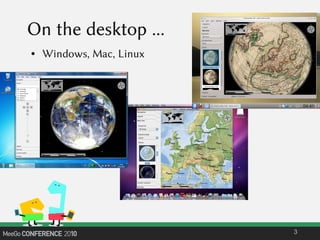
On the desktop ...
● Windows, Mac, Linux
3
The world of Qt
● strong multi-platform history
● Create once compile everywhere …
● Qt emulates look and feel of the platform
● “Classic” Qt world: QWidget
● Appearance is delegated to QStyle
4
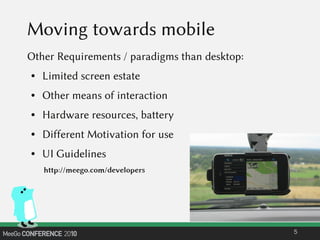
Moving towards mobile
Other Requirements / paradigms than desktop:
● Limited screen estate
● Other means of interaction
● Hardware resources, battery
● Different Motivation for use
● UI Guidelines
5
http://meego.com/developers
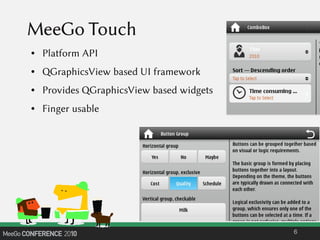
MeeGo Touch
● Platform API
● QGraphicsView based UI framework
● Provides QGraphicsView based widgets
● Finger usable
6
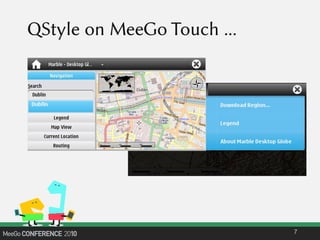
QStyle on MeeGo Touch ...
7
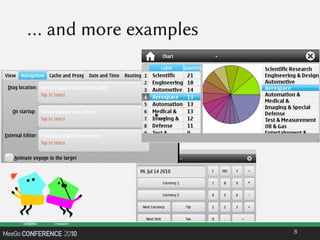
… and more examples
8
●...
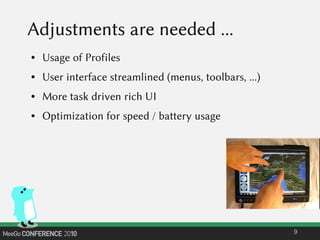
Adjustments are needed ...
● Usage of Profiles
● User interface streamlined (menus, toolbars, ...)
● More task driven rich UI
● Optimization for speed / battery usage
9
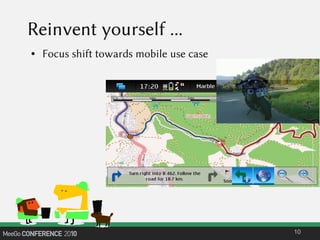
Reinvent yourself ...
● Focus shift towards mobile use case
10
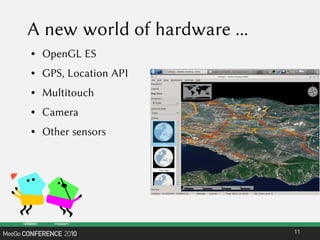
A new world of hardware ...
● OpenGL ES
● GPS, Location API
● Multitouch
● Camera
● Other sensors
11
Limitations of QWidget ...
● Layouts
● Orientation Change
● Animations
12
Qt Quick: a fresh approach
● Intuitive User Interfaces
● Design-Oriented
● Rapid Prototyping and Production
● Easy Deployment
13
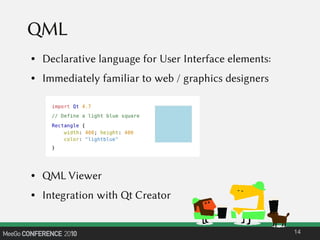
QML
● Declarative language for User Interface elements:
● Immediately familiar to web / graphics designers
● QML Viewer
● Integration with Qt Creator
14
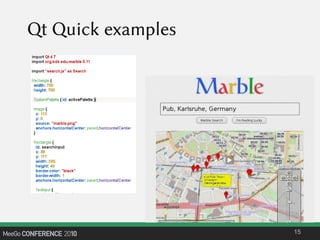
Qt Quick examples
15
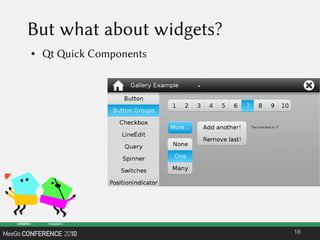
But what about widgets?
● Qt Quick Components
16
Thanks !
● http://www.meego.com/developers
● http://apidocs.meego.com/1.1/platform/html/libmeegotouch/plainqt.html
● http://www.marble-globe.org
● http://www.basyskom.com
17

Developing Qt Applications on MeeGo Touch with Style

  • 1.
    Developing Qt Applications onMeeGo Touch with Style Torsten Rahn <torsten.rahn@basyskom.com>
  • 2.
    About me ● KDEdeveloper since 1998 ● Currently working on MeeGo Touch (QStyle) / Qt Quick Components at basysKom ● Founded the Marble Virtual Globe project http://www.marble-globe.org 2
  • 3.
    On the desktop... ● Windows, Mac, Linux 3
  • 4.
    The world ofQt ● strong multi-platform history ● Create once compile everywhere … ● Qt emulates look and feel of the platform ● “Classic” Qt world: QWidget ● Appearance is delegated to QStyle 4
  • 5.
    Moving towards mobile OtherRequirements / paradigms than desktop: ● Limited screen estate ● Other means of interaction ● Hardware resources, battery ● Different Motivation for use ● UI Guidelines 5 http://meego.com/developers
  • 6.
    MeeGo Touch ● PlatformAPI ● QGraphicsView based UI framework ● Provides QGraphicsView based widgets ● Finger usable 6
  • 7.
    QStyle on MeeGoTouch ... 7
  • 8.
    … and moreexamples 8 ●...
  • 9.
    Adjustments are needed... ● Usage of Profiles ● User interface streamlined (menus, toolbars, ...) ● More task driven rich UI ● Optimization for speed / battery usage 9
  • 10.
    Reinvent yourself ... ●Focus shift towards mobile use case 10
  • 11.
    A new worldof hardware ... ● OpenGL ES ● GPS, Location API ● Multitouch ● Camera ● Other sensors 11
  • 12.
    Limitations of QWidget... ● Layouts ● Orientation Change ● Animations 12
  • 13.
    Qt Quick: afresh approach ● Intuitive User Interfaces ● Design-Oriented ● Rapid Prototyping and Production ● Easy Deployment 13
  • 14.
    QML ● Declarative languagefor User Interface elements: ● Immediately familiar to web / graphics designers ● QML Viewer ● Integration with Qt Creator 14
  • 15.
  • 16.
    But what aboutwidgets? ● Qt Quick Components 16
  • 17.
    Thanks ! ● http://www.meego.com/developers ●http://apidocs.meego.com/1.1/platform/html/libmeegotouch/plainqt.html ● http://www.marble-globe.org ● http://www.basyskom.com 17