DevSuite Integration
1. Overview


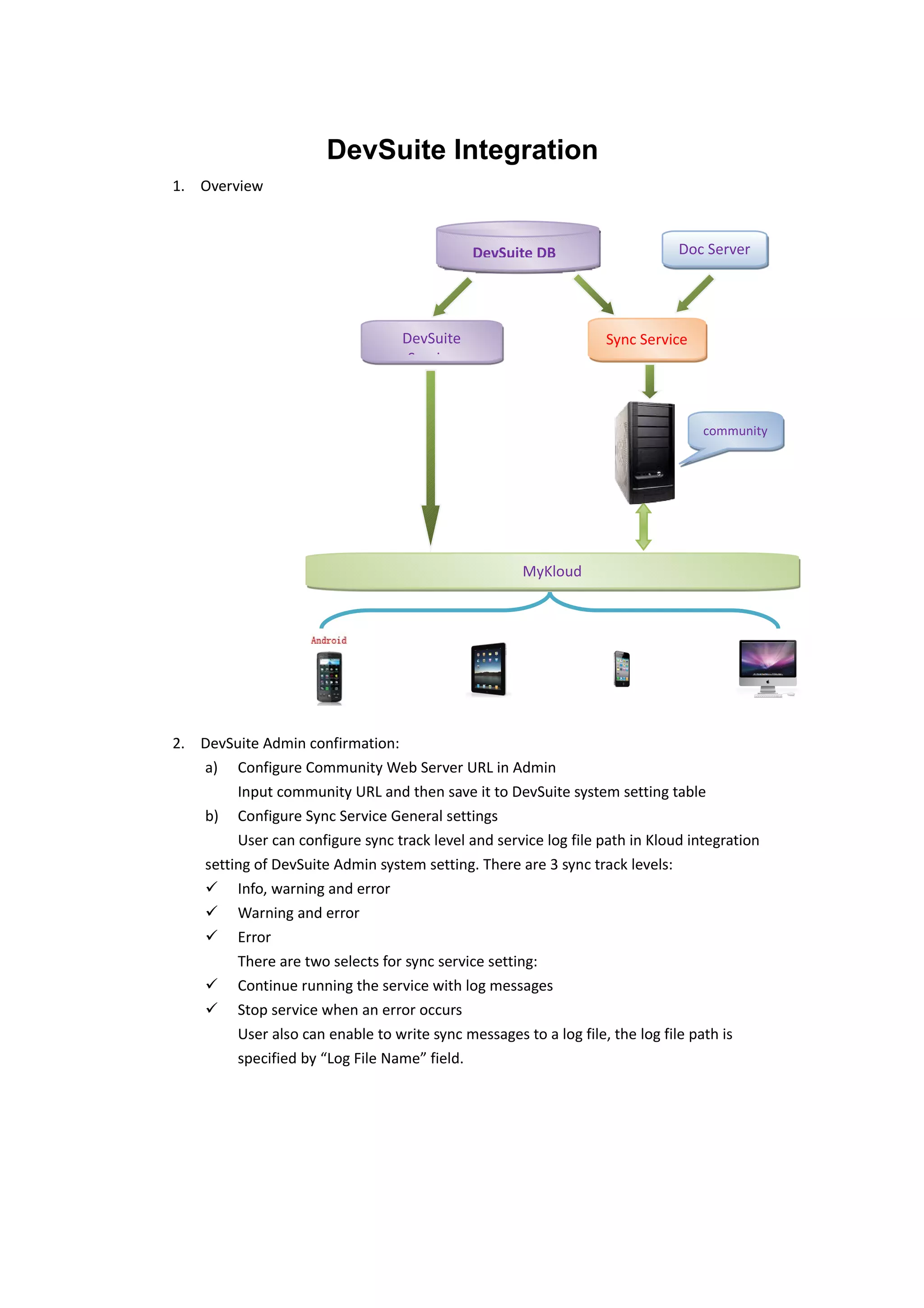
                                              DevSuite DB                    Doc Server


                                   DevSuite                       Sync Service
                                    Service


                                                                                 community


                                                     MyKloud


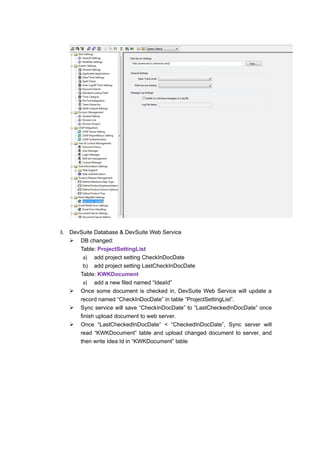
2. DevSuite Admin confirmation:
   a) Configure Community Web Server URL in Admin
        Input community URL and then save it to DevSuite system setting table
   b) Configure Sync Service General settings
        User can configure sync track level and service log file path in Kloud integration
   setting of DevSuite Admin system setting. There are 3 sync track levels:
    Info, warning and error
    Warning and error
    Error
        There are two selects for sync service setting:
    Continue running the service with log messages
    Stop service when an error occurs
        User also can enable to write sync messages to a log file, the log file path is
        specified by “Log File Name” field.
3. DevSuite Database & DevSuite Web Service
    DB changed:
      Table: ProjectSettingList
       a) add project setting CheckInDocDate
       b) add project setting LastCheckInDocDate
      Table: KWKDocument
       a) add a new filed named “IdeaId”
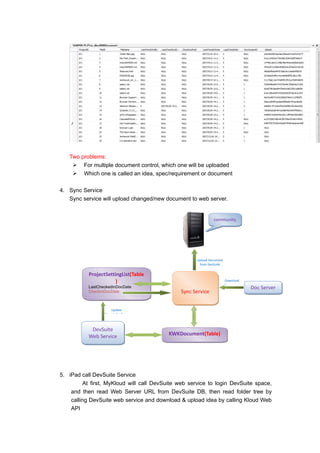
    Once some document is checked in, DevSuite Web Service will update a
      record named “CheckInDocDate” in table “ProjectSettingList”.
    Sync service will save “CheckInDocDate” to “LastCheckedInDocDate” once
      finish upload document to web server.
    Once “LastCheckedInDocDate” < “CheckedInDocDate”, Sync server will
      read “KWKDocument” table and upload changed document to server, and
      then write Idea Id in “KWKDocument” table
Two problems:
     For multiple document control, which one will be uploaded
     Which one is called an idea, spec/requirement or document

4. Sync Service
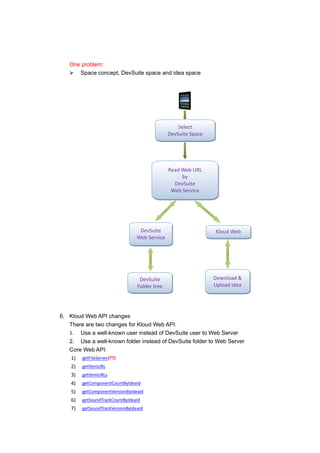
   Sync service will upload changed/new document to web server.


                                                              community


                                                     Upload Document
                                                      from DevSuite


           ProjectSettingList(Table
                       )                                               Download
                                                                       Document
           LastCheckedInDocDate                                                   Doc Server
           CheckInDocDate                     Sync Service


                      Update
                  CheckInDocDate


            DevSuite
           Web Service                    KWKDocument(Table)


5. iPad call DevSuite Service
         At first, MyKloud will call DevSuite web service to login DevSuite space,
    and then read Web Server URL from DevSuite DB, then read folder tree by
    calling DevSuite web service and download & upload idea by calling Kloud Web
    API
One problem:
    Space concept, DevSuite space and idea space


                                               Select
                                           DevSuite Space


                                           Read Web URL
                                                by
                                             DevSuite
                                            Web Service


                              DevSuite                      Kloud Web
                             Web Service                        API


                              DevSuite                      Download &
                             Folder tree                    Upload Idea


6. Kloud Web API changes
   There are two changes for Kloud Web API:
   1. Use a well-known user instead of DevSuite user to Web Server
   2. Use a well-known folder instead of DevSuite folder to Web Server
   Core Web API:
    1) getFileServer(??)
    2) getItemURL
    3) getItemURLs
    4) getComponentCountByIdeaId
    5) getComponentVersionByIdeaId
    6) getSoundTrackCountByIdeaId
    7) getSoundTrackVersionByIdeaId
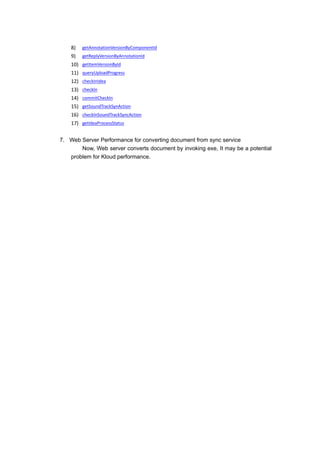
8)    getAnnotationVersionByComponentId
    9)    getReplyVersionByAnnotationId
    10)   getItemVersionById
    11)   queryUploadProgress
    12)   checkInIdea
    13)   checkIn
    14)   commitCheckIn
    15)   getSoundTrackSynAction
    16)   checkInSoundTrackSyncAction
    17)   getIdeaProcessStatus


7. Web Server Performance for converting document from sync service
       Now, Web server converts document by invoking exe, It may be a potential
   problem for Kloud performance.

Dev suite integration

  • 1.
    DevSuite Integration 1. Overview DevSuite DB Doc Server DevSuite Sync Service Service community MyKloud 2. DevSuite Admin confirmation: a) Configure Community Web Server URL in Admin Input community URL and then save it to DevSuite system setting table b) Configure Sync Service General settings User can configure sync track level and service log file path in Kloud integration setting of DevSuite Admin system setting. There are 3 sync track levels:  Info, warning and error  Warning and error  Error There are two selects for sync service setting:  Continue running the service with log messages  Stop service when an error occurs User also can enable to write sync messages to a log file, the log file path is specified by “Log File Name” field.
  • 2.
    3. DevSuite Database& DevSuite Web Service  DB changed: Table: ProjectSettingList a) add project setting CheckInDocDate b) add project setting LastCheckInDocDate Table: KWKDocument a) add a new filed named “IdeaId”  Once some document is checked in, DevSuite Web Service will update a record named “CheckInDocDate” in table “ProjectSettingList”.  Sync service will save “CheckInDocDate” to “LastCheckedInDocDate” once finish upload document to web server.  Once “LastCheckedInDocDate” < “CheckedInDocDate”, Sync server will read “KWKDocument” table and upload changed document to server, and then write Idea Id in “KWKDocument” table
  • 3.
    Two problems:  For multiple document control, which one will be uploaded  Which one is called an idea, spec/requirement or document 4. Sync Service Sync service will upload changed/new document to web server. community Upload Document from DevSuite ProjectSettingList(Table ) Download Document LastCheckedInDocDate Doc Server CheckInDocDate Sync Service Update CheckInDocDate DevSuite Web Service KWKDocument(Table) 5. iPad call DevSuite Service At first, MyKloud will call DevSuite web service to login DevSuite space, and then read Web Server URL from DevSuite DB, then read folder tree by calling DevSuite web service and download & upload idea by calling Kloud Web API
  • 4.
    One problem:  Space concept, DevSuite space and idea space Select DevSuite Space Read Web URL by DevSuite Web Service DevSuite Kloud Web Web Service API DevSuite Download & Folder tree Upload Idea 6. Kloud Web API changes There are two changes for Kloud Web API: 1. Use a well-known user instead of DevSuite user to Web Server 2. Use a well-known folder instead of DevSuite folder to Web Server Core Web API: 1) getFileServer(??) 2) getItemURL 3) getItemURLs 4) getComponentCountByIdeaId 5) getComponentVersionByIdeaId 6) getSoundTrackCountByIdeaId 7) getSoundTrackVersionByIdeaId
  • 5.
    8) getAnnotationVersionByComponentId 9) getReplyVersionByAnnotationId 10) getItemVersionById 11) queryUploadProgress 12) checkInIdea 13) checkIn 14) commitCheckIn 15) getSoundTrackSynAction 16) checkInSoundTrackSyncAction 17) getIdeaProcessStatus 7. Web Server Performance for converting document from sync service Now, Web server converts document by invoking exe, It may be a potential problem for Kloud performance.