UNLEASH POTENTIAL
Design 101
Lesson 02: Design Principles
Sean Buch
UX/UI/FED
Lesson by
• Visual communication of ideas through logical and ordered visual elements
• Essential part of the user’s experience of your product or offering
• Could be the difference between conversion or a failed project
What is Design?
“Jeff Bezos invested 100 times more into customer experience than advertising during the
first year of Amazon. AirBnB’s Mike Gebbia credits UX with taking the company to $10 billion.”
Forbes Technology Council
What is Design?
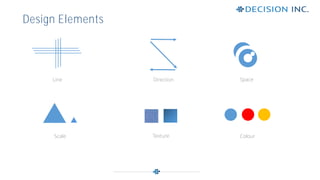
• Design elements are basic units of visual design
• Form its structure and convey visual messages
Painter Maitland E. Graves defined the elements of design as:
1. Line
2. Direction
3. Shape (Substituted for space)
4. Size (Substituted for scale)
5. Texture
6. Value (Not covered)
7. Colour
Design Elements
Line
Design Elements
Space
Scale Texture Colour
Direction
• Principles are applied to the elements of design
• How one applies principles determine success of design
1. Alignment
2. Hierarchy
3. Contrast
4. Repetition
5. Proximity
6. Balance
Design Principles
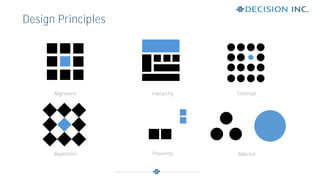
Alignment
Design Principles
Contrast
Repetition Proximity Balance
Hierarchy
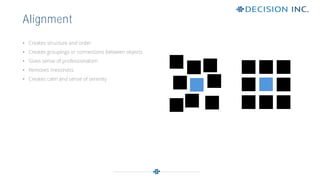
• Creates structure and order
• Creates groupings or connections between objects
• Gives sense of professionalism
• Removes messiness
• Creates calm and sense of serenity
Alignment
Alignment
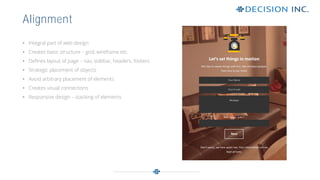
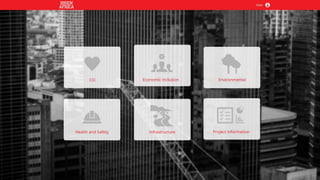
• Integral part of web design
• Creates basic structure – grid, wireframe etc.
• Defines layout of page – nav, sidebar, headers, footers
• Strategic placement of objects
• Avoid arbitrary placement of elements
• Creates visual connections
• Responsive design – stacking of elements
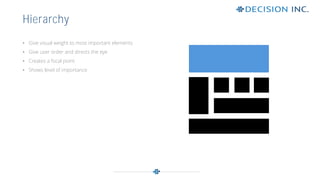
• Give visual weight to most important elements
• Give user order and directs the eye
• Creates a focal point
• Shows level of importance
Hierarchy
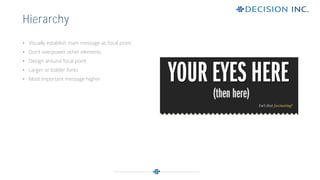
• Visually establish main message as focal point
• Don’t overpower other elements
• Design around focal point
• Larger or bolder fonts
• Most important message higher
Hierarchy
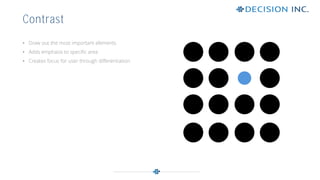
• Draw out the most important elements
• Adds emphasis to specific area
• Creates focus for user through differentiation
Contrast
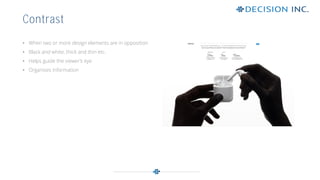
• When two or more design elements are in opposition
• Black and white, thick and thin etc.
• Helps guide the viewer’s eye
• Organises information
Contrast
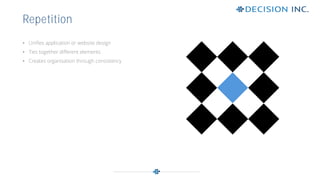
• Unifies application or website design
• Ties together different elements
• Creates organisation through consistency
Repetition
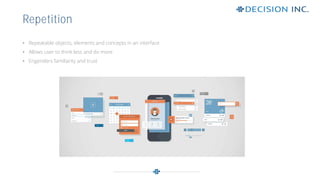
• Repeatable objects, elements and concepts in an interface
• Allows user to think less and do more
• Engenders familiarity and trust
Repetition
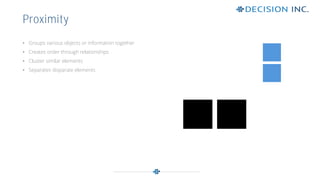
• Groups various objects or information together
• Creates order through relationships
• Cluster similar elements
• Separates disparate elements
Proximity
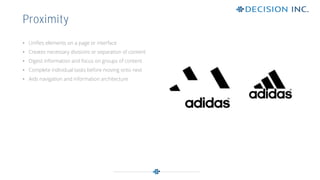
• Unifies elements on a page or interface
• Creates necessary divisions or separation of content
• Digest information and focus on groups of content
• Complete individual tasks before moving onto next
• Aids navigation and information architecture
Proximity
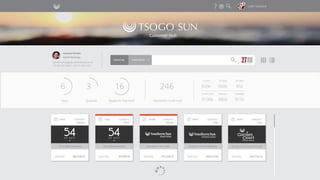
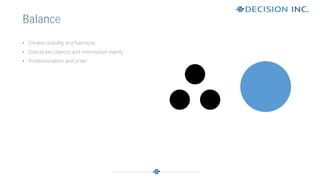
• Creates stability and harmony
• Distributes objects and information evenly
• Professionalism and order
Balance
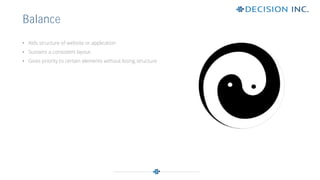
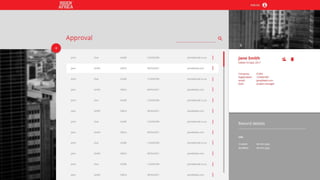
• Aids structure of website or application
• Sustains a consistent layout
• Gives priority to certain elements without losing structure
Balance
Dieter Rams, BRAUN
Thank You.
Website: www.decisioninc.co.za
Email: info@decisioninc.co.za
UNLEASH POTENTIAL
decisioninc @DecisionInc. Decision Inc.

Design 101 > Lesson 02

  • 1.
  • 2.
  • 3.
    • Visual communicationof ideas through logical and ordered visual elements • Essential part of the user’s experience of your product or offering • Could be the difference between conversion or a failed project What is Design? “Jeff Bezos invested 100 times more into customer experience than advertising during the first year of Amazon. AirBnB’s Mike Gebbia credits UX with taking the company to $10 billion.” Forbes Technology Council
  • 4.
  • 5.
    • Design elementsare basic units of visual design • Form its structure and convey visual messages Painter Maitland E. Graves defined the elements of design as: 1. Line 2. Direction 3. Shape (Substituted for space) 4. Size (Substituted for scale) 5. Texture 6. Value (Not covered) 7. Colour Design Elements
  • 6.
  • 7.
    • Principles areapplied to the elements of design • How one applies principles determine success of design 1. Alignment 2. Hierarchy 3. Contrast 4. Repetition 5. Proximity 6. Balance Design Principles
  • 8.
  • 9.
    • Creates structureand order • Creates groupings or connections between objects • Gives sense of professionalism • Removes messiness • Creates calm and sense of serenity Alignment
  • 10.
    Alignment • Integral partof web design • Creates basic structure – grid, wireframe etc. • Defines layout of page – nav, sidebar, headers, footers • Strategic placement of objects • Avoid arbitrary placement of elements • Creates visual connections • Responsive design – stacking of elements
  • 12.
    • Give visualweight to most important elements • Give user order and directs the eye • Creates a focal point • Shows level of importance Hierarchy
  • 13.
    • Visually establishmain message as focal point • Don’t overpower other elements • Design around focal point • Larger or bolder fonts • Most important message higher Hierarchy
  • 15.
    • Draw outthe most important elements • Adds emphasis to specific area • Creates focus for user through differentiation Contrast
  • 16.
    • When twoor more design elements are in opposition • Black and white, thick and thin etc. • Helps guide the viewer’s eye • Organises information Contrast
  • 18.
    • Unifies applicationor website design • Ties together different elements • Creates organisation through consistency Repetition
  • 19.
    • Repeatable objects,elements and concepts in an interface • Allows user to think less and do more • Engenders familiarity and trust Repetition
  • 21.
    • Groups variousobjects or information together • Creates order through relationships • Cluster similar elements • Separates disparate elements Proximity
  • 22.
    • Unifies elementson a page or interface • Creates necessary divisions or separation of content • Digest information and focus on groups of content • Complete individual tasks before moving onto next • Aids navigation and information architecture Proximity
  • 24.
    • Creates stabilityand harmony • Distributes objects and information evenly • Professionalism and order Balance
  • 25.
    • Aids structureof website or application • Sustains a consistent layout • Gives priority to certain elements without losing structure Balance
  • 27.
  • 28.
  • 29.
    Website: www.decisioninc.co.za Email: info@decisioninc.co.za UNLEASHPOTENTIAL decisioninc @DecisionInc. Decision Inc.