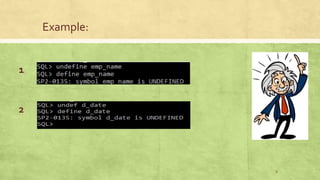
The document discusses the DEFINE and UNDEFINE commands in Oracle. The DEFINE command is used to define user variables and assign values, display the value of a specific variable, or display values of all variables. The UNDEFINE command deletes variable definitions and can delete multiple variables with one command by listing them. A variable remains defined until undefined or when exiting SQL Plus.
![DEFINE Command
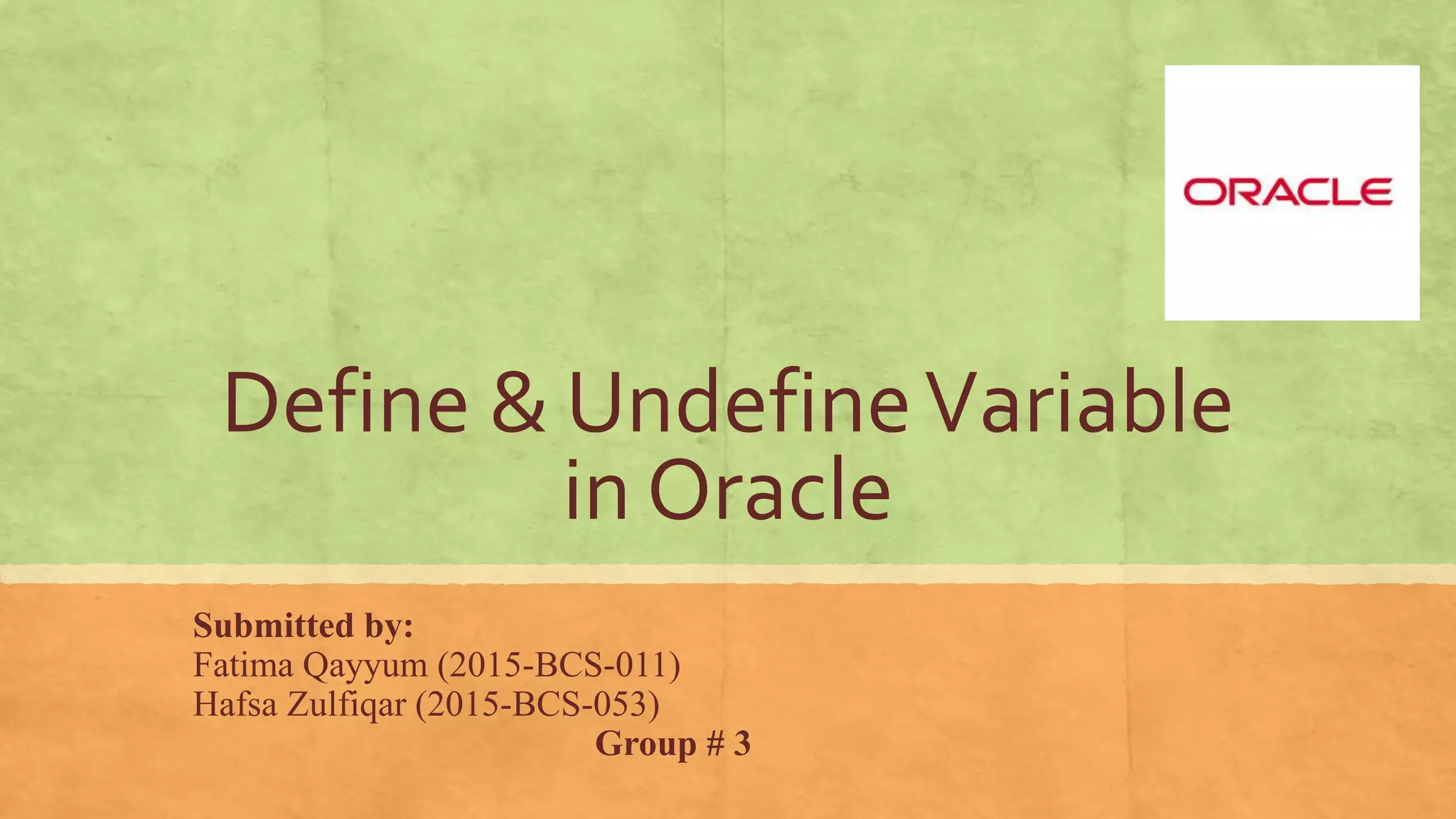
▪ Define command is used to:
1. Define a user variable and assign it a value
2. Display the value of specific user variable
3. Display values of all user variables
▪ Syntax of Define Command:
DEFINE [ variable_name [=value] ]
DEF [ variable_name [=value] ]
2](https://image.slidesharecdn.com/gp3-171218125614/85/Define-Undefine-in-SQL-2-320.jpg)
![UNDEFINE Command
▪ Undefine command is used to:
1. Delete a variable definition
2. You can delete several variables with one command by listing them
▪ A variable remains defined until you either use the undefined
command to clear it or exit the sql plus
▪ Syntax of Undefine command:
UNDEFINE [variable_name]
UNDEF [variable_name]
5](https://image.slidesharecdn.com/gp3-171218125614/85/Define-Undefine-in-SQL-5-320.jpg)