














EEPER DIVE INTO XAMARIN.AND

Ben Bishop
ben@rendr.io
for code/slides...
@benjamminstl
@rendrstl
Who Am i?
• My name is Ben Bishop (Twitter: @benjamminstl)
• I grew up in a small rural town of Indiana
• Went to Purdue University
• Now lives in Saint Louis
• Been independent for 4+ years
• Worked at an agency for 5 years, 1 year at TMG
my new company
http://rendr.io
WHAT IS A XAMARIN?

“The best damn mobile team,
building the best damn mobile platform.”
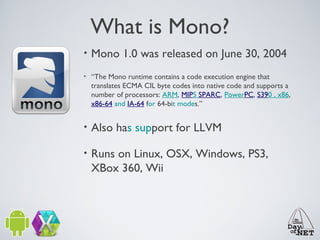
What is Mono?
•

Mono 1.0 was released on June 30, 2004

•

“The Mono runtime contains a code execution engine that
translates ECMA CIL byte codes into native code and supports a
number of processors: ARM, MIPS SPARC, PowerPC, S390 , x86,
x86-64 and IA-64 for 64-bit modes.”

•

Also has support for LLVM

•

Runs on Linux, OSX, Windows, PS3,
XBox 360, Wii
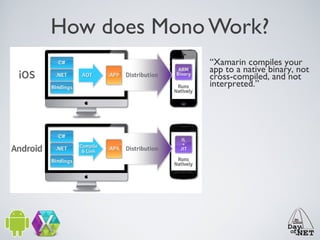
How does Mono Work?
“Xamarin compiles your
app to a native binary, not
cross-compiled, and not
interpreted.”
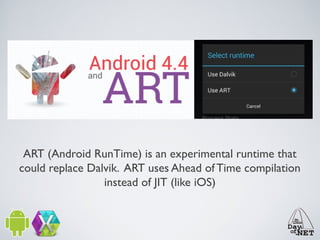
ART (Android RunTime) is an experimental runtime that
could replace Dalvik. ART uses Ahead of Time compilation
instead of JIT (like iOS)
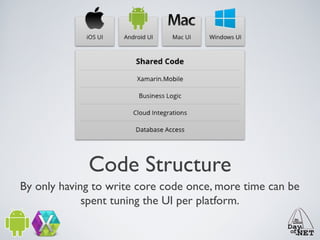
Code Structure
By only having to write core code once, more time can be
spent tuning the UI per platform.
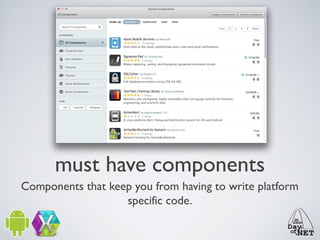
must have components
Components that keep you from having to write platform
specific code.
xamarin.mobile
A component that helps abstract your code for location,
photos, and contacts across all platforms.
Xamarin.Social
A component that helps abstract your code for App.Net,
Twitter, Facebook, and Flickr
xamarin.auth
Makes OAuth suck less.
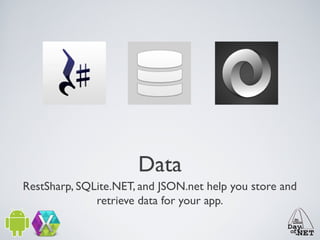
Data
RestSharp, SQLite.NET, and JSON.net help you store and
retrieve data for your app.
Android components
Google Play Services allows your app to interface with the
PlayStore. Android support helps make your Android app
backwards compatible.
Frameworks
https://github.com/MvvmCross/MvvmCross
https://github.com/benbishop/MonkeyArms
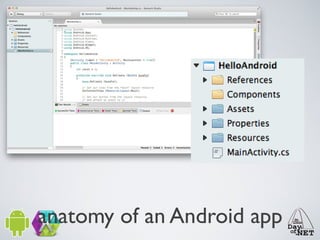
anatomy of an Android app
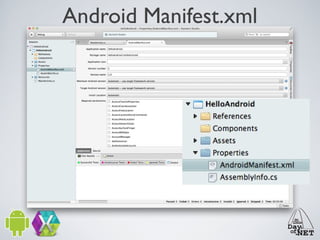
Android Manifest.xml
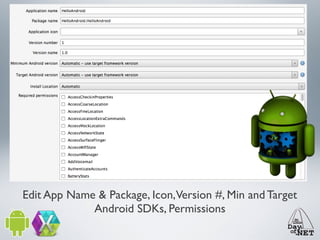
Edit App Name & Package, Icon,Version #, Min and Target
Android SDKs, Permissions
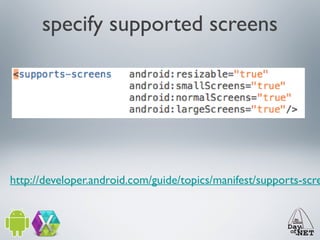
specify supported screens

http://developer.android.com/guide/topics/manifest/supports-scre
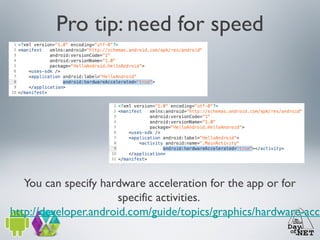
Pro tip: need for speed

You can specify hardware acceleration for the app or for
specific activities.
http://developer.android.com/guide/topics/graphics/hardware-acce
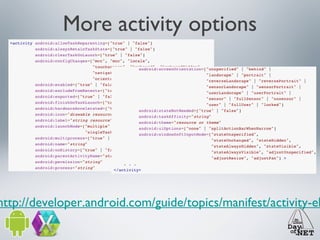
More activity options

http://developer.android.com/guide/topics/manifest/activity-el
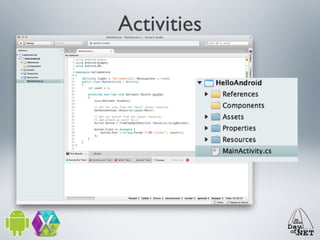
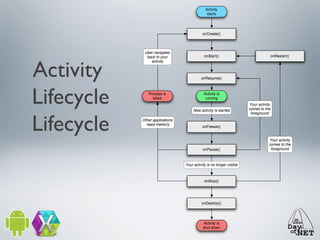
Activities
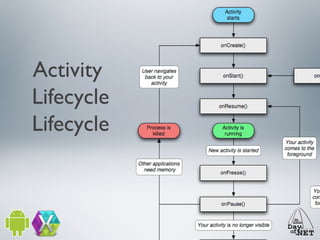
Activity
Lifecycle
Lifecycle
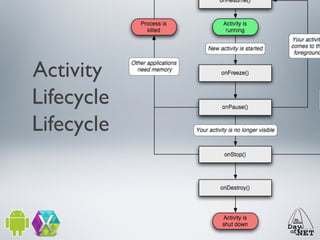
Activity
Lifecycle
Lifecycle
Activity
Lifecycle
Lifecycle
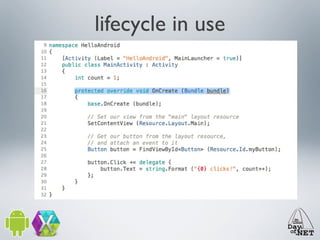
lifecycle in use
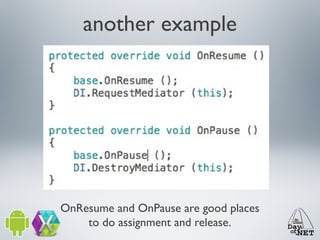
another example

OnResume and OnPause are good places
to do assignment and release.
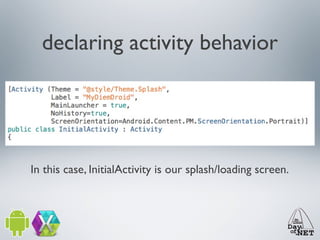
declaring activity behavior

In this case, InitialActivity is our splash/loading screen.
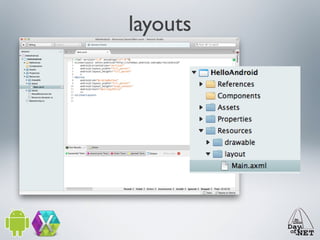
layouts
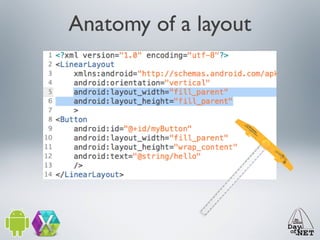
Anatomy of a layout
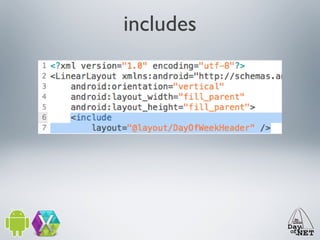
includes
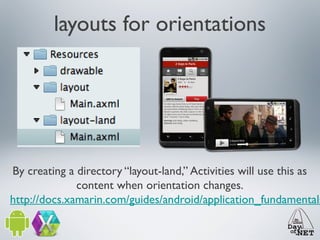
layouts for orientations

By creating a directory “layout-land,” Activities will use this as
content when orientation changes.
http://docs.xamarin.com/guides/android/application_fundamentals
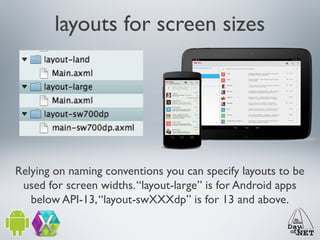
layouts for screen sizes

Relying on naming conventions you can specify layouts to be
used for screen widths. “layout-large” is for Android apps
below API-13, “layout-swXXXdp” is for 13 and above.
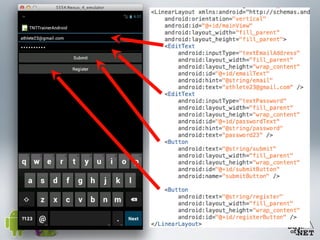
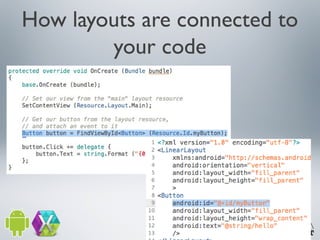
How layouts are connected to
your code
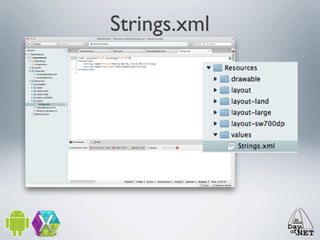
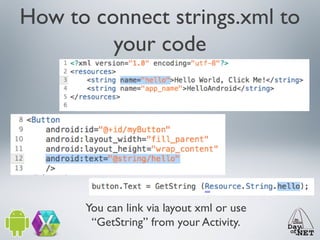
Strings.xml
How to connect strings.xml to
your code

You can link via layout xml or use
“GetString” from your Activity.
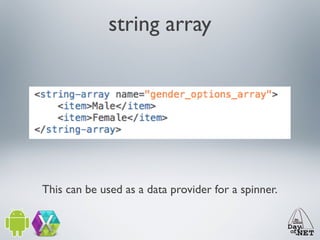
string array

This can be used as a data provider for a spinner.
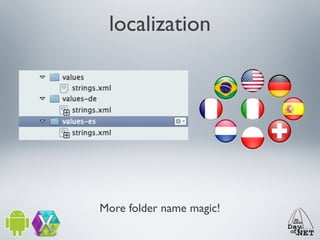
localization

More folder name magic!
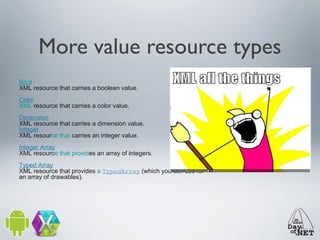
More value resource types
Bool
XML resource that carries a boolean value.
Color
XML resource that carries a color value.
Dimension
XML resource that carries a dimension value.
Integer
XML resource that carries an integer value.
Integer Array
XML resource that provides an array of integers.
Typed Array
XML resource that provides a TypedArray (which you can use for
an array of drawables).
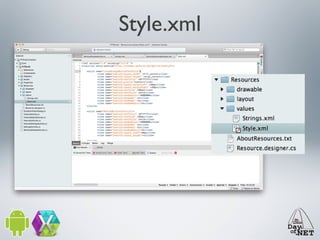
Style.xml
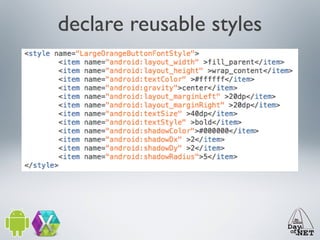
declare reusable styles
Units of measure
px

Pixels - corresponds to actual pixels on the screen.

in

Inches - based on the physical size of the screen.

mm

Millimeters - based on the physical size of the screen.

pt

Points - 1/72 of an inch based on the physical size of the screen.

dp

Density-independent Pixels - an abstract unit that is based on the physical density of the screen. These units are
relative to a 160 dpi screen, so one dp is one pixel on a 160 dpi screen. The ratio of dp-to-pixel will change with the
screen density, but not necessarily in direct proportion. Note: The compiler accepts both "dip" and "dp", though "dp"
is more consistent with "sp".

sp

Scale-independent Pixels - this is like the dp unit, but it is also scaled by the user's font size preference. It is
recommend you use this unit when specifying font sizes, so they will be adjusted for both the screen density and
user's preference.
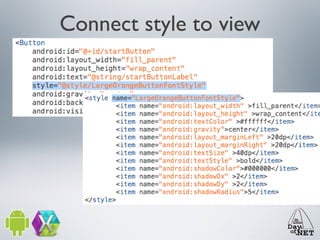
Connect style to view
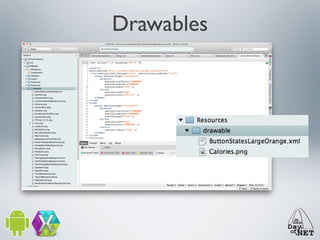
Drawables
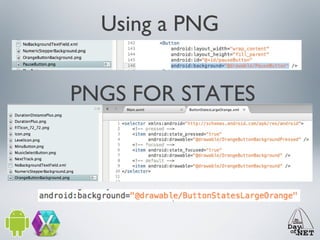
Using a PNG
PNGS FOR STATES
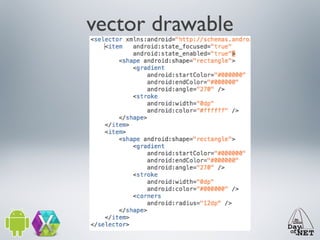
vector drawable
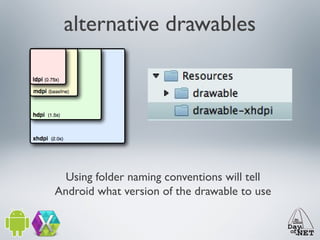
alternative drawables

Using folder naming conventions will tell
Android what version of the drawable to use
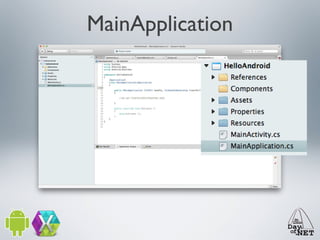
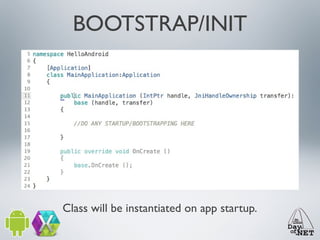
MainApplication
BOOTSTRAP/INIT

Class will be instantiated on app startup.
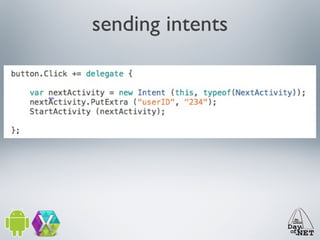
sending intents
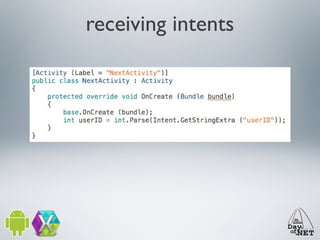
receiving intents
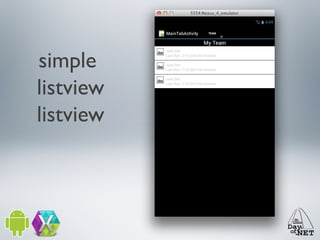
simple
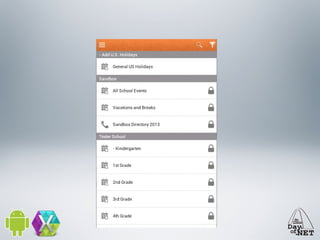
listview
listview
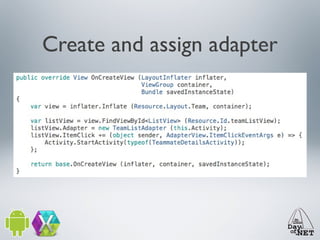
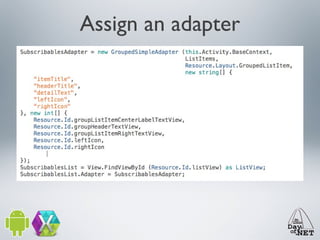
Create and assign adapter
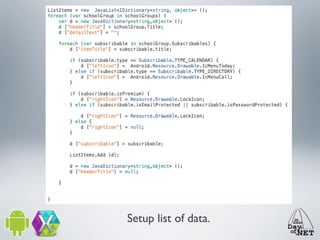
Setup list of data.
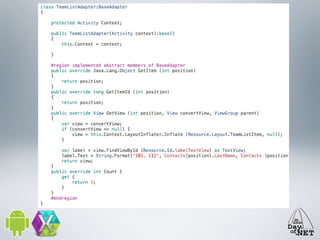
Assign an adapter
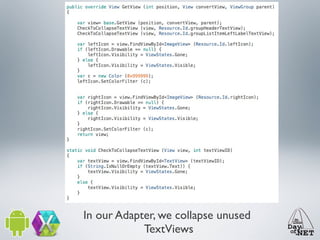
In our Adapter, we collapse unused
TextViews
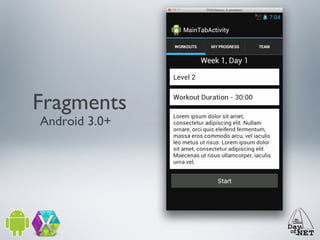
Fragments
Android 3.0+
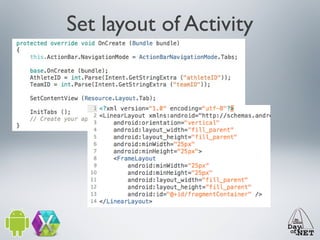
Set layout of Activity
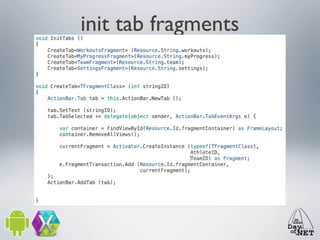
init tab fragments
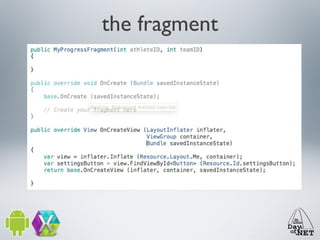
the fragment
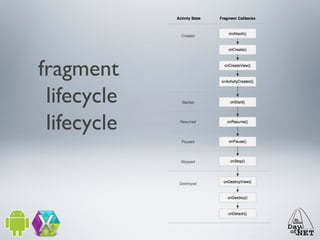
fragment
lifecycle
lifecycle
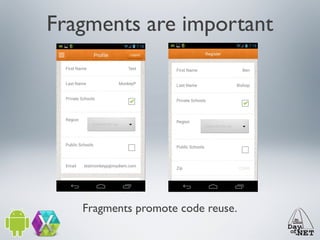
Fragments are important

Fragments promote code reuse.
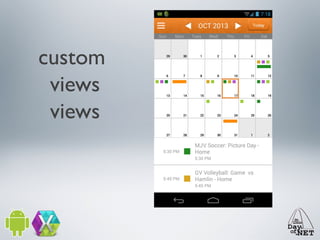
custom
views
views
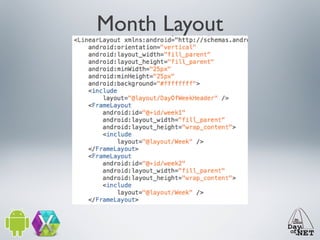
Month Layout
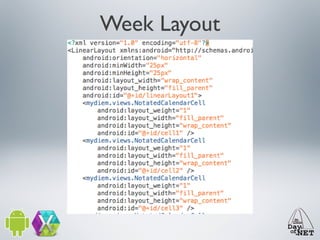
Week Layout
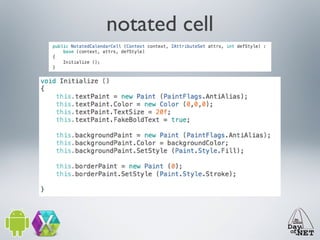
notated cell
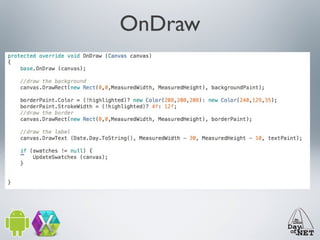
OnDraw
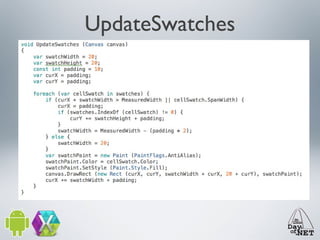
UpdateSwatches
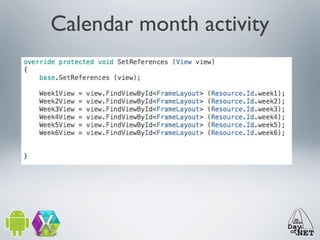
Calendar month activity
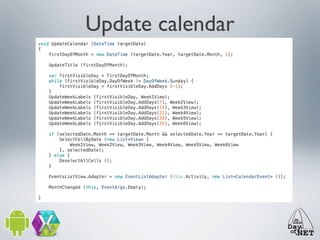
Update calendar
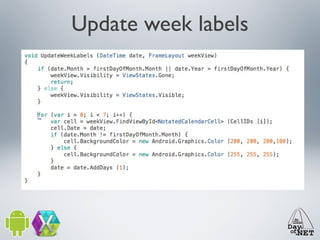
Update week labels
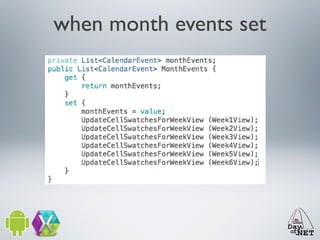
when month events set
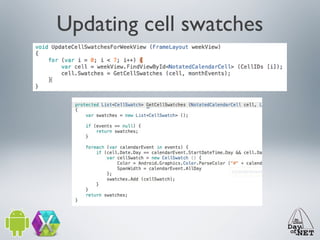
Updating cell swatches
parting thoughts
experiences

- The Android SDK is substantially more robust
(complicated?) than iOS
- Device fragmentation is challenging (TestCloud)
- Emulators suck. Use a device instead.
- Not as prescriptive in UX/Design
- The more innovative (but not as polished)
platform.
thank you!

Deep Dive Xamarin.Android