Stronger Faster Easier Smoother Friendlier  Better
Purpose This presentation will be followed by demonstration of many of the points.  Here we are concerned with the why and wherefore. Hopefully we will succeed in acquainting you with not only what we have done, but why we have done it!
A new Baseline Microsoft Compiler New Libraries 64Bit File System New File Layouts Final breakaway from DOS.
Aim of Release Two targets: New Customers Power Users Two kinds of features Automatic Development Required
Stronger Automated Multi User setup The return of ‘conflicting user name’ Automated multi-session support See also   64bit file system New compiler/libraries No more .ini files Skip record…
Faster Options to deal with a locked record when searching or browsing – no more waiting! Compound indices  The return of Default Records Tabular system forms speed entry, sorting  And you can flip between them and the traditional kind And again  New compiler/libraries (Especially for Web Publisher) 64bit File System
Easier Interactive Editor  save from anywhere Next / Previous One Key Stroke export to RTF HTML Excel PDF Simpler memo fields  Because we aren’t trying to be backward compatible
Smoother More Image types supported  All current types updated to latest versions  (JPEG progressive,  JPEG 2000 ,  animated GIF etc) New types Flash Pix Targa DCX Real World Forms Enhanced Table View (Next Slide) And (oh yes, because of the new libraries) Modern Windows standard dialogs
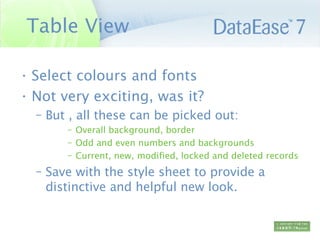
Table View Select colours and fonts Not very exciting, was it? But , all these can be picked out: Overall background, border Odd and even numbers and backgrounds  Current, new, modified, locked and deleted records Save with the style sheet to provide a distinctive and helpful new look.
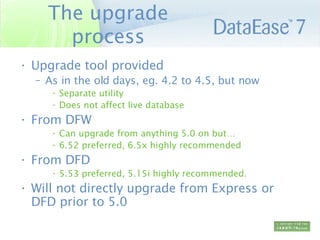
The upgrade process Upgrade tool provided As in the old days, eg. 4.2 to 4.5, but now Separate utility Does not affect live database From DFW Can upgrade from anything 5.0 on but… 6.52 preferred, 6.5x highly recommended From DFD 5.53 preferred, 5.15i highly recommended. Will not directly upgrade from Express or DFD prior to 5.0
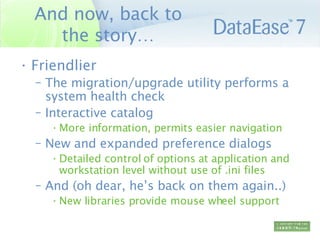
And now, back to the story… Friendlier The migration/upgrade utility performs a system health check Interactive catalog  More information, permits easier navigation New and expanded preference dialogs Detailed control of options at application and workstation level without use of .ini files And (oh dear, he’s back on them again..) New libraries provide mouse wheel support
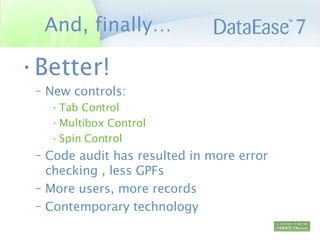
And, finally… Better! New controls:  Tab Control Multibox Control Spin Control Code audit has resulted in more error checking , less GPFs More users, more records Contemporary technology
Summary The opportunity presented by the move to modern tools and the severance from DFD has been seized upon to improve workflow, simplify installation, ease maintenance, and make the product more reliable, not merely to add power.

De7 Seminar

  • 1.
    Stronger Faster EasierSmoother Friendlier Better
  • 2.
    Purpose This presentationwill be followed by demonstration of many of the points. Here we are concerned with the why and wherefore. Hopefully we will succeed in acquainting you with not only what we have done, but why we have done it!
  • 3.
    A new BaselineMicrosoft Compiler New Libraries 64Bit File System New File Layouts Final breakaway from DOS.
  • 4.
    Aim of ReleaseTwo targets: New Customers Power Users Two kinds of features Automatic Development Required
  • 5.
    Stronger Automated MultiUser setup The return of ‘conflicting user name’ Automated multi-session support See also  64bit file system New compiler/libraries No more .ini files Skip record…
  • 6.
    Faster Options todeal with a locked record when searching or browsing – no more waiting! Compound indices The return of Default Records Tabular system forms speed entry, sorting And you can flip between them and the traditional kind And again New compiler/libraries (Especially for Web Publisher) 64bit File System
  • 7.
    Easier Interactive Editor save from anywhere Next / Previous One Key Stroke export to RTF HTML Excel PDF Simpler memo fields Because we aren’t trying to be backward compatible
  • 8.
    Smoother More Imagetypes supported All current types updated to latest versions (JPEG progressive, JPEG 2000 , animated GIF etc) New types Flash Pix Targa DCX Real World Forms Enhanced Table View (Next Slide) And (oh yes, because of the new libraries) Modern Windows standard dialogs
  • 9.
    Table View Selectcolours and fonts Not very exciting, was it? But , all these can be picked out: Overall background, border Odd and even numbers and backgrounds Current, new, modified, locked and deleted records Save with the style sheet to provide a distinctive and helpful new look.
  • 10.
    The upgrade processUpgrade tool provided As in the old days, eg. 4.2 to 4.5, but now Separate utility Does not affect live database From DFW Can upgrade from anything 5.0 on but… 6.52 preferred, 6.5x highly recommended From DFD 5.53 preferred, 5.15i highly recommended. Will not directly upgrade from Express or DFD prior to 5.0
  • 11.
    And now, backto the story… Friendlier The migration/upgrade utility performs a system health check Interactive catalog More information, permits easier navigation New and expanded preference dialogs Detailed control of options at application and workstation level without use of .ini files And (oh dear, he’s back on them again..) New libraries provide mouse wheel support
  • 12.
    And, finally… Better!New controls: Tab Control Multibox Control Spin Control Code audit has resulted in more error checking , less GPFs More users, more records Contemporary technology
  • 13.
    Summary The opportunitypresented by the move to modern tools and the severance from DFD has been seized upon to improve workflow, simplify installation, ease maintenance, and make the product more reliable, not merely to add power.