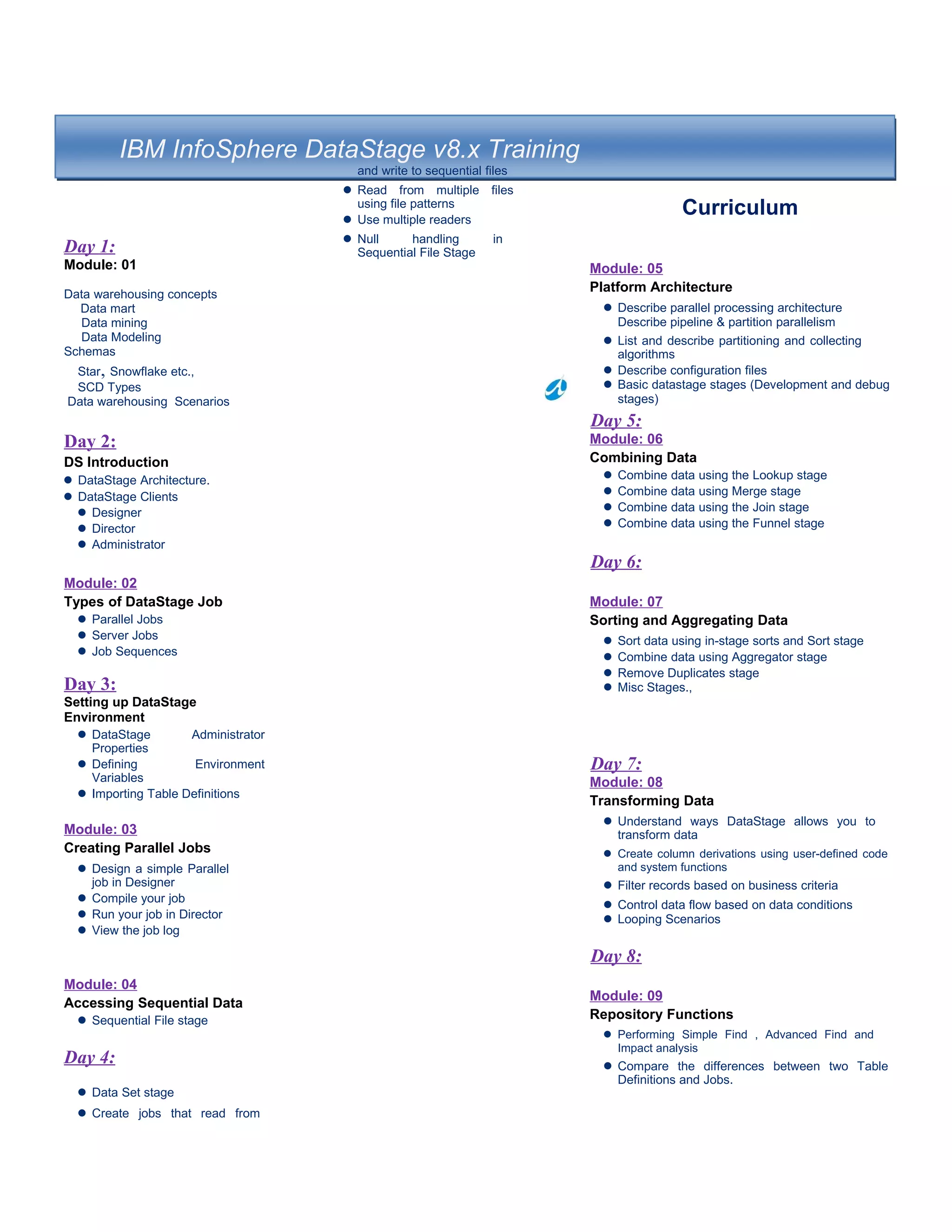
IBM InfoSphere DataStage v8.x Training
Day 1:
Module: 01
Data warehousing concepts
Data mart
Data mining
Data Modeling
Schemas
Star, Snowflake etc.,
SCD Types
Data warehousing Scenarios
Day 2:
DS Introduction
l DataStage Architecture.
l DataStage Clients
l Designer
l Director
l Administrator
Module: 02
Types of DataStage Job
l Parallel Jobs
l Server Jobs
l Job Sequences
Day 3:
Setting up DataStage
Environment
l DataStage Administrator
Properties
l Defining Environment
Variables
l Importing Table Definitions
Module: 03
Creating Parallel Jobs
l Design a simple Parallel
job in Designer
l Compile your job
l Run your job in Director
l View the job log
Module: 04
Accessing Sequential Data
l Sequential File stage
Day 4:
l Data Set stage
l Create jobs that read from
and write to sequential files
l Read from multiple files
using file patterns
l Use multiple readers
l Null handling in
Sequential File Stage
Curriculum
Module: 05
Platform Architecture
l Describe parallel processing architecture
Describe pipeline & partition parallelism
l List and describe partitioning and collecting
algorithms
l Describe configuration files
l Basic datastage stages (Development and debug
stages)
Day 5:
Module: 06
Combining Data
l Combine data using the Lookup stage
l Combine data using Merge stage
l Combine data using the Join stage
l Combine data using the Funnel stage
Day 6:
Module: 07
Sorting and Aggregating Data
l Sort data using in-stage sorts and Sort stage
l Combine data using Aggregator stage
l Remove Duplicates stage
l Misc Stages.,
Day 7:
Module: 08
Transforming Data
l Understand ways DataStage allows you to
transform data
l Create column derivations using user-defined code
and system functions
l Filter records based on business criteria
l Control data flow based on data conditions
l Looping Scenarios
Day 8:
Module: 09
Repository Functions
l Performing Simple Find , Advanced Find and
Impact analysis
l Compare the differences between two Table
Definitions and Jobs.
Module: 10
Working with Relational Data /
XML
l Import Table Definitions for
relational tables.
l Create Data Connections.
l Use Connector stages in a job.
l Use SQL Builder to define SQL
Insert and Update statements.
l Use the oracle ODBC/
Enterprise stage.
l Use XML as input data.
l Use XML as output data.
Module: 11
Metadata in Parallel
Framework:
l Slowly Changing Dimension
l Explain Runtime Column
Propagation (RCP).
l Build a job that reads data
from a sequential file using
a schema.
lBuild a shared container.
Module: 12
Job Control:
l Use the DataStage Job
Sequencer to build a job that
controls a sequence of jobs.
l Use Sequencer links and
stages to control the sequence
a set of jobs run in.
l Use Sequencer triggers and
stages to control the conditions
under which jobs run.
l Pass information in job
parameters from the master
controlling job to the controlled
jobs.
l Define user variables.
l Command Line Interface
(dsjob)
.
Day 9:
Module: 13
Debugging:
|At Compile Level
At Runtime Level
simple jobs troubleshooting
complex jobs troubleshooting
debug issues with peek
debug issues with copy
troubleshoot issues with OSH
debug issues OSH PID's from the command line
troubleshoot issues with RT_STATUS
troubleshoot issues with RT_LOGS
troubleshoot hang and crash issues for a given job
identify defuncts for a given job and workaround resolution for the same
Day 10:
Module: 14
Tuning:
l
•Measure parallel jobs performance using performance measur
•Identify the bottlenecks for a given job/s
•Tune using Environment Variables
•Tune using Buffer Settings
•Apply Server side tunables
•Apply DS Engine side tunables
•With cleanup activities - like purge settings
•With RT_LOG Settings
•With UV Commands or from the client
•Execution of jobs or sequencers in parallel by using best optim
•Avoid network issues from client to server by using shell scri
•Apply database tunables[if there is any database usage on a g
•Check disk usage and pools
•Change/optimize all the configuration files for all the jobs to
•Optimize all OS level parameters
•Check all project level settings which are applied to all the job
•Change/optimize all jobmon settings and relevant java setting
•Selection of proper partitioning technique based on the busine
•HA and 8.5 Features
Day 11:
Additional Features/bug fixes of 8.7.1 and comparison with 8.5
Misc Items and Workshop
Datastage Online Training

Datastage Online Training

  • 1.
    IBM InfoSphere DataStagev8.x Training Day 1: Module: 01 Data warehousing concepts Data mart Data mining Data Modeling Schemas Star, Snowflake etc., SCD Types Data warehousing Scenarios Day 2: DS Introduction l DataStage Architecture. l DataStage Clients l Designer l Director l Administrator Module: 02 Types of DataStage Job l Parallel Jobs l Server Jobs l Job Sequences Day 3: Setting up DataStage Environment l DataStage Administrator Properties l Defining Environment Variables l Importing Table Definitions Module: 03 Creating Parallel Jobs l Design a simple Parallel job in Designer l Compile your job l Run your job in Director l View the job log Module: 04 Accessing Sequential Data l Sequential File stage Day 4: l Data Set stage l Create jobs that read from and write to sequential files l Read from multiple files using file patterns l Use multiple readers l Null handling in Sequential File Stage Curriculum Module: 05 Platform Architecture l Describe parallel processing architecture Describe pipeline & partition parallelism l List and describe partitioning and collecting algorithms l Describe configuration files l Basic datastage stages (Development and debug stages) Day 5: Module: 06 Combining Data l Combine data using the Lookup stage l Combine data using Merge stage l Combine data using the Join stage l Combine data using the Funnel stage Day 6: Module: 07 Sorting and Aggregating Data l Sort data using in-stage sorts and Sort stage l Combine data using Aggregator stage l Remove Duplicates stage l Misc Stages., Day 7: Module: 08 Transforming Data l Understand ways DataStage allows you to transform data l Create column derivations using user-defined code and system functions l Filter records based on business criteria l Control data flow based on data conditions l Looping Scenarios Day 8: Module: 09 Repository Functions l Performing Simple Find , Advanced Find and Impact analysis l Compare the differences between two Table Definitions and Jobs.
  • 2.
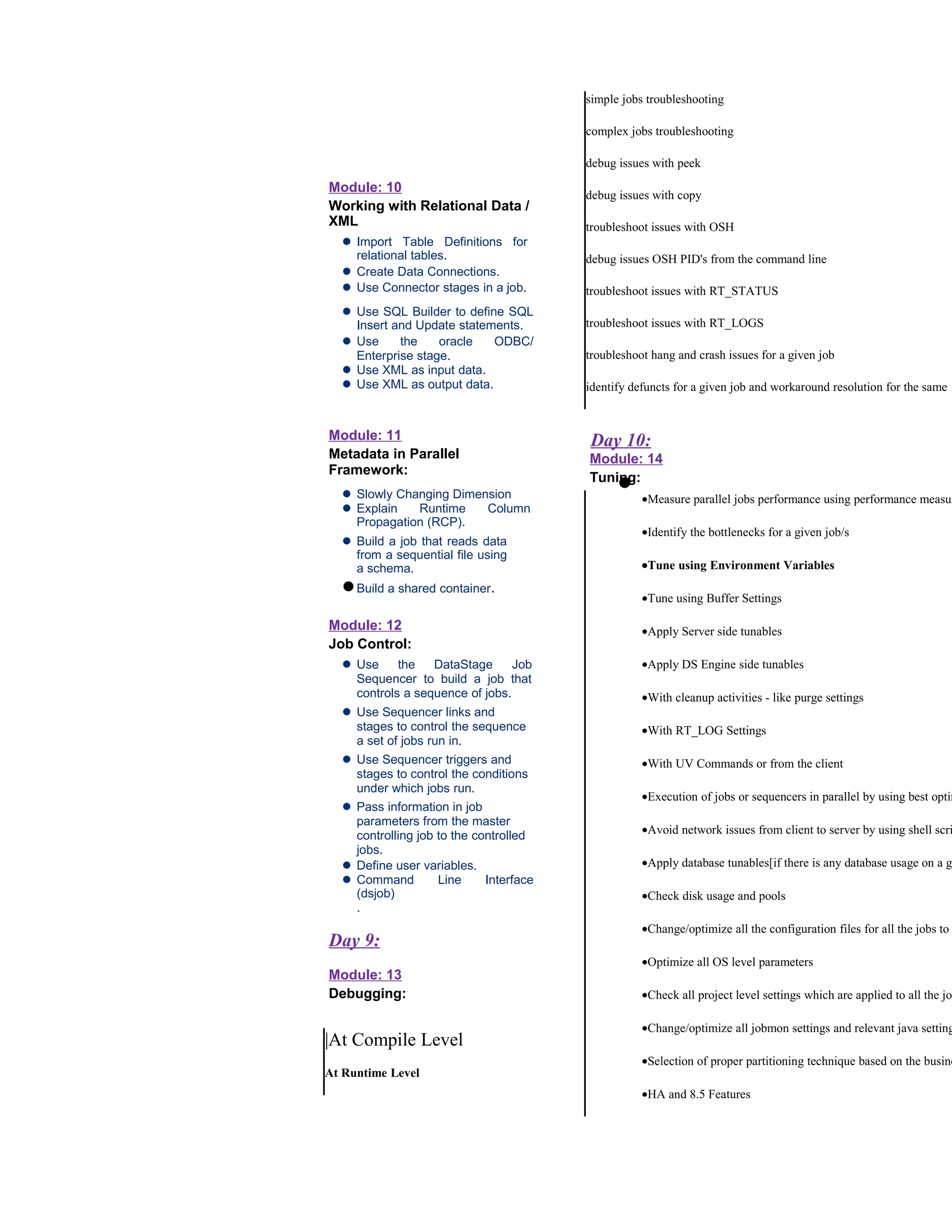
    Module: 10 Working withRelational Data / XML l Import Table Definitions for relational tables. l Create Data Connections. l Use Connector stages in a job. l Use SQL Builder to define SQL Insert and Update statements. l Use the oracle ODBC/ Enterprise stage. l Use XML as input data. l Use XML as output data. Module: 11 Metadata in Parallel Framework: l Slowly Changing Dimension l Explain Runtime Column Propagation (RCP). l Build a job that reads data from a sequential file using a schema. lBuild a shared container. Module: 12 Job Control: l Use the DataStage Job Sequencer to build a job that controls a sequence of jobs. l Use Sequencer links and stages to control the sequence a set of jobs run in. l Use Sequencer triggers and stages to control the conditions under which jobs run. l Pass information in job parameters from the master controlling job to the controlled jobs. l Define user variables. l Command Line Interface (dsjob) . Day 9: Module: 13 Debugging: |At Compile Level At Runtime Level simple jobs troubleshooting complex jobs troubleshooting debug issues with peek debug issues with copy troubleshoot issues with OSH debug issues OSH PID's from the command line troubleshoot issues with RT_STATUS troubleshoot issues with RT_LOGS troubleshoot hang and crash issues for a given job identify defuncts for a given job and workaround resolution for the same Day 10: Module: 14 Tuning: l •Measure parallel jobs performance using performance measur •Identify the bottlenecks for a given job/s •Tune using Environment Variables •Tune using Buffer Settings •Apply Server side tunables •Apply DS Engine side tunables •With cleanup activities - like purge settings •With RT_LOG Settings •With UV Commands or from the client •Execution of jobs or sequencers in parallel by using best optim •Avoid network issues from client to server by using shell scri •Apply database tunables[if there is any database usage on a g •Check disk usage and pools •Change/optimize all the configuration files for all the jobs to •Optimize all OS level parameters •Check all project level settings which are applied to all the job •Change/optimize all jobmon settings and relevant java setting •Selection of proper partitioning technique based on the busine •HA and 8.5 Features
  • 3.
    Day 11: Additional Features/bugfixes of 8.7.1 and comparison with 8.5 Misc Items and Workshop