Objectives
• In thischapter, you will learn:
– How to use the advanced SQL JOIN operator
syntax
– About the different types of subqueries and
correlated queries
– How to use SQL functions to manipulate dates,
strings, and other data
– About the relational set operators UNION,
UNION ALL, INTERSECT, and MINUS
Database Systems, 10th Edition 2
3.
Objectives (cont’d.)
– Howto create and use views and updatable
views
– How to create and use triggers and stored
procedures
– How to create embedded SQL
Database Systems, 10th Edition 3
4.
SQL Join Operators
•Join operation merges rows from two tables and
returns the rows with one of the following:
– Have common values in common columns
• Natural join
– Meet a given join condition
• Equality or inequality
– Have common values in common columns or
have no matching values
• Outer join
• Inner join: only returns rows meeting criteria
Database Systems, 10th Edition 4
5.
Cross Join
• Performsrelational product of two tables
– Also called Cartesian product
• Syntax:
SELECT column-list FROM table1 CROSS JOIN
table2
• Perform a cross join that yields specified
attributes
Database Systems, 10th Edition 5
6.
Natural Join
• Returnsall rows with matching values in the
matching columns
– Eliminates duplicate columns
• Used when tables share one or more common
attributes with common names
• Syntax:
SELECT column-list FROM table1 NATURAL
JOIN table2
Database Systems, 10th Edition 6
7.
JOIN USING Clause
•Returns only rows with matching values in the
column indicated in the USING clause
• Syntax:
SELECT column-list FROM table1 JOIN table2
USING (common-column)
• JOIN USING operand does not require table
qualifiers
–Oracle returns error if table name is specified
Database Systems, 10th Edition 7
8.
JOIN ON Clause
•Used when tables have no common attributes
• Returns only rows that meet the join condition
– Typically includes equality comparison
expression of two columns
• Syntax:
SELECT column-list FROM table1 JOIN table2
ON join-condition
Database Systems, 10th Edition 8
9.
Outer Joins
• Returnsrows matching the join condition
• Also returns rows with unmatched attribute
values for tables to be joined
• Three types
– Left
– Right
– Full
• Left and right designate order in which tables
are processed
Database Systems, 10th Edition 9
10.
Outer Joins (cont’d.)
•Left outer join
– Returns rows matching the join condition
– Returns rows in left side table with unmatched
values
– Syntax: SELECT column-list FROM table1 LEFT
[OUTER] JOIN table2 ON join-condition
• Right outer join
– Returns rows matching join condition
– Returns rows in right side table with unmatched
values
Database Systems, 10th Edition 10
11.
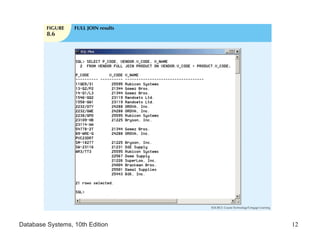
Outer Joins (cont’d.)
•Full outer join
– Returns rows matching join condition
– Returns all rows with unmatched values in either
side table
– Syntax:
SELECT column-list
FROM table1 FULL [OUTER] JOIN table2
ON join-condition
Database Systems, 10th Edition 11
Subqueries and CorrelatedQueries
• Often necessary to process data based on other
processed data
• Subquery is a query inside a query, normally inside
parentheses
• First query is the outer query
– Inside query is the inner query
• Inner query is executed first
• Output of inner query is used as input for outer
query
• Sometimes referred to as a nested query
Database Systems, 10th Edition 13
14.
WHERE Subqueries
• Mostcommon type uses inner SELECT
subquery on right side of WHERE comparison
– Requires a subquery that returns only one single
value
• Value generated by subquery must be of
comparable data type
• Can be used in combination with joins
Database Systems, 10th Edition 14
15.
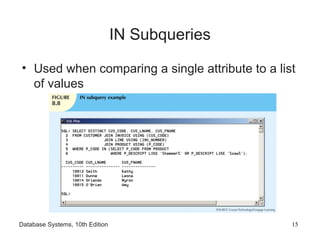
IN Subqueries
• Usedwhen comparing a single attribute to a list
of values
Database Systems, 10th Edition 15
16.
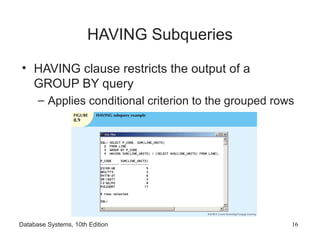
HAVING Subqueries
• HAVINGclause restricts the output of a
GROUP BY query
– Applies conditional criterion to the grouped rows
Database Systems, 10th Edition 16
17.
Multirow Subquery Operators:
ANYand ALL
• Allows comparison of single value with a list of
values using inequality comparison
• “Greater than ALL” equivalent to “greater than
the highest in list”
• “Less than ALL” equivalent to “less than lowest”
• Using equal to ANY operator equivalent to IN
operator
Database Systems, 10th Edition 17
18.
FROM Subqueries
• Specifiesthe tables from which the data will be
drawn
• Can use SELECT subquery in the FROM
clause
– View name can be used anywhere a table is
expected
Database Systems, 10th Edition 18
19.
Attribute List Subqueries
•SELECT statement uses attribute list to indicate
columns to project resulting set
– Columns can be attributes of base tables
– Result of aggregate function
• Attribute list can also include subquery
expression: inline subquery
– Must return one single value
• Cannot use an alias in the attribute list
Database Systems, 10th Edition 19
20.
Correlated Subqueries
• Subquerythat executes once for each row in
the outer query
• Correlated because inner query is related to the
outer query
– Inner query references column of outer
subquery
• Can also be used with the EXISTS special
operator
Database Systems, 10th Edition 20
21.
SQL Functions
• Generatinginformation from data often requires
many data manipulations
• SQL functions are similar to functions in
programming languages
• Functions always use numerical, date, or string
value
• Value may be part of a command or attribute in a
table
• Function may appear anywhere in an SQL
statement
Database Systems, 10th Edition 21
22.
Date and TimeFunctions
• All SQL-standard DBMSs support date and
time functions
• Date functions take one parameter and return a
value
• Date/time data types are implemented
differently by different DBMS vendors
• ANSI SQL standard defines date data types,
but not how data types are stored
Database Systems, 10th Edition 22
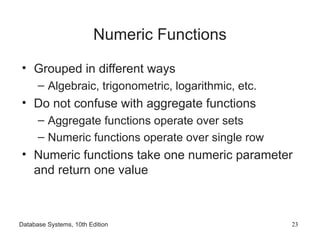
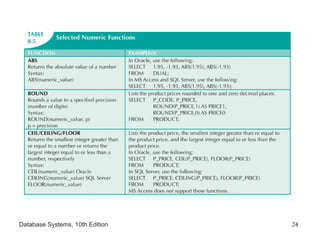
23.
Numeric Functions
• Groupedin different ways
– Algebraic, trigonometric, logarithmic, etc.
• Do not confuse with aggregate functions
– Aggregate functions operate over sets
– Numeric functions operate over single row
• Numeric functions take one numeric parameter
and return one value
Database Systems, 10th Edition 23
String Functions
• Stringmanipulations are the most used
functions in programming
• String manipulation function examples:
– Concatenation
– Printing in uppercase
– Finding length of an attribute
Database Systems, 10th Edition 25
26.
Conversion Functions
• Takea value of given data type and convert it to
the equivalent value in another data type
• Oracle conversion functions:
– TO_CHAR: takes a date value, converts to
character string
– TO_DATE: takes character string representing a
date, converts it to actual date in Oracle format
• SQL Server uses CAST and CONVERT
functions
Database Systems, 10th Edition 26
27.
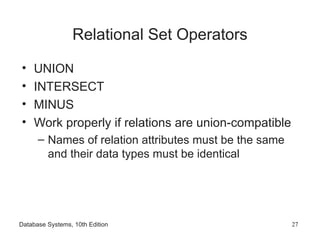
Relational Set Operators
•UNION
• INTERSECT
• MINUS
• Work properly if relations are union-compatible
– Names of relation attributes must be the same
and their data types must be identical
Database Systems, 10th Edition 27
28.
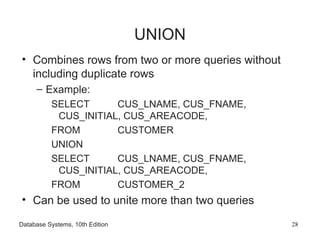
UNION
• Combines rowsfrom two or more queries without
including duplicate rows
– Example:
SELECT CUS_LNAME, CUS_FNAME,
CUS_INITIAL, CUS_AREACODE,
FROM CUSTOMER
UNION
SELECT CUS_LNAME, CUS_FNAME,
CUS_INITIAL, CUS_AREACODE,
FROM CUSTOMER_2
• Can be used to unite more than two queries
Database Systems, 10th Edition 28
29.
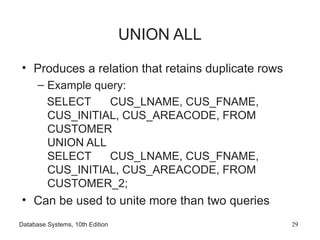
UNION ALL
• Producesa relation that retains duplicate rows
– Example query:
SELECT CUS_LNAME, CUS_FNAME,
CUS_INITIAL, CUS_AREACODE, FROM
CUSTOMER
UNION ALL
SELECT CUS_LNAME, CUS_FNAME,
CUS_INITIAL, CUS_AREACODE, FROM
CUSTOMER_2;
• Can be used to unite more than two queries
Database Systems, 10th Edition 29
30.
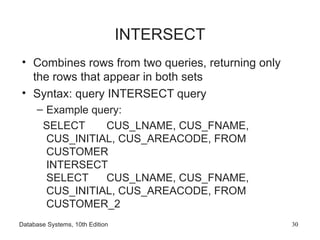
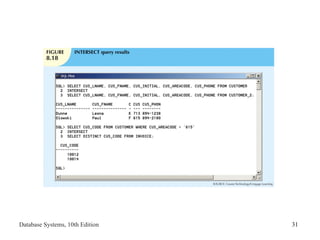
INTERSECT
• Combines rowsfrom two queries, returning only
the rows that appear in both sets
• Syntax: query INTERSECT query
– Example query:
SELECT CUS_LNAME, CUS_FNAME,
CUS_INITIAL, CUS_AREACODE, FROM
CUSTOMER
INTERSECT
SELECT CUS_LNAME, CUS_FNAME,
CUS_INITIAL, CUS_AREACODE, FROM
CUSTOMER_2
Database Systems, 10th Edition 30
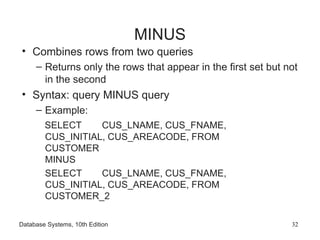
MINUS
• Combines rowsfrom two queries
– Returns only the rows that appear in the first set but not
in the second
• Syntax: query MINUS query
– Example:
SELECT CUS_LNAME, CUS_FNAME,
CUS_INITIAL, CUS_AREACODE, FROM
CUSTOMER
MINUS
SELECT CUS_LNAME, CUS_FNAME,
CUS_INITIAL, CUS_AREACODE, FROM
CUSTOMER_2
Database Systems, 10th Edition 32
33.
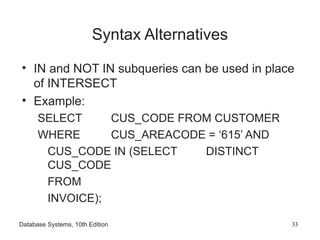
Syntax Alternatives
• INand NOT IN subqueries can be used in place
of INTERSECT
• Example:
SELECT CUS_CODE FROM CUSTOMER
WHERE CUS_AREACODE = ‘615’ AND
CUS_CODE IN (SELECT DISTINCT
CUS_CODE
FROM
INVOICE);
Database Systems, 10th Edition 33
34.
Virtual Tables: Creatinga View
• View
– Virtual table based on a SELECT query
• Base tables
• Tables on which the view is based
• CREATE VIEW viewname AS SELECT query
• Relational view special characteristics
Database Systems, 10th Edition 34
35.
Updatable Views
• Batchupdate routine pools multiple transactions
into a single batch
– Update master table field in a single operation
• Updatable view is a view that can be used to
update attributes in the base tables
• Not all views are updatable
– GROUP BY expressions or aggregate functions
cannot be used
– Cannot use set operators
– Most restrictions are based on use of JOINs
Database Systems, 10th Edition 35
36.
Oracle Sequences
• MSAccess AutoNumber data type fills a
column with unique numeric values
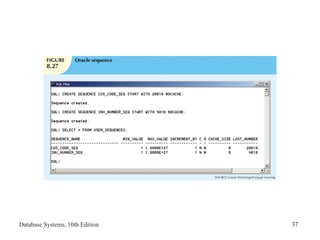
• Oracle sequences
– Independent object in the database
– Named, used anywhere a value expected
– Not tied to a table or column
– Generate numeric values that can be assigned
to any column in any table
– Created and deleted at any time
Database Systems, 10th Edition 36
Procedural SQL
• SQLdoes not support conditional execution
• Isolate critical code
– All applications access shared code
– Better maintenance and logic control
• Persistent stored module (PSM) is a block of
code containing:
– Standard SQL statements
– Procedural extensions
– Stored and executed at the DBMS server
Database Systems, 10th Edition 38
39.
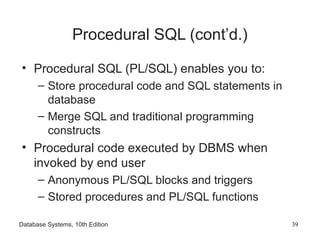
Procedural SQL (cont’d.)
•Procedural SQL (PL/SQL) enables you to:
– Store procedural code and SQL statements in
database
– Merge SQL and traditional programming
constructs
• Procedural code executed by DBMS when
invoked by end user
– Anonymous PL/SQL blocks and triggers
– Stored procedures and PL/SQL functions
Database Systems, 10th Edition 39
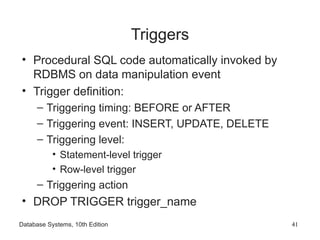
Triggers
• Procedural SQLcode automatically invoked by
RDBMS on data manipulation event
• Trigger definition:
– Triggering timing: BEFORE or AFTER
– Triggering event: INSERT, UPDATE, DELETE
– Triggering level:
• Statement-level trigger
• Row-level trigger
– Triggering action
• DROP TRIGGER trigger_name
Database Systems, 10th Edition 41
42.
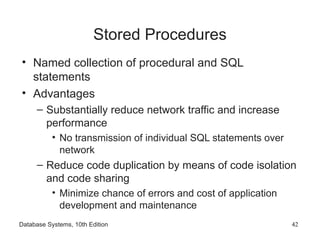
Stored Procedures
• Namedcollection of procedural and SQL
statements
• Advantages
– Substantially reduce network traffic and increase
performance
• No transmission of individual SQL statements over
network
– Reduce code duplication by means of code isolation
and code sharing
• Minimize chance of errors and cost of application
development and maintenance
Database Systems, 10th Edition 42
43.
PL/SQL Processing withCursors
• Cursor: special construct in procedural SQL to
hold data rows returned by SQL query
• Implicit cursor: automatically created when SQL
returns only one value
• Explicit cursor: holds the output of an SQL
statement that may return two or more rows
• Cursor-style processor retrieves data from
cursor one row at a time
– Current row is copied to PL/SQL variables
Database Systems, 10th Edition 43
44.
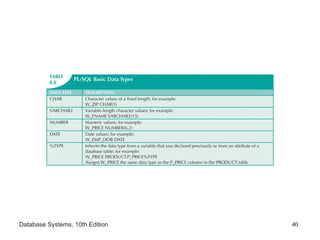
PL/SQL Stored Functions
•Named group of procedural and SQL
statements that returns a value
• Syntax:
CREATE FUNCTION function_name(argument
IN data-type, …) RETURN data- type [IS]
BEGIN
PL/SQL statements;
…
RETURN (value or expression);
END;
Database Systems, 10th Edition 44
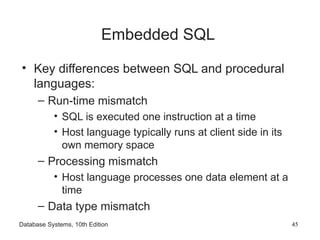
45.
Embedded SQL
• Keydifferences between SQL and procedural
languages:
– Run-time mismatch
• SQL is executed one instruction at a time
• Host language typically runs at client side in its
own memory space
– Processing mismatch
• Host language processes one data element at a
time
– Data type mismatch
Database Systems, 10th Edition 45
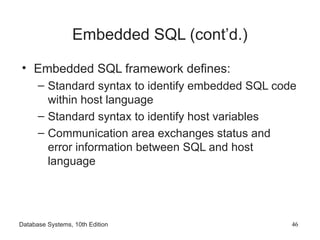
46.
Embedded SQL (cont’d.)
•Embedded SQL framework defines:
– Standard syntax to identify embedded SQL code
within host language
– Standard syntax to identify host variables
– Communication area exchanges status and
error information between SQL and host
language
Database Systems, 10th Edition 46
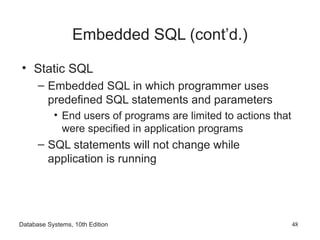
Embedded SQL (cont’d.)
•Static SQL
– Embedded SQL in which programmer uses
predefined SQL statements and parameters
• End users of programs are limited to actions that
were specified in application programs
– SQL statements will not change while
application is running
Database Systems, 10th Edition 48
49.
Embedded SQL (cont’d.)
•Dynamic SQL
– SQL statement is not known in advance, but
instead is generated at run time
– Program can generate SQL statements at run-
time that are required to respond to ad hoc
queries
– Attribute list and condition are not known until
end user specifies them
– Tends to be much slower than static SQL
– Requires more computer resources
Database Systems, 10th Edition 49
50.
Summary
• Operations thatjoin tables are classified as inner
joins and outer joins
• Natural join returns all rows with matching values
in the matching columns
– Eliminates duplicate columns
• Subqueries and correlated queries process data
based on other processed data
• Most subqueries are executed in serial fashion
• SQL functions are used to extract or transform
data
Database Systems, 10th Edition 50
51.
Summary (cont’d.)
• Relationalset operators combine output of two
queries to generate new relation
• Oracle sequences may be used to generate
values to be assigned to a record
• PL/SQL can be used to create triggers, stored
procedures, and PL/SQL functions
• A stored procedure is a named collection of
SQL statements
Database Systems, 10th Edition 51
52.
Summary (cont’d.)
• WhenSQL statements return more than one
value inside the PL/SQL code, cursor is needed
• Embedded SQL uses SQL statements within an
application programming language
Database Systems, 10th Edition 52

![Outer Joins (cont’d.)
• Left outer join
– Returns rows matching the join condition
– Returns rows in left side table with unmatched
values
– Syntax: SELECT column-list FROM table1 LEFT
[OUTER] JOIN table2 ON join-condition
• Right outer join
– Returns rows matching join condition
– Returns rows in right side table with unmatched
values
Database Systems, 10th Edition 10](https://image.slidesharecdn.com/9781111969608pptch08-250215005838-542359ff/85/Database-system-Design-Chapter-8-Advance-SQL-10-320.jpg)
![Outer Joins (cont’d.)
• Full outer join
– Returns rows matching join condition
– Returns all rows with unmatched values in either
side table
– Syntax:
SELECT column-list
FROM table1 FULL [OUTER] JOIN table2
ON join-condition
Database Systems, 10th Edition 11](https://image.slidesharecdn.com/9781111969608pptch08-250215005838-542359ff/85/Database-system-Design-Chapter-8-Advance-SQL-11-320.jpg)
![PL/SQL Stored Functions
• Named group of procedural and SQL
statements that returns a value
• Syntax:
CREATE FUNCTION function_name(argument
IN data-type, …) RETURN data- type [IS]
BEGIN
PL/SQL statements;
…
RETURN (value or expression);
END;
Database Systems, 10th Edition 44](https://image.slidesharecdn.com/9781111969608pptch08-250215005838-542359ff/85/Database-system-Design-Chapter-8-Advance-SQL-44-320.jpg)