DATA STRUCTURES
NAGARAJU ML
ASSISTANT PROFESSOR
DEPARTMENT OF MCA
ACHARYA INSTITUTE OF GRADUATE
STUDIES
SOLADEVANAHALLI, BANGALORE
2.
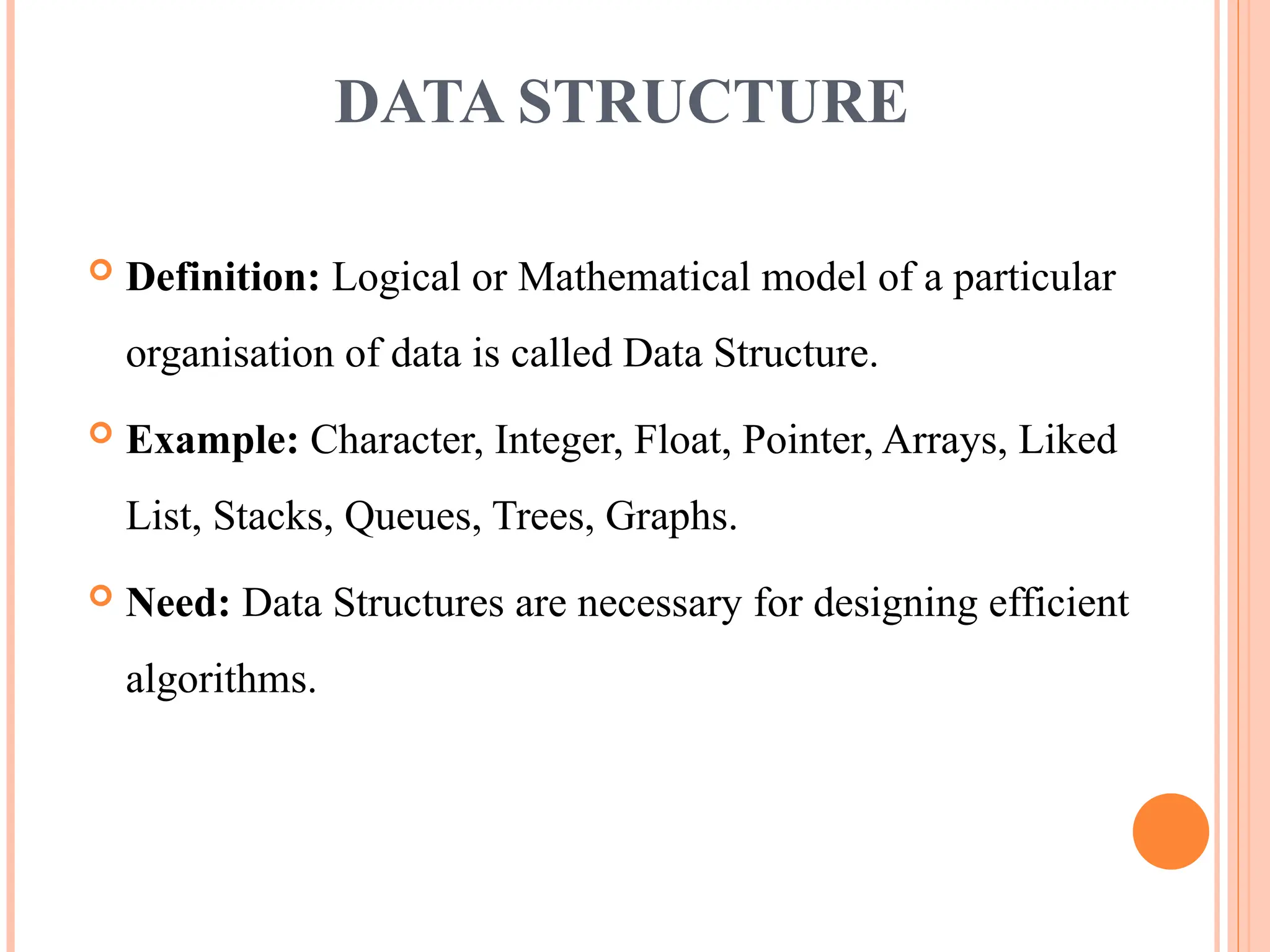
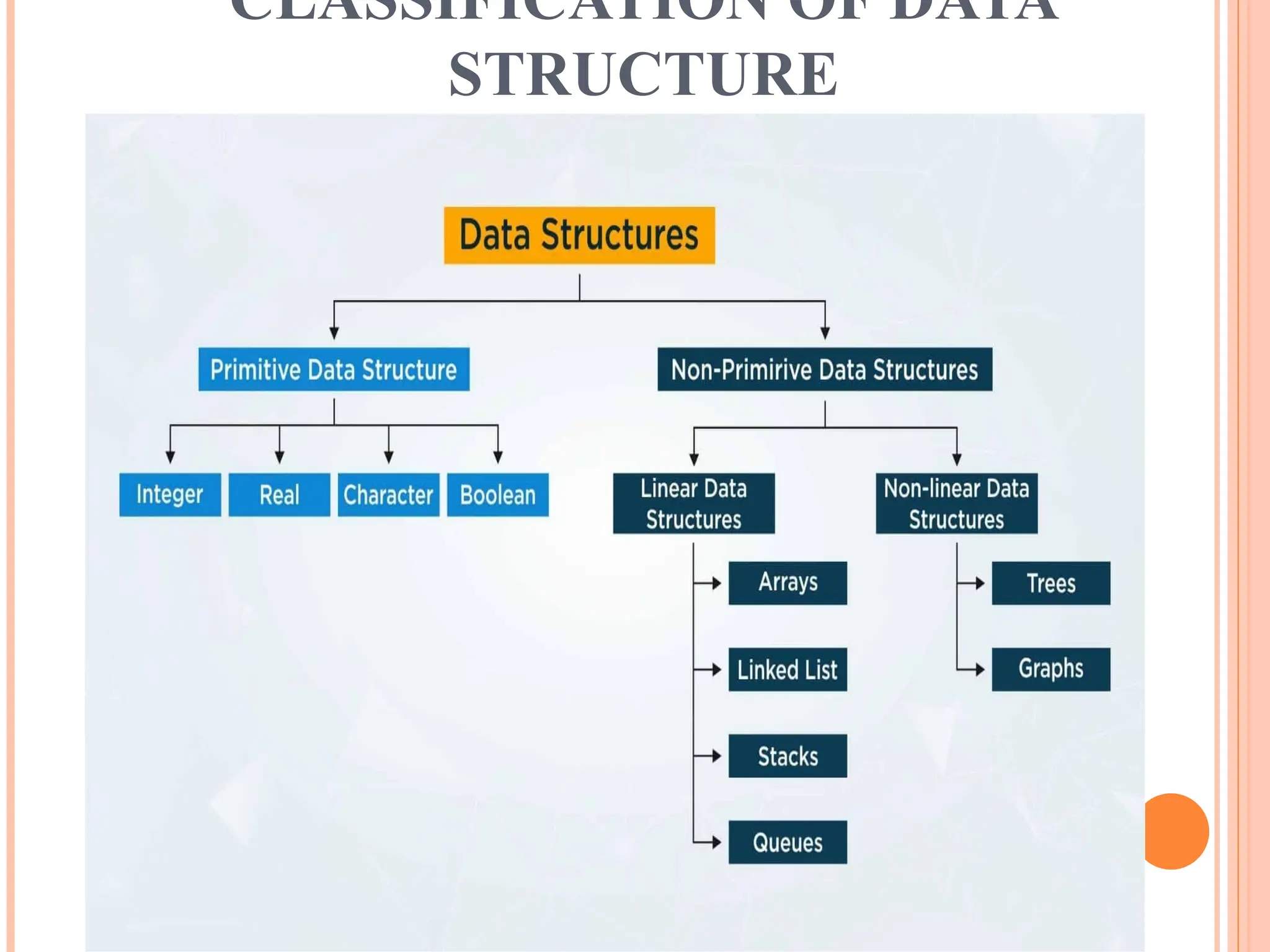
DATA STRUCTURE
Definition:Logical or Mathematical model of a particular
organisation of data is called Data Structure.
Example: Character, Integer, Float, Pointer, Arrays, Liked
List, Stacks, Queues, Trees, Graphs.
Need: Data Structures are necessary for designing efficient
algorithms.
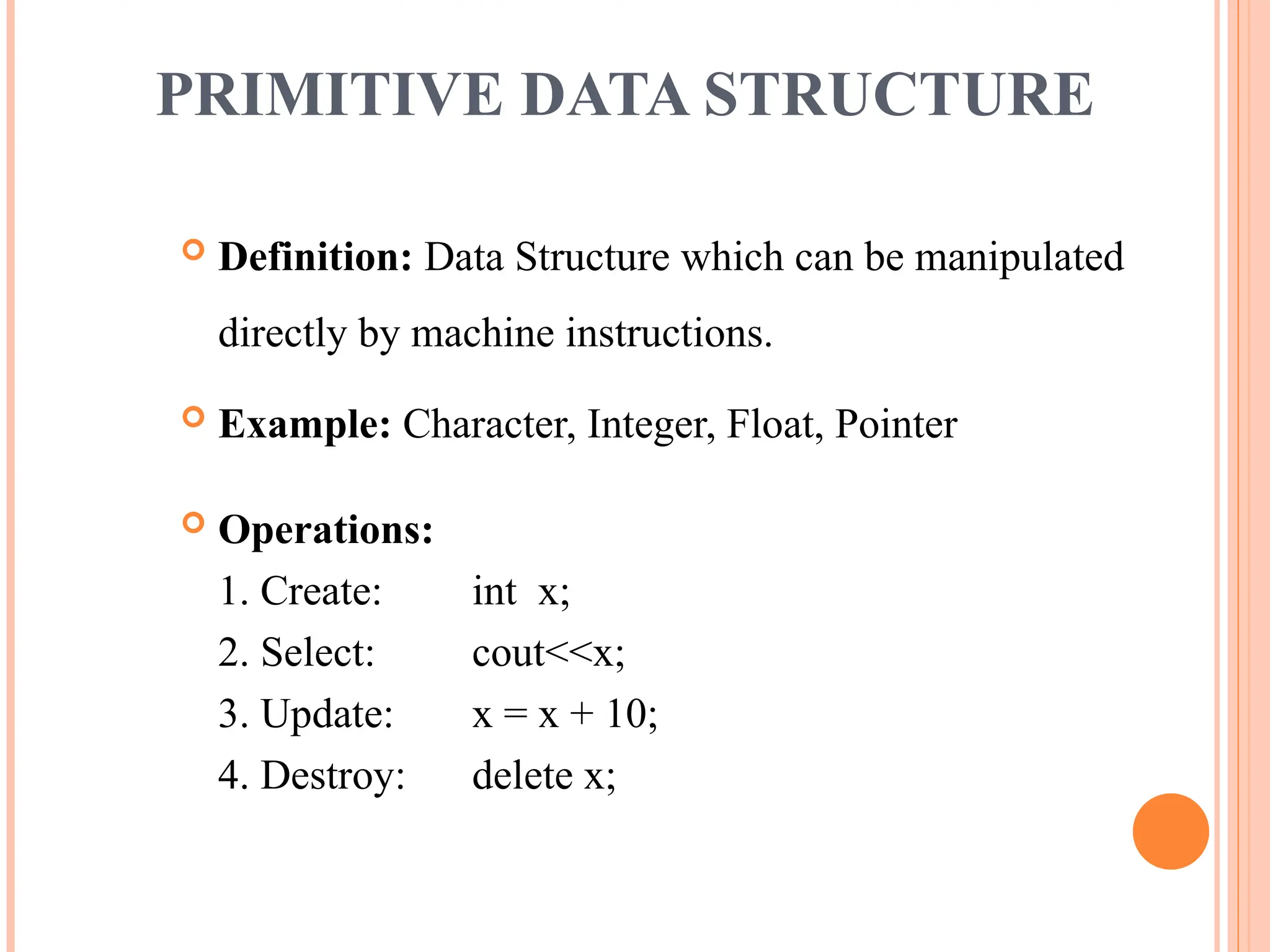
Definition: DataStructure which can be manipulated
directly by machine instructions.
Example: Character, Integer, Float, Pointer
Operations:
1. Create: int x;
2. Select: cout<<x;
3. Update: x = x + 10;
4. Destroy: delete x;
PRIMITIVE DATA STRUCTURE
5.
Definition: DataStructure which can not be manipulated
directly by machine instructions.
Example: Arrays, Linked List, Stacks, Queues, Trees, Graphs.
Operations:
1. Traversing
2. Insertion
3. Deletion
4. Searching
5. Sorting
6. Merging
NON-PRIMITIVE DATA STRUCTURE
6.
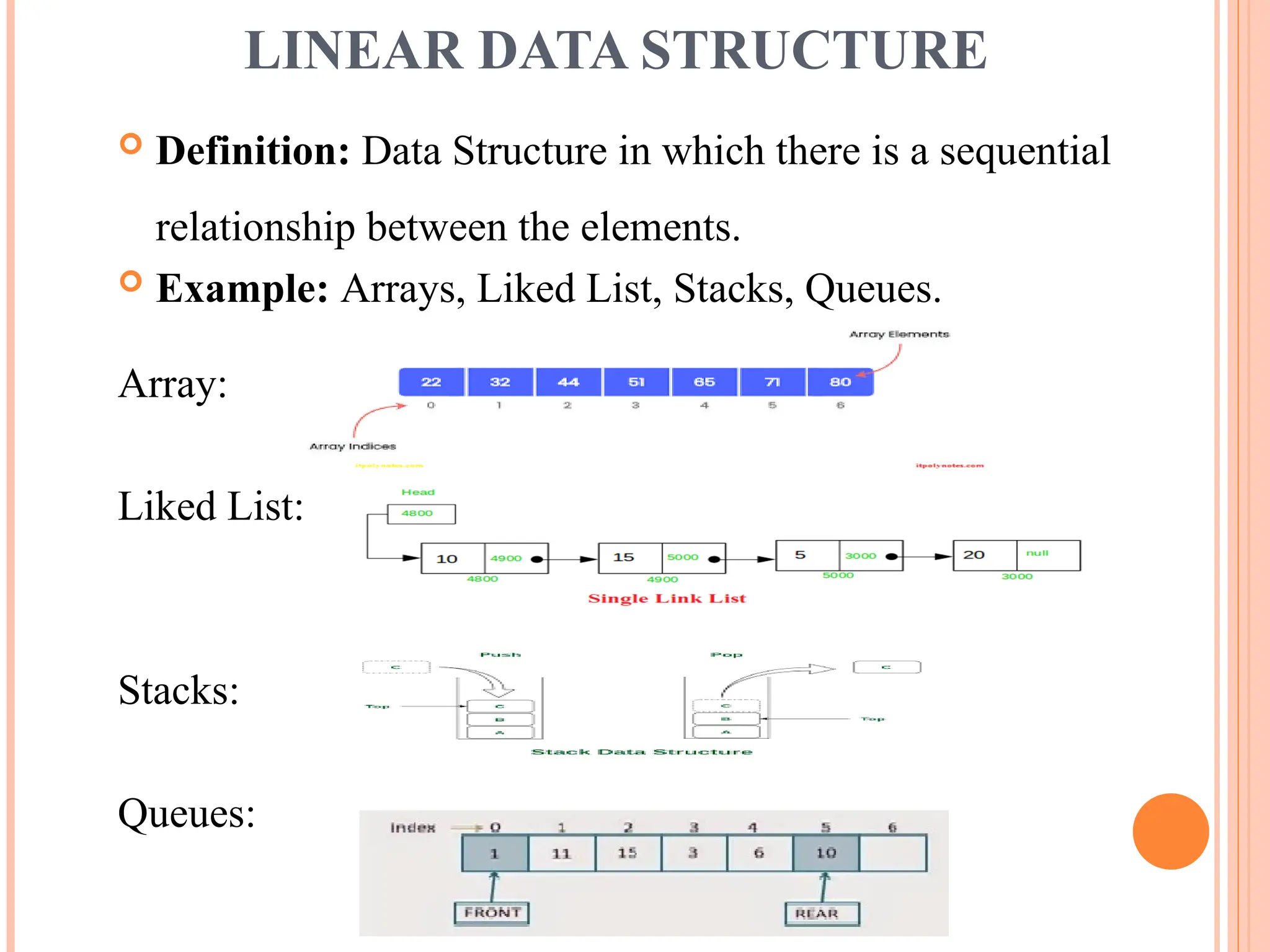
Definition: DataStructure in which there is a sequential
relationship between the elements.
Example: Arrays, Liked List, Stacks, Queues.
Array:
Liked List:
Stacks:
Queues:
LINEAR DATA STRUCTURE
7.
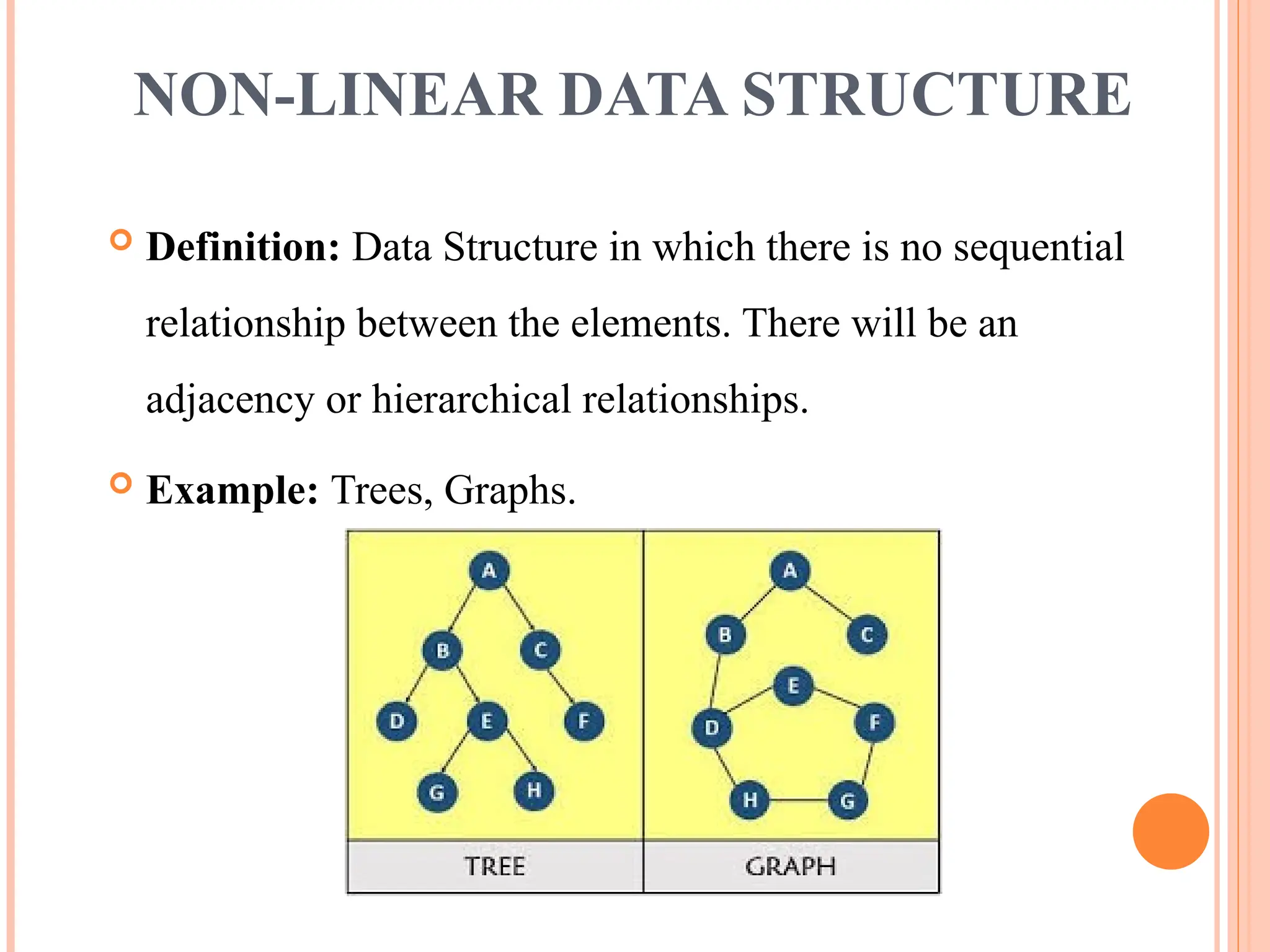
Definition: DataStructure in which there is no sequential
relationship between the elements. There will be an
adjacency or hierarchical relationships.
Example: Trees, Graphs.
NON-LINEAR DATA STRUCTURE
8.
ARRAYS
Definition: Collectionof homogeneous elements with
only one name is called Arrays.
Characteristics:
Types:
1. One-Dimensional Array or Linear Array
2. Two-Dimensional Array
3. Multi-Dimensional Array
9.
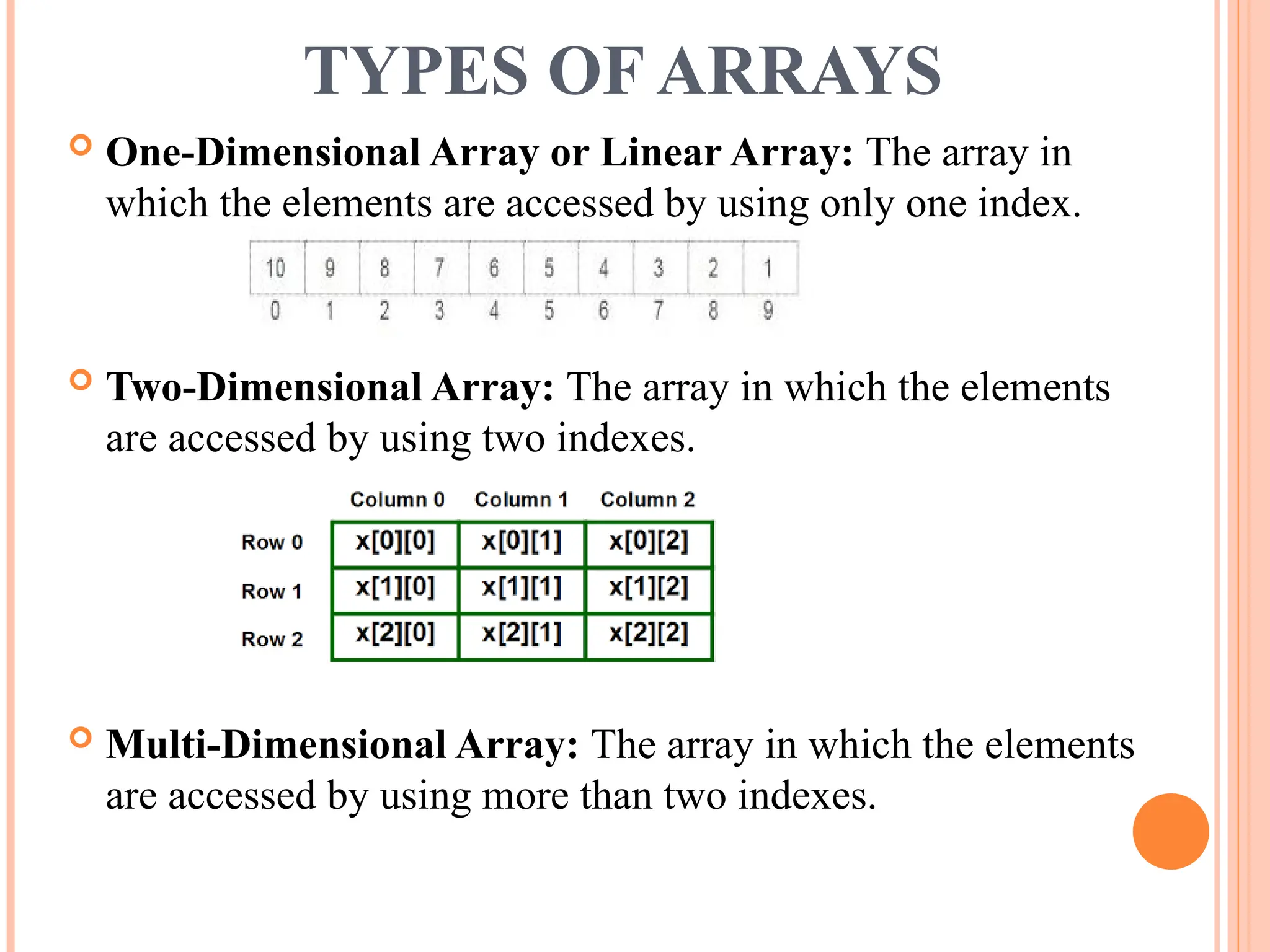
TYPES OF ARRAYS
One-Dimensional Array or Linear Array: The array in
which the elements are accessed by using only one index.
Two-Dimensional Array: The array in which the elements
are accessed by using two indexes.
Multi-Dimensional Array: The array in which the elements
are accessed by using more than two indexes.
10.
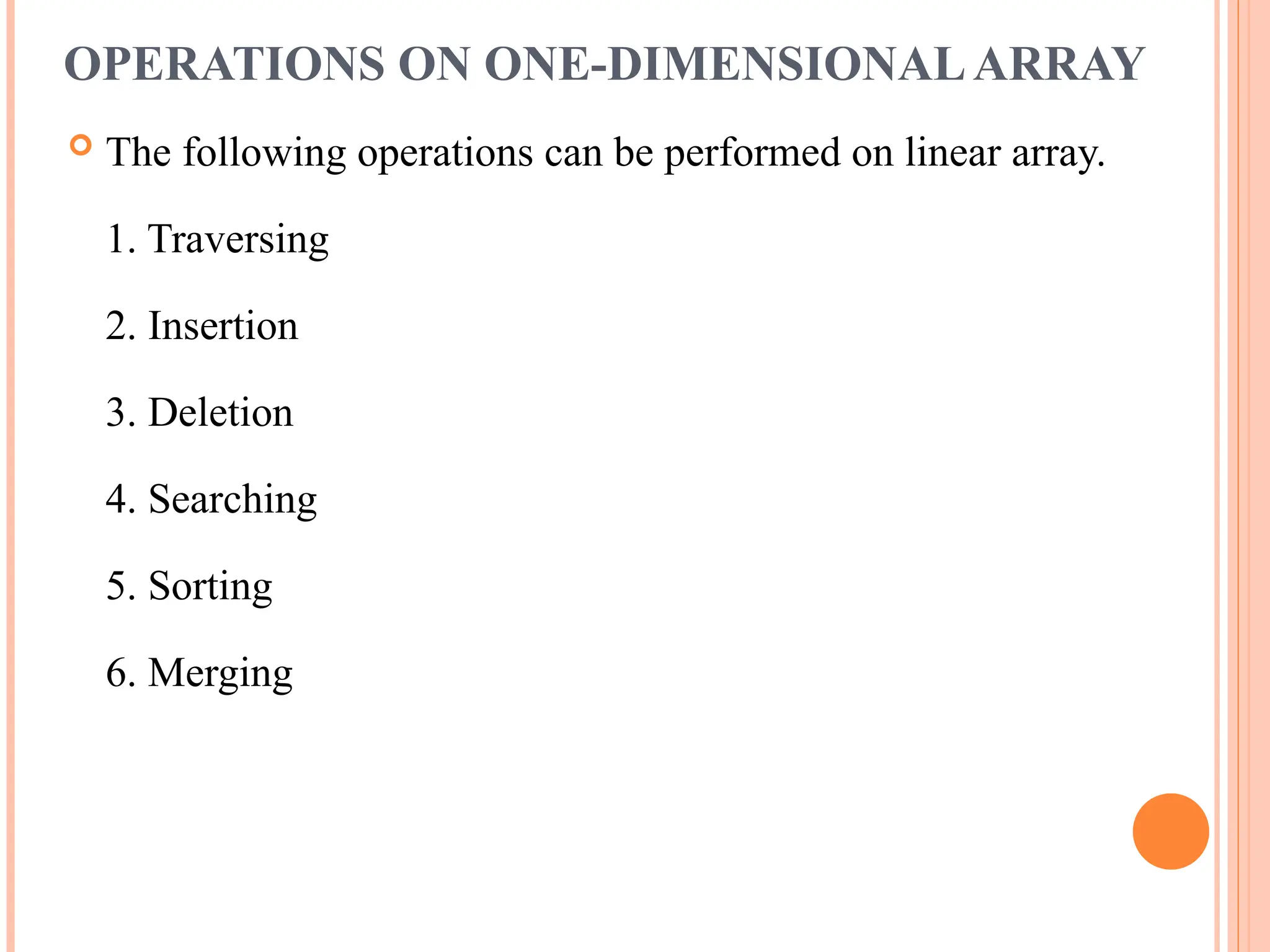
OPERATIONS ON ONE-DIMENSIONALARRAY
The following operations can be performed on linear array.
1. Traversing
2. Insertion
3. Deletion
4. Searching
5. Sorting
6. Merging
11.
TRAVERSING
Traversal ina Linear Array is the process of
visiting each element once.
Traversal is done by starting with the first
element of the array and reaching to the last.
ALGORITHM:
TRAVERSAL(A, N)
Step1: FOR I = 0 to N-1
PROCESS(A[I])
[ end of FOR ]
Step2: Stop
12.
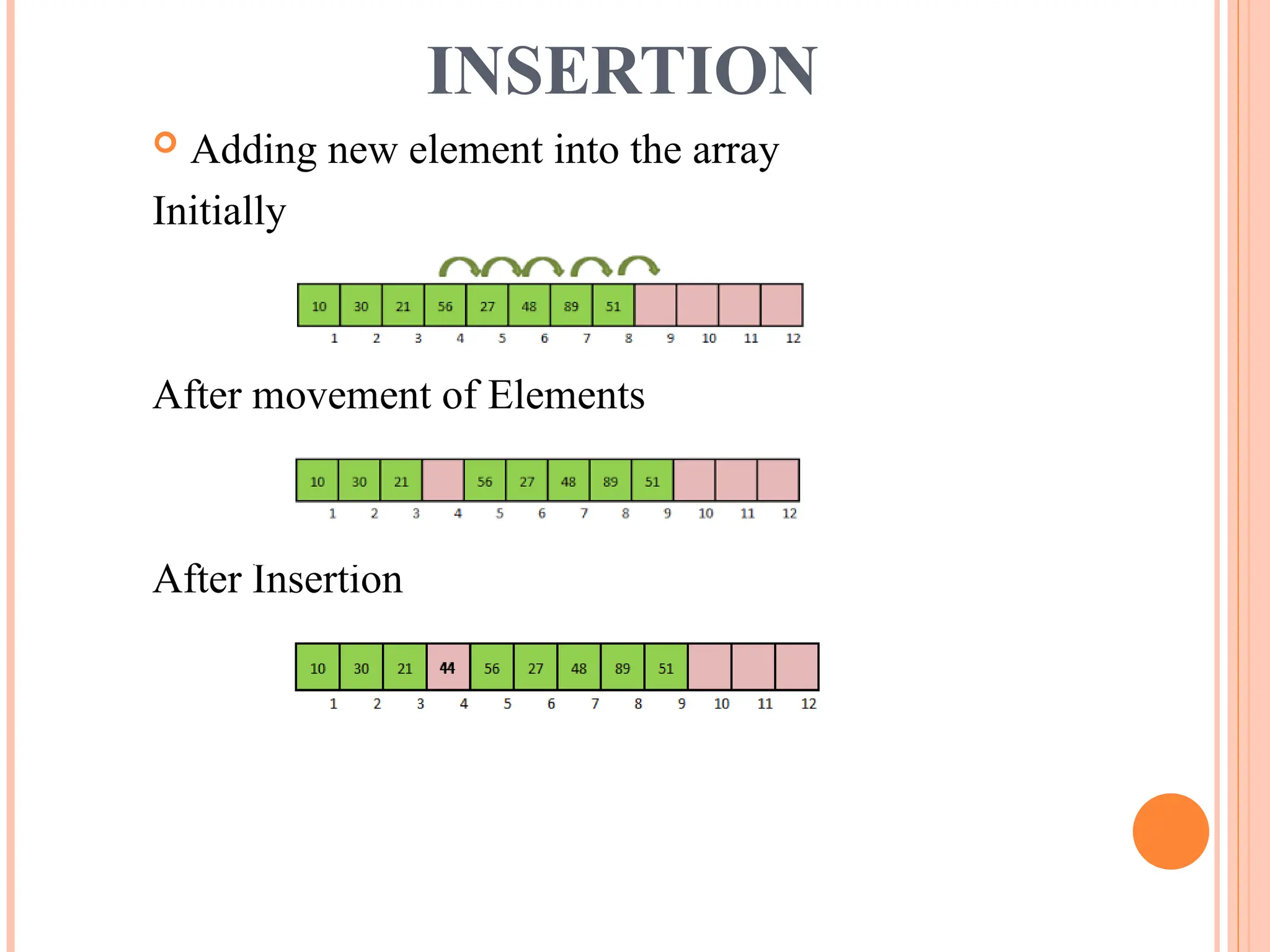
INSERTION
Adding newelement into the array
Initially
After movement of Elements
After Insertion
13.
INSERTION
ALGORITHM:
INSERTION(A, N,ELE, POS)
Step1: FOR I = N-1 DOWNTO POS
A[I+1] = A[I]
[end of FOR]
Step2: A[POS] = ELE
Step3: N = N + 1
Step4: Stop
14.
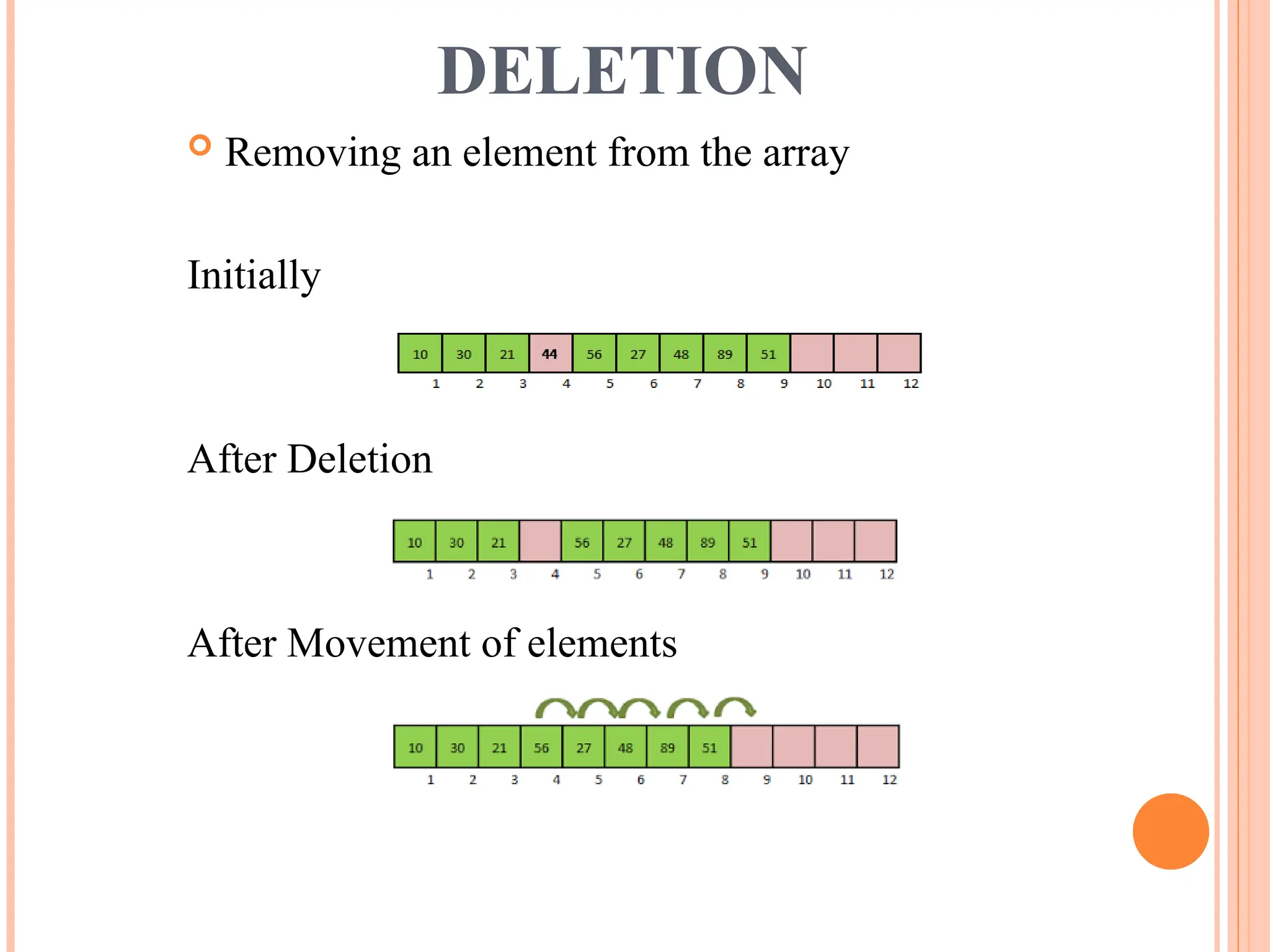
DELETION
Removing anelement from the array
Initially
After Deletion
After Movement of elements
15.
DELETION
ALGORITHM:
DELETION(A, N,ELE, POS)
Step1: ELE = A[POS]
Step2 FOR I = POS TO N – 2
A[I] = A[I+1]
[end of FOR]
Step3: N = N – 1
Step4: Stop
16.
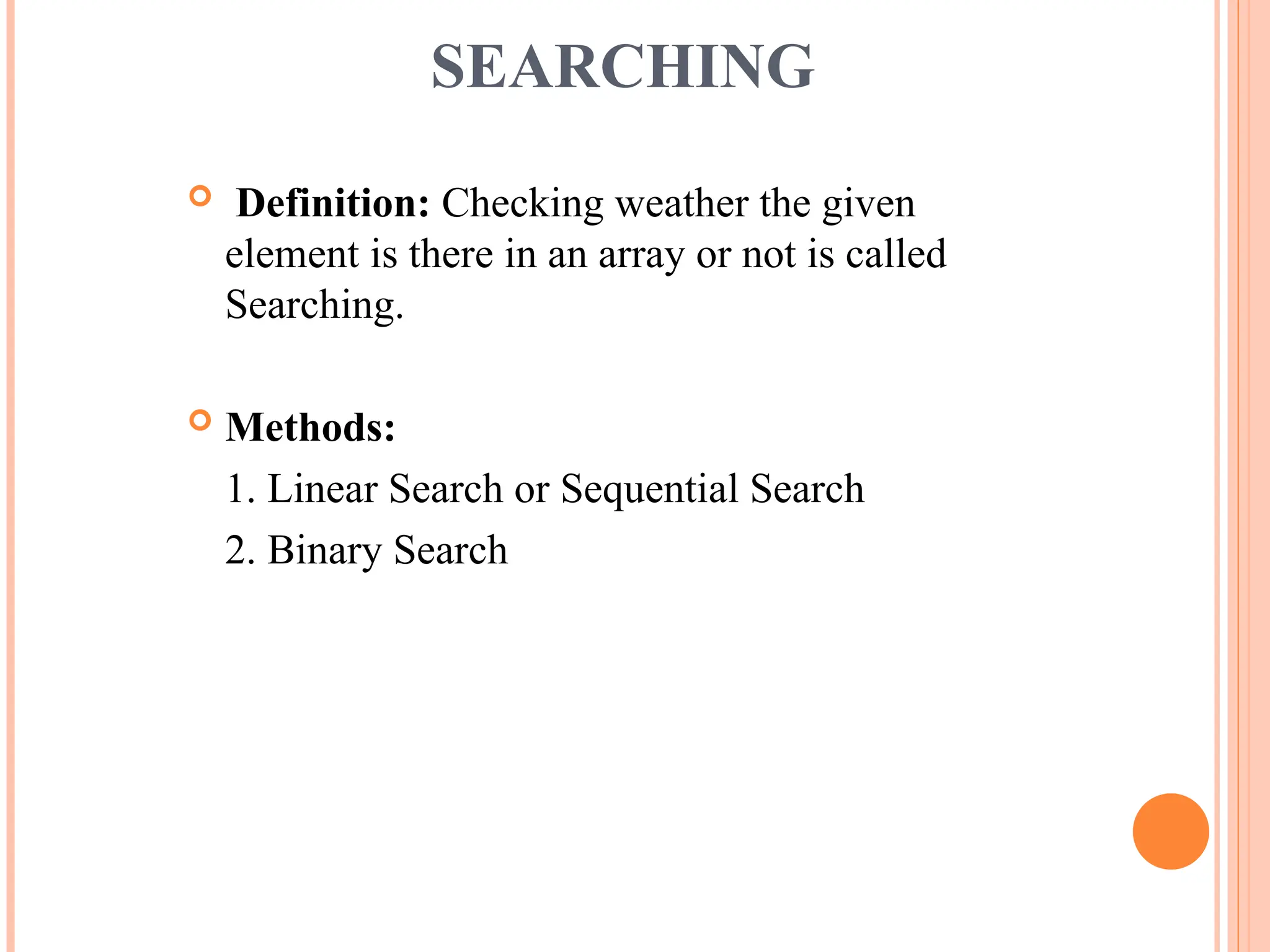
SEARCHING
Definition: Checkingweather the given
element is there in an array or not is called
Searching.
Methods:
1. Linear Search or Sequential Search
2. Binary Search
17.
LINEAR SEARCH
Itis also called Sequential Search.
It can be applied on unsorted array.
Algorithm:
LINEARSEARCH(A, N, KEY)
Step1: LOC = -1
Step2: FOR I = 1 TO N
IF (KEY == A[I])
LOC = I
goto Step3
[end of IF]
[end of FOR]
Step3: IF (LOC == – 1)
Print “ Element not found”
ELSE
Print “Element found at “, LOC
Step4: Stop
18.
BINARY SEARCH
Itcan be applied only on sorted array.
It is based on Divide and Conquer Technique.
Algorithm:
BINARYSEARCH(A, N, KEY)
Step1: LOC = -1, BEG = 0, END = N–1
Step2: Repeat WHILE (BEG <= END)
MID = (BEG + END)/2
IF ( KEY == A[MID] )
LOC = MID
goto Step3
ELSE IF (KEY < A[MID])
END = MID – 1
ELSE
BEG = MID + 1
[ end of IF ]
[ end of WHILE ]
Step3: IF (LOC == – 1)
Print “ Element not found”
19.
BINARY SEARCH
Step3: IF(LOC == – 1)
Print “ Element not found”
ELSE
Print “Element found at “, LOC
[ end of IF ]
Step4: Stop
20.
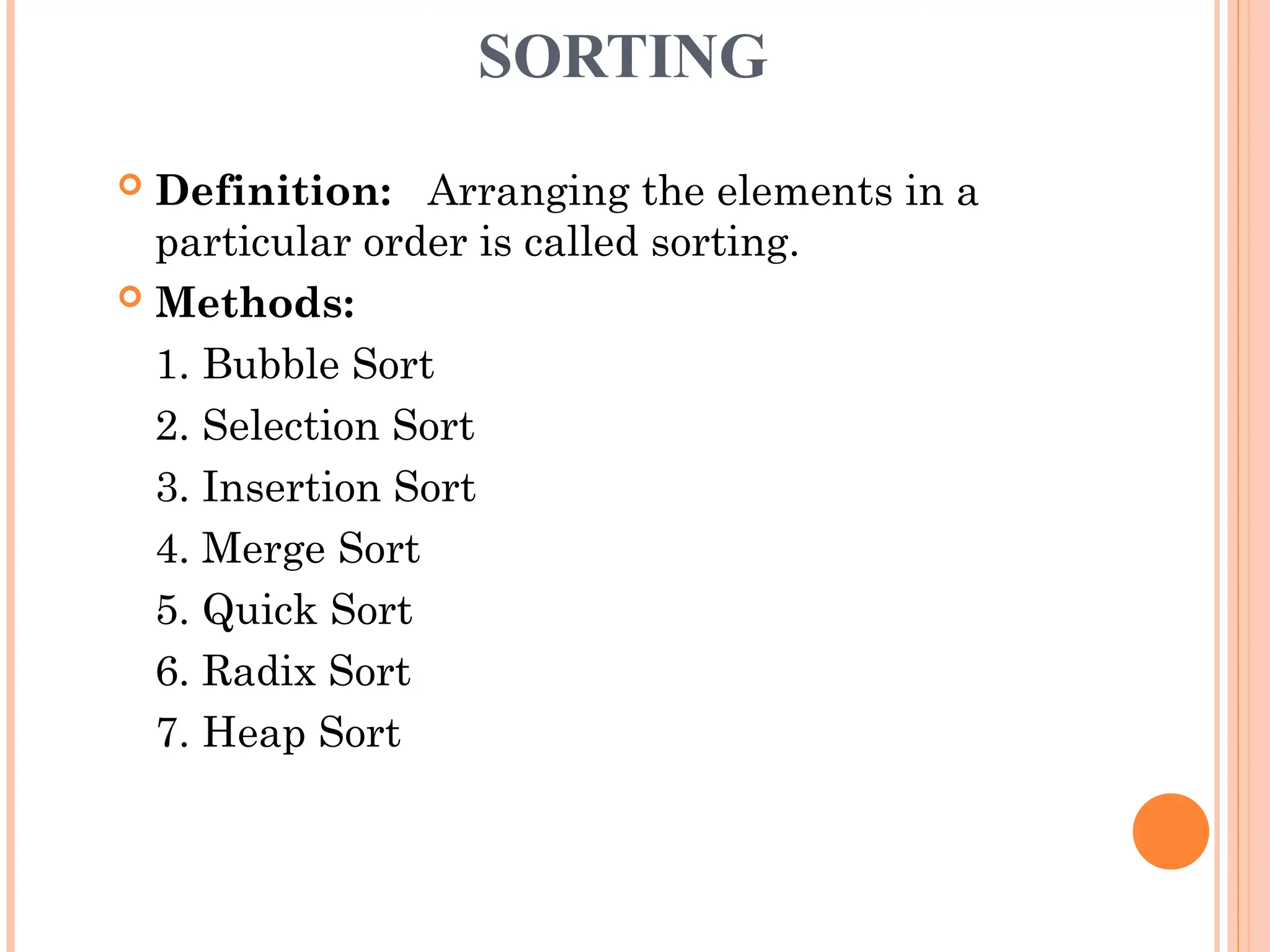
SORTING
Definition: Arrangingthe elements in a
particular order is called sorting.
Methods:
1. Bubble Sort
2. Selection Sort
3. Insertion Sort
4. Merge Sort
5. Quick Sort
6. Radix Sort
7. Heap Sort
21.
BUBBLE SORT
Algorithm:
BUBBLESORT(A,N)
Sept1. FOR I = 1 to N – 1
FOR J = 1 to N–I–1
IF ( A[J] > A[J+1]
TEMP = A[J]
A[J] = A[J+1]
A[J+1] = TEMP
[ end of IF ]
[ end of FOR ]
[ end of FOR ]
![TRAVERSING
Traversal in a Linear Array is the process of
visiting each element once.
Traversal is done by starting with the first
element of the array and reaching to the last.
ALGORITHM:
TRAVERSAL(A, N)
Step1: FOR I = 0 to N-1
PROCESS(A[I])
[ end of FOR ]
Step2: Stop](https://image.slidesharecdn.com/datastructures-mln-250414051742-ef989359/75/Data-Structures-Types-Arrays-stacks-MLN-ppt-11-2048.jpg)
![INSERTION
ALGORITHM:
INSERTION(A, N, ELE, POS)
Step1: FOR I = N-1 DOWNTO POS
A[I+1] = A[I]
[end of FOR]
Step2: A[POS] = ELE
Step3: N = N + 1
Step4: Stop](https://image.slidesharecdn.com/datastructures-mln-250414051742-ef989359/75/Data-Structures-Types-Arrays-stacks-MLN-ppt-13-2048.jpg)
![DELETION
ALGORITHM:
DELETION(A, N, ELE, POS)
Step1: ELE = A[POS]
Step2 FOR I = POS TO N – 2
A[I] = A[I+1]
[end of FOR]
Step3: N = N – 1
Step4: Stop](https://image.slidesharecdn.com/datastructures-mln-250414051742-ef989359/75/Data-Structures-Types-Arrays-stacks-MLN-ppt-15-2048.jpg)
![LINEAR SEARCH
It is also called Sequential Search.
It can be applied on unsorted array.
Algorithm:
LINEARSEARCH(A, N, KEY)
Step1: LOC = -1
Step2: FOR I = 1 TO N
IF (KEY == A[I])
LOC = I
goto Step3
[end of IF]
[end of FOR]
Step3: IF (LOC == – 1)
Print “ Element not found”
ELSE
Print “Element found at “, LOC
Step4: Stop](https://image.slidesharecdn.com/datastructures-mln-250414051742-ef989359/75/Data-Structures-Types-Arrays-stacks-MLN-ppt-17-2048.jpg)
![BINARY SEARCH
It can be applied only on sorted array.
It is based on Divide and Conquer Technique.
Algorithm:
BINARYSEARCH(A, N, KEY)
Step1: LOC = -1, BEG = 0, END = N–1
Step2: Repeat WHILE (BEG <= END)
MID = (BEG + END)/2
IF ( KEY == A[MID] )
LOC = MID
goto Step3
ELSE IF (KEY < A[MID])
END = MID – 1
ELSE
BEG = MID + 1
[ end of IF ]
[ end of WHILE ]
Step3: IF (LOC == – 1)
Print “ Element not found”](https://image.slidesharecdn.com/datastructures-mln-250414051742-ef989359/75/Data-Structures-Types-Arrays-stacks-MLN-ppt-18-2048.jpg)
![BINARY SEARCH
Step3: IF (LOC == – 1)
Print “ Element not found”
ELSE
Print “Element found at “, LOC
[ end of IF ]
Step4: Stop](https://image.slidesharecdn.com/datastructures-mln-250414051742-ef989359/75/Data-Structures-Types-Arrays-stacks-MLN-ppt-19-2048.jpg)
![BUBBLE SORT
Algorithm:
BUBBLESORT(A, N)
Sept1. FOR I = 1 to N – 1
FOR J = 1 to N–I–1
IF ( A[J] > A[J+1]
TEMP = A[J]
A[J] = A[J+1]
A[J+1] = TEMP
[ end of IF ]
[ end of FOR ]
[ end of FOR ]](https://image.slidesharecdn.com/datastructures-mln-250414051742-ef989359/75/Data-Structures-Types-Arrays-stacks-MLN-ppt-21-2048.jpg)