CYBERSECURITY THREATS AND
PREVENTION -RECOGNIZING
PHISHING,MALWARE,AND
SECURE BROWSING HABITS
PRESENTED BY:ADRIAN CEDRIC MEDROSO
INTRODUCTION
• Cybersecurity threats, such as phishing and
malware, use deception to steal information or
install harmful software. Safe browsing habits,
like verifying websites, avoiding suspicious
links, and updating software, help prevent
these risks. Prevention also involves vigilance
with emails, strong passwords, and antivirus
protection.
CYBERSECURITY
THREATS
PHISHING
• Sending fraudulent emails that appear
legitimate, aiming to trick users into
revealing sensitive details like login
credentials or credit card numbers by
clicking on malicious links or providing
information on fake login pages.
MALWARE
• Malicious software like viruses,
worms, Trojan horses, spyware, and
ransomware designed to infiltrate
systems, steal data, disrupt operations,
or extort money from users.
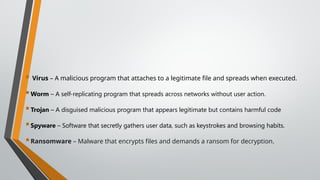
 Virus – A malicious program that attaches to a legitimate file and spreads when executed.
Worm – A self-replicating program that spreads across networks without user action.
Trojan – A disguised malicious program that appears legitimate but contains harmful code
Spyware – Software that secretly gathers user data, such as keystrokes and browsing habits.
Ransomware – Malware that encrypts files and demands a ransom for decryption.
RAMSOMWARE
• A type of malware that encrypts a victim's data,
demanding ransom payment to regain access.
Recognizing Phishing Attempts: Suspicious
sender addresses: Check if the email address
aligns with the purported sender.
RECOGNIZING
PHISHING ATTEMPTS
Suspicious sender addresses: Check if the email
address aligns with the purported sender.
Urgent or threatening language: Phishers often
use urgency to pressure users into clicking links
without thinking.
Generic greetings: Emails addressing you as
"Dear Customer" instead of using your name are
red flags.
Suspicious links: Hovering over links to see the
actual destination URL before clicking.
Grammatical errors and typos: Poorly written
emails could indicate a phishing attempt.
SECURE BROWSING
HABITS
Verify website legitimacy: Check for "HTTPS" in the URL,
indicating a secure connection.
Be cautious with attachments: Don't open attachments
from unknown senders, even if they seem legitimate.
Keep software updated: Regularly install software
updates to patch security vulnerabilities.
Use strong passwords: Create complex passwords with a
mix of upper/lowercase letters, numbers, and symbols,
and avoid reusing passwords across different platforms.
Enable two-factor authentication : Add an extra layer of
security by requiring a code from your phone to log in to
sensitive accounts.
PREVENTION
STRATEGIES
Employee cybersecurity training: Educate employees
about phishing tactics and how to identify suspicious
emails.
Antivirus software: Install reputable antivirus software to
detect and block malware.
 Email filtering: Utilize email filters to identify and block
phishing emails before they reach users.
 Network firewalls: Implement network firewalls to monitor
and control incoming and outgoing network traffic.
Regular data backups: Regularly back up important data to
mitigate data loss in case of a cyberattack.
THANK YOU!!!

CYBERSECURITY THREATS AND PREVENTION -RECOGNIZING PHISHING,.pptx

  • 1.
    CYBERSECURITY THREATS AND PREVENTION-RECOGNIZING PHISHING,MALWARE,AND SECURE BROWSING HABITS PRESENTED BY:ADRIAN CEDRIC MEDROSO
  • 2.
    INTRODUCTION • Cybersecurity threats,such as phishing and malware, use deception to steal information or install harmful software. Safe browsing habits, like verifying websites, avoiding suspicious links, and updating software, help prevent these risks. Prevention also involves vigilance with emails, strong passwords, and antivirus protection.
  • 3.
  • 4.
    PHISHING • Sending fraudulentemails that appear legitimate, aiming to trick users into revealing sensitive details like login credentials or credit card numbers by clicking on malicious links or providing information on fake login pages.
  • 5.
    MALWARE • Malicious softwarelike viruses, worms, Trojan horses, spyware, and ransomware designed to infiltrate systems, steal data, disrupt operations, or extort money from users.
  • 6.
     Virus –A malicious program that attaches to a legitimate file and spreads when executed. Worm – A self-replicating program that spreads across networks without user action. Trojan – A disguised malicious program that appears legitimate but contains harmful code Spyware – Software that secretly gathers user data, such as keystrokes and browsing habits. Ransomware – Malware that encrypts files and demands a ransom for decryption.
  • 7.
    RAMSOMWARE • A typeof malware that encrypts a victim's data, demanding ransom payment to regain access. Recognizing Phishing Attempts: Suspicious sender addresses: Check if the email address aligns with the purported sender.
  • 8.
  • 9.
    Suspicious sender addresses:Check if the email address aligns with the purported sender. Urgent or threatening language: Phishers often use urgency to pressure users into clicking links without thinking. Generic greetings: Emails addressing you as "Dear Customer" instead of using your name are red flags. Suspicious links: Hovering over links to see the actual destination URL before clicking. Grammatical errors and typos: Poorly written emails could indicate a phishing attempt.
  • 10.
  • 11.
    Verify website legitimacy:Check for "HTTPS" in the URL, indicating a secure connection. Be cautious with attachments: Don't open attachments from unknown senders, even if they seem legitimate. Keep software updated: Regularly install software updates to patch security vulnerabilities. Use strong passwords: Create complex passwords with a mix of upper/lowercase letters, numbers, and symbols, and avoid reusing passwords across different platforms. Enable two-factor authentication : Add an extra layer of security by requiring a code from your phone to log in to sensitive accounts.
  • 12.
  • 13.
    Employee cybersecurity training:Educate employees about phishing tactics and how to identify suspicious emails. Antivirus software: Install reputable antivirus software to detect and block malware.  Email filtering: Utilize email filters to identify and block phishing emails before they reach users.  Network firewalls: Implement network firewalls to monitor and control incoming and outgoing network traffic. Regular data backups: Regularly back up important data to mitigate data loss in case of a cyberattack.
  • 14.