CSS
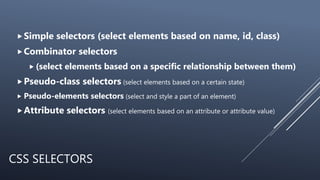
CSS SELECTORS
Simple selectors (select elements based on name, id, class)
Combinator selectors
 (select elements based on a specific relationship between them)
Pseudo-class selectors (select elements based on a certain state)
 Pseudo-elements selectors (select and style a part of an element)
Attribute selectors (select elements based on an attribute or attribute value)
SIMPLE SELECTORS
The CSS element Selector
The CSS id Selector
The CSS class Selector
 .center {
p.center {
 <p class="center large">
The CSS Universal Selector
Grouping Selector
CSS COMBINATORS
descendant selector (space)
 div p {
background-color: yellow;
child selector (>)
 div > p {
background-color: yellow;
}
CSS PSEUDO-CLASSES
 Anchor Pseudo-classes
 a:link {
color: #FF0000;
}
/* visited link */
a:visited {
color: #00FF00;
}
/* mouse over link */
a:hover {
color: #FF00FF;
}
/* selected link */
a:active {
color: #0000FF;
}
CSS PSEUDO-ELEMENTS
p::first-line {
color: #ff0000;
font-variant: small-caps;
}
p::first-letter {
color: #ff0000;
font-size: xx-large;
}
h1::before {
content: url(smiley.gif);
}
-- The ::before pseudo-element can be used to insert some content before the
content of an element.
h1::after {
content: url(smiley.gif);
}
-- The ::after pseudo-element can be used to insert some content after the content
of an element.
CSS BOX MODEL
CSS BOX MODEL
Width and Height of an Element
 Important: When you set the width and height properties
of an element with CSS, you just set the width and height
of the content area.
 To calculate the full size of an element, you must also add
padding, borders and margins.
 div {
width: 320px;
padding: 10px;
border: 5px solid gray;
margin: 0;
}
CSS BOX MODEL
Max- Width
 The max-width property is used to set the maximum width
of an element.
 Using max-width instead, in this situation, will improve the
browser's handling of small windows.
CSS LAYOUT - THE DISPLAY PROPERTY
The display property is the most important CSS property for
controlling layout.
The display property specifies if/how an element is displayed.
Every HTML element has a default display value depending on what
type of element it is. The default display value for most elements is
block or inline.
DISPLAY – BLOCK LEVEL ELEMENTS
<div>
<h1>
<h6>
 <p>
 <form>
 <header>
 <footer>
<section>
DISPLAY – INLINE ELEMENTS
<span>
<a>
<img>
OVERRIDE THE DEFAULT DISPLAY
VALUE
li {
display: inline;
}
span {
display: block;
}
HIDE AN ELEMENT –
DISPLAY:NONE OR VISIBILITY:HIDDEN?
 Hiding an element can be done by setting the display
property to none.
 The element will be hidden, and the page will be
displayed as if the element is not there
 visibility:
 hidden; also hides an element. However, the element
will still take up the same space as before. The element
will be hidden, but still affect the layout

Css3

  • 1.
  • 2.
    CSS SELECTORS Simple selectors(select elements based on name, id, class) Combinator selectors  (select elements based on a specific relationship between them) Pseudo-class selectors (select elements based on a certain state)  Pseudo-elements selectors (select and style a part of an element) Attribute selectors (select elements based on an attribute or attribute value)
  • 3.
    SIMPLE SELECTORS The CSSelement Selector The CSS id Selector The CSS class Selector  .center { p.center {  <p class="center large"> The CSS Universal Selector Grouping Selector
  • 4.
    CSS COMBINATORS descendant selector(space)  div p { background-color: yellow; child selector (>)  div > p { background-color: yellow; }
  • 5.
    CSS PSEUDO-CLASSES  AnchorPseudo-classes  a:link { color: #FF0000; } /* visited link */ a:visited { color: #00FF00; } /* mouse over link */ a:hover { color: #FF00FF; } /* selected link */ a:active { color: #0000FF; }
  • 6.
    CSS PSEUDO-ELEMENTS p::first-line { color:#ff0000; font-variant: small-caps; } p::first-letter { color: #ff0000; font-size: xx-large; } h1::before { content: url(smiley.gif); } -- The ::before pseudo-element can be used to insert some content before the content of an element. h1::after { content: url(smiley.gif); } -- The ::after pseudo-element can be used to insert some content after the content of an element.
  • 7.
  • 8.
    CSS BOX MODEL Widthand Height of an Element  Important: When you set the width and height properties of an element with CSS, you just set the width and height of the content area.  To calculate the full size of an element, you must also add padding, borders and margins.  div { width: 320px; padding: 10px; border: 5px solid gray; margin: 0; }
  • 9.
    CSS BOX MODEL Max-Width  The max-width property is used to set the maximum width of an element.  Using max-width instead, in this situation, will improve the browser's handling of small windows.
  • 10.
    CSS LAYOUT -THE DISPLAY PROPERTY The display property is the most important CSS property for controlling layout. The display property specifies if/how an element is displayed. Every HTML element has a default display value depending on what type of element it is. The default display value for most elements is block or inline.
  • 11.
    DISPLAY – BLOCKLEVEL ELEMENTS <div> <h1> <h6>  <p>  <form>  <header>  <footer> <section>
  • 12.
    DISPLAY – INLINEELEMENTS <span> <a> <img>
  • 13.
    OVERRIDE THE DEFAULTDISPLAY VALUE li { display: inline; } span { display: block; }
  • 14.
    HIDE AN ELEMENT– DISPLAY:NONE OR VISIBILITY:HIDDEN?  Hiding an element can be done by setting the display property to none.  The element will be hidden, and the page will be displayed as if the element is not there  visibility:  hidden; also hides an element. However, the element will still take up the same space as before. The element will be hidden, but still affect the layout

Editor's Notes

  • #5 The descendant selector matches all elements that are descendants of a specified element. the child selector selects all elements that are the children of a specified element.
  • #6 A pseudo-class is used to define a special state of an element. Style an element when a user mouses over it Style visited and unvisited links differently Style an element when it gets focus
  • #7 A CSS pseudo-element is used to style specified parts of an element. For example, it can be used to: Style the first letter, or line, of an element Insert content before, or after, the content of an element