CSS
By Leslie Steele
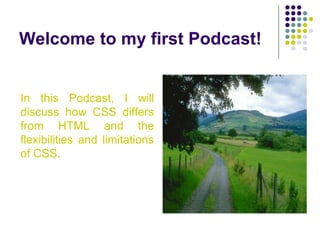
Welcome to my first Podcast!
In this Podcast, I will
discuss how CSS differs
from HTML and the
flexibilities and limitations
of CSS.
CSS Explained
CSS = cascading style sheets
It is one of the simplest tools for Web
developers and designers. It is used to
define formatting of color, background
images, fonts, margins and indentation for
Web pages.
CSS and HTML
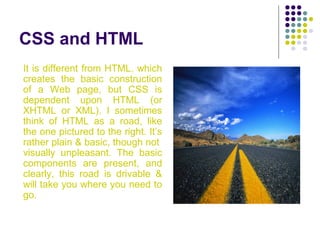
It is different from HTML, which
creates the basic construction
of a Web page, but CSS is
dependent upon HTML (or
XHTML or XML). I sometimes
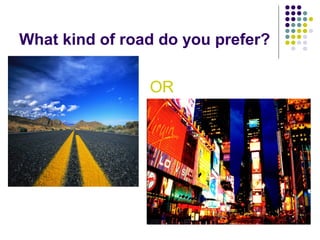
think of HTML as a road, like
the one pictured to the right. It’s
rather plain & basic, though not
visually unpleasant. The basic
components are present, and
clearly, this road is drivable &
will take you where you need to
go.
CSS adds life to Web pages
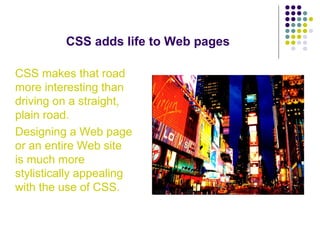
CSS makes that road
more interesting than
driving on a straight,
plain road.
Designing a Web page
or an entire Web site
is much more
stylistically appealing
with the use of CSS.
What can be done with CSS?
Background
What can be done with CSS?
Background
Text
What can be done with CSS?
Background
Text
Font
What can be done with CSS?
Background
Text
Font
Links
What can be done with CSS?
Background
Text
Font
Links
Tables
What can be done with CSS?
Background
Text
Font
Links
Tables
Borders
What can be done with CSS?
Background
Text
Font
Links
Tables
Borders
Margins
What can be done with CSS?
Background
Text
Font
Links
Tables
Borders
Margins
Padding
Background
Color of entire page
Background
Color of entire page
Color of different elements
Background
Color of entire page
Color of different elements
Image
Background
Color of entire page
Color of different elements
Image
-can be set as a fixed image (the image
will not move when scrolling down or up
the page)
Background
Color of entire page
Color of different elements
Image
-can be set as a fixed image (the image
will not move when scrolling down or up
the page)
-position can be set horizontally or
vertically
Background
Color of entire page
Color of different elements
Image
-can be set as a fixed image (the image
will not move when scrolling down or up
the page)
-position can be set horizontally or vertically
-can be set to single image or repeat
image (tile)
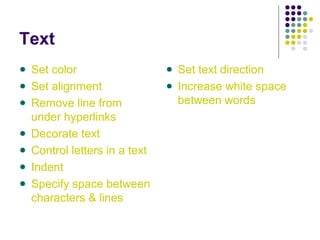
Text
Set color
Text
Set color
Set alignment
Text
Set color
Set alignment
Remove line from
under hyperlinks
Text
Set color
Set alignment
Remove line from
under hyperlinks
Decorate text
Text
Set color
Set alignment
Remove line from
under hyperlinks
Decorate text
Control letters in a text
Text
Set color
Set alignment
Remove line from
under hyperlinks
Decorate text
Control letters in a text
Indent
Text
Set color
Set alignment
Remove line from
under hyperlinks
Decorate text
Control letters in a text
Indent
Specify space between
characters & lines
Text
Set color
Set alignment
Remove line from
under hyperlinks
Decorate text
Control letters in a text
Indent
Specify space between
characters & lines
Set text direction
Text
Set color
Set alignment
Remove line from
under hyperlinks
Decorate text
Control letters in a text
Indent
Specify space between
characters & lines
Set text direction
Increase white space
between words
Text
Set color
Set alignment
Remove line from
under hyperlinks
Decorate text
Control letters in a text
Indent
Specify space between
characters & lines
Set text direction
Increase white space
between words
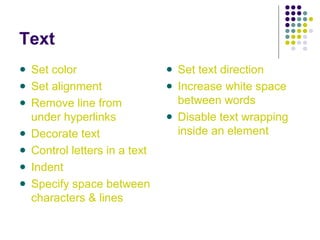
Disable text wrapping
inside an element
Text
Set color
Set alignment
Remove line from
under hyperlinks
Decorate text
Control letters in a text
Indent
Specify space between
characters & lines
Set text direction
Increase white space
between words
Disable text wrapping
inside an element
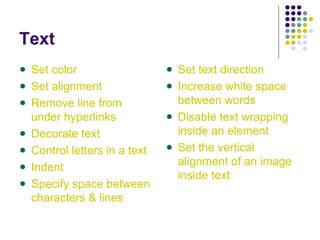
Set the vertical
alignment of an image
inside text
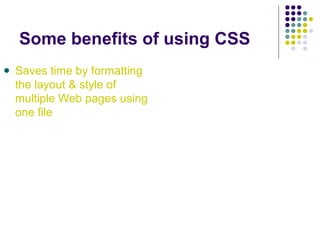
Some benefits of using CSS
Saves time by formatting
the layout & style of
multiple Web pages using
one file
Some benefits of using CSS
Saves time by formatting
the layout & style of
multiple Web pages using
one file
Different style sheets can
be specified to use
depending on the
technology used to
access the site on
whatever device is used
to access the page
Some benefits of using CSS
Saves time by formatting
the layout & style of
multiple Web pages using
one file
Different style sheets can
be specified to use
depending on the
technology used to
access the site on
whatever device is used
to access the page
Pages can be read
more accurately &
precisely by aids like
screen readers, thus
greatly improving
accessibility for
disabled persons
Some benefits of using CSS
Saves time by formatting
the layout & style of
multiple Web pages using
one file
Different style sheets can
be specified to use
depending on the
technology used to access
the site on whatever
device is used to access
the page
Pages can be read more
accurately & precisely by
aids like screen readers,
thus greatly improving
accessibility for disabled
persons
Reduces the amount of
HTML code a Web site
requires which decreases
page size & bandwidth
usage
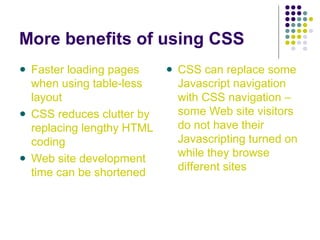
More benefits of using CSS
Faster loading pages
when using table-less
layout
CSS reduces clutter by
replacing lengthy HTML
coding
Web site development
time can be shortened
CSS can replace some
Javascript navigation
with CSS navigation –
some Web site visitors
do not have their
Javascripting turned on
while they browse
different sites
Limitations of CSS
Although there is so much that can be
accomplished with the use of CSS, it does
have its limitations.
Some such limitations include:
Limitations of CSS
Collapsing margins:
Two consecutive
vertical margins
collapse if there is no
border or padding that
fall between & may
cause positioned
content to appear
incorrectly, resulting in
a single margin area
Limitations of CSS
Collapsing margins:
Two consecutive
vertical margins
collapse if there is no
border or padding that
fall between & may
cause positioned
content to appear
incorrectly, resulting in
a single margin area
Inconsistent browser
support:
Different browsers
present CSS layout
differently because of
browser bugs or lack of
CSS feature support
Limitations of CSS
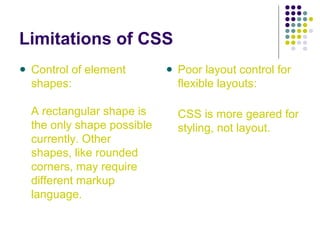
Control of element
shapes:
A rectangular shape is
the only shape possible
currently. Other
shapes, like rounded
corners, may require
different markup
language.
Limitations of CSS
Control of element
shapes:
A rectangular shape is
the only shape possible
currently. Other
shapes, like rounded
corners, may require
different markup
language.
Poor layout control for
flexible layouts:
CSS is more geared for
styling, not layout.
Limitations of CSS
Lack of column declaration:
Layouts with multiple
columns can be complex to
implement. Currently, the
process is often done using
floating elements, but they
can appear differently in
different browsers.
Appearance can also vary if
viewed on monitors with
different screen ratios.
Limitations of CSS
Lack of column declaration:
Layouts with multiple
columns can be complex to
implement. Currently, the
process is often done using
floating elements, but they
can appear differently in
different browsers.
Appearance can also vary if
viewed on monitors with
different screen ratios.
No multiple backgrounds per
element:
Highly graphical designs
require multiple background
images for every element --
so developers and designers
must choose between adding
redundant wrappers around
document elements or
dropping the visual effect.
The benefits of using CSS far outweigh its
disadvantages, especially when emphasis is
placed more and more on Web site
accessibility. Future Web site standards will
most likely include being accessible, which
is best done on pages and sites that have a
table-less design.
CSS is being still being further developed
and there will be more possibilities with each
new version. With all that already can be
done with CSS, it’s amazing to think of what
the future will hold.
What kind of road do you prefer?
OR

CSS

  • 1.
  • 2.
    Welcome to myfirst Podcast! In this Podcast, I will discuss how CSS differs from HTML and the flexibilities and limitations of CSS.
  • 3.
    CSS Explained CSS =cascading style sheets It is one of the simplest tools for Web developers and designers. It is used to define formatting of color, background images, fonts, margins and indentation for Web pages.
  • 4.
    CSS and HTML Itis different from HTML, which creates the basic construction of a Web page, but CSS is dependent upon HTML (or XHTML or XML). I sometimes think of HTML as a road, like the one pictured to the right. It’s rather plain & basic, though not visually unpleasant. The basic components are present, and clearly, this road is drivable & will take you where you need to go.
  • 5.
    CSS adds lifeto Web pages CSS makes that road more interesting than driving on a straight, plain road. Designing a Web page or an entire Web site is much more stylistically appealing with the use of CSS.
  • 6.
    What can bedone with CSS? Background
  • 7.
    What can bedone with CSS? Background Text
  • 8.
    What can bedone with CSS? Background Text Font
  • 9.
    What can bedone with CSS? Background Text Font Links
  • 10.
    What can bedone with CSS? Background Text Font Links Tables
  • 11.
    What can bedone with CSS? Background Text Font Links Tables Borders
  • 12.
    What can bedone with CSS? Background Text Font Links Tables Borders Margins
  • 13.
    What can bedone with CSS? Background Text Font Links Tables Borders Margins Padding
  • 14.
  • 15.
    Background Color of entirepage Color of different elements
  • 16.
    Background Color of entirepage Color of different elements Image
  • 17.
    Background Color of entirepage Color of different elements Image -can be set as a fixed image (the image will not move when scrolling down or up the page)
  • 18.
    Background Color of entirepage Color of different elements Image -can be set as a fixed image (the image will not move when scrolling down or up the page) -position can be set horizontally or vertically
  • 19.
    Background Color of entirepage Color of different elements Image -can be set as a fixed image (the image will not move when scrolling down or up the page) -position can be set horizontally or vertically -can be set to single image or repeat image (tile)
  • 20.
  • 21.
  • 22.
    Text Set color Set alignment Removeline from under hyperlinks
  • 23.
    Text Set color Set alignment Removeline from under hyperlinks Decorate text
  • 24.
    Text Set color Set alignment Removeline from under hyperlinks Decorate text Control letters in a text
  • 25.
    Text Set color Set alignment Removeline from under hyperlinks Decorate text Control letters in a text Indent
  • 26.
    Text Set color Set alignment Removeline from under hyperlinks Decorate text Control letters in a text Indent Specify space between characters & lines
  • 27.
    Text Set color Set alignment Removeline from under hyperlinks Decorate text Control letters in a text Indent Specify space between characters & lines Set text direction
  • 28.
    Text Set color Set alignment Removeline from under hyperlinks Decorate text Control letters in a text Indent Specify space between characters & lines Set text direction Increase white space between words
  • 29.
    Text Set color Set alignment Removeline from under hyperlinks Decorate text Control letters in a text Indent Specify space between characters & lines Set text direction Increase white space between words Disable text wrapping inside an element
  • 30.
    Text Set color Set alignment Removeline from under hyperlinks Decorate text Control letters in a text Indent Specify space between characters & lines Set text direction Increase white space between words Disable text wrapping inside an element Set the vertical alignment of an image inside text
  • 31.
    Some benefits ofusing CSS Saves time by formatting the layout & style of multiple Web pages using one file
  • 32.
    Some benefits ofusing CSS Saves time by formatting the layout & style of multiple Web pages using one file Different style sheets can be specified to use depending on the technology used to access the site on whatever device is used to access the page
  • 33.
    Some benefits ofusing CSS Saves time by formatting the layout & style of multiple Web pages using one file Different style sheets can be specified to use depending on the technology used to access the site on whatever device is used to access the page Pages can be read more accurately & precisely by aids like screen readers, thus greatly improving accessibility for disabled persons
  • 34.
    Some benefits ofusing CSS Saves time by formatting the layout & style of multiple Web pages using one file Different style sheets can be specified to use depending on the technology used to access the site on whatever device is used to access the page Pages can be read more accurately & precisely by aids like screen readers, thus greatly improving accessibility for disabled persons Reduces the amount of HTML code a Web site requires which decreases page size & bandwidth usage
  • 35.
    More benefits ofusing CSS Faster loading pages when using table-less layout CSS reduces clutter by replacing lengthy HTML coding Web site development time can be shortened CSS can replace some Javascript navigation with CSS navigation – some Web site visitors do not have their Javascripting turned on while they browse different sites
  • 36.
    Limitations of CSS Althoughthere is so much that can be accomplished with the use of CSS, it does have its limitations. Some such limitations include:
  • 37.
    Limitations of CSS Collapsingmargins: Two consecutive vertical margins collapse if there is no border or padding that fall between & may cause positioned content to appear incorrectly, resulting in a single margin area
  • 38.
    Limitations of CSS Collapsingmargins: Two consecutive vertical margins collapse if there is no border or padding that fall between & may cause positioned content to appear incorrectly, resulting in a single margin area Inconsistent browser support: Different browsers present CSS layout differently because of browser bugs or lack of CSS feature support
  • 39.
    Limitations of CSS Controlof element shapes: A rectangular shape is the only shape possible currently. Other shapes, like rounded corners, may require different markup language.
  • 40.
    Limitations of CSS Controlof element shapes: A rectangular shape is the only shape possible currently. Other shapes, like rounded corners, may require different markup language. Poor layout control for flexible layouts: CSS is more geared for styling, not layout.
  • 41.
    Limitations of CSS Lackof column declaration: Layouts with multiple columns can be complex to implement. Currently, the process is often done using floating elements, but they can appear differently in different browsers. Appearance can also vary if viewed on monitors with different screen ratios.
  • 42.
    Limitations of CSS Lackof column declaration: Layouts with multiple columns can be complex to implement. Currently, the process is often done using floating elements, but they can appear differently in different browsers. Appearance can also vary if viewed on monitors with different screen ratios. No multiple backgrounds per element: Highly graphical designs require multiple background images for every element -- so developers and designers must choose between adding redundant wrappers around document elements or dropping the visual effect.
  • 43.
    The benefits ofusing CSS far outweigh its disadvantages, especially when emphasis is placed more and more on Web site accessibility. Future Web site standards will most likely include being accessible, which is best done on pages and sites that have a table-less design.
  • 44.
    CSS is beingstill being further developed and there will be more possibilities with each new version. With all that already can be done with CSS, it’s amazing to think of what the future will hold.
  • 45.
    What kind ofroad do you prefer? OR