Building QA Dashboard Based on a Real Project by  Petro Porchuk 2010
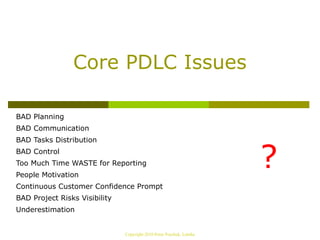
Core PDLC Issues BAD Planning
BAD Communication
BAD Tasks Distribution
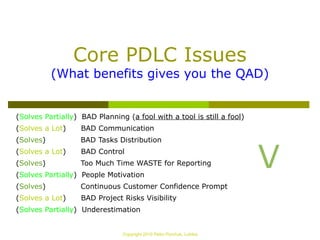
BAD Control
Too Much Time WASTE for Reporting
People Motivation
Continuous Customer Confidence Prompt
BAD Project Risks Visibility
Underestimation ? Copyright 2010 Petro Porchuk, Lohika
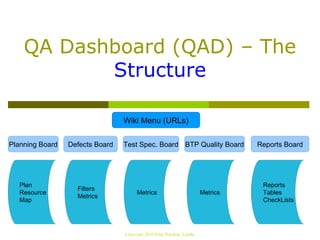
QA Dashboard (QAD) – The  Structure Copyright 2010 Petro Porchuk, Lohika Wiki Menu (URLs) Test Spec. Board Planning Board Defects Board BTP Quality Board Reports Board Plan
Resource
Map Filters
Metrics Metrics Metrics Reports
Tables
CheckLists
QAD – The Implementation (JIRA Portlet Macro) The Dashboard is the first screen you see when you login to JIRA. It can be configured to display many different types of information, depending on your areas of interest.
The JIRA Portlet Macro allows you to display a JIRA dashboard portlet on a Confluence page. JIRA is the issue tracking and project management system supplied by Atlassian. http://confluence.atlassian.com/display/JIRA/Customising+the+Dashboard   http://confluence.atlassian.com/display/DOC/JIRA+Portlet+Macro   Copyright 2010 Petro Porchuk, Lohika
QAD – The Philosophy ! Building the QAD should be done as  P3  Task.
The QAD update should be  automated  AMAP.
You don't work for statistics – statistics  works for you !
QAD should be  available  for every team player.
Everyone should be keeping the QAD sources  up-to-date  and  accurate  in scope of his/her responsibilities.
QAD is a  tool , use it! Copyright 2010 Petro Porchuk, Lohika
Planning Board QA Project Plan
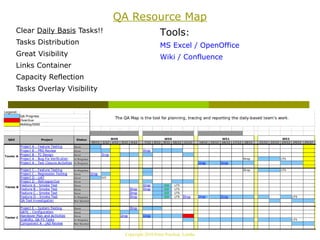
QA Resource Map Copyright 2010 Petro Porchuk, Lohika
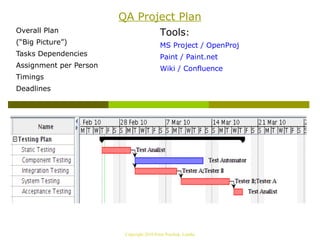
QA Project Plan Overall Plan
(“Big Picture”)
Tasks Dependencies
Assignment per Person
Timings
Deadlines Tools : MS Project / OpenProj
Paint / Paint.net
Wiki / Confluence Copyright 2010 Petro Porchuk, Lohika
QA Resource Map Clear  Daily Basis  Tasks!!
Tasks Distribution
Great Visibility
Links Container
Capacity Reflection

Creating QA Dashboard