Creating AppStream users through User
Pool
(without Domain Join)
Mr. Subramanyam Tirumani Vemala
subramanyam.vemala@gmail.com
Use Case Details:
• A contract employee (User), needs to access a centrally managed
desktop application through AWS services and must be streaming. All
the features like auto-scaling, load balancing etc. must be self-
managed by AWS.
• Users, created through the AppStream User Pool, must seamlessly
and securely access the application through the URL with login
credentials.
• The application, must be of SaaS with no rewrite.
• Admin must be enable the user to access specified applications, as
per the Organizational policy.
AWS services that can be used:
• AWS AppStream.
• AWS User Pool.
Expected Features in the developed
application:
• Must be able to access the application from any computer.
• Applications and data must be secured.
• Applications must be centrally manageable.
• Scale without infrastructure.
• Provide a fluid and responsive user experience.
• Able to integrate with your IT services like On-Premises AD.
• Applications must be, full software-as-a-service (SaaS) solution
without rewriting the application.
Steps:
1. Create necessary Fleet, Stack in the AWS AppStream services.
2. Create a private Golden Image if needed using the ImageBuilder.
The same Golden Image will be used for creating Fleets. We can go
for private images, if any customized image is needed.
(For the above Steps1 and 2, please follow my other document named
“AppStream_Fleet_Stalk_Users_WithDomainJoin_iTrans”.)
3. Create the users using AppStream User Pool. Associate the users to
a specific AppStream Stack. (The detailed steps are as below)
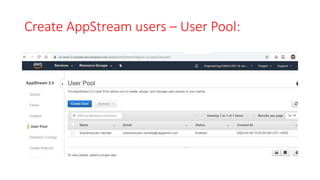
Create AppStream users – User Pool:
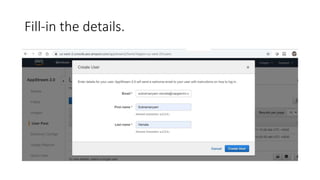
Fill-in the details.
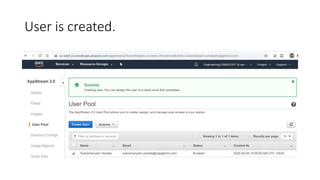
User is created.
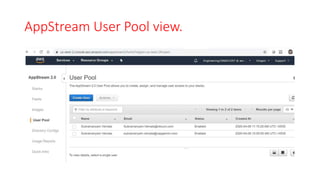
AppStream User Pool view.
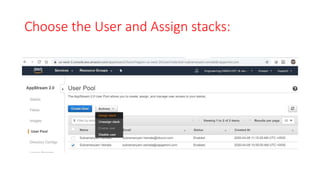
Choose the User and Assign stacks:
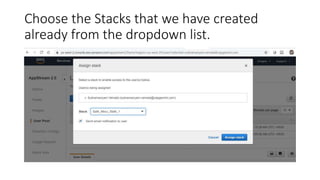
Choose the Stacks that we have created
already from the dropdown list.
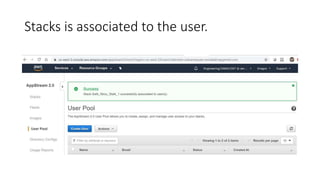
Stacks is associated to the user.
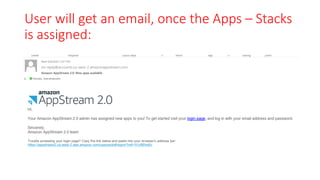
User will get an email, once the Apps – Stacks
is assigned:
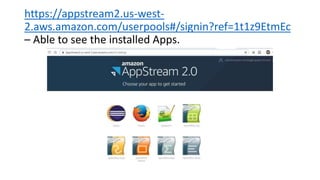
https://appstream2.us-west-
2.aws.amazon.com/userpools#/signin?ref=1t1z9EtmEc
– Able to see the installed Apps.
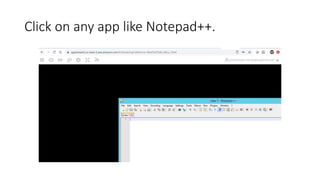
Click on any app like Notepad++.
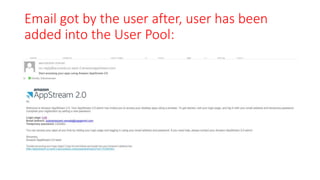
Email got by the user after, user has been
added into the User Pool:
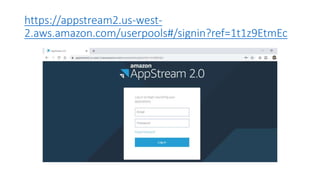
https://appstream2.us-west-
2.aws.amazon.com/userpools#/signin?ref=1t1z9EtmEc
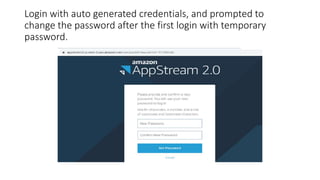
Login with auto generated credentials, and prompted to
change the password after the first login with temporary
password.
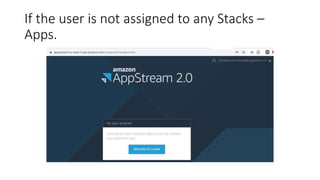
If the user is not assigned to any Stacks –
Apps.
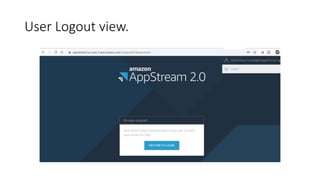
User Logout view.
Appendix:
https://docs.aws.amazon.com/appstream2/latest/developerguide/user
-pool.html
https://docs.aws.amazon.com/appstream2/latest/developerguide/user
-pool-admin.html
https://aws.amazon.com/appstream2/
https://docs.aws.amazon.com/appstream2/

Creating AppStream users through User Pool